Quick answer
The best Canva alternatives in 2027 are Adobe Express for an easy all-round switch, VistaCreate for the lowest team cost, and Figma Buzz or Marq for brand control. Visme leads for data visuals, Kittl for typography and merch, and Penpot for a free open-source option.
Key takeaways
- Teams pay more now. Canva no longer sells Teams to new users, and Business costs $250 per person per year.
- Adobe Express is the safest swap. It feels like Canva, costs less for teams, and gives 250 AI credits a month on Premium.
- VistaCreate is the cheapest team option. Pro costs about $120 a year and can cover up to 10 seats.
- Brand control needs locking. Marq and Figma Buzz let you lock layouts so others only edit approved fields.
- Read the license. Kittl Free is personal use only, and Microsoft Designer is licensed for personal, non-commercial use.
- Affinity is Canva now. Canva owns Affinity and Leonardo, so switching to them keeps you in Canva’s ecosystem.
Canva quietly got more expensive for teams. The old Teams plan, which covered five people for about $120 a year, is gone. New teams now land on Business at $250 per person per year.
The free plan got thinner too. In September 2026, Canva cut free AI uses from 200 down to 20.
And if you post a lot, you have probably noticed it. Half the feeds you scroll use the same Canva templates you do.
None of this makes Canva a bad tool. It still has over 265 million monthly users for a reason. But it does mean “just use Canva” is no longer the obvious answer for every person or team.
So I compared 10 Canva alternatives against the same three design jobs. I tracked what each one costs at 1, 5, and 10 seats. I also checked which ones let you sell what you make.
Below, you’ll find the right pick for the exact reason you want to leave Canva.
Quick Picks: The Best Canva Alternatives at a Glance
- Adobe Express: Best overall Canva replacement. From $9.99/month.
- VistaCreate: Cheapest close Canva clone for small teams. From $10/month (annual).
- Figma Buzz: Best for brand teams that already design in Figma. From $16/seat/month.
- Visme: Best for infographics, reports, and data-heavy decks. From $12.25/month.
- Kittl: Best for logos, typography, and print-on-demand merch. From $12/month (annual).
- Marq: Best for brand-locked templates across offices or franchises. From $10/month (annual).
- Picsart: Best for mobile-first photo and video content. From $10.50/month (annual).
- Pixlr: Best budget photo editor with AI. From $1.99/month (annual).
- Penpot: Best free, open-source option you can self-host. Free.
- Microsoft Designer: Best free AI design for Microsoft 365 users. Free, with monthly credits.
| Tool | Best for | Free plan | Paid from | AI allowance (entry paid plan) | Capterra rating |
|---|---|---|---|---|---|
| Adobe Express | All-round Canva swap | Yes | $9.99/mo | 250 credits/mo | 4.5 (1,496) |
| VistaCreate | Budget social graphics | Yes | $10/mo (annual) | 100 AI images/mo | 4.6 (436) |
| Figma Buzz | Brand teams with designers | Yes | $16/seat/mo (annual) | 3,000 credits/mo (Full seat) | 4.7 (Figma, 879) |
| Visme | Infographics and reports | Yes | $12.25/mo | 200 credits/mo | 4.5 (719) |
| Kittl | Typography and merch | Yes (personal use) | $12/mo (annual) | 2,000 tokens/mo | 4.8 (28) |
| Marq | Locked brand templates | Yes | $10/mo (annual) | Limited | 4.5 (284) |
| Picsart | Mobile photo and video | Limited | $10.50/mo (annual) | Monthly credits | 4.5 on G2 (800) |
| Pixlr | Cheap photo editing | Yes (ads) | $1.99/mo (annual) | 80 credits/mo | 4.4 (119) |
| Penpot | Open source, self-hosting | Yes | $0 (cloud) | None built in | 4.5 on G2 (10) |
| Microsoft Designer | Free AI graphics | Yes | Free | ~15 credits/mo | 4.3 on G2 (593) |
What Changed at Canva in 2026 (and Why People Are Leaving)
Canva is still the default design tool for most marketers. It reports more than 265 million monthly users and over 31 million paying ones.
But a few changes over the past two years pushed many users to look around.
Team pricing moved to per seat
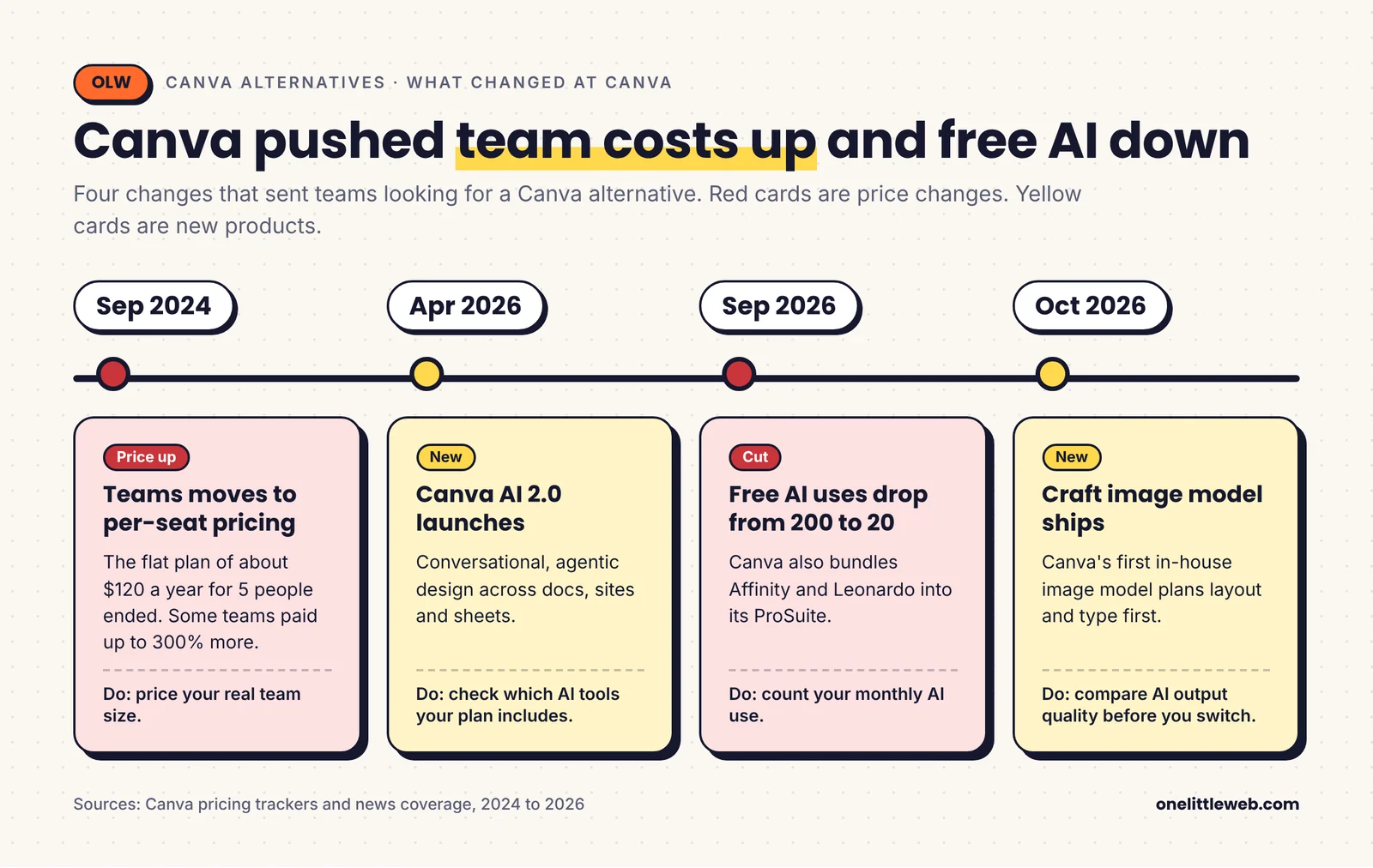
In September 2024, Canva replaced its flat Teams plan with per-seat pricing. Some teams saw their bill jump by roughly 300%.
Today, Teams isn’t sold to new customers at all. Canva Pro covers one person only. The moment a second person needs a login, you move to Business at $250 per person per year in the US. Canva’s pricing page now lists only Free, Pro, Business, and Enterprise.
For a 10-person marketing team, that’s about $2,500 a year.
AI got bigger, but free AI got smaller
Canva launched Canva AI 2.0 in April 2026 and its own image model, Craft, in October.
At the same time, pricing trackers logged Canva cutting free AI uses from 200 to 20 in September 2026. Pro pricing also swung between $144 and $180 a year within a few weeks.
Canva now meters AI with a shared monthly allowance. Pro gets 10x the free allowance and Business gets 20x. Heavier users have to buy an AI Pass add-on on top.
If your workflow leans on AI, that kind of movement makes budgeting hard.
Some “alternatives” are now Canva
This one surprises people. Canva now owns Affinity, Leonardo, Cavalry, and Flourish. It bundled them into a ProSuite in September 2026.
So if you move to Affinity to “leave Canva,” you’re still inside Canva’s ecosystem. That’s why Affinity isn’t on this list, even though it’s free and excellent.
Template sameness
This is the softer reason, but I hear it from clients a lot. Popular Canva templates show up everywhere. If your visuals need to look like your brand, starting from the same template as everyone else works against you.
What to Look for in a Canva Alternative
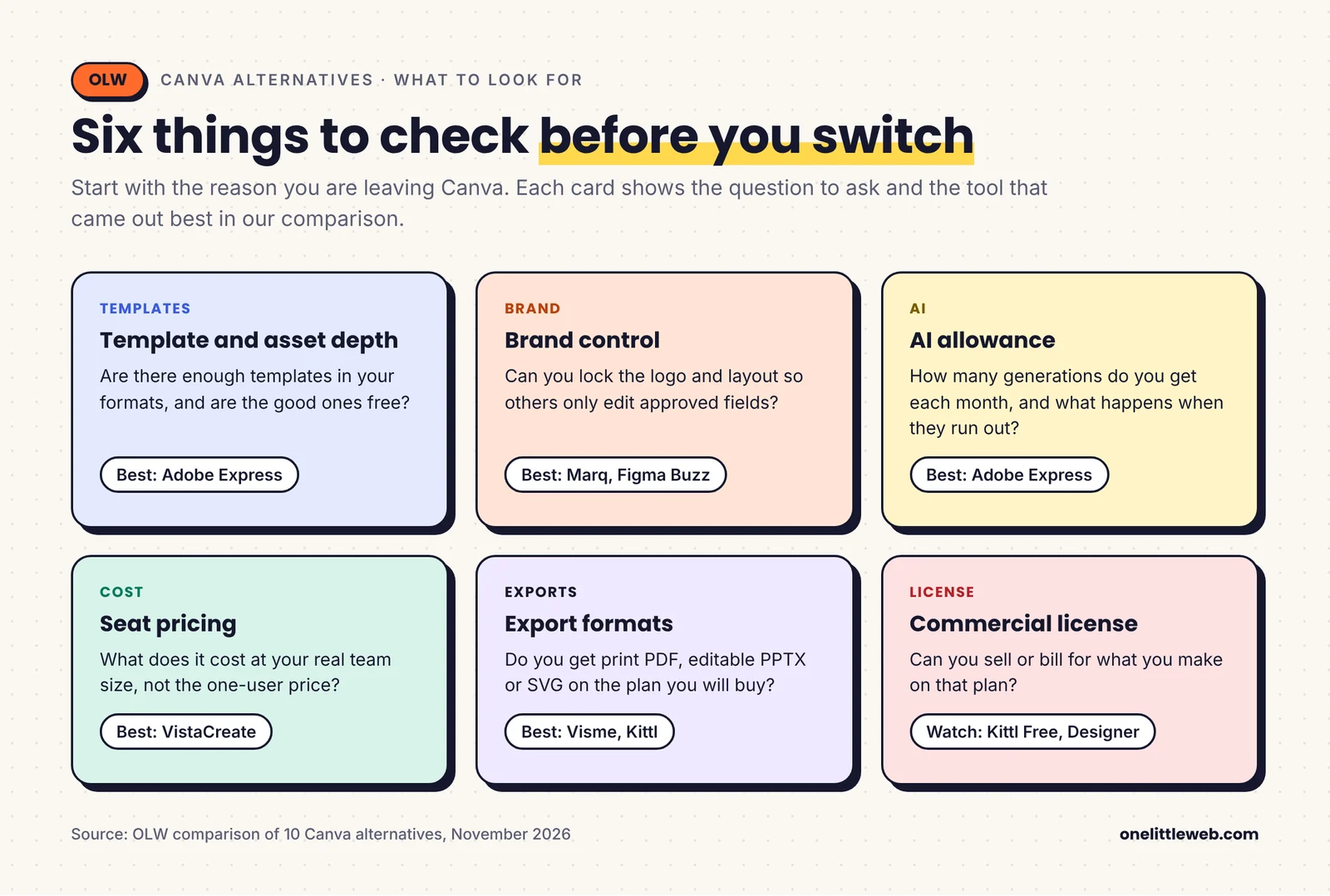
Start with the reason you’re leaving. A tool that fixes your team pricing problem may be worse for templates. Here is what I checked in every tool.
Template and asset depth
Canva’s real moat is its library. If you make lots of social posts, check how many templates exist in your formats. Also check whether the best ones are locked behind the paid plan.
Brand control
Teams need more than a brand kit. Look for template locking, so a sales rep can change the headline but not the logo. Marq and Figma Buzz are strongest here.
Monthly AI allowance
Every tool now says “AI.” What matters is how many generations you get per month and what happens when you run out. Adobe Express gives 250 credits a month on Premium. VistaCreate caps AI images at 100.
Seat pricing
A $10 plan can cost $10 or $1,200 a year depending on how it counts users. Always do the math for your real team size. I did it for you further down.
Export formats
If you hand files to a printer, you need print-quality PDF. If you send decks to clients, you need editable PPTX. If you work with developers, SVG matters. Several tools lock these behind higher tiers.
Commercial license
Some free plans are for personal use only. If you sell merch or run client work, read the license before you design anything.
How I Selected and Compared These Tools
I started with 20+ tools that show up across Reddit threads, review sites, and the top-ranking lists for “Canva alternatives.”
I cut tools that are owned by Canva (Affinity, Leonardo). I also cut tools that only do one narrow job, like pure AI image generators.
Then I compared the 10 finalists against the same three everyday jobs:
- An Instagram carousel post
- A 10-slide pitch deck
- An A4 print flyer
For each job, I checked the templates, export formats, and plan limits each tool offers. I also went through every tool’s live website and pricing page in November 2026, and opened the free editor where one is available without an account.
Ratings come from Capterra and G2, checked in November 2026. Every screenshot in this article was captured from the vendor’s own site in November 2026.
I scored every tool on six weighted criteria. You’ll find the full scoring method and table near the end of this article.
The 10 Best Canva Alternatives in 2027
1. Adobe Express: Best Overall Canva Alternative
| Best for | Anyone who wants a near drop-in Canva replacement |
| Starting price | Free; Premium $9.99/month; Teams $7.99/seat/month |
| Key differentiator | Firefly AI trained on licensed content, plus direct links to Photoshop and Illustrator files |
Quick Overview
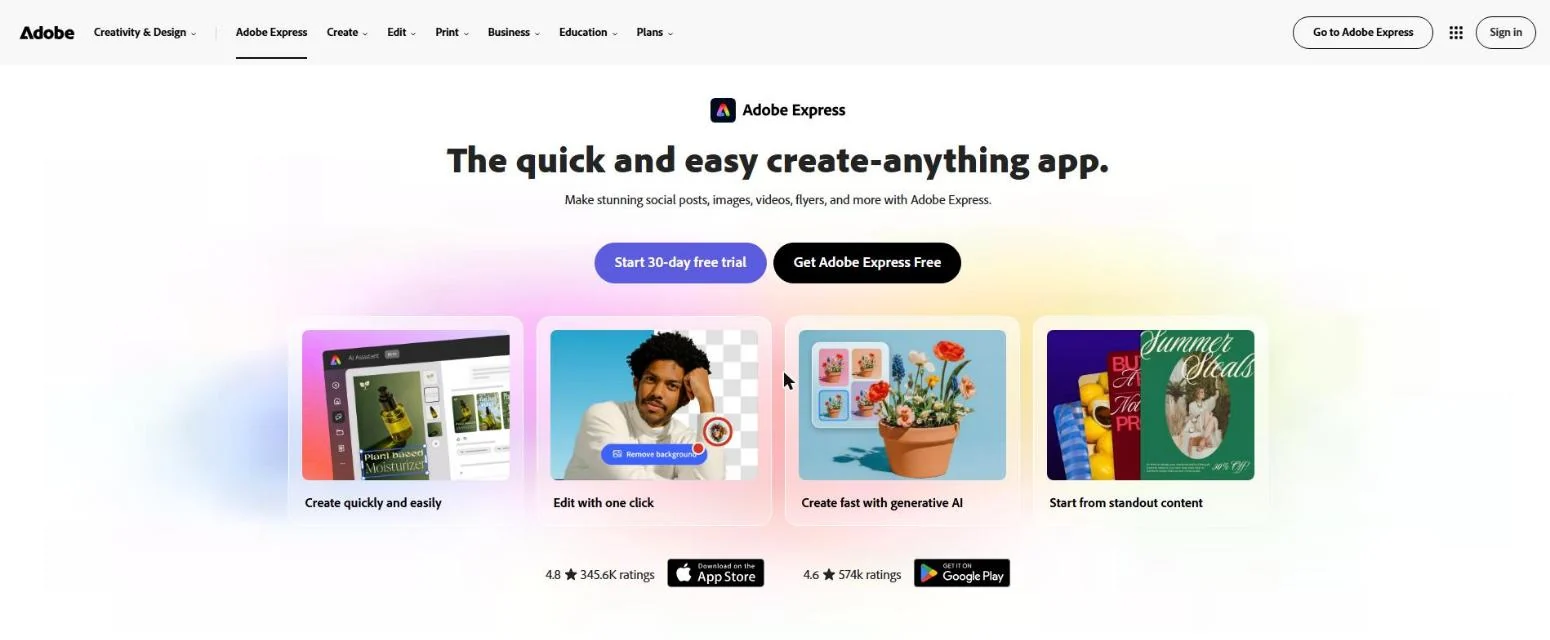
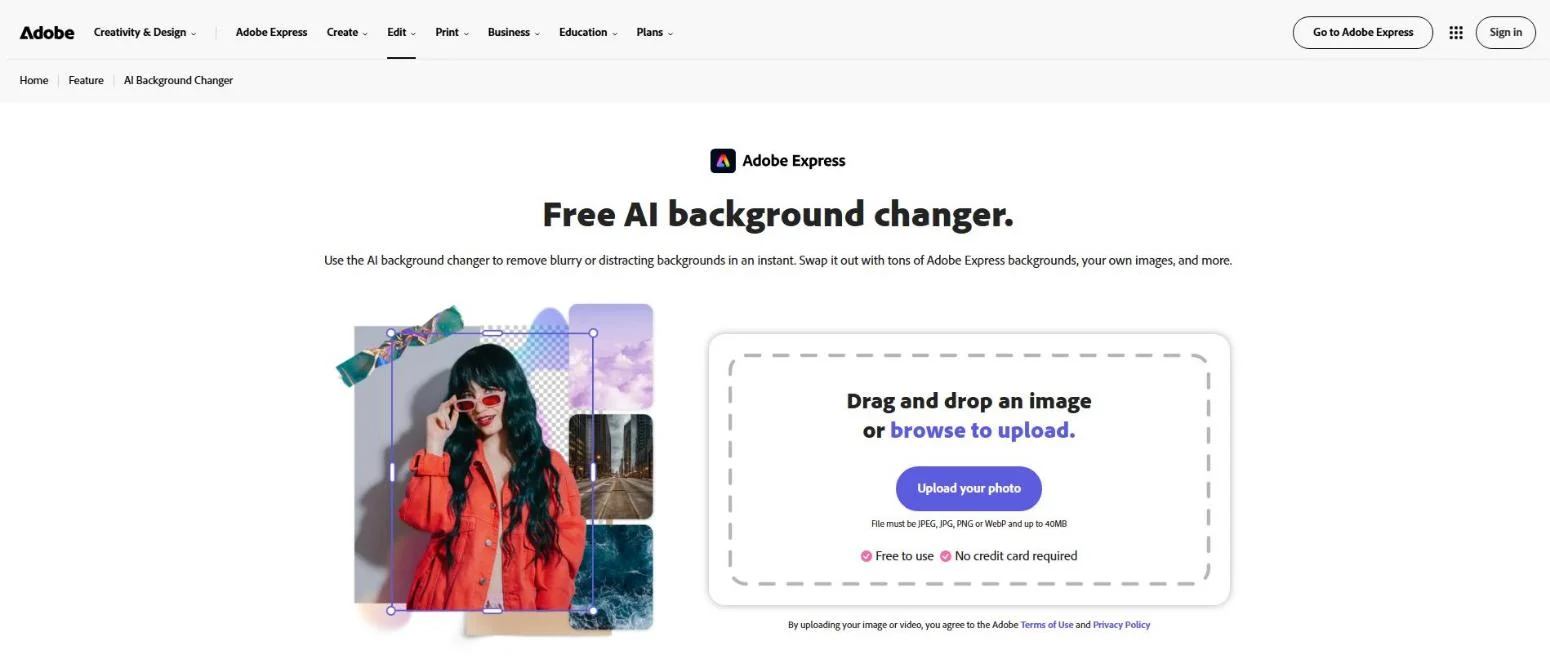
Adobe Express is the closest thing to Canva that isn’t Canva. The editor feels familiar within minutes. You pick a template, drag in your photos, and resize for each platform.
What sets it apart is Adobe’s backing. Its AI runs on Firefly, which Adobe trained on Adobe Stock, openly licensed, and public domain content. For brands that worry about AI copyright risk, that matters.
It also opens PSD files and links to Photoshop and Illustrator. So when your designer hands over a layered file, a marketer can still edit it. On Capterra, it holds a 4.5 rating from nearly 1,500 reviews.
Key Features
- Firefly generative AI: Generate images, text effects, and templates from a prompt, or remove and insert objects inside a photo.
- AI Assistant (beta): Describe a change in plain words, like “make this autumn themed,” and it edits the design for you.
- Generate presentation: Turn a prompt or an uploaded document into a first-draft slide deck.
- PSD import: Open Photoshop files and keep layers editable.
- Brand kits and locking: Save logos, colors, and fonts, and lock key elements on Teams.
- Content scheduler: Plan and post to social channels without leaving the editor.
Pros
- The editor is almost as easy as Canva, so team retraining is short.
- 250 generative credits a month on Premium is generous for most marketers.
- Firefly’s licensed training data gives more peace of mind for commercial work.
- Teams pricing is far cheaper than Canva Business at almost any team size.
- Strong video tools for short social clips.
Cons
- Fewer niche templates than Canva in some categories, like education worksheets.
- Adobe’s own pricing page lists Premium storage as both 10GB and 100GB, which is confusing.
- The AI Assistant draws from your credit balance, so heavy users can run dry mid-month.
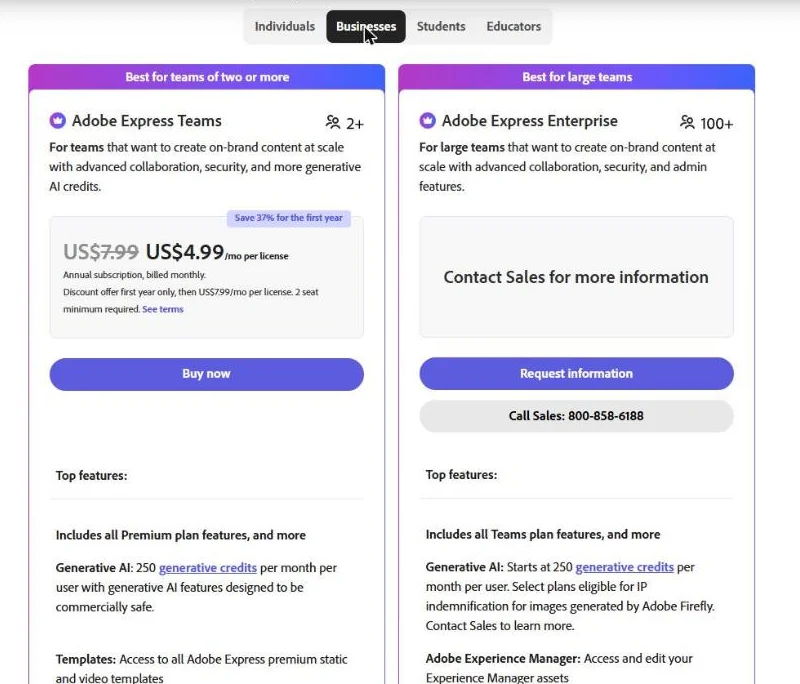
- Teams pricing jumps from $4.99 to $7.99 per seat after the first-year promo.
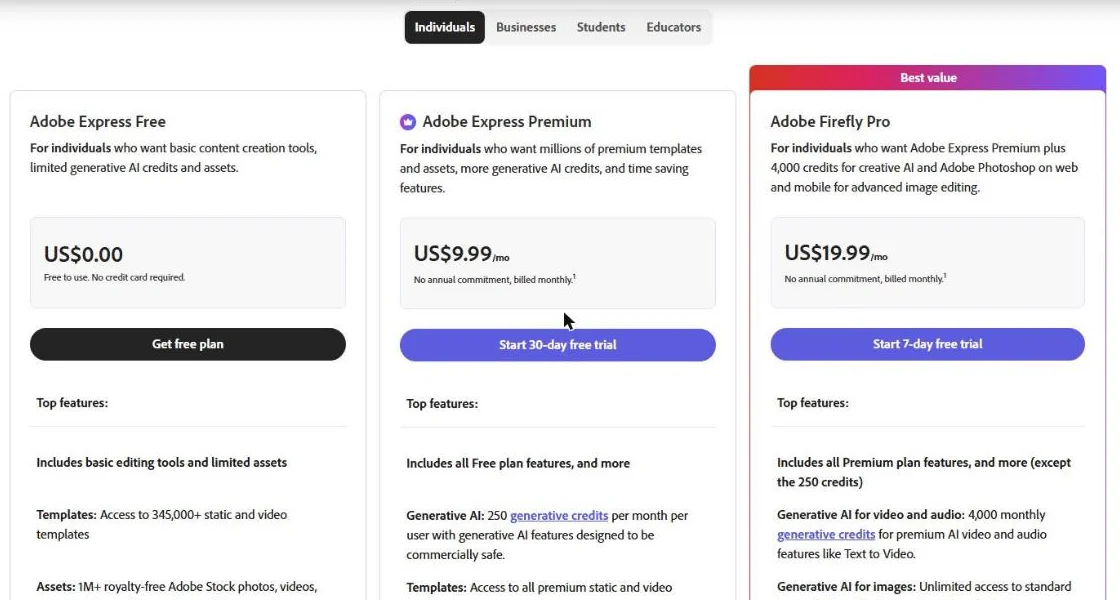
Pricing
- Free: $0. 345,000+ templates, 5GB storage, 5,000+ fonts.
- Premium: $9.99/month. All premium templates, 30,000+ fonts, 250 generative credits/month.
- Firefly Pro: $19.99/month. Express Premium plus 4,000 generative credits and Photoshop on web and mobile.
- Teams: $7.99 per seat/month ($4.99 for the first year), 2-seat minimum, 1TB storage per user, admin console.
Reviews and Ratings
Reviewers often praise how it bridges pro Adobe tools and quick, simple design.
Skip it if: You rely on a very specific Canva template niche, or you don’t want another Adobe account.
Our take: If you want to leave Canva without changing how your team works, start here. It’s the safest switch on this list.
2. VistaCreate: Cheapest Close Canva Clone
| Best for | Small businesses that mainly make social graphics |
| Starting price | Free; Pro $10/month billed annually (about $13 monthly) |
| Key differentiator | Pro covers up to 10 team seats for one price |
Quick Overview
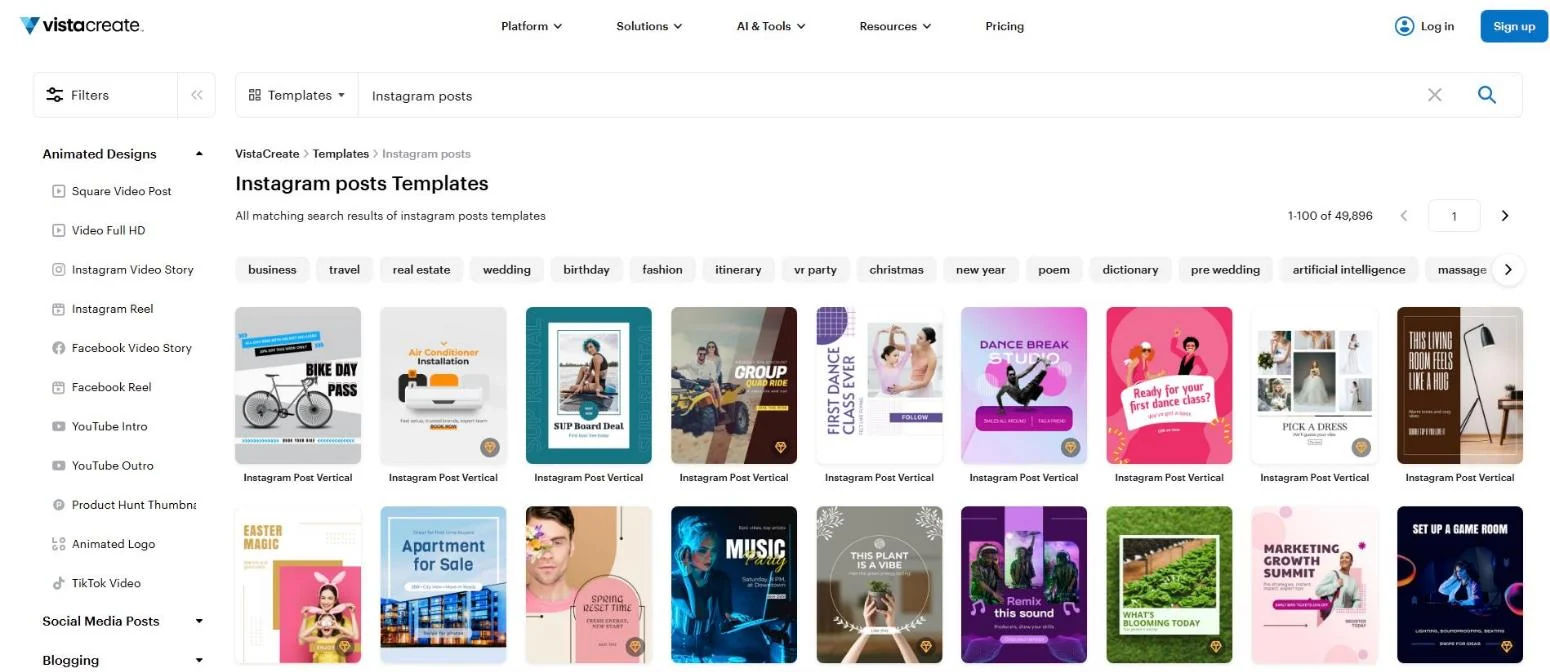
VistaCreate (formerly Crello) is built by VistaPrint. It looks and works a lot like Canva, with a template-first editor and a big stock library.
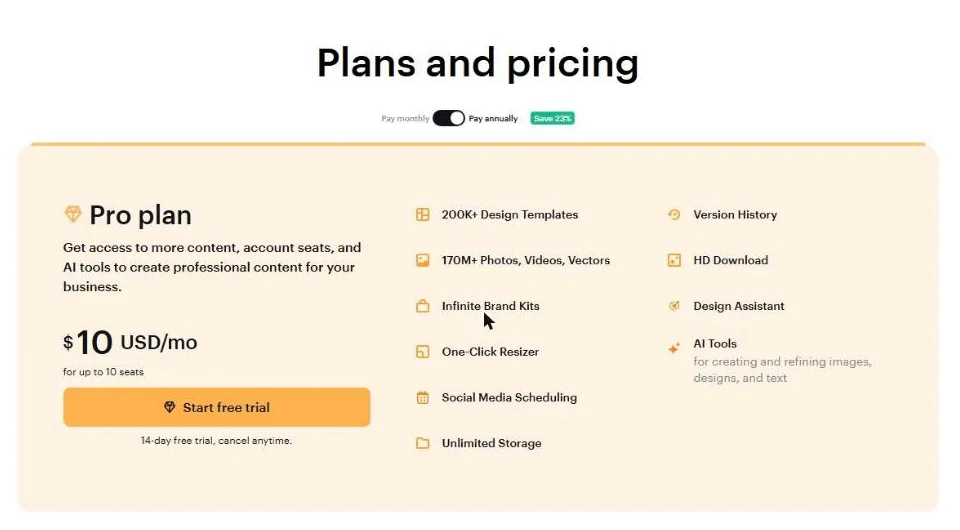
The reason it ranks so high here is price. Pro costs about $120 a year, and VistaCreate’s pricing page lists it for up to 10 seats. Compare that with $2,500 a year for 10 seats on Canva Business.
The trade-off is polish. On Capterra, 81% of reviews that mention glitches are negative, citing freezing and failed exports. It scores 4.6 overall from over 430 reviews, so most users are still happy.
Key Features
- 200K+ premium templates: Covers social posts, stories, ads, and print formats.
- Large stock library: 170M+ photos, videos, and vectors on Pro.
- AI image generation: Up to 100 AI images per month on Pro.
- Background and object removal: One-click cutouts for product photos.
- Unlimited brand kits: Handy if you manage several small brands.
- Social scheduling: Post straight to your channels.
Pros
- The cheapest way to get a Canva-style tool for a small team.
- Very easy for beginners, with almost no learning curve.
- Strong templates for social media and ecommerce promos.
- Unlimited brand kits on Pro.
Cons
- Users report freezing, slow performance, and failed exports.
- AI image generation is capped at 100 per month.
- Some users find template and asset search limited.
- Billing is in euros for many accounts, so the dollar price can move.
Pricing
- Starter: $0. 100K templates, 1M assets, 1 brand kit, 10GB storage, 1 seat.
- Pro: $10/month billed annually (yearly saves 23%). 200K+ templates, 170M+ assets, AI tools, one-click resize, unlimited storage, up to 10 seats.
Reviews and Ratings
Skip it if: You make long documents or decks, or you need rock-solid stability on big files.
Our take: For a small team that lives on Instagram and Facebook, VistaCreate saves real money. Test exports on your largest design before you commit.
3. Figma Buzz: Best for Brand Teams with Designers
| Best for | Marketing teams that already have designers working in Figma |
| Starting price | Free Starter; Professional Full seat $16/month billed annually |
| Key differentiator | Bulk create hundreds of on-brand assets from a spreadsheet |
Quick Overview
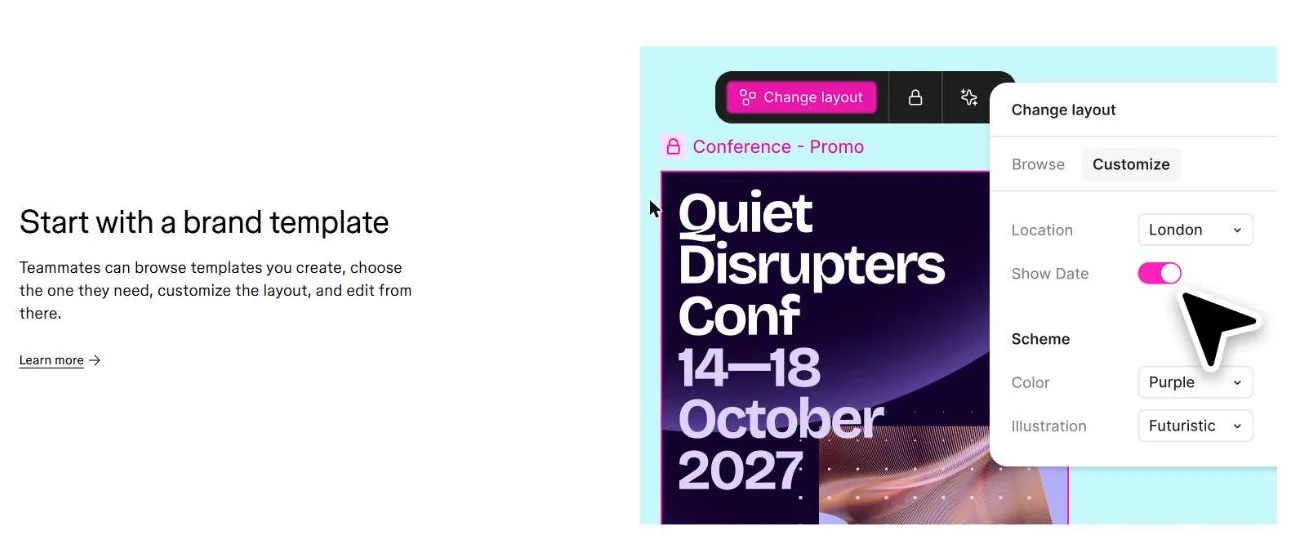
Figma launched Buzz at Config 2025 to go straight at Canva’s marketing users. The idea is simple. Designers build brand templates in Figma. Marketers then make their own assets in a simpler Buzz editor, without breaking the brand.
Its standout feature is bulk create. You link a CSV or Excel file to a template, and Buzz spins out hundreds of variations. That’s great for localized ads or event graphics.
Buzz isn’t for solo users who want 100,000 ready-made templates. It shines when a designer sets the rules. Figma holds a 4.7 rating on Capterra from 879 reviews.
Key Features
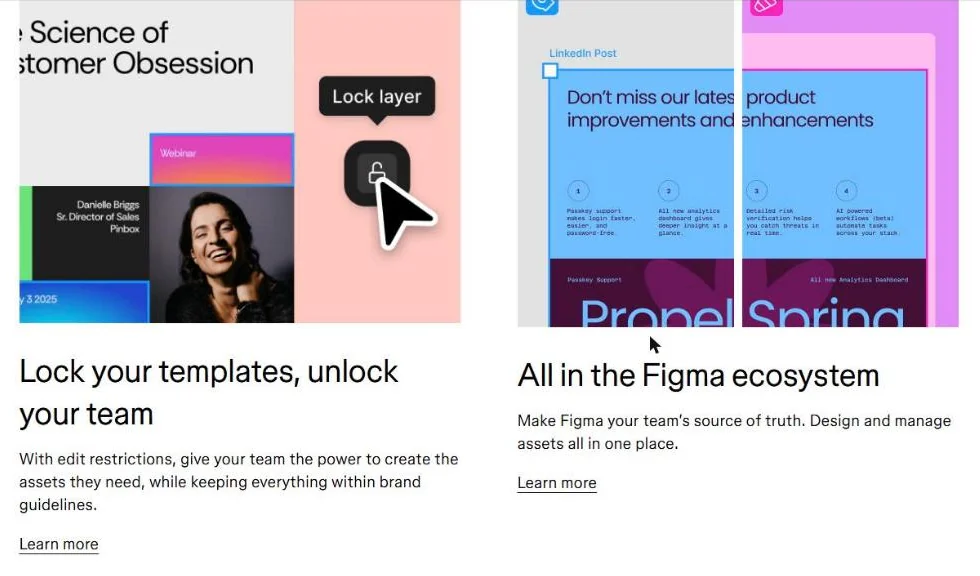
- Brand templates with edit restrictions: Lock styles and layouts so others can only change approved fields.
- Bulk create: Generate asset variations from CSV or XLSX data.
- Multi-edit: Change one element and apply it to every asset in the file.
- Localization: Import translated copy and create language versions in minutes.
- Grid view: See every asset in a campaign at once.
- AI image generation: Make and edit images inside Buzz on paid plans.
Pros
- Best brand control of any tool here when a designer sets it up.
- Bulk create saves hours on ad variations and localization.
- Lives in the same place as your product and web design files.
- Free to start, and viewers are free on paid plans.
Cons
- Needs a designer to build templates first. It’s not a template marketplace.
- Professional teams can publish only five team templates.
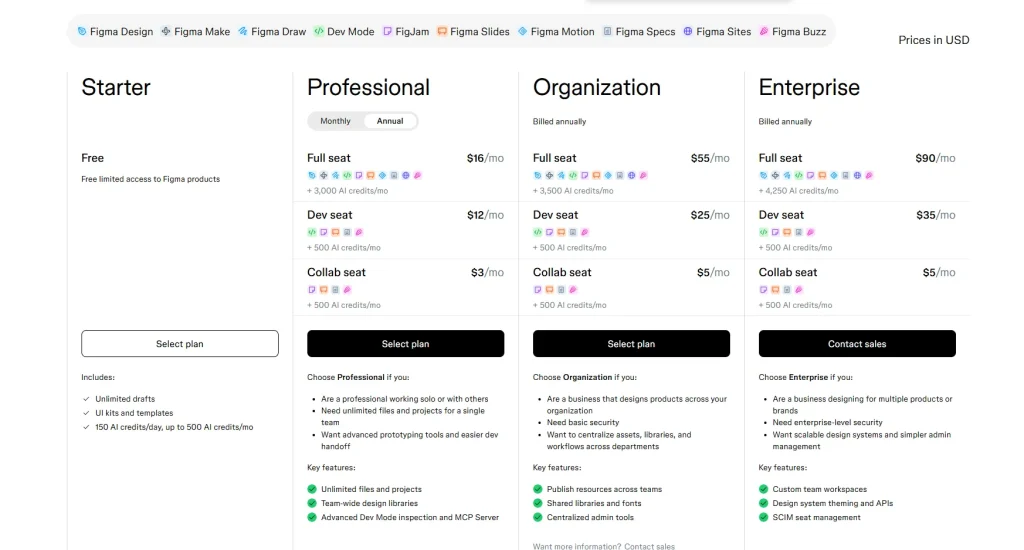
- Figma’s seat types (Full, Dev, Collab) make the bill harder to predict.
- Capterra reviewers mention sluggish performance on large files.
Pricing
- Starter: Free, with up to 500 AI credits a month.
- Professional: Full seat $16/month with 3,000 AI credits. Dev seat $12/month. Collab seat $3/month.
- Organization: Full seat $55/month, billed annually.
- Buzz itself: Free to use. Publishing team templates needs a paid plan.
Reviews and Ratings
- Capterra (Figma): 4.7/5 (879 reviews)
- G2 (Figma): 4.7/5 (1,598 reviews)
Skip it if: You don’t have a designer, or you mostly need ready-made templates.
Our take: If your design team already lives in Figma, Buzz is the cleanest way to stop marketers from going rogue in Canva.
4. Visme: Best for Infographics, Reports, and Data Decks
| Best for | B2B marketers, trainers, and anyone presenting data |
| Starting price | Free; Starter $12.25/month ($147/year) |
| Key differentiator | Built-in charts, data widgets, and interactive exports |
Quick Overview
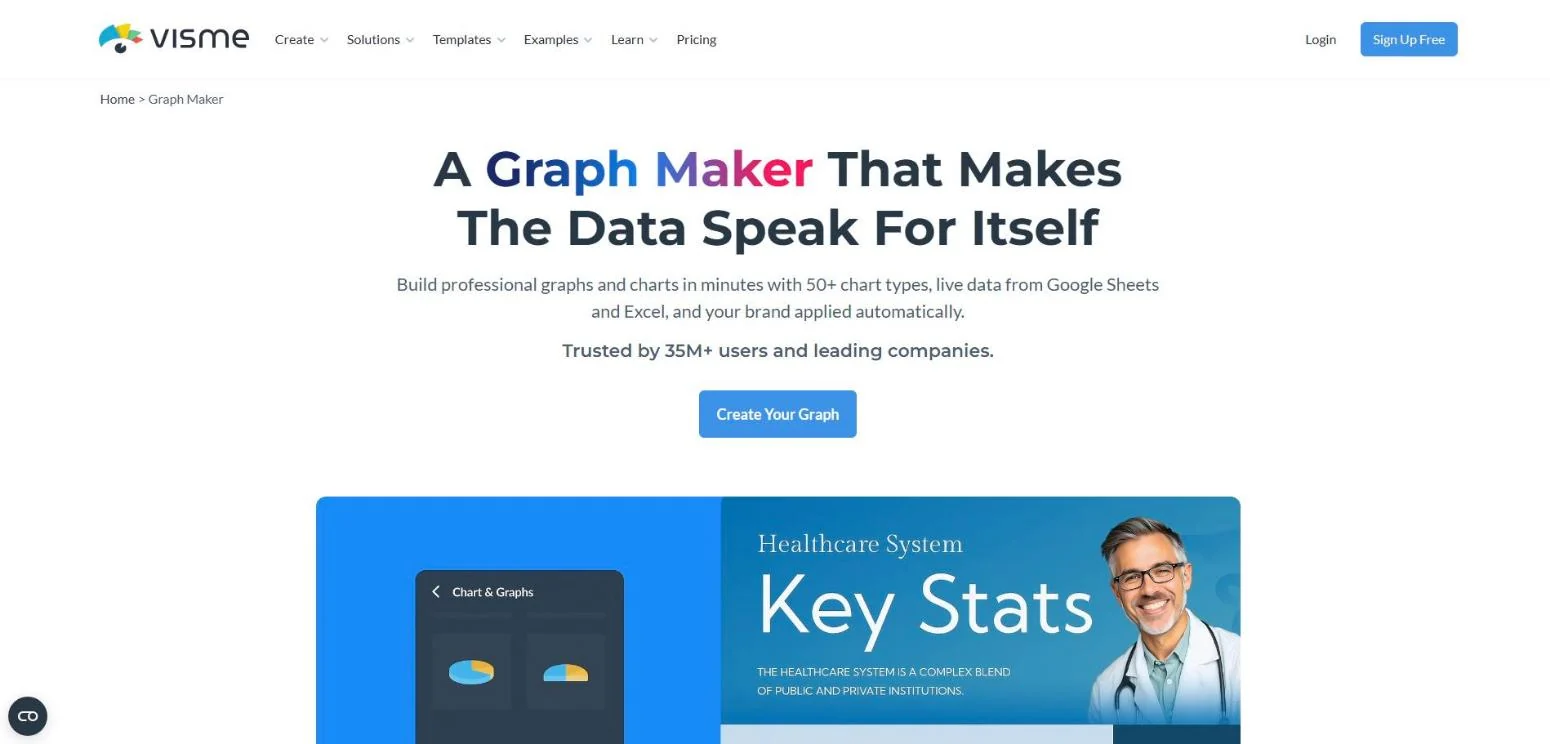
Visme is what I reach for when the design is mostly numbers. It has dozens of chart types, maps, and data widgets that Canva handles only lightly.
It also does interactive content. You can export HTML5 presentations, add clickable hotspots, and track who viewed what on higher plans.
The catch is that the useful exports, like PPTX, HTML5, and video, need the Business plan. It’s also busier to learn than Canva. Visme holds a 4.5 rating on Capterra from over 700 reviews.
Key Features
- Data visualization: 50+ chart types, maps, and data widgets, with live data from Google Sheets and Excel.
- Interactive presentations: Animations, hotspots, and HTML5 publishing.
- Brand kit: Save logos, colors, and fonts for the team (Business).
- AI designer: Generate first drafts of documents and decks from a prompt.
- Analytics: See views and engagement on shared projects (Business).
- SCORM/xAPI export: Turn content into e-learning modules (Enterprise).

Pros
- The best charting and infographic tools on this list.
- Great for reports, proposals, and training material.
- Unlimited projects even on the free plan.
- Education pricing is very low.
Cons
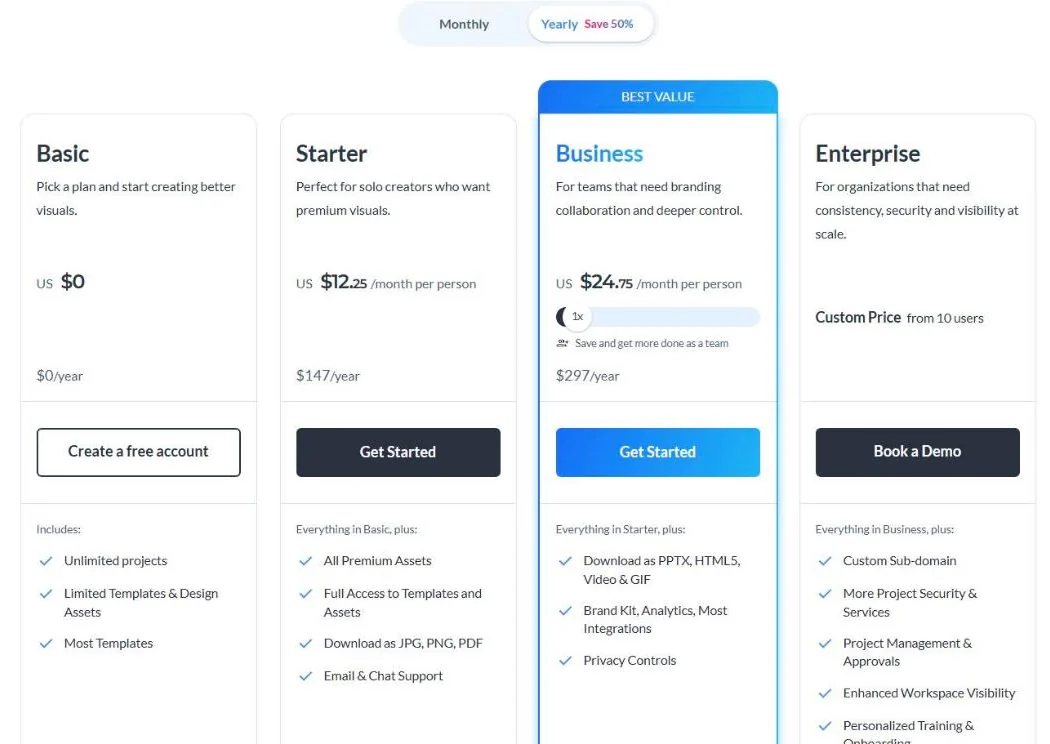
- PPTX, HTML5, video, and GIF exports need Business at $24.75/month.
- More menus and options than Canva, so it takes longer to learn.
- The free plan adds Visme branding and only allows JPG, PNG, and PDF.
- Fewer quick social templates than template-first tools.
Pricing
- Basic: Free. 500MB, 10 AI credits/month.
- Starter: $12.25/month or $147/year. Full templates, 200 AI credits.
- Business: $24.75/month or $297/year. Brand kit, analytics, more export formats, 500 AI credits.
- Enterprise: Custom, from 10 users.
Reviews and Ratings
Skip it if: You mainly make quick social posts and don’t touch data.
Our take: For data-driven content, Visme does what Canva can’t. We make a lot of chart-heavy visuals for data-led digital PR campaigns, and this is the kind of tool that handles that work well.
5. Kittl: Best for Logos, Typography, and Merch
| Best for | Print-on-demand sellers, brand designers, and type-heavy graphics |
| Starting price | Free (personal use); Pro $12/month billed annually |
| Key differentiator | Pro-level text effects plus a commercial license up to 500,000 copies |
Quick Overview
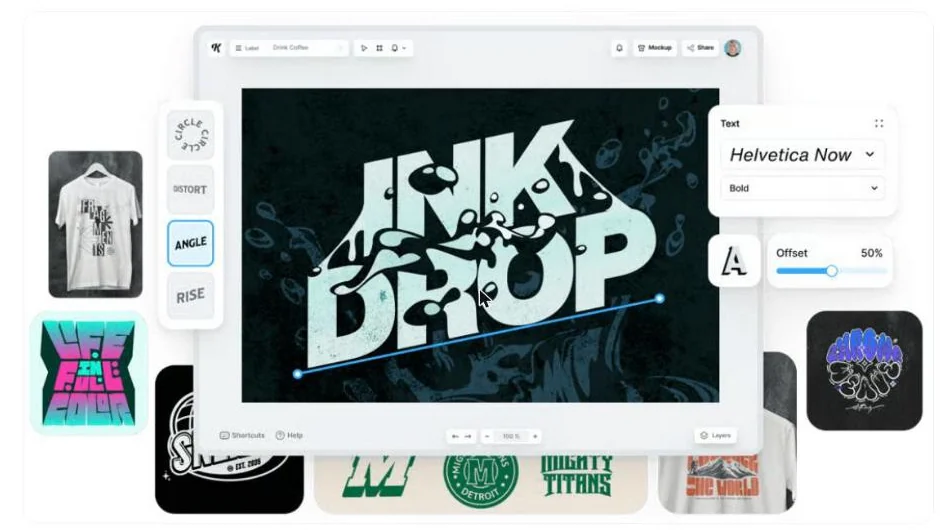
Kittl started as a typography tool and grew into a full AI design canvas. Its text effects, warping, and vintage templates go well beyond what Canva offers.
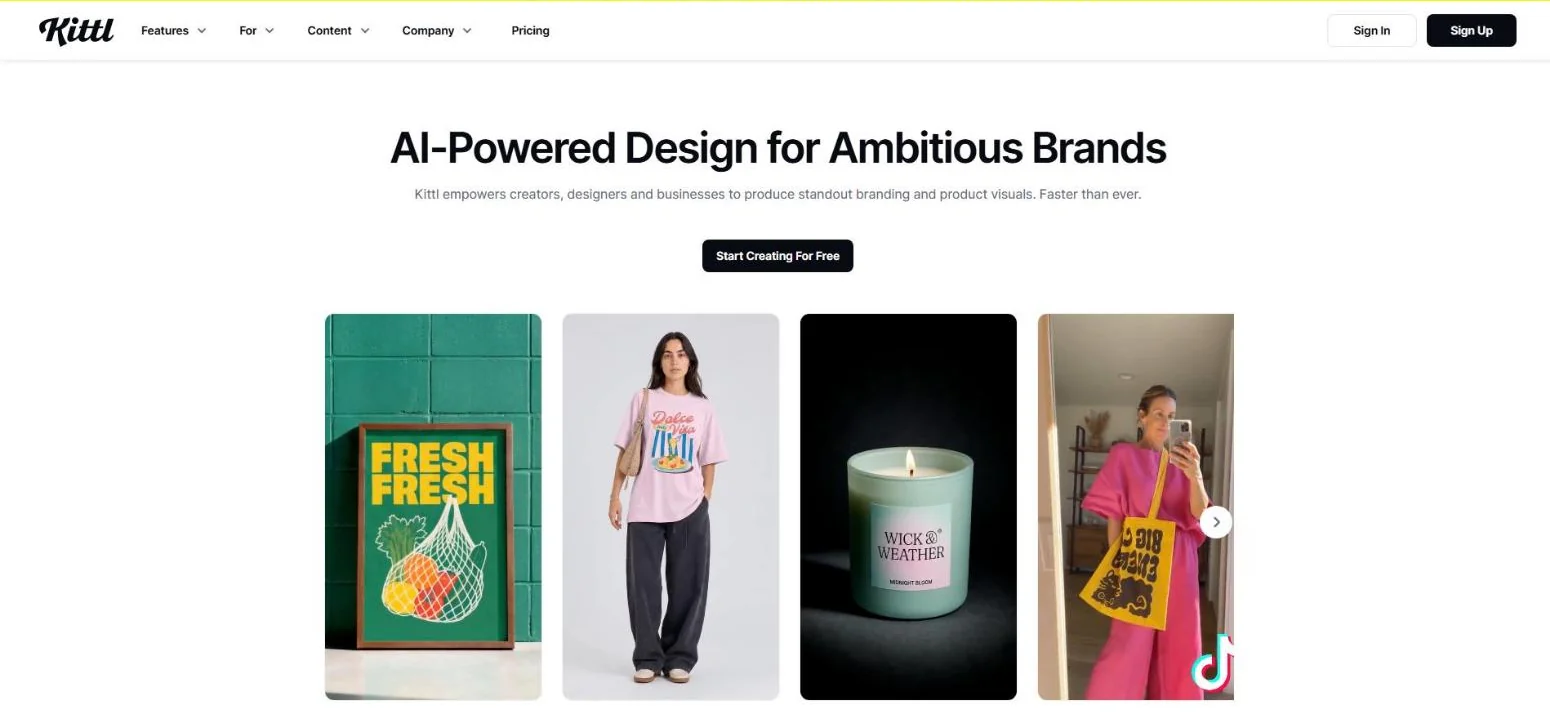
It’s very popular with print-on-demand sellers. You can design a T-shirt graphic and drop it onto realistic mockups for apparel, posters, or packaging in the same canvas.
The license is the key detail. The free plan is personal use only. Paid plans include a commercial license up to 500,000 copies. Kittl scores 4.8 on Capterra, though from only 28 reviews.
Key Features
- Advanced typography: Text warping, outlines, and effects for logo-style lettering.
- Mockups: Place designs on apparel, posters, and packaging with automatic lighting.
- AI image, vector, and video: Generate visuals and short clips from stills (video added in 2026).
- Vectorizer: Turn raster images into editable vectors.
- Flows: Chain creation steps into repeatable AI workflows.
- Vector export: SVG and PDF output on paid plans.
Pros
- The best typography tools of any browser design app here.
- Mockups and design in one place save print-on-demand sellers a lot of steps.
- Clear commercial license on paid plans.
- AI features get strong praise in Trustpilot reviews.
Cons
- Free plan is personal use only, so it’s not usable for client work.
- No dedicated mobile app.
- Performance can lag on complex files.
- AI runs on tokens that reset and don’t roll over.
- Vector exports lock if you cancel.
Pricing
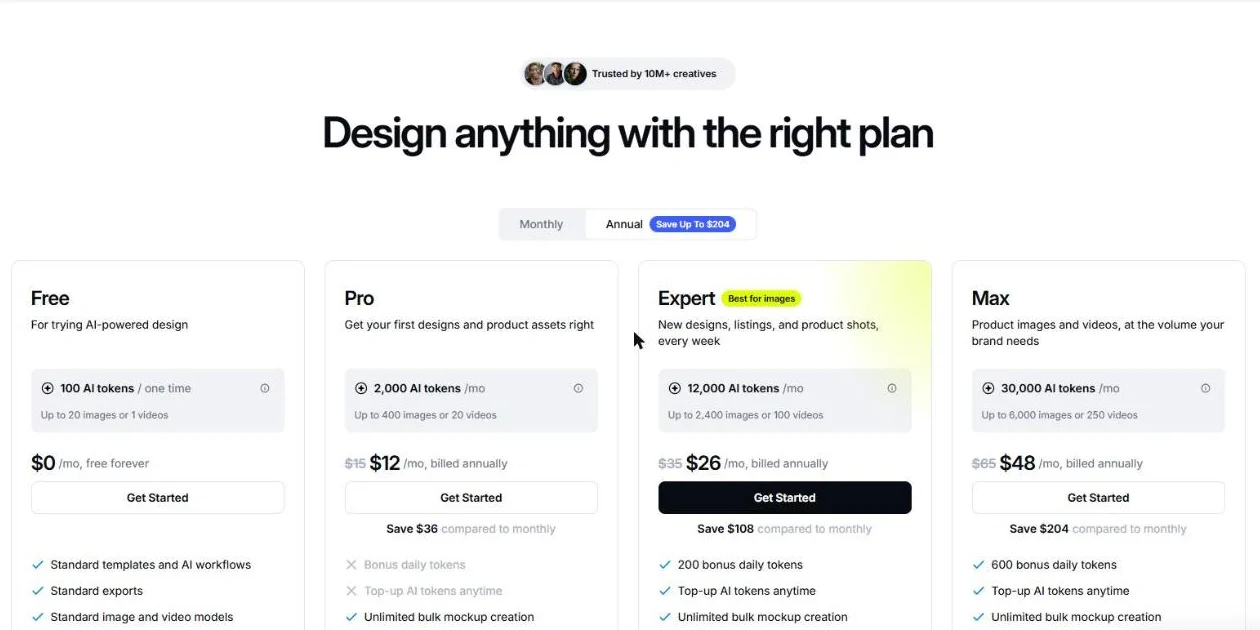
- Free: $0. 100 AI tokens one time. Personal use only, no commercial license.
- Pro: $12/editor/month billed annually ($15 monthly). 2,000 AI tokens a month and a commercial license.
- Expert: $26/editor/month billed annually ($35 monthly). 12,000 AI tokens a month plus 200 bonus daily tokens.
- Max: $48/editor/month billed annually ($65 monthly). 30,000 AI tokens a month plus 600 bonus daily tokens.
Reviews and Ratings
Skip it if: You need a big library of business templates like reports, decks, or flyers.
Our take: If your design starts with words, like a logo, a badge, or a T-shirt, Kittl is the upgrade Canva users usually don’t know about.
6. Marq: Best for Brand-Locked Templates Across Teams
| Best for | Franchises, real estate brokerages, and sales teams spread across locations |
| Starting price | Free; Pro $10/month billed annually; Team from $10/user/month |
| Key differentiator | Smart templates with advanced locking and data-driven fields |
Quick Overview
Marq (formerly Lucidpress) solves a problem Canva only half solves. When 50 agents or franchise owners make their own flyers, the brand usually falls apart.
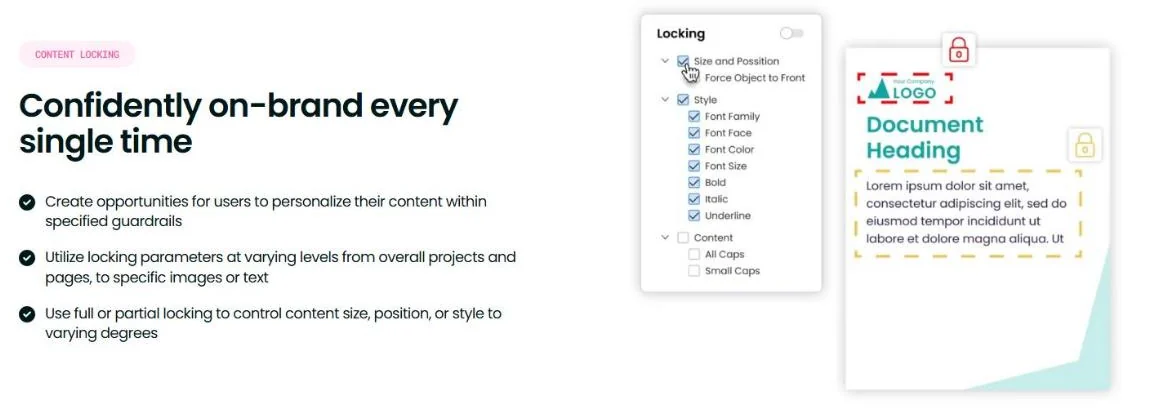
With Marq, the marketing team builds smart templates and locks everything except approved fields. A local manager can swap the address, price, or photo. They can’t touch the logo, colors, or layout.
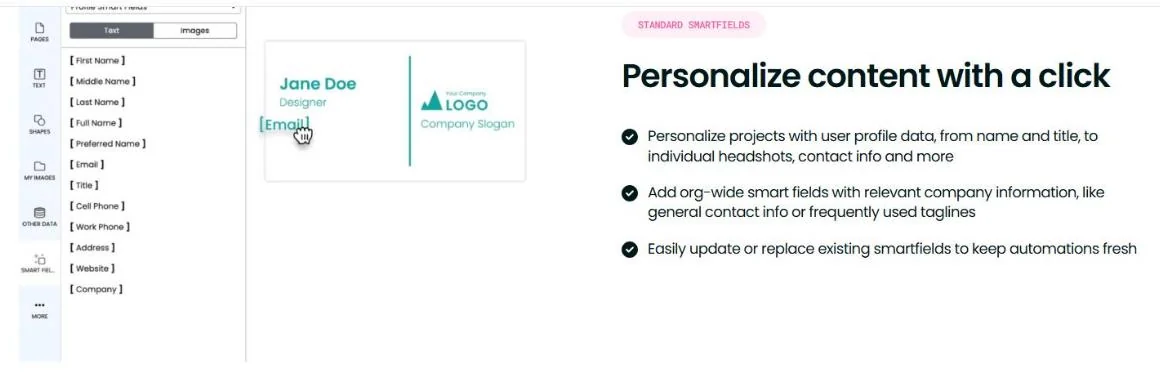
It also connects to data sources and digital asset managers, so fields can fill in automatically. Marq holds a 4.5 rating on Capterra from 284 reviews, with 95% positive sentiment.
Key Features
- Advanced template locking: Lock any element and choose exactly what each user can edit (Team plan).
- Smart fields: Fill templates from a dataset, like listing details or rep contact info.
- DAM integration: Pull approved images from your asset library.
- Print-ready export: 300dpi output on paid plans.
- Design imports: Bring existing designs into Marq as templates.
Pros
- The strongest brand governance for non-designers on this list.
- The Team plan starts at $120 a year and includes a second license free.
- Print-quality output on every paid plan.
- Great fit for listing flyers, sales sheets, and local ads.
Cons
- Only 2GB storage per user.
- Smaller creative library than Canva or Adobe Express.
- AI features are limited compared with newer tools.
- Free plan exports only at 72dpi screen quality and caps you at 3 projects.
Pricing
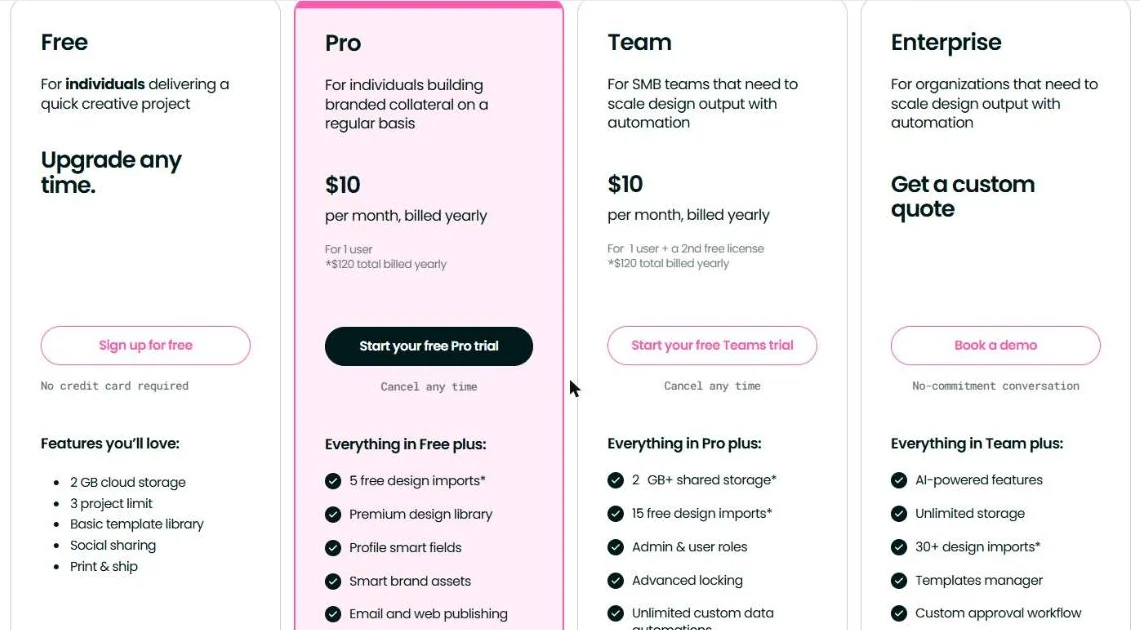
- Free: $0. 1 user, 3 projects, basic locking.
- Pro: $15/month, or $10/month billed yearly. 1 user, print export.
- Team: $10/month billed yearly ($120), for 1 user plus a 2nd free license. Advanced locking, admin roles, and brand smart fields.
- Enterprise: Custom quote, SSO and custom roles.
Reviews and Ratings
- Capterra: 4.5/5 (284 reviews, 95% positive)
Skip it if: You’re a solo creator who wants lots of trendy templates and AI.
Our take: For any business where many people make local marketing, Marq keeps the brand intact better than Canva does.
7. Picsart: Best for Mobile-First Photo and Video Content
| Best for | Creators and ecommerce sellers who design on their phone |
| Starting price | Pro $10.50/month billed annually |
| Key differentiator | Strong mobile photo and video editing with bulk edits for product photos |
Quick Overview
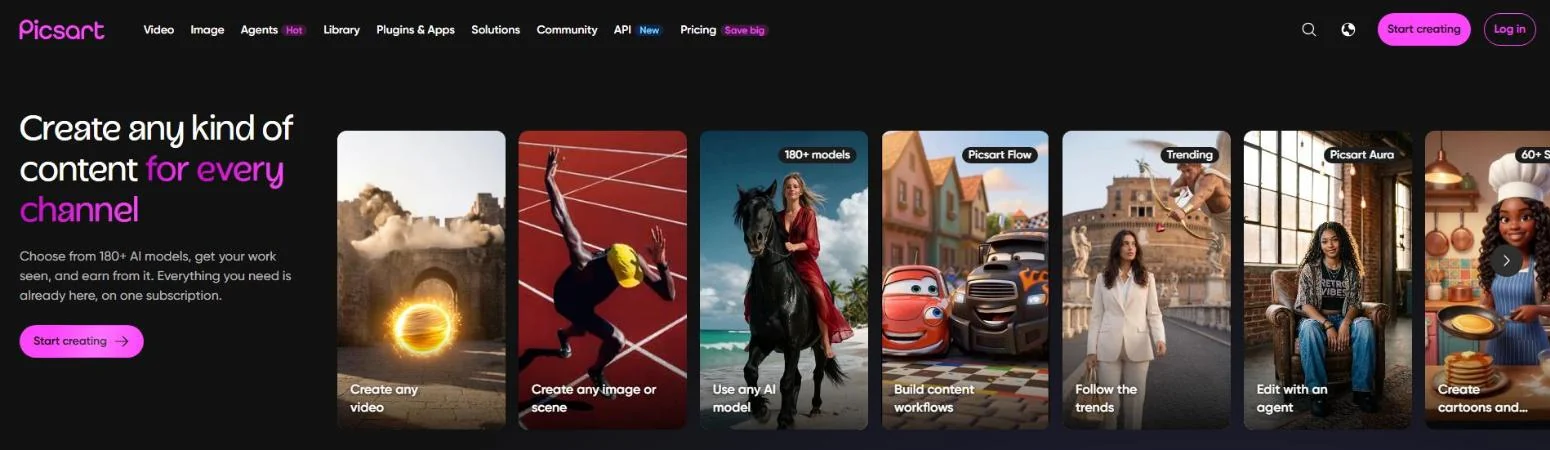
Picsart started as a mobile photo editor and still feels best on a phone. More than half of Canva’s own users now work on mobile, so this matters.
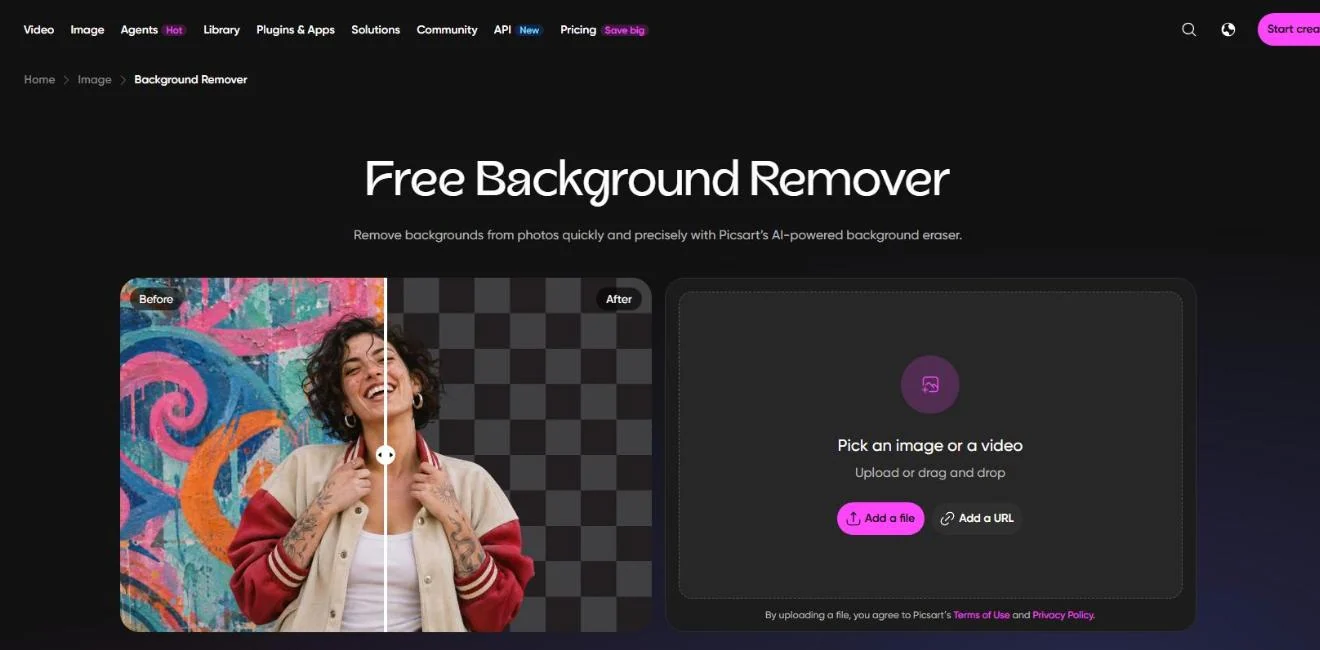
Where Canva leads with templates, Picsart leads with photo and video edits. Think background removal, retouching, effects, and AI image generation.
For ecommerce sellers, the bulk editor is the real draw. Pro can edit up to 50 images at once, which helps when you need clean product photos fast.
Key Features
- Photo and video editing: Full editing toolset across mobile, desktop, and web.
- AI image generation: Unlimited generations with one included model on Pro, plus credits for premium models.
- Bulk editing: Edit up to 50 images at once on Pro (100 on Ultra).
- Brand kits: 3+ on Pro, 10+ on Ultra.
- Stock video: Access to Getty stock video.
- Cloud storage: 100GB on Pro.
Pros
- One of the best mobile design experiences available.
- Bulk editing saves hours on product photos.
- Generous storage on Pro.
- Lots of AI models to choose from.
Cons
- Template depth for documents, decks, and print is weaker than Canva.
- Team seats only come with Ultra at $60/month.
- The credit system across many AI models can be confusing.
- Monthly billing costs $15 for Pro, versus $10.50 a month on yearly billing.
Pricing
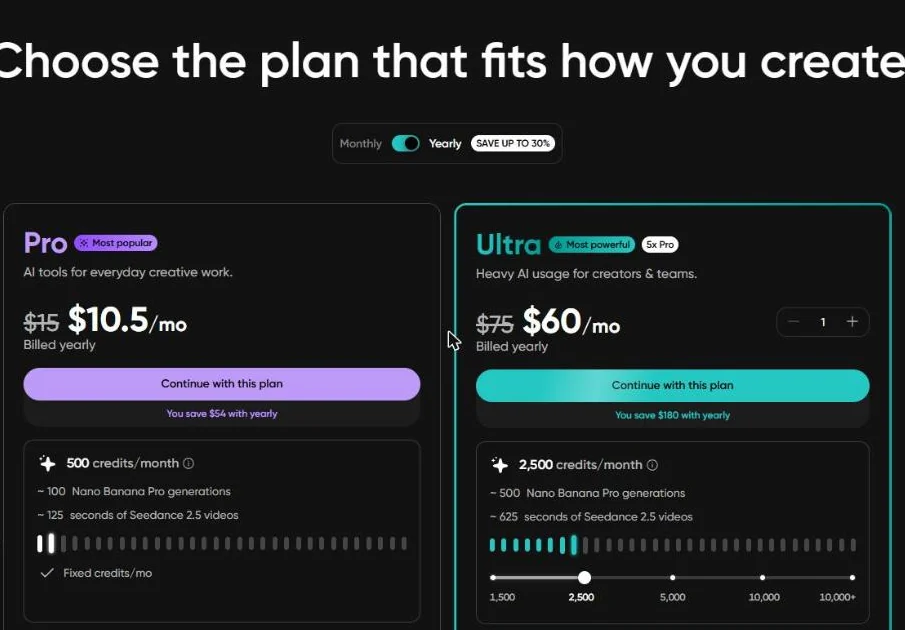
- Pro: $10.50/month billed yearly ($15 monthly). 500 credits a month, editing tools, 100GB storage.
- Ultra: $60/month billed yearly ($75 monthly) for 2,500 credits a month, with options up to 10,000+. Team seats, ad variations, 300GB per seat.
Reviews and Ratings
- G2: 4.5/5 (800 reviews)
Skip it if: You need brand-controlled templates for a team, or you make long documents.
Our take: If your content starts on your phone and lives on social, Picsart is a better fit than Canva’s mobile app.
8. Pixlr: Best Budget Photo Editor with AI
| Best for | Budget users who mainly edit photos |
| Starting price | Free (with ads); Plus $1.99/month billed annually |
| Key differentiator | A Photoshop-style editor in the browser for a few dollars a month |
Quick Overview
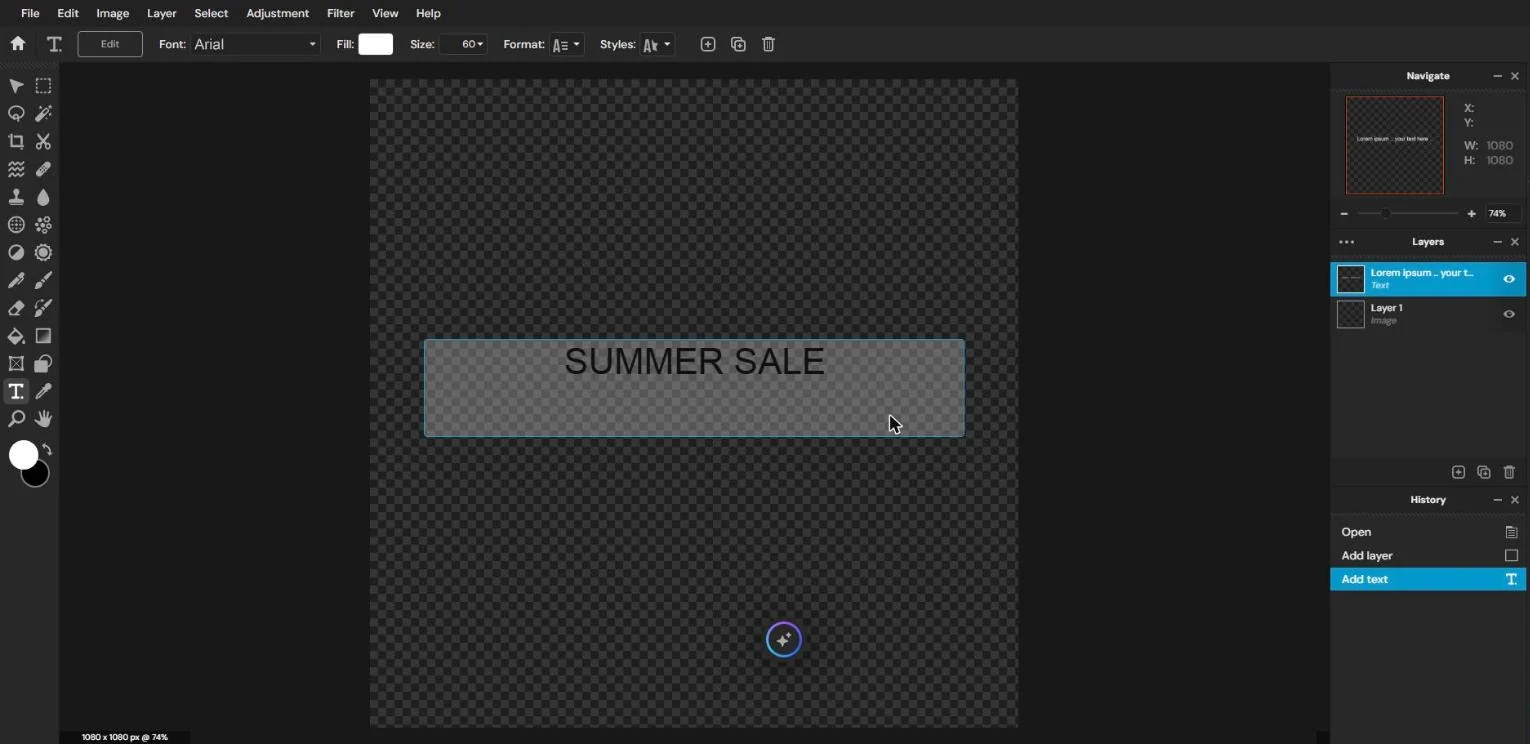
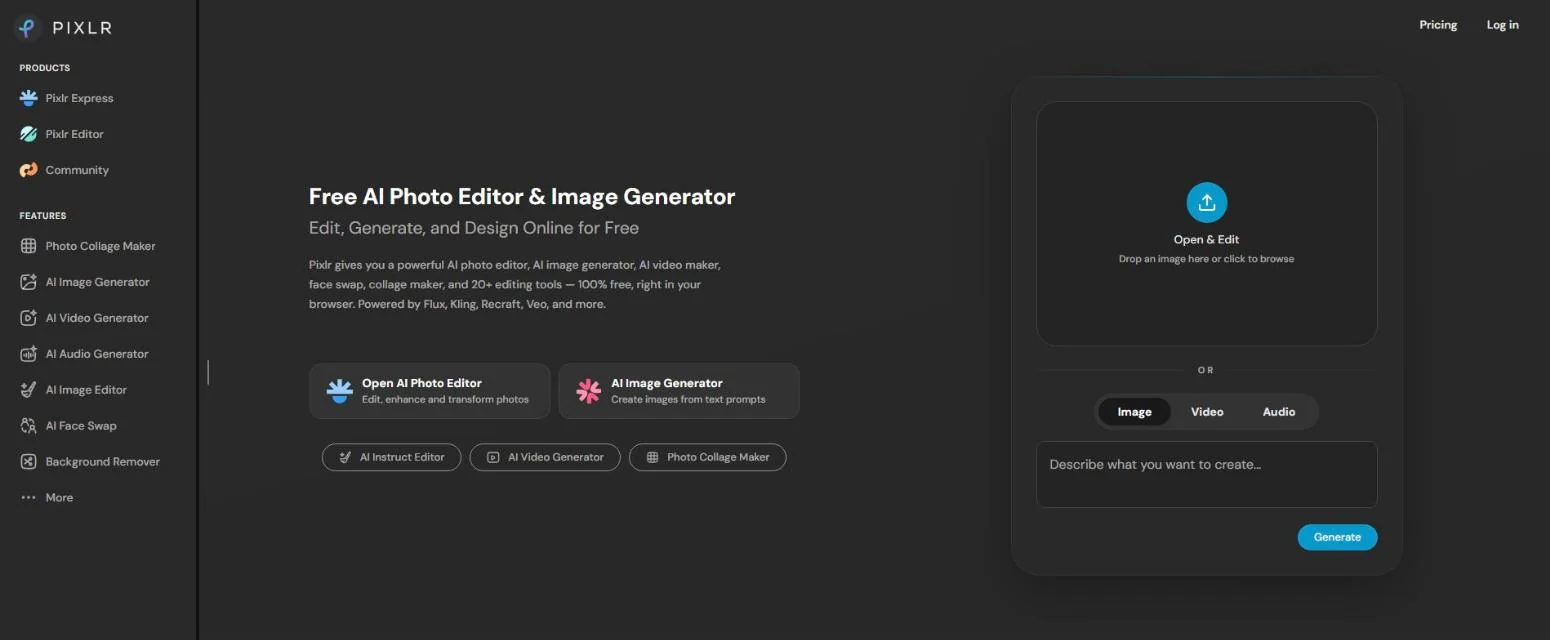
Pixlr is the pick when Canva feels like overkill and your main job is photo editing. It runs in the browser and looks a lot like Photoshop, with layers, masks, and filters.
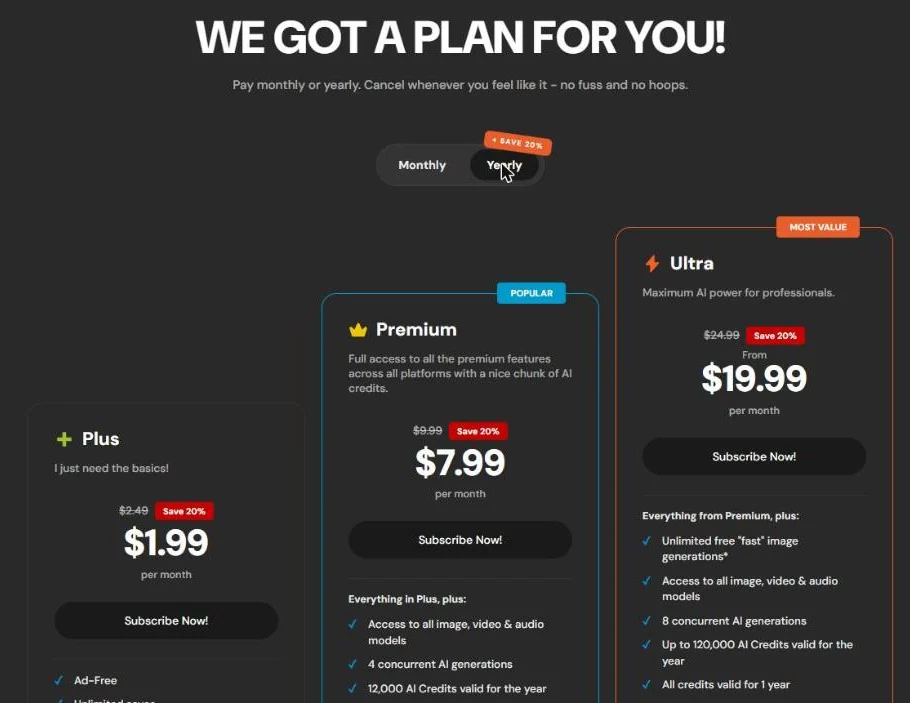
It also has templates and an AI suite. But the real value is price. Plus costs $1.99 a month on yearly billing and removes ads. Premium at $7.99 a month adds 1,000 AI credits.
It’s less polished for layout design. Pixlr holds a 4.4 rating on Capterra from 119 reviews.
Key Features
- Pixlr Editor: Layer-based photo editing in the browser.
- Pixlr Express: Quick one-click edits and filters.
- AI tools: Image generation, background removal, and generative fill.
- Templates: Social and marketing templates in Premium.
- Concurrent generations: Run up to 4 AI jobs at once on Premium.
Pros
- Extremely cheap for a full photo editor.
- Familiar layout if you’ve ever used Photoshop.
- Generous AI credits on Premium.
- Works in any browser, no install needed.
Cons
- Free plan shows ads and limits saves.
- Template quality is below Canva’s.
- No real team or brand control features.
- Subscription AI credits reset to zero if you cancel.
Pricing
- Plus: $1.99/month yearly or $2.49 monthly. Ad-free, 80 AI credits/month.
- Premium: $7.99/month yearly or $9.99 monthly. 1,000 AI credits/month, full templates.
- Ultra: From $19.99/month yearly. Up to 10,000 credits/month.
Reviews and Ratings
Skip it if: You need layouts, decks, or a team workspace.
Our take: For solo creators who mostly fix and enhance photos, Pixlr gives you more editing power than Canva for far less money.
9. Penpot: Best Free, Open-Source Option
| Best for | Teams that want to own their files or self-host |
| Starting price | Free (cloud or self-hosted) |
| Key differentiator | Open source, so there’s no vendor lock-in |
Quick Overview
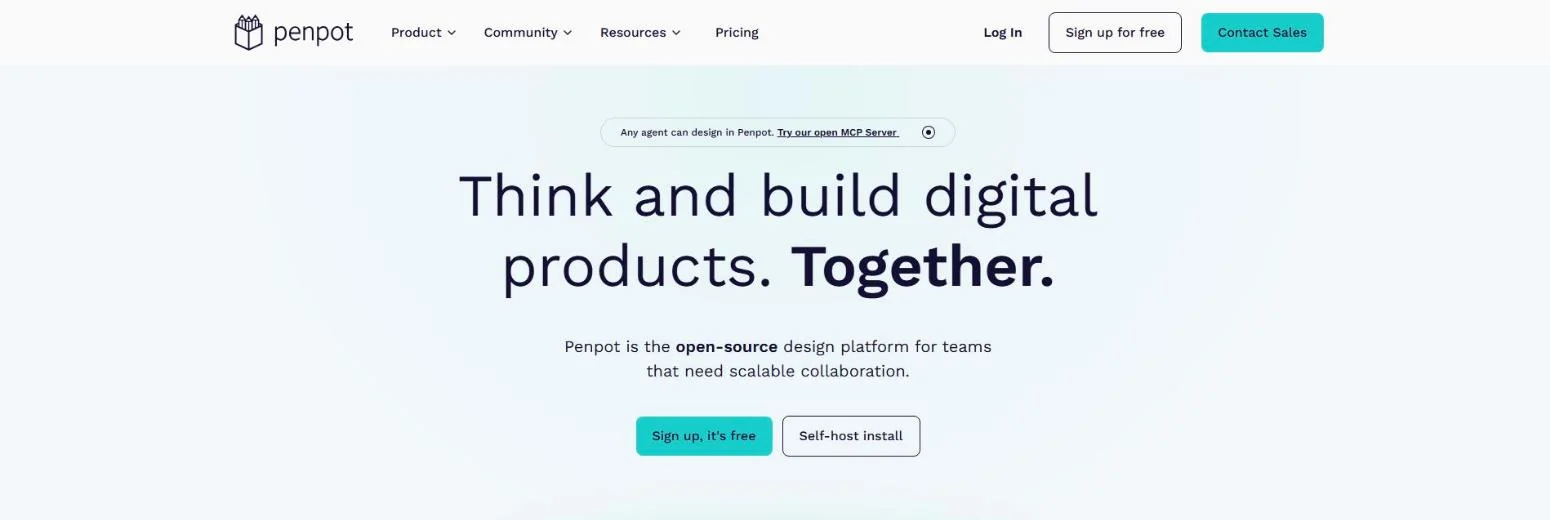
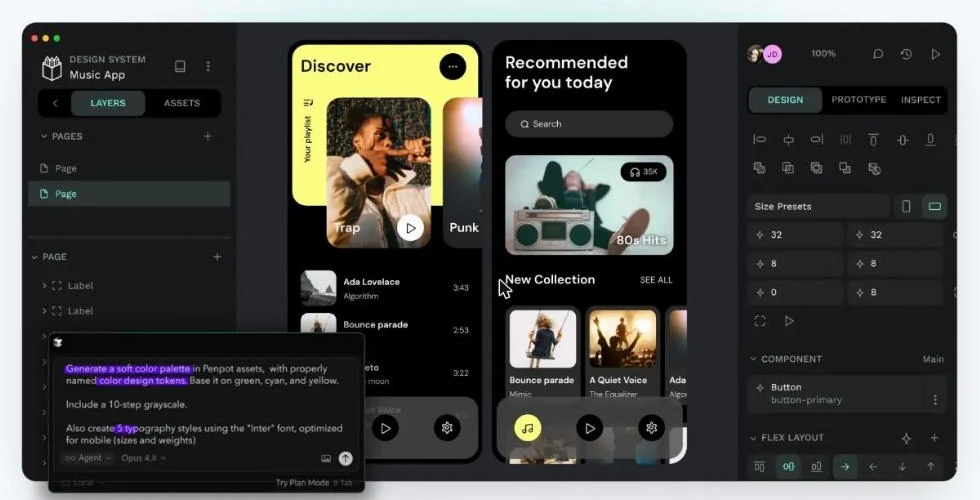
Penpot is the only open-source tool on this list. You can use it free in the cloud or run it on your own servers.
That makes it a strong pick for agencies, governments, and privacy-focused teams. Your files stay yours. There’s no surprise price hike that can lock you out of your work.
Be honest about the fit, though. Penpot is closer to Figma than Canva. It’s built for UI, web, and component-based design, not ready-made social templates. It holds 4.5 on G2, from a small sample of 10 reviews.
Key Features
- Open source: Inspect, modify, and self-host the code.
- Self-hosting: Run it on your own infrastructure for full data control.
- SVG and CSS native: Designs map cleanly to web code.
- Components and design tokens: Build reusable design systems.
- Real-time collaboration: Work together on the same file.
Pros
- Free and fully featured on the cloud Professional plan.
- No vendor lock-in.
- Self-hosting keeps sensitive files on your servers.
- Developer-friendly output.
Cons
- Very few ready-made marketing templates.
- No built-in AI image generation. Its open MCP server lets outside AI agents design in it instead.
- Takes longer to learn for non-designers.
- Small review base, so outside feedback is limited.
Pricing
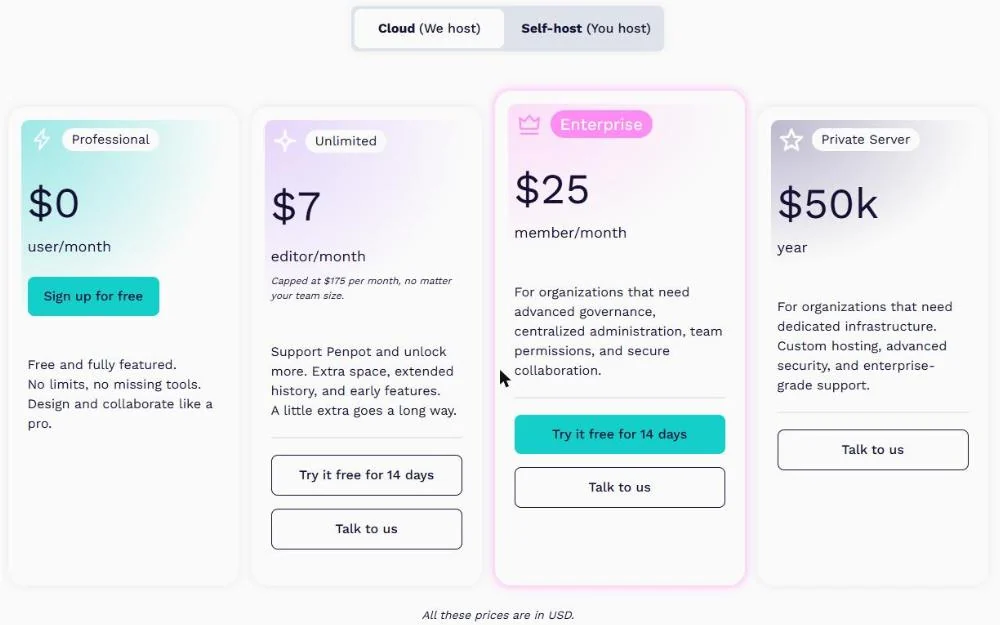
- Professional: $0 per user. Fully featured.
- Unlimited: $7 per editor/month, capped at $175/month.
- Enterprise: $25 per member/month.
- Self-hosted: Free. Private managed server from $50,000/year.
Reviews and Ratings
- G2: 4.5/5 (10 reviews)
Skip it if: You want templates and AI to do the design for you.
Our take: If file ownership matters more than templates, Penpot is the only real answer on this list.
10. Microsoft Designer: Best Free AI Design for Microsoft 365 Users
| Best for | Microsoft 365 users who want quick AI-made graphics |
| Starting price | Free with a Microsoft account (about 15 AI credits/month) |
| Key differentiator | Built into Word, PowerPoint, and Copilot |
Quick Overview
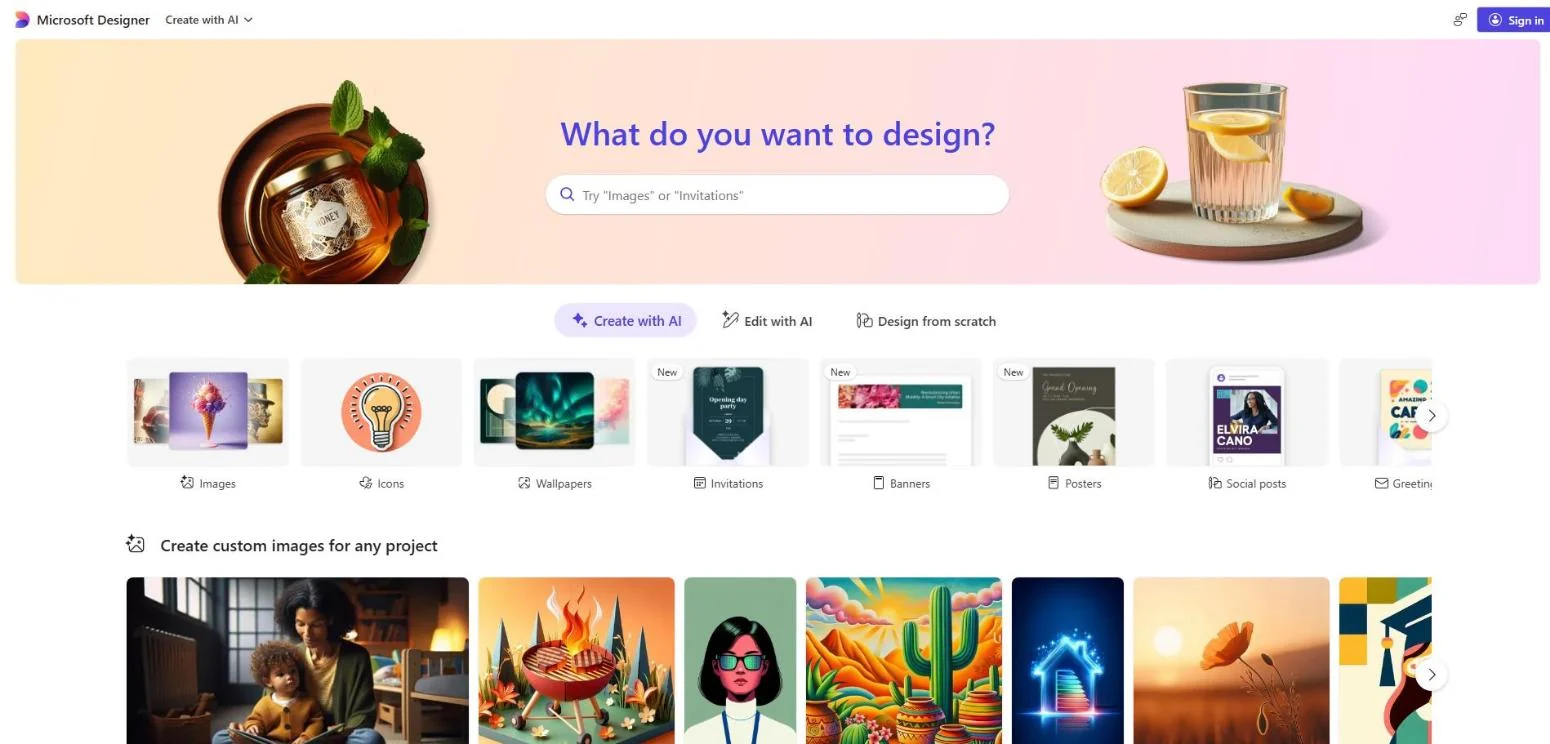
Microsoft Designer turns a short prompt into a batch of ready-made layouts. Type “yard sale banner, bright colors,” and you get several options to edit.
It’s free with any Microsoft account. Free users get about 15 AI credits a month. Microsoft 365 Personal and Family subscribers get up to four times more, shared with Copilot.
There’s an important catch. Microsoft’s own FAQ says Designer is licensed for personal, non-commercial use. So it’s great for a church flyer or a birthday invite. It’s not built for client work.
Key Features
- Prompt to design: Describe what you need and pick from generated layouts.
- AI image generation: Create images inside the editor.
- Photo editing: Background removal, object erase, and retouching.
- Microsoft 365 integration: Use Designer from Word and PowerPoint through Copilot.
- Cross-platform: Browser, Windows 11, and mobile.
Pros
- Free, with no credit card needed.
- Fast way to get a decent first draft.
- Fits neatly into Word and PowerPoint workflows.
- Simple enough for anyone.
Cons
- Free credits run out quickly with heavy use.
- Thin template library compared with Canva.
- No real-time co-editing for teams.
- Licensed for personal, non-commercial use only.
Pricing
- Free: About 15 AI credits/month.
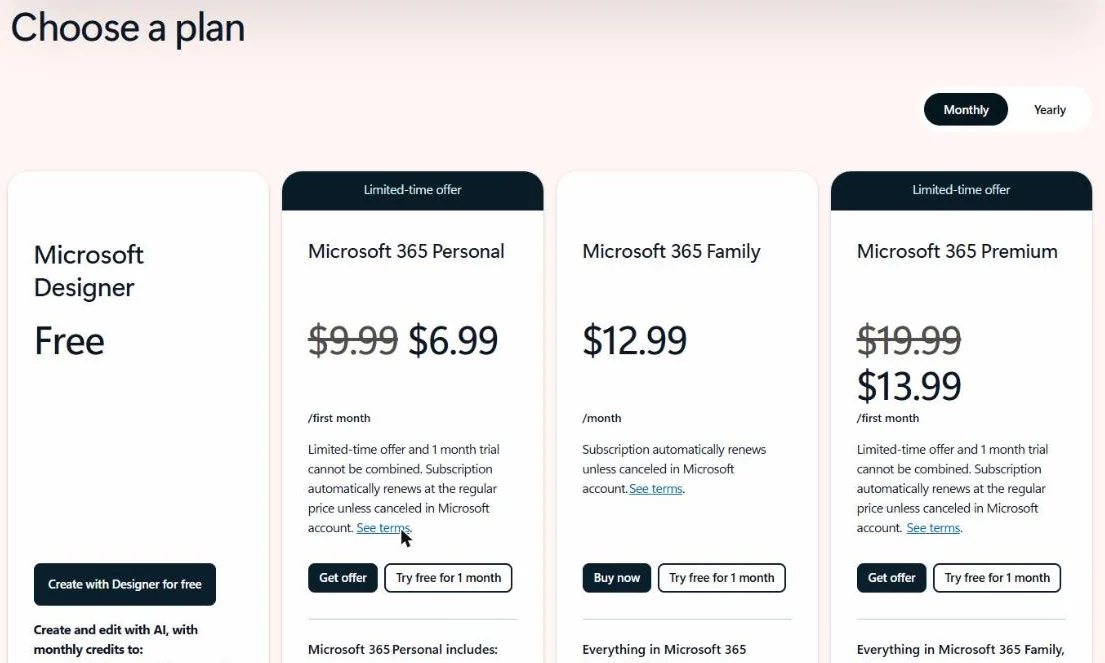
- Microsoft 365 Personal: $9.99/month for 1 person, with up to 4x more credits shared across Microsoft AI apps.
- Microsoft 365 Family: $12.99/month for up to 6 people.
- Microsoft 365 Premium: $19.99/month, adding advanced Copilot features.
Reviews and Ratings
- G2: 4.3/5 (593 reviews)
Skip it if: You need brand control, team features, or commercial rights.
Our take: If you already pay for Microsoft 365, try Designer before you pay for anything else. For business work, use it only to sketch ideas.
What Each Canva Alternative Really Costs for a Team
Most lists show the cheapest monthly price. That number is often useless for teams, because tools count users very differently.
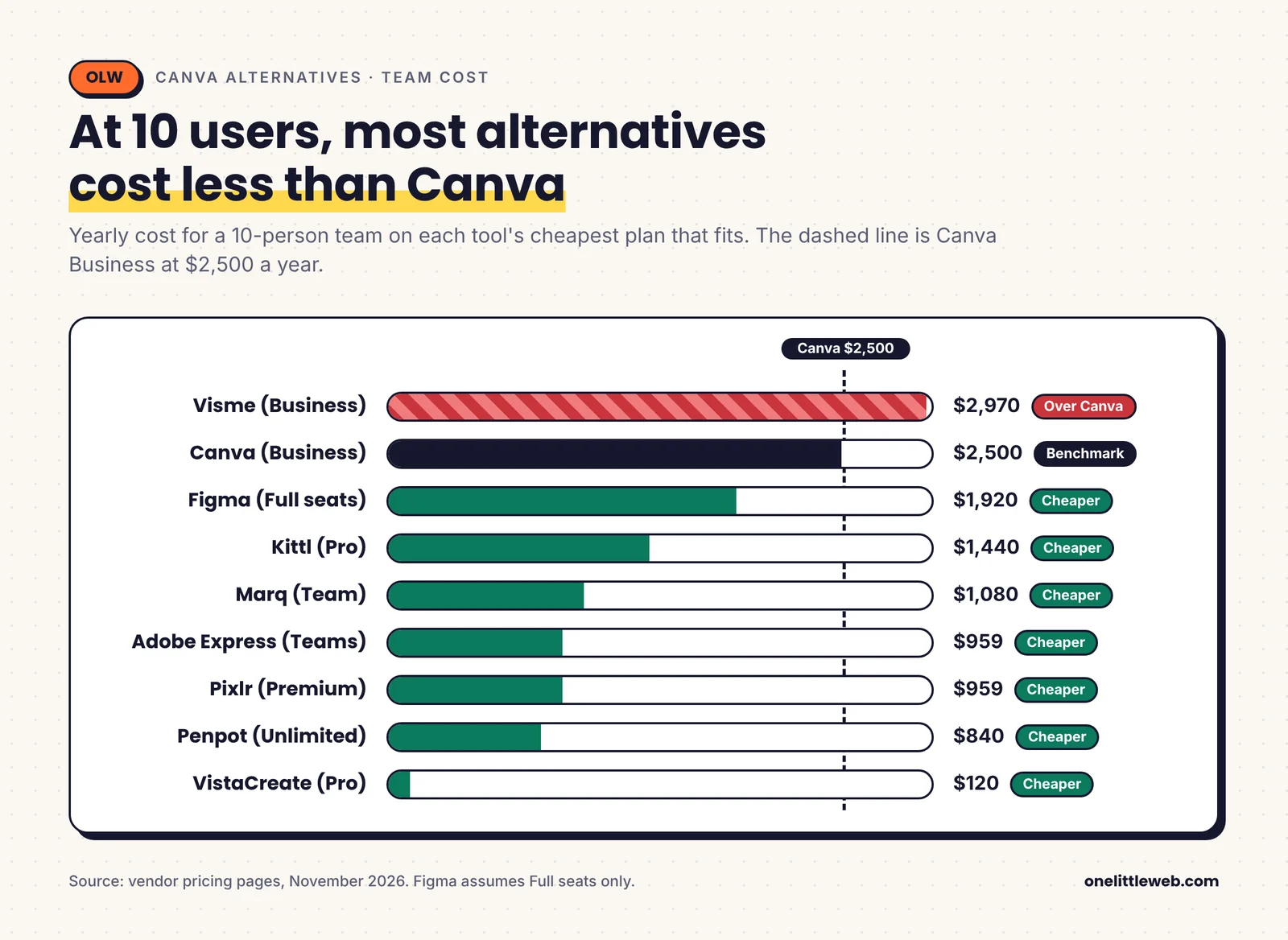
Here is the yearly cost at 1, 5, and 10 users, using each tool’s cheapest plan that supports that team size.
| Tool | 1 user / year | 5 users / year | 10 users / year | How seats work |
|---|---|---|---|---|
| Canva | $144 (Pro) | $1,250 (Business) | $2,500 (Business) | Pro is 1 user only |
| Adobe Express | $120 (Premium) | $479 ($299 in year 1) | $959 ($599 in year 1) | Teams, 2-seat minimum |
| VistaCreate | $120 | $120 | $120 | Pro covers up to 10 seats |
| Figma | $192 | $960 | $1,920 | Full seats only; cheaper seat types lower this |
| Visme | $147 (Starter) | $1,485 (Business) | $2,970 (Business) | Team features need Business |
| Kittl | $144 | $720 | $1,440 | Per editor; viewers free |
| Marq | $120 | ~$480 | ~$1,080 | Team plan, about $120 per license, 2nd license free |
| Picsart | $126 | Ultra plan needed | Ultra plan needed | Team seats only on Ultra |
| Pixlr | $96 (Premium) | $479 | $959 | Separate accounts, no team space |
| Penpot | $0 | $0 | $840 | Unlimited plan at $7/editor, capped at $175/month |
| Microsoft Designer | $0 | Not built for teams | Not built for teams | Consumer product |
Prices are from vendor pricing pages in November 2026.
The pattern is clear. Canva is competitive for one person. At five or more people, almost every alternative costs less.
VistaCreate and Penpot stand out on cost. Adobe Express is the best value if you want a full Canva-style feature set.
Can You Use It Commercially? A Quick License Check
This part trips people up more than price. A free plan that looks perfect may not allow client work or products you sell.
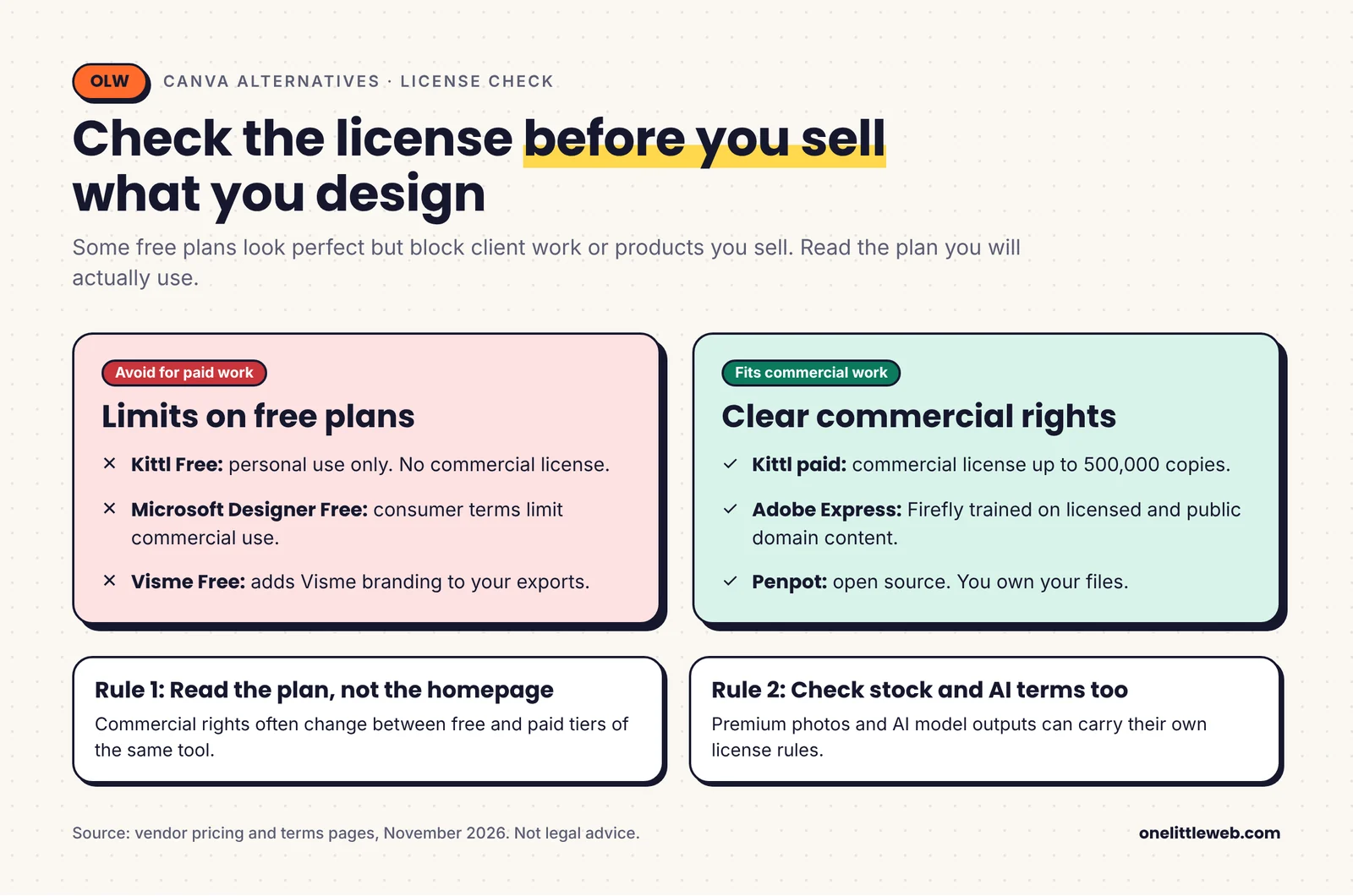
| Tool | Free plan commercial use | Paid plan notes |
|---|---|---|
| Adobe Express | Check Adobe terms for your use | Firefly trained on licensed and public domain content |
| VistaCreate | Check asset license | Premium assets licensed on Pro |
| Figma Buzz | Yes, your own designs | Template publishing needs a paid plan |
| Visme | Visme branding on free exports | Branding removed on paid plans |
| Kittl | No, personal use only | Commercial license up to 500,000 copies |
| Marq | Screen-quality exports only | Print 300dpi on paid plans |
| Picsart | Limited free use | Check stock and AI model terms |
| Pixlr | Ads and limited saves | Ad-free on Plus and up |
| Penpot | Yes, open source | You own your files |
| Microsoft Designer | No, personal non-commercial use | Same license applies with Microsoft 365 credits |
My rule is simple. If you’ll sell it or bill a client for it, read the license page before you start designing.
How to Choose the Right Canva Alternative
Don’t pick the tool with the longest feature list. Pick the one that fixes the reason you’re leaving Canva.
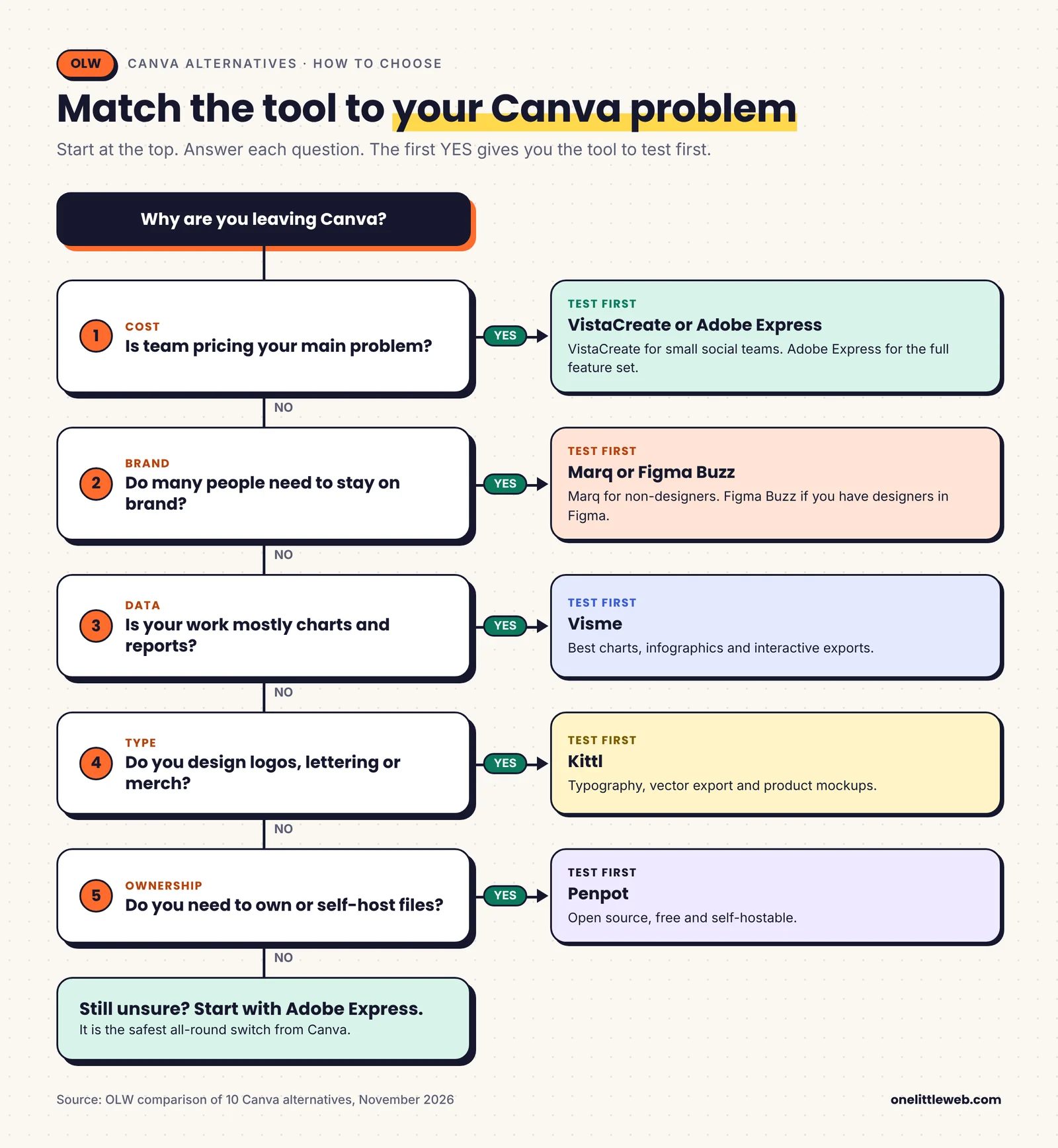
If your problem is team cost
Go with VistaCreate for social-heavy small teams, or Adobe Express if you want a full feature set. Both beat Canva Business by a wide margin at five seats or more.
If your problem is brand consistency
Pick Marq if non-designers make local marketing. Pick Figma Buzz if you already have designers in Figma. Both let you lock what others can change.
If your problem is data and reports
Visme is the clear choice. Its charts and interactive exports are a step above Canva.
If your problem is AI limits
Adobe Express gives 250 credits a month on Premium. Pixlr Premium gives 1,000. Both are more generous than Canva’s free tier after the cut. If AI design is only one piece of your stack, our list of the best AI marketing tools covers the rest.
If your problem is typography or merch
Kittl wins on lettering, vector export, and mockups.
If your problem is file ownership
Penpot is the only open-source, self-hostable option here. If you mostly design web layouts, our roundup of the best wireframe tools has more options.
If you just need free
Use Microsoft Designer for personal projects. Use Adobe Express Free or VistaCreate Starter when you need more templates.
Mistakes to Avoid When Switching from Canva
Switching tools is easy. Switching without losing work or brand consistency takes a little planning.
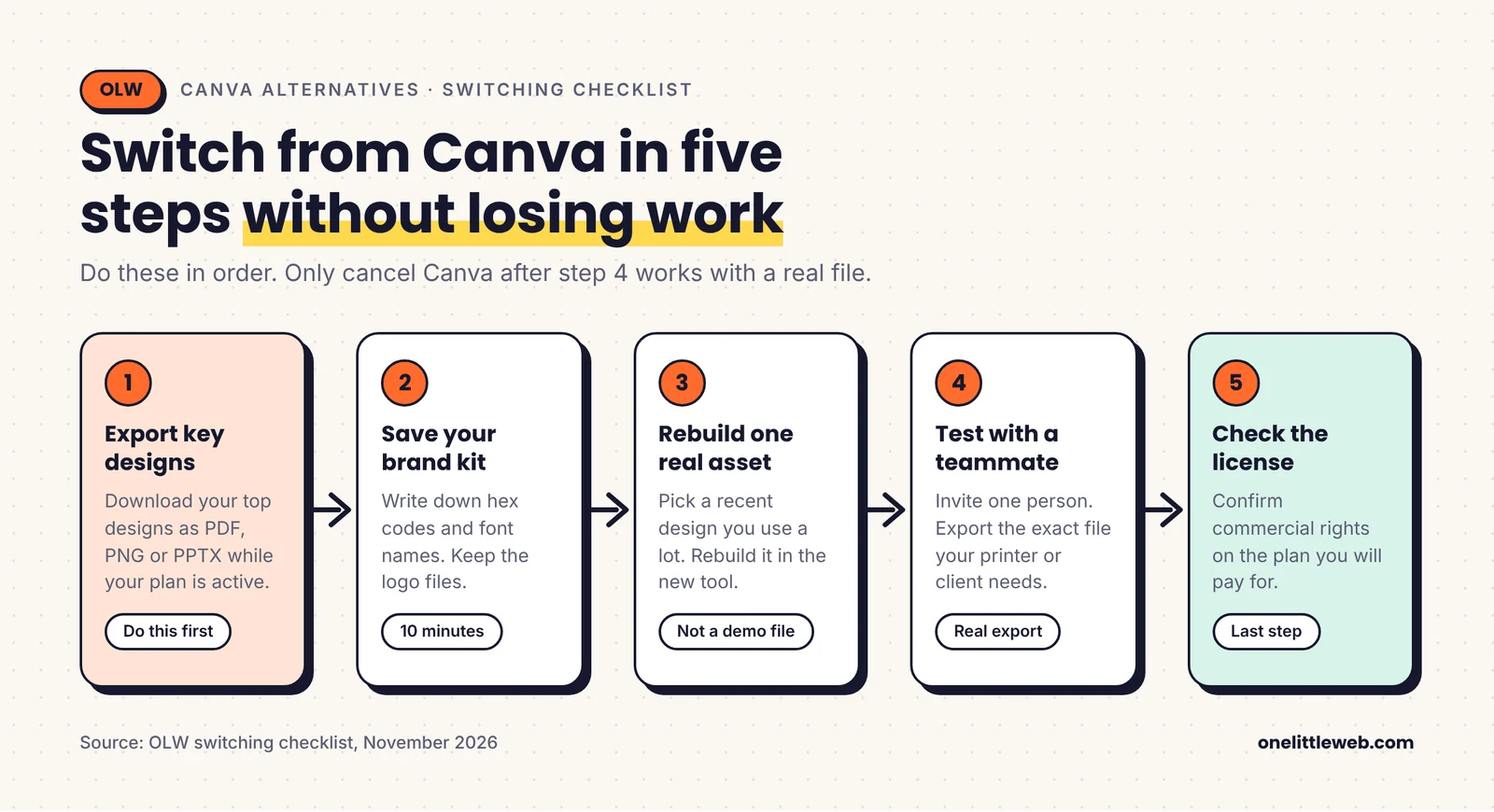
Cancelling before you export
Download your key designs as PDF or PNG before you cancel Canva Pro. Premium elements in your designs may become unusable once your plan ends.
Assuming your files will transfer
Canva designs don’t open natively in other tools. Some tools import PDFs or PPTX files, but layouts often shift. Plan to rebuild your most-used templates.
Forgetting the brand kit
Write down your hex codes, font names, and logo files first. Then rebuild the brand kit in the new tool before anyone starts designing.
Testing with a toy project
Rebuild one real, recent asset in the new tool. Then invite one real teammate and export the exact file your printer, client, or ad platform needs. That tells you more than any free trial tour.
Ignoring the license
Check commercial rights on the plan you’ll actually use. This matters most for Kittl and Microsoft Designer.
Losing track of your visual style
A new tool is a good moment to fix template sameness. Build a few original templates around your brand instead of copying the new tool’s popular ones. Unique visuals also earn more shares and links than stock templates.
Uploading heavy graphics to your site
New tools often export larger files by default. Big, uncompressed images slow your pages down. Our guide to web design mistakes that hurt SEO covers how to fix that.
How I Scored Each Canva Alternative
I scored every tool from 1 to 10 on six criteria. Each criterion has a weight based on what makes people leave Canva. Canva is included as a benchmark.
| Tool | Templates and assets (20%) | Ease of use (15%) | Brand and team control (15%) | AI usefulness (15%) | Value at team scale (20%) | Export and licensing (15%) | Overall score |
|---|---|---|---|---|---|---|---|
| Canva (benchmark) | 10 | 9 | 8 | 8 | 6 | 8 | 8.2 |
| Adobe Express | 9 | 9 | 8 | 9 | 8 | 8 | 8.5 |
| VistaCreate | 8 | 9 | 7 | 6 | 10 | 6 | 7.8 |
| Figma Buzz | 6 | 6 | 10 | 7 | 7 | 9 | 7.4 |
| Visme | 7 | 7 | 8 | 7 | 6 | 9 | 7.3 |
| Kittl | 7 | 7 | 6 | 9 | 7 | 8 | 7.3 |
| Marq | 6 | 7 | 10 | 4 | 8 | 7 | 7.0 |
| Picsart | 7 | 8 | 6 | 8 | 7 | 6 | 7.0 |
| Pixlr | 6 | 8 | 4 | 8 | 9 | 6 | 6.9 |
| Penpot | 3 | 5 | 7 | 2 | 10 | 10 | 6.2 |
| Microsoft Designer | 5 | 9 | 3 | 7 | 9 | 3 | 6.1 |
What each criterion measures
Templates and assets (20%). A high score means a large library in common formats, with good free coverage. A low score means you design mostly from scratch.
Ease of use (15%). A high score means a non-designer can finish a social post in under 10 minutes. A low score means real training time.
Brand and team control (15%). A high score means template locking, shared brand kits, and roles. A low score means no team space at all.
AI usefulness (15%). A high score means useful AI with a generous monthly allowance. A low score means little or no AI, or tight caps.
Value at team scale (20%). A high score means low cost per person at 5 to 10 users. A low score means per-seat costs that climb fast.
Export and licensing (15%). A high score means print, vector, and editable formats with clear commercial rights. A low score means locked formats or personal-use limits.
Frequently Asked Questions
Is there a free alternative to Canva?
Yes. Adobe Express, VistaCreate, Visme, Figma, and Penpot all have free plans. Microsoft Designer is free with a Microsoft account. Penpot is the only one that’s fully featured for free.
What is the best Canva alternative for teams?
Adobe Express is the best all-round pick for teams. VistaCreate is cheapest for small social teams. Marq and Figma Buzz are best when brand control matters most.
Is Adobe Express better than Canva?
For many people, yes. It’s cheaper for teams and offers 250 AI credits a month on Premium. Canva still has a bigger template library.
Is Affinity a Canva alternative?
Not really anymore. Canva owns Affinity, and bundled it into its ProSuite in 2026. Switching to Affinity keeps you inside Canva’s ecosystem.
What is the cheapest Canva alternative?
Penpot and Microsoft Designer are free. For paid tools, Pixlr Plus starts at $1.99 a month. VistaCreate Pro is the cheapest for teams at about $120 a year.
Is there an open-source Canva alternative?
Penpot is the best open-source option. You can use it free in the cloud or self-host it. It’s built more for UI and web design than social templates.
Which Canva alternative is best for presentations?
Visme is best for data-heavy and interactive decks. Adobe Express can also generate a first-draft deck from a prompt or document.
Can I move my Canva designs to another tool?
Not directly. Export your designs as PDF, PNG, or PPTX first. Some tools can import PDFs or PPTX files, but expect to rebuild key templates.
Which Canva alternative is best for print-on-demand?
Kittl is the best fit. It combines typography tools, vector export, and product mockups. Paid plans include a commercial license up to 500,000 copies.
Is Microsoft Designer free for commercial use?
No. Microsoft’s own FAQ says Designer is licensed for personal, non-commercial use with your Microsoft account. For business work, pick a tool with clear commercial rights.
Conclusion: Which Canva Alternative Should You Choose?
Canva is still a great tool. But in 2027, it’s no longer the automatic pick for every team.
If you want the easiest switch, choose Adobe Express. If you want the lowest team bill, choose VistaCreate. If brand control is the issue, choose Marq or Figma Buzz.
Whatever you pick, test it with one real asset before you move the whole team.
Good design tools help you make content. Getting that content seen is a different job. At OneLittleWeb, we turn visual assets like charts, infographics, and data studies into links and press coverage for our clients. If you want your visuals to work harder for your rankings, talk to our link building team.
And if you’d rather hand design off completely, our list of web design services for small businesses is a good place to start.