Your organic traffic numbers might be fine and your business might still be losing ground. Because a chunk of your buyers now get their answer from ChatGPT before they ever open Google.
An LLM tracking tool is how you find out if that answer includes you.
I went through the ten tools worth considering for this in 2026, from the $29-a-month options to the ones that only quote you after a sales call.
I’ll say upfront: I haven’t run client campaigns through all of these myself. Several are brand new. What follows is a direct comparison built from vendor documentation, live pricing pages, and the same 24-month AI tools study we run internally at OneLittleWeb.
A few of these tools only watch. A few actually help you fix what they find. That distinction matters more than the logo on the dashboard, and I’ve flagged which is which throughout.
Here’s where I landed.
The Best LLM Tracking Tools at a Glance
Before the full reviews, here’s how the LLM tracking tools stack up side by side. Prices and engine counts below are tied to the specific plan named, since a platform-wide feature list often includes capabilities that aren’t available at the entry price.
| Tool | Best fit | Starting cost |
|---|---|---|
| Peec AI | Mid-market SEO teams wanting clean analytics | ~$95/mo |
| Profound | Enterprise GEO programs with budget | $99/mo |
| Otterly AI | Solo marketers and lean teams on a budget | $29/mo |
| Ahrefs Brand Radar | Existing Ahrefs subscribers | $199/mo add-on (plus base Ahrefs plan) |
| Semrush AI Visibility Toolkit | Existing Semrush users | $99/mo per domain |
| SE Ranking AI Visibility Tracker | Teams wanting SEO and AI bundled affordably | $129/mo (bundled) |
| AthenaHQ | Mid-market teams wanting an action layer | $295/mo |
| Scrunch AI | SaaS and B2B teams wanting bot-crawl insight | $99/mo |
| ZipTie | Small teams wanting simple, cheap setup | ~$59-69/mo |
| Similarweb | Teams wanting AI referral traffic tied to SEO data | Contact sales |
What Are LLM Tracking Tools?
An LLM tracking tool runs a set of prompts against AI platforms like ChatGPT, Perplexity, and Google AI Overviews, then checks whether your brand shows up in the answer.
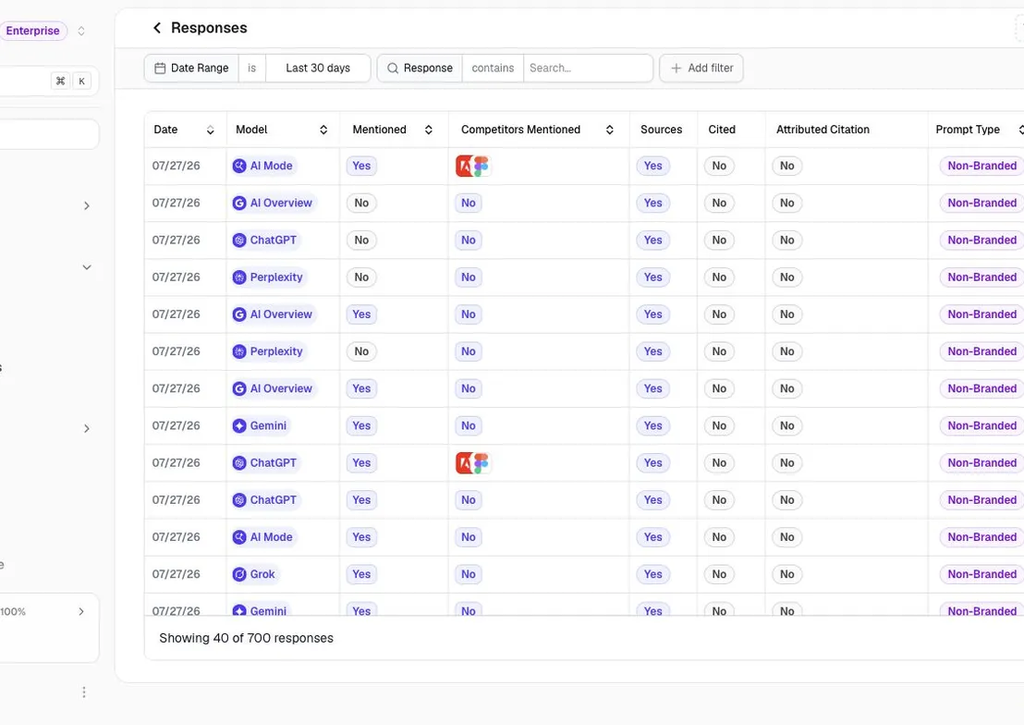
That’s the whole mechanic. Run a question. Read the response. Note whether you were mentioned, where, and what got cited alongside you.
From there, most tools build out a handful of metrics: how often you appear (visibility), how you’re framed (sentiment), which pages the AI pulled from (citations), and how you stack up against named competitors (share of voice).
I want to be upfront about the boundary of what this actually measures. These tools sample a set of prompts you chose, at a frequency you chose, and report back on that sample. That’s useful, but it’s not a complete record of every conversation happening in ChatGPT about your category. Treat the numbers as a representative read, not a census.
This roundup covers LLM visibility tracking for marketing and SEO, meaning tools built to answer “does my brand show up in AI answers, and how.” It doesn’t cover developer-facing LLM observability tools that trace API calls, token costs, or model latency. Those solve a different problem for a different team.
If you’re brand new to the category, it’s worth reading how AI visibility tools fit into the broader picture before picking a specific tracker.
What to Look For in an LLM Tracking Tool
I kept coming back to the same handful of questions while going through these ten, and they’re the questions worth asking before you hand over a credit card.
Does the pricing page tell you what you’ll actually pay for real coverage, or just the cheapest possible configuration? A lot of homepages lead with a price that covers one engine and fifteen prompts. That’s fine as a floor, but it’s not what you’ll be paying once you add the platforms your customers use.
Can you see the actual AI response behind the score, or just a number? A visibility percentage without the underlying conversation is hard to trust and hard to act on. I docked points from tools that stopped at a dashboard number.
Does it tell you what to do next, or just what happened? Some tools are pure monitors. Others turn a citation gap into a content brief. Neither approach is wrong, but you should know which one you’re buying before you buy it.
How many AI platforms does it track at the tier you’d actually pay for? ChatGPT coverage is table stakes now. Perplexity, Google AI Overviews, Gemini, and Copilot each pull a different slice of your buyers, and a tool that only watches one or two of them is only showing you part of the picture.
What happens to pricing as you scale prompts or add engines? This is where most of the sticker-price surprises live, and I’ve priced every tool in this piece against a realistic workload rather than the cheapest plan on the page.
How I Selected and Scored These Tools
I started from the tools that show up consistently across vendor pricing pages, G2, Capterra, and the AI-tools tracking we already run at OneLittleWeb as part of our 24-month market study.
From there, I cut anything that’s enterprise-only with no published pricing, anything that’s really a developer observability tool wearing marketing language, and anything I couldn’t verify was still actively maintained.
That left ten tools worth a real look. I scored each of them against seven weighted criteria, built from the friction points that came up again and again across reviews, Reddit threads, and vendor documentation for this specific category.
| Criterion | Weight | What it measures |
|---|---|---|
| Platform coverage at the price you’d pay | 20% | How many AI engines you actually get on the plan you’d realistically buy, not the enterprise tier |
| Measurement transparency | 15% | Whether you can see the raw AI response behind a score, and how the data is collected |
| Citation and source detail | 15% | Domain-level versus URL-level detail on what AI engines are actually citing |
| Actionability | 15% | Whether the tool helps you fix a visibility gap, or only reports it |
| Pricing transparency and value at scale | 15% | Whether the published price holds up once you add prompts and engines |
| Reporting and agency fit | 10% | Multi-brand workspaces, exports, integrations, white-label reporting |
| Ease of use | 10% | Setup time and how steep the learning curve is for a non-technical stakeholder |
I want to flag my evidence basis honestly. I have hands-on agency experience with the core Ahrefs, Semrush, and Surfer SEO platforms from years of client work.
The specific AI visibility modules inside Ahrefs and Semrush covered here are new enough that my assessment of them is research-based, built from documentation, pricing pages, and third-party reviews rather than direct client campaigns run through those exact modules.
The same research-based approach applies to the other eight tools in this piece, several of which only launched in the past year.
Here’s how the ten scored out.
Top 10 AI Search Visibility Tools Ranked
| Rank | Tool | Coverage | Transparency | Citations | Actionability | Pricing Value | Reporting/Agency | Ease of Use | Overall |
|---|---|---|---|---|---|---|---|---|---|
| 1 | Peec AI | 6 | 6 | 8 | 7 | 7 | 7 | 9 | 7.0 |
| 2 | Profound | 5 | 9 | 9 | 9 | 5 | 5 | 6 | 6.9 |
| 3 | Semrush AI Visibility Toolkit | 6 | 7 | 7 | 8 | 5 | 7 | 7 | 6.7 |
| 4 | Otterly AI | 6 | 6 | 6 | 5 | 9 | 6 | 8 | 6.5 |
| 5 | ZipTie | 4 | 7 | 8 | 6 | 8 | 3 | 8 | 6.3 |
| 6 | Ahrefs Brand Radar | 6 | 6 | 8 | 5 | 4 | 6 | 7 | 6.0 |
| 7 | SE Ranking AI Visibility Tracker | 6 | 6 | 6 | 5 | 7 | 7 | 5 | 6.0 |
| 8 | AthenaHQ | 5 | 6 | 7 | 8 | 5 | 5 | 6 | 6.0 |
| 9 | Scrunch AI | 5 | 5 | 7 | 6 | 5 | 6 | 7 | 5.8 |
| 10 | Similarweb | 4 | 5 | 5 | 6 | 3 | 7 | 5 | 4.9 |
A couple of these scores are close enough that your specific priorities should break the tie. If reporting and agency workflow matter more to you than raw engine count, weight that section more heavily than I did.
The Best LLM Tracking Tools
The best LLM tracking tools show where your brand appears in AI answers, which competitors get recommended, and which sources get cited. Some focus on straightforward prompt monitoring, while others offer deeper citation analysis and reporting across multiple AI platforms. Here’s how they compare and where each could fit into your workflow.
1. Peec AI
Best for: Mid-market SEO teams that want clean, fast analytics without a steep learning curve
Starting price: ~$95/month (Starter, billed annually)
Key differentiator: A three-metric framework (visibility, position, sentiment) that’s simple enough to explain to an executive in one sentence
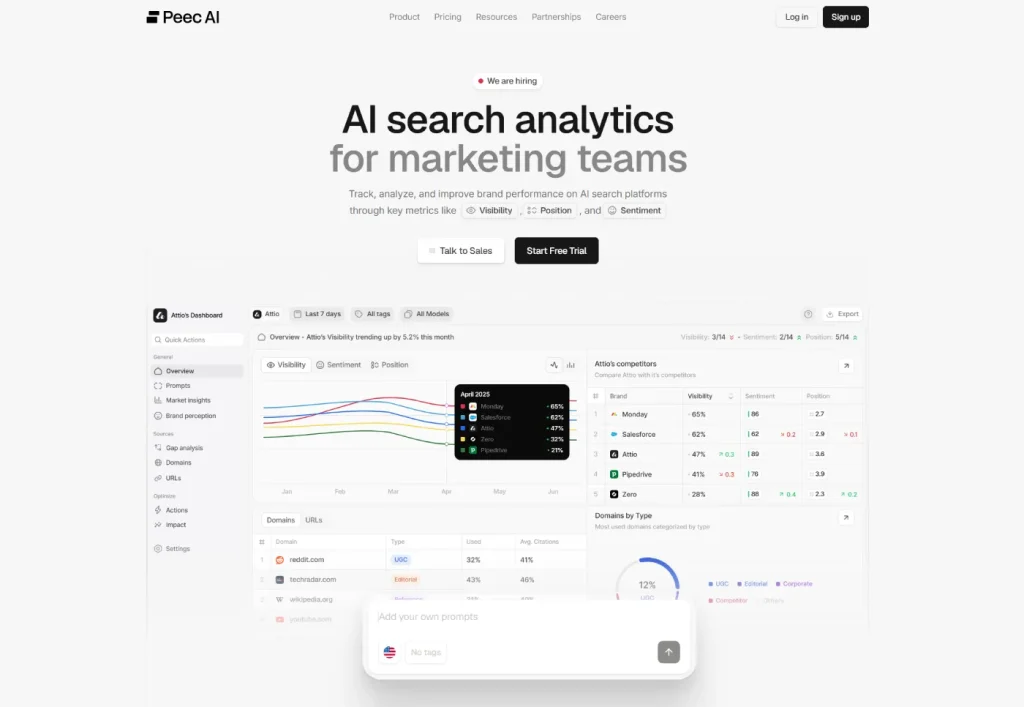
Peec AI is the tool I’d point a mid-market marketing team toward first, mostly because it doesn’t try to be everything. It tracks visibility, position among competitors, and sentiment, and it visualizes all three in a quadrant chart that sorts brands into leaders, niche players, laggards, and what one review called “controversial” brands.
It queries AI platforms by simulating real browser sessions rather than calling APIs directly, which is closer to what an actual user sees than a pure API scrape. G2 reviewers consistently rate it in the 4.9 to 5.0 range, and the praise clusters around the same two things: it’s genuinely easy to use, and the pricing is fair for what you get.
What features stand out?
Peec now includes an Actions engine on every plan, which clusters your citation sources into content types like owned pages, editorial coverage, and UGC communities such as Reddit, then returns a prioritized list of what to fix first. It also connects to Looker Studio and offers a native MCP integration for teams piping data into Claude or other AI workflows.
What do I like about it?
The three-metric framework is the strongest thing about Peec. Visibility tells you if you’re mentioned, position shows where you rank against named competitors, and sentiment shows how you’re framed. That’s a report a marketing manager can hand to a CMO without a translation layer.
Unlimited seats on every plan is also a real advantage over tools that charge per user.
Where does it fall short?
Self-serve plans limit you to three tracked models at a time, chosen from a longer list that includes ChatGPT, Perplexity, Gemini, Google AI Overviews, Copilot, Grok, and Claude. Getting beyond three means an add-on or an Enterprise conversation.
Sentiment is reported as a single number without an easy way to see the conversations behind it, based on multiple reviews of the product. And it doesn’t estimate AI referral traffic or connect a citation to an actual visit, so if attribution is what you need, this isn’t the tool.
What does it cost?
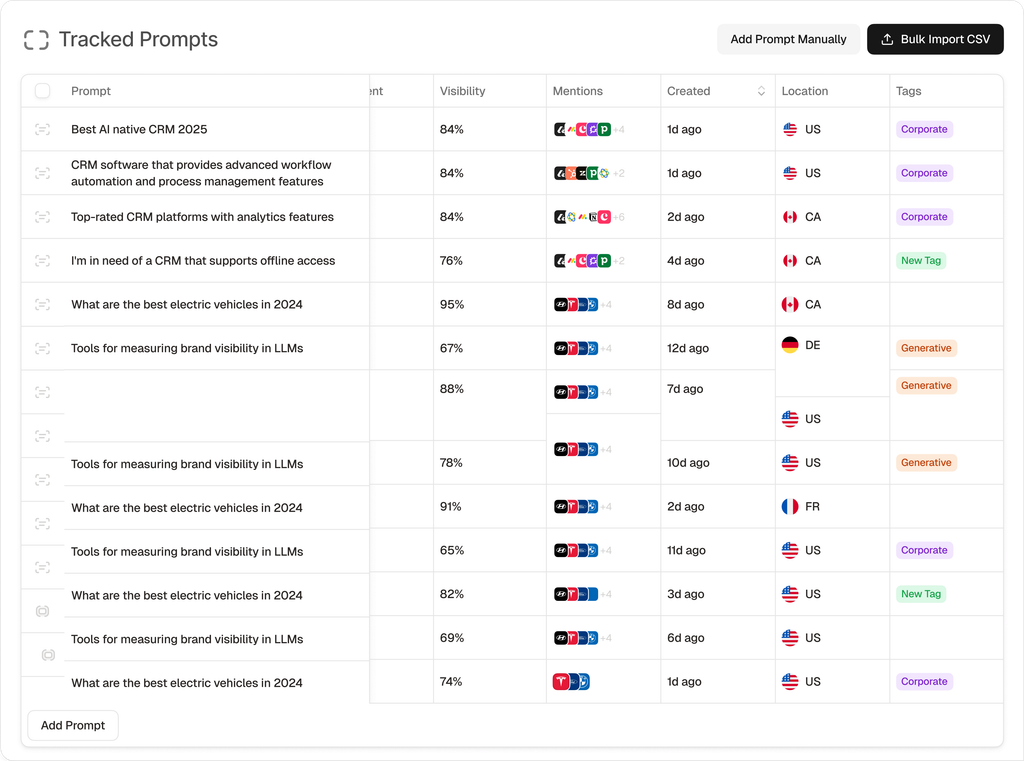
Starter runs about $95/month for 50 prompts across 3 models. Pro moves to roughly $245/month for 150 prompts, and Advanced goes to about $495/month for 350 prompts with multi-country tracking and Looker Studio access. Extra models beyond the base three are priced as add-ons, so budget for that if your buyers are spread across more than three platforms.
What do reviews say?
G2 rates Peec AI around 4.9 to 5.0 out of 5 as of when this was written, with reviewers specifically calling out the value-to-price ratio and the responsiveness of the team behind the product. Ratings on review platforms shift over time, so check the current score before you decide.
Skip Peec AI if you need more than three engines tracked without paying for add-ons, or if attribution from AI mention to actual traffic is the main thing you’re buying a tool for.
Verdict: The best value pick in this list for a team that wants a clean, explainable dashboard and doesn’t need every AI platform tracked from day one.
2. Profound
Best for: Enterprise brands and agencies with real budget running a serious GEO program
Starting price: $99/month (Starter, ChatGPT only)
Key differentiator: The widest engine coverage in the category, plus a genuine content generation layer, once you’re on the right plan
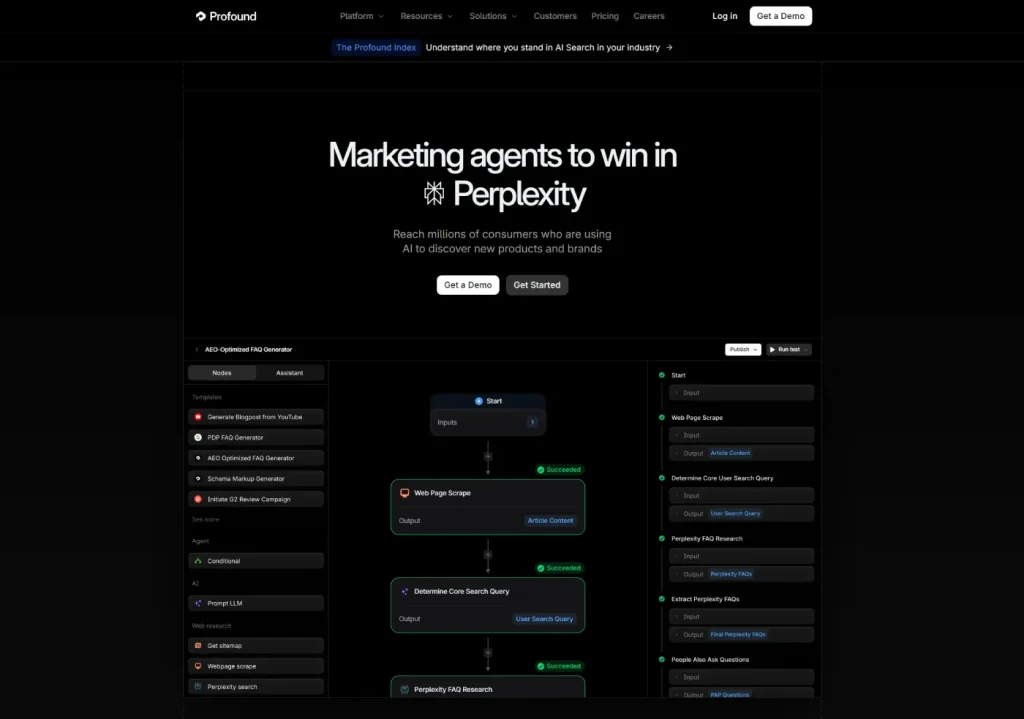
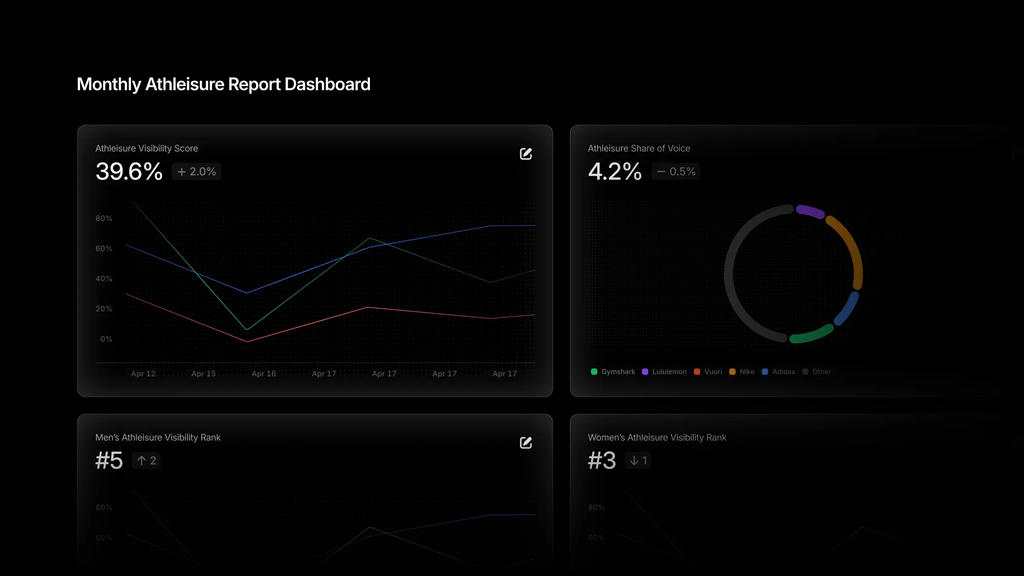
Profound has become the name people say first when they talk about this category, and the depth mostly earns that. It tracks prompt-level detail, benchmarks against competitors, analyzes which pages get cited, and shows you Agent Analytics, meaning which AI crawlers are hitting your site and what they’re reading before a human ever clicks through.
Independent reviewers have priced Profound at roughly 48% above the category average once you’re on a plan that covers real multi-engine tracking. That premium buys something real for large teams, and it’s a hard sell for anyone else.
What features stand out?
The Content Generation and Content Optimization tools are the standout here. You can go from “here’s a prompt where we’re losing to a competitor” to a drafted content brief without leaving the platform. Conversation Explorer lets you dig into topic-level demand data pulled from a large prompt database, which is genuinely useful for figuring out what to track in the first place.
At the Enterprise tier, coverage extends to ChatGPT, Perplexity, Google AI Mode, Gemini, Microsoft Copilot, Meta AI, Grok, DeepSeek, Claude, and Google AI Overviews.
What do I like about it?
Evidence access is strong. You can drill into actual response text across engines rather than trusting a single visibility percentage, and the citation view shows exactly which pages fed a given answer. For a team that wants to understand why an AI model said what it said, this is the deepest option on this list.
Where does it fall short?
The Starter tier at $99/month tracks ChatGPT only, which makes it more of a taste test than a usable plan for most buyers. Real multi-engine coverage means a 4x jump to the $399/month Growth tier, and the full 10-plus engine list is locked behind a custom Enterprise quote you can’t see without a sales call.
Reddit discussions I came across also pointed to a steeper onboarding curve for teams new to GEO, and reviewers have noted the platform doesn’t currently support multiple separate client workspaces well, which matters if you’re an agency managing several brands.
What does it cost?
Starter is $99/month for ChatGPT-only tracking on 50 prompts. Growth runs $399/month (or $332.50/month billed annually) for roughly 100+ prompts across ChatGPT, Perplexity, and Google AI Overviews. Enterprise pricing is custom and unlocks the remaining engines, SSO, and SOC 2/HIPAA compliance.
What do reviews say?
G2 reviewers rate Profound around 4.5 to 4.6 out of 5 as of this writing, with the praise centered on depth of data and sentiment analysis, and the criticism centered on price and the learning curve for teams newer to AI search. Check current scores before deciding, since ratings shift.
Skip Profound if you’re a solo marketer, a small team, or an agency that needs separate white-label workspaces per client right now.
Verdict: The most capable tool here for a well-funded enterprise team, and the wrong first purchase for almost everyone else.
3. Otterly AI
Best for: Solo marketers and lean teams who need to start monitoring without an enterprise contract
Starting price: $29/month (Lite)
Key differentiator: The most affordable credible monitor in the category, with the same core toolkit at every tier
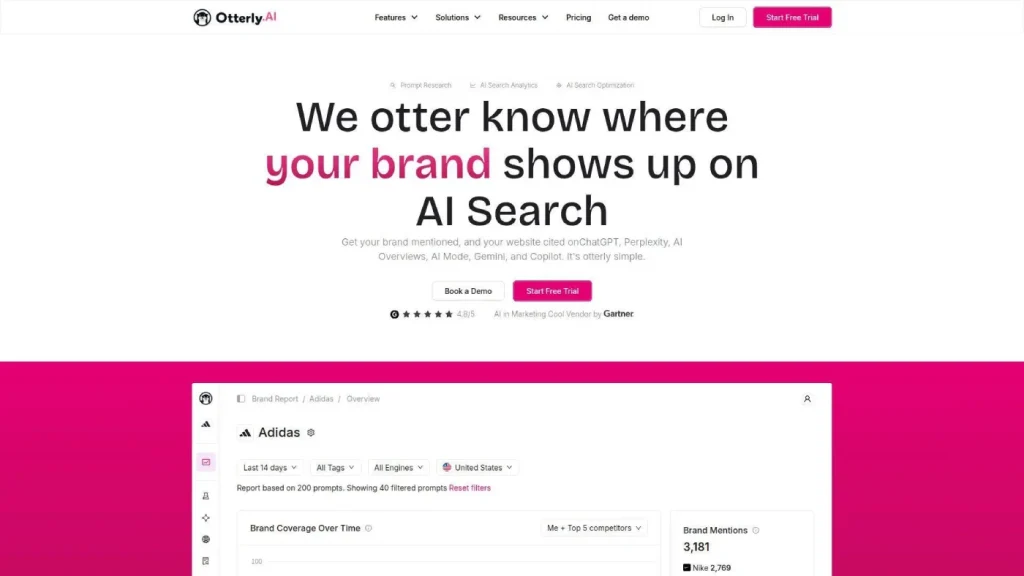
Otterly is the tool I’d point a freelancer or a two-person marketing team toward. It’s the cheapest option here that isn’t a stripped-down free scanner, and the account setup is genuinely fast. It converts existing SEO keywords into AI-friendly prompts automatically, which saves the guesswork of writing prompts from scratch.
It tracks ChatGPT, Google AI Overviews, Perplexity, and Copilot on the base tiers, with AI Mode and Gemini available as paid add-ons.
What features stand out?
The GEO audit feature is a nice inclusion at this price. It checks technical and content factors on your site that affect whether AI crawlers can read and cite you in the first place, and turns that into a prioritized list. Multi-country tracking spans 60-plus countries, which is unusually broad for a budget tool.
What do I like about it?
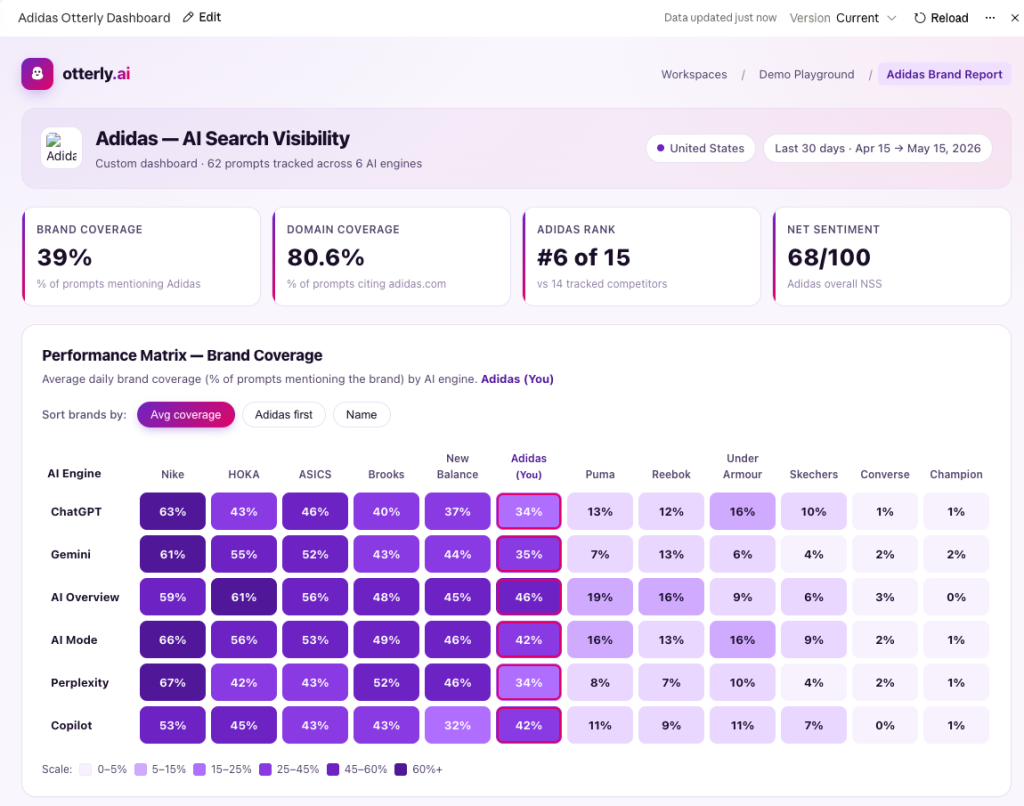
Setup is fast and the dashboard shows mention counts within minutes. Pricing scales in a way that’s easy to understand, and there’s no per-seat charge, so a growing team doesn’t get penalized for adding people.
Where does it fall short?
Otterly is monitoring-first. There’s no content-writing engine, so once you find a gap, you’re building the fix in a separate tool. Sentiment scoring is also lighter than what you’d get from Peec AI or Profound, more of a basic positive-or-negative read than a nuanced framing analysis.
What does it cost?
Lite starts at $29/month for 15 prompts tracked daily. Standard runs $189/month for 100 prompts, and Premium goes to $489/month for 400 prompts. An additional 100-prompt block costs about $99/month if you outgrow a tier without wanting to jump the next one up. AI Mode and Gemini add-ons run roughly $9/month and up depending on tier.
What do reviews say?
Otterly is used by a reported 30,000-plus marketing professionals and holds a G2 rating around 4.8 to 4.9 out of 5 as of this writing, with a Gartner “Cool Vendor” mention in AI marketing tools. Reviewers consistently flag the price-to-value ratio as the top reason to choose it. Confirm current ratings before you buy, since they move.
Skip Otterly if you need a built-in content engine or deep competitor analysis rather than surface-level mention counts.
Verdict: The easiest entry point into this category, and a tool most teams will eventually outgrow rather than one you’ll regret starting with.
4. Ahrefs Brand Radar
Best for: Existing Ahrefs subscribers who want AI visibility inside a suite they already trust
Starting price: $199/month for one AI engine, add-on to a base Ahrefs subscription
Key differentiator: Web, YouTube, TikTok, and Reddit visibility data alongside standard AI engine tracking, pulled from Ahrefs’ existing crawl infrastructure
We’ve used Ahrefs’ core platform across client work in the US, UK, Canada, and Australia for years, so I know the base product well. Brand Radar specifically, the AI visibility add-on, is newer, and my read on it here is research-based rather than built on our own client campaigns run through this exact module.
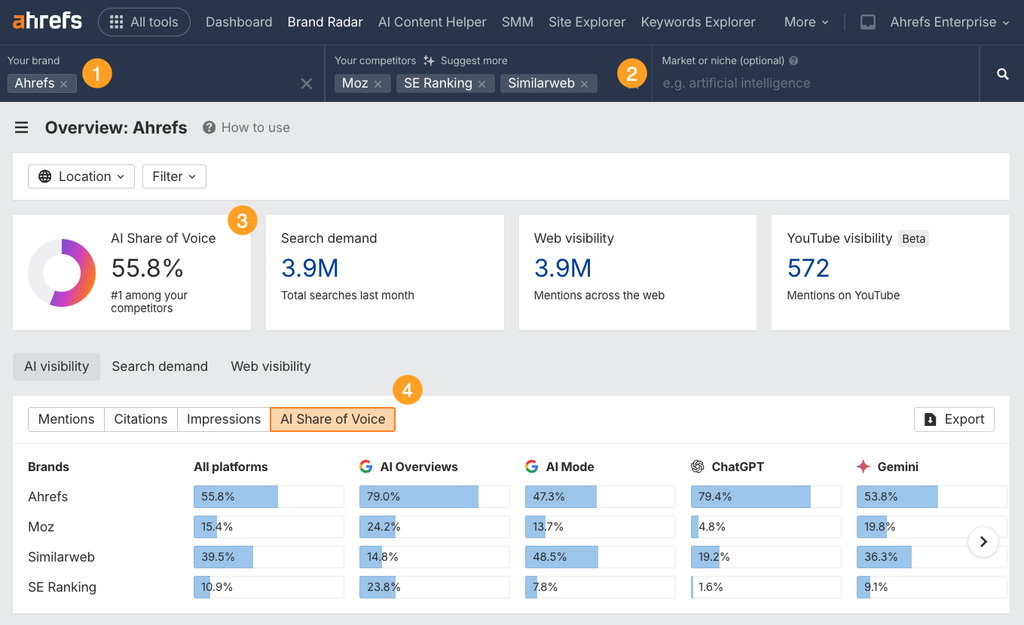
Brand Radar tracks AI Overviews, AI Mode, ChatGPT, Perplexity, and Copilot, and it leans on Ahrefs’ large database of organic prompts plus visibility data pulled from platforms like YouTube and Reddit that increasingly get cited in AI answers.
What features stand out?
The web, YouTube, and Reddit visibility layer is the genuinely unique piece here. Since AI answers increasingly cite forum threads and video transcripts, not just articles, seeing where your brand shows up across those formats is more useful than most competitors offer.
What do I like about it?
If you’re already paying for Ahrefs, the AI Overviews Tracker and Brand Radar sit inside a tool your team already knows how to use, and the underlying prompt database is large.
Where does it fall short?
Pricing stacks fast. The AI indexes run $199/month per platform or $699/month for all six, and that’s on top of a base Ahrefs subscription starting around $129/month, which puts the realistic all-in floor closer to $828/month for full coverage, according to third-party pricing breakdowns. Custom prompt tracking beyond the organic prompt database requires purchasing separate credit packages on top of that.
It also doesn’t show conversation-level data the way Profound or Peec do, so you get the citation without always seeing the exact framing.
What does it cost?
$199/month for one AI engine using organic prompts only, or $699/month for all six engines plus 2,500 credits for custom prompts, both layered on top of a base Ahrefs plan starting around $129/month. Additional custom-prompt credit packs start around $50/month.
What do reviews say?
Ahrefs as a company carries strong general SEO tool reputation and high satisfaction scores across review platforms, but Brand Radar specifically is new enough that dedicated third-party reviews are still thin. Several sources flag the pricing structure as steep and complex compared to AI-native competitors. Confirm current tier pricing directly with Ahrefs before budgeting.
Skip Ahrefs Brand Radar if you don’t already use Ahrefs for SEO, or if full multi-engine coverage on a tight budget is the priority.
Verdict: A reasonable add-on for teams already inside the Ahrefs ecosystem, and an expensive way to buy AI tracking if you’re starting from zero.
5. Semrush AI Visibility Toolkit
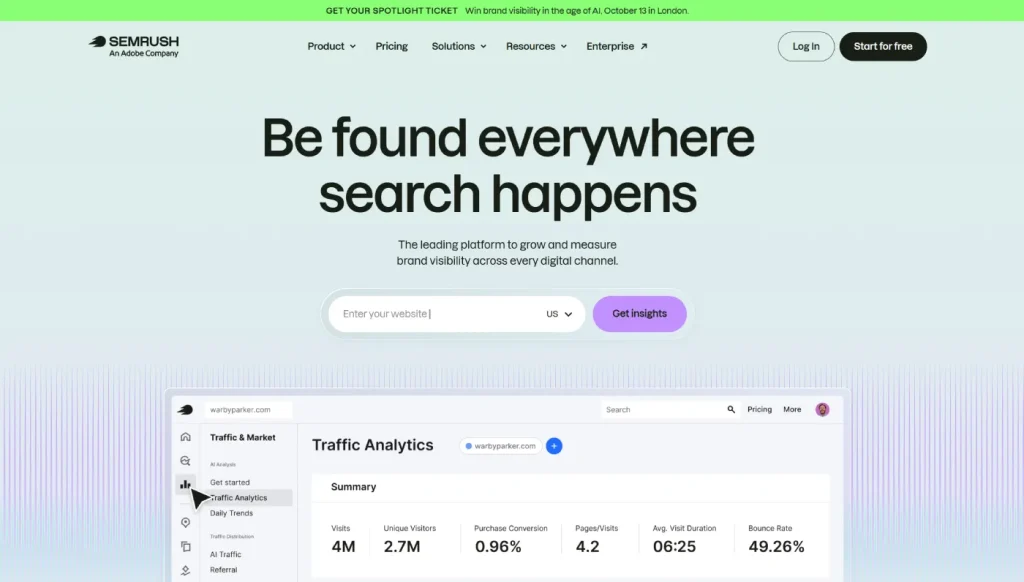
Best for: Existing Semrush users who want AI visibility tied directly to their SEO and content workflow
Starting price: $99/month per domain (add-on)
Key differentiator: Direct integration into Semrush’s content optimization, backlink analysis, and site audit tools, so a visibility gap turns into a next action inside the same platform
Like Ahrefs, we have genuine hands-on experience with Semrush’s core platform from years of client campaigns. The AI Visibility Toolkit itself launched in March 2025, and my assessment of it here is built from documentation and third-party review rather than direct client work run specifically through this module.
It tracks ChatGPT, Google AI, Gemini, and Perplexity, and it draws from Semrush’s prompt database, which some sources put in the hundreds of millions across multiple regions.
What features stand out?
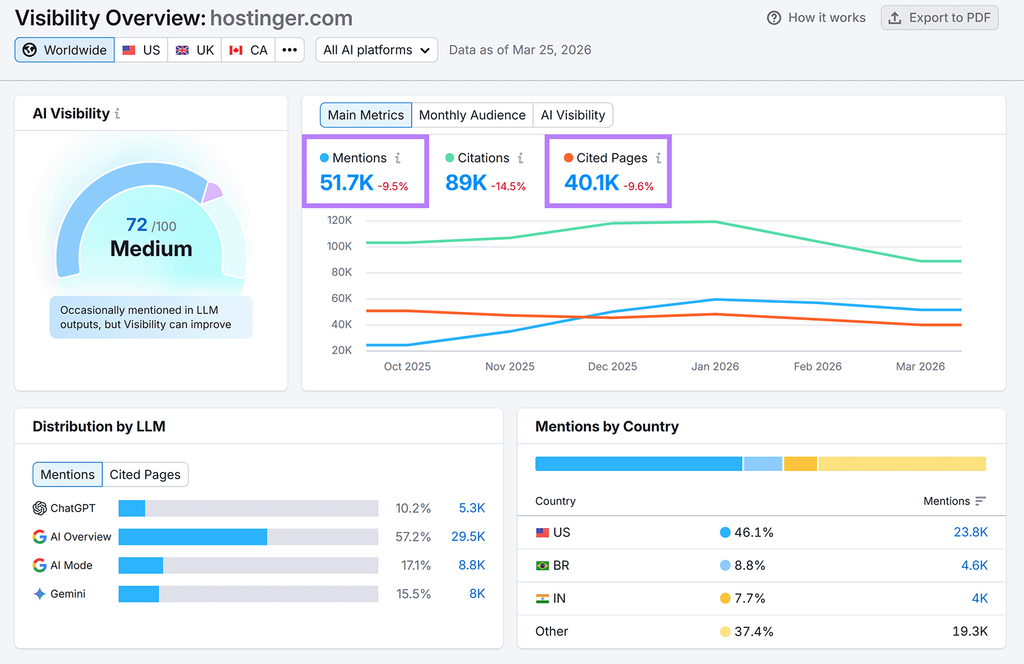
The Brand Performance Report is the feature worth paying attention to. It shows share of voice, sentiment, and the exact domains and URLs that AI models pull from when discussing your brand, in one view. Because it sits inside Semrush, a visibility gap flows straight into content optimization, backlink analysis, or a site audit without switching tools.
What do I like about it?
For a team that wants one subscription covering traditional SEO and AI visibility, this is a strong argument. Semrush One bundles the full SEO toolkit with AI visibility starting around $199/month, which for many teams beats paying for two separate platforms.
Where does it fall short?
The entry add-on includes only 25 prompts, which is thin if you’re tracking a real competitive set across several topics. Semrush also charges per user, unlike some AI-native competitors that don’t meter seats, so the cost adds up faster for larger teams.
What does it cost?
The standalone AI Visibility Toolkit add-on starts at $99/month per domain. Semrush One starts at $199/month and bundles the full SEO suite with AI visibility. Enterprise AIO is custom-priced for multi-brand, multi-region tracking at real scale.
What do reviews say?
Semrush carries a strong general reputation across G2 and Capterra as an SEO platform, and the AI toolkit specifically is described in third-party coverage as capable but retrofitted, meaning per-engine depth trails AI-native tools like Peec or Profound. Verify current ratings and pricing directly, since this module is still evolving quickly.
Skip Semrush AI Visibility Toolkit if you’re not already using Semrush for SEO, or if you need to track more than a handful of prompts without upgrading tiers.
Verdict: Makes the most sense as an add-on for an existing Semrush team, less so as a standalone AI tracking purchase.
6. SE Ranking AI Visibility Tracker
Best for: Teams that want SEO and AI visibility bundled into one affordable platform
Starting price: $129/month (Core plan)
Key differentiator: AI tracking sits inside SE Ranking’s full SEO suite rather than being sold as a bolt-on, at a lower price than most standalone AI-native tools
I need to flag something upfront here, because it’s a good example of exactly the pricing confusion this whole category has a problem with. SE Ranking actually sells AI visibility two different ways, and sources disagree on how they fit together.
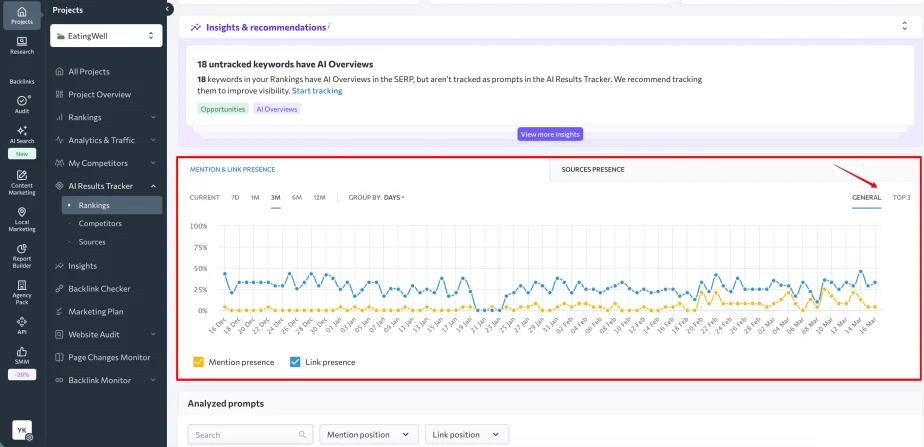
SE Ranking’s own materials describe an AI Results Tracker inside the core platform, covering AI Overviews, AI Mode, ChatGPT, Gemini, and Perplexity, with 100 prompts included on the $129/month Core plan. Separately, SE Ranking also offers a standalone product called SE Visible, priced from roughly $99 to $189/month, which as of this writing covers only ChatGPT and Google AI Mode, with Perplexity, Gemini, and Claude listed as coming soon.
Some third-party sources describe AI Search as a paid add-on layered on top of Core, putting the real cost closer to $218/month for meaningful coverage. I couldn’t fully reconcile these two pictures from public information, so if you’re evaluating SE Ranking specifically for AI tracking, confirm directly with their sales team which product and which coverage you’re actually buying before you commit.
What features stand out?
Whichever packaging applies, the AI Results Tracker sits alongside SE Ranking’s standard rank tracker, site audit, and keyword tools, plus a GA4 integration and an MCP server for piping data into AI assistants. SE Visible, the standalone product, adds deeper citation analysis, prompt research, and sentiment tracking.
What do I like about it?
If the bundled pricing does apply to your account, $129/month for rank tracking, site audits, and AI visibility together is hard to beat on pure value. UI-based tracking, meaning it scrapes the actual interface rather than relying only on API calls, tends to produce results closer to what a real user sees.
Where does it fall short?
Beyond the packaging confusion above, the standalone SE Visible product refreshes weekly rather than daily on its current plans, which is slow for a category where AI answers can shift day to day. Cross-platform data correlation between SE Ranking’s core suite, SE Visible, and its social product Planable is still a manual process rather than something the platform automates for you.
What does it cost?
SE Ranking Core runs $129/month (2,000 keywords, reportedly bundled AI tracking for 100 prompts). Growth runs $279/month. If AI Search applies to your account as a separate add-on instead, budget roughly $71 to $89/month on top of Core. SE Visible as a standalone product starts around $99/month, scaling to $189/month and up depending on prompt volume and country coverage.
What do reviews say?
SE Ranking generally scores well on value across G2 and Capterra as an SEO suite, with reviewers flagging a steep learning curve for beginners as the main drawback. Reviews specific to the AI tracking features are still limited given how recently they launched, so weigh third-party AI-tracking reviews with some caution until the product matures. Confirm current packaging and ratings before buying.
Skip SE Ranking’s AI tracking if you need daily refresh across five-plus engines today rather than a roadmap, or if you’d rather not spend time untangling which product tier you’re actually buying.
Verdict: Potentially excellent value if the bundled Core pricing applies to you, but confirm the packaging directly before you count on it.
7. AthenaHQ
Best for: Mid-market teams that want an action layer built in, not just a monitoring dashboard
Starting price: $295/month (self-serve)
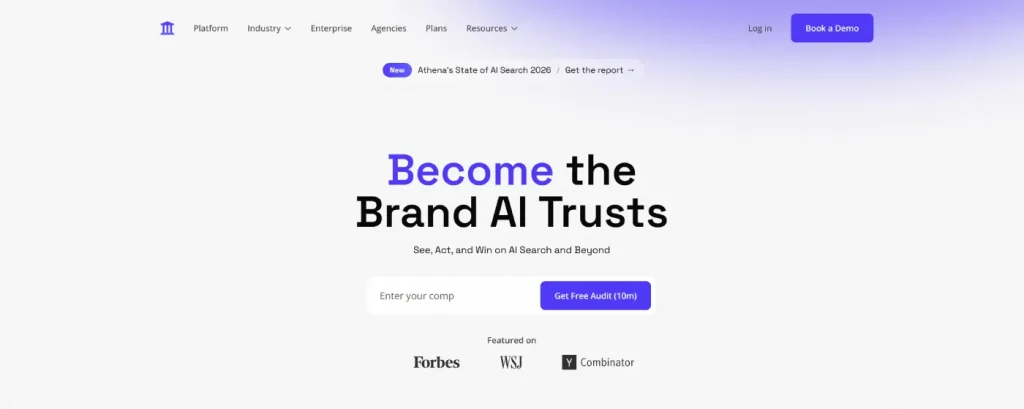
Key differentiator: The Athena Citation Engine (ACE) pairs prompt auditing with an Action Center, so gaps come with a recommended fix rather than just a flag
AthenaHQ came out of stealth backed by Y Combinator, and it’s built around the idea that a dashboard alone doesn’t help a marketing team move. The Action Center is the clearest expression of that, turning tracked prompt gaps into a prioritized to-do list rather than leaving you to figure out what matters most.
Coverage tracks ChatGPT, Perplexity, and Google, which is narrower than most of the six-plus engine tools on this list.
What features stand out?
Prompt-volume estimates are a useful addition, giving you a rough sense of how often a given question actually gets asked before you invest content resources chasing it. The Action Center itself is the standout, converting monitoring data into a prioritized list of specific fixes.
What do I like about it?
The self-serve entry point at $295/month, with custom Enterprise pricing above that, means you can get in without a sales call, which not every mid-market-focused tool offers.
Where does it fall short?
Engine coverage is the clearest trade-off. At $295/month, you’re tracking three platforms while some competitors at similar or lower prices cover five or six. If your priority engines include Gemini, Copilot, or Claude, confirm those are actually supported before buying.
Published detail on prompt allowances and reporting features is thinner than what’s available for more established competitors, which made some of this section harder to verify independently.
What does it cost?
Self-serve pricing starts at $295/month, with custom Enterprise pricing above that. Specific prompt caps and add-on structure weren’t fully published as of this writing, so confirm current limits directly with AthenaHQ before committing budget.
What do reviews say?
As a newer, Y Combinator-backed product, AthenaHQ has fewer third-party reviews on G2 or Capterra than more established names in this category. Early coverage focuses on the Action Center as the differentiator. Given the limited review volume, weigh any single review carefully and check current ratings before deciding.
Skip AthenaHQ if you need broad engine coverage from day one, or if you want a longer public review history before committing budget.
Verdict: Worth demoing if the action-first approach matters more to you than raw platform count, with the caveat that public information here is thinner than for the more established tools on this list.
8. Scrunch AI
Best for: SaaS and B2B tech teams that want to see how AI bots crawl their content, not just whether they’re mentioned
Starting price: $99/month (Standard, ChatGPT tracking)
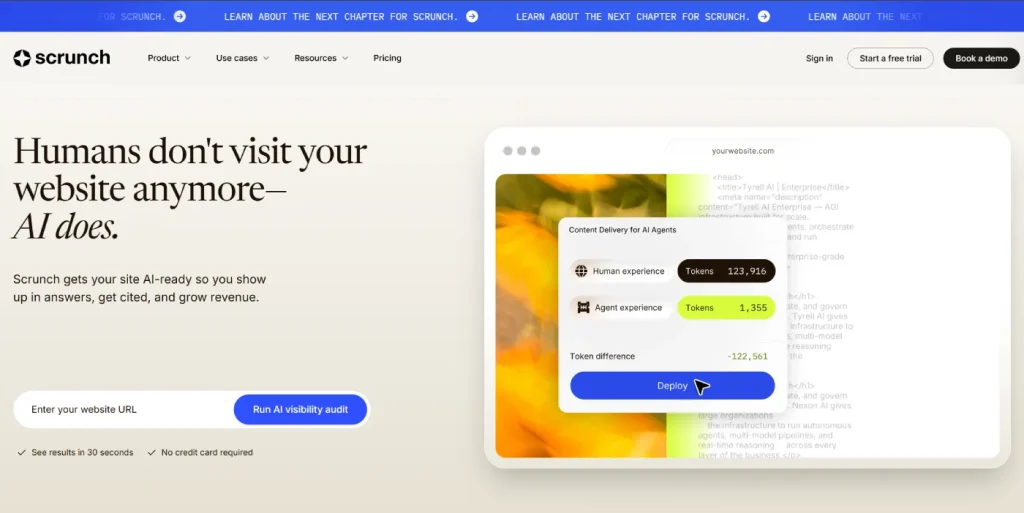
Key differentiator: AI bot crawling behavior tracking, showing how AI crawlers interact with your site beyond standard mention monitoring
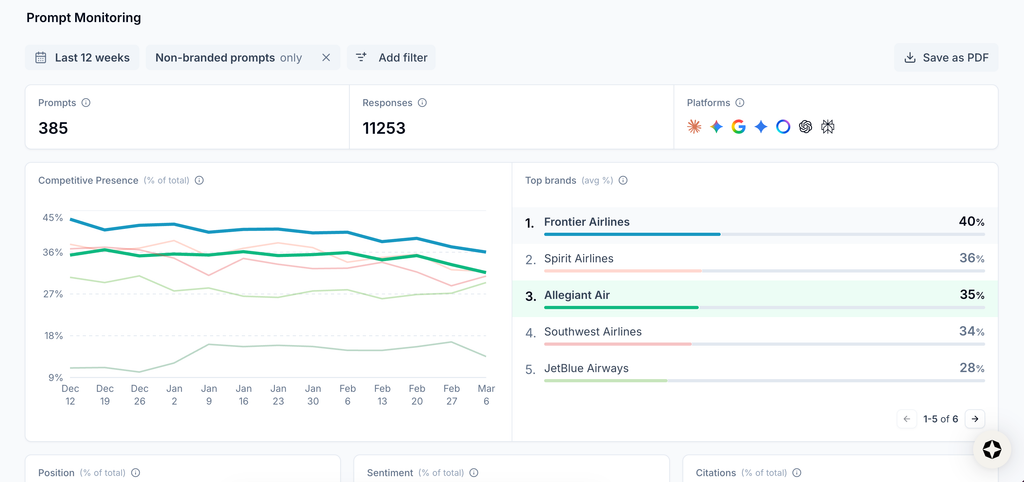
Scrunch launched in 2024 aimed specifically at SaaS and B2B tech companies, and that focus shows in the product. Beyond mention tracking, it shows how AI bots crawl and cite your content, which is a genuinely different angle from the pure visibility-percentage tools on this list.
It tracks presence across 7-plus AI engines in its marketing material, though the entry tiers narrow that considerably.
What features stand out?
The bot crawling behavior tracking is the clear differentiator, useful specifically for technical SaaS teams trying to understand whether their documentation and product pages are even reachable by AI crawlers in the first place. Citation monitoring tracks which specific content pieces get referenced in AI answers.
What do I like about it?
G2 reviewers rate the dashboard and UI as clean and intuitive, and the industry focus on SaaS and B2B tech means the prompt suggestions and use cases feel less generic than tools built for every vertical at once.
Where does it fall short?
The Discovery plan at $49/month excludes AI prompt tracking entirely, which is easy to miss if you’re comparing headline prices across tools. The Standard tier at $99/month only tracks ChatGPT, on a weekly rather than daily refresh, which is slower than most direct competitors. There’s also no content-writing engine, so Scrunch stops at monitoring and diagnosis rather than helping you draft the fix.
What does it cost?
Discovery starts at $49/month but doesn’t include prompt tracking. Standard runs $99/month for 25 prompts tracked weekly on ChatGPT only. Pro costs $182/month for 50 prompts with broader model coverage, and higher tiers scale from there for larger teams.
What do reviews say?
Scrunch holds a G2 rating around 4.6 to 4.7 out of 5 from a modest number of reviewers as of this writing, with praise centered on ease of use and the bot-crawling feature specifically. As with any tool with a smaller review base, weigh individual reviews carefully and check current scores before deciding.
Skip Scrunch AI if you need daily tracking or multi-engine coverage at the entry price, or if you’re outside the SaaS/B2B vertical it’s built for.
Verdict: A smart pick specifically for SaaS and B2B teams who want crawl-level diagnostics, less compelling as a general-purpose tracker.
9. ZipTie
Best for: Small teams and early-stage operators who want fast, simple setup without a sales process
Starting price: ~$59-69/month (Basic)
Key differentiator: URL-level (not just domain-level) citation detail at one of the lowest price points in the category
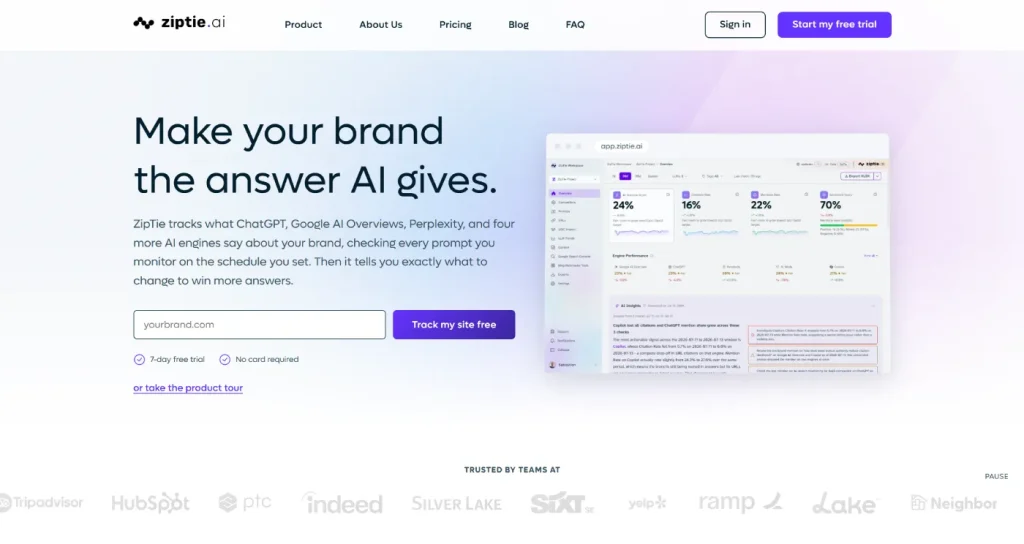
ZipTie is the simplest tool on this list, and that’s genuinely the point. There’s no sales call, no complex configuration, and no bloated feature set to learn. You plug in your brand and get visibility data across three AI platforms.
It identifies the specific URLs feeding AI answers rather than stopping at the domain, which is more granular than several higher-priced competitors offer.
What features stand out?
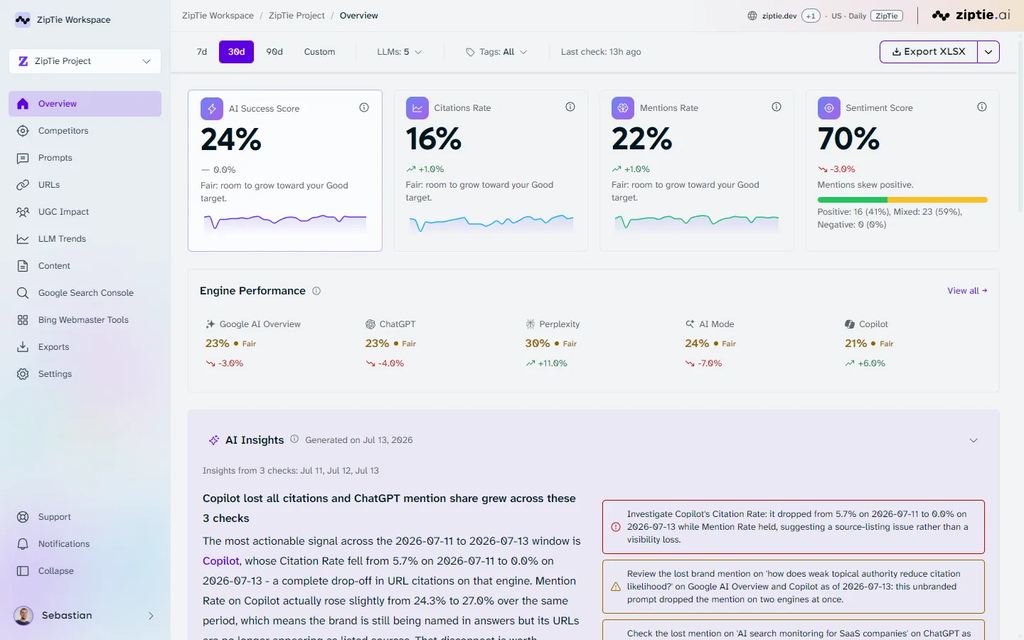
The proprietary AI Success Score gives you a quick, single-number read combining tracked mentions, sentiment, and citation inclusion. URL-level filtering, by query and by platform, lets you see exactly which pages are winning citations rather than just which domain.
What do I like about it?
For a team that wants fast answers without a learning curve, ZipTie delivers. Onboarding is quick, the dashboard is clean, and pricing is straightforward with no add-on maze to navigate.
Where does it fall short?
Coverage is limited to Google AI Overviews, ChatGPT, and Perplexity, with no add-on path to expand it. There’s no conversation-level data, meaning you get the score without the underlying AI response, and it’s only available in a limited number of countries. Each plan also includes just one user seat, which is a real constraint for a growing team.
What does it cost?
Basic runs roughly $59-69/month for 500 AI search checks and 10 content optimizations. Standard moves to about $84-99/month for 1,000 checks and 100 optimizations. Pro reaches around $159/month for 2,000 checks and 200 optimizations. Note that ZipTie prices in “checks” rather than daily prompts, so a heavier tracking schedule burns through a tier faster than the prompt-based pricing on other tools in this list.
What do reviews say?
ZipTie is newer to the category with a smaller public review footprint than Otterly or Peec, and available coverage points to praise for simplicity and ease of onboarding, with the missing conversation data and narrow engine list as the recurring criticism. Check current review volume and scores before relying heavily on this section.
Skip ZipTie if you need more than three engines, multiple user seats, or a heavier daily tracking schedule than 500-2,000 checks a month covers.
Verdict: A solid, no-friction starting point for a small team, with real ceiling limits once you need to scale.
10. Similarweb
Best for: Teams that already use Similarweb for traffic and competitive research and want AI referral data in the same place
Starting price: Contact sales (no published pricing)
Key differentiator: AI referral traffic reporting in a GA4-style format, tied to Similarweb’s existing web traffic data
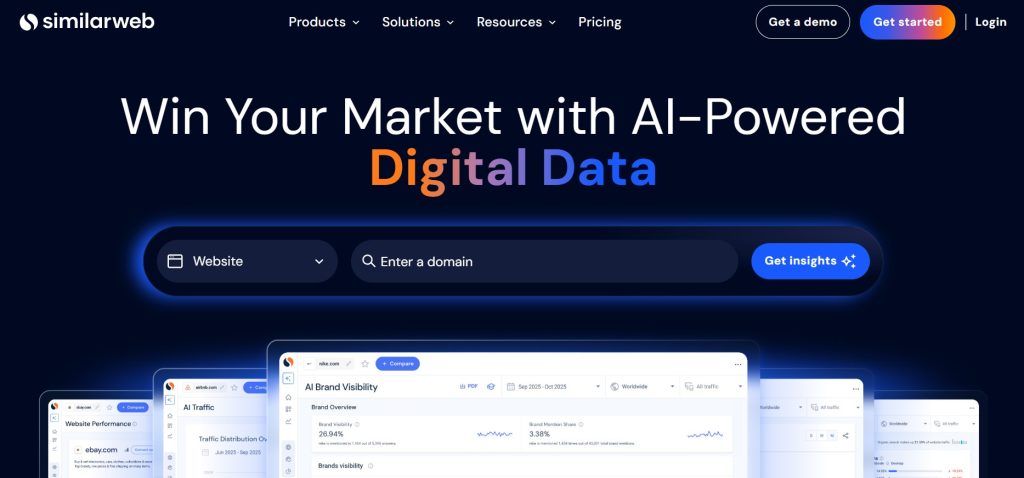
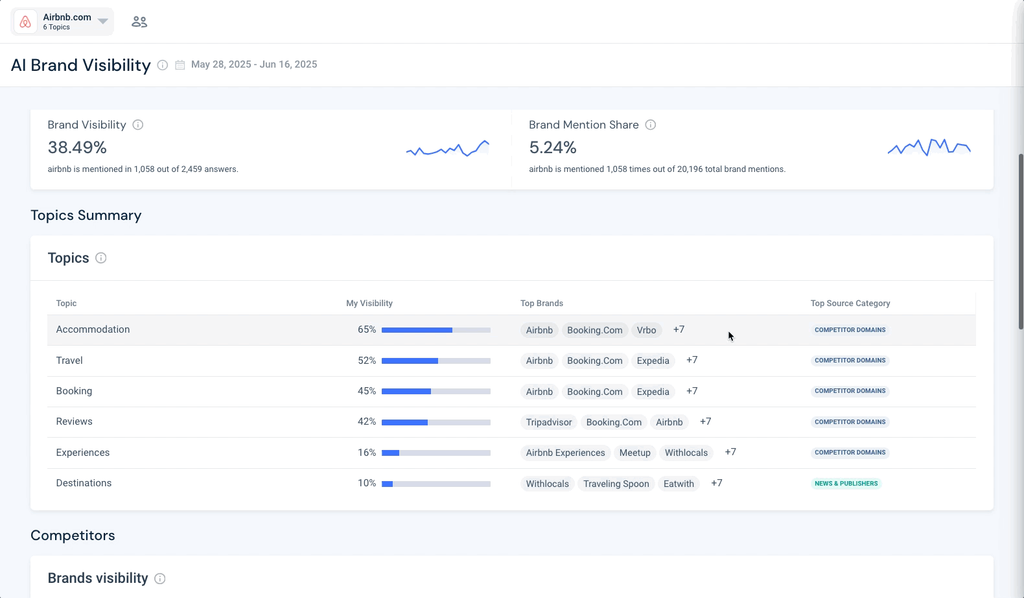
Similarweb is the odd tool out on this list, and I’ve included it because the angle is different enough to matter. Rather than running prompts against AI platforms the way the other nine tools do, Similarweb’s AI Brand Visibility product tracks referral traffic coming from AI chatbots and identifies the topic themes driving that traffic.
If your existing workflow already leans on Similarweb for competitive and traffic research, that’s a real reason to look here first rather than adding a tenth new dashboard.
What features stand out?
The traffic distribution report showing which AI channels are sending you visitors is genuinely useful and not something the prompt-tracking tools on this list offer directly. It identifies keywords and prompts driving that traffic and the top sources for a given topic.
What do I like about it?
If you’re already inside Similarweb for SEO and competitive benchmarking, having AI referral data sit next to that traffic data in one place is a real convenience, and Similarweb’s underlying traffic data has a strong reputation for competitor and industry benchmarking.
Where does it fall short?
This is the biggest gap on the list: no prompt-based tracking, no conversation data, and no brand sentiment analysis. If what you actually need is “does ChatGPT mention us when someone asks about our category,” Similarweb doesn’t answer that question the way the other nine tools do. Pricing also isn’t published, so you can’t evaluate cost without a sales conversation.
What does it cost?
Similarweb doesn’t publish pricing for its AI Brand Visibility tools. You’ll need to book a demo and talk to sales to get a quote, which makes it hard to compare against the other nine tools in this piece on a like-for-like basis.
What do reviews say?
Similarweb carries a strong general reputation for its core web traffic and competitive intelligence data across the industry. Reviews specific to the AI Brand Visibility product are limited, since it’s a newer addition to a much older platform, so treat this section as more provisional than the others in this piece.
Skip Similarweb’s AI tools if prompt tracking, sentiment, or citation-level detail is what you actually need, since none of that is what this product does.
Verdict: Not a substitute for the other nine tools here, but a genuinely useful add-on if you already live inside Similarweb for traffic research.
What Do LLM Tracking Tools Actually Measure?
Every tool in this piece uses slightly different names for the same handful of underlying signals, so it’s worth defining them plainly before the numbers start meaning different things to different vendors.
Brand mention is whether your brand appears at all in an AI response, regardless of tone. A mention isn’t automatically a recommendation, so don’t treat the two as interchangeable.
Visibility rate is the share of your tracked prompts where your brand showed up. I’d define it as valid collected answers mentioning the brand, divided by all valid collected answers in the sample, times 100. That’s my own working definition for this piece specifically, not a universal standard, since every vendor calculates this a little differently.
Share of voice is your visibility relative to a set of named competitors. The number only means anything once you know which competitors are in the denominator, so check how each tool defines its competitor set before comparing scores across platforms.
Position is where you land in a list of recommended brands. Treat this one carefully. SparkToro ran nearly 3,000 prompts across multiple AI platforms and found identical brand recommendations less than 1 in 100 times, and identical ordering less than 1 in 1,000 times. AI answers are far less consistent than a Google ranking, so “we’re ranked #2” from one query means very little.
Citation is a linked or referenced source behind an answer, which is a separate thing from a brand mention. A brand can be mentioned by name with no citation at all, or cited via a page that never names the brand directly.
Sentiment is the tone of a mention when it happens: positive, negative, neutral, or mixed. Most tools reduce this to a single score, and I’d push you to actually read a sample of the underlying responses rather than trusting the number alone, since nuance gets lost in the rollup.
Which AI Platforms and Search Experiences Can You Track?
“Tracks ChatGPT” is table stakes at this point. The real question is how many other platforms a tool covers at the price you’re actually paying, since your buyers aren’t all using the same one.
An analysis of 3.7 million AI citations found that 91% of cited URLs appear in only one LLM. Strong visibility in ChatGPT tells you close to nothing about how you’re doing in Gemini or Perplexity, which is exactly why single-engine entry tiers, common across this category, undersell how much work is left once you sign up.
Before buying, check these specifically:
- Which platforms are included at the price you’d pay, not the headline feature list
- Whether adding a platform costs extra, and how much
- Whether results come from a consumer interface (closer to what a real user sees) or an API (faster, but sometimes produces different answers than the UI)
- How the tool handles a query that returns no AI Overview or no citation at all, since a missing result and a genuine “brand not mentioned” result are different things worth distinguishing
How Reliable Is LLM Visibility Tracking?
This is worth addressing directly, because the honest answer is: more reliable than guessing, less reliable than a Google rank tracker, and you should treat every number here as directional rather than precise.
AI responses are non-deterministic. The same prompt run twice on the same platform at the same time can return different answers, which the SparkToro data above makes concrete. That’s not a flaw in any specific tool. It’s a property of how these models generate text.
What actually separates a trustworthy tool from a shaky one isn’t whether it eliminates that variation, since none of them can. It’s whether it lets you see the sample it’s working from and inspect individual responses rather than asking you to trust a single dashboard number. Tools like Profound and Peec let you drill into actual response text. Tools that stop at a percentage or a score are asking for more trust than the underlying data supports.
Before trusting a tool’s numbers for a real decision, I’d do three things: read a handful of the stored raw responses manually to see if mentions and citations were classified correctly, repeat a few prompts over a week to see how much natural variation exists, and compare trend direction over time using a stable core prompt set rather than chasing a single snapshot.
Prompt Tracking and Competitor Benchmarking
The prompts you choose to track determine what any of these dashboards can actually tell you, more than the tool itself does.
Split your prompt list between branded prompts, which name your brand or a direct comparison (“[Brand A] vs [Brand B]”), and non-branded discovery prompts, which describe the problem without naming anyone (“best project management tool for a 10-person team”). Most teams discover they look fine on branded prompts and disappear on non-branded ones, which means buyers researching the category never see them in the first place.
A reasonable starting set covers a few intents: discovery (“what tools help with X”), shortlisting (“best X tool for [use case]”), direct comparison, requirements (“does X integrate with Y”), and buying (“X under $200 a month”). Track that mix across a stable core list rather than swapping prompts every week, since consistency is what makes a trend line mean something.
For competitors, pick a set you’d actually name in a sales conversation and keep it consistent across the tool’s reporting period. Changing your competitor set between checks makes any “share of voice” trend impossible to read honestly.
Citation Analysis and Content Opportunities
Citations are where LLM tracking starts to connect to actual content and PR decisions, rather than just producing a number to check on periodically.
Split what you’re seeing into three buckets: your own pages that got cited, third-party sources like review sites or forums that got cited, and competitor-owned pages that got cited instead of yours. That last bucket is your content gap list, in the most literal sense.
Reddit threads and forum discussions show up as citation sources more than most teams expect, which is part of why Ahrefs’ Brand Radar and LLMrefs both specifically call out Reddit visibility as a tracked signal. If a competitor’s Reddit thread keeps getting pulled into answers about your category and yours doesn’t, that’s a specific, fixable gap rather than a vague “improve our AI visibility” goal.
A citation shows you what got referenced. It doesn’t show you the model’s complete reasoning, and getting a placement on a cited source doesn’t guarantee a future citation. Treat citation data as a strong signal about where to focus content and PR effort, not as a lever you can pull with certainty.
Reporting, Integrations, and Agency Features
If you’re managing this for more than one brand, the reporting layer matters as much as the tracking itself.
Ask directly whether a tool supports separate prompt libraries and workspaces per client, whether you can share a report with one client without exposing another client’s data, and whether extra brands, users, or countries get billed separately or bundled.
Several reviewers flagged Profound specifically for lacking clean multi-account support, which is a real problem if you’re running this for multiple clients rather than one brand.
On integrations, look for GA4 and Google Search Console connections if you want to tie AI visibility to actual traffic data, a Looker Studio or similar dashboard connector if your team already reports that way, and API access if you need to pull raw data into your own systems rather than living inside the vendor’s UI.
Peec AI, Semrush, and SE Ranking all offer some version of this; several of the more budget-focused tools on this list don’t.
How to Choose the Right LLM Tracking Tool
| Reader type | What to prioritize | Tools worth starting with |
|---|---|---|
| Solo marketer or small business | Affordable recurring checks, simple setup | Otterly AI, ZipTie |
| SaaS marketing team | Segmentation, citation gaps, competitor benchmarking | Peec AI, Scrunch AI |
| SEO or marketing agency | Multi-client workspaces, predictable per-client cost | SE Ranking, Peec AI |
| Content team | URL-level cited pages, usable exports | ZipTie, Ahrefs Brand Radar |
| Enterprise brand with budget | Broad engine coverage, permissions, API access | Profound, Ahrefs Brand Radar |
| Existing Semrush or Ahrefs user | Incremental cost on a platform you already pay for | Semrush AI Visibility Toolkit, Ahrefs Brand Radar |
| Team focused on AI referral traffic | Tying AI visits to actual analytics data | Similarweb, Semrush |
The decision sequence I’d actually follow: figure out which AI platforms your buyers use first, then price out real coverage of those platforms specifically, then check whether the tool helps you act on what it finds or just reports it, then total the realistic monthly cost using the table above rather than the homepage number.
How to Start Tracking Your Brand in LLM Answers
Getting useful data out of any of these tools comes down to setup discipline more than which tool you picked.
Start by defining your brand precisely, including common misspellings, abbreviations, and product names, so the tool doesn’t miss mentions that don’t use your exact legal name. Pick 3 to 5 direct competitors and keep that list stable across your entire tracking period.
Build your first prompt set around actual buyer questions rather than guesses. Mix branded and non-branded prompts, and cover a few different intents, discovery, comparison, and buying, rather than only tracking “best [category]” over and over.
Run that stable prompt set for at least 30 days before drawing conclusions. Given how much natural variation exists in AI responses, a single week of data isn’t enough to separate a real trend from normal noise.
Once you have a baseline, read a sample of the actual raw responses behind your numbers, not just the dashboard summary. Assign clear owners for what you find, content for a visibility gap, PR for a missing citation opportunity, technical for a crawlability issue, so the tracking data turns into actual work rather than a report nobody acts on.
What LLM Tracking Tools Cannot Tell You
It’s worth being honest about the edges of what this category can do, since overselling the data is a fast way to make bad decisions with it.
A tracked prompt sample is not a complete record of every AI conversation about your category. It’s a representative slice, and the size and mix of that slice matters more than any single vendor’s dashboard makes obvious.
There’s no single stable “AI ranking” the way there’s a Google position. The SparkToro data cited earlier makes this concrete: identical brand recommendations across repeated identical prompts happen less than 1 in 100 times.
A brand mention doesn’t prove a future sale, the way a citation doesn’t prove the model was trained on that specific page, and an AI crawler visiting your site is a different signal from an actual human visit showing up in your analytics. Visibility going up after you publish new content is encouraging, but it doesn’t prove that content caused the change on its own, especially given how much natural variation exists in these responses week to week.
None of that makes the category useless. It means treating the numbers as a strong directional signal you act on over weeks and months, not a precise scoreboard you check daily and panic over.
Frequently Asked Questions
What is an LLM tracking tool?
It’s software that runs a set of prompts against AI platforms like ChatGPT, Perplexity, and Google AI Overviews, then reports whether, how, and where your brand shows up in the answers. Most tools track mentions, citations, sentiment, and share of voice against competitors.
Are LLM tracking tools the same as AI visibility tools?
Largely yes. The terms get used interchangeably in marketing, and both describe tools built to monitor how AI platforms represent a brand. If a vendor draws a distinction, it’s usually marketing positioning rather than a real functional difference.
How is this different from an LLM observability tool?
Observability tools are built for engineering teams, tracking things like API latency, token costs, and error rates for applications built on top of LLMs. LLM tracking tools, the category this piece covers, are built for marketing and SEO teams to monitor brand visibility in AI-generated answers. Different buyer, different problem.
Can I track my brand in ChatGPT specifically?
Yes, every tool in this piece supports ChatGPT tracking at some tier, though the prompt allowance and whether you’re on a UI-based or API-based collection method varies by tool and plan.
Can one tool track multiple AI platforms at once?
Most can, but check what’s actually included at your price point rather than the full feature list. Several tools in this piece, including Profound and Peec AI, track only one to three platforms on their entry tier and charge extra for additional engines.
What’s the difference between a mention and a citation?
A mention is your brand name appearing in the text of an AI answer. A citation is a linked or referenced source behind that answer. They often overlap but don’t always: you can be mentioned without a citation, or cited via a page that never names your brand directly.
How is AI share of voice calculated?
It varies by vendor, so check the specific formula before comparing scores across tools. Generally it’s your visibility relative to a defined set of named competitors across a set of tracked prompts, which means the number is only as meaningful as the competitor set and prompt list behind it.
Why do my results differ from what I see when I manually search ChatGPT myself?
AI responses vary by time, account history, location, and plain randomness in how the model generates text. A tracking tool runs many more checks than you would manually and averages across them, which is more reliable than a handful of spot checks, but it also means a single manual search rarely matches the dashboard exactly.
How many prompts should I track?
Enough to cover your main topics, a mix of branded and non-branded intent, and your core competitor set, which for most single-brand teams lands somewhere between 25 and 100 prompts to start. More markets, languages, or product lines push that number up. Budget matters here too, since prompt allowances are usually what separates a tool’s pricing tiers.
Are free LLM tracking tools enough?
A free checker gives you a one-time snapshot, which is useful for a quick gut check but not for spotting a trend. If you need to know whether your visibility is improving or declining over time, you need recurring tracking and some history, which is what a paid tool is actually for.
Final Thoughts
There’s no single best LLM tracking tool, and I’d be skeptical of anyone who tells you otherwise, especially when they’re also selling one of the tools on the list.
Peec AI is where I’d point most mid-market teams first. Otterly AI is the right call if budget is the main constraint. Profound earns its price for enterprise programs with the team and budget to use the depth it offers. The rest fill in real gaps depending on what you already pay for and what you’re trying to see.
Whichever tool you pick, the setup discipline matters more than the logo. A stable prompt list, a real competitor set, and thirty days before you draw conclusions will tell you more than switching tools every month looking for a cleaner number.