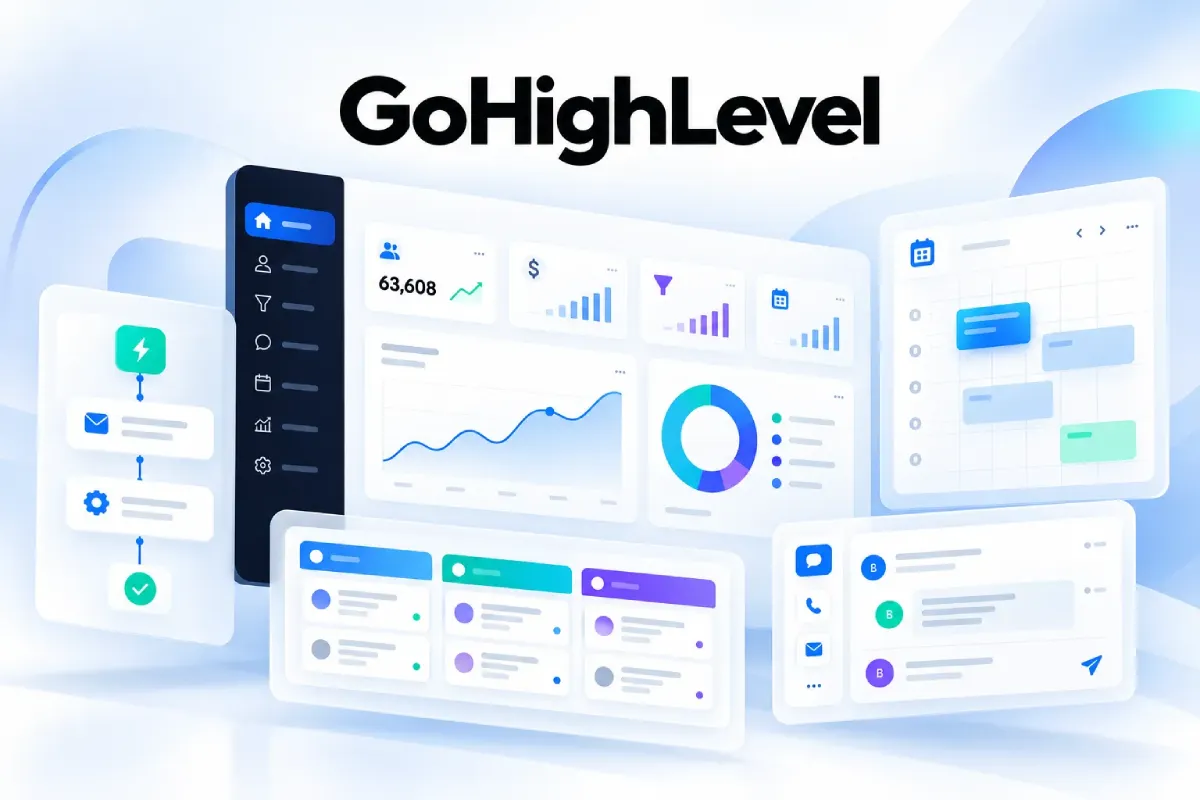
Ask five agency owners what GoHighLevel is, and you’ll hear five different answers.
A CRM. A funnel builder. A texting app. An AI receptionist. A way to sell software under your own logo.
They’re all correct. That’s why the platform is hard to understand at first, and easy to overbuy.
I’m going to take it apart piece by piece. You’ll see what each part does and what it costs. Then you can decide which parts you need.
First, what is GoHighLevel?
Quick answer: GoHighLevel (also called HighLevel or GHL) is an all-in-one CRM and marketing automation platform. It combines a CRM, email and SMS marketing, funnels, websites, booking, reviews, payments and AI in one dashboard. It’s built mainly for marketing agencies, which can white-label it and resell it to clients. Plans cost $97, $297 or $497 a month, plus usage fees for texts, emails, calls and AI.
- Key takeaways
- — GoHighLevel replaces several tools at once: CRM, funnel builder, scheduler, email and SMS tools, and review software.
- — It’s built for agencies first. Local service businesses also do well with it. Solo users with simple needs often find it too much.
- — Plans cost $97, $297 or $497 a month. Texts, emails, calls and most AI features are billed on top by usage, and a busy client account adds about $80 a month.
- — White labeling starts on the $297 Unlimited plan. Selling GoHighLevel as your own software (SaaS Mode) needs the $497 Agency Pro plan.
- — Its biggest drawbacks are the learning curve, usage costs that add up, and no support for cold email or LinkedIn outreach.
Looking for the GoHighLevel login? The main login is at app.gohighlevel.com. If an agency set up your account, you may have a branded login link from them instead. The mobile app is called LeadConnector.
How I researched this guide
I want to be upfront about where this information comes from.
Every price and plan detail was checked against HighLevel’s own pricing page and its help center rate cards in October 2026. Where sources disagreed, I say so in the text instead of quietly picking one.
User sentiment comes from G2, Capterra and Trustpilot reviews, plus GoHighLevel’s public ideas board.
This is a research-based guide, not a hands-on test. Where OneLittleWeb has direct experience, I’ve marked it clearly.
One more thing worth knowing. Many of the pages ranking for GoHighLevel are written by affiliates who earn a commission on signups, or by companies selling a competing tool. That doesn’t make them wrong. It does explain why the ratings and prices they quote often don’t match.
What Is GoHighLevel?
GoHighLevel is an all-in-one CRM and marketing automation platform for agencies and service businesses. Its main job is to turn leads into booked, paying customers without stitching five apps together.
It brings lead capture, follow-up by email and SMS, sales pipelines, booking, reviews and payments into one dashboard. Marketing agencies can also rebrand it as their own software and resell it to clients.
HighLevel now calls itself “the AI-powered business operating system.” In plain terms, it’s a CRM at the center, with marketing, messaging and AI tools built around it.
The company was founded in 2018 by Shaun Clark, Varun Vairavan and Robin Alex. Its headquarters are in Dallas, Texas.
The founding story is practical. The team was running marketing for agencies and kept seeing the same problem: too many tools and too many bills, with customer data that never lined up. So they built one platform to replace the stack.
It has grown fast. HighLevel reports going from 1,000+ customers in 2019 to 60,000+ in 2023. By 2025, it says the platform was powering 2.2 million businesses, counting agencies and all the client accounts they run.
Is GoHighLevel legit?
Yes. In April 2024, the growth investor General Atlantic made a minority investment in HighLevel. At the time, HighLevel said it had grown more than 5x in three years while staying profitable.
It also holds an annual SOC 2 Type II attestation and an ISO/IEC 27001 certificate, which I cover in the security section.
What problem does GoHighLevel solve?
Before all-in-one platforms, a typical agency or service business paid for a stack like this:
- A CRM, like Pipedrive or HubSpot
- An email tool, like Mailchimp or ActiveCampaign
- A texting service built on Twilio
- A funnel builder, like ClickFunnels or Unbounce
- A scheduler, like Calendly
- Review software for Google reviews
- Zapier to connect all of it
Each tool has its own login, its own bill and its own copy of your customer data. When one connection breaks, leads fall through the gap.
GoHighLevel puts all of those jobs on one contact record. A form fill, a text reply, a booking and a payment all land in the same place.
GoHighLevel vs HighLevel vs GHL vs LeadConnector
The names confuse a lot of people. This is what each one means:
| Name | What it is |
|---|---|
| HighLevel | The company’s official name |
| GoHighLevel | The name most people use, taken from the website gohighlevel.com |
| GHL | Common shorthand in agency circles |
| LeadConnector | The name of the mobile app, the Zapier integration and the built-in phone and email services |
| Your agency’s brand | Agencies white-label the platform, so clients often see a different name entirely |
That last row explains a lot. Your marketing agency might give you a login to “BrightLeads CRM” that’s really GoHighLevel underneath. It’s the same software with a different logo.
Search data shows how people think of it. “GoHighLevel” gets about 80,000 US searches a month, and “HighLevel” gets about 20,000 (Ahrefs, October 2026).
The 5 jobs GoHighLevel does
HighLevel groups its features around five stages of a customer’s journey. It’s a useful way to see the whole platform at once:
- Capture: Get new leads through forms, funnels, websites, chat widgets, call tracking and ads.
- Nurture: Follow up automatically with email, SMS, AI chat and sales pipelines.
- Close: Book appointments, send estimates and invoices, and take payments.
- Evangelize: Ask happy customers for reviews and run referral programs.
- Reactivate: Win back old customers with targeted email, SMS and WhatsApp campaigns.
Most businesses use a separate tool for each of these jobs. GoHighLevel’s pitch is that one platform can handle all five.
Whether that pitch holds up depends a lot on who you are.
Who Is GoHighLevel For (and Who Should Skip It)?
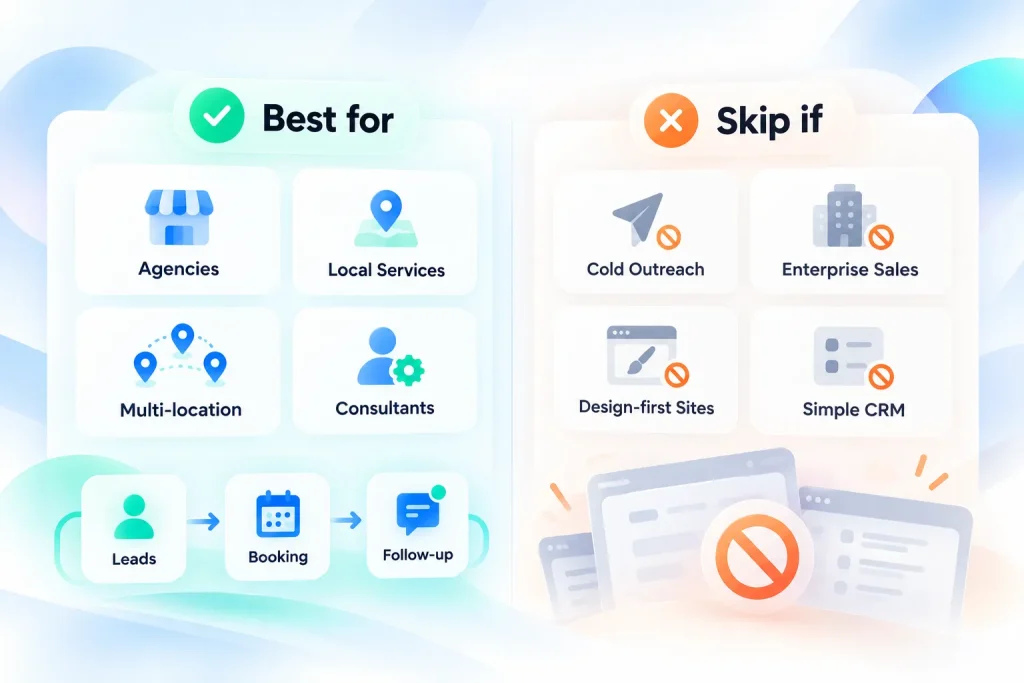
GoHighLevel was built for marketing agencies, and they’re still its core audience. On G2, about 95% of reviewers come from small businesses. Plenty of other business types use it too, some with great results and some with a lot of frustration.
This is how I’d judge the fit:
| User type | Fit | Typical use | Watch out for |
|---|---|---|---|
| Marketing agencies | Best fit | Client accounts, white label, snapshots, reselling software | Setup time per client |
| Local service businesses (med spas, dental, HVAC, roofing, gyms) | Good fit | Lead follow-up, booking, reminders, reviews, two-way texting | Learning curve if no one on the team is technical |
| Real estate agents and teams | Good fit | Lead routing, texting, nurture campaigns, showing bookings | Ready-made snapshots vary a lot in quality |
| Multi-location businesses | Good fit | One sub-account per location, shared templates | Keeping settings in sync across locations |
| Freelancers and consultants | Good fit if you’ll use 3+ features | CRM, funnels, booking and email in one tool | Paying for features you never touch |
| Coaches and course creators | Depends | Funnels, courses, payments, communities | Course experience is simpler than Kajabi or Thinkific |
| SaaS founders | Depends | Onboarding emails, a simple customer database, payments | Not a product analytics or in-app messaging tool |
| Cold outbound sales teams | Poor fit | (Not built for this) | No cold email at scale, no LinkedIn automation |
| Enterprise B2B sales teams | Poor fit | (Better served by Salesforce or HubSpot) | Lighter forecasting and reporting depth |
| Teams wanting design-first websites | Poor fit | (Better served by Webflow or WordPress) | The builder is functional, not a design tool |
| Solo owners wanting a simple CRM | Often overkill | Basic contact list and email | Too many features to learn for a small need |
Where GoHighLevel shines
GoHighLevel works best for businesses that live on leads, appointments and follow-up.
A dental clinic is a good example. A lead fills in a form. They get a text within a minute. They book a slot online. They get reminders before the visit. Afterwards, they get a review request.
GoHighLevel handles every step of that without connecting separate apps. That’s where it saves the most time.
Where it struggles
It isn’t built for cold outreach. Its email system is designed for people who opted in, not for prospecting strangers at scale. It also has no LinkedIn automation.
It’s also a lot of software. Small-business marketing providers like Townsquare Interactive argue it’s too complex for many owners. They sell a competing service, but they have a point. If all you need is a contact list and a monthly newsletter, simpler tools will get you there faster.
A quick fit test
Ask yourself one honest question before you buy. Will someone on your team spend 4 to 6 weeks learning it properly?
Reviewers who put in that time tend to stay for years. People expecting plug-and-play often quit inside the free trial.
If you’re in the “good fit” group, the next step is understanding how GoHighLevel is set up.
How GoHighLevel Works: Agency Accounts, Sub-Accounts and Snapshots
GoHighLevel has a two-level structure. Once you understand it, the pricing and white label features make a lot more sense.
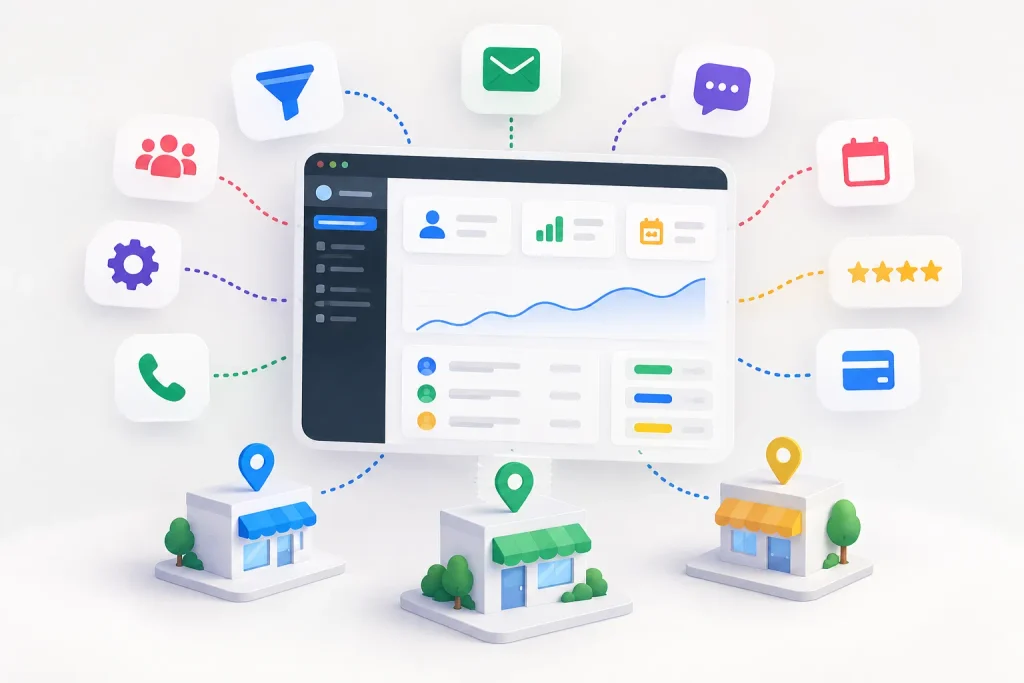
Agency account vs sub-accounts
Your agency account is the control panel at the top. From here, you manage billing, branding, team members and every client account.
A sub-account is a separate workspace for one business or one location. HighLevel’s help docs also call it a “location.” Each sub-account has its own:
- Contacts and CRM
- Pipelines and workflows
- Phone numbers and email settings
- Conversations inbox
- Calendars, funnels and websites
This separation is what makes multi-client agency work possible. A team member working on a gym’s account can’t see the dental clinic’s contacts unless you give them access.
The number of sub-accounts depends on your plan. Starter includes 3. Unlimited and Agency Pro include unlimited sub-accounts.
Contacts and users are unlimited on every plan. That’s a big difference from tools like HubSpot, which charge more as your contact list or team grows.
If you run a single business, you’ll mostly live inside one sub-account. If you’re an agency, you’ll switch between many.
User roles and permissions
GoHighLevel has two broad user types. Agency users work at the top level and can be given access to some or all sub-accounts. Account users only exist inside one sub-account, which is how you give a client’s staff a login.
Each type can be an admin or a regular user. You can then switch individual permissions on or off, like access to payments, workflows or other people’s conversations.
Get this right on day one. A wrong setting can let one client’s team see another client’s data, or let a junior staff member edit live automations.
What snapshots are
A snapshot is a saved copy of a sub-account’s setup. You can load it into a new or existing sub-account in a few clicks.
This is how agencies save serious time. Build a complete system once, for example “dental clinic lead follow-up,” then copy it to every new dental client. HighLevel also ships a library of ready-made snapshots for industries like real estate, dentists and gyms.
Snapshots can copy assets across 11 categories, including:
- Workflows, triggers and AI agents
- Pipelines, custom fields and tags
- Funnels, websites, forms and email templates
- Calendars and services
- Courses and memberships
- Dashboards and reputation settings
- WordPress sites
You can share a snapshot with a reusable link, a one-time link, by email, or only with specific agencies. Other agencies also sell snapshots through the marketplace.
What snapshots don’t copy
This is the part most guides skip. Snapshots copy the setup, not the data.
A snapshot will not move:
- Contacts or appointments
- Conversation history
- Third-party integrations and API connections
- Stripe connections
- Phone numbers assigned to Voice AI agents
- Private dashboards
So you can’t use a snapshot to move a client’s customer list. You’ll need to import contacts by CSV and reconnect integrations like Stripe by hand.
Running multiple locations
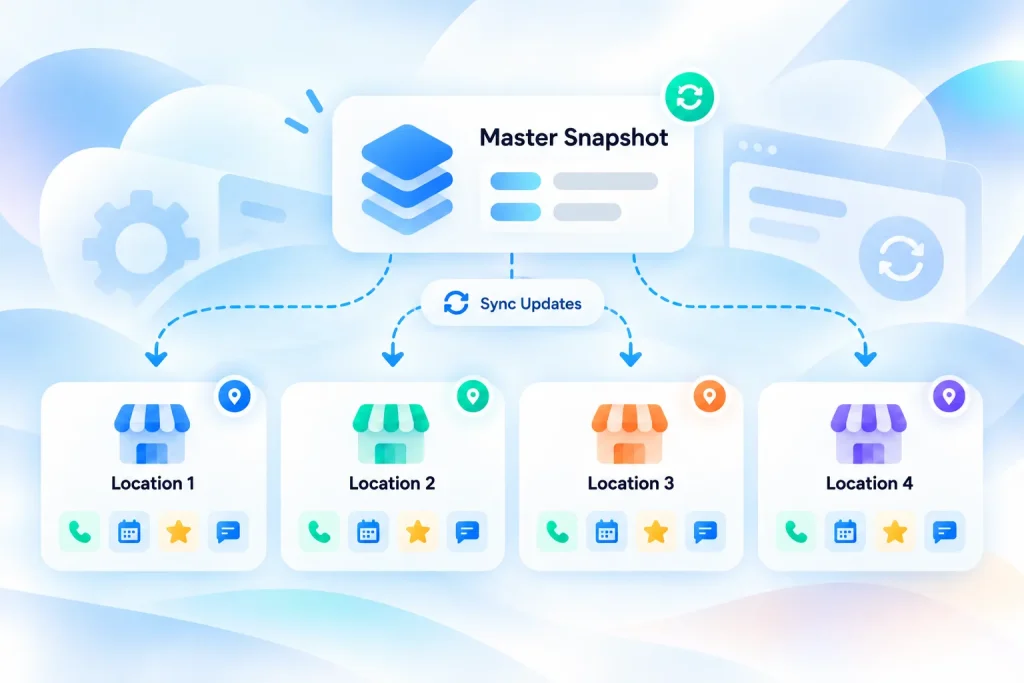
Multi-location businesses use the same structure. Each location gets its own sub-account, with its own phone number, calendar, reviews and inbox.
That keeps local data clean. A franchise owner can see which location booked which lead, and each location gets its own Google reviews.
The catch is consistency. If you change a workflow in one location, it doesn’t update the others automatically. Most multi-location setups build a “master” snapshot and push updates from it on a schedule.
With the structure clear, let’s look at what you can actually do inside a sub-account.
GoHighLevel Features: What You Actually Get
GoHighLevel has a lot of features. Some are excellent, some are basic, and a few cost extra each time you use them.
This is the whole platform at a glance:
| Feature | What it does | Included or usage-billed | Replaces |
|---|---|---|---|
| CRM and pipelines | Stores contacts, tracks opportunities by stage | Included | Pipedrive, basic HubSpot |
| Workflows | Automates follow-up and internal tasks | Included (premium actions $0.01 each) | Zapier (partly), ActiveCampaign automations |
| Conversations inbox | One inbox for every channel | Included | Separate inboxes |
| Email marketing (LC Email) | Campaigns and automated emails | Usage-billed | Mailchimp |
| SMS and phone (LC Phone) | Two-way texting, calls, call tracking | Usage-billed | Twilio-based tools, CallRail |
| Funnels and websites | Pages, funnels, forms, surveys, blogs | Included | ClickFunnels, Leadpages, Typeform |
| Calendars | Online booking and reminders | Included | Calendly, Acuity |
| Reputation management | Review requests, replies and widgets | Included (AI replies billed) | Review management tools |
| Payments | Invoices, payment links, subscriptions | Included (gateway fees apply) | Separate invoicing tools |
| Courses and communities | Membership areas and groups | Included | Kajabi, Teachable, Skool |
| Social planner | Schedule social posts | Included | Buffer |
| Reporting | Custom dashboards and attribution | Included | Basic reporting tools |
Each feature below follows the same format: what it does, why it matters, and the main thing to watch out for.
CRM, contacts and sales pipelines
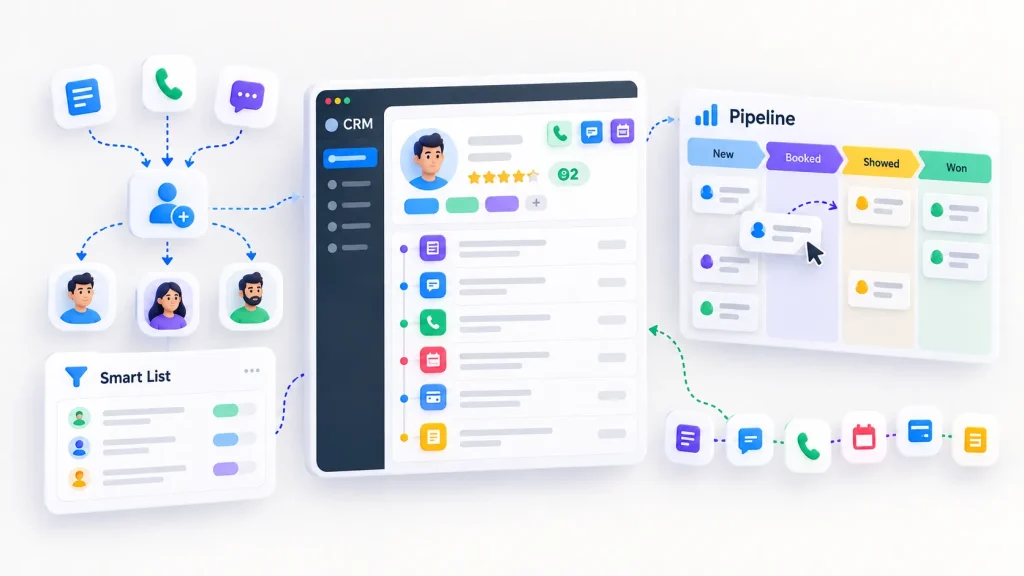
What it does: The CRM stores every contact with their full history. That includes form fills, messages, calls, appointments, payments and notes. You can sort contacts with tags, custom fields and saved “Smart Lists.”
Deals are called opportunities in GoHighLevel. Each one sits in a pipeline stage, like “New lead,” “Booked,” “Showed” or “Won.” You can add a deal value, drag cards between stages, or let workflows move them automatically.
You can also assign leads to team members by hand or with rules, such as round-robin routing. Lead scoring helps you see who’s most likely to buy.
Why it matters: The CRM connects everything else. When a lead texts back, books a call or pays an invoice, it all shows up on one contact record. You don’t have to piece the story together from five apps.
Watch out for: It’s lighter than Salesforce or HubSpot for complex B2B sales. If you need advanced forecasting, multi-step quote approvals or deep custom objects, you’ll feel the limits.
Workflow automation
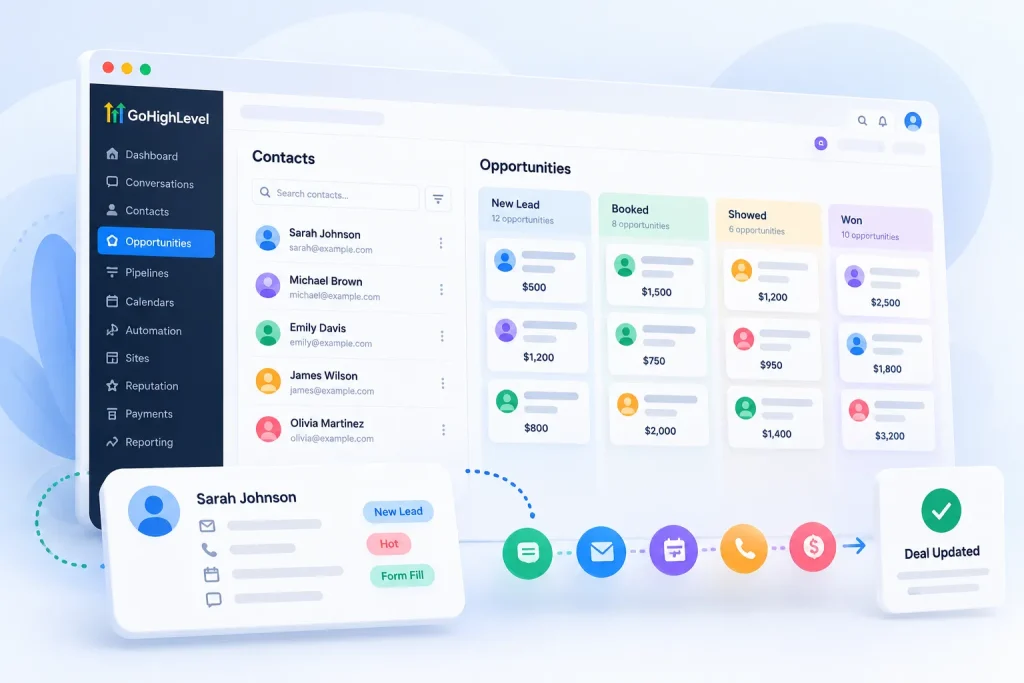
What it does: Workflows run tasks for you. Each one starts with a trigger (something that happens) and runs a series of actions (things the system does next).
Triggers are mostly CRM events. A form is submitted. A tag is added. An opportunity changes stage. An appointment is booked. An invoice is paid. A call is missed.
Actions then send messages, update records or alert your team. A simple lead follow-up looks like this:
- A lead fills in a form (trigger)
- They get a text within one minute
- An email follows with a booking link
- If they book, a reminder goes out the day before and an hour before
- After the appointment, they get a review request
You can add if/else branches, wait steps and internal tasks. Other common workflows include:
- Missed-call text-back: A missed call gets an instant text so the lead doesn’t call a competitor.
- New customer onboarding: A purchase starts a welcome sequence and creates tasks for your team.
- Re-engagement: Contacts with no activity for 90 days get a “we miss you” offer.
- No-show recovery: A missed appointment triggers a rebooking text.
There’s also a free Workflow AI Builder that drafts a workflow from a plain-English prompt.
Why it matters: Speed wins leads. An often-cited Harvard Business Review study found companies that contacted leads within an hour were far more likely to qualify them than those that waited longer. Workflows reply in seconds, day or night.
Watch out for: Some actions cost money. Premium actions and Workflow AI actions, like summarizing a conversation or detecting intent, cost $0.01 per execution. High-volume users can buy Workflow Pro tiers at $10, $25 or $50 a month for 10,000 to 65,000 executions.
Big workflows also get messy. Map complex ones on paper first, and name them clearly from day one.
Conversations inbox
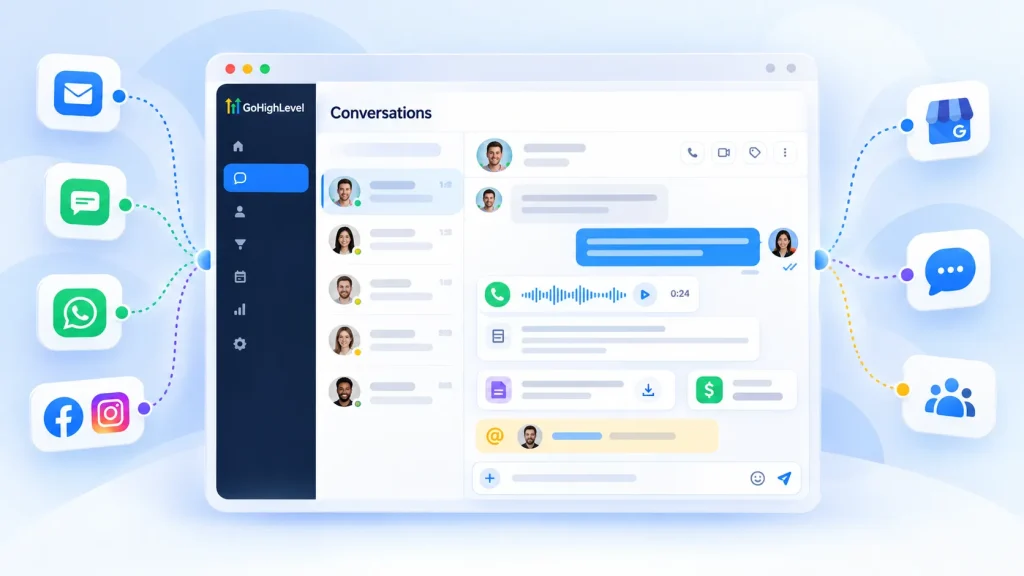
What it does: The Conversations inbox pulls every message into one thread per contact. That includes:
- SMS
- Facebook and Instagram DMs
- Google Business Profile messages
- Web chat from your site
- Internal team comments with @mentions
Call recordings and transcripts sit in the same thread, next to the contact’s details, documents and payments. You can also auto-reply to Facebook and Instagram comments with workflows.
Why it matters: Your team stops jumping between apps. Anyone can open a contact and see the whole conversation, no matter which channel it started on. HighLevel rebuilt the inbox in 2026 and says actions now run about 70% faster.
Watch out for: More channels means more noise. Use filters and assign conversations to people, or the inbox gets messy fast. WhatsApp also costs extra: $10 a month per sub-account, plus WhatsApp’s own message fees.
Email marketing (LC Email)
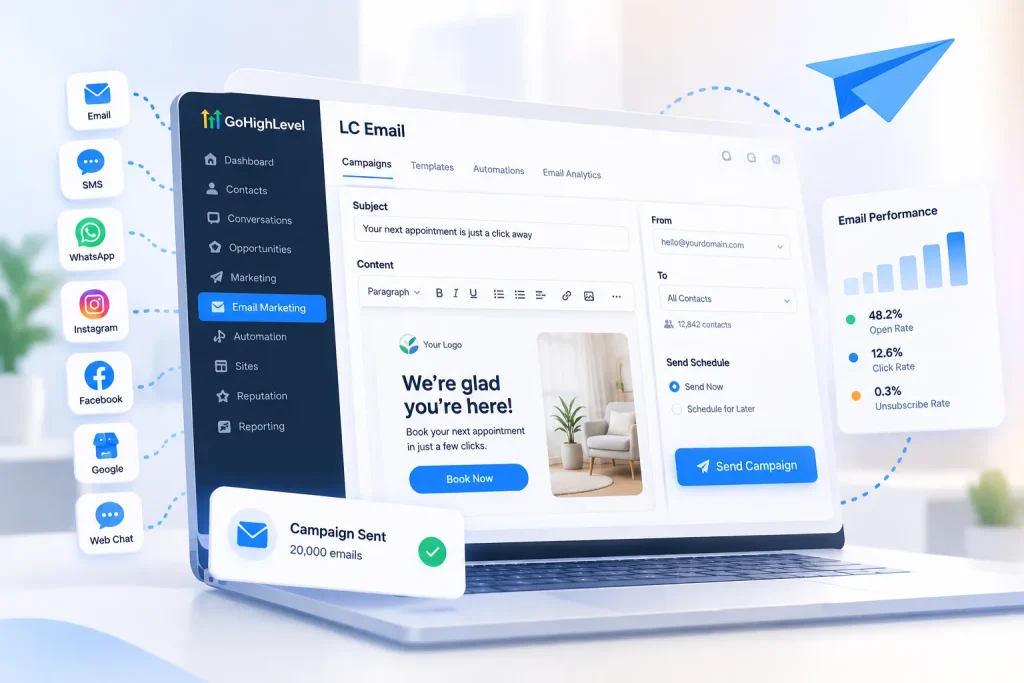
What it does: GoHighLevel has its own built-in email service, called LC Email. You can send campaigns, newsletters and automated emails without connecting Mailchimp or another email provider.
It’s billed per send: $0.675 per 1,000 emails on every plan. Email validation costs $2.50 per 1,000 checks.
Why it matters: It’s cheap. Sending 20,000 emails costs $13.50. And because it’s built in, opens, clicks and replies flow straight into the CRM.
Watch out for: Deliverability takes setup. Gmail and Yahoo now require bulk senders to authenticate with SPF, DKIM and DMARC, offer one-click unsubscribe, and keep spam complaints low. Set these up on your own sending domain before your first campaign.
On a shared domain, you can send up to 25,000 emails a day. On a dedicated domain, that rises to 550,000 a day after a 7-day volume ramp. That ramp only limits how much you send per day. It isn’t the kind of warm-up cold emailers use to build sender reputation.
If you send at high volume, a dedicated IP costs $59 a month. It’s only available on the Unlimited and Agency Pro plans.
Can you use GoHighLevel for cold email?
Not safely. LC Email is built for warm lists, meaning people who asked to hear from you. HighLevel’s messaging rules are built around consent.
Sending to cold or bought lists puts your sending reputation at risk, and it can put the account itself at risk too. Cold outreach needs separate domains, many mailboxes, rotation between them and real warm-up. LC Email offers none of those.
We run outreach campaigns every day for link building at OneLittleWeb, so we see this side up close. Cold email is its own discipline, and it belongs on a dedicated tool. I list a few options in the alternatives section.
SMS, calls and the phone system (LC Phone)
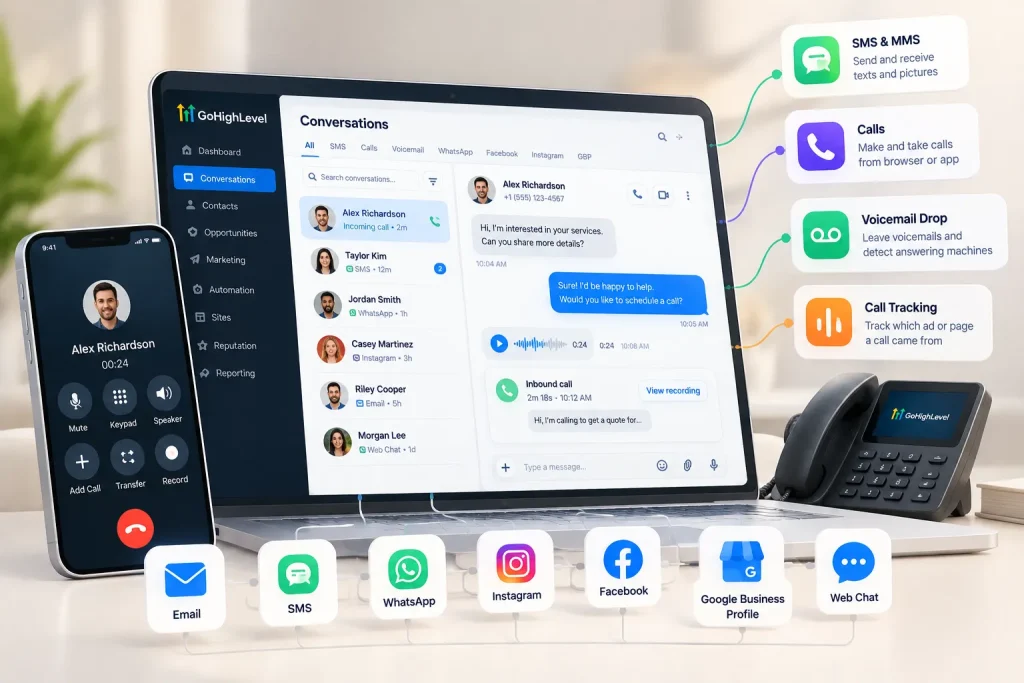
What it does: HighLevel’s phone service, LC Phone, gives each sub-account its own phone numbers. HighLevel says its pricing matches Twilio’s. You can:
- Send and receive texts and picture messages
- Make and take calls from the browser or app
- Record and transcribe calls
- Set up phone menus (IVR) and call routing
- Track which ad or page a call came from
- Drop voicemails and detect answering machines
Why it matters: Texting is where local businesses win leads. A missed-call text-back workflow alone can save jobs that would have gone to a competitor.
Watch out for: US business texting needs A2P 10DLC registration before messages deliver reliably. Every text and call is usage-billed. I cover the exact rates, and the charges that catch people out, in the pricing section.
Funnels, websites, landing pages, forms and surveys
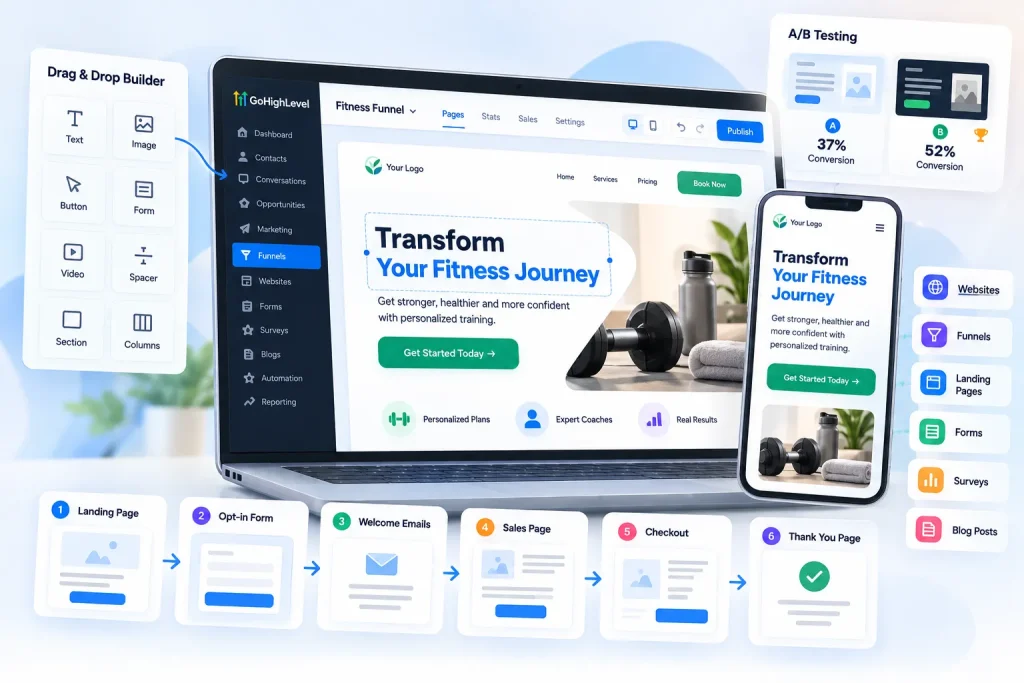
What it does: GoHighLevel includes a drag-and-drop builder for websites, sales funnels and landing pages. You can also build forms, surveys, quizzes and blog posts. Funnels and pages are unlimited on every plan.
Pages are mobile-responsive, and you can A/B test two versions of a page to see which converts better. A typical funnel runs like this: landing page, opt-in form, welcome emails, sales page, checkout, thank-you page. Every step is tracked in the CRM.
Funnel and Website AI can draft pages from a prompt for free, up to 1,000 prompts a day. If a client needs WordPress, HighLevel also sells managed WordPress hosting from $10 a month per site.
Why it matters: Lead capture lives in the same place as follow-up. A form submission can start a workflow instantly, with no extra integration to break.
Watch out for: The builder is easy for simple pages. It’s less polished than Unbounce or Leadpages for landing pages, and far less flexible than WordPress or Webflow for full websites. Complex designs take a lot of manual work.
How SEO-friendly are GoHighLevel websites?
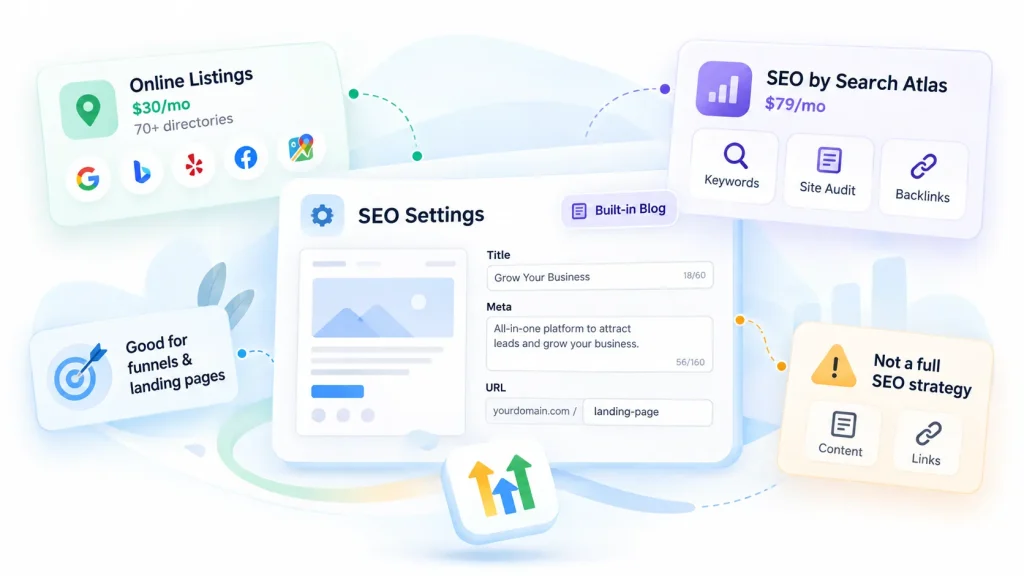
This matters to us as an SEO agency. GoHighLevel pages let you edit page titles, meta descriptions and URLs, and there’s a built-in blog.
HighLevel also sells two SEO add-ons per sub-account. Online Listings ($30 a month) syncs a business’s name, address and phone number across 70+ directories. SEO powered by Search Atlas ($79 a month) adds keyword research, site audits and backlink analysis.
Those tools help with local basics. They don’t replace an SEO strategy, original content or real links from relevant sites.
For lead-gen landing pages and funnels, the builder does the job. For a site where organic search is your main growth channel, test it carefully before you commit.
Calendars and appointment booking
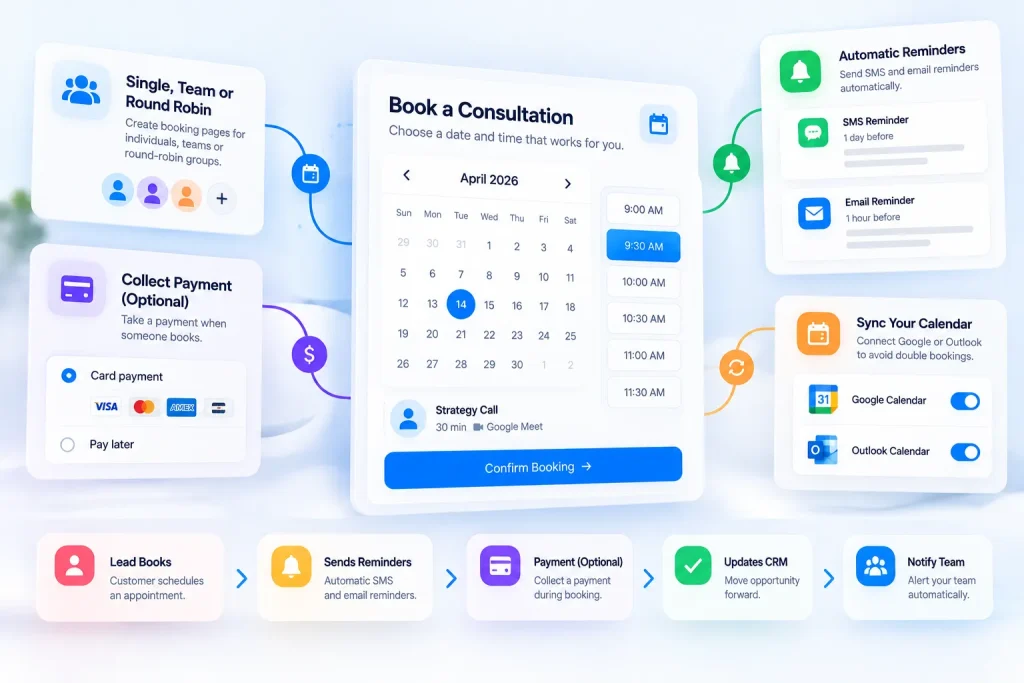
What it does: You can create booking pages for single staff members, teams or round-robin groups. Automatic reminders go out by SMS and email. You can even collect a payment when someone books.
Why it matters: Booking is where leads turn into revenue. Because calendars connect to the CRM and workflows, every booking can trigger reminders, move the opportunity forward and notify your team.
Watch out for: Sync your Google or Outlook calendar early, or you’ll get double bookings.
Reputation and review management
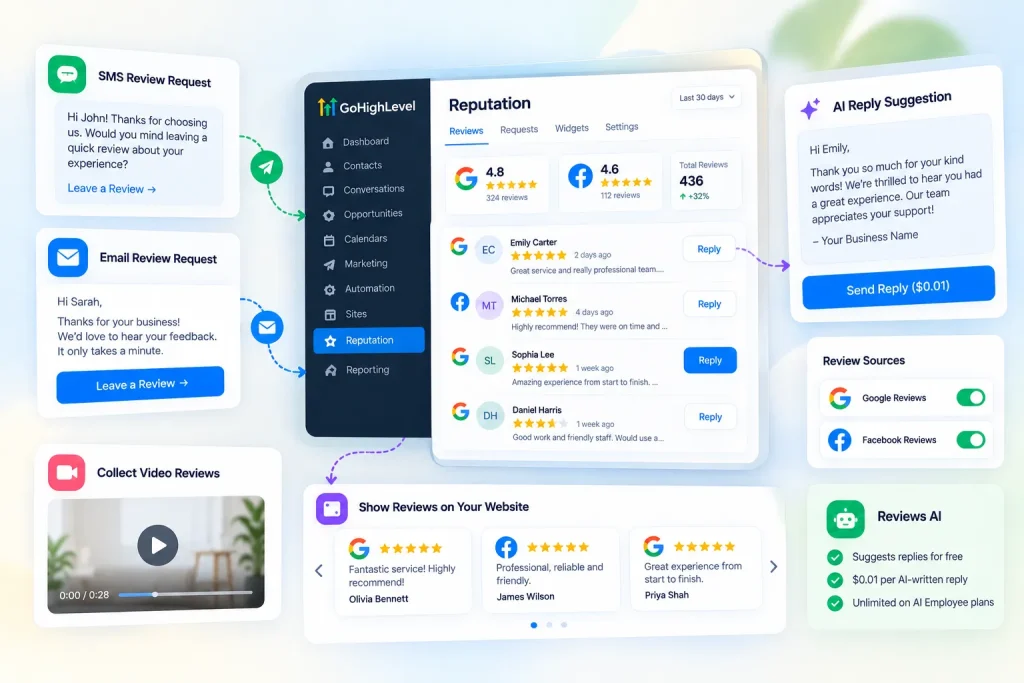
What it does: GoHighLevel sends review requests by SMS and email after a job or appointment. It pulls in Google and Facebook reviews so you can reply from one dashboard. You can also show reviews on your site with widgets and collect video reviews.
Reviews AI suggests replies for free. You only pay $0.01 when you send an AI-written reply, and it’s unlimited on either AI Employee plan.
Why it matters: For local businesses, reviews drive trust and local rankings. Google’s own help page on local ranking says review count and score are part of how it ranks local results. Automating the ask gets you more reviews than remembering to ask in person.
Watch out for: Ask every customer the same way. Don’t send requests only to people you expect to be happy. Google’s review policies don’t allow that.
Payments, invoices and e-commerce
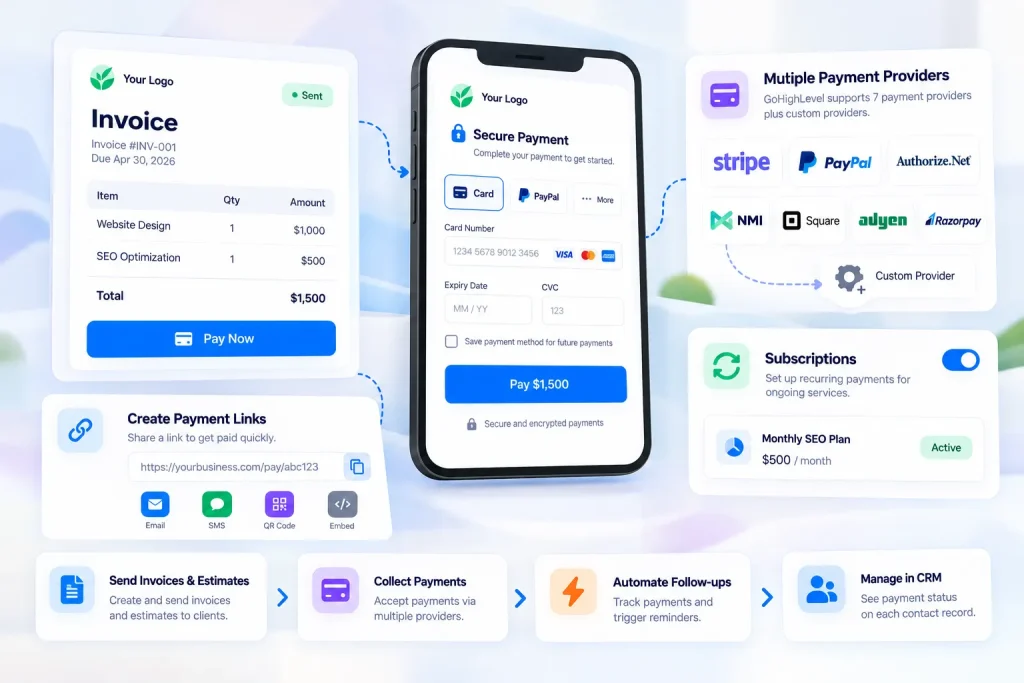
What it does: You can send invoices and estimates, create payment links, sell through order forms and an online store, run subscriptions, and take in-person payments through the mobile app.
GoHighLevel lists seven payment providers on its pricing page: Stripe, PayPal, Authorize.Net, NMI, Square, Adyen and Razorpay. It also supports custom payment providers.
Why it matters: Payments land on the contact record. You can see who paid and who didn’t, and trigger follow-ups automatically.
Watch out for: Not every payment method works everywhere. For example, Stripe’s buy-now-pay-later options like Klarna and Afterpay don’t work on recurring invoices. Your payment provider also charges its own processing fees.
Courses, memberships and communities
What it does: You can host online courses, members-only areas and community groups. Lessons can drip out on a schedule, and content can be locked behind a subscription. There’s no extra fee per member or per course.
If a client wants their own branded community app, HighLevel sells a Branded Client Portal App for $49 a month per sub-account.
Why it matters: Coaches and consultants can sell a course, run a community and manage leads in the same place as their funnels.
Watch out for: The course builder is functional but basic. If courses are your entire business, compare the learner experience with Kajabi, Teachable or Thinkific first.
Social planner and other built-in tools

GoHighLevel includes a few more tools that don’t need a full section:
- Social planner: Schedule posts to your social accounts, including LinkedIn, from one calendar. This is for posting, not outreach.
- Ad Manager: Create and track Facebook ad campaigns. It’s now free for all agencies.
- Affiliate manager: Run a referral program and track commissions.
- Documents and contracts: Send proposals and collect e-signatures without a separate tool.
- Client portal: Give customers one login to see their courses, invoices and documents.
- Prospecting tool: Build audit reports to pitch new agency clients. A premium version costs $29 a month per sub-account. It’s a sales-prep tool, not a cold outreach engine.
Reporting and attribution
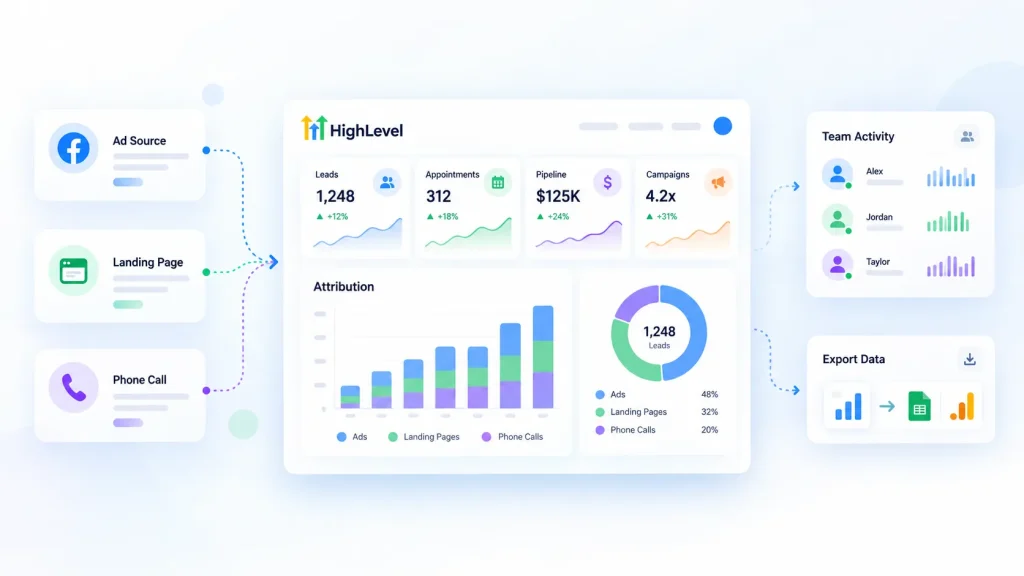
What it does: Custom dashboards show leads, appointments, pipeline value and campaign results. Attribution reports show which source brought each lead, like a specific ad, page or phone number. Agency Pro adds user and agent reporting, which tracks your team’s activity.
Why it matters: You can show clients exactly where their leads came from. That makes it much easier to prove your work is paying off.
Watch out for: Reviewers often find reporting lighter than dedicated BI tools. For complex cross-client reports, many agencies still export data to Google Sheets or Looker Studio.
Mobile app, integrations and API
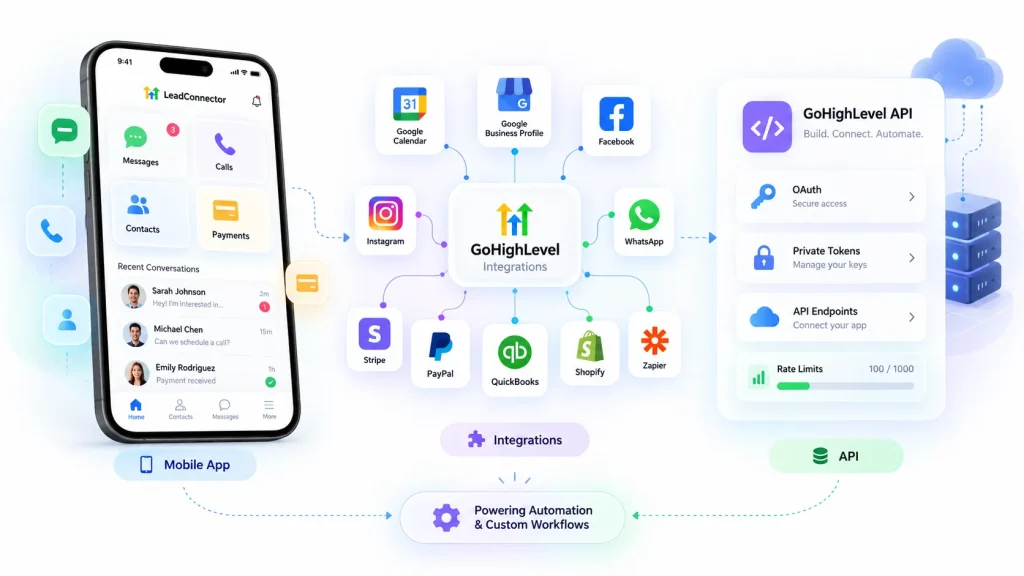
Mobile app: The free LeadConnector app lets you reply to messages, take calls, manage contacts and take payments on the go. Building workflows and funnels is still a desktop job. A white-label version with your own branding costs extra, which I cover in the white label section.
Integrations: The App Marketplace has ready-made apps. Native options include Google Calendar and Google Business Profile, Facebook and Instagram, WhatsApp, Stripe and PayPal, QuickBooks and Shopify. The LeadConnector app on Zapier connects thousands more.
Some connections are shallow, meaning data flows one way only. Test the tools you rely on most during your free trial.
API: Developers can build custom integrations with the API, using OAuth or Private Integration Tokens. Apps get up to 100 requests every 10 seconds and 200,000 a day, per account. The old v1 API keys have been retired.
API access depends on your plan. Starter gets location-level access only. Unlimited gets basic API access, and Agency Pro gets advanced access.
That covers the core platform. The part getting the most attention right now, though, is AI.
GoHighLevel AI Features (and What They Cost)
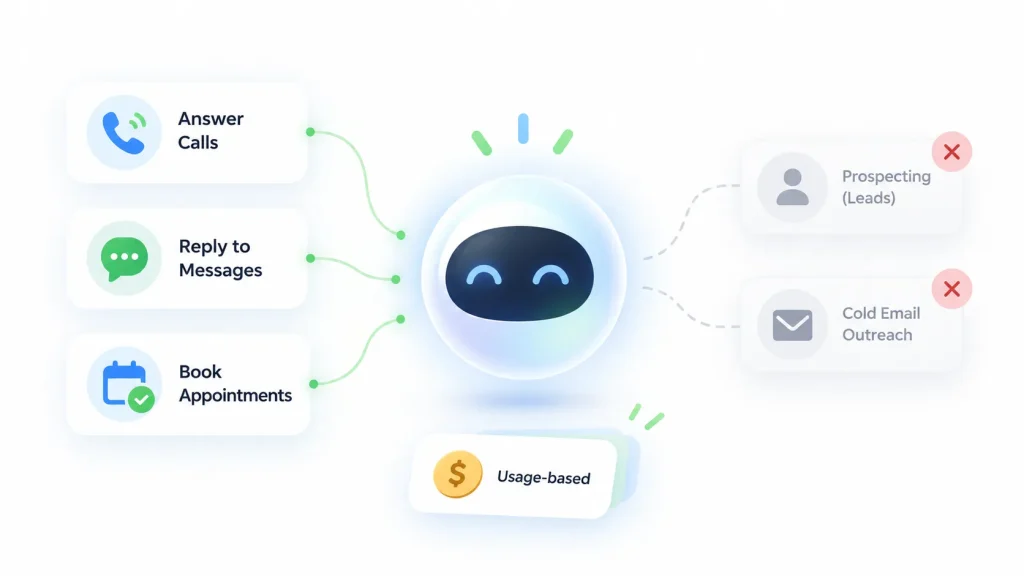
HighLevel is pushing AI hard in 2026. There are now several AI tools, and each one is billed a little differently.
One thing to know upfront. GoHighLevel’s AI is built for inbound work: answering calls, replying to messages and booking appointments. It won’t find prospects or write cold emails at scale. It’s an AI receptionist, not an AI sales rep.
This is the full lineup:
| AI tool | What it does | Where it works | Pay-per-use price |
|---|---|---|---|
| Voice AI | Answers and makes calls, qualifies leads, books appointments | Phone and web widget | $0.045/min voice engine + $0.015 to $0.170/min voice + AI tokens |
| Conversation AI | Replies to text messages and books appointments | SMS, email, Facebook, Instagram, WhatsApp, web chat | AI tokens per reply |
| Agent Studio | Builds custom AI agents that take actions in GHL and connected apps | Across the platform | AI tokens (never included in a plan) |
| Managed Agents | AI “teammates” that run on CRM events or a schedule | Across the platform | AI tokens per run |
| Ask AI | Helps you write content, build pages and run CRM tasks | Inside the app | AI tokens |
| Content AI | Writes copy and creates images | Emails, posts, pages | $0.063 per image, $0.0945 per 1,000 words |
| Reviews AI | Writes replies to customer reviews | Reputation tool | $0.01 per reply sent |
| Workflow AI | Smart workflow actions (summarize, translate, detect intent) | Workflows | $0.01 per premium action |
| Funnel AI, Email AI, Knowledge Base | Drafts pages and emails, stores business info for bots | Builders | Free (fair use) |
Voice AI
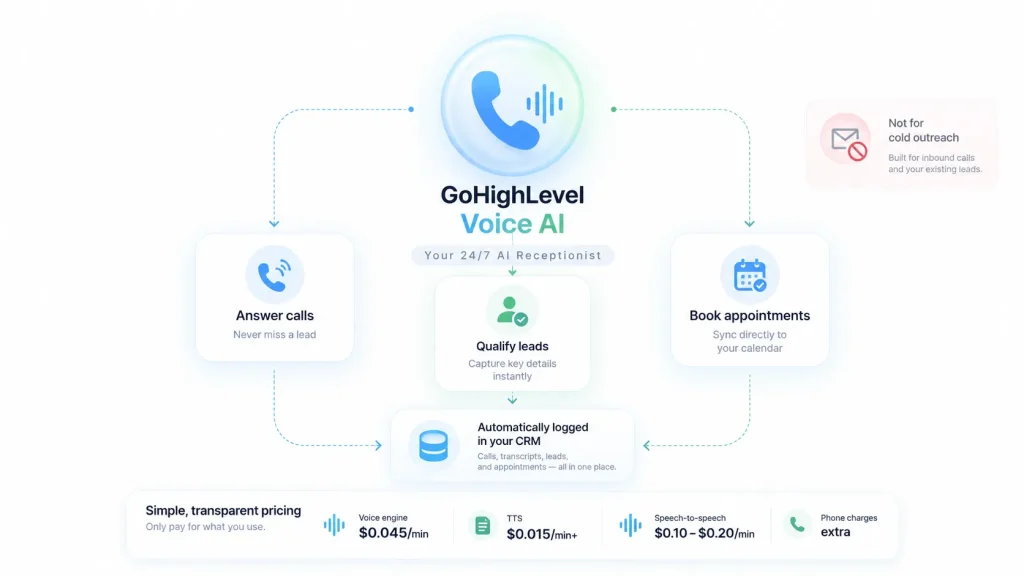
Voice AI is an AI phone agent. It can answer calls when your team is busy, ask qualifying questions, book appointments and log everything in the CRM.
On pay-per-use, each minute has three parts:
- Voice engine: $0.045 per minute
- Text-to-speech voice: $0.015 per minute for OpenAI or Cartesia voices, up to $0.170 for ElevenLabs V3
- AI model tokens: usually a small amount, depending on the model
Newer speech-to-speech models skip those parts and charge a flat $0.10 to $0.20 per minute. HighLevel says they respond faster, pick up on tone better and can switch languages mid-call.
Phone call charges apply on top, on every plan, even when Voice AI itself is “unlimited.”
Conversation AI
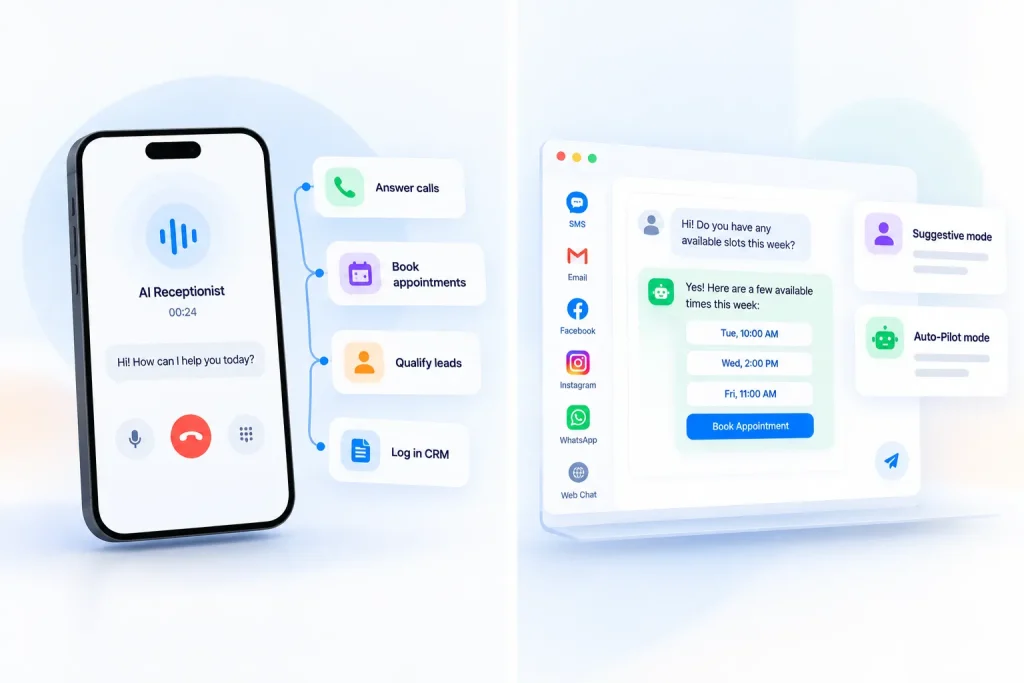
Conversation AI is a chatbot for your text channels. It works across SMS, email, Facebook, Instagram, WhatsApp and web chat.
It runs in two modes:
- Suggestive mode: The AI drafts a reply, and a person approves it.
- Auto-Pilot mode: The AI replies on its own.
Its main jobs are answering common questions, qualifying leads and booking appointments.
It’s billed by AI tokens. On GPT-5 Mini, a typical reply works out to around a tenth of a cent. On the full GPT-5 model with a large knowledge base, it’s closer to a cent. These are my estimates from HighLevel’s published token rates, so test with your own setup.
I’d start every client on Suggestive mode. Read a week of AI replies before you let it talk to customers on its own.
Agent Studio and Managed Agents
This is the newest layer. In Agent Studio, you build AI agents that can take actions inside GoHighLevel and in connected apps. Agent Studio is always pay-per-use, even on the AI Employee plans.
Managed Agents (formerly Super Agents) are AI teammates that run when something happens in the CRM, like a new lead or a tag being added. They can also run on a schedule. Each execution counts as one “run,” and you get 30 free test runs a month.
Ask AI
Ask AI is an assistant for you and your team, not your customers. It helps write content, build pages and handle CRM tasks inside the app.
Its usage is measured in 5-hour windows. If you hit the limit, access resets when the window ends.
AI Employee plans: pay-per-use vs $50 vs $97
You don’t have to pay for every AI message separately. HighLevel bundles its main AI tools into AI Employee plans, priced per sub-account:
| Plan | Price | What’s included |
|---|---|---|
| Pay-per-use | No monthly fee | Pay only for what you use |
| AI Employee Growth | $50/month per sub-account | 1,000 Conversation AI replies, 100 Voice AI minutes, unlimited Reviews AI and Content AI, 100 Managed Agent runs |
| AI Employee Unlimited | $97/month per sub-account | Unlimited Conversation AI, Voice AI, Reviews AI and Content AI (fair use), 1,000 Managed Agent runs, 3x Ask AI usage |
Phone call charges still apply on every AI plan. On Growth, usage past the included limits is billed at pay-per-use rates, unless you set the account to block AI at the limit.
When does an AI Employee plan pay off?
Run the math before you choose. Text AI is cheap on pay-per-use, so voice minutes are usually what justify a plan.
This is roughly where the $97 Unlimited plan breaks even against pay-per-use Voice AI, before AI tokens:
| Voice setup | Cost per minute | Break-even for $97/month |
|---|---|---|
| Standard voice (OpenAI or Cartesia) | about $0.06 | about 1,600 minutes |
| Speech-to-speech, Google model | $0.10 | about 970 minutes |
| Speech-to-speech, OpenAI model | $0.20 | about 485 minutes |
| Premium voice (ElevenLabs V3) | about $0.215 | about 450 minutes |
Calculated from HighLevel’s AI Product Pricing article, September 2026. Phone call charges apply on top in every case.
So a simple rule of thumb:
- Testing AI on one client: Stay on pay-per-use.
- Light phone use, under 100 minutes a month: Growth at $50 covers it, plus 1,000 text replies.
- A busy front desk with premium voices: Unlimited pays off from around 450 to 500 minutes a month.
- Standard voices: Unlimited only pays off past roughly 1,600 minutes, unless you also lean heavily on Content AI or Managed Agents.
A word of caution. AI is good at answering the same 20 questions and booking slots. It’s not a full replacement for a trained receptionist on tricky calls. Set clear limits on what it should and shouldn’t handle.
For agencies, AI is also something you can resell. That brings us to GoHighLevel’s most unusual feature.
GoHighLevel White Label and SaaS Mode Explained
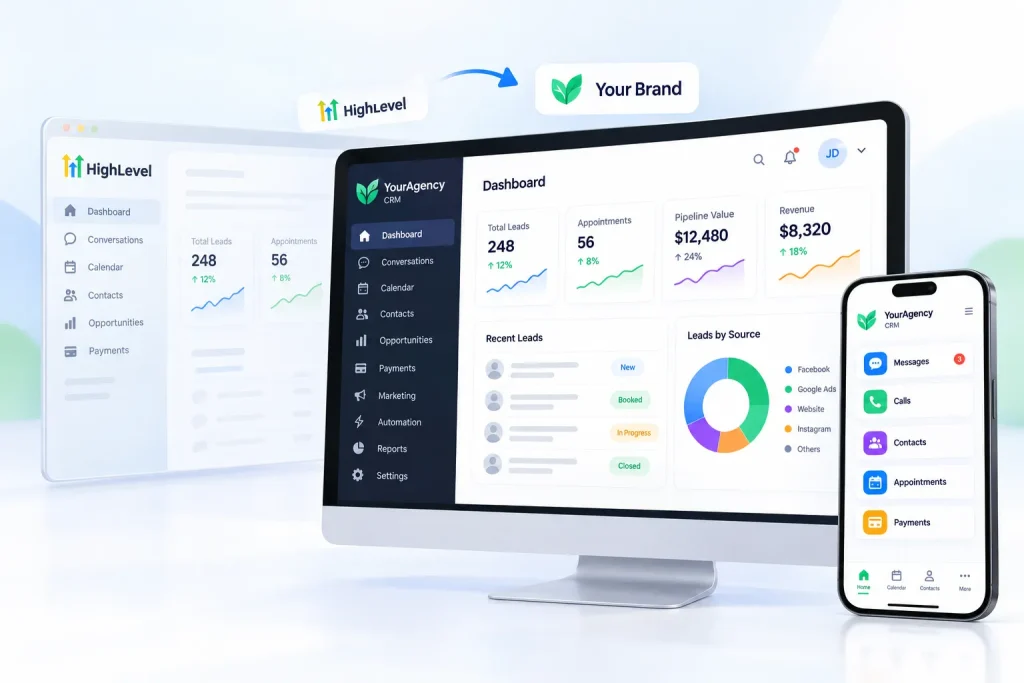
This is what separates GoHighLevel from most mainstream CRMs. You can put your own brand on it and sell it to clients as your software.
What white labeling includes on each plan
White labeling means your clients see your brand instead of HighLevel’s. What you get depends on your plan, and many reviews get this wrong.
| White label feature | Starter ($97) | Unlimited ($297) | Agency Pro ($497) |
|---|---|---|---|
| Custom domains for funnels and websites | Yes | Yes | Yes |
| White-label desktop web app (your domain, logo and colors on the login) | No | Yes | Yes |
| White-label mobile app in the app stores | No | Add-on, $497/month | Add-on, $497/month |
| SaaS Mode (sell GHL as your own software) | No | No | Yes |
HighLevel’s pricing page lists the white-label mobile app as a $497/month add-on (or $1,491 a quarter). It’s included in the custom-priced Enterprise plan. Several third-party reviews say it’s included in Agency Pro. HighLevel’s own pages say otherwise.
With the desktop white label, your clients log in to “YourAgency CRM” and may never see the HighLevel name.
Rebilling vs reselling vs SaaS Mode
These three terms get mixed up a lot. They’re not the same thing:
| Term | What it means | Which plan |
|---|---|---|
| Rebilling | You charge each client for their own usage of email, phone and AI | Unlimited (at cost, no AI), Agency Pro (with your markup, including AI) |
| Reselling | You sell add-on products, like WordPress hosting, WhatsApp or Online Listings, to clients as subscriptions | Set in the agency’s Reselling settings |
| SaaS Mode | You sell the whole platform as your own software, with automated signup and billing | Agency Pro only |
Rebilling works through wallets. HighLevel charges your Agency Wallet first. When a client sends texts or emails, the cost is then charged to that client’s own wallet, which tops up automatically from their card.
On the Unlimited plan ($297), you can pass phone and email costs to clients at exactly what HighLevel charges. AI rebilling isn’t included. On Agency Pro ($497), you can rebill AI too, and add your own markup to all of it.
One small detail: when rebilling is on, HighLevel adds a fixed 5% markup to carrier pass-through fees, like A2P registration and SMS carrier fees.
How SaaS Mode works, step by step
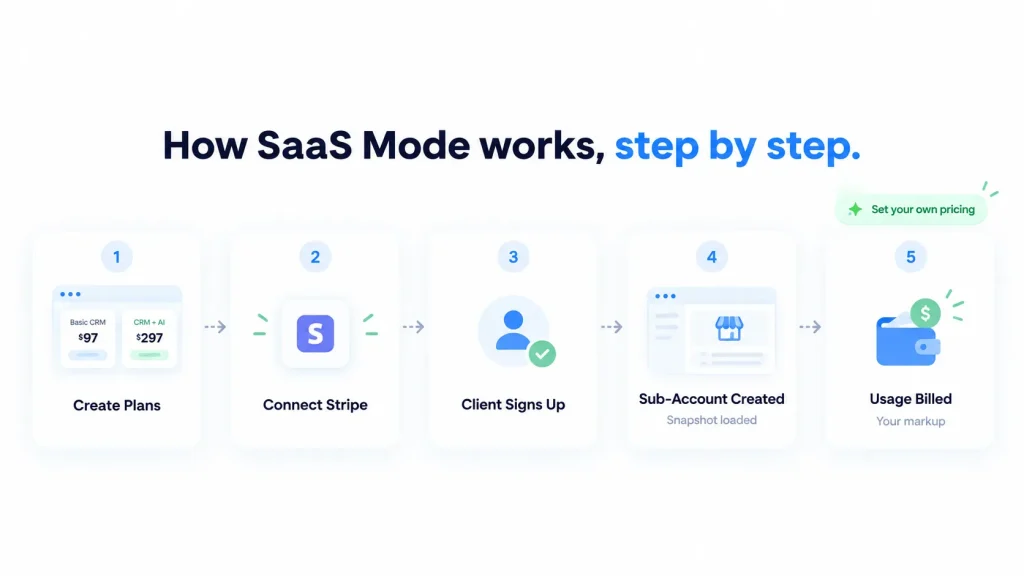
SaaS Mode turns your agency into a software company. This is how it works:
- Create your plans in the SaaS Configurator. For example, “Basic CRM” at $97 and “CRM + AI” at $297.
- Connect Stripe so clients can pay you directly.
- A client signs up on your pricing page.
- A sub-account is created automatically, often loaded with one of your snapshots.
- Usage is billed to the client’s wallet, with your markup.
You set your own prices. HighLevel doesn’t publish a cap on your markup.
Is SaaS reselling a good business? The real margin
It can be, but look at profit, not revenue. Say 10 clients each pay you $297 a month for a “CRM + AI” plan:
| Line | Monthly amount |
|---|---|
| Revenue: 10 clients × $297 | $2,970 |
| Agency Pro plan | −$497 |
| Stripe fees (about 2.9% + 30¢ per payment) | about −$89 |
| AI Employee Unlimited for each client (10 × $97) | −$970 |
| Gross margin before your time | about $1,414 |
Illustrative example. Stripe’s rate varies by country and card type. Usage is rebilled to clients with your markup, which adds margin on top.
That’s still a healthy business. But the AI line alone cuts margin by a third, and the table doesn’t count support hours.
When clients pay you for software, they expect software support. You become their help desk for logins, bugs and “how do I” questions. Long-time users say the same thing in reviews: you end up building their workflows and training their AI.
SaaS Mode usually works best when the software comes bundled with a service, like done-for-you setup or ad management. Selling the software on its own is a much harder business.
All of this ties back to which plan you’re on. So let’s look at what GoHighLevel actually costs.
GoHighLevel Pricing: Plans, Add-Ons and the Real Monthly Cost
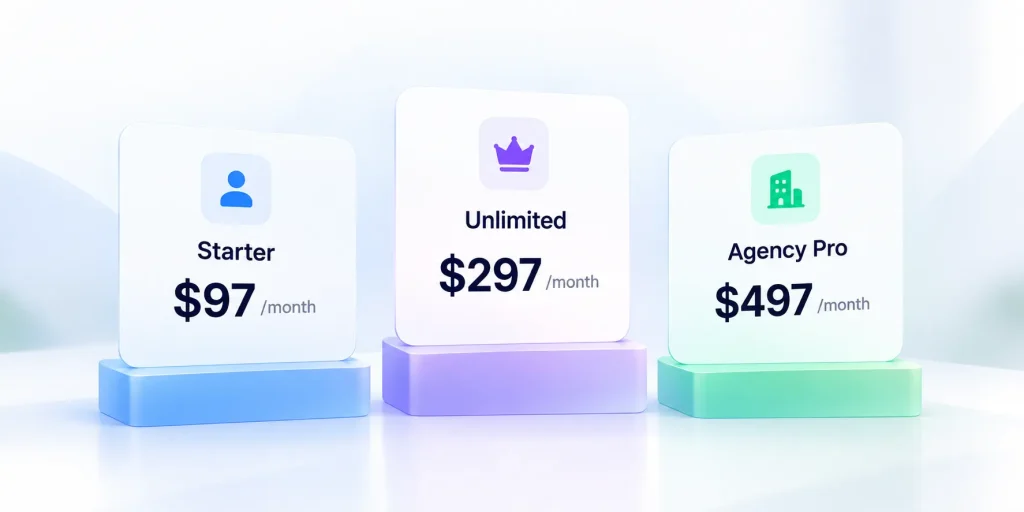
GoHighLevel has three main plans: Starter at $97/month, Unlimited at $297/month, and Agency Pro at $497/month. There’s also a custom-priced Enterprise plan for high-volume agencies.
That’s the sticker price. It isn’t the full bill.
Texts, emails, calls and most AI features are charged on top, based on how much you use. So the real question is what you’ll pay once those are added in. I’ll walk through both.
GoHighLevel plans compared
Every plan includes the core platform: CRM, funnels, websites, email and SMS tools, calendars, reviews, payments, courses and workflows. Every plan also gets unlimited contacts and unlimited users.
What changes between plans is how many client accounts you can run, white labeling, how you bill clients, and API access.
| Starter | Unlimited | Agency Pro | |
|---|---|---|---|
| Monthly price | $97 | $297 | $497 |
| Annual price | $970 (save $194) | $2,970 (save $594) | $4,970 (save $994) |
| Effective monthly cost if paid yearly | about $80.83 | about $247.50 | about $414.17 |
| Sub-accounts | 3 | Unlimited | Unlimited |
| Contacts and users | Unlimited | Unlimited | Unlimited |
| Core features | All | All | All |
| White-label desktop app | No | Yes | Yes |
| Rebill phone and email to clients | No | Yes, at cost | Yes, with your markup |
| Rebill AI usage | No | No | Yes |
| Dedicated email IP ($59/month) | No | Available | Available |
| API access | Location-level | Basic | Advanced |
| SaaS Mode and automated sub-account creation | No | No | Yes |
| User/agent reporting | No | No | Yes |
| Support | 24/7 | 24/7 | 24/7 |
| Best for | One business, or up to 3 client accounts | Growing agencies | Agencies reselling GHL as their own software |
All plans are month to month, with no long-term contract. Paying yearly gets you 12 months for the price of 10, about a 17% saving. If you upgrade mid-month, you only pay the prorated difference.
The Starter plan’s limit is the one to watch. Three sub-accounts means your own business plus two clients, or three client accounts.
Is there a GoHighLevel free trial?
Yes. Every plan comes with a 14-day free trial on HighLevel’s own site, with full access to that plan’s features.
Two things to know before you start. Billing begins automatically when the trial ends unless you cancel. And usage fees, like texts and calls, can be charged during the trial.
You’ll also see “30-day free trial” offers around the web, often with “bonus” training packs. Those come from affiliate and partner links. If you see a 30-day offer, it’s someone’s referral link.
Fourteen days is enough to build a pipeline, connect a calendar and run one workflow. It isn’t much time to test texting. A2P registration can take days to clear, so start it on day one.
If you’d rather see it first, HighLevel also runs free live demos.
Usage costs: the part the sticker price doesn’t show
HighLevel runs its own email and phone services, LC Email and LC Phone. You don’t pay a flat fee for them. You pay per email, per text and per call minute, from a prepaid wallet.
The rates are tiny per message. They add up once a client starts sending at volume.
Current US rates from HighLevel’s help center:
| Service | Rate |
|---|---|
| Email sending | $0.675 per 1,000 emails |
| Email validation | $2.50 per 1,000 checks |
| SMS (sent or received) | $0.00747 per segment, plus carrier fees |
| SMS carrier fees (US) | about $0.0025 to $0.010 per message, by carrier |
| MMS (picture message, sent) | $0.022 each |
| Outbound calls | $0.0166 per minute |
| Inbound calls | $0.01165 per minute (toll-free: $0.0198) |
| Local phone number | $1.15 per month (toll-free: $2.15) |
| Call recording | $0.0025 per minute, plus storage |
| Call transcription | $0.024 per minute |
| A2P 10DLC texting registration (US, low volume) | $22.50 one-time, plus $1.50 to $10.50 per month per campaign |
Rates from HighLevel’s Phone System Pricing & Billing Guide (updated September 29, 2026) and Pricing Guide (updated August 22, 2026). US and Canada SMS and call rates include a 10% discount off list price.
You’ll see other reviews quote calls at $0.012 or $0.014 a minute. Those figures only count the carrier leg of the call. HighLevel’s total also adds its own $0.004 per-minute platform charge, minus a 10% discount.
Seven usage charges that catch people out
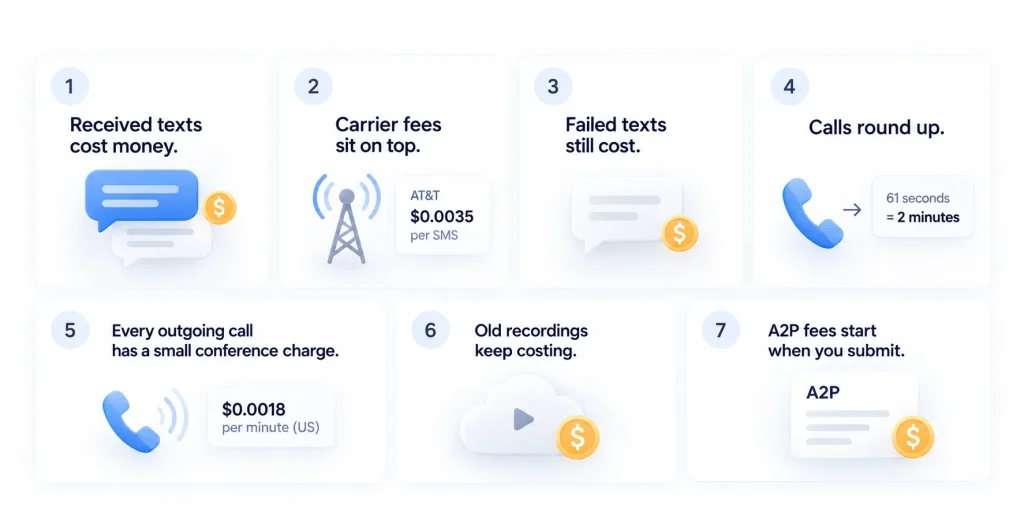
- Received texts cost money. Inbound SMS is billed at the same rate as outbound. A busy two-way conversation costs double what you might expect.
- Carrier fees sit on top. US carriers add their own charge per message. AT&T adds $0.0035 per SMS, which pushes a real text closer to $0.011 than $0.007.
- Failed texts still cost. If a delivery attempt was made, you pay, even if the message never arrives.
- Calls round up. Calls are billed in full minutes. A 61-second call is billed as two minutes.
- Every outgoing call has a small conference charge. It’s $0.0018 a minute in the US, because of how HighLevel routes calls.
- Old recordings keep costing. Stored call recordings incur a small ongoing storage fee until you delete them.
- A2P fees start when you submit. The registration and monthly campaign fees apply even if your campaign is rejected. Since February 2026, resubmissions are free.
The upside is unanswered calls. If nobody picks up and you don’t leave a voicemail, you generally aren’t charged.
Add-ons worth knowing about
Some features aren’t in any plan. You add them when you need them.
| Add-on | Price | Who needs it |
|---|---|---|
| AI Employee Growth | $50/month per sub-account | Clients testing AI chat and voice at low volume |
| AI Employee Unlimited | $97/month per sub-account | Clients with heavy Voice AI use |
| White-label mobile app | $497/month or $1,491/quarter | Agencies that want their own branded app in the app stores |
| Branded Client Portal App | $49/month per sub-account | Clients running a community who want their own app |
| Dedicated email IP | $59/month | High-volume senders on Unlimited or Agency Pro |
| $10/month per sub-account, plus message fees | Businesses whose customers prefer WhatsApp | |
| Online Listings | $30/month per sub-account | Local businesses syncing directory listings |
| SEO (powered by Search Atlas) | $79/month per sub-account | Agencies offering SEO tools to clients |
| Premium prospecting tool | $29/month per sub-account | Agencies prospecting for new clients |
| HIPAA compliance | $297/month | Agencies with healthcare and medical clients |
| WordPress hosting | $10/month for 1 site, $220 for 25 sites, $497 unlimited | Clients who need WordPress instead of GHL’s site builder |
| Premium Support | $500/month or $5,000/year | Agencies that want faster help and a dedicated account manager |
| HighLevel Certification Program | $97/month or $970/year | Team members who want structured training |
| Advanced Account Setup | $1,000 one-time | Agencies that want done-with-you setup |
Many of these are priced per sub-account. If five clients each need AI Employee Unlimited, that’s $485 a month on top of your plan.
HIPAA is also worth a note. HighLevel accounts aren’t HIPAA compliant by default. Once you turn the add-on on, it can’t be switched off.
What you’ll really pay: a worked example
Let’s put real numbers on one typical client account. Say a local service business in one month:
- Sends 5,000 SMS segments to AT&T customers
- Sends 20,000 marketing emails
- Makes 500 minutes of outbound calls
- Keeps one local phone number
| Usage | Calculation | Monthly cost |
|---|---|---|
| SMS | 5,000 × ($0.00747 + $0.0035 carrier fee) | $54.85 |
| 20 × $0.675 | $13.50 | |
| Outbound calls | 500 × $0.0166 | $8.30 |
| Conference charge on calls | 500 × $0.0018 | $0.90 |
| Phone number | 1 local number | $1.15 |
| Total usage | about $79 |
Calculated from HighLevel’s published rates, October 2026. Your carrier mix and message lengths will change the total.
That’s about $79 a month for one active account, before A2P fees and AI. Add AI Employee Unlimited and the same client costs around $176 a month in extras.
Independent estimates land in the same range, though they vary a lot by setup:
- Revenue Geeks puts a 3-client setup at about $180 a month on Starter and a 15-client agency at about $924 a month on Unlimited.
- A Salesforge review puts typical agency bills at $300 to $600 a month, and multi-client agencies at $600 to $1,200. Salesforge sells a competing outbound tool.
Starter vs Unlimited: the math most people miss
Unlimited costs $200 more than Starter. For an agency, rebilling can cover that gap before you ever hit the 4th client.
Take three client accounts at about $79 of usage each. On Starter, that’s about $237 a month you pay yourself, or invoice clients for by hand. On Unlimited, rebilling charges each client’s card automatically, so it never touches your bill.
That’s roughly $37 a month better on Unlimited, before you count unlimited sub-accounts and the white-label desktop app.
For a single business on Starter, there’s nobody to rebill. The usage is yours, so budget for it from day one.
Now that the costs are clear, let’s match them to the right plan for your situation.
Which GoHighLevel Plan Should You Choose?
The right plan comes down to three questions:
- How many businesses or clients will you manage?
- Will you pass usage costs on to clients?
- Do you want to sell GoHighLevel as your own software?
This is how the answers map to plans:
| If you… | Choose | Why |
|---|---|---|
| Run one business, or manage 1 to 3 clients | Starter ($97) | 3 sub-accounts cover it, with every core feature |
| Manage 4 or more clients | Unlimited ($297) | Unlimited sub-accounts |
| Want clients to pay for their own texts and emails | Unlimited ($297) | Rebilling at cost keeps usage off your bill |
| Want your own logo and domain on the client login | Unlimited ($297) | White-label desktop app starts here |
| Need API access for custom integrations | Unlimited ($297) or Agency Pro ($497) | Starter only gets location-level API access |
| Want to sell GHL as your own software, with automatic signups | Agency Pro ($497) | SaaS Mode and automated sub-account creation |
| Want a margin on client usage, including AI | Agency Pro ($497) | Rebilling with your markup |
| Need HIPAA, custom development or a dedicated success manager | Enterprise or add-ons | Custom pricing and compliance options |
The break-even point between Starter and Unlimited is simple. The moment you need a 4th sub-account, Unlimited is the only option. Before that, the rebilling math above often makes Unlimited worth it anyway.
A practical tip: start with the plan you need today. You can upgrade mid-month and only pay the prorated difference.
Once you know the plan, the next question is whether GoHighLevel can actually replace the tools you pay for today.
What Tools Can GoHighLevel Replace?
GoHighLevel’s big promise is consolidation. One platform instead of a stack of separate subscriptions.
That promise is partly true. Some tools it replaces completely. Others, only in part.
| Job | Typical standalone tool | GoHighLevel feature | Replace fully? |
|---|---|---|---|
| CRM and pipeline | Pipedrive ($14 to $79 per user/month) | CRM and pipelines | Yes, for most small teams |
| Sales funnels | ClickFunnels (from $97/month) | Funnel builder | Yes, for most funnels |
| Online booking | Calendly | Calendars | Yes |
| Email marketing | Mailchimp, ActiveCampaign (from about $19/month) | LC Email | Yes for warm lists; partly for advanced email programs |
| Two-way SMS | Twilio-based texting tools | LC Phone | Yes |
| Forms and surveys | Typeform, Jotform | Forms and surveys | Yes |
| Review requests | Review management software | Reputation management | Mostly |
| E-signatures | Document signing tools | Documents and contracts | Mostly, for simple proposals |
| Courses | Kajabi (from $179/month), Teachable | Courses and memberships | Partly. Course-first creators may prefer Kajabi |
| Social scheduling | Buffer | Social planner | Partly |
| Connecting apps | Zapier | Workflows | Partly. You may still need Zapier for some tools |
| Cold email and LinkedIn outreach | Dedicated outbound tools | (None) | No |
| Complex websites | WordPress, Webflow | Website builder | No, not for SEO-heavy or complex sites |
The reason consolidation matters goes beyond cost. Every separate tool keeps its own copy of the customer. When a booking happens in one app and the follow-up lives in another, a broken connection means a lost lead. In GoHighLevel, both live on the same record.
Does it really save money?
It can. Take a small two-person business on a typical stack:
| Tool | Approximate monthly cost |
|---|---|
| Pipedrive, 2 seats | about $28 |
| ClickFunnels Launch | $97 |
| ActiveCampaign Plus | about $59 |
| Calendly, 2 seats | about $20 |
| Total, before texting and review tools | about $204 |
GoHighLevel Starter costs $97, plus usage. Add a texting tool and review software to the stack above, and the gap grows.
The savings depend on one thing: how many features you actually use. If you only need a CRM and email, GoHighLevel probably won’t save you anything. If you’d otherwise pay for a CRM, a funnel tool, a scheduler and a texting tool, it usually will.
For agencies the math is even stronger. MarketingAgencyCRM estimated a separate tool stack for a 20-client agency at about $4,404 a year, and found GoHighLevel cheaper. Treat that as a rough guide. Every agency’s stack is different.
Don’t forget the hidden cost of switching. Moving contacts, rebuilding automations and training your team takes time. Snapshots don’t carry over customer data, so plan for that.
Savings are only half the picture, though. Let’s look at the trade-offs.
GoHighLevel Pros and Cons
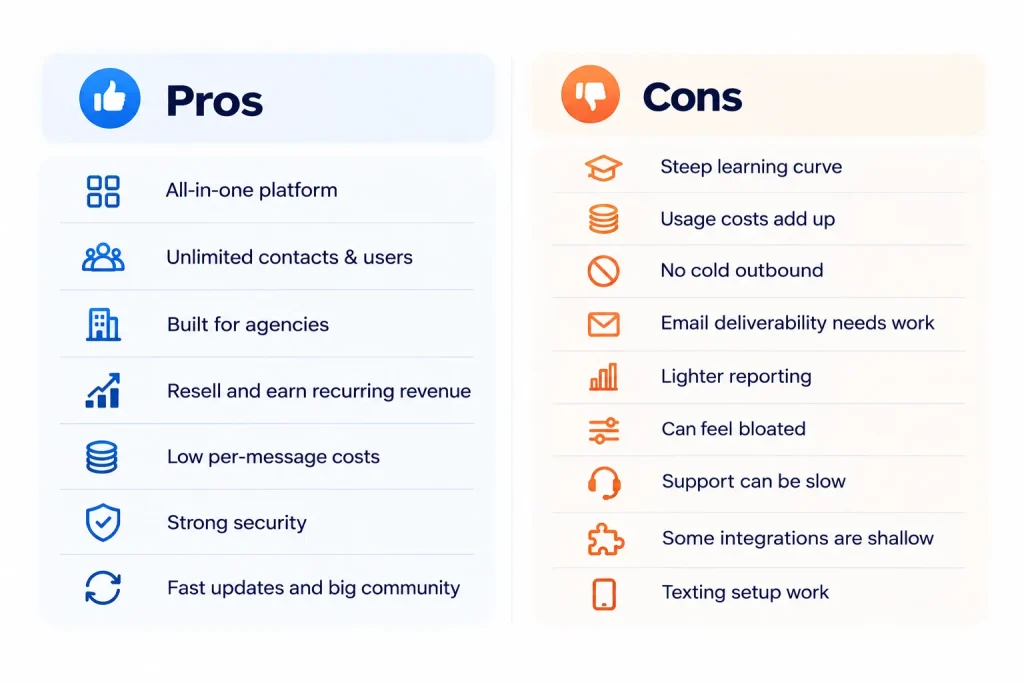
GoHighLevel does a lot well. It also has real weaknesses that the hype videos tend to skip.
Pros
- One platform for the whole customer journey. Lead capture, follow-up, booking, payments and reviews all work together without connecting apps.
- Unlimited contacts and users on every plan. You won’t pay more as your list grows or your team gets bigger.
- Built for agencies. Sub-accounts, snapshots and white labeling make it easy to run many clients from one place.
- A real resale option. Agency Pro lets you sell the platform as your own software and earn recurring revenue.
- Low per-message costs. Emails cost under a dollar per 1,000, and texts cost about a cent each with carrier fees.
- Strong security credentials. Annual SOC 2 Type II audits, ISO 27001 certification and enforceable two-factor login.
- Fast product updates and a big community. HighLevel ships new features often, runs a public ideas board, and has a large Facebook community where agencies share snapshots and fixes.
Cons (and how to work around them)
| Con | What it means | Workaround |
|---|---|---|
| Steep learning curve | So many tools in one dashboard means a lot to learn. Estimates range from 2 to 4 weeks to 60 to 90 days | Start from a snapshot and set up one feature at a time |
| Usage costs add up | Texts, calls, emails and AI are billed on top of the plan | Use rebilling on Unlimited or Agency Pro, and set wallet alerts |
| No cold outbound | No cold email at scale and no LinkedIn automation | Pair it with a dedicated outbound tool |
| Email deliverability needs work | The most common complaint in reviews, especially from high-volume senders | Authenticate your domain, clean lists, consider a $59 dedicated IP |
| Lighter reporting | Cross-client reporting is limited for some agencies | Export data to Google Sheets or Looker Studio |
| Can feel bloated | Many users never touch most of the features | Focus on a few core features and keep the setup simple |
| Support can be slow | Average chat wait of about 6 minutes, and about 10 hours for ticket replies | Use HighLevel University and the community, or pay for Premium Support |
| Some integrations are shallow | A few connections only sync one way | Test your key tools during the free trial |
| Texting setup work | US texting needs A2P 10DLC registration first | Register on day one of your trial |
What users say
GoHighLevel reviews are polarized. People who learn the platform tend to love it and stay. People who wanted something simple often leave early, usually over the learning curve or support.
The praise centers on value and consolidation. The complaints repeat across platforms: email deliverability, the learning curve, support response times and surprise usage charges.
| Platform | Rating | Number of reviews | Notes |
|---|---|---|---|
| G2 | 4.6 / 5 | 650 reviews | About 95% of reviewers are small businesses |
| Capterra | about 4.2 / 5 | 89 reviews | Smaller sample, more mixed |
| Trustpiot | about 4.9 / 5 | 15125 reviews | HighLevel actively asks customers for reviews and replies to negative ones |
Be careful with ratings quoted on other GoHighLevel review sites. I found pages quoting HighLevel’s G2 score anywhere from 4.2 to 4.6, with review counts ranging from 350 to 3,600. Many of those pages are affiliate sites. Always check the platform directly.
If those cons sound like deal-breakers, there are good alternatives.
GoHighLevel vs Alternatives
No tool is right for everyone. Each of these alternatives does one thing better than GoHighLevel.
| Tool | Best for | Starting price | Pricing model | Pick it over GHL if… |
|---|---|---|---|---|
| GoHighLevel | Agencies and service businesses | $97/month | Flat fee + usage | (baseline) |
| HubSpot | In-house sales and marketing teams | Free; paid from about $20/seat/month | Per seat + per contact | You need deep CRM, reporting and inbound marketing tools |
| ClickFunnels | Funnel-first businesses | $97/month ($81 billed yearly) | Tiers by contacts and workspaces | Funnels are your whole business |
| ActiveCampaign | Email-first businesses | About $19/month at 1,000 contacts | Per contact | Email automation is your main channel |
| Kajabi | Course creators and coaches | $179/month ($143 billed yearly) | Tiers by products and contacts | Courses are your main product |
| Pipedrive | Sales teams focused on deals | $14/seat/month (billed yearly) | Per seat | You only need a simple sales pipeline |
| Zoho CRM | Budget-conscious teams | Free for 3 users | Per user | You want a low-cost CRM suite |
| Salesforce | Large enterprises | $25/month | Per user | You need enterprise customization and scale |
| Keap | Small businesses wanting guided setup | $299/month (2 users) | Flat + per user | You want hands-on implementation help |
| Vendasta | Agencies selling to local businesses | $99/monthly (billed monthly) | Platform + marketplace | You want a white-label marketplace of products to resell |
Notice the pricing models. Most competitors charge per user or per contact. GoHighLevel charges a flat fee with unlimited users and contacts. That’s why it often looks cheaper as you grow, especially for agencies.
GoHighLevel vs HubSpot
HubSpot is the better pick for larger in-house teams that need deep CRM features, advanced reporting and a huge app ecosystem. Its roots are in inbound marketing, and its content and SEO tools are much stronger.
But it gets expensive quickly. HubSpot Marketing Hub Professional costs $890 a month (billed yearly) for 3 seats and 2,000 marketing contacts, plus a $3,000 onboarding fee. Enterprise starts at $3,600 a month, plus $7,000 for onboarding.
For the same three users and 2,000 contacts, GoHighLevel Starter costs $97 a month plus usage. A busy account adds about $80, so call it under $200 a month, with no onboarding fee.
There’s also an agency angle. HubSpot isn’t built to run many separate client accounts from one login, and it can’t be white-labeled. GoHighLevel was built for exactly that.
Choose HubSpot if you’re an established company with a dedicated sales and marketing team. Choose GoHighLevel if you’re an agency or a service business that wants an all-in-one tool on a budget.
GoHighLevel vs ClickFunnels
Both start at $97 a month, but you get very different things for it.
ClickFunnels Launch gives you unlimited funnels, but caps you at 10,000 contacts, 1 workspace and 2 team members. GoHighLevel Starter includes a CRM, texting, booking, reviews, payments and 3 sub-accounts, with unlimited contacts.
ClickFunnels has the more polished funnel builder and a big community built around funnel strategy.
Choose ClickFunnels if funnels are your entire business and you like its builder. Choose GoHighLevel if you need the follow-up, booking and CRM side too.
GoHighLevel vs Kajabi
Kajabi is built for course creators. Its plans cost $179, $249 and $499 a month, with limits on products and contacts. In return, you get a polished course and community experience.
GoHighLevel also hosts courses and communities with no per-member fee, but the learner experience is less of a focus.
Choose Kajabi if courses are your main product. Choose GoHighLevel if courses are one part of a bigger business that also needs a CRM, texting and booking.
GoHighLevel vs ActiveCampaign
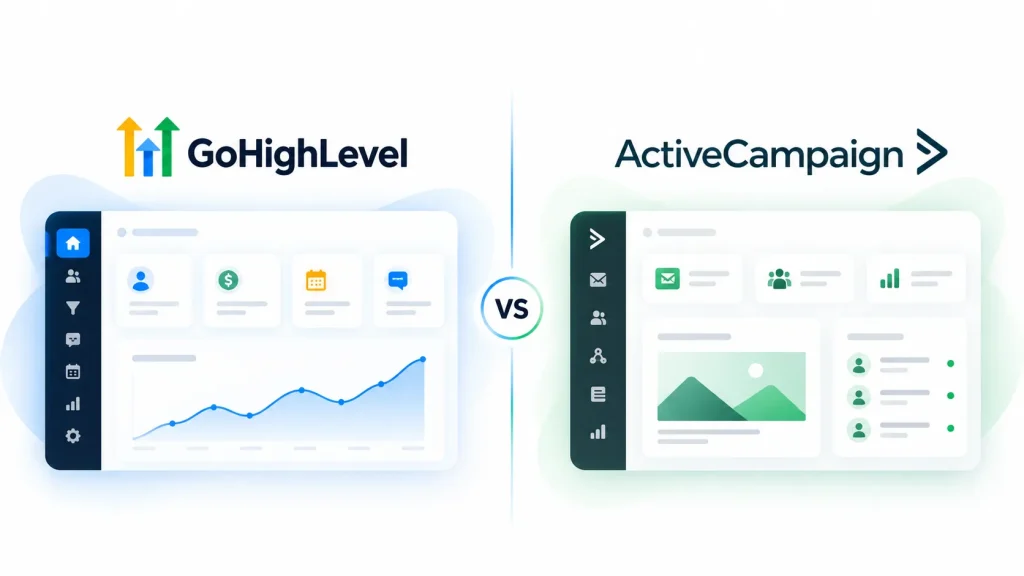
ActiveCampaign is an email automation specialist. Pricing starts at about $19 a month for 1,000 contacts, but the Starter plan limits automations. Plus costs about $59 a month.
It has stronger segmentation and email logic than GoHighLevel. But you’ll need other tools for texting, booking, funnels and reviews.
Choose ActiveCampaign if email is your main marketing channel. Choose GoHighLevel if you need email plus everything else. If email deliverability is your top priority, Klaviyo and Kit (formerly ConvertKit) are also worth a look.
Other alternatives worth a look
- Pipedrive (from $14 per seat a month): A clean, simple sales pipeline. Best if deals are your focus.
- Zoho CRM (free for 3 users): A low-cost CRM with a big suite of add-on apps.
- Salesforce: The enterprise standard. Powerful, but complex and costly.
- Keap (from $299 a month for 2 users): CRM and automation with required implementation help.
- Vendasta: A white-label platform built around reselling products to local businesses.
What to pair with GoHighLevel for cold outreach
GoHighLevel has no cold email engine and no LinkedIn automation. LinkedIn messaging has been requested on HighLevel’s public ideas board for years and still isn’t built.
Most agencies keep GoHighLevel for CRM and inbound work, then add a dedicated outbound tool. Common choices include Instantly, Smartlead and Salesforge. Salesforge advertises a native GoHighLevel integration that pushes contacts into its sequences. Check each tool’s integration before you buy.
If GoHighLevel still looks like the right fit, the next step is getting set up the right way.
How to Set Up GoHighLevel: A First-Month Plan
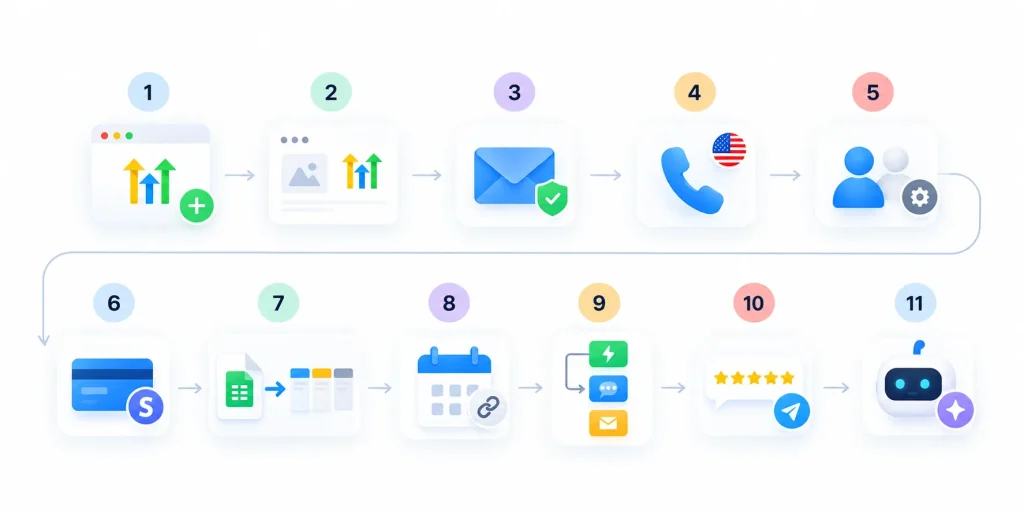
The learning curve is real. It gets much easier if you set things up in the right order. This is the order I’d follow, built around the things that most often break:
- Start your trial and create your first sub-account. If there’s a snapshot for your industry, load it now.
- Add your branding. Upload your logo, and connect your custom domain if you’re on Unlimited or above.
- Set up your email sending domain. Add SPF, DKIM and DMARC records before you send anything.
- Buy a phone number and start A2P 10DLC registration. In the US, approval can take days. Start it on day one.
- Set user roles and permissions before you invite your team or clients.
- Connect Stripe (or another payment provider) so you can take payments.
- Import your contacts from a CSV file, and build one sales pipeline.
- Create one booking calendar, and connect it to your Google or Outlook calendar.
- Build your first workflow. A missed-call text-back or a form follow-up is a great start.
- Turn on review requests after appointments or jobs.
- Add AI last. Get the basics running first, then test Conversation AI in Suggestive mode.
How long does setup take?
A basic setup can be running within a few days. Getting comfortable with the whole platform takes much longer.
Reviewers’ estimates vary widely, from 2 to 4 weeks up to 60 to 90 days. The difference usually comes down to how many features you try to use at once. A realistic first month looks like this:
| Week | Focus |
|---|---|
| Week 1 | Sub-account, branding, email domain, phone number and A2P registration |
| Weeks 2 to 3 | Contacts, pipeline, calendar, first funnel and first two workflows |
| Week 4 | Review requests, reporting dashboard, team permissions and testing |
| Month 2 onward | AI, extra workflows, more sub-accounts and snapshots |
Where to learn GoHighLevel
- HighLevel University and the Help Center: Free step-by-step guides for each feature. Some articles lag behind new releases.
- The HighLevel YouTube channel: Walkthroughs and product update videos.
- The Facebook community: Very active. Agencies share snapshots, fixes and workflow ideas.
- The HighLevel Certification Program: Structured training for $97 a month.
- Advanced Account Setup: A $1,000 done-with-you setup from HighLevel’s team.
- Certified experts for hire: Freelancers and agencies who build GoHighLevel setups for others.
Moving from another tool
If you’re switching from another CRM, plan the move carefully:
- Export your contacts as a CSV, and clean them up before importing.
- List every automation you use today, and rebuild the important ones first.
- Reconnect integrations like Stripe and your calendar by hand.
- Run both systems side by side for a week or two if you can.
Before you commit, it’s also worth knowing how your data is protected, what support looks like, and what happens if you leave.
Is GoHighLevel Secure?
Yes, by the usual standards for business software. This matters if you’re an agency holding client data.
HighLevel publishes these security credentials:
- SOC 2 Type II: An independent audit of its security, availability and confidentiality controls, done every year.
- ISO/IEC 27001:2022: An international certification for its information security program.
- EU-U.S. Data Privacy Framework: Certification for moving personal data between the EU and the US.
- Encryption: TLS 1.2+ for data in transit and AES-256 for data at rest, hosted on Google Cloud.
- Two-factor login: Supported with authenticator apps, and admins can require it for every user.
- Audit logs: A record of who changed what inside an account.
HighLevel also says it complies with GDPR, CCPA and CAN-SPAM, and gives you tools for consent and data deletion requests. Its own help center is clear on one point, though: using HighLevel doesn’t make your business GDPR compliant by itself.
Healthcare clients need the $297 a month HIPAA add-on. Accounts aren’t HIPAA compliant by default.
The biggest security risk is usually inside the account. Turn on required two-factor login, give each person the smallest set of permissions they need, and review agency users when staff leave.
GoHighLevel Support, Cancellation and Your Data
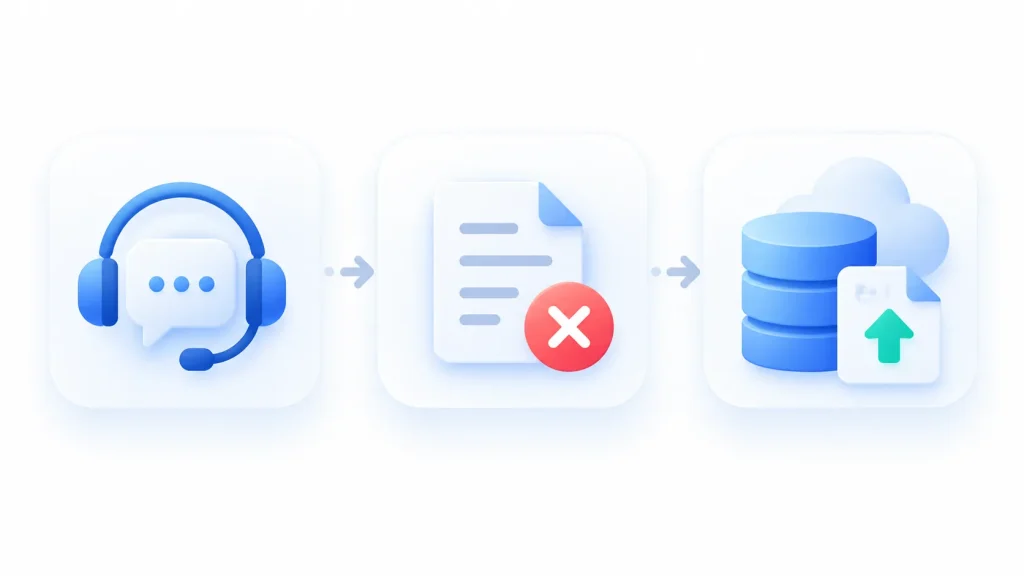
These are the questions buyers often forget to ask until they need the answers.
What support looks like
Every plan includes 24/7 support through live chat, Zoom and support tickets. HighLevel’s own figures put the average wait at about 6 minutes for chat and Zoom, and about 10 hours for a ticket reply.
User reviews are more mixed. Slow answers on complex problems and replies that just point to help articles are common complaints.
If you need faster help, Premium Support costs $500 a month or $5,000 a year. You need to have been a customer for at least 90 days to buy it. It includes:
- About a 1-minute wait for chat and Zoom
- About 3-hour ticket replies
- A dedicated Technical Account Manager
- A private Slack channel
- Quarterly business reviews
What happens if you cancel
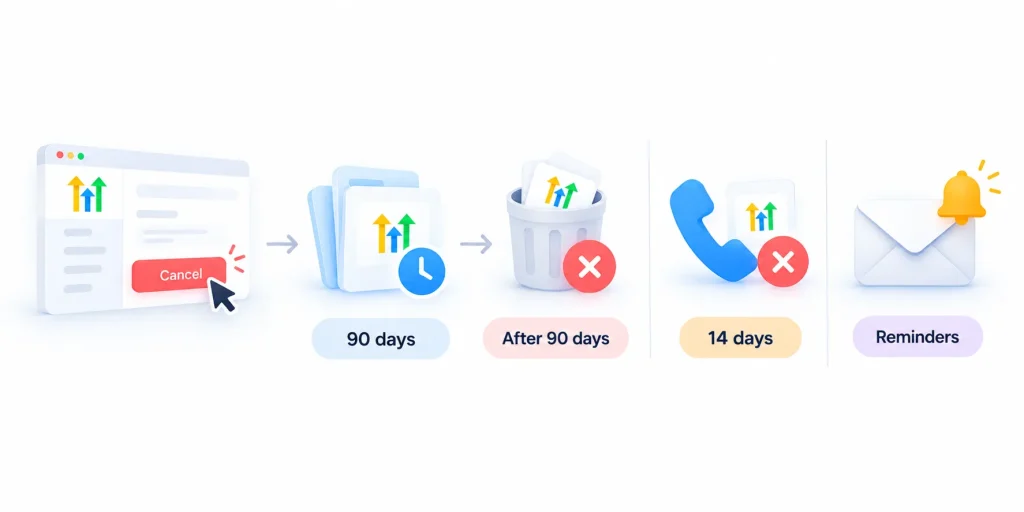
You can cancel from your dashboard at any time. When you do, you lose access right away. Your data isn’t deleted immediately, though:
- Account data is kept for 90 days. If you reactivate within that time, everything comes back.
- After 90 days, it’s deleted for good. HighLevel doesn’t keep backups of deleted accounts.
- Phone numbers and A2P registrations are deleted after just 14 days. You keep paying for numbers until then.
- HighLevel sends reminder emails 60, 30 and 5 days before final deletion.
That 14-day rule on phone numbers matters. If your customers know your number, losing it can hurt. Port it out before you cancel.
Some Trustpilot reviewers also report being billed after cancelling. HighLevel usually resolves these when they’re raised, but keep a written record of your cancellation.
A cheaper option: pausing
If you only need a break, you can pause your account for $27 a month. Your data stays active, and you don’t have to start over later.
Before you cancel: a quick checklist
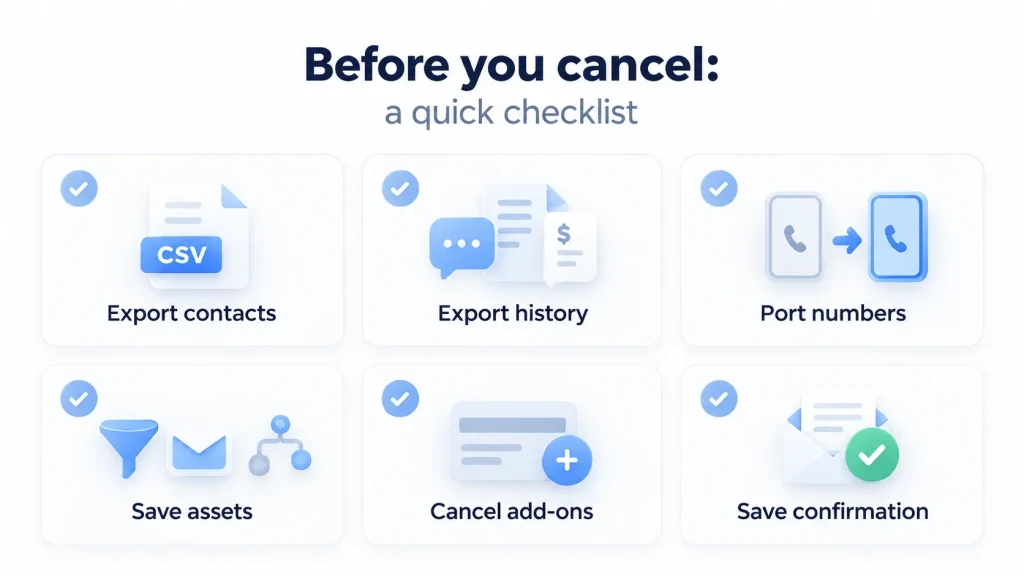
- Export your contacts as a CSV.
- Export conversation history, invoices and anything else you need.
- Port your phone numbers to another provider.
- Save copies of key funnels, emails and automations.
- Cancel any add-ons and SaaS client subscriptions.
- Save the cancellation confirmation email.
So, with everything on the table, is GoHighLevel worth it?
Is GoHighLevel Worth It? Our Verdict
For the right business, yes. For the wrong one, it’s an expensive way to complicate simple work.
This is my verdict by type of user:
| You are… | Verdict |
|---|---|
| A marketing agency | Worth it. Sub-accounts, snapshots and white labeling make it one of the strongest agency platforms available. Start on Starter, and move to Unlimited when you want white labeling or a 4th client. |
| A local service business | Worth it if you rely on leads, booking and reviews, and someone on your team will own the setup. |
| A freelancer or consultant | Worth it on Starter if you’ll use at least three features. If not, simpler tools will cost less. |
| A course creator | It depends. If courses are your whole business, Kajabi is likely the better fit. |
| A B2B sales team | Probably not. HubSpot, Pipedrive or Salesforce fit complex sales better. |
| A cold outreach team | Not on its own. Use a dedicated outbound tool, and keep GHL only if you also need its inbound CRM. |
The best way to know for sure is to test it. Use the 14-day trial to build one real workflow for one real client, from lead form to booked appointment. If that saves you time in two weeks, it’ll save you a lot more over a year.
Frequently Asked Questions About GoHighLevel
GoHighLevel covers a lot of ground, so it’s natural to have questions before deciding whether it fits your business. Below, we answer some of the most common questions about its pricing, features, integrations, setup, and who it works best for.
What is GoHighLevel used for?
GoHighLevel is used to capture leads, follow up with them automatically, book appointments, take payments and collect reviews. Marketing agencies use it to run client accounts and resell it under their own brand. Local service businesses use it to manage leads, texting and bookings in one place.
Is GoHighLevel a CRM?
Yes, but it’s more than a CRM. GoHighLevel includes contact management and sales pipelines, plus email and SMS marketing, funnels, websites, booking, reviews, payments, courses and AI tools. It’s best described as an all-in-one sales and marketing platform with a CRM at its center.
How much does GoHighLevel cost per month?
GoHighLevel costs $97, $297 or $497 a month, depending on the plan. Paying yearly saves about 17%. Texts, emails, calls and most AI features are billed on top by usage. One busy client account adds about $80 a month in usage, before any AI plan.
Is GoHighLevel free?
No. There’s no free plan, but every plan comes with a 14-day free trial. Billing starts automatically when the trial ends unless you cancel, and usage like texts and calls can be charged during the trial. Some affiliate links offer 30-day trials instead.
Is GoHighLevel secure?
Yes. HighLevel holds an annual SOC 2 Type II attestation and ISO/IEC 27001 certification, encrypts data in transit and at rest, and supports required two-factor login. Healthcare businesses need the $297 a month HIPAA add-on, because accounts aren’t HIPAA compliant by default.
Can I white-label and resell GoHighLevel?
Yes, from the Unlimited plan ($297 a month), which lets you put your own domain and branding on the desktop app. Starter doesn’t include white labeling. The Agency Pro plan ($497 a month) adds SaaS Mode, so you can sell the platform as your own software. A branded mobile app is a $497 a month add-on.
Does GoHighLevel do cold email?
Not well. LC Email is built for contacts who opted in, and HighLevel’s rules are built around consent. It has no mailbox rotation, no real warm-up and no LinkedIn automation. Most agencies keep GoHighLevel for inbound work and use a dedicated tool for cold outreach.
How long does it take to learn GoHighLevel?
Most people get a basic setup running in a few days. Feeling confident with the whole platform takes anywhere from 2 to 4 weeks up to 60 to 90 days, depending on how many features you use. Starting from a snapshot and adding one feature at a time is the fastest path.
Which is better, HubSpot or GoHighLevel?
It depends on who you are. HubSpot is better for larger in-house teams that need deep CRM, reporting and inbound marketing tools. GoHighLevel is better for agencies and service businesses that want an all-in-one tool with unlimited contacts at a lower price. Only GoHighLevel can be white-labeled and resold.
What happens to my data if I cancel GoHighLevel?
HighLevel keeps your account data for 90 days after you cancel, then deletes it permanently with no backups. Phone numbers and A2P registrations are deleted after just 14 days. Export your data and port your numbers before cancelling, or pause your account for $27 a month instead.
Final Thoughts
GoHighLevel is one of the most complete platforms you can buy for lead generation and follow-up. It just isn’t for everyone.
If you remember four things, make them these:
- Fit comes first. It’s built for agencies and lead-driven service businesses, not cold outbound teams or enterprise sales.
- Budget for the real cost. The plan price is only the start. Texts, emails, calls and AI are billed on top, and a busy account adds about $80 a month.
- Pick the plan by what you need. Starter for up to 3 accounts, Unlimited for white labeling or a 4th client, Agency Pro only if you’ll resell.
- Know your alternatives. HubSpot, ClickFunnels, Kajabi and ActiveCampaign each beat it at one specific job.
And if you’re building your business on GoHighLevel funnels or websites, don’t forget about search. Paid leads stop when the ad spend stops. Organic traffic keeps working long after.