
I have used Ahrefs data in enough client SEO programs to have a settled view on it. The backlink index is excellent. The competitor research workflow is the fastest in the category. The interface is cleaner than anything Semrush has shipped.
None of that is the interesting part of this review.
The interesting part is that Ahrefs now costs between $29 and $1,499 a month depending on tier. It charges $40 to $100 per additional user, and sells at least five separate add-ons on top of the base subscription.
A five person agency team can quite easily build a $1,000 monthly bill without touching the enterprise plan.
Meanwhile the entry tiers meter your usage by credit. A recurring complaint across review sites is accounts getting automatically restricted for activity the user considered normal.
So this is not a review that asks whether Ahrefs is good software. It clearly is. It asks whether the data is valuable enough to justify what Ahrefs now charges to reach it, and it answers that differently depending on who you are.
Ahrefs Review: My Verdict
Ahrefs is still the tool I would pick if backlink data and competitor research drive most of my SEO work. Nothing else surfaces link opportunities as quickly, and the historical depth is hard to replace.
What has changed is the value calculation. The base price buys less than it used to. Several capabilities now sit behind separate subscriptions. And the rank tracker has a limitation that Ahrefs does not advertise.
- Best for: link building teams, SEO agencies, SaaS and affiliate SEO teams doing frequent competitor research
- Not best for: bloggers, small businesses doing occasional keyword research, anyone whose main need is daily rank tracking
- Biggest strength: backlink index depth and the speed of competitor research
- Biggest weakness: total cost once seats and add-ons are counted, and weekly rank tracking on every plan
- Starting price: $29/month (Starter), $129/month for the first professional tier
| Factor | Score |
| Backlink analysis | 9.5/10 |
| Keyword and competitor research | 9.0/10 |
| Data quality and accuracy | 8.0/10 |
| Site Audit | 8.0/10 |
| AI search visibility | 7.5/10 |
| Content research and optimization | 7.0/10 |
| Ease of use | 8.5/10 |
| Rank Tracker | 5.5/10 |
| Pricing and value | 5.0/10 |
| Overall (weighted) | 8.0/10 |
A note on evidence before we go further. This review is built from Ahrefs’ official pricing and documentation, aggregated user reviews across G2, Capterra and Trustpilot, and my own working experience with Ahrefs data in client SEO programs. Where a claim comes from documentation rather than hands-on use, I say so in the text.
What Is Ahrefs in 2026?
Ahrefs is an SEO and marketing platform built on its own web crawler and search data. It launched in 2010 as a backlink checker. Dmytro Gerasimenko founded it, and the company is still headquartered in Singapore.
If you stopped paying attention around 2022, the product you remember is roughly a third of what exists now.
Ahrefs no longer describes itself as an SEO tool. The current positioning is a marketing platform covering search, AI visibility, competitive intelligence, content, website performance and PPC.
That positioning is backed by product. The platform spans far more ground than it used to.
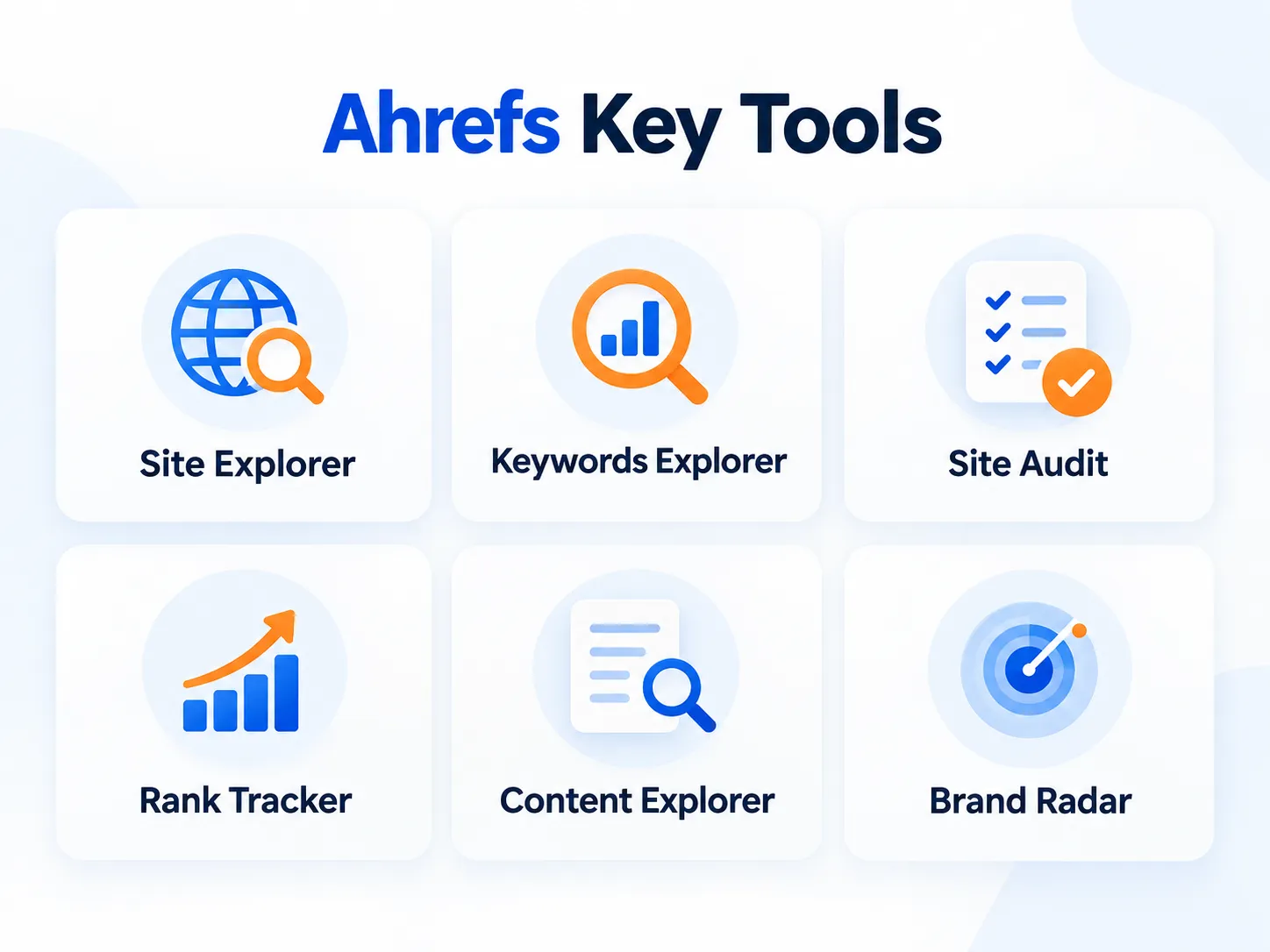
The core modules are:
- Site Explorer for analyzing any domain’s organic, paid, AI and backlink performance
- Keywords Explorer for keyword research and SERP analysis
- Site Audit for technical SEO crawling
- Rank Tracker for monitoring chosen keywords
- Content Explorer for content and link prospect research
- Brand Radar for AI search visibility
Around those sit a longer list of supporting tools. These include Competitive Analysis (Content Gap and Link Intersect), Web Explorer, AI Content Helper, GSC Insights, Web Analytics, Bot Analytics, a Google Business Profile monitor, a Social Media Manager, the SEO Toolbar and Batch Analysis.
Ahrefs has also started spinning out separate products. Letaido is a standalone AI marketing platform built on the Ahrefs index, fronted by CMO Tim Soulo. Firehose is a brand mention and competitor monitoring product with its own subscription.
I mention those two because almost no current review does, and they tell you something about where the company’s attention is going.
Why does the expansion matter for buyers?
Because breadth is not the same as value.
The reason to pay Ahrefs has always been access to proprietary crawl and search data that you cannot get anywhere else. Every new module either uses that data advantage or it does not.
Site Explorer and Content Explorer use it heavily. The Social Media Manager does not.
So when you evaluate Ahrefs, ignore the feature count. Ask which modules touch the proprietary index, because those are the ones you are actually paying a premium for.
How I Evaluated Ahrefs
I did not want to score this on a generic checklist of ease of use, features and support. Those categories tell you almost nothing about whether a $249 monthly bill is justified.
Instead I built the criteria from the friction people actually report about this specific product.
Read enough Ahrefs threads and the same complaints repeat. Cost. Credits and usage limits. Account restrictions. Data that disagrees with Google Search Console. Rank tracking that stopped feeling reliable.
Those pain points became the scoring model. Here are the weights:
| Factor | Weight |
| Backlink analysis | 20% |
| Keyword and competitor research | 20% |
| Data quality and accuracy | 15% |
| AI search visibility | 10% |
| Technical SEO and Site Audit | 10% |
| Rank tracking | 10% |
| Content research and optimization | 5% |
| Ease of use and workflow | 5% |
| Pricing, limits and value | 5% |
I weighted backlinks and competitor research highest because those are the workflows people actually buy Ahrefs for. What earns a high or low score on each factor, and why pricing carries only 5%, is explained in the full score breakdown near the end.
Ahrefs Pros and Cons
I am putting this early because you should not have to read the whole review to find out what is wrong with the product.
What are the pros of Ahrefs?
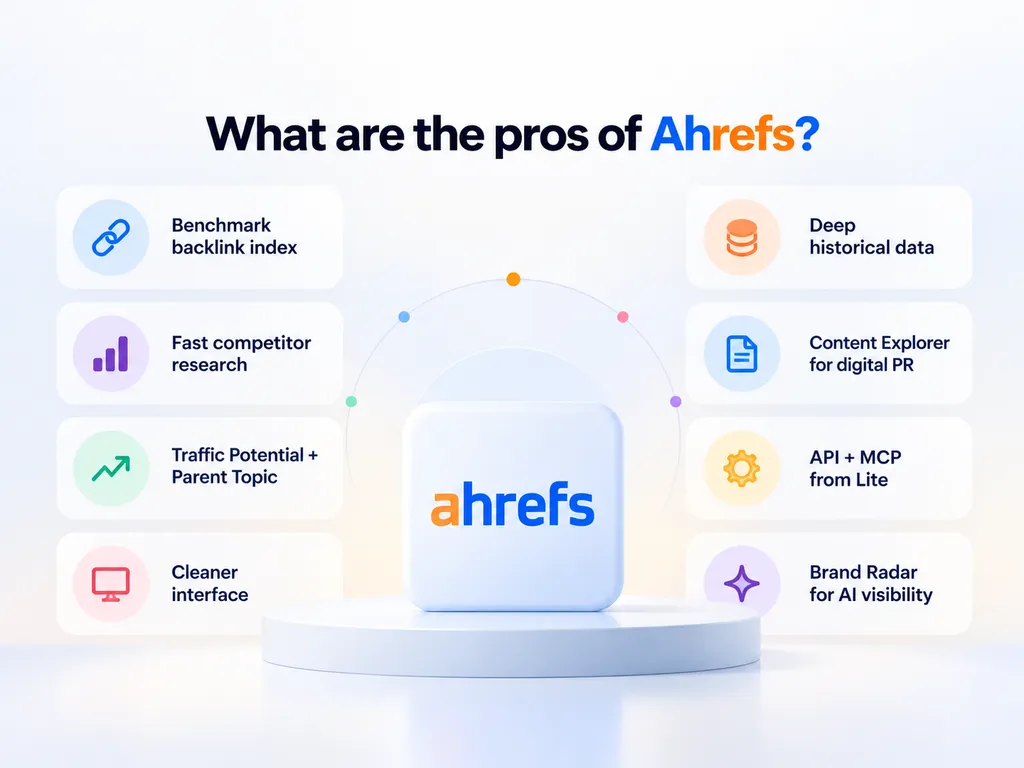
- The backlink index is still the benchmark. Ahrefs runs its own crawler rather than licensing link data. The depth of historical link records is the main reason link building teams stay subscribed.
- Competitor research is fast. Site Explorer gets you from a domain to its best pages, ranking keywords, link profile and content gaps in a handful of clicks. This is the workflow I would miss most.
- Traffic Potential and Parent Topic beat raw volume. They push you toward the topic a page can rank for rather than a single keyword, which is how search actually works.
- The interface is cleaner than the competition. This sounds cosmetic but it compounds. Faster navigation means more research per hour.
- Historical data goes deep on higher tiers. Advanced gets five years, Enterprise is uncapped. For diagnosing what happened to a competitor, this is hard to replace.
- Content Explorer is underrated for digital PR. It surfaces authors, unlinked mentions and broken pages with links. That makes it a link prospecting tool as much as a content ideas tool.
- API and MCP access are now included from the Lite plan. Several 2026 reviews still incorrectly claim API is Enterprise only.
- Brand Radar puts AI visibility inside the same platform. Imperfect, but you are not immediately forced into another subscription.
What are the cons of Ahrefs?
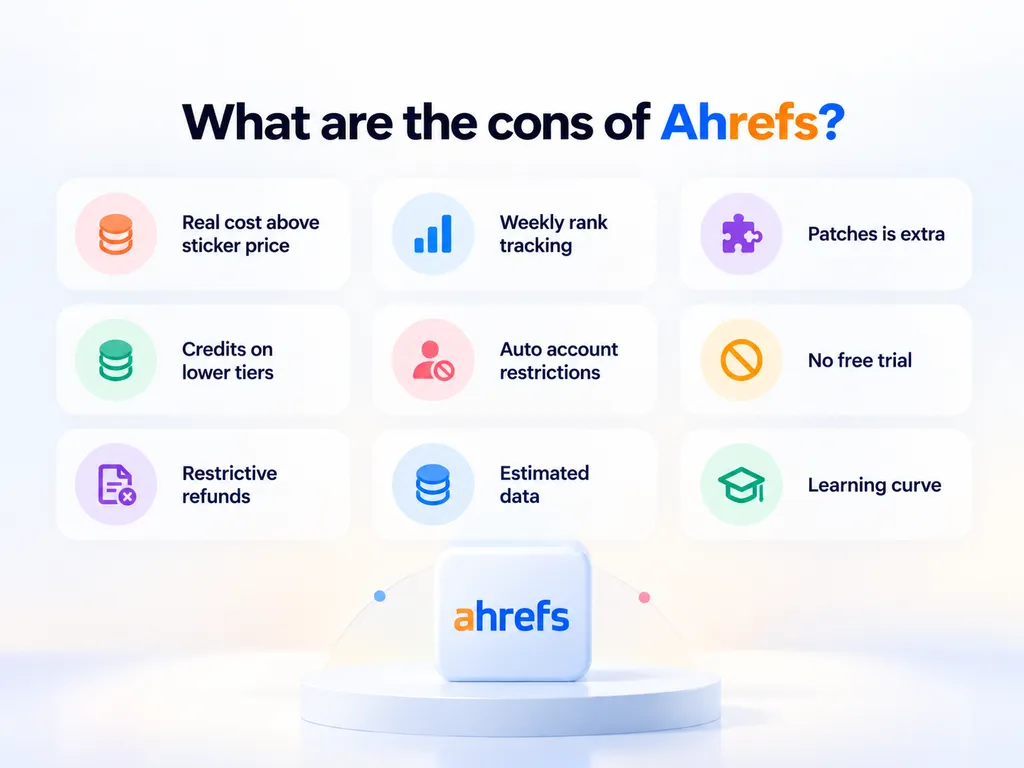
- The real cost is well above the sticker price. Additional users run $40 to $100 per month each depending on tier, and there are at least five separate add-ons. I model the true cost further down.
- Rank Tracker updates weekly on every plan. Including the $1,499 Enterprise tier. That is in Ahrefs’ own comparison table.
- Patches is not included. Ahrefs markets Patches as a way to apply SEO fixes without developers. It sits inside the Project Boost Max add-on at $200 per month per project.
- Credits interrupt work on the lower tiers. Starter and Lite are metered. Standard and Advanced are unlimited, which is better than most reviews suggest.
- Automated account restrictions are a recurring complaint. Users report being locked out for “suspicious activity” after what they describe as normal research. Ahrefs confirms the restrictions are automatic and will not disclose the triggers.
- There is no free trial. Ahrefs says it never runs discounts. The cheapest way to evaluate the full platform is to pay $29 for Starter.
- Refunds are restrictive. Ahrefs does not generally issue refunds, and monthly refund requests can be declined if there is meaningful activity on the account.
- The data is estimated, not measured. This is true of every third party SEO tool. Ahrefs traffic numbers will not match Google Search Console, because they are not measuring the same thing.
- There is a learning curve. The depth that makes Ahrefs good also makes it slow to learn. Reviewers consistently flag this.
Ahrefs Site Explorer Review
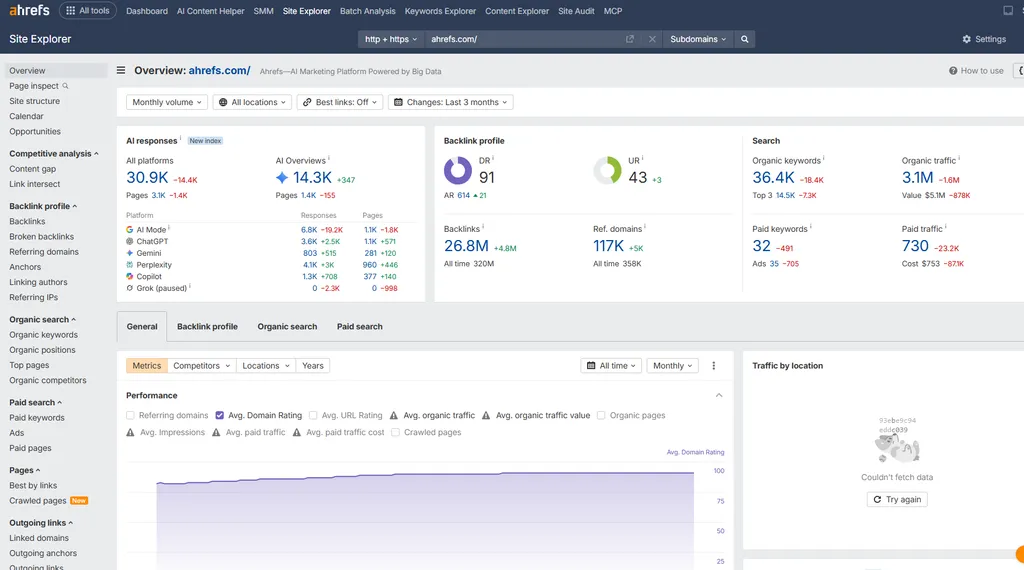
Site Explorer is the reason most people open Ahrefs. You paste in a domain and get its organic traffic estimate, ranking keywords, best pages, backlink profile, paid search activity, AI search presence and closest competitors.
It is the fastest competitive research workflow I have used, and that speed is worth more than it sounds.
When I am scoping a new client in a competitive industry, I can build a picture of the entire competitive set in an afternoon. Who is growing, which pages carry their traffic, where their links come from, what they rank for that the client does not.
That used to take a week.
We lean on this heavily for our SaaS clients. Before we propose a single piece of content, we map which competitor pages pull the most organic traffic and which of those have the thinnest link support. That shortlist usually becomes the first quarter’s plan.
What are the key features of Site Explorer?
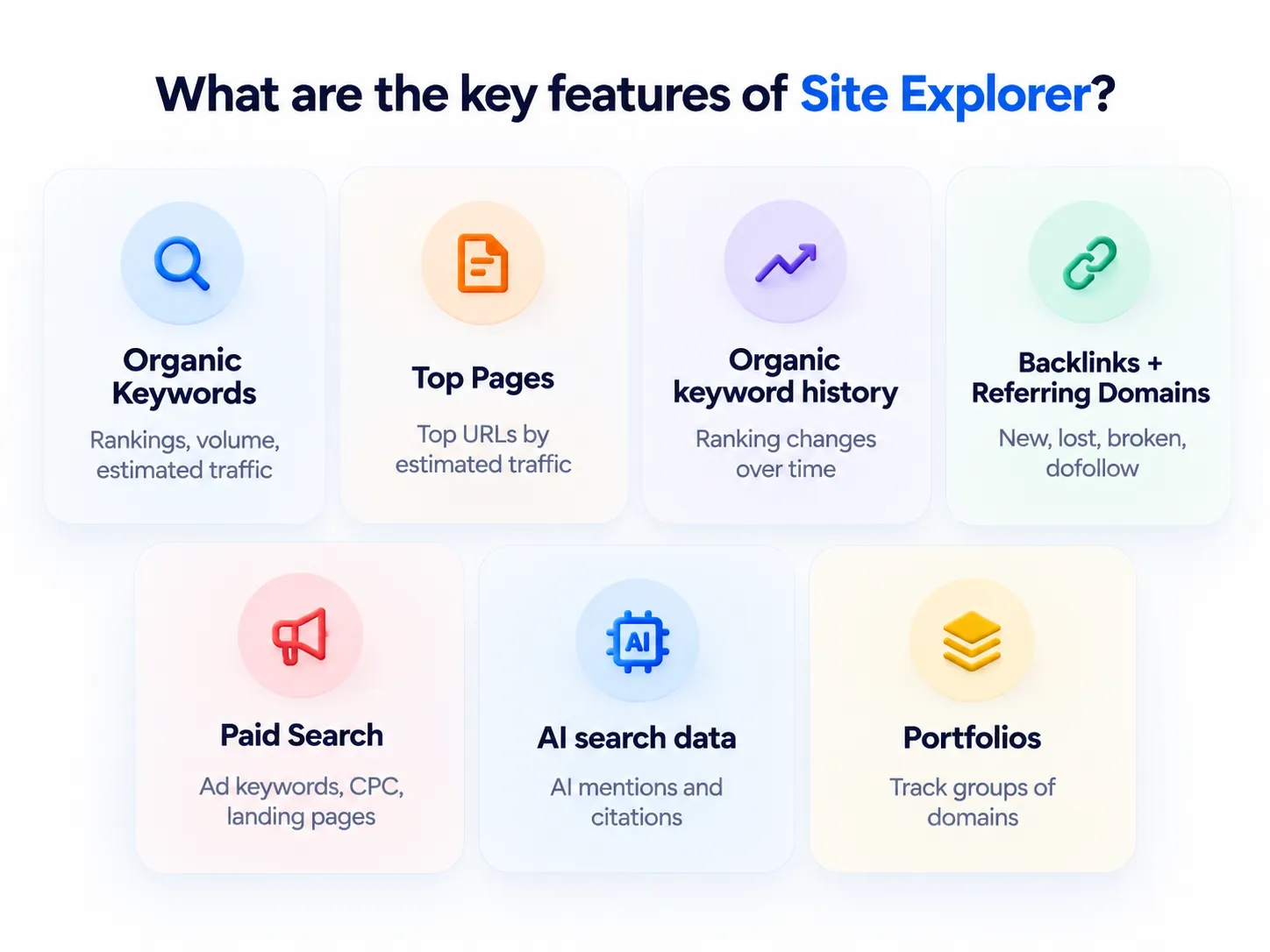
- Organic Keywords: every term a domain ranks for, with position, volume and estimated traffic. Filters let you isolate positions four to ten, which is where quick wins usually hide.
- Top Pages: ranks a competitor’s URLs by estimated traffic. This is the fastest way to see what a business actually earns its search visibility from.
- Organic keyword history: shows how a domain’s keyword count and positions changed over time, so you can pin a traffic jump to a date.
- Backlinks and Referring Domains: the full link profile, with filters for new, lost, broken, dofollow and anchor text.
- Paid Search: competitor ad spend estimates, ad keywords, CPC, ad copy history, positions and landing pages. The old line that Ahrefs has no PPC capability is out of date.
- AI search data: Site Explorer now reports how often a domain is cited or mentioned in AI responses, which connects to Brand Radar.
- Portfolios: group several domains and track their combined traffic and links. Useful for agencies watching a client and its competitors as one set.
Content Gap and Link Intersect now live under a tool Ahrefs calls Competitive Analysis.
- Content Gap compares your domain against several competitors and returns keywords they rank for and you do not. This is the report I use most.
- Link Intersect finds domains linking to multiple competitors but not to you. Those are usually the most obtainable targets, because the site has already shown it will link in your category.
Here is a simple example of how the Content Gap plays out. Put in your site and three competitors, then filter for keywords where at least two competitors rank in the top ten. On a mid-size B2B site, that usually cuts thousands of rows down to a few hundred topics you are clearly missing.
What are Traffic Value and URL Rating?
Two Site Explorer metrics confuse new users, so it is worth defining them.
Traffic Value estimates what a site’s organic traffic would cost if you bought the same clicks through Google Ads. It multiplies estimated traffic by the CPC of each keyword. It is a rough measure of commercial value, not revenue.
URL Rating (UR) is a 0 to 100 score for the strength of a single page’s backlink profile. Domain Rating does the same at site level. I cover DR in the backlink section below.
What are the pros of Site Explorer?
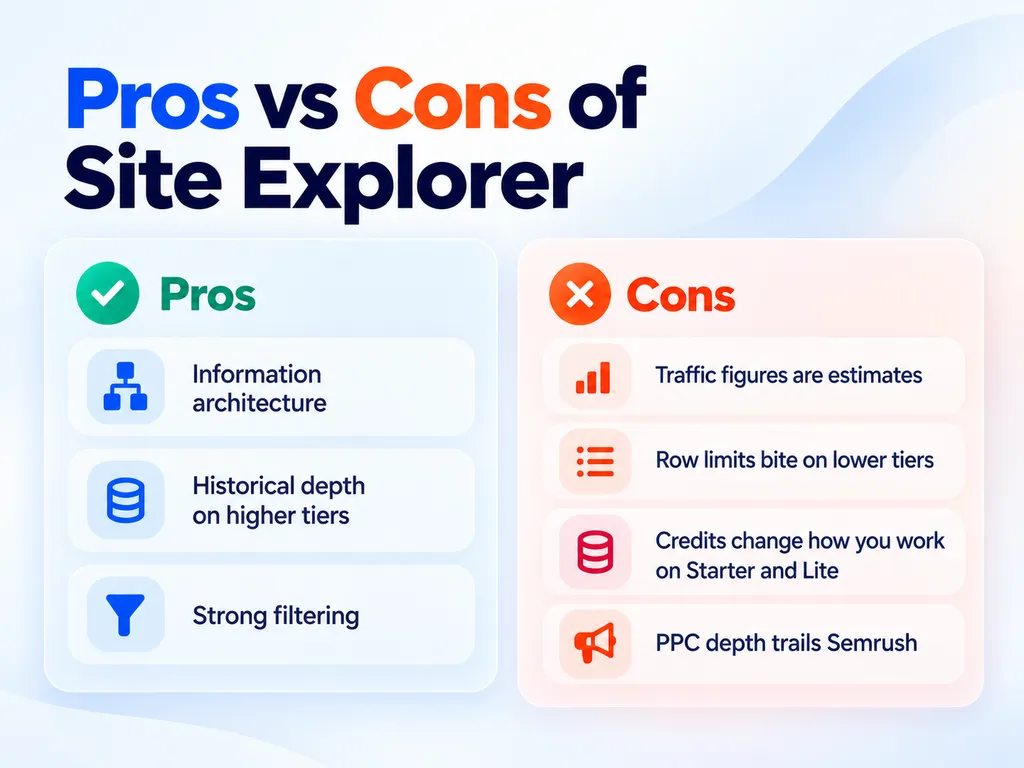
- Information architecture. Reports are laid out so one question leads naturally to the next, which is why the research goes quickly.
- Historical depth on higher tiers. You can answer “why” questions, not only “what” questions. Seeing exactly when a competitor’s traffic inflected, then checking what they published or acquired around that date, is useful strategic input.
- Strong filtering. You can go from thirty thousand keywords to a shortlist of forty worth acting on without exporting to a spreadsheet.
What are the cons of Site Explorer?
- Traffic figures are estimates. I have seen Ahrefs estimates land within a reasonable range on large content sites and be far off on sites with heavy branded search or a lot of logged-in usage. Use them to compare competitors against each other, not to state absolute numbers in a client report.
- Row limits bite on the lower tiers. Lite caps reports at 2,500 rows. For a large ecommerce competitor, that is not enough to see the whole picture.
- Credits change how you work on Starter and Lite. Every report you open consumes a credit. You start being careful about clicking, and careful clicking is the opposite of good research.
- PPC depth trails Semrush. Ad history and CPC data are useful for spotting competitor spend, but Ahrefs is not built for running a paid search program.
Ahrefs Backlink Analysis Review
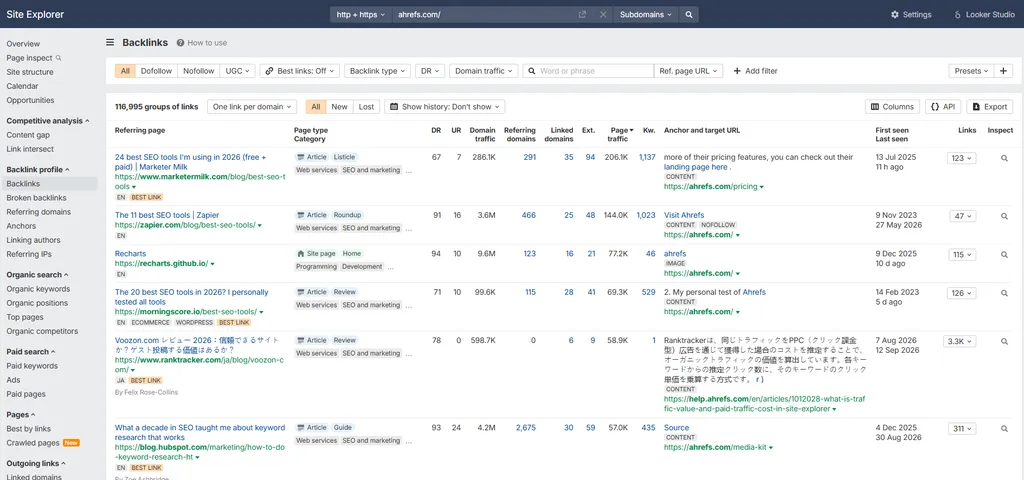
This is the section that matters most, because backlinks remain the clearest reason to pay Ahrefs rather than something cheaper.
What are backlinks and referring domains?
A backlink is a link from another website to yours. A referring domain is the website that link comes from.
One referring domain can contain hundreds of backlinks, for example a sitewide footer link. That is why experienced SEOs look at referring domain counts first. Ten links from ten different sites usually matter more than a hundred links from one.
How does Ahrefs collect its link data?
Ahrefs crawls the web itself with AhrefsBot rather than buying link data. Ahrefs says AhrefsBot is the second most active crawler on the web after Googlebot.
That crawl activity feeds the backlink index directly. It is why new links often show up within days rather than weeks, and why the index has stayed competitive for over a decade.
Ahrefs publishes its index size on its “big data” page. At the time of writing it reports 35T live backlinks across 209M domains.
How good is the backlink data?
Very good, with the caveat that no link index is complete.
Every tool discovers a different subset of the web. Ahrefs, Semrush and Majestic will all return different referring domain counts for the same site, and none of them is exactly wrong. They crawl different things at different rates.
This assessment reflects documented crawl behavior and consistent patterns in aggregated user reporting rather than a controlled index comparison I ran myself.
What I care about is not the total number. It is the actionable opportunity rate.
If a tool returns four million links and 5% of them are relevant and obtainable, it is less useful than a tool returning three million where 15% are.
On that measure Ahrefs performs well, mostly because the filtering is good enough to cut the noise quickly.
What are the key features of the backlink reports?
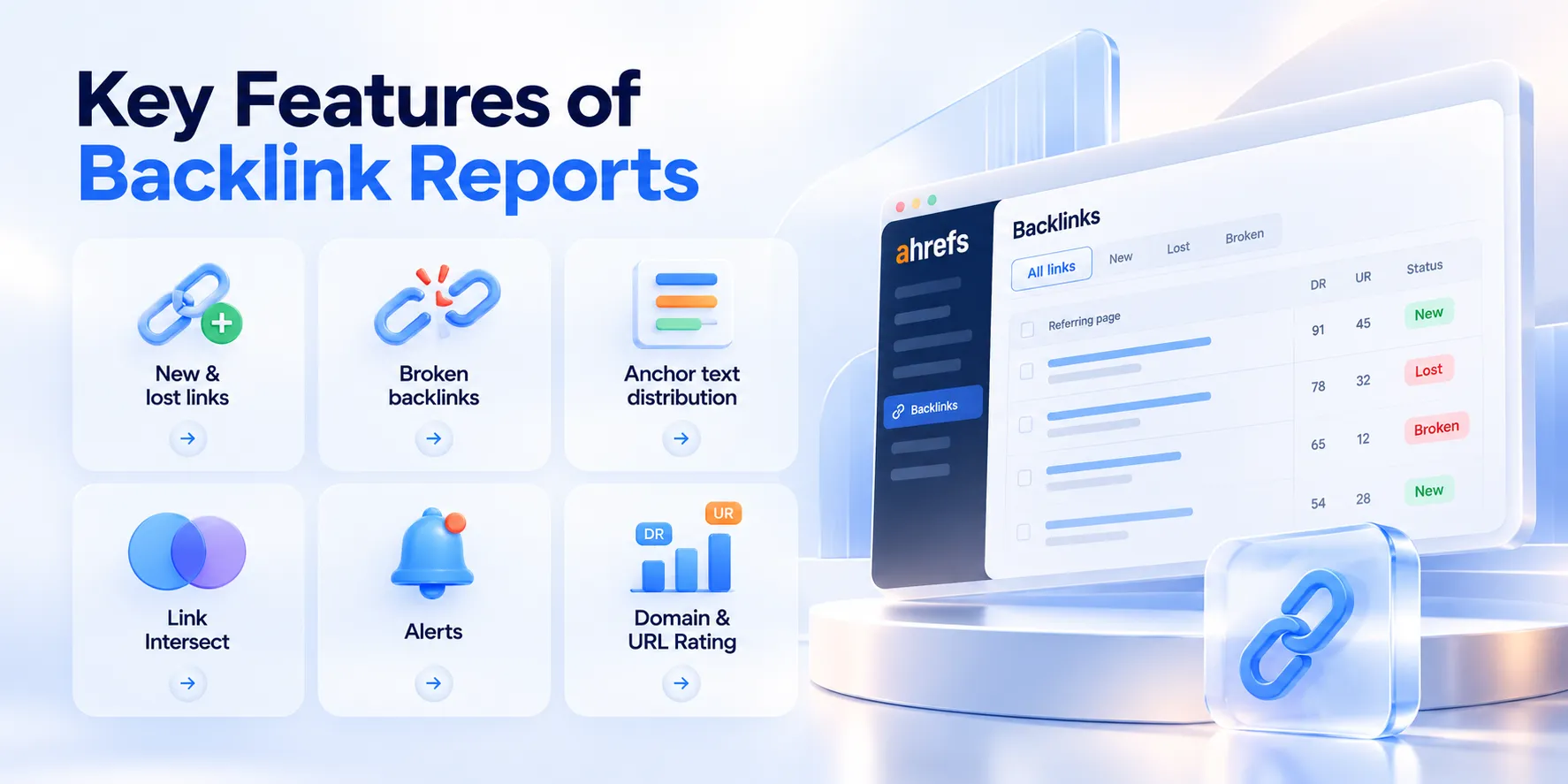
- New and lost links: date-stamped, which is how you catch a competitor’s active campaign while it is still running.
- Broken backlinks: dead pages on competitor domains that still have links. Build the replacement, then contact the linking sites.
- Anchor text distribution: useful for spotting whether a competitor’s profile looks natural or manipulated.
- Link Intersect: the single highest value link report in the platform, in my view.
- Alerts: email notifications when you or a competitor gains or loses backlinks. Set them once and they keep watch for you.
- Domain Rating and URL Rating: comparative authority metrics for sites and pages.
A quick Link Intersect example. Say three competitors each have links from a popular industry newsletter, and you do not. That newsletter already covers your category. It is a far warmer outreach target than a random high DR site.
This is the workflow our link building team runs for most new clients in the first month.
What is Domain Rating, and does Google use it?
Domain Rating is Ahrefs’ own 0 to 100 score for the relative strength of a domain’s backlink profile.
Google does not use it. It is not a ranking factor. It is a third party comparative metric that Ahrefs invented.
I am being blunt about this because I still see people set DR targets as if Google reads them. DR is useful for one thing: quickly comparing two sites against each other.
The same applies to Moz’s Domain Authority and every other proprietary authority score.
What are the cons of Ahrefs backlink analysis?
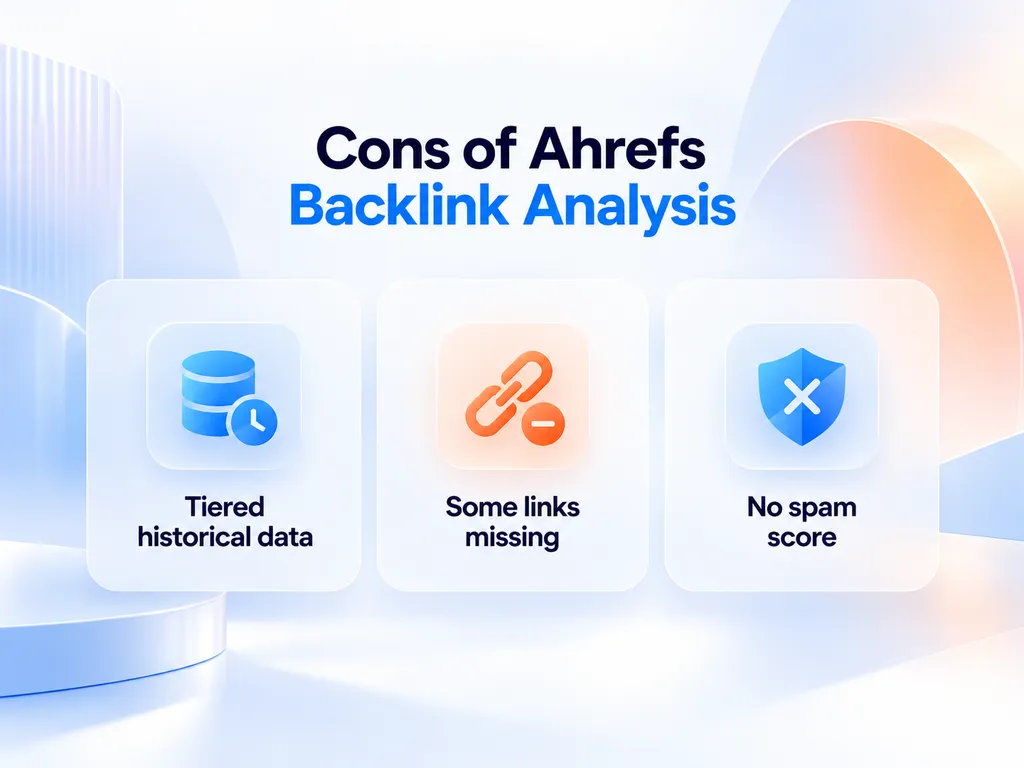
- Historical link data is tiered. Lite gets six months, Standard two years, Advanced five. If you are diagnosing a link profile that changed three years ago, you need the expensive plan.
- Some links are missing. Users report the index missing links they can see elsewhere. This is normal across tools, but cross check with Search Console for your own sites, since Google’s link report is first party.
- There is no spam score equivalent. You have to judge link quality yourself. That is fine if you know what you are doing and a problem if you do not.
Ahrefs Keywords Explorer Review
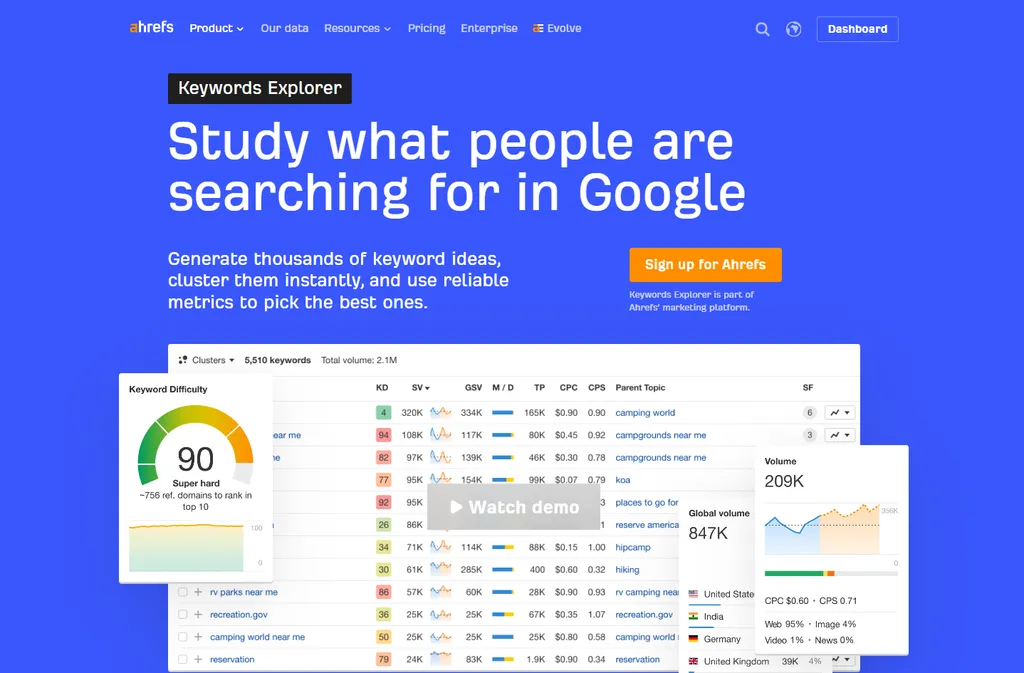
Keywords Explorer is strong, and it is where Ahrefs’ way of thinking about search earns its keep.
Ahrefs reports a filtered keyword database of 28.7 billions across 217 locations.
What makes Ahrefs keyword research different?
Two metrics, mainly.
Traffic Potential estimates the total traffic the top ranking page for a keyword receives across every term it ranks for, not only the one you searched.
That distinction matters more than almost anything else in keyword research. A keyword with 800 monthly searches whose top page pulls 12,000 visits is telling you the page ranks for hundreds of related terms. That is the real opportunity.
Parent Topic identifies the broader query a keyword belongs to. It answers a question I get from clients constantly: do two similar keywords need two pages or one?
If two keywords share a parent topic, they usually share a page. Building separate pages for both is how you create cannibalization.
What are the pros of Keywords Explorer?
- SERP Overview under every keyword. It shows the current ranking pages with their DR, backlinks and estimated traffic. You can judge whether a keyword is winnable in about fifteen seconds.
- Keyword history. Volume history and SERP position history show whether demand is seasonal or growing, and how stable the top results are.
- Clustering and search intent labels (Standard and up). Keywords are grouped by shared ranking pages and tagged by intent, such as informational or commercial. That cuts hours of manual sorting when you build a content plan.
- SERP feature data. You can see which keywords trigger AI Overviews, featured snippets or video results before you commit to a format.
- Filtering. Strip out branded terms, set difficulty ranges and isolate question queries quickly.
What are the cons of Keywords Explorer?
- Keyword Difficulty is backlink weighted. It is a decent proxy but it ignores content quality, brand strength and how well current results match intent.
- KD can mislead in both directions. I have seen keywords with a KD of 40 that were easy to rank for because the existing results were poor. I have also seen keywords with a KD of 15 that were locked up by a dominant brand. Treat KD as a starting filter, not a verdict.
- Search volume is modeled. It comes from clickstream and other data, and it will not match Google Keyword Planner or your Search Console impressions. Low volume B2B terms are where estimates are least reliable, which hurts because that is where a lot of high value SaaS keywords live.
- Keyword lists are capped by plan. Lite gets 50, Standard 100, Advanced 200.
Ahrefs Site Audit Review
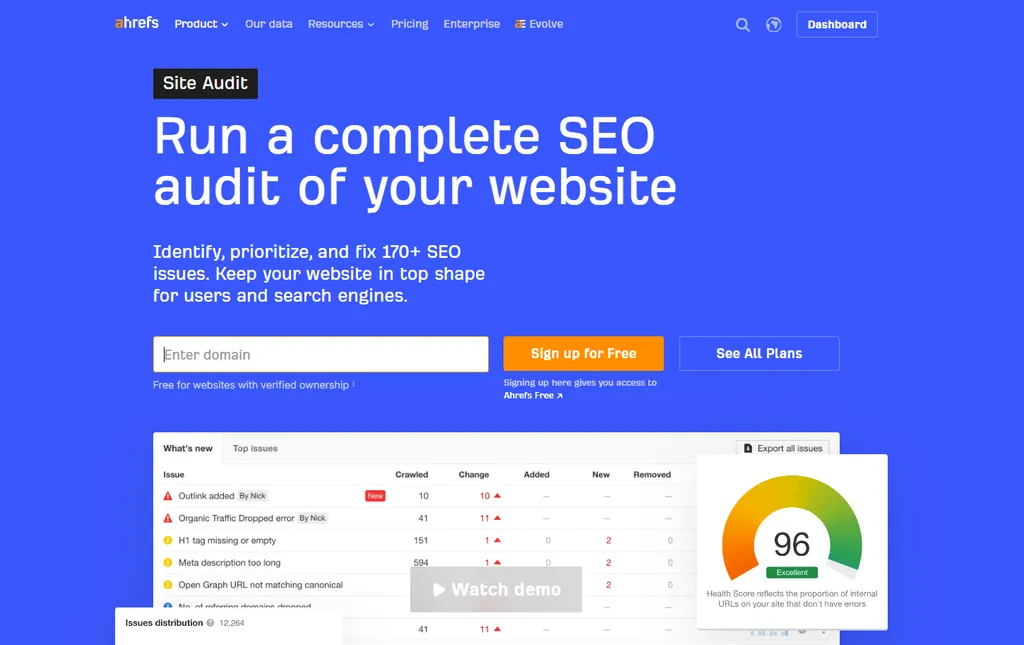
Site Audit crawls your own site and reports technical and on page issues across more than 170 checks.
It is competent. It is not the reason to buy Ahrefs.
What does Site Audit actually cover?
- Core technical checks: broken links, redirect chains, canonical problems, indexability, duplicate content and missing metadata.
- JavaScript rendering: Site Audit can render pages like a browser. That matters for React or other JavaScript-heavy sites, where a plain HTML crawl misses content and links.
- Internal linking: the Internal Link Opportunities report suggests pages that should link to each other based on shared keywords.
- Performance and markup: Core Web Vitals and structured data checks.
- Health Score: the share of crawled URLs without errors, shown as a single number. Use it to see if things are getting better or worse, not as a grade.
- Always-on audit: instead of waiting for a scheduled crawl, Ahrefs monitors the site continuously and prioritizes important pages based on traffic, links, indexability and recency.
That shift from scheduled crawls to continuous monitoring helps on large sites, where something can break on a Tuesday and go unnoticed until the next crawl.
What about Patches?
This is where I need to be direct, because Ahrefs’ marketing is doing some work here.
Patches lets you apply certain SEO fixes from inside Ahrefs without waiting for a developer. Titles, meta descriptions, canonicals, redirects, noindex, nofollow, image alt text and internal links.
It is a real capability and a meaningful shift. Ahrefs moves from detecting problems to executing fixes.
But Patches is not included in any subscription plan. It sits inside Project Boost Max at $200 per month, per project.
For an agency managing ten client sites, Patches across all of them would cost $2,000 a month on top of the base subscription.
I would also push back on the framing that this replaces developers. It does not. You still need to think about implementation method, reversibility, whether changes persist, and what happens if you cancel. Applying SEO changes through a third party layer carries real risk, and it deserves more scrutiny than the marketing gives it.
What are the cons of Site Audit?
- Crawl credits are metered. From 100,000 a month on Lite up to 1.5 million on Advanced. Large ecommerce sites will feel this.
- False positives happen. They are most common where AhrefsBot is blocked or rate limited by the host. If your server or CDN restricts the crawler, your Health Score reflects that restriction rather than your site’s actual condition.
- Dedicated crawlers offer more control. If technical SEO is your main need, Screaming Frog (free up to 500 URLs, about £199 a year per license beyond that) or Sitebulb will give you more control for far less money. Site Audit is a good bundled tool, not a best in class one.
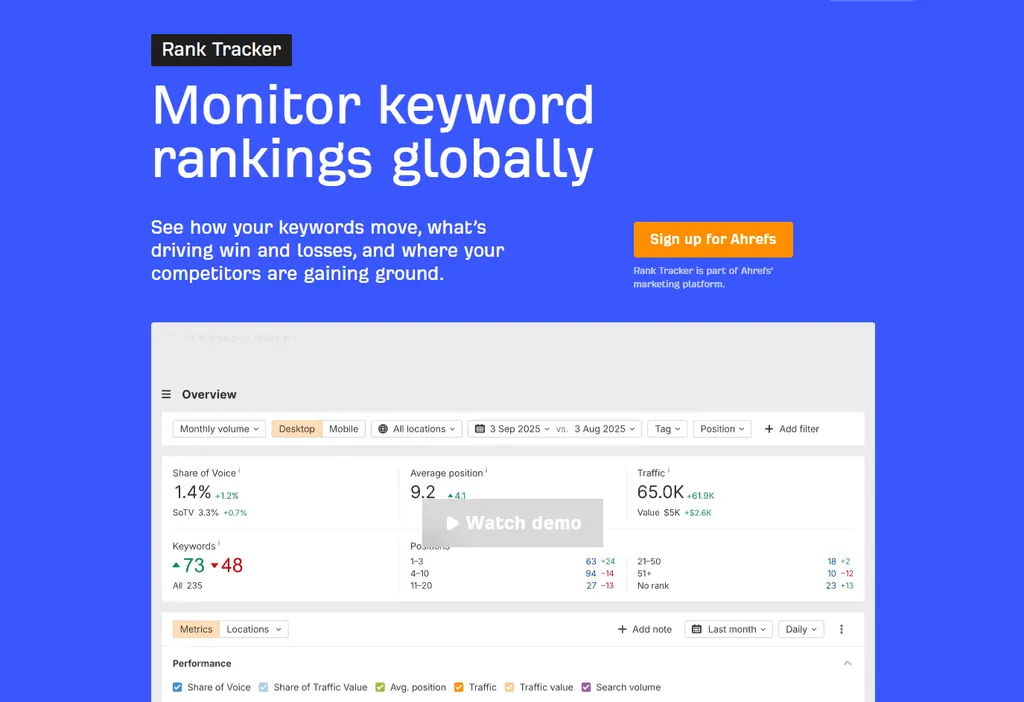
Ahrefs Rank Tracker Review: The Weakest Part of the Platform
I want to give this section more space than most reviews do, because there is a limitation here that almost nobody states plainly.
How often does Ahrefs update rankings?
Weekly. On every plan.
Lite, Standard, Advanced and Enterprise all show weekly update frequency in Ahrefs’ own plan comparison table. Paying $1,499 a month does not get you daily rank tracking.
Specialist trackers treat daily updates as a baseline. Competing suites offer daily tracking on mid tier plans.
If you report ranking movement to clients, or you work in a volatile vertical where positions swing daily, this is a real problem. You will be reporting on a week old snapshot.
Why did rank tracking get harder across the whole category?
This context gives the weekly limit a fairer reading, and I have not seen another Ahrefs review connect it.
Around September 10, 2025, Google quietly disabled the &num=100 URL parameter. That parameter let tools pull 100 search results in a single request instead of ten.
Every rank tracker in the industry relied on it. Ahrefs, Semrush, Moz, AccuRanker, and effectively every SERP API.
Removing it means tools now need ten separate requests to gather the same top 100 data. Industry estimates put the resulting increase in data collection cost somewhere between 400% and 900% to keep the same depth.
The fallout was immediate. Sites saw sharp drops in Search Console impressions, better-looking average positions, and large apparent losses in tracked keyword visibility. An analysis of several hundred sites by Tyler Gargula at LOCOMOTIVE Agency found most of them lost impressions and unique ranking terms in reporting.
None of that was a ranking change. It was a measurement change.
Ahrefs and Semrush both responded by stressing that first page data remains accurate. That is true, and it is also a quiet admission that deep SERP coverage took a hit.
So when you evaluate any rank tracker in 2026, understand that the whole category is working with more expensive and more limited data than two years ago. Rising prices across every SEO suite are partly downstream of this.
That context explains the weekly limit. It does not make weekly tracking good enough for agency reporting.
What are the pros of Rank Tracker?
- Broad location coverage. Tracking across 190 plus locations down to city and postcode level, on desktop and mobile.
- SERP feature tracking. It tracks 19 SERP features including AI Overviews, which matters more every month.
- Share of Voice. A better headline metric for clients than average position, because it weights visibility by search volume.
- Competitor tracking. Add up to several competitors per project and see their positions next to yours on the same keywords.
Is Ahrefs good for local SEO?
Partly. City and postcode tracking gives you local rank data, and the Google Business Profile monitor covers basic listing performance.
What it lacks is the rest of the local workflow. There is no citation building, no review management and no local grid (map pack) tracking of the kind BrightLocal or Local Falcon offer. For a multi-location business, Ahrefs is a supporting tool, not the main one.
What are the cons of Rank Tracker?
- The weekly update ceiling. Covered above.
- Tracked keyword limits are tight for the price. Lite gets 750, Standard 2,000, Advanced 5,000. An agency with fifteen clients tracking 200 keywords each needs Advanced for rank tracking alone.
- Deep positions are less reliable. Data beyond the first page is weaker than it was before the num=100 change, though this affects competitors equally.
My take: if daily rank tracking is a core requirement, buy Ahrefs for the research and add a dedicated tracker. That is an annoying conclusion given what Ahrefs costs, but it is the right one.
Ahrefs Content Explorer Review
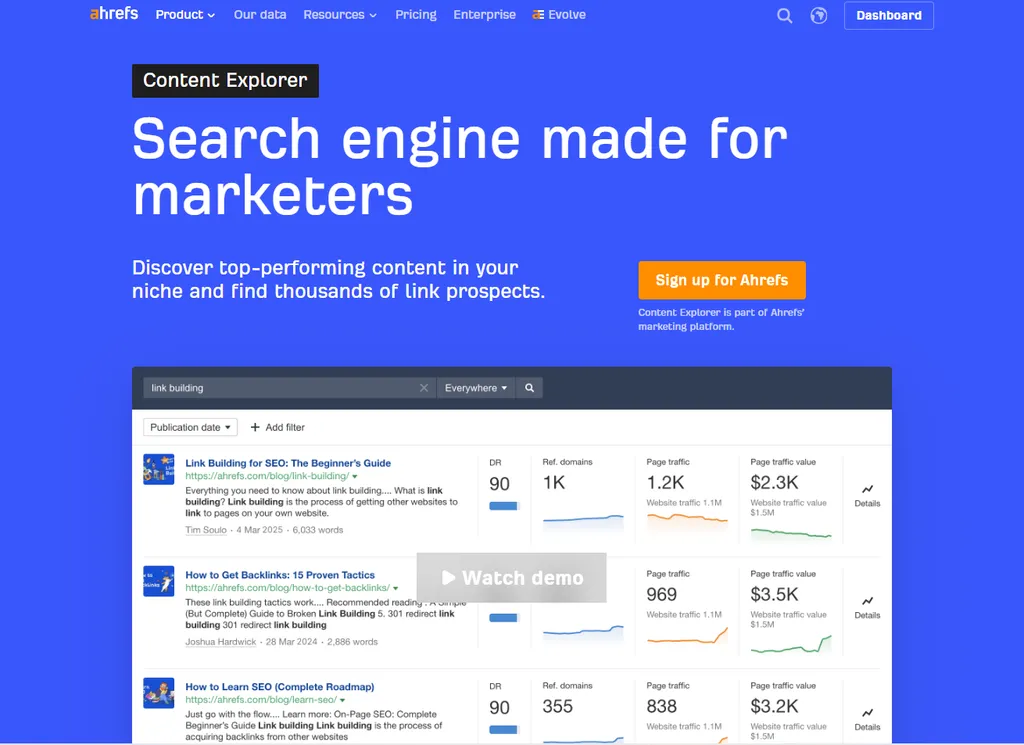
Content Explorer is a searchable database of billions of web pages with traffic, backlink and author data attached.
Most reviews file it under content ideas. That undersells it considerably.
What is Content Explorer actually good for?
Link prospecting, mainly.
- Linkable content research: search a topic and filter for pages with high referring domain counts. That gives you a list of content that attracts links in your category, which tells you what to build.
- Unlinked brand mentions: find pages that mention you without linking. This is the cheapest link building there is. Someone already wrote about you, so you only ask for the link.
- Broken pages with backlinks: the raw material for broken link building at scale.
- Author discovery: identify writers who cover your topic, which turns a content database into a digital PR prospect list.
For an agency running link acquisition across multiple clients, this report alone can justify the step up from Lite to Standard. Content Explorer is not available on Lite.
Our digital PR team uses the author filter to build journalist lists for data studies. It is faster than any media database we have tried for niche B2B topics.
What is Web Explorer?
Web Explorer is a newer, lesser known tool. It works like a search engine over the Ahrefs index, with advanced operators for things like domain, title, language, DR and traffic.
It is useful for prospecting queries Content Explorer cannot express. For example: pages in a given language with “write for us” in the URL on sites above a set DR. I treat it as a power-user extension of Content Explorer rather than a separate reason to buy.
What are the cons of Content Explorer?
- Standard plan and above only. It costs $249 a month minimum to reach.
- The index favors established pages. Very new or very obscure pages are under-represented.
- Filtering takes practice. Unfiltered searches return huge result sets that are not useful.
Ahrefs AI Content Helper Review
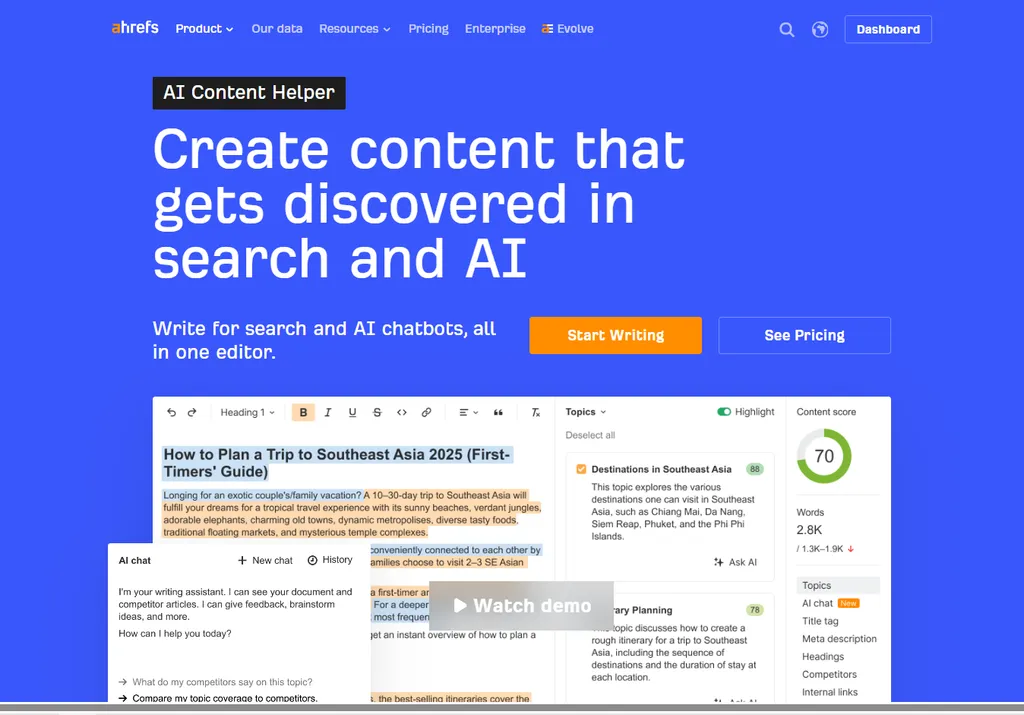
Ahrefs now has a proper content optimization product, which is a meaningful change from a couple of years ago.
AI Content Helper evaluates search intent, competing articles, topic coverage, headings, titles and meta descriptions. It then produces a content score with AI writing assistance.
How does it compare to Surfer?
The stated difference is that Ahrefs focuses on topic coverage rather than term count matching.
That is the right instinct. Surfer’s traditional model of hitting specific term frequencies encourages writing to a score rather than for a reader. Ahrefs’ approach is less likely to produce keyword stuffed copy.
Whether it replaces Surfer depends on how deeply you use content optimization. For light use, Ahrefs is enough. For a content team running optimization as a core process, Surfer and Clearscope still offer more depth.
What does AI Content Helper cost?
Here is the part that catches people. It is not simply included.
There is limited free usage. Beyond that, Content Kit starts at $99 per month as an add-on covering AI Content Helper, AI Content Grader and AI Content Inventory.
So if content optimization is a real requirement, budget $99 on top of your subscription.
Ahrefs Brand Radar and AI Visibility Review
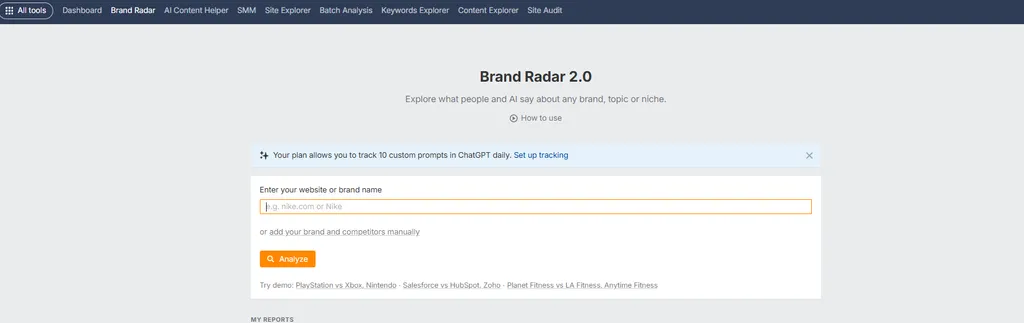
This is the biggest change from older Ahrefs reviews, and it is where the product is clearly investing.
Brand Radar measures how your brand appears across AI assistants and AI search surfaces. Coverage includes ChatGPT, Gemini, Perplexity, Copilot, Google AI Overviews and Google AI Mode.
For teams working on answer engine optimization (AEO), this is the monitoring layer.
What does Brand Radar actually measure?
Four core metrics.
- Mentions: AI responses that name your brand.
- Citations: responses that link to your domain.
- Impressions: visibility weighted by the search demand behind each prompt.
- AI Share of Voice: your presence relative to competitors.
The prompts are not arbitrary. Ahrefs models them from its keyword database plus sources like People Also Ask, then expands them semantically. The AI Visibility Index currently covers over 475 million organic prompts.
What is the important limitation?
Brand Radar samples an index. It does not see private AI conversations.
Ahrefs is upfront about this, and it is worth restating. What you are measuring is indexed market visibility, not whether a specific customer received a specific answer.
That is still useful. But anyone selling AI visibility tracking as complete coverage of what AI tells users is overstating what any tool in this category can do.
What does Brand Radar cost?
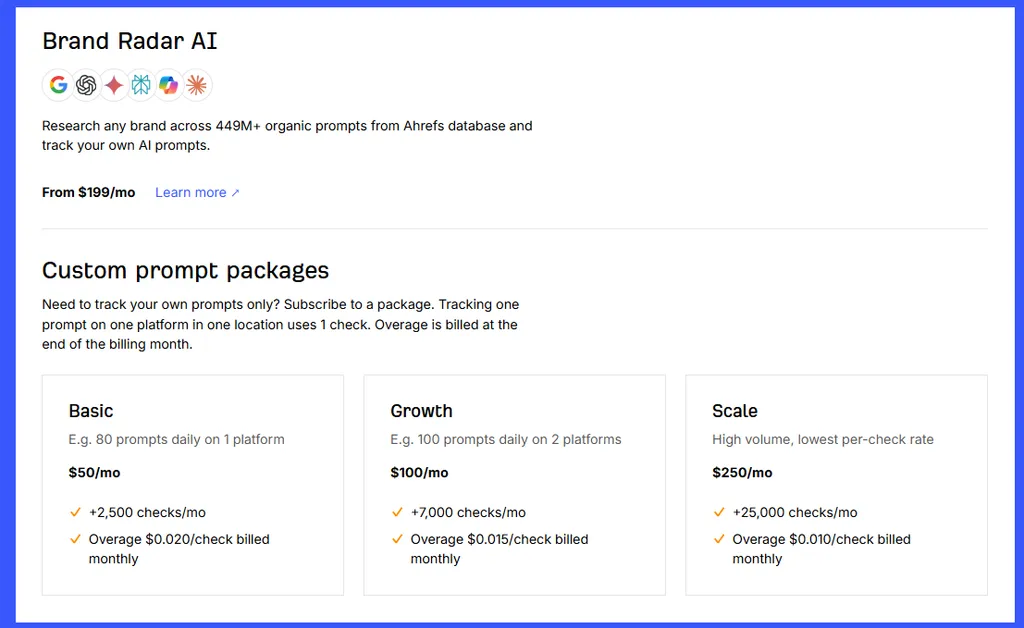
This is where I have to correct a common claim. Brand Radar is not simply included with Ahrefs.
Your subscription includes a small allocation of tracked AI prompts: 5 on Lite, 10 on Standard, 20 on Advanced. Those update daily.
Five tracked prompts is a demonstration, not a monitoring program.
The broader AI Visibility Index starts at $199 per month as a separate product.
If you want to track your own prompts at volume, there are custom prompt packages:
- Basic: $50 a month for 2,500 checks
- Growth: $100 a month for 7,000 checks
- Scale: $250 a month for 25,000 checks
Overage is billed per check.
So a serious AI visibility program on Ahrefs costs $199 to $450 a month on top of your existing subscription. That belongs in your budget planning, and almost no review mentions it.
GSC Insights, Web Analytics and Bot Analytics
I am grouping these because they serve a related purpose: bringing first party data alongside Ahrefs’ estimates.
GSC Insights connects Google Search Console and adds what Google withholds. It combines multiple profiles, keeps history from the connection date onward, segments by device, compares click through rate against position, and flags content decay. It also estimates the anonymized queries Google hides, which fills a real gap.
Web Analytics is a lightweight, privacy-focused traffic tool with no cookies. It is not a GA4 replacement and does not try to be.
Bot Analytics is the interesting one for 2026. It shows which bots crawl your site, broken into AI assistants, search engines, SEO crawlers and others. It is currently free in beta.
That creates a useful chain. You can see which AI crawlers visit a page, then use Brand Radar to see whether that page turns into an AI citation. Crawl to visibility, measured in one platform.
Why does the first party versus third party distinction matter?
Because it is the source of most Ahrefs data complaints.
Search Console records what actually happened on Google for sites you own. Ahrefs estimates what is happening on sites you do not own.
Those are different jobs. When someone says Ahrefs traffic does not match Analytics, they are usually comparing an estimate to a measurement and concluding the estimate is broken.
Use Search Console for your own performance. Use Ahrefs for everything you cannot measure directly, which is competitors.
Ahrefs API and MCP Access
This section did not exist in Ahrefs reviews two years ago. It matters now because a lot of SEO work runs through scripts, dashboards and AI assistants rather than the web interface.
What is the Ahrefs API?
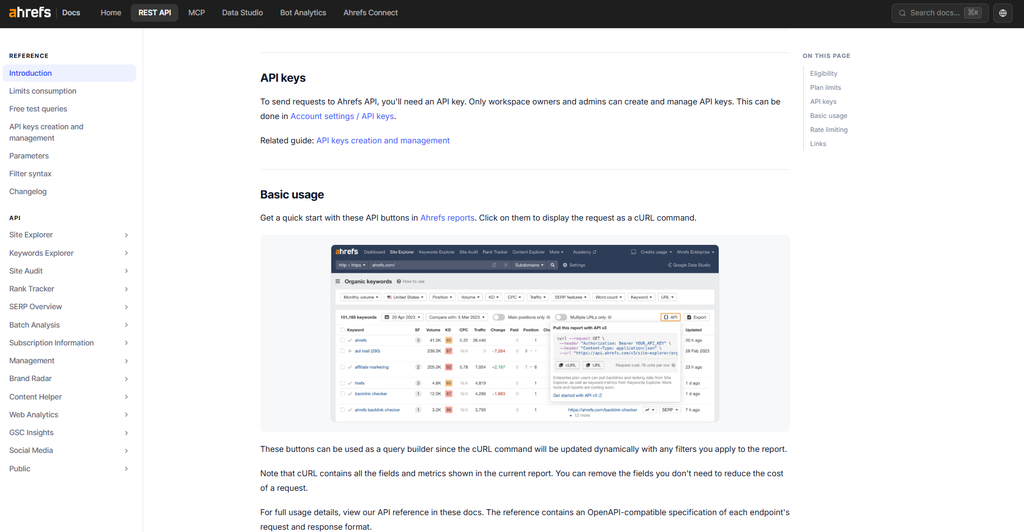
The API gives programmatic access to Ahrefs data. You can pull backlinks, keyword metrics, organic traffic and rank data straight into your own reports, spreadsheets or internal tools.
It used to be an Enterprise-only feature. It is now included from the Lite plan, with a monthly allowance of API units that grows by tier. Heavy use still pushes you toward Enterprise.
What is MCP access?
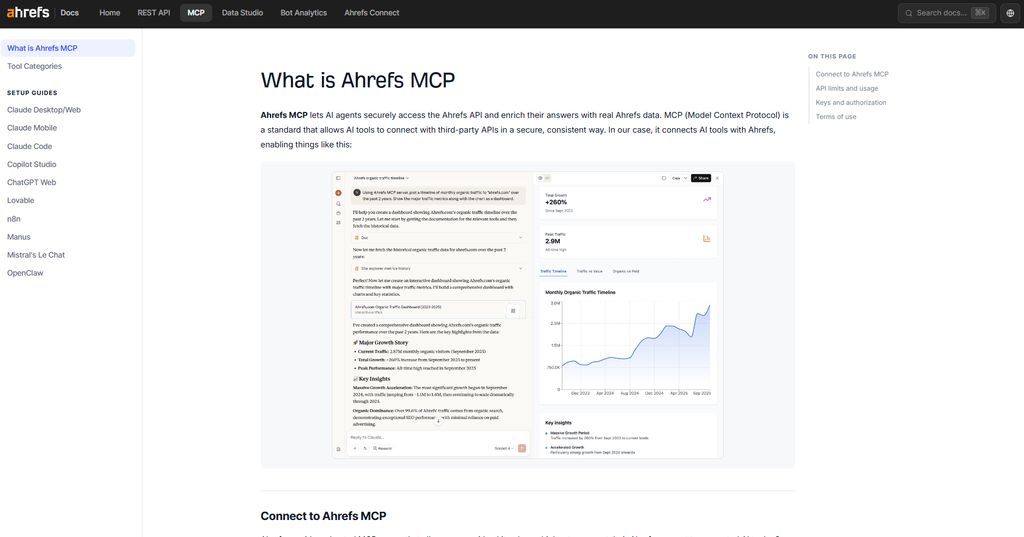
MCP stands for Model Context Protocol. It is an open standard that lets AI assistants such as Claude or ChatGPT call external tools.
With Ahrefs’ MCP server connected, you can ask an assistant a question in plain language. For example: “Which pages on this competitor gained the most referring domains last month?” The assistant then queries Ahrefs data and answers using real numbers rather than guesses.
Who benefits from API and MCP access?
- Agencies that build client dashboards or automate monthly reports.
- In-house teams that want Ahrefs data inside Looker Studio, BI tools or internal wikis.
- Anyone using AI assistants for SEO analysis, who wants the model working from a real index instead of its training data.
The limits are the catch. API calls draw from the same usage allowance as the rest of the platform, so a busy automation can eat into what your team has left for manual research.
Is Ahrefs Easy to Use?
Mostly yes, with a real learning curve at the start.
The better test is not whether the interface looks nice, but how quickly you get from a question to a decision.
On that measure Ahrefs does well. Finding a competitor’s best pages takes under a minute. Identifying content gaps across three competitors takes a few minutes. Building a link prospect list takes maybe fifteen.
The consistency helps. Reports look and behave the same way across modules, so learning one teaches you the next.
Where it gets hard is knowing which metrics matter. A new user faces DR, UR, KD, Traffic Potential, Parent Topic, Traffic Value, Share of Voice and a dozen more, with limited guidance on which to prioritize.
Reviewers consistently rate ease of use around 4.5 out of 5 while also flagging complexity as a common criticism. Both things are true. It is well designed and there is a lot of it.
Dashboard, alerts and daily monitoring
The Dashboard is the home screen for your projects. It shows Health Score, organic traffic, referring domains and tracked keyword movement for each site at a glance.
Alerts email you about new or lost backlinks, new keyword rankings and brand mentions. Set them up in week one. They catch problems you would otherwise find a month late.
Onboarding, support and learning resources
There is no guided onboarding on the lower tiers. You sign up, pay and start clicking.
What fills the gap is education. Ahrefs Academy offers free courses on SEO and on using the tool. The Ahrefs blog and YouTube channel are among the best free SEO resources available, and their help center documentation is thorough.
Support runs through live chat and email. Enterprise customers get a dedicated account manager.
The weak spot is account issues. As covered in the user reviews section, restricted accounts cannot be unlocked manually by support, which is where most support frustration comes from.
Ahrefs Pricing in 2026
Here is the current pricing, taken from Ahrefs’ own pricing page rather than secondary sources, several of which are out of date.
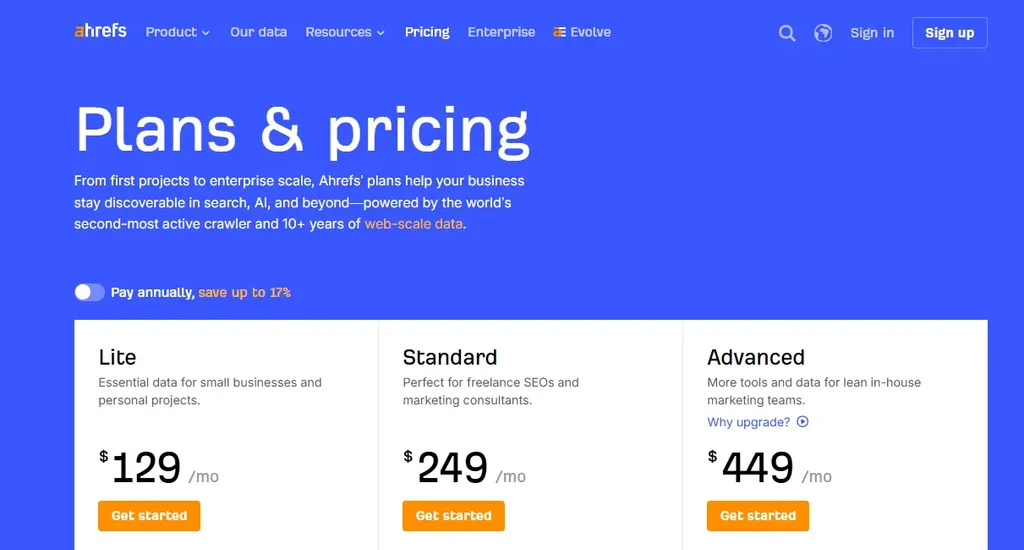
| Plan | Monthly price | Annual billing |
| Ahrefs Free | $0 | $0 |
| Starter | $29/mo | $29/mo |
| Lite | $129/mo | 108 /mo |
| Standard | $249/mo | 208 /mo |
| Advanced | $449/mo | $374 /mo |
| Enterprise | From $1,499/mo | $1249/mo |
Annual billing saves up to 17%, which Ahrefs markets as two months free. On Standard, that takes the year from $2,988 to roughly $2,490.
There is no free trial, and Ahrefs says it never runs discounts. Starter at $29 is the cheapest way to look inside the product.
What do you actually get at each tier?
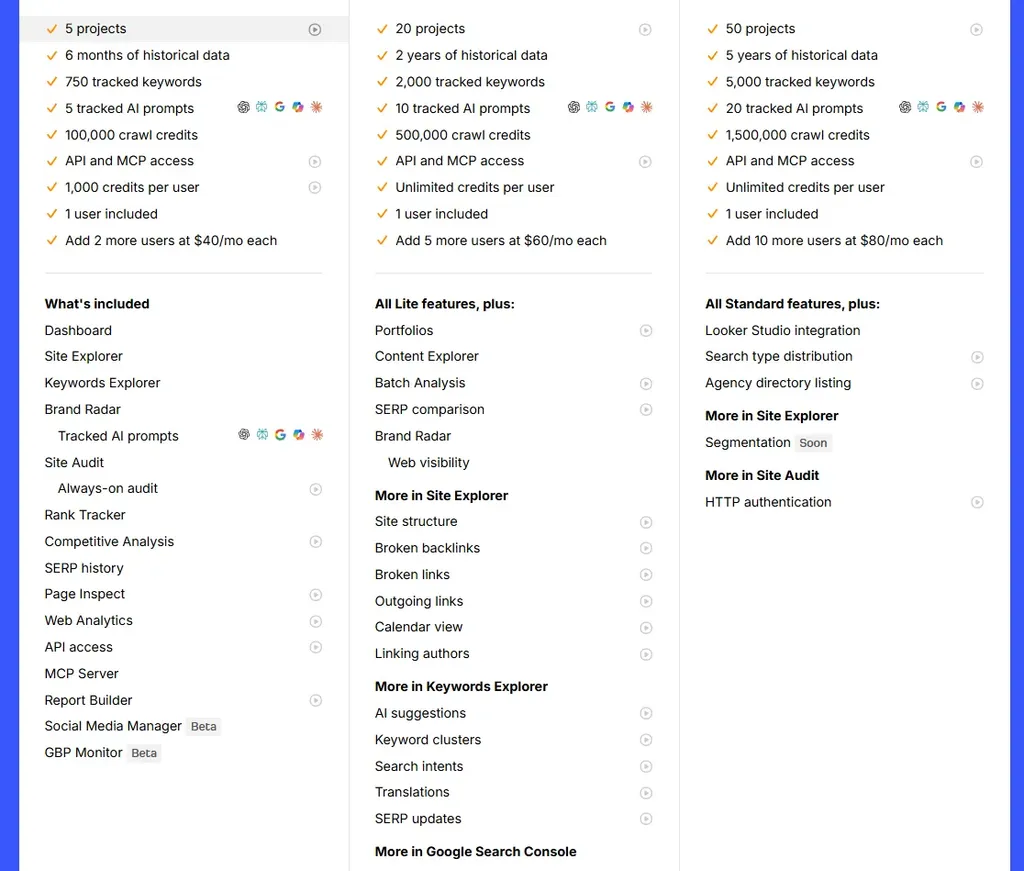
| Feature | Lite $129 | Standard $249 | Advanced $449 |
| Users included | 1 | 1 | 1 |
| Additional users | $40/mo each (max 2) | $60/mo each (max 5) | $80/mo each (max 10) |
| Projects | 5 | 20 | 50 |
| Historical data | 6 months | 2 years | 5 years |
| Tracked keywords | 750 | 2,000 | 5,000 |
| Rank update frequency | Weekly | Weekly | Weekly |
| Tracked AI prompts | 5 | 10 | 20 |
| Crawl credits/mo | 100,000 | 500,000 | 1,500,000 |
| Max rows per report | 2,500 | 30,000 | 75,000 |
| Credits per user | 1,000 | Unlimited | Unlimited |
| Content Explorer | No | Yes | Yes |
| Keyword clustering, intent, Batch Analysis | No | Yes | Yes |
| Looker Studio connector | No | No | Yes |
| API and MCP access | Yes, limited units | Yes | Yes |
The jump I would flag is Lite to Standard. Content Explorer, keyword clustering, search intent, Batch Analysis and unlimited credits all sit above the Lite line.
If you do link building or content strategy seriously, Lite will frustrate you. The real entry point for professional work is $249, not $129.
What does Enterprise add?
Enterprise starts at $1,499 a month on an annual contract. It removes the history cap, raises project and row limits, and adds the admin features larger teams need.
- Access and security: SSO, user roles and access controls, and an audit log.
- Seats: more included users and $100 per extra seat.
- API: higher API allowances for teams running data pipelines.
- Support: a dedicated account manager.
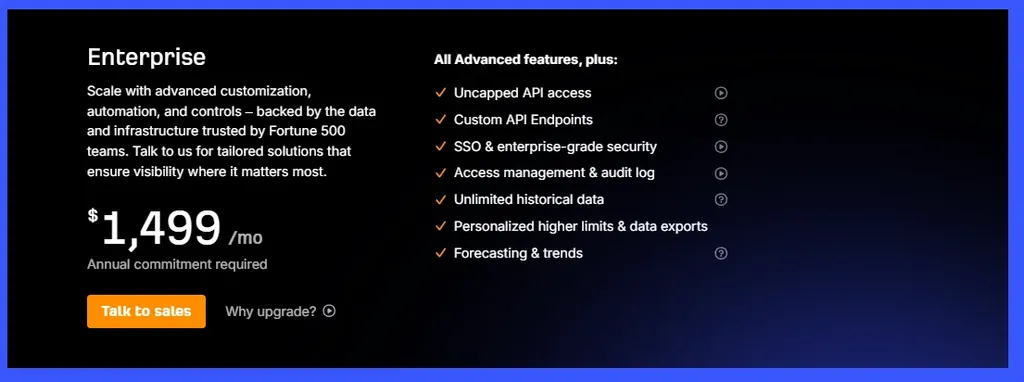
It makes sense when your seat and add-on costs on Advanced would otherwise exceed it, or when IT requires SSO. For enterprise SEO teams, the security features are often the real reason to upgrade.
What are verified and unverified projects?
A project is a site you set up for ongoing monitoring in Site Audit, Rank Tracker and the Dashboard.
Ahrefs treats projects differently depending on whether you prove you own the site. You verify through Google Search Console, a DNS record or an HTML file.
Verified projects unlock more, such as GSC Insights data and crawling your own site on Ahrefs Free. Unverified projects are how agencies track competitors or client sites before access is granted. Plan project limits mainly bite on these.
For agencies, get client verification sorted in week one. It saves project slots and unlocks first party data.
How do Ahrefs credits work?
Credits meter how many reports you can open. Every Site Explorer or Keywords Explorer report you load uses one.
Starter and Lite are metered. Standard and Advanced are unlimited.
I want to be fair here, because a lot of coverage suggests the whole platform is credit limited. That is not accurate. If you are on Standard or above, credits are not your problem.
If you are on Lite with 1,000 credits, one competitive research session covering five to ten competitor domains can eat a big chunk of the month’s allowance. Users routinely report exhausting Starter’s allocation within days.
When credits run out, access to those tools stops until the reset.
There is an important nuance in the user complaints. Several people on unlimited plans report being restricted anyway, under an automated abuse prevention system rather than the credit system. Those are two different mechanisms, and mixing them up muddies the picture.
How do reporting and exports work?
Exports come as CSV or Google Sheets, capped by your plan’s row limit.
For client reporting, you have two routes:
- Looker Studio connector (Advanced and up): pull Ahrefs data into dashboards you already send clients.
- Report Builder ($99/mo add-on): build and schedule branded reports inside Ahrefs, with up to 50 reports and 500 widgets.
There is no white label option on standard plans. Agencies that need fully branded client portals usually look at SE Ranking or AgencyAnalytics instead.
What does Ahrefs really cost? Three realistic scenarios
The sticker price is the start of the conversation, not the end. Here is what the bill actually looks like.
Scenario one: solo SEO consultant
You need competitor research, keyword research and audits for a handful of clients. Rank tracking is light.
- Standard plan: $249/mo
- No additional seats
- No add-ons
Total: $249/month, or about $2,988 a year (roughly $2,490 billed annually).
Reasonable. If Ahrefs research supports even one retained client, it pays for itself many times over.
Scenario two: five person agency team
You need seats for the team, more tracked keywords, client reporting and some content optimization.
- Advanced plan: $449/mo
- 4 additional users at $80/mo: $320/mo
- Report Builder: $99/mo
- Content Kit: $99/mo
Total: $967/month, or $11,604 a year.
That is more than double the Advanced sticker price. It still does not include AI visibility or Patches.
Scenario three: agency running AI visibility and technical fixes
Same team as above, plus a serious AI visibility program and Patches on three client sites.
- Advanced plan plus 4 seats: $769/mo
- Report Builder: $99/mo
- Content Kit: $99/mo
- Brand Radar AI Visibility Index: $199/mo
- Custom prompt package (Growth): $100/mo
- Project Boost Max on 3 projects at $200 each: $600/mo
Total: $1,866/month, or $22,392 a year.
At that point Enterprise at $1,499 starts to look attractive. Add-ons would still apply on top of it, so model both before you switch. I suspect nudging teams upward is the intended effect of the add-on structure.
| Team profile | Plan | Monthly total | Yearly total |
| Solo consultant | Standard | $249 | $2,988 |
| Five person agency | Advanced + seats + 2 add-ons | $967 | $11,604 |
| Agency with AI visibility and Patches | Advanced + seats + 5 add-ons | $1,866 | $22,392 |
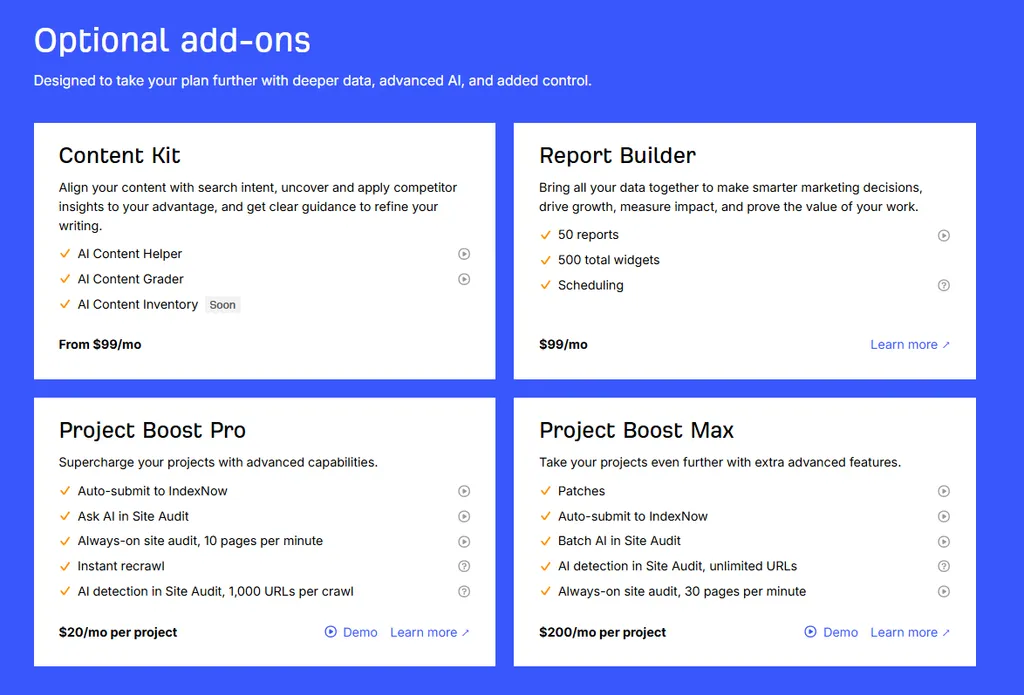
What are the add-ons?
- Content Kit: from $99/mo (AI Content Helper, Grader, Inventory)
- Report Builder: $99/mo (50 reports, 500 widgets, scheduling)
- Project Boost Pro: $20/mo per project (always-on audit, IndexNow, instant recrawl)
- Project Boost Max: $200/mo per project (adds Patches, unlimited AI URL detection)
- Brand Radar AI Visibility Index: from $199/mo
- Custom prompt packages: $50, $100 or $250/mo
- Additional users: $40 to $100/mo each depending on tier
One more thing. Additional users are charged automatically on a pay as you go basis if not prepaid. Pay as you go credits and data are also charged automatically when you exceed plan limits. If you do not want surprise charges, check those settings.
What happens when you cancel or downgrade?
You can cancel from the billing settings at any time. Access continues until the end of the period you paid for, and you are not charged again.
Refunds are the sticking point. Ahrefs does not generally issue them, and monthly refund requests can be declined if the account shows meaningful activity.
On data retention, the main thing to know is that history access follows your plan. Drop from Advanced to Lite and your window shrinks from five years to six months. Rank Tracker history and project settings are tied to your account, so export anything you need before downgrading or cancelling.
Which Ahrefs plan should you buy?
- Ahrefs Free if you own a site and want basic Site Explorer and Site Audit access on it. Useful and limited.
- Starter at $29 if you are learning or doing occasional research. Treat it as an evaluation tier rather than a working plan.
- Lite at $129 if you are a solo operator with a few sites who mostly needs backlink monitoring and keyword research. Content Explorer is not included.
- Standard at $249 is where I would point most professionals. Unlimited credits, Content Explorer, two years of history and proper row limits. This is the first plan that does not get in your way.
- Advanced at $449 if you have a team, manage many projects, or need five years of history and Looker Studio.
- Enterprise from $1,499 if per seat costs would otherwise exceed it, or you need higher API limits and SSO.
Ahrefs Free vs Starter: What Is the Difference?
These get mixed up constantly.
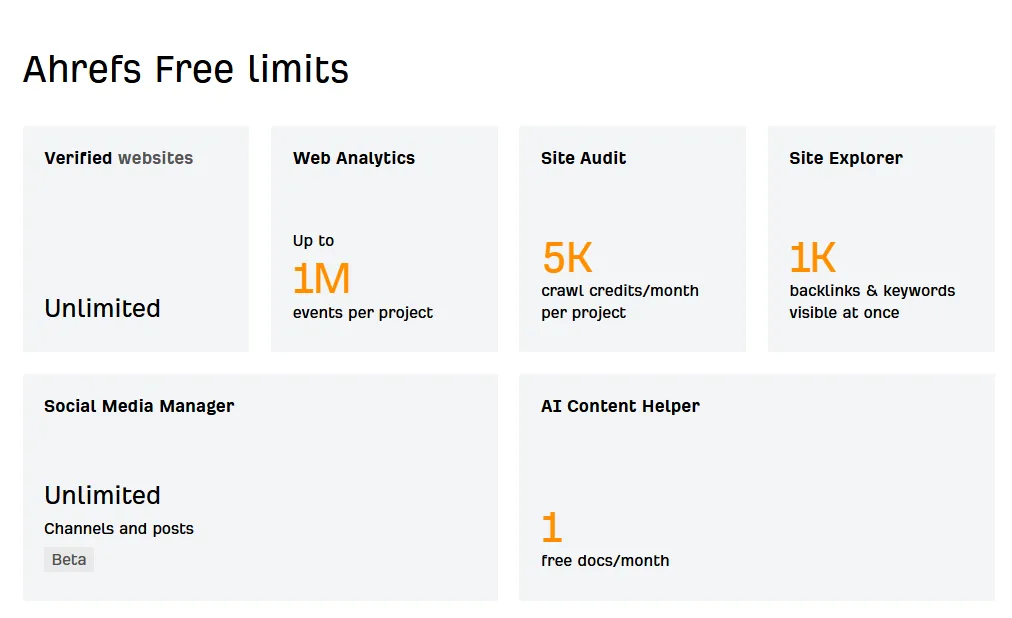
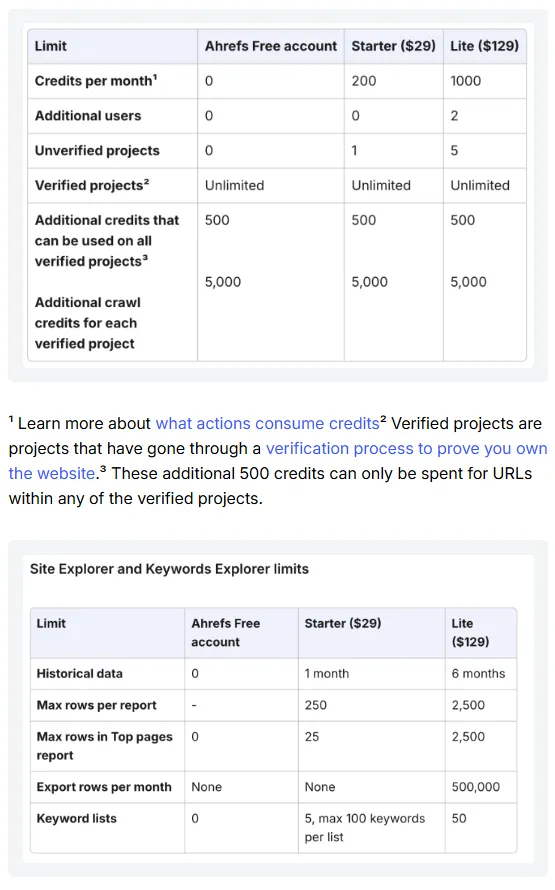
Ahrefs Free is the product formerly called Ahrefs Webmaster Tools. It requires verified ownership of the site. You get limited Site Explorer and Site Audit access for your own domains, plus Web Analytics, the SEO Toolbar and limited AI Content Helper use. You cannot research competitors.
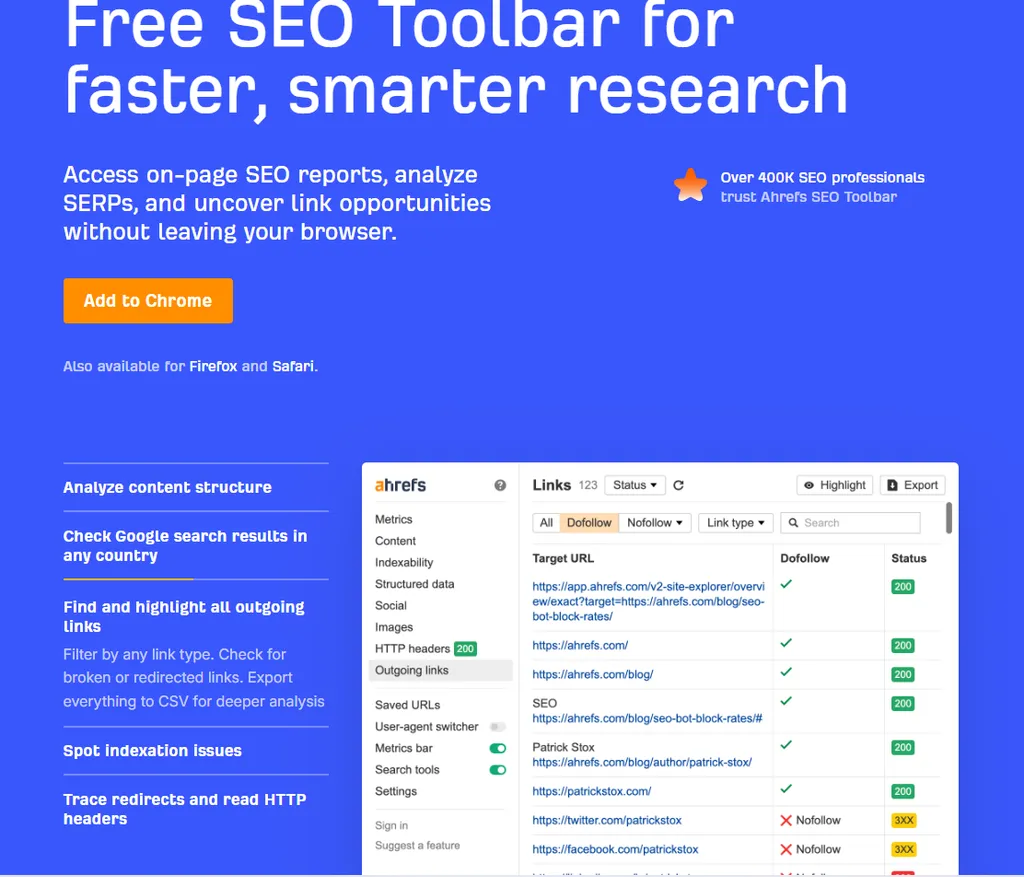
The Ahrefs SEO Toolbar is a free Chrome and Firefox extension. It shows on-page SEO data, redirect chains and broken links for any page you visit, and adds Ahrefs metrics to search results if you have a paid account.
Starter at $29 lets you research any domain, but meters you tightly with a small monthly credit allocation. No rank tracking.
The distinction that matters: Free is for monitoring what you own. Starter is for looking at what you do not own, briefly.
Neither is a working professional tool. Both are useful for the purpose they serve.
What Real Ahrefs Users Say
This is where the picture gets interesting, because the review platforms disagree sharply.
| Platform | Rating | Review volume |
| Capterra | 4.7/5 | 581 reviews |
| G2 | 4.5/5 | 715 reviews |
| Trustpilot | 2.1/5 | 321 reviews |
Ratings and review counts were current at the time of writing and will shift.
That is a large gap, and it deserves explaining rather than cherry picking.
Why is the Trustpilot score so low?
Three reasons, and only one of them is really about Ahrefs.
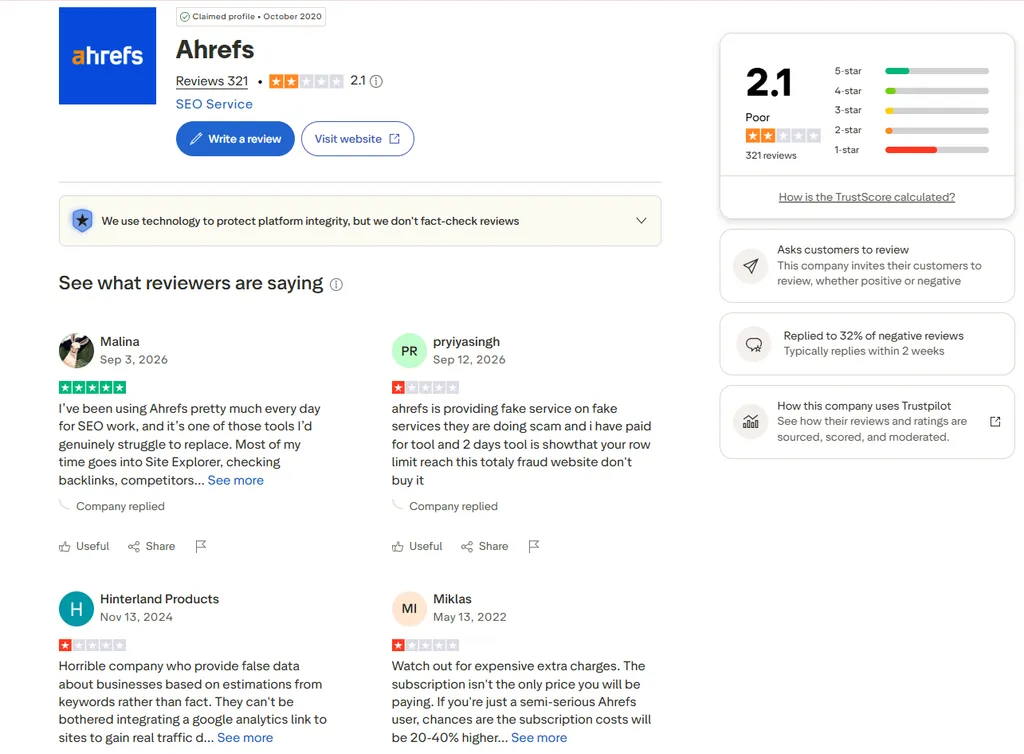
Category context. On the same platform, Semrush sits at 1.7 and Moz at 2.4. SE Ranking, notably, sits at 4.3. SEO platforms broadly score badly on Trustpilot, though clearly not universally.
Sample composition. Ahrefs has 320 Trustpilot reviews with only 39 in the last twelve months, split roughly 50% one star and 23% five star. That bimodal shape is typical of a platform where people arrive to complain about billing rather than to rate software.
A specific recurring complaint. This one is real.
What do people actually complain about?
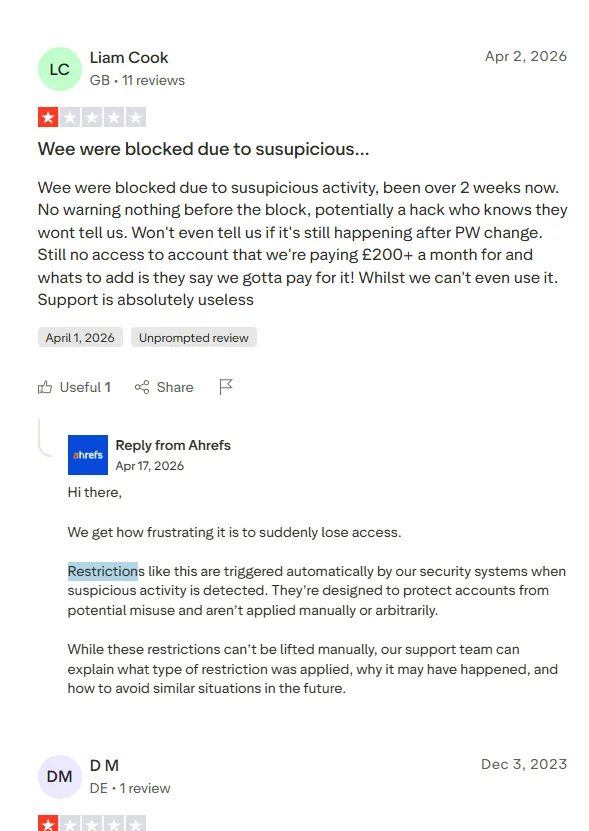
- Automated account restrictions. This is the dominant theme through 2026. Users report being blocked with a suspicious activity message after work they describe as normal research. One reported checking five domains on a high tier plan and being restricted. Another reported losing access for over two weeks while still being billed.
- Pricing and value. Capterra rates Ahrefs 4.7 overall but only 4.2 for value for money. That is the clearest signal in all the data. People rate the product highly and the price less so.
- Credit confusion. Several complaints come from users who did not understand the metering before buying.
- Data freshness and reliability. One long term subscriber cited an acknowledged SERP data issue and recurring technical problems. Others report delayed crawling and indexing.
Ahrefs’ responses confirm how the restrictions work. They are triggered automatically, cannot be lifted manually, and the company will not disclose the signals because that would help people evade them.
I understand the security reasoning. I also think an automated system that locks paying professionals out of a tool they need, with no manual review and no disclosed cause, is a serious product problem. It shows up too often to dismiss as isolated.
What do people praise?
Backlink data depth, competitor research, the clean interface, the quality of Ahrefs’ educational content, and the range of data available.
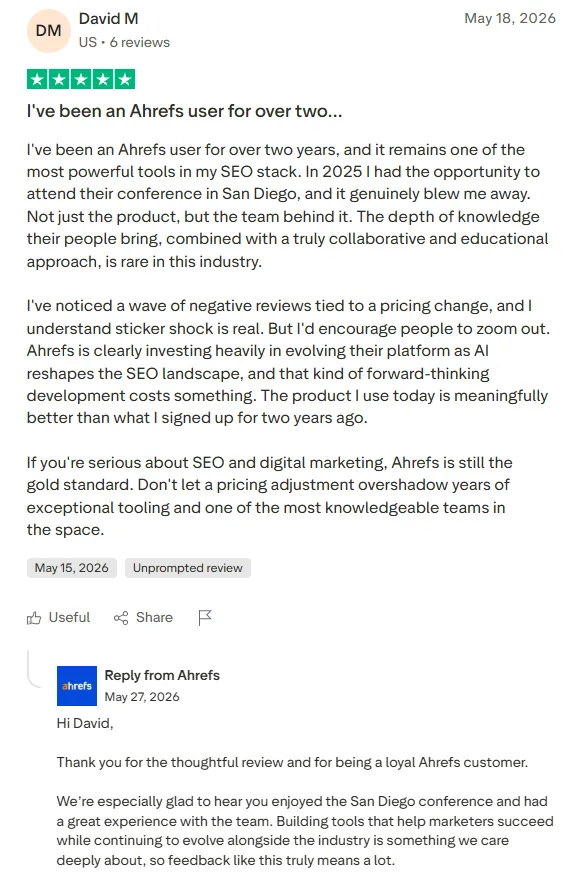
The positive reviews are consistently about capability. One long term user pushed back on the pricing complaints directly, arguing the platform has improved a lot and that building AI era tooling costs something.
How should you read this split?
On software review platforms, where people evaluate capability and workflow, Ahrefs scores 4.5 to 4.7.
On consumer review platforms, where people arrive to complain about billing, access and support, it scores 2.1.
Both are measuring something real. Ahrefs is excellent software with a commercial and account management problem attached to it.
Ahrefs vs Semrush
The mandatory comparison. The two products have drifted further apart than people assume.
| Criterion | Ahrefs | Semrush |
| Entry price for professional use | $129/mo (Lite) | About $140/mo (Pro) |
| Backlink data | Stronger | Good |
| Keyword research | Excellent | Excellent |
| Competitor SEO | Excellent | Excellent |
| PPC and advertising | Improving | Broader |
| Rank tracking frequency | Weekly on all plans | Daily |
| Site audit | Good | Good |
| AI visibility | Brand Radar, add-on cost | AI toolkit, add-on cost |
| Local SEO | Limited | Stronger |
| Interface | Cleaner | More cluttered |
| Marketing breadth | Narrower | Much broader |
Choose Ahrefs if your work is organic search research, link building and competitor intelligence, and you value speed of research.
Choose Semrush if you need PPC, local SEO, social and broader marketing tools in one place, or if daily rank tracking is central to your reporting.
One thing worth knowing when you read comparisons of these two. Backlinko, which ranks prominently for this comparison, is owned by Semrush. So is Search Engine Land. And Adobe announced a deal to acquire Semrush in November 2025. That does not make their coverage wrong, but it is a disclosure most readers do not have.
For a deeper side by side, see our full comparison between Ahrefs and Semrush here.
Ahrefs vs SE Ranking
SE Ranking is the value alternative, and it is a more serious competitor than it used to be.
It starts around $129 and Business around $259. It includes daily rank tracking, white label reporting for agencies, and AI search tracking without a separate subscription. It also has a free trial, which Ahrefs does not.
Where Ahrefs wins is data depth. The backlink index, the historical depth and the size of the keyword database are not close.
Choose SE Ranking if budget matters, rank tracking frequency matters, or you need client reporting without a $99 add-on.
Choose Ahrefs if backlink and competitor research is the core of your work.
Ahrefs vs Moz Pro
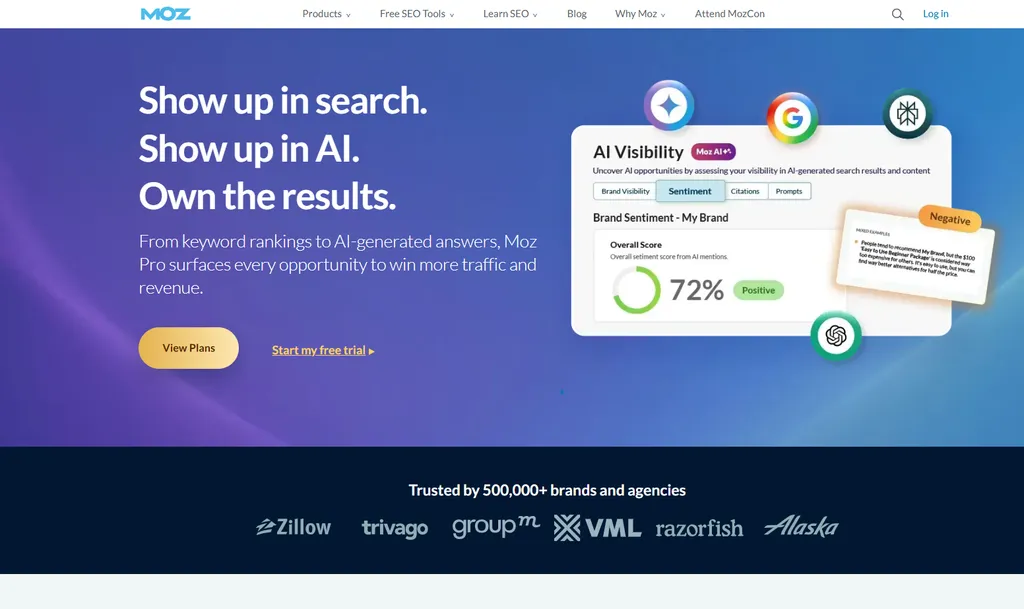
Moz is the gentler option. Domain Authority is the better known metric, the interface is friendlier for beginners, and the price is lower. Moz Pro starts with the Standard plan around $99.
It covers keyword research, a link index, site crawls and daily-updated rank tracking, so it is a full research and tracking alternative rather than a single-purpose tool.
Ahrefs beats it on data depth in almost every category that matters. Moz’s link index and keyword database are smaller.
I would recommend Moz to someone new to SEO who wants to learn without drowning. For professional work, Ahrefs or Semrush.
Ahrefs vs Ubersuggest and Mangools
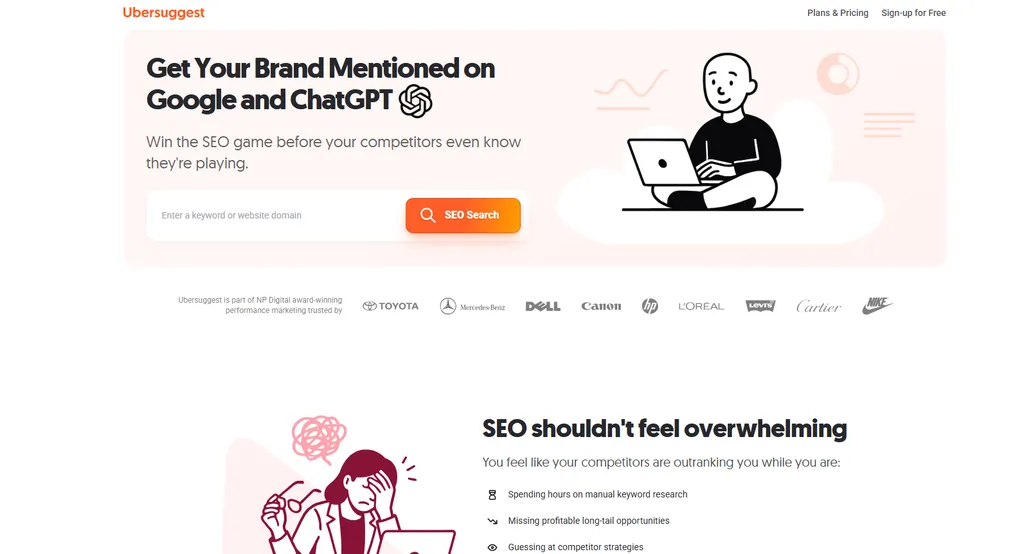
These are the two budget tools people most often weigh against Ahrefs Starter or Lite.
Ubersuggest is Neil Patel’s entry-level SEO tool. It covers keyword ideas, basic site audits, rank tracking and a simple backlink view. Plans start around $29 a month, and it is known for a one-time lifetime payment option.
Mangools bundles KWFinder, SERPChecker, SERPWatcher, LinkMiner and SiteProfiler. It is known for a friendly interface and strong keyword difficulty scoring for small sites. Plans start around $29 a month billed annually.
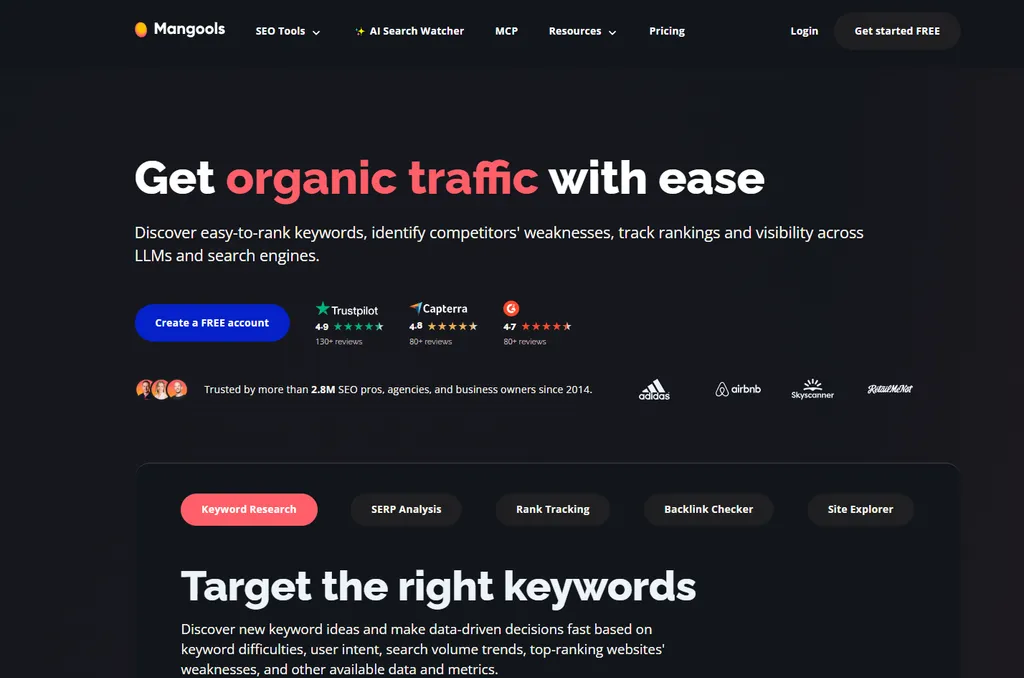
Both are cheaper and easier than Ahrefs. Both run on far smaller link and keyword datasets.
- Pick Ubersuggest or Mangools if you are a blogger or small business doing keyword research for your own site a few times a month.
- Pick Ahrefs once competitor and link research become weekly work, or you are doing it for clients.
Can ChatGPT or Claude Replace Ahrefs?
This question comes up constantly now, and it deserves a real answer rather than a defensive one.
| Task | Ahrefs | ChatGPT / Claude |
| Brainstorm keyword ideas | Good | Excellent |
| Search volume data | Proprietary dataset | No native data |
| Backlink profile | Proprietary index | No native index |
| Competitor rankings | Yes | No native source |
| Historical link data | Yes | No |
| Content ideation | Good | Excellent |
| Strategic reasoning | Limited | Excellent |
| Technical crawling | Yes | No native crawler |
| AI visibility tracking | Brand Radar | No cross platform index |
The distinction is data versus reasoning.
Language models are better than Ahrefs at thinking about SEO. They generate better content angles, sharper strategic framing and clearer explanations.
They do not have a link index. They cannot tell you which domains link to your competitor but not to you. They cannot give you a reliable search volume.
So no, AI tools do not replace Ahrefs. But they have replaced parts of the workflow, mainly ideation and analysis, which used to be reasons people opened an SEO tool.
The interesting shift is that the two now work together. With Ahrefs’ MCP connection, an assistant like Claude can query the Ahrefs index directly. You get the reasoning of the model with the data of the tool.
That erosion and overlap is part of why the value question is harder now than it was in 2022.
Best Ahrefs Alternatives
| If your main need is | Consider | Starting price (approx.) |
| Full SEO suite with broader marketing | Semrush | ~$140/mo |
| Lower cost all in one | SE Ranking | ~$65/mo |
| Daily rank tracking | AccuRanker, SE Ranking | Varies by keyword volume |
| Technical crawling | Screaming Frog, Sitebulb | Screaming Frog free to 500 URLs, ~£199/yr |
| Backlink data only | Majestic | ~$50/mo |
| Local SEO | BrightLocal | ~$39/mo |
| Content optimization | Surfer, Clearscope | ~$99/mo and up |
| Budget keyword research | Ubersuggest, Mangools | ~$29/mo |
| Beginner friendly suite | Moz Pro | ~$49/mo |
| Your own site’s real performance | Google Search Console | Free |
A note on the last row. Search Console is a complement to Ahrefs rather than an Ahrefs alternative. It gives you real Google data for sites you own. Ahrefs gives you estimates for sites you do not. If you only ever analyze your own site, you may need Ahrefs less than you think.
Who Should Use Ahrefs?
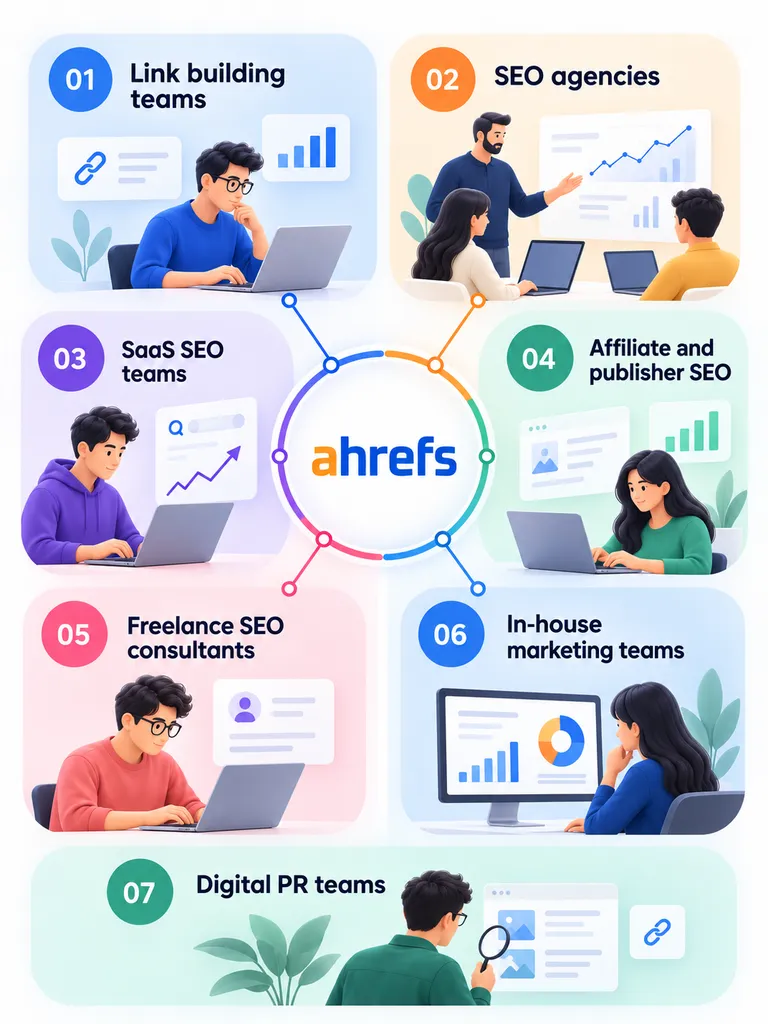
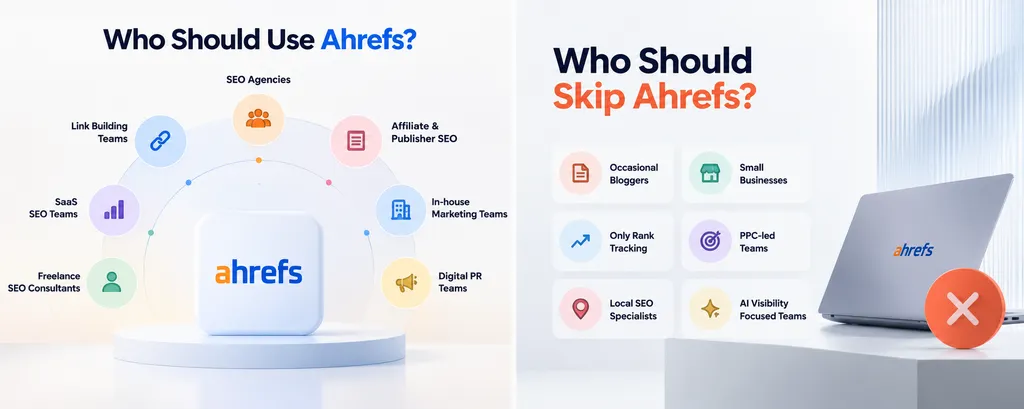
- Link building teams. Excellent fit. This is the strongest use case and the clearest justification for the price.
- SEO agencies. Strong fit, with a caveat. The research capability is ideal across client projects. Per seat pricing, project limits and weekly rank tracking all create friction you need to plan around.
- SaaS SEO teams. Excellent fit. Competitor page analysis, comparison and alternatives keyword research, and link research all map directly to how SaaS SEO works.
- Affiliate and publisher SEO. Excellent fit. Content Explorer plus keyword research plus competitor analysis is exactly this workflow.
- Freelance SEO consultants. Good fit on Standard. One seat, unlimited credits and Content Explorer cover client research without the agency add-ons.
- In-house marketing teams. Strong fit at higher tiers, where multiple properties, deeper history and Looker Studio justify the spend. Most of the value comes from tracking organic growth against named competitors.
- Digital PR teams. Strong fit, mainly through Content Explorer for author and mention prospecting.
Who Should Skip Ahrefs?
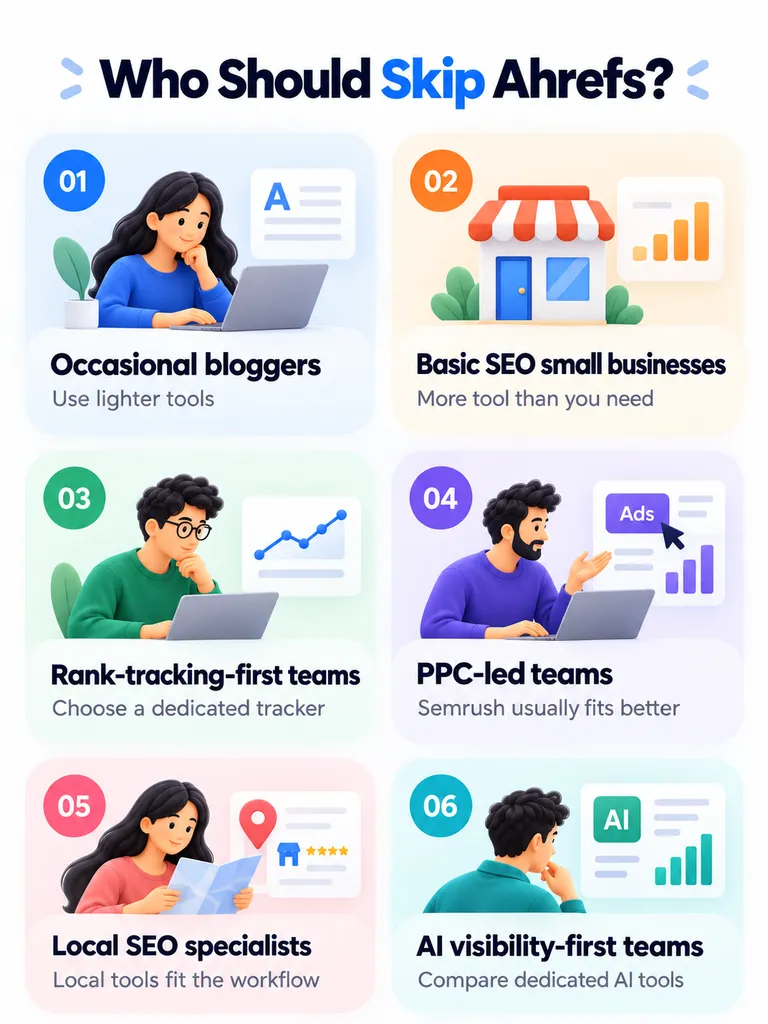
- Bloggers publishing occasionally. Hard to justify $129 or more for research you do a few times a quarter. Use Ahrefs Free plus Ubersuggest or Mangools.
- Small businesses doing basic SEO. The capability is far beyond what you need and the cost is real.
- Anyone whose main need is rank tracking. Buy a dedicated tracker instead.
- PPC-led marketing teams. Semrush is a better fit for advertising-heavy work.
- Local SEO specialists. BrightLocal and similar tools are built for that workflow.
- Teams focused mainly on AI visibility. Compare dedicated AI visibility tools before committing to Ahrefs plus a $199 monthly Brand Radar subscription.
So Is Ahrefs Worth It?
It depends on how much you use it, and I mean that as a measurable statement rather than a hedge.
Think about it this way. The value of Ahrefs is roughly your data quality, multiplied by how often you do research, multiplied by how many decisions that research improves, divided by your total access cost.
For a link building agency researching hundreds of domains a month, $449 is cheap. The tool replaces labor.
For a consultant scoping new clients weekly, $249 is comfortably justified.
For a blogger checking ten keywords a quarter, even $29 is probably unnecessary. Ahrefs Free plus free keyword tools will cover it.
The uncomfortable middle is the small business or solo marketer on Lite. You are paying $1,548 a year on monthly billing. You do not get Content Explorer, your reports cap at 2,500 rows, your credits are metered, and rank tracking updates weekly.
That is the tier where I most often see people paying for capability they cannot fully reach. If you are on Lite and feeling constrained, move up to Standard or across to something cheaper. Staying on Lite is usually the worst of both.
Ahrefs Score Breakdown: The Full Table
Here is every scoring factor, weighted, with the reasoning behind each number.
| Factor | Weight | Score /10 | Weighted | Our notes |
| Backlink analysis | 20% | 9.5 | 1.90 | Still the category benchmark. Proprietary crawler, deep history, strong filtering. Loses half a point on tiered historical access. |
| Keyword and competitor research | 20% | 9.0 | 1.80 | Traffic Potential and Parent Topic are better models than raw volume. KD is backlink weighted and over-trusted by users. |
| Data quality and accuracy | 15% | 8.0 | 1.20 | Directionally reliable and good for comparison. Absolute traffic estimates diverge from reality, and an acknowledged SERP data issue affected some metrics. |
| AI search visibility | 10% | 7.5 | 0.75 | Brand Radar is a real product with a large prompt index. Meaningful tracking needs a separate $199+ subscription, so the included allocation is a demo. |
| Technical SEO and Site Audit | 10% | 8.0 | 0.80 | Broad checks, useful always-on monitoring. Not best in class against dedicated crawlers, and false positives occur where the bot is blocked. |
| Rank tracking | 10% | 5.5 | 0.55 | Weekly updates on every plan including Enterprise. Broad location coverage and good Share of Voice reporting do not offset the frequency limit. |
| Content research and optimization | 5% | 7.0 | 0.35 | Content Explorer is excellent for link prospecting but Standard only. AI Content Helper is a $99/mo add-on for real use. |
| Ease of use and workflow | 5% | 8.5 | 0.43 | Cleanest interface in the category and consistent across modules. Real learning curve on metrics. |
| Pricing, limits and value | 5% | 5.0 | 0.25 | Real cost sits well above sticker price once seats and add-ons are counted. No free trial, restrictive refunds, automated account restrictions. |
| Overall | 100% | 8.0 | Excellent data, real workflow advantages, and a commercial model that increasingly asks you to pay separately for each new capability. |
What separates a high score from a low one?
For each factor, here is what earns a 9 and what earns a 4.
- Backlink analysis (20%). A 9 means the index finds links competitors miss, surfaces new links quickly, and the reports lead straight to outreach targets. A 4 means the numbers look big but most of what you export is irrelevant or unreachable.
- Keyword and competitor research (20%). A 9 means you can go from a competitor domain to a defensible content decision in a few minutes, with metrics that reflect real opportunity. A 4 means you get keyword lists that still need a separate tool to make sense of.
- Data quality and accuracy (15%). A 9 means estimates are directionally reliable, so bigger competitors read as bigger and declining sites read as declining. A 4 means the numbers are inconsistent enough that you stop trusting them in client reporting.
- AI search visibility (10%). A 9 means you can measure brand presence across the major AI surfaces, benchmark against competitors, and see change over time without buying a separate product. A 4 means you still need a dedicated tool.
- Technical SEO and Site Audit (10%). A 9 means the crawl finds real problems, prioritizes them sensibly, and produces few false positives. A 4 means you spend more time dismissing issues than fixing them.
- Rank tracking (10%). A 9 means daily updates, reliable local and mobile data, and dependable coverage beyond the first page. A 4 means infrequent updates or coverage gaps that undermine client reporting.
- Content research and optimization (5%). A 9 means the content tools replace a separate subscription. A 4 means they are a nice extra you would not pay for alone.
- Ease of use and workflow (5%). A 9 means a competent SEO gets to an answer fast without documentation. A 4 means the tool is powerful but you fight it.
- Pricing, limits and value (5%). A 9 means the headline price is close to what you actually pay and limits rarely interrupt work. A 4 means the real bill is much higher than advertised and limits regularly stop you mid task.
Why these weights?
Backlinks and competitor research carry 40% combined because that is what people buy Ahrefs for. Scoring a link intelligence platform mainly on its rank tracker would misrepresent the purchase decision.
Data quality carries 15% because the entire premium is justified by the dataset. If the data is not better, nothing else is.
AI visibility carries 10%, up from where it would have sat two years ago. It is now a first class part of the product and a real part of the buying conversation.
Rank tracking carries 10%. It is a core SEO task, so it cannot be ignored, but it is not why anyone chooses Ahrefs over an alternative.
Pricing carries only 5%, which surprises people. That is deliberate. A $449 tool that replaces a hire is better value than a $99 tool nobody uses. The cost problem shows up in the low score for that factor, not in an inflated weight.
Frequently Asked Questions
Here are a few common questions people ask before choosing Ahrefs. They cover pricing, features, limitations, alternatives, and whether the platform makes sense for different SEO workflows.
Is Ahrefs worth it in 2026?
If backlink research and competitor analysis are central to your work, yes. The data advantage is real and hard to replace. If you mainly need rank tracking or basic keyword ideas, no. You will pay a premium for capability you do not use.
How much does Ahrefs cost?
Starter is $29 a month, Lite $129, Standard $249, Advanced $449, and Enterprise starts at $1,499 with an annual commitment. Annual billing saves up to 17%. Budget more than the sticker price once seats and add-ons are included.
Is Ahrefs free?
There is a free tier called Ahrefs Free, formerly Ahrefs Webmaster Tools. It only works on sites you verify ownership of. You get limited Site Explorer and Site Audit access on your own domains, and you cannot research competitors.
Does Ahrefs offer a free trial?
No. The cheapest way to evaluate it is the $29 Starter plan, though refunds are restrictive.
Is Ahrefs accurate?
Directionally, yes. It reliably tells you which competitors are bigger, which are growing and which pages carry their traffic. Absolute traffic numbers are modeled estimates and will not match Google Analytics or Search Console.
Is Ahrefs better than Semrush?
For backlinks, competitor research and interface quality, I would say yes. For PPC, local SEO, daily rank tracking and breadth of marketing tools, Semrush is stronger.
What is Domain Rating, and is it a Google ranking factor?
Domain Rating is Ahrefs’ own 0 to 100 score for the relative strength of a site’s backlink profile. Google does not use it. It is useful for comparing two sites against each other and nothing more. The same applies to Moz’s Domain Authority.
How often does Ahrefs update rankings?
Weekly, on every plan including Enterprise. This is stated in Ahrefs’ own plan comparison table.
Why did my tracked keywords drop across all SEO tools?
Likely the num=100 change. In September 2025 Google disabled a parameter that let tools fetch 100 results per request, which broke deep SERP data collection across the industry. Most of the apparent visibility loss was a measurement change, not a ranking change.
Can Ahrefs track ChatGPT and AI Overviews?
Yes, through Brand Radar, covering ChatGPT, Gemini, Perplexity, Copilot, AI Overviews and AI Mode. Your plan includes a small allocation of tracked prompts. Serious monitoring needs a separate subscription starting at $199 a month.
How do Ahrefs credits work?
Credits meter how many reports you can open. Starter and Lite are metered. Standard and Advanced have unlimited credits. Most credit complaints come from users on the two cheapest tiers.
Why do people get locked out of Ahrefs for suspicious activity?
Ahrefs runs an automated abuse prevention system that restricts accounts when usage matches signals it links to scraping. Support cannot lift restrictions manually, and Ahrefs will not disclose the triggers.
Does Ahrefs have an API?
Yes. API and MCP access are included from the Lite plan with limited monthly usage, and Enterprise offers higher allowances. MCP lets AI assistants like Claude query Ahrefs data directly.
Can ChatGPT replace Ahrefs?
For ideation, strategy and analysis, AI tools are better. For proprietary data like backlink profiles, search volumes and competitor rankings, no. Language models have no link index.
What is the best Ahrefs alternative?
It depends on what you need. SE Ranking for value and daily rank tracking, Semrush for breadth, Ubersuggest or Mangools for budget keyword research, Majestic for backlinks only, Screaming Frog for technical crawling, and Google Search Console, free, for your own site’s actual performance.
Conclusion: Should You Buy Ahrefs?
If you take one thing from this review, make it this. Ahrefs’ data is still excellent. What has changed is what it costs to reach that data, and how much of it now sits behind separate subscriptions.
So here is how I would decide, depending on where you sit.
If you are a solo consultant or freelancer, go to Standard at $249. Skip Lite. The row limits and missing Content Explorer will frustrate you at exactly the moment the work gets interesting, and you will end up upgrading anyway.
If you are running an agency, budget for the real number rather than the sticker price. Seats, reporting and content add-ons can push a $449 plan close to $1,000 a month. Model that before you commit, and check whether Enterprise works out cheaper for your headcount. Plan for rank tracking separately too, because weekly updates will not satisfy clients who want to see movement.
If you work in house on a single brand, choose Standard or Advanced depending on how much history you need. Most of your value will come from competitor research and Content Explorer.
If you are a blogger or small business, start with Ahrefs Free on your own site and add a cheap keyword tool. Do not pay $129 a month for research you do occasionally.
If AI visibility is your priority, compare dedicated tools before defaulting to Ahrefs plus Brand Radar. The combined cost is high enough that a purpose built product deserves a look.