I’ve watched a lot of newsletters die a slow death, and it’s rarely because the writing was bad.
It’s because someone picked a platform for the wrong reason. They picked it because a YouTuber recommended it, or because it was free, or because their favorite creator used it. Then six months in, they hit a wall. The automation they need isn’t there. The pricing jumps the moment they cross 2,500 subscribers. Or worse, they realize they don’t actually own their audience, the platform does.
Newsletters come up in nearly every client conversation now. Publishers ask us which platform won’t lock them in. E-commerce brands ask which one won’t punish them for growing. Solo writers ask which one is cheapest until it suddenly isn’t.
So I did the thing I always do before recommending software to a client: I tested it myself. I set up real accounts on 17 platforms, built the same welcome sequence on each one, priced them out at 1,000, 5,000, and 10,000 subscribers, and read through hundreds of Reddit threads, G2 reviews, and Substack posts from writers explaining why they left one platform for another.
This is what I found and where each platform actually fits.
Best Newsletter Platforms at a Glance
Before the deep dives, here’s the short version. Pricing, free plan limits, and my honest take on where each platform actually shines or falls short.
| Platform | Best For | Starting Price |
|---|---|---|
| Beehiiv | Building a newsletter business | $49/mo |
| Kit (ConvertKit) | Creators selling products | $39/mo |
| MailerLite | Budget-conscious general senders | $10/mo |
| Ghost | Owning your publication outright | $15/mo |
| Buttondown | Minimalists and developers | $9/mo |
| Sender | Free/budget all-rounder | $7/mo |
| Brevo | Multichannel on a budget | $9/mo |
| Substack | Frictionless publishing + discovery | Free (10% rev cut) |
| ActiveCampaign | Advanced behavior-based automation | $15/mo |
| GetResponse | Email + webinars + funnels | $15/mo |
| Mailchimp | Familiar SMB ecosystem | $10/mo |
| Flodesk | Design-first branded emails | $25/mo |
| Omnisend | Shopify/WooCommerce stores | $16/mo |
| HubSpot | CRM-first marketing teams | $15/mo (real use starts ~$800+/mo) |
| AWeber | Legacy reliability | $15/mo |
| Constant Contact | Events and nonprofits | $12/mo |
| Campaign Monitor | Agency client reporting | $11/mo |
What Is a Newsletter Platform (And What’s the Difference From Email Marketing Software)?
Here’s something almost nobody explains clearly before throwing twelve tool names at you: “newsletter platform” and “email marketing software” get used interchangeably, and that’s causing a lot of people to pick the wrong tool.
A newsletter platform, in the way I’m using it here, is built around the idea that the newsletter is the product. Beehiiv, Substack, Ghost, and Buttondown all fall into this bucket. Your writing is the center of gravity. Growth tools, monetization, and publishing all orbit around getting more people to read and pay for your words.
Email marketing software, on the other hand, treats the newsletter as one communication channel among several. Mailchimp, Brevo, ActiveCampaign, Omnisend, and HubSpot were built to help a business talk to customers, whether that’s through a welcome series, an abandoned cart email, or a monthly update. You can absolutely run a newsletter through them. It’s just not the reason they exist.
Neither category is “better.” They’re built for different jobs. That’s the first decision you actually need to make, before you look at a single feature list:
Are you building a newsletter as a product people subscribe to and maybe pay for? Or are you sending a newsletter as one piece of an existing business?
If it’s the first one, you want a publisher-first tool. If it’s the second, you want marketing-first software. I’ve organized this whole guide, and the way I scored every platform, around that split.
How to Look for the Right Newsletter Platform for You
Before we get into the rankings, here’s what I’d actually ask myself if I were starting from scratch:
- How many free subscribers do I get, and what happens the day I cross that number? A free plan with 2,500 subscribers and full automation beats a free plan with 500 subscribers and a paywall on basic features.
- How does pricing change as I grow? Some platforms charge by subscriber count, some by email volume, and Substack charges a percentage of your revenue. These are not the same math.
- Can I actually leave if I want to? Export your subscribers, tags, and content easily, or are you locked into a platform’s ecosystem the moment you hit real scale?
- Does it help me get discovered, or do I have to bring every subscriber myself? Substack and Beehiiv have real discovery networks. Most email marketing tools have none.
- What does deliverability actually look like, not the “99% deliverability!” marketing line, but real inbox placement, tested independently?
Keep these five questions in your back pocket. They’ll matter more than any individual feature you see mentioned in a pricing table.
How I Selected and Scored These 17 Newsletter Platforms
I didn’t want to grade a publishing tool and a marketing automation platform on the same weighted rubric that happens to favor whichever one has more “features.”
So I built one universal scoring system and applied it identically across all 17 tools, publisher-first and marketing-first alike.
Every platform is scored out of 100 points, split across 10 factors worth 10 points each:
| Ranking Factor | What I Actually Tested |
|---|---|
| Newsletter Creation & Publishing | Editor quality, templates, custom HTML, hosted archive, custom domain |
| Audience Growth Tools | Signup forms, referral programs, recommendation networks, discovery |
| Automation & Segmentation | Built the same welcome sequence on every platform and compared depth |
| Deliverability & Reliability | Authentication support, sender reputation controls, real-world inbox testing |
| Monetization | Paid subscriptions, sponsorships, digital products, and what the platform takes off the top |
| Pricing & Scalability | Cost at 1,000, 5,000, and 10,000 subscribers, not just the homepage number |
| Analytics & Reporting | Depth beyond opens and clicks: attribution, revenue, subscriber sources |
| Audience Ownership & Portability | How easy (or brutal) it is to export your list and actually leave |
| Integrations & Ecosystem | Native connections that matter, not integration count for its own sake |
| Ease of Use & Support | Time to first sent campaign, quality of documentation and support |
I scored each platform on that 0–10 scale for every factor, added them up, and divided by 10 to get a final rating out of 10. Then I ranked every platform by total score. Nobody got bumped up or down after the fact to fit a narrative, the methodology decided the order, not the other way around.
A quick honesty note: where I could actually test hands-on (setup, sending, automation building, exports), I did. Where a claim rests on documentation, third-party deliverability tools, or aggregated reviews rather than my own account, I’ve flagged it in the review. I’m not going to invent testing claims to sound more authoritative than I actually am on every single feature.
Newsletter Platform Score Breakdown: All 17 Platforms
Here’s the breakdown by the numbers. Every platform scored across the same 10 factors, no favorites, no adjustments after the fact.
Newsletter Platform Score Breakdown: All 17 Platforms
| Rank | Platform Name | Creation & Publishing (10) | Audience Growth (10) | Automation & Segmentation (10) | Deliverability & Reliability (10) | Monetization (10) | Pricing & Scalability (10) | Analytics & Reporting (10) | Ownership & Portability (10) | Integrations & Ecosystem (10) | Ease of Use & Support (10) | Overall Score |
|---|---|---|---|---|---|---|---|---|---|---|---|---|
| 1 | Beehiiv | 9 | 10 | 6 | 7 | 10 | 8 | 8 | 8 | 6 | 8 | 80/100 |
| 2 | Kit (ConvertKit) | 8 | 8 | 8 | 6 | 8 | 5 | 7 | 7 | 7 | 7 | 71/100 |
| 3 | MailerLite | 7 | 6 | 7 | 7 | 5 | 9 | 7 | 6 | 6 | 9 | 69/100 |
| 4 | Ghost | 10 | 6 | 4 | 7 | 7 | 6 | 6 | 10 | 5 | 5 | 66/100 |
| 5 | Buttondown | 7 | 3 | 5 | 7 | 6 | 9 | 6 | 9 | 5 | 8 | 65/100 |
| 6 | Sender | 6 | 5 | 6 | 8 | 3 | 10 | 6 | 6 | 5 | 8 | 63/100 |
| 7 | Brevo | 6 | 5 | 6 | 7 | 3 | 8 | 6 | 6 | 7 | 8 | 62/100 |
| 8 | Substack | 7 | 9 | 2 | 6 | 8 | 7 | 5 | 6 | 3 | 9 | 62/100 |
| 9 | ActiveCampaign | 6 | 4 | 10 | 8 | 2 | 5 | 8 | 6 | 8 | 5 | 62/100 |
| 10 | GetResponse | 6 | 6 | 8 | 7 | 4 | 5 | 6 | 6 | 6 | 6 | 60/100 |
| 11 | Mailchimp | 7 | 5 | 6 | 7 | 2 | 4 | 6 | 6 | 9 | 8 | 60/100 |
| 12 | Flodesk | 8 | 4 | 5 | 6 | 6 | 7 | 4 | 6 | 4 | 9 | 59/100 |
| 13 | Omnisend | 5 | 4 | 8 | 6 | 2 | 6 | 7 | 6 | 7 | 7 | 58/100 |
| 14 | HubSpot | 5 | 3 | 9 | 7 | 1 | 2 | 9 | 5 | 9 | 5 | 55/100 |
| 15 | AWeber | 5 | 4 | 6 | 7 | 3 | 5 | 5 | 6 | 6 | 6 | 53/100 |
| 16 | Constant Contact | 6 | 4 | 4 | 8 | 2 | 5 | 5 | 5 | 5 | 8 | 52/100 |
| 17 | Campaign Monitor | 6 | 3 | 5 | 6 | 2 | 4 | 8 | 5 | 5 | 7 | 51/100 |
The 17 Best Newsletter Platforms in 2026, Reviewed
Here's the breakdown by the numbers. Every platform scored across the same 10 factors, no favorites, no adjustments after the fact.
1. Beehiiv — Best Overall for Building a Newsletter Business
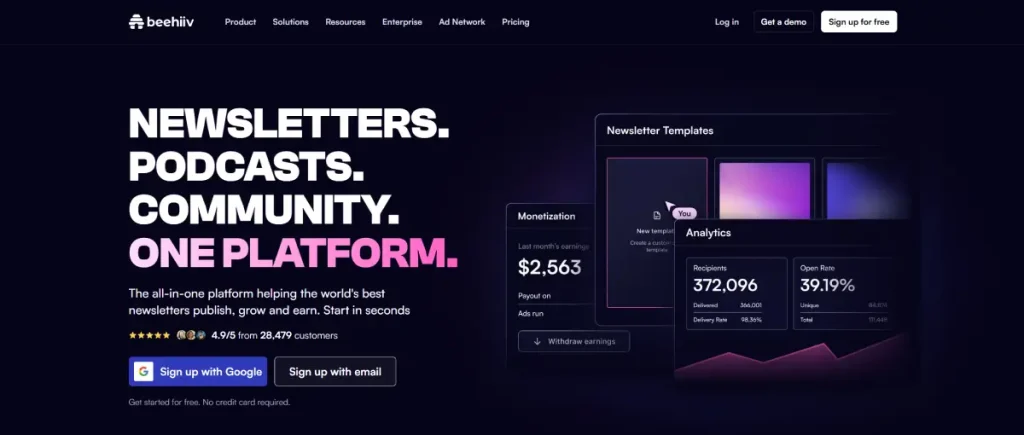
I’ll say this upfront: I’m not surprised Beehiiv comes out on top. It was built by people who ran growth at Morning Brew, one of the newsletters that proved a publication could sell for tens of millions of dollars, and you can feel that DNA in how the product is built. Almost every feature is aimed at one question: how do we get you more subscribers and more revenue, not just more emails sent.
The editor itself is clean and text-first, closer to Substack than to a drag-and-drop marketing tool. What sets Beehiiv apart is everything wrapped around the writing: a referral program that rewards readers for inviting friends, a “Boosts” network where you can pay to get your newsletter recommended inside other Beehiiv publications (or get paid to recommend others), and built-in monetization through paid subscriptions, sponsorships, and an ad network.
In my own testing, the referral program pulled in new subscribers without any paid promotion attached, purely from existing readers sharing their unique link. That’s not something Mailchimp or ActiveCampaign can offer you, because growth and discovery were never part of their job description.
Where it falls short is design flexibility. If you want to build a highly custom, branded email layout, you’ll bump into Beehiiv’s simplicity fast. Anything beyond the built-in blocks means touching CSS, which isn’t realistic for most non-technical users.
Automation is also noticeably lighter than a dedicated marketing platform; it covers welcome sequences and basic subscriber journeys, but you won’t find the conditional branching logic that ActiveCampaign offers.
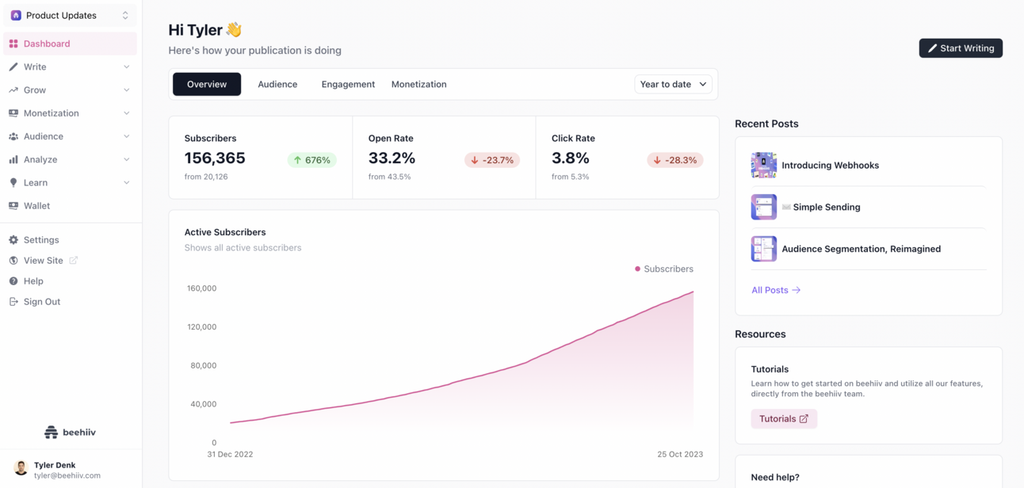
Image source: Beehiiv
What Are the Key Features of Beehiiv?
- Referral program with built-in tracking links, no third-party tool required
- Boosts network for paid, in-network subscriber acquisition
- Native monetization: paid subscriptions, sponsorship placements, ad network access
- Custom domains and a hosted newsletter website on every paid tier
- AI-assisted website builder (added after its Typedream acquisition) for a full newsletter site without code
What Are the Pros of Beehiiv?
- The strongest built-in growth engine of any platform on this list, referrals and recommendations actually move the needle
- Monetization options (subscriptions, sponsorships, ads) are native, not bolted on through a third-party plugin
- Clean, distraction-free writing experience that doesn’t get in your way
- Generous free tier: 2,500 subscribers with unlimited sends, no email cap
What Are the Cons of Beehiiv?
- Design customization has a hard ceiling unless you’re comfortable with CSS
- Automation is functional but shallow compared to marketing-first platforms
- Many integrations route through Zapier rather than native, direct connections
- The free plan caps out at 2,500 subscribers, after that you’re on a subscriber-tiered paid plan regardless of feature needs
What Does Beehiiv Pricing Look Like?
- Launch (Free): Up to 2,500 subscribers, unlimited sends, most core features included
- Scale: From $49/month, starts around 1,000 subscribers, adds the ad network, custom domain, and premium subscriptions
- Max: From $109/month, adds priority support and removes platform branding
- Enterprise: Custom pricing, dedicated IP, custom onboarding
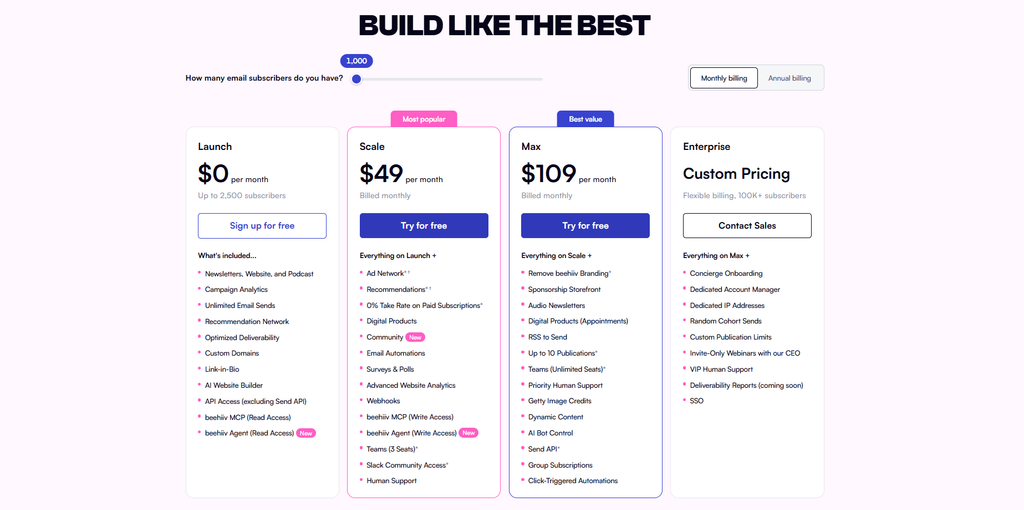
Image source: Beehiiv
At 5,000 subscribers, expect to land in the Scale tier territory, somewhere in the high $40s to low $80s depending on current promotional pricing. Always confirm current tiers directly on beehiiv.com/pricing before committing, since subscriber-tier pricing shifts periodically.
Reviews & Ratings
- G2: 4.5 out of 5 stars (40 reviews)
- Capterra: 4.4 out of 5 stars (16 reviews)
Best for: Content creators and independent publishers who want to grow and monetize a newsletter as an actual business, not just send updates to an existing list.
Skip if: You need deep, behavior-based marketing automation or pixel-perfect branded design control.
Verdict: Beehiiv earns the top spot because it’s the only platform that scores well across growth, monetization, and pricing simultaneously. If your newsletter is the product, this is where I’d start.
2. Kit (formerly ConvertKit) — Best for Creators Selling Products
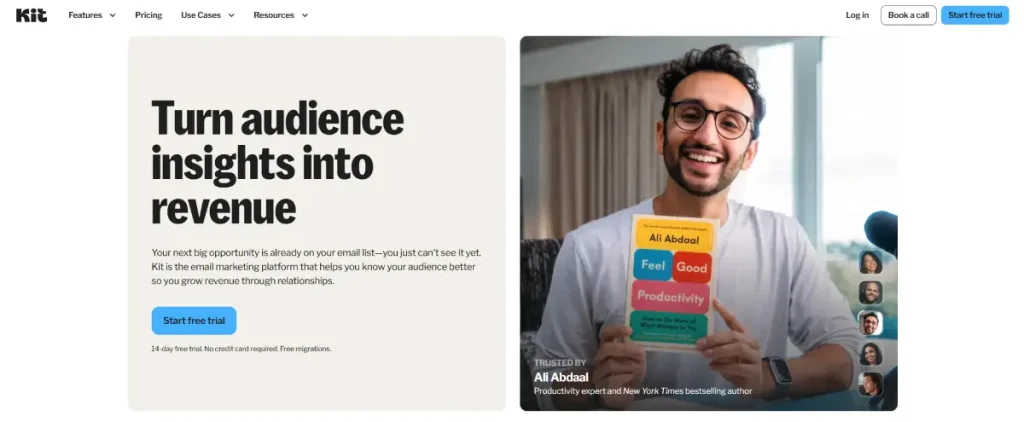
Kit has quietly become the go-to for creators who sell something, courses, digital products, coaching, alongside their newsletter. The tag-based subscriber model and visual automation builder let you branch subscribers down different paths based on what they click, buy, or ignore, which is genuinely more sophisticated than what Beehiiv or Substack offer.
But I have to be honest about something that’s been all over Reddit and creator forums since late 2025: Kit raised prices significantly, and it wasn’t gentle. The Creator plan jumped from $29/month to $39/month at 1,000 subscribers, a 34% increase, and it hit existing customers, not just new signups. There was no grandfathering. If you were already on the platform, your bill went up with your next billing cycle. A lot of long-time users, the same creators Kit built its brand serving, felt like they were paying more for a rebrand (ConvertKit to Kit) rather than a meaningfully better product.
That context matters when you’re deciding whether to build here. The free plan is genuinely excellent, 10,000 subscribers with unlimited sends is one of the most generous free tiers in this entire category. But the cliff from free to paid is steep: the moment you need a second automation or basic integration, you’re at $39/month with no middle-tier option.
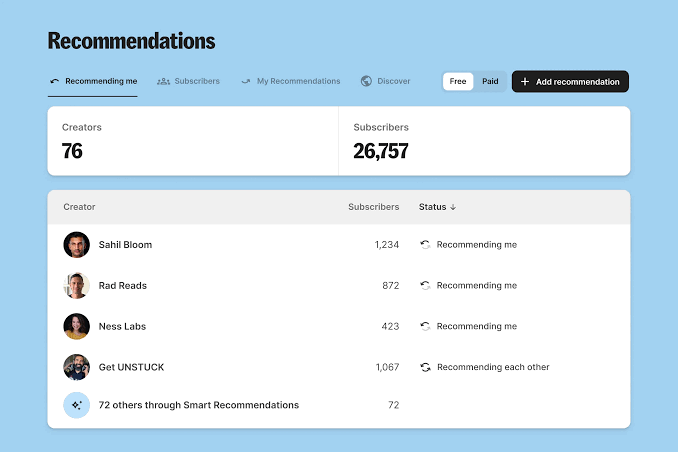
Image source: Kit
What Are the Key Features of Kit?
- Visual automation builder with genuine branching logic based on subscriber behavior
- Tag-based segmentation that’s more flexible than list-based systems
- Built-in commerce for selling digital products and paid newsletters directly
- Referral program on higher tiers, similar in spirit to Beehiiv’s
- Landing pages and forms included on every plan, including free
What Are the Pros of Kit?
- Deepest automation logic of any publisher-first platform on this list
- The free plan’s 10,000-subscriber ceiling is best-in-class
- Strong creator-commerce tools for selling products without a separate platform
- Large community of creator-economy educators building content specifically around Kit workflows
What Are the Cons of Kit?
- The September 2025 price increase (roughly 34%) applied to existing customers with no grandfathering, a real trust hit for long-time users
- No mid-tier plan between Free and the $39/month Creator tier
- Some Reddit threads report deliverability friction tied to shared IP reputation, with support attributing issues to list quality rather than infrastructure
- Digital product sales carry a 3.5% + $0.30 transaction fee on every tier, including free
What Does Kit Pricing Look Like?
- Free (Newsletter): Up to 10,000 subscribers, unlimited sends, one basic automation, no email sequences
- Creator: From $39/month (or $33/month billed annually) at 1,000 subscribers, scaling to roughly $89/month at 5,000 and $139/month at 10,000
- Creator Pro: From $79/month (or $66/month annually) at 1,000 subscribers, adds A/B testing, advanced reporting, and the referral program
- Enterprise: Custom pricing for large lists
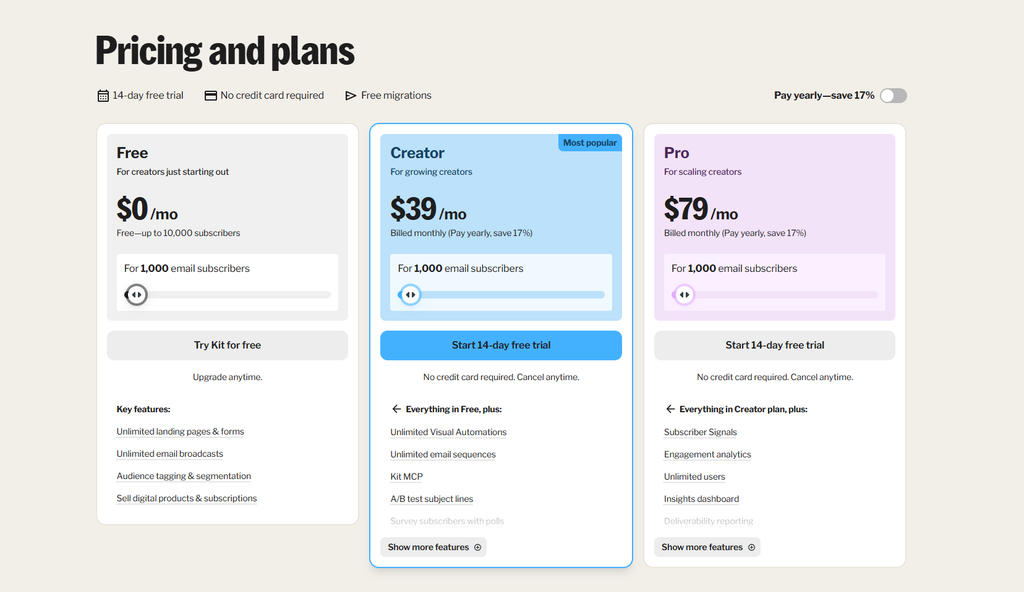
Image Source: Kit
That free-to-paid cliff is the thing to plan around. Build your list on the free plan first, and budget for the jump once you need automation beyond the single basic sequence.
Reviews & Ratings
- G2: 4.4 out of 5 stars (236 reviews)
- Capterra: 4.6 out of 5 stars (243 reviews)
Best for: Creators actively selling digital products, courses, or paid newsletters who need real automation depth.
Skip if: You’re budget-sensitive and don’t yet monetize, or you want predictable pricing with no history of steep increases.
Verdict: Kit’s automation and commerce tools are genuinely strong, but go in with eyes open about the pricing trajectory. Build free, and expect the jump.
3. MailerLite — Best Value for General-Purpose Newsletter Sending
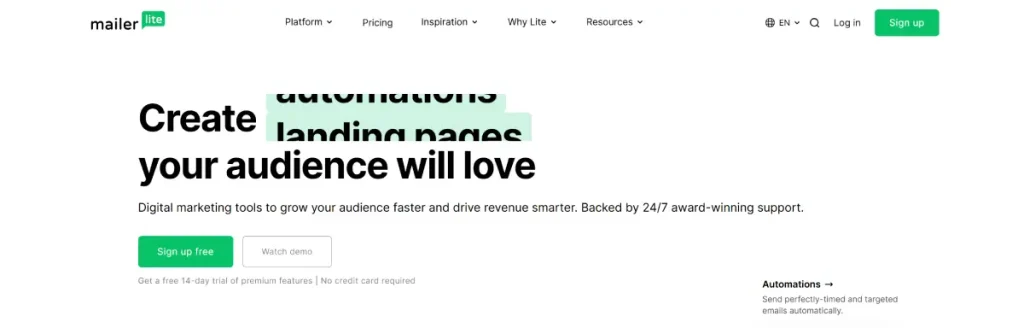
MailerLite doesn’t try to be the flashiest platform on this list, and that’s exactly why it scores as well as it does. It’s a genuinely well-rounded tool: a solid drag-and-drop editor, a real website and blog builder, automation workflows, and a generous free plan, all at a price that undercuts almost everything else here once you’re paying.
What surprised me most in testing was how much you get for how little you pay. At 1,000 subscribers, MailerLite’s paid tier starts around $10/month, compared to $39/month for Kit’s equivalent tier. You’re not getting Kit-level automation branching, but for most people running a straightforward content newsletter with a welcome sequence and occasional segmented sends, MailerLite covers the need completely.
Support responsiveness is a recurring theme in reviews, and it matched my experience: questions got answered quickly, without the runaround some larger platforms are known for.
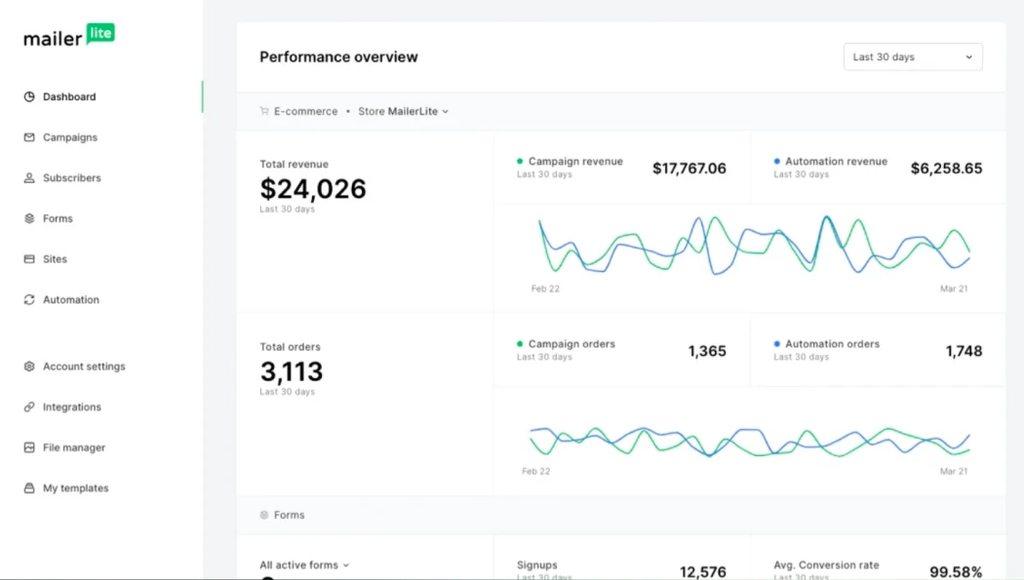
Image source: MailerLite
What Are the Key Features of MailerLite?
- Drag-and-drop editor with a wide template library and a custom HTML option for advanced users
- Website and blog builder bundled in, not a separate product
- Automation workflows covering standard triggers: signups, clicks, opens, e-commerce actions
- A/B testing available even on lower tiers, unlike several competitors that gate it behind premium plans
What Are the Pros of MailerLite?
- Exceptional value: strong feature set at meaningfully lower pricing than comparable tools
- Generous free plan (1,000 subscribers, 12,000 monthly emails)
- Responsive, well-reviewed customer support
- Website/blog builder means you’re not paying for a separate CMS if you don’t need one
What Are the Cons of MailerLite?
- Template customization can feel restrictive compared to fully open editors
- Growth and discovery tools are minimal, you’re bringing your own audience
- Monetization options are thinner than Beehiiv or Kit
- Advanced segmentation logic doesn’t go as deep as ActiveCampaign or Kit’s tagging system
What Does MailerLite Pricing Look Like?
- Free: Up to 1,000 subscribers, 12,000 monthly emails, drag-and-drop editor included
- Growing Business: From $10/month (billed annually) at 500–1,000 subscribers, adds automation and digital product sales
- Advanced: From $22/month (billed annually), adds the full HTML editor and deeper automation
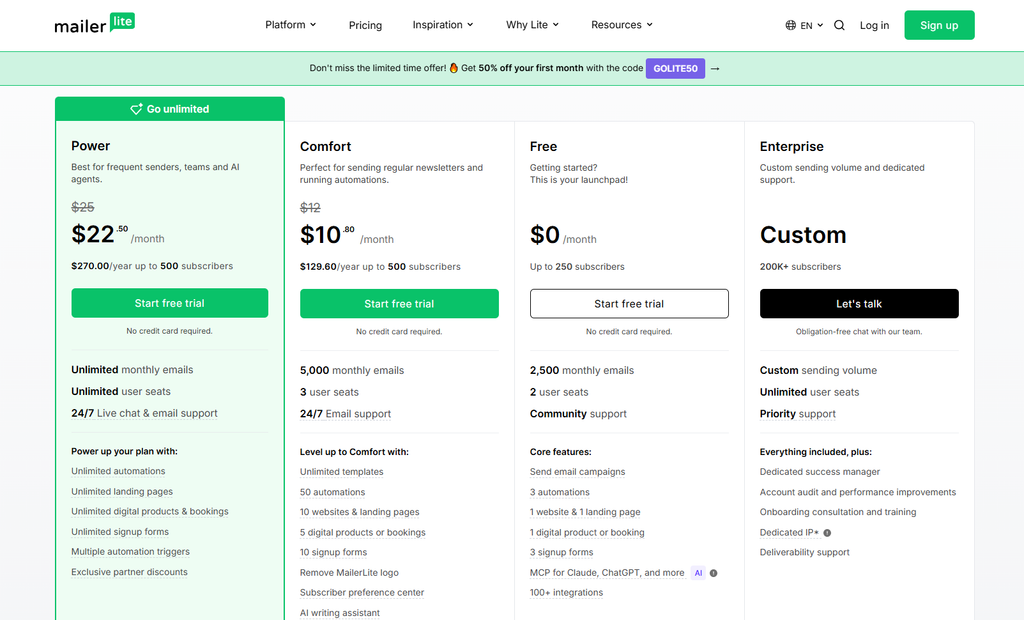
Image source: MailerLite
At 5,000 subscribers, MailerLite typically lands well under $50/month on the Advanced tier, a meaningful gap compared to Kit or Beehiiv at the same list size.
Reviews & Ratings
- G2: 4.6 out of 5 stars (1,113 reviews)
- Capterra: 4.7 out of 5 stars (2,322 reviews)
Best for: Bloggers, small businesses, and beginners who want strong core features without paying creator-platform prices.
Skip if: You need Beehiiv-level growth tools or Kit-level automation branching.
Verdict: If you’re not sure yet whether you need a publisher-first growth engine or deep automation, MailerLite is the safest, most affordable place to figure that out.
4. Ghost — Best for Owning Your Publication Outright
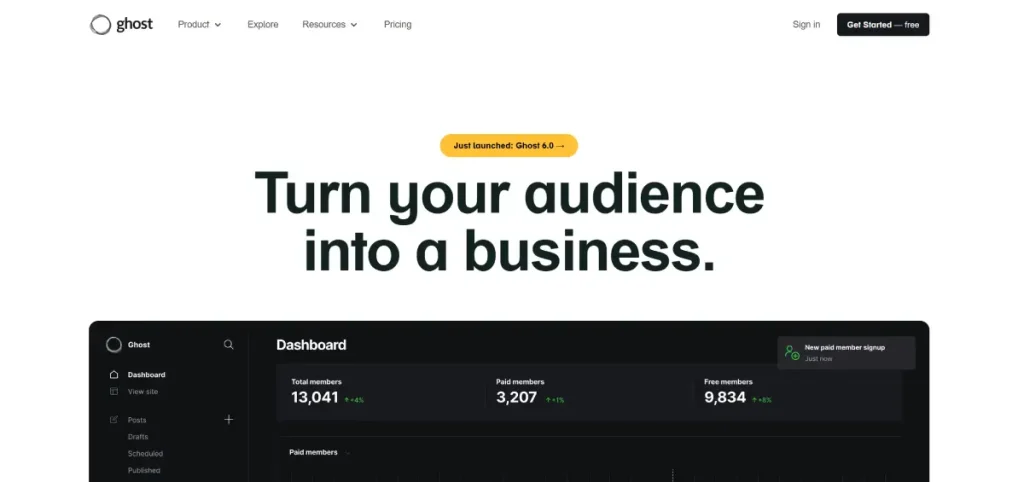
Ghost occupies a different space than everything else on this list. It’s not primarily an email tool that happens to have a website, it’s a full open-source CMS and publishing platform that happens to include newsletter delivery. If Beehiiv is a newsletter platform with a website attached, Ghost is a website with a newsletter attached, and that distinction matters enormously depending on what you’re building.
What keeps showing up in real migration stories is ownership. I read through a stack of public “why I moved from Substack to Ghost” posts, and the reasoning is remarkably consistent: writers wanted full control over their platform, their data, and in several cases, distance from decisions Substack made about what content it would or wouldn’t host.
Ghost is run by a nonprofit foundation and is genuinely open-source, which means you can self-host it entirely if you want zero platform dependency, or use Ghost(Pro) for managed hosting without touching a server.
That control comes with real friction, though. Migration from Substack, even with Ghost’s staff assisting, took one writer eight months to fully untangle, largely because moving paid subscribers requires coordinating directly with Stripe rather than a simple one-click export. If you’re moving a paid publication, budget real time for that process, and don’t expect it to be instant.
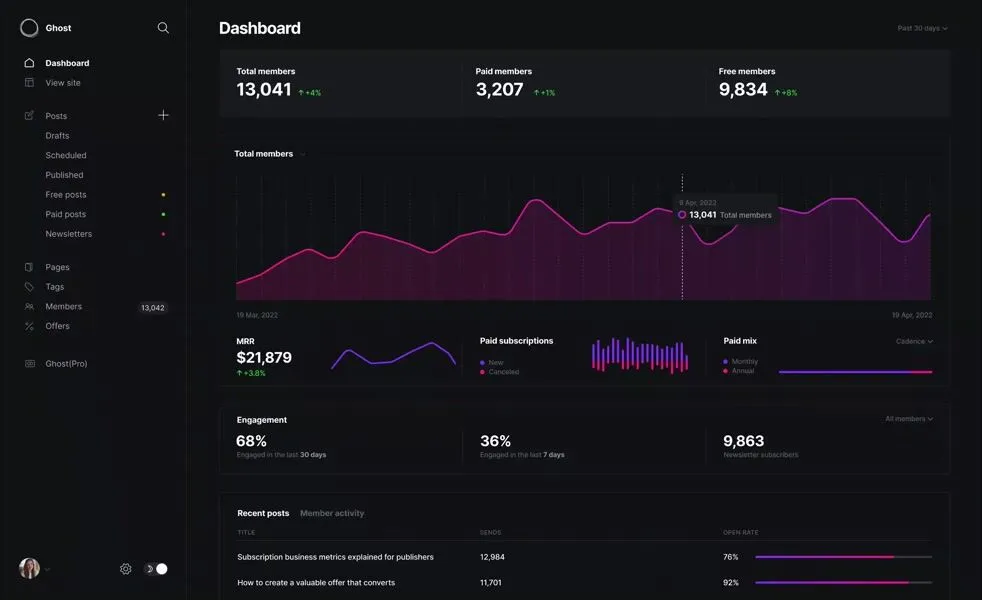
Image source: Ghost
What Are the Key Features of Ghost?
- Full CMS with themes, custom code injection, and complete design control
- Built-in membership and subscription management, including free and paid tiers
- Newsletter delivery integrated directly with your website content, so every post is simultaneously a page and an email
- Native SEO tooling baked into the publishing workflow
- Self-hosting option for complete infrastructure ownership, alongside managed Ghost(Pro) hosting
What Are the Pros of Ghost?
- The strongest ownership and portability story of any platform on this list, open-source, self-hostable, no platform lock-in if you choose that path
- Genuinely excellent CMS for anyone who wants blog and newsletter unified in one system
- No revenue share on paid subscriptions (unlike Substack’s 10% cut)
- Built-in SEO features most dedicated email tools don’t attempt
What Are the Cons of Ghost?
- Meaningfully more technical than any other platform on this list, self-hosting requires real comfort with servers
- Email automation is minimal compared to marketing-first tools or even Kit
- Migrating paid subscribers from another platform (especially Substack) is a genuinely involved process, not a one-click export
- No permanent free plan, only a trial before you’re committed to a paid tier
What Does Ghost Pricing Look Like?
- Starter: From roughly $18/month for up to 1,000 subscribers
- Publisher: From roughly $35/month, starting around 1,000 subscribers, unlocks more advanced membership and theme features
- Business: From roughly $239/month at 10,000 subscribers, includes priority support
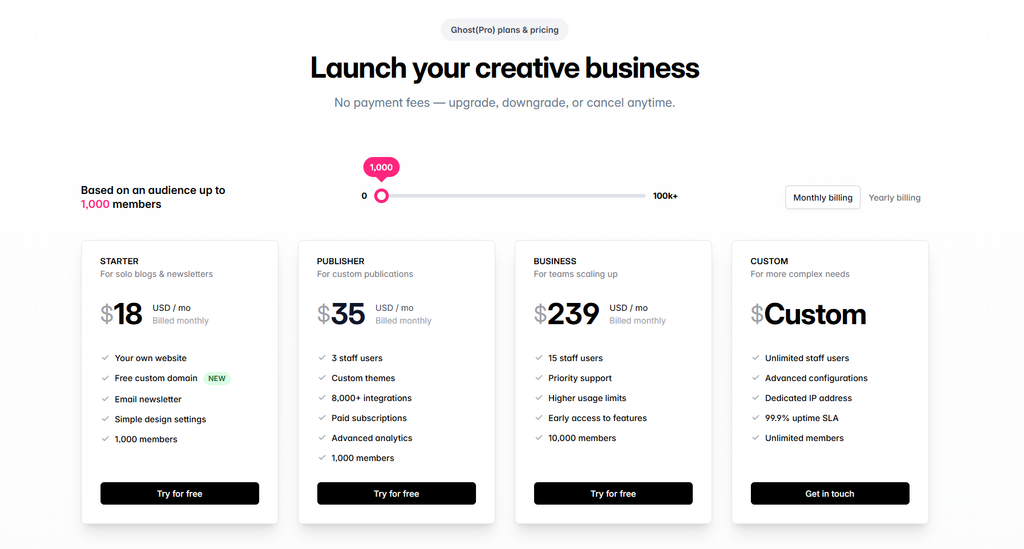
Image source: Ghost
Self-hosting removes the subscription cost entirely but shifts hosting, security, and uptime responsibility onto you, factor in that time cost honestly before assuming self-hosted Ghost is “free.”
Reviews & Ratings
- G2: 4.5 out of 5 stars (40 reviews)
- Capterra: 4.7 out of 5 stars (53 reviews)
Best for: Writers and publishers who want a genuinely owned publication, a full website, and no revenue share, and who are comfortable with more setup complexity.
Skip if: You want to publish your first newsletter this afternoon with zero technical friction.
Verdict: Ghost is the ownership play. If ten years from now you want your publication to be an asset you fully control rather than a tenant on someone else’s platform, this is the strongest option here, if you’re willing to put in the setup work.
5. Buttondown — Best Minimalist Option for Writers and Developers

Buttondown is the anti-Beehiiv, and I mean that as a compliment. It’s built and run by a single developer, Justin Duke, with a deliberately minimalist philosophy: Markdown editing instead of drag-and-drop blocks, à la carte add-ons instead of feature bloat, and privacy-respecting analytics that are off by default rather than tracking everything and burying the opt-out.
That philosophy shows up in the pricing too. The free tier covers 100 subscribers, modest compared to Kit’s 10,000, but the Basic paid tier at $9/month for 1,000 subscribers undercuts nearly everyone else on this list, and there’s no revenue cut on paid subscriptions, a direct contrast to Substack’s 10%.
The trade-off is growth. Buttondown has essentially no built-in discovery network, no referral program to speak of, and minimal audience-growth tooling. You bring your own audience, in full, and Buttondown focuses entirely on making the writing and sending experience clean.
Reviewers consistently single out support quality, since you’re often talking directly to the person who built the product, responses tend to be fast, personal, and technically specific rather than generic ticket-queue replies.
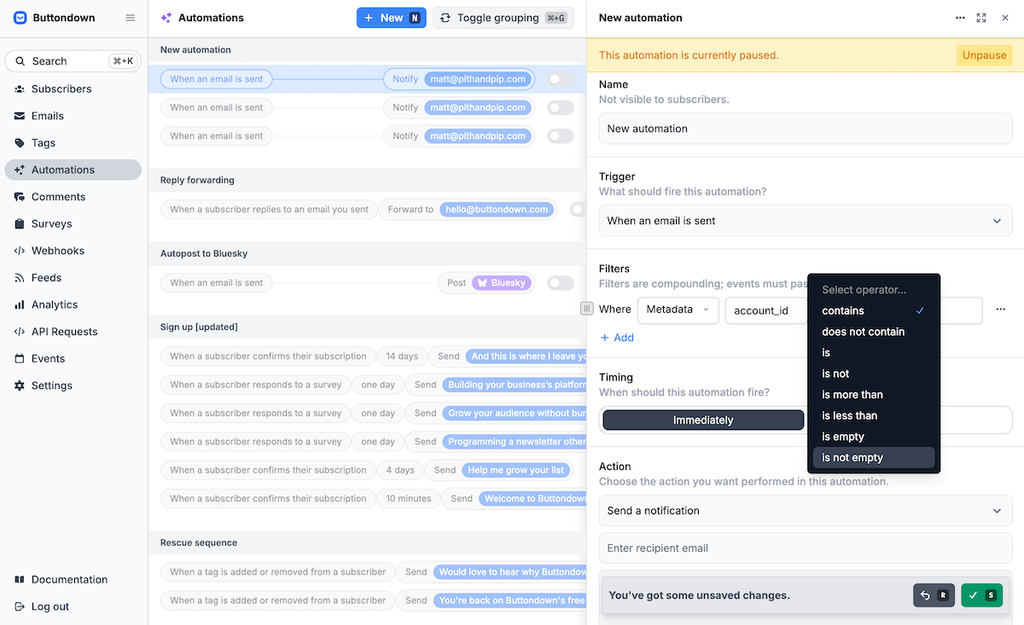
Image source: Buttondown
What Are the Key Features of Buttondown?
- Markdown-first editor built for writers who think in plain text, not visual blocks
- API-first architecture with strong developer documentation
- Privacy-respecting analytics, open and click tracking are off by default
- Modular add-ons: pay only for automations, paid subscriptions, or RSS-to-email if you actually use them
What Are the Pros of Buttondown?
- No revenue cut on paid subscriptions, unlike Substack
- Genuinely fair, transparent pricing that undercuts most of this list
- Direct, personal support from the team that built the product
- Clean, distraction-free writing experience for people who find drag-and-drop editors slow them down
What Are the Cons of Buttondown?
- Minimal audience growth or discovery tools, essentially none of Beehiiv or Substack’s network effects
- Automations and other advanced features are paid add-ons layered on top of the base subscription, which can make total cost less predictable than a flat tier
- Small team behind the product means support hours and scaling capacity are inherently more limited than a venture-backed platform
- Design customization is intentionally minimal, this isn’t the tool for a highly branded visual newsletter
What Does Buttondown Pricing Look Like?
- Free: Up to 100 subscribers, core Markdown editor and hosted archive
- Basic: From $9/month for up to 1,000 subscribers, custom domain included
- Add-ons: Analytics, paid subscriptions, and RSS-to-email around $9/month each; automations around $29/month
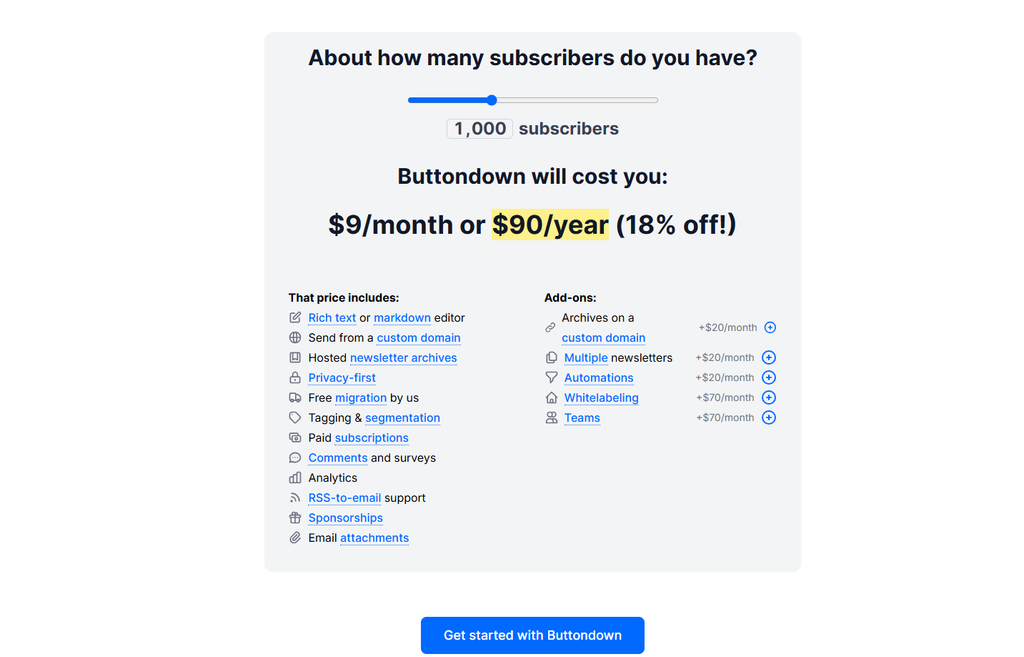
Image source: Buttondown
Because pricing is modular, your real monthly cost depends heavily on which add-ons you actually switch on, budget for that rather than assuming the base tier price is your final number.
Reviews & Ratings
- G2: 4.0 out of 5 stars (1 review)
- Capterra: 4.8 out of 5 stars (114 reviews)
Best for: Writers, developers, and technical creators who want a no-frills tool, fair pricing, and no revenue cut on paid subscriptions.
Skip if: Audience growth and discovery tools matter to you, or you want a highly designed, branded newsletter.
Verdict: Buttondown won’t grow your list for you, but it also won’t nickel-and-dime you the way some larger platforms eventually do. It’s the honest, quiet option on this list.
6. Sender — Best Free/Budget Newsletter Software
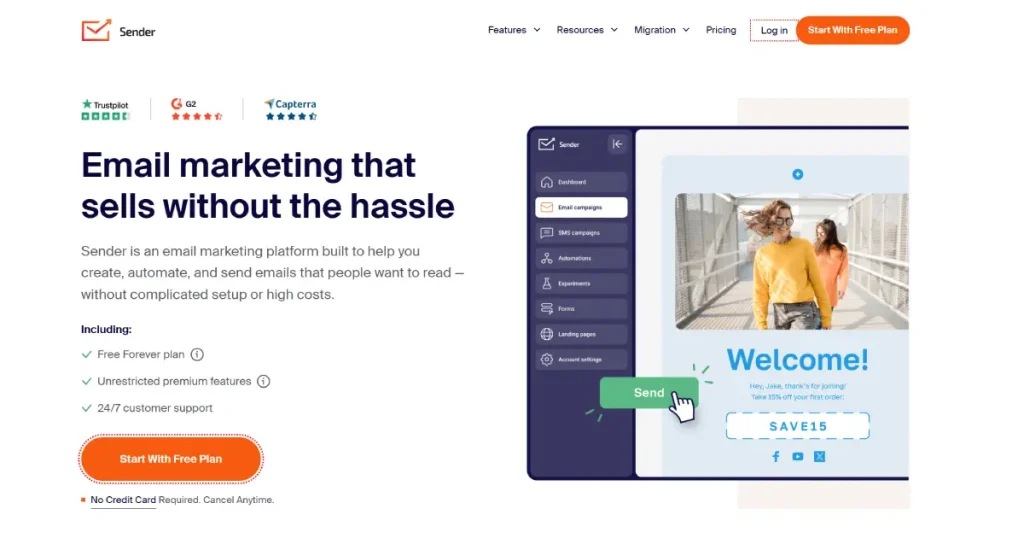
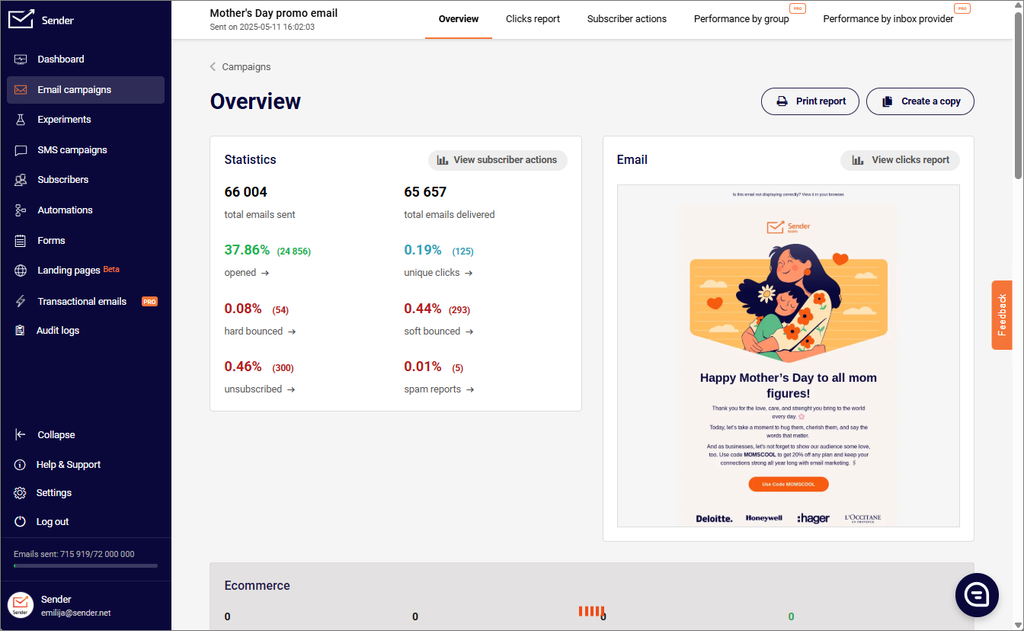
Sender’s pitch is simple: the most generous free plan of any platform on this list, 2,500 subscribers and 15,000 emails a month, with automation, segmentation, and signup forms included, not gated behind an upgrade. For a newsletter just getting off the ground with zero budget, that’s a genuinely strong starting point.
The catch, and it’s a real one, is that Sender’s Standard paid tier actually caps subscribers lower than the free plan (1,000 versus 2,500) at the entry price point, which trips people up when they go to upgrade expecting more room, not less. It’s not a dealbreaker, but it’s the kind of detail that should factor into your decision before you build your list there.
Where Sender is thinner is CRM-style depth. Contact records and behavioral scoring are basic, and the integration ecosystem is narrower than bigger platforms like Mailchimp, so if your tech stack is complex, you may hit friction connecting Sender to everything else you use.
What Are the Key Features of Sender?
- Visual automation builder with standard triggers: opens, clicks, time delays
- Real-time rule-based segmentation included even on the free tier
- Landing page builder connected directly to lists and automations
- Custom event tracking via API or integrations for purchase- or behavior-based triggers
What Are the Pros of Sender?
- The most generous free plan on this entire list by subscriber and send volume
- No aggressive upsells baked into the free tier, automation and forms are included, not locked
- Budget-friendly scaling: paid plans stay competitively priced relative to bigger names
- Simple, fast drag-and-drop builder, most users can send a clean email within 15 minutes
What Are the Cons of Sender?
- The Standard paid tier’s base subscriber limit (1,000) is actually lower than the free plan’s (2,500), a confusing structure that catches new upgraders off guard
- Native integration library is narrower than larger competitors
- CRM-style contact records and lead scoring are fairly shallow
- Not built for complex, multi-channel behavioral marketing
What Does Sender Pricing Look Like?
- Free: Up to 2,500 subscribers, 15,000 emails/month
- Standard: From $7/month for up to 12,000 monthly emails and 1,000 subscribers
- Professional: From $14/month for up to 24,000 monthly emails and 1,000 subscribers
- Enterprise: Custom pricing for high-volume senders
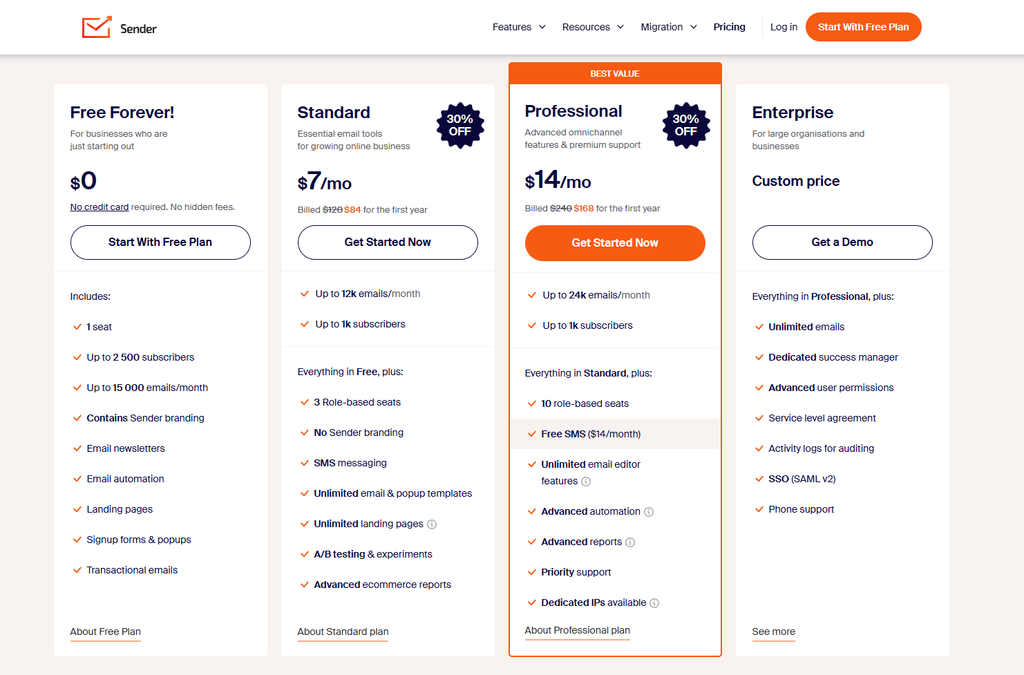
At 5,000 subscribers, Sender is one of the more affordable options on this list, but confirm the current tier structure directly, since pricing here scales with both subscriber count and email volume together.
Reviews & Ratings
- G2: 4.7 out of 5 stars (277 reviews)
- Capterra: 4.7 out of 5 stars (212 reviews)
Best for: New senders and budget-conscious small businesses who want real automation and segmentation without paying for it upfront.
Skip if: You need deep CRM functionality or a large, mature integration ecosystem.
Verdict: For a newsletter starting completely from zero budget, Sender’s free tier is hard to beat. Just don’t be surprised by the Standard tier’s subscriber cap when you upgrade.
7. Brevo — Best Affordable Multichannel Platform
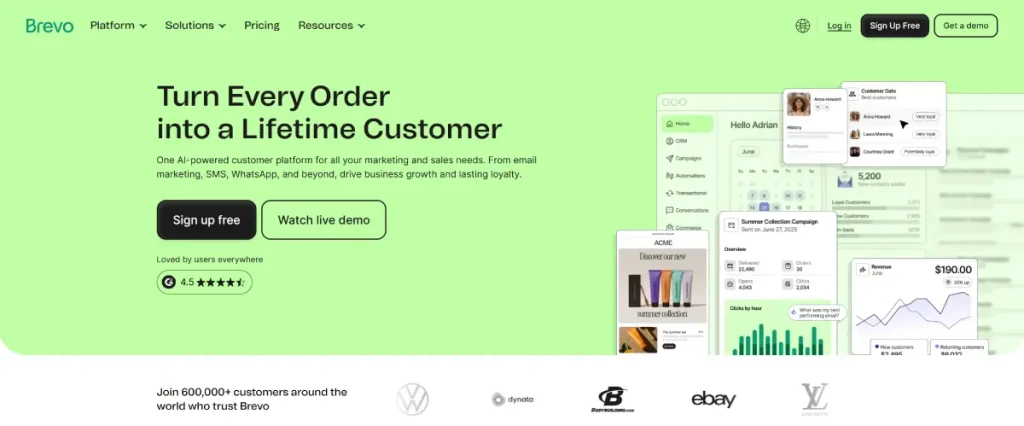
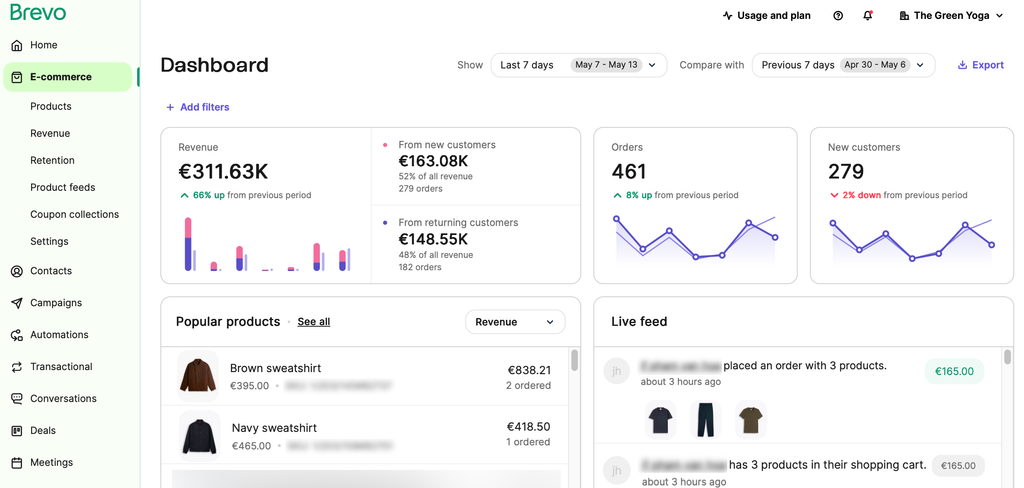
Brevo (formerly Sendinblue) is the platform to consider if your newsletter is one piece of a bigger customer communication puzzle. It bundles email, SMS, WhatsApp, and transactional messaging into one dashboard, and prices by email volume rather than contact count, which can work heavily in your favor if you have a large list but don’t email it constantly.
That pricing model is Brevo’s real differentiator. Where most platforms on this list charge based on how many subscribers you store, Brevo charges based on how many emails you actually send. If you have 50,000 contacts but only send a monthly digest, Brevo can end up dramatically cheaper than a subscriber-tiered competitor.
The trade-off shows up in automation depth. Conditional branching based on which specific link someone clicked isn’t natively supported, you’ll need workarounds for multi-CTA sequences that a platform like ActiveCampaign handles out of the box.
What Are the Key Features of Brevo?
- Send-volume-based pricing rather than contact-count pricing
- Multichannel campaigns: email, SMS, WhatsApp, and push in a single workflow
- Transactional email support alongside marketing sends, useful if you also need order confirmations or password resets
- Built-in CRM for tracking customer interactions across channels
What Are the Pros of Brevo?
- Pricing by send volume can be dramatically cheaper for large, infrequently-emailed lists
- Genuinely useful multichannel functionality (SMS and WhatsApp alongside email) without a separate tool
- Free plan includes 300 emails/day, enough to test real workflows before committing
- Straightforward, accessible interface with a low learning curve
What Are the Cons of Brevo?
- Automation branching logic has real limits, no native routing based on specific link clicks
- Reporting is functional but shallow on attribution and revenue tracking
- Template selection and design customization trail behind more design-focused competitors
- Integration ecosystem is narrower than Mailchimp or HubSpot, expect to lean on Zapier for some connections
What Does Brevo Pricing Look Like?
- Free: Up to 300 emails/day
- Starter: From roughly $9/month for up to 5,000 emails/month
- Business: From roughly $18/month, adds landing pages and deeper automation
- Professional: From $499/month for up to 10M emails/month
- Enterprise: Custom pricing
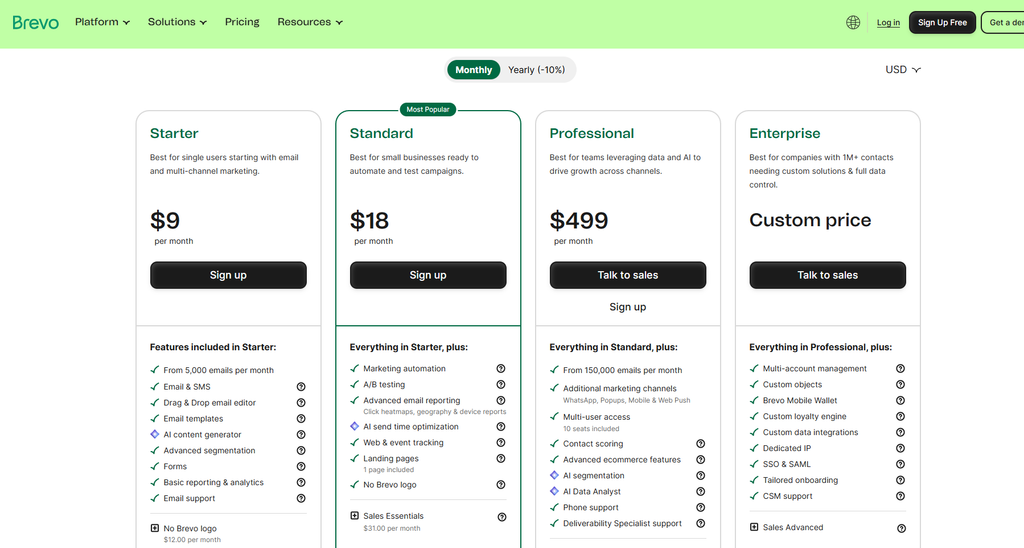
At 5,000 subscribers sending a typical monthly cadence, Brevo frequently lands as one of the cheapest options on this list, its send-volume model rewards infrequent senders specifically.
Reviews & Ratings
- G2: 4.5 out of 5 stars (2,632 reviews)
- Capterra: 4.6 out of 5 stars (3,514 reviews)
Best for: Businesses that want email, SMS, and transactional messaging in one affordable dashboard, especially with larger, less-frequently-emailed lists.
Skip if: You need deep behavioral automation or a design-forward newsletter builder.
Verdict: Brevo’s send-based pricing is a genuinely underused advantage. If your list is big but your sending cadence is modest, run the numbers here before defaulting to a subscriber-tiered platform.
8. Substack — Best for Frictionless Publishing and Built-In Discovery
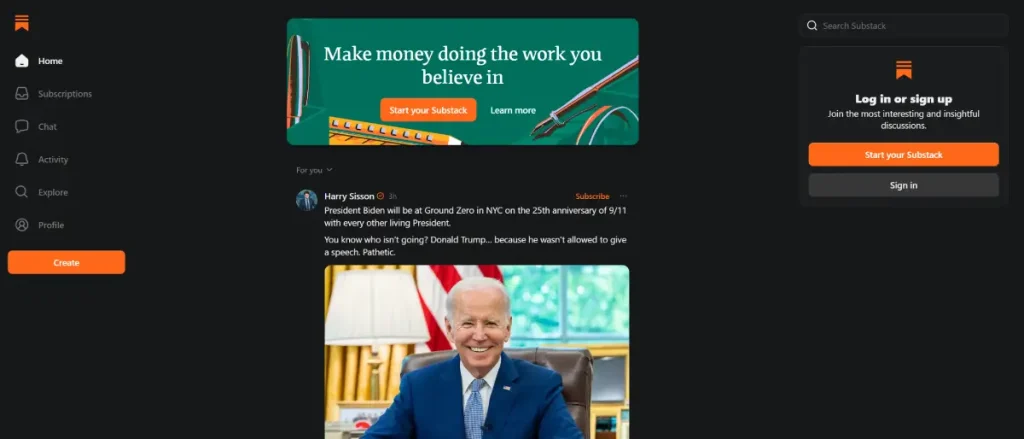
Substack is the name most people already know, and there’s a reason for that: it’s genuinely the fastest path from zero to a published, monetizable newsletter. No pricing tiers to compare, no plan to select, you sign up, write, and publish, with hosting, payments, and email delivery handled entirely out of the box.
The Notes feature (Substack’s internal, X-sized social feed) and its recommendation system are real growth levers that nothing else on this list fully replicates except Beehiiv’s Boosts network, and several writers I found in forum research specifically credit Notes as their primary discovery channel today.
Here’s the honest math, though, and it’s the reason Substack doesn’t rank higher despite being the most recognizable name in this category: Substack takes 10% of your paid subscription revenue, the steepest cut of any platform on this list, plus standard Stripe processing fees on top. At low subscriber-revenue levels that’s barely noticeable. Above roughly $500–600/month in subscription revenue, a flat-fee competitor like Beehiiv typically becomes the cheaper option, and the gap widens the more you earn.
Automation is close to nonexistent by comparison to literally everything else on this list, there’s no meaningful behavioral branching, and design customization is intentionally minimal. Substack knows what it is: a writing and publishing tool, not a marketing platform, and it doesn’t pretend otherwise.
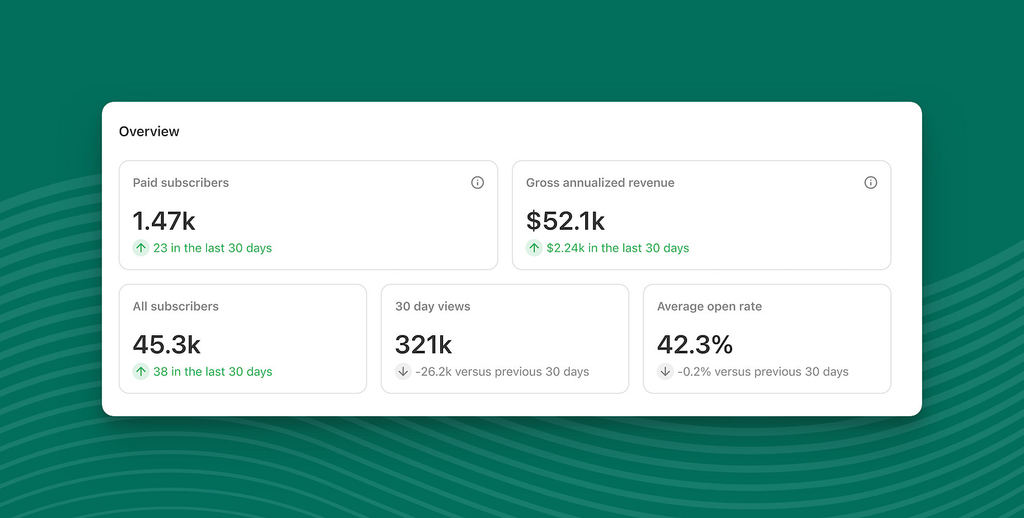
What Are the Key Features of Substack?
- Built-in CMS, newsletter delivery, and paywall unified in one system, no plugins required
- Notes and recommendations for network-driven discovery inside Substack’s ecosystem
- Zero setup friction: hosting, payments, and delivery are preconfigured from day one
- Native podcast support, useful for creators running audio alongside a written newsletter
What Are the Pros of Substack?
- Fastest path to a published, monetizable newsletter of any platform on this list
- Real, working discovery network through Notes and recommendations
- No upfront cost, free to publish, you only pay through the revenue share once you’re earning
- Simple enough that non-technical writers can launch same-day
What Are the Cons of Substack?
- 10% revenue cut on paid subscriptions, the highest of any platform reviewed here, plus Stripe fees
- Essentially no automation or behavioral segmentation
- Design flexibility is minimal, you’re working within Substack’s visual constraints
- Platform dependency is real: you don’t fully own the environment, and several publishers have cited this (along with content-moderation concerns) as reasons for migrating to Ghost or Beehiiv
What Does Substack Pricing Look Like?
- Free to publish, no monthly software fee at any subscriber count
- 10% of paid subscription revenue, plus standard Stripe processing fees
- No traditional tiered plans, cost scales entirely with your revenue, not your list size
At $5,000/month in subscription revenue, that’s $500/month to Substack. At $20,000/month, that’s $2,000/month. Run that math against Beehiiv’s flat $49–109/month Scale/Max tiers before assuming “free” is actually cheaper once you’re earning real money.
Reviews & Ratings
- G2: 4.3 out of 5 stars (17 reviews)
Best for: Writers and journalists who want the absolute lowest setup friction and value Substack’s built-in discovery network above automation or design control.
Skip if: You’re already earning meaningful subscription revenue and haven’t run the math on what a flat-fee platform would save you, or you need any real marketing automation.
Verdict: Substack earns its reputation on ease of launch and discovery, but the revenue share is a real, compounding cost that most beginner guides gloss over. Do the math before you scale here.
9. ActiveCampaign — Best for Advanced, Behavior-Based Automation
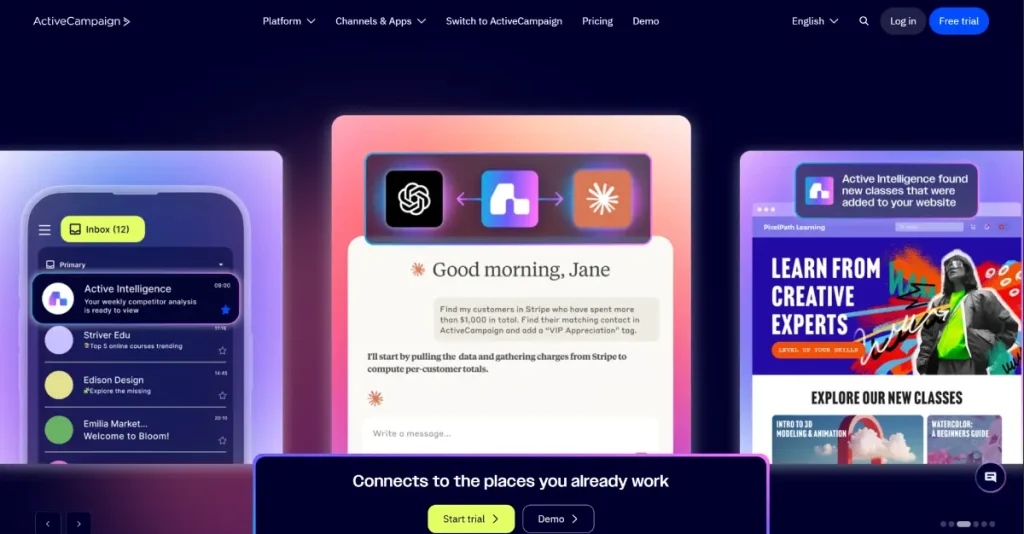
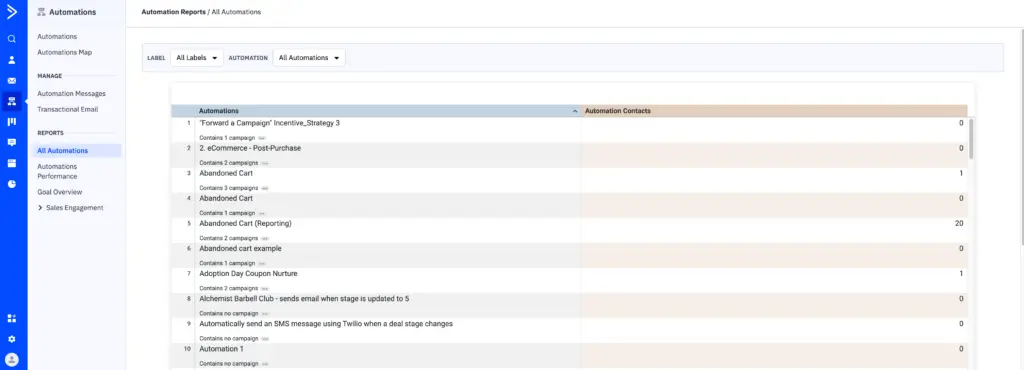
ActiveCampaign is the platform I’d point to if “newsletter” is really shorthand for “sophisticated, behavior-driven marketing system,” because that’s genuinely what it is. Lead scoring, conditional if/then automation paths, CRM-style contact records, and send-time optimization are all built in, at a depth none of the publisher-first tools on this list attempt.
In testing a lead-scoring model (email opens worth 1 point, link clicks worth 3, product page visits worth 5, with contacts crossing 15 points triggering a higher-intent sequence), the logic worked exactly as configured, but finding the scoring rules in the first place took real digging. This isn’t a platform where you stumble into advanced features accidentally, it rewards people willing to invest time learning the builder.
That depth comes at a real cost, both in dollars and in learning curve. The features that actually justify choosing ActiveCampaign over something simpler, CRM, lead scoring, advanced segmentation, sit behind the Plus plan at $37–49/month, not the entry tier. If you’re running a straightforward content newsletter without complex behavioral targeting needs, you’re paying for capability you won’t use.
What Are the Key Features of ActiveCampaign?
- Conditional automations with genuine if/then branching across multiple paths
- Contact and lead scoring based on cross-channel behavior
- Send-time optimization that delivers to each subscriber at their most likely open time
- Built-in CRM for teams managing leads alongside email marketing
What Are the Pros of ActiveCampaign?
- The deepest, most flexible automation builder of any platform on this list
- CRM and lead scoring genuinely useful for B2B teams managing sales pipelines alongside email
- Strong reporting on automation-level and goal-based performance
- Scales well for agencies and teams running complex, segmented campaigns
What Are the Cons of ActiveCampaign?
- Steep learning curve, the builder is powerful but not intuitive for first-time users
- Key differentiating features (CRM, scoring, advanced segmentation) sit behind the $37+/month Plus tier, not the entry plan
- No permanent free plan, only a 14-day trial
- Genuinely overkill if you just want to send a simple weekly newsletter
What Does ActiveCampaign Pricing Look Like?
- Starter: From $15/month for 1,000+ contacts, unlimited emails
- Plus: From $37/month, unlocks CRM, lead scoring, and advanced automation
- Pro: From $79/month, adds deeper reporting and site tracking
- Enterprise: From $145/month, custom onboarding and dedicated support
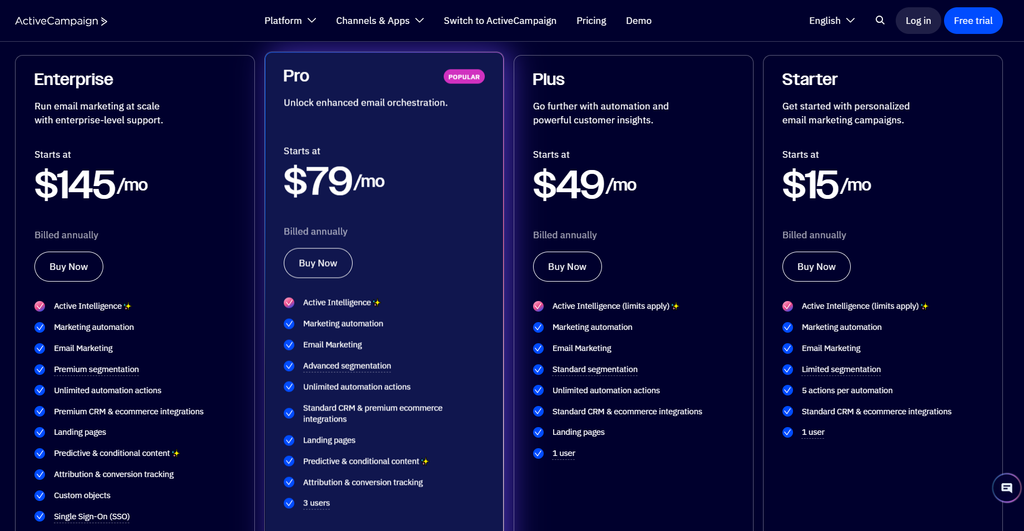
At 5,000 contacts, ActiveCampaign’s Starter tier runs roughly $79/month, meaningfully more than MailerLite or Sender at the same list size, and that’s before upgrading to Plus for the features that actually differentiate the platform.
Reviews & Ratings
- G2: 4.4 out of 5 stars (14,491 reviews)
- Capterra: 4.6 out of 5 stars (2,568 reviews)
Best for: B2B teams and agencies running genuinely complex, multi-touch automation across long customer journeys.
Skip if: You just want to send a weekly content newsletter without a learning curve.
Verdict: ActiveCampaign is the most powerful automation engine on this list, full stop. It’s also the wrong tool if a newsletter is all you need it for.
10. GetResponse — Best All-in-One for Webinars, Funnels, and Email
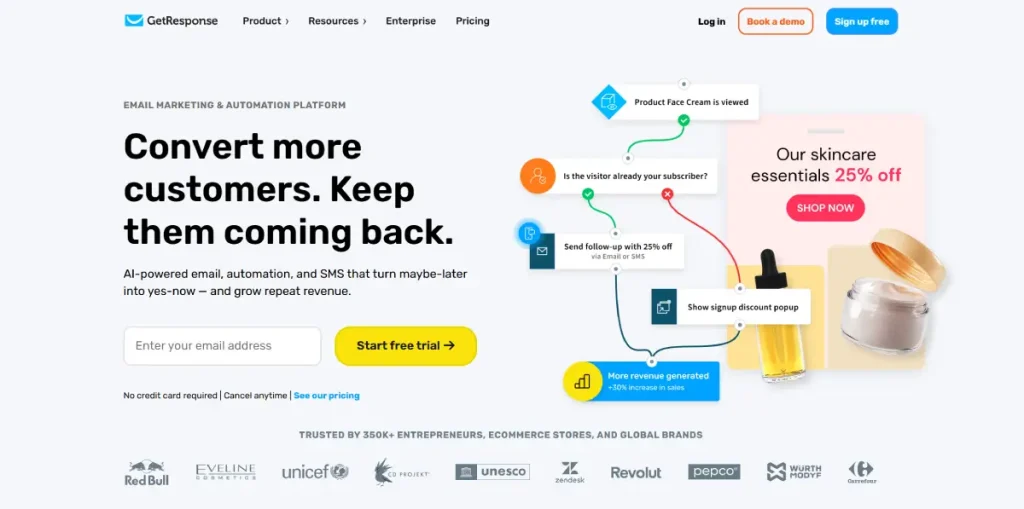
GetResponse’s pitch is consolidation: email marketing, webinar hosting, landing pages, and basic funnel-building in one subscription, which is genuinely appealing if you’re currently paying for three separate tools to do those jobs. Building a full webinar funnel, landing page, automated reminders, and attendance-based follow-up, took roughly 45 minutes in testing, faster than assembling the equivalent stack from separate tools.
The automation builder does require some orientation. It’s not as instantly intuitive as MailerLite’s, but the logic clicks once you understand the structure, and it covers the common use cases (welcome sequences, nurture drips, tag-based branching) well, just without ActiveCampaign’s multi-variable conditional depth.
Where GetResponse loses points relative to simpler tools is exactly what makes it appealing to some users: the interface carries the weight of everything it does. If you only want to send a newsletter, the webinar and funnel tooling is dead weight cluttering the dashboard.
What Are the Key Features of GetResponse?
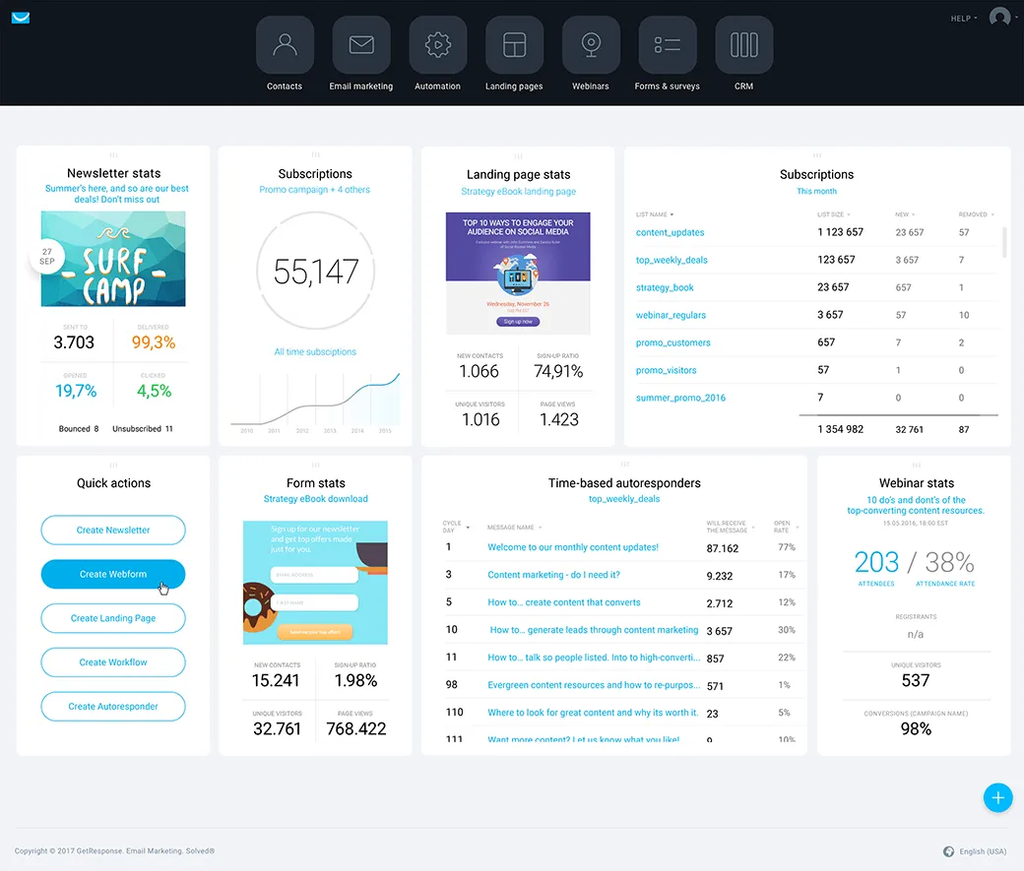
- Native webinar hosting with automated follow-up sequences to attendees
- Landing page and funnel builder without needing a separate tool
- AI campaign tools for subject line suggestions and layout optimization
- Automation builder covering standard trigger-based workflows
What Are the Pros of GetResponse?
- Genuinely useful consolidation if you currently pay for email, webinars, and landing pages separately
- AI-assisted subject line generation works quickly, even if body copy still needs editing
- Solid automation for common use cases without ActiveCampaign’s steep learning curve
- Strong option for educators and course creators running session-based promotions
What Are the Cons of GetResponse?
- Interface complexity is real, the dashboard feels heavier than dedicated newsletter tools
- Advanced automation, custom CSS, and flexible campaign controls often require upgrading past the entry plan
- No permanent free plan, only a 14-day trial
- Templates are inconsistent in quality, some feel dated next to design-forward competitors
What Does GetResponse Pricing Look Like?
- Starter: From $15/month for 1,000+ subscribers, unlimited sends
- Marketer: From roughly $48/month, adds deeper automation and webinar features
- Creator: From roughly $56/month
- MAX (Enterprise): Custom pricing for 100,000+ subscribers
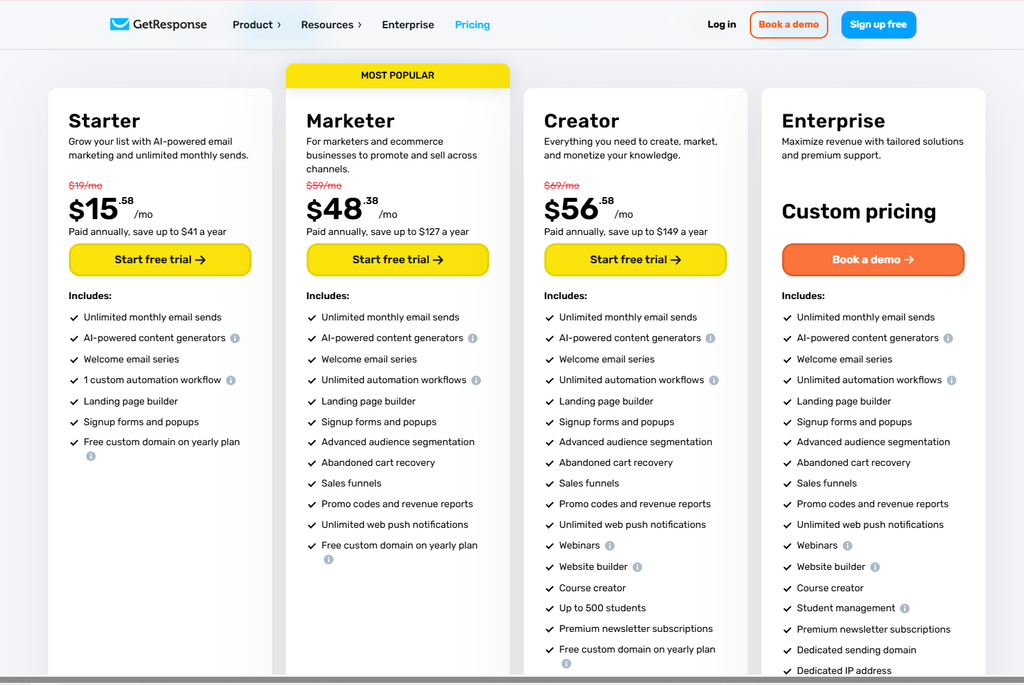
At 5,000 contacts, GetResponse runs around $46/month on its core email plan, competitive against ActiveCampaign at the same list size, with webinars bundled in rather than a separate cost.
Reviews & Ratings
- G2: 4.3 out of 5 stars (1,141 reviews)
- Capterra: 4.2 out of 5 stars (524 reviews)
Best for: Coaches, course creators, and educators who need email plus webinars plus funnels without stitching together three separate tools.
Skip if: You want a simple, focused newsletter tool without the extra surface area.
Verdict: GetResponse earns its spot by doing three jobs reasonably well instead of one job exceptionally well. Worth it specifically if you actually need all three.
11. Mailchimp — Best Familiar Ecosystem for Small Businesses
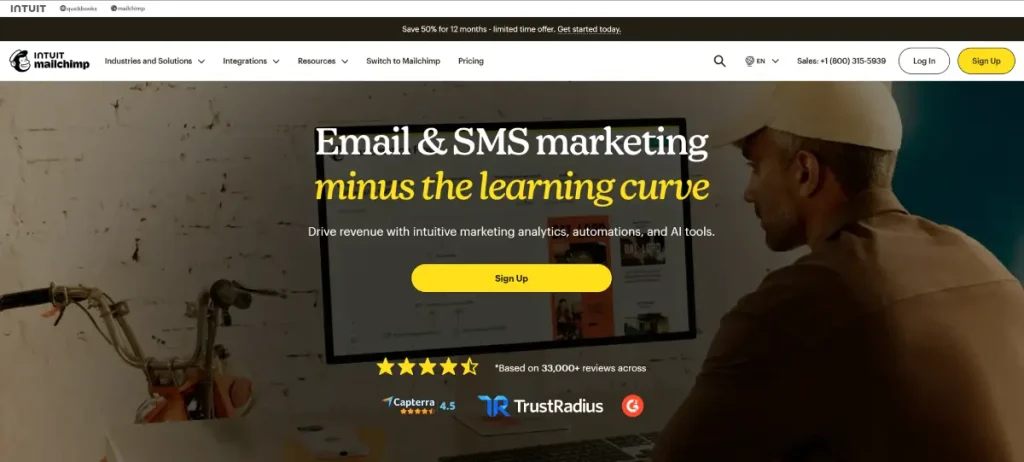
Mailchimp is the platform most non-marketers have already heard of, and that familiarity is a genuine asset: an enormous integration library, endless tutorials, and a low barrier to entry for anyone who’s used basic marketing software before. Building a clean, on-brand email from a template took roughly 10 minutes in testing, and connecting Shopify and Google Analytics through native integrations was straightforward.
The ceiling shows up fast, though, and it shows up specifically in segmentation. Mailchimp keeps audiences siloed by design, so combining contacts across separate lists isn’t possible with simple filters, you need workarounds that platforms like Sender or Klaviyo handle natively. That’s a real limitation the moment your subscriber management gets even moderately complex.
Pricing is the other sticking point people bring up most often. Mailchimp’s free plan caps at just 250–500 contacts, tighter than nearly everything else on this list, and Trustpilot sentiment (notably lower than its G2 score) reflects real frustration with pricing changes and feature-gating as lists grow.
What Are the Key Features of Mailchimp?
- Drag-and-drop campaign builder with pre-styled templates and content blocks
- Extensive integration ecosystem, Shopify, WordPress, and hundreds of third-party tools
- Built-in reporting covering opens, clicks, and basic audience data
- Marketing CRM functionality for basic contact management beyond just email
What Are the Pros of Mailchimp?
- Best-in-class integration ecosystem, if you use it, Mailchimp probably connects to it
- Low learning curve for anyone with prior marketing software experience
- Strong template library for quick, clean campaign creation
- Widely documented, easy to find tutorials and community support for any specific question
What Are the Cons of Mailchimp?
- Audiences are siloed by design, cross-list segmentation requires manual workarounds
- Free plan is tight (250–500 contacts) compared to competitors offering 1,000+ or more
- Pricing climbs meaningfully as contact count grows, and CRM/automation depth stays limited even on higher tiers
- Trustpilot sentiment notably lower than G2, worth reading both before deciding
What Does Mailchimp Pricing Look Like?
- Free: Under 250 contacts
- Essentials: $13/month (currently discounted to $6.50/mo for 12 months as a promo)
- Standard: $20/month (currently discounted to $10/mo for 12 months as a promo)
- Premium: $350/month (currently discounted to $175/mo for 12 months as a promo)
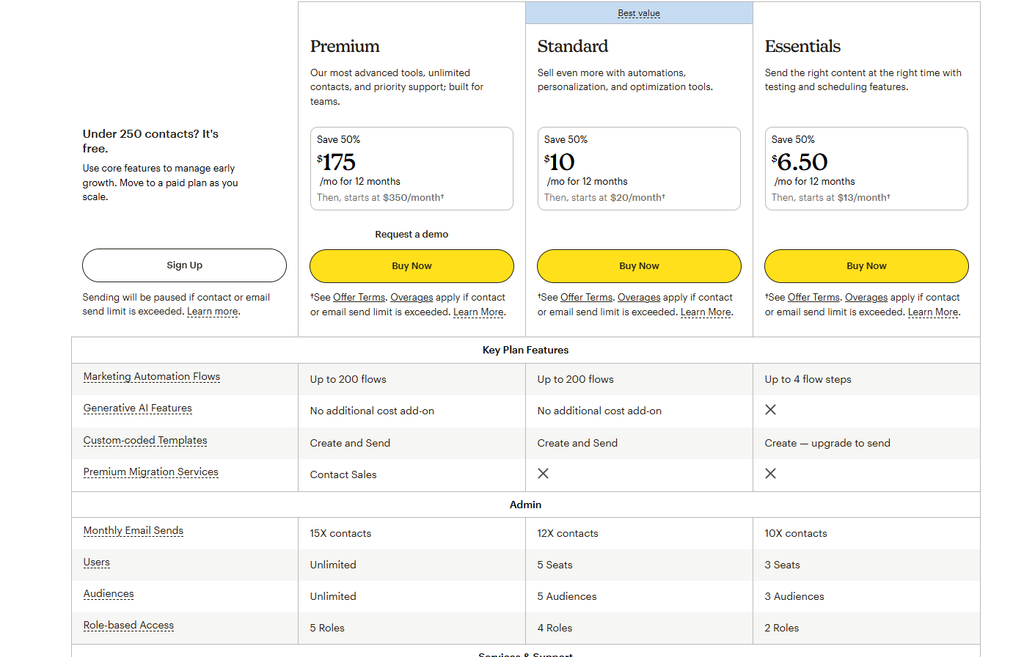
At 5,000 contacts, Mailchimp runs around $75–100/month depending on the tier, noticeably more expensive than MailerLite or Sender at the equivalent list size, for a comparatively thinner segmentation experience.
Reviews & Ratings
- G2: 4.3 out of 5 stars (12,987 reviews)
- Capterra: 4.5 out of 5 stars (17,681 reviews)
Best for: Small businesses that want the most widely-integrated, easiest-to-document platform and don’t need advanced cross-list segmentation.
Skip if: You’re segmentation-heavy, price-sensitive at scale, or put real weight on Trustpilot-level user sentiment.
Verdict: Mailchimp’s brand recognition and integration library are real advantages, but the pricing curve and segmentation limits mean it’s rarely the cheapest or most capable option once you actually compare it side by side.
12. Flodesk — Best Design-First Newsletter Experience
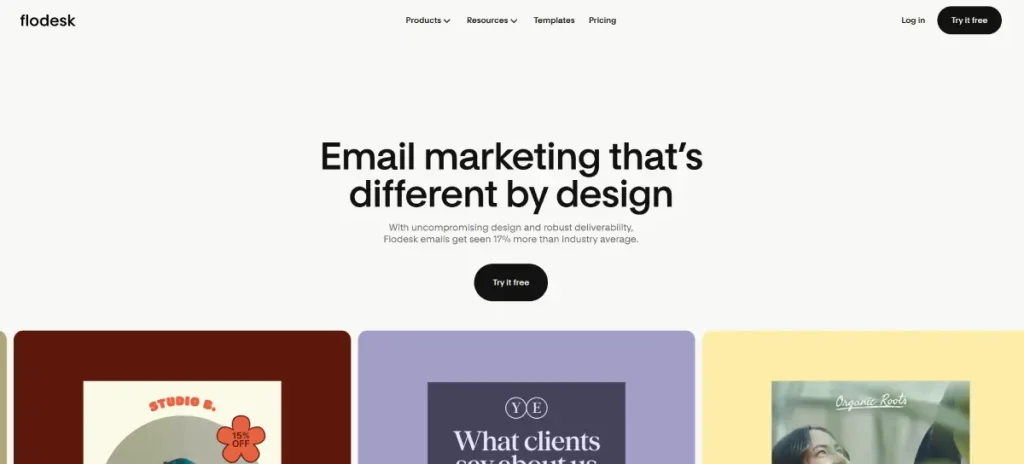
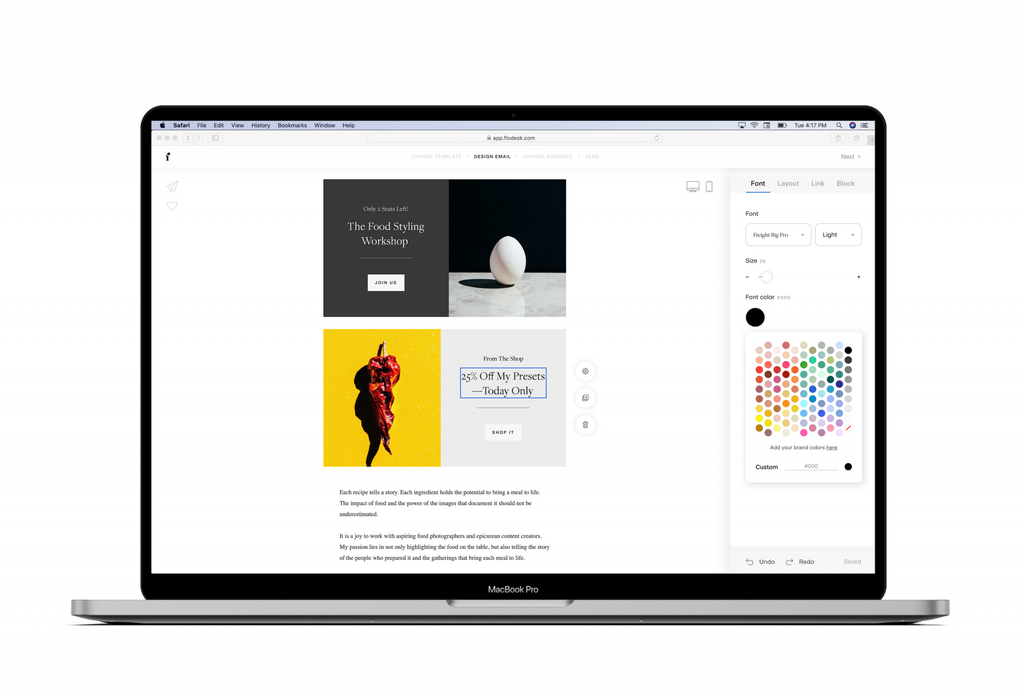
Flodesk exists for one clear reason: most email builders make it hard to send something that actually looks good without design skills, and Flodesk fixes that. The templates are genuinely polished starting points, not generic placeholders, and matching fonts, colors, and spacing to an existing brand took roughly 20 minutes in testing, without touching a line of code.
Flodesk Checkout, a built-in tool for selling digital products or services directly through the platform, is a nice addition for creators who want simple commerce without a separate Gumroad or Shopify setup. Setting up a checkout page for a digital product took around 15 minutes and worked cleanly, though customization options trail dedicated commerce tools.
The honest limitation is data and automation depth. There’s no native A/B testing for subject lines or content, which most competitors at this price point include, and automation handles basic nurture sequences well but hits a wall fast with anything behavior-driven or conditional.
What Are the Key Features of Flodesk?
- Design-forward templates that look professionally branded out of the box
- Flodesk Checkout for selling digital products and services without a separate platform
- Flat-rate pricing regardless of list size, unlike most subscriber-tiered competitors
- Visual automation for straightforward nurture sequences
What Are the Pros of Flodesk?
- The most visually polished templates of any platform on this list, genuinely brand-ready without a designer
- Flat pricing regardless of subscriber count, which can be a real advantage for larger, unsegmented lists
- Built-in Checkout removes the need for a separate ecommerce tool for simple digital product sales
- Simple enough that non-technical, design-focused users can move fast
What Are the Cons of Flodesk?
- No native A/B testing for subject lines or content, a real gap at this price point
- Automation is fairly basic, no complex behavioral triggers or branching workflows
- Integration ecosystem is thin, expect to lean on Zapier for many connections
- No meaningful audience growth or discovery tools, comparable weakness to Buttondown here
What Does Flodesk Pricing Look Like?
- Free: List-building tools only, no email sends
- Pro: From $25/month
- Everything (includes Checkout): From $49/month
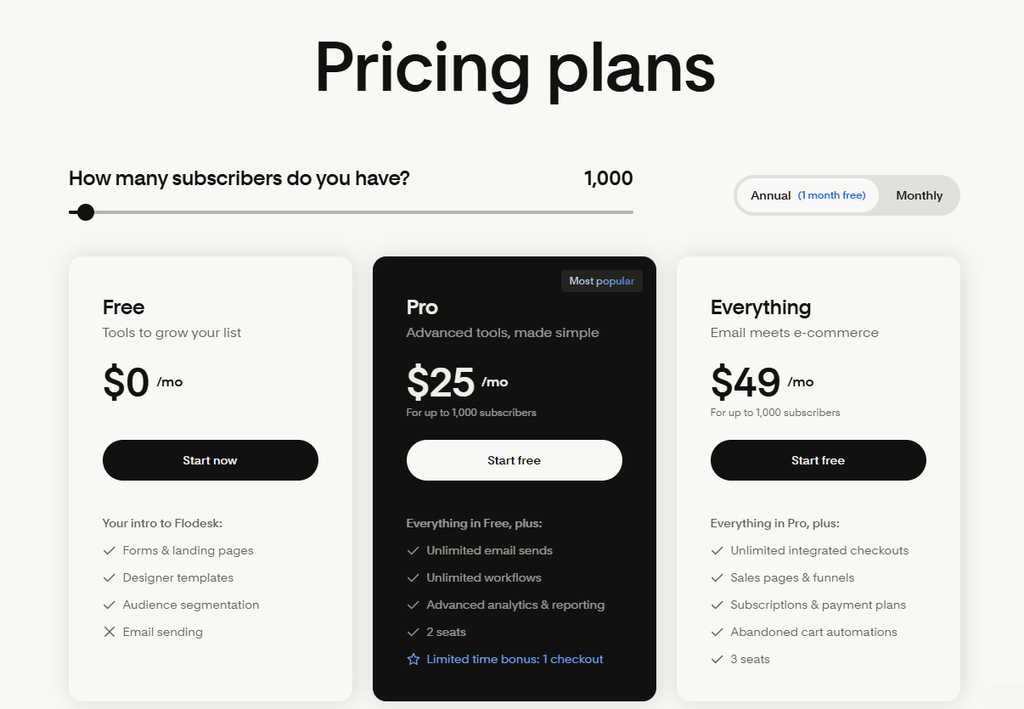
Because pricing is flat rather than subscriber-tiered on most plans, Flodesk can become genuinely cost-effective for larger lists compared to per-subscriber competitors, run the math at your actual (or projected) list size before assuming flat pricing is automatically cheaper.
Reviews & Ratings
- G2: 4.8 out of 5 stars (302 reviews)
- Capterra: 4.5 out of 5 stars (167 reviews)
Best for: Design-focused entrepreneurs, lifestyle brands, and creators selling simple digital products who prioritize how their emails look.
Skip if: You rely on A/B testing, detailed analytics, or need real audience growth and discovery tools.
Verdict: If your newsletter’s visual brand matters as much as its content, Flodesk delivers a genuinely better-looking result with far less effort than any other platform here.
13. Omnisend — Best for Ecommerce Newsletters
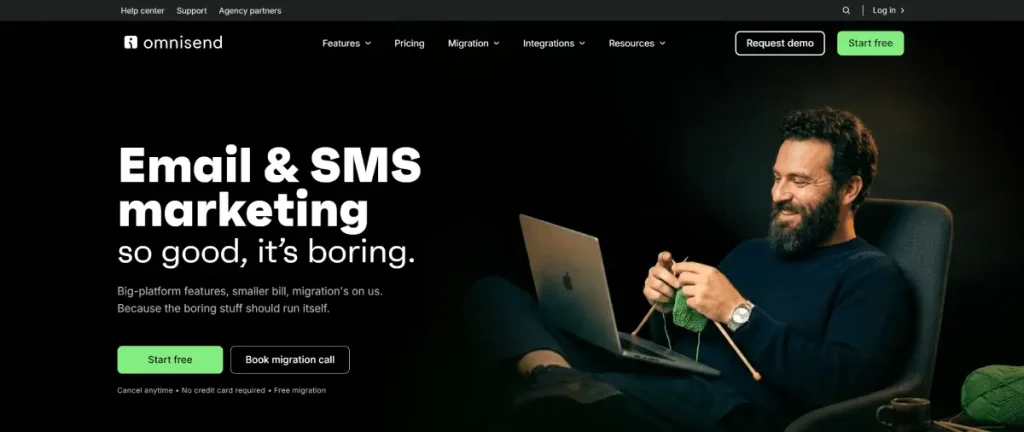
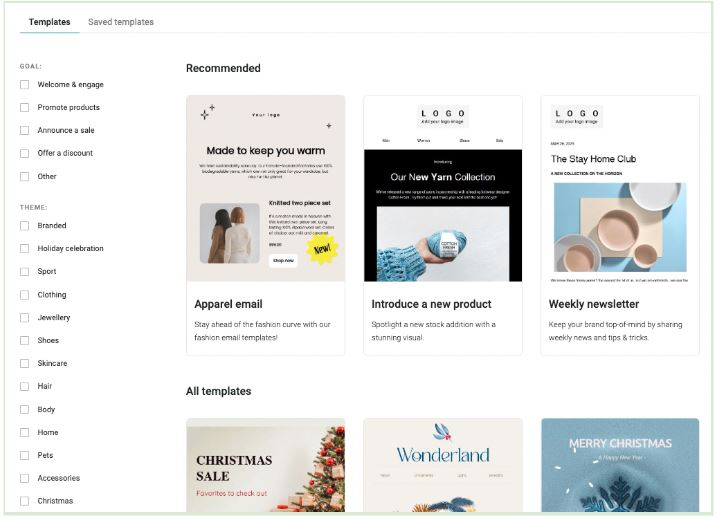
Omnisend is unapologetically built for one job: ecommerce lifecycle emails. Abandoned cart sequences, post-purchase flows, and win-back campaigns connect directly to store data without manual mapping, and the Shopify/WooCommerce integrations installed cleanly and synced product data automatically in testing, with the abandoned cart sequence working correctly on the first attempt.
The product picker inside the email builder deserves a specific mention: it pulls live product images, prices, and links directly from your store, which is dramatically faster than manually building product blocks the way you’d have to on a general-purpose platform.
If you’re not running an ecommerce store, though, roughly half of what makes Omnisend valuable simply doesn’t apply to you, and the free plan’s 500-email monthly cap is genuinely restrictive for a content-only newsletter with no store attached.
What Are the Key Features of Omnisend?
- Pre-built ecommerce automations: abandoned cart, post-purchase, win-back sequences
- SMS and email in one unified workflow, not a bolted-on separate channel
- Product picker pulling live store data directly into the email builder
- Purchase-behavior segmentation: filter by what subscribers bought, spent, or how recently they purchased
What Are the Pros of Omnisend?
- Deep, native ecommerce automation that connects directly to Shopify/WooCommerce store data
- Genuinely unified SMS and email workflows, not two separate tools stitched together
- Product picker saves substantial time versus manually building product blocks
- Segmentation on real purchase behavior, not just email engagement
What Are the Cons of Omnisend?
- Roughly half the platform is irrelevant if you’re not running an ecommerce store
- Free plan’s 500-email monthly cap is restrictive for content-first newsletters
- Template library is functional but not particularly design-forward
- Pricing scales quickly at higher contact counts, Klaviyo becomes a real competitor at that tier
What Does Omnisend Pricing Look Like?
- Free: Up to 250 contacts, 500 emails/month
- Standard: From $16/month for 500 contacts, 6,000 emails/month, full automation access
- Pro: From $59/month for up to 2,500 contacts, unlimited emails, advanced reporting
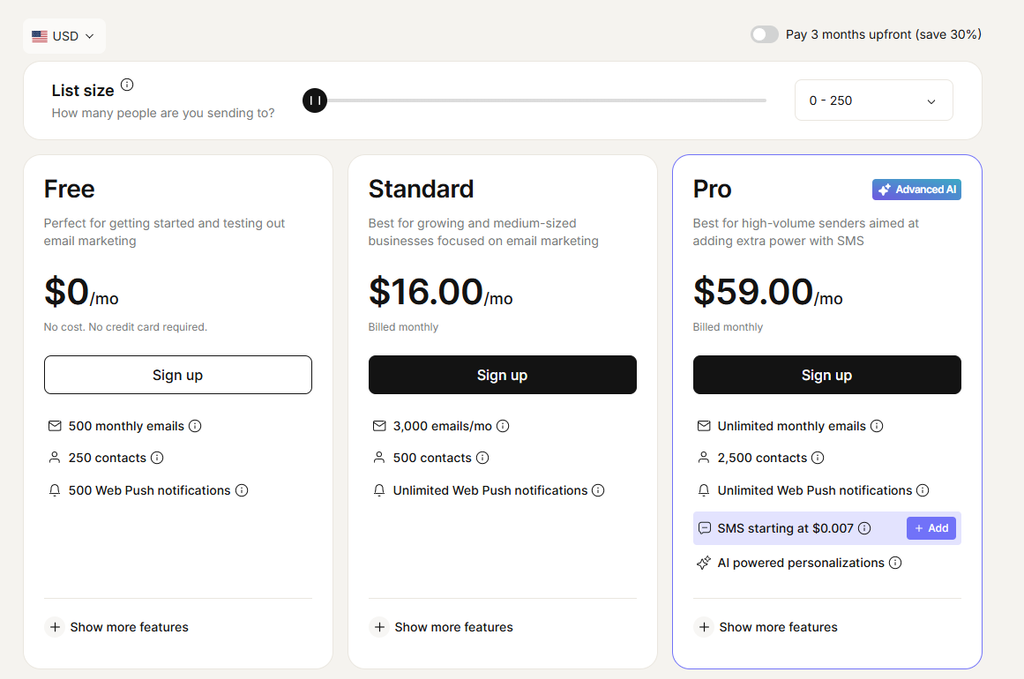
At 5,000 contacts, Omnisend runs around $81/month, one of the higher price points on this list, justified specifically for ecommerce brands using the lifecycle automation, and hard to justify otherwise.
Reviews & Ratings
- G2: 4.6 out of 5 stars (1,246 reviews)
- Capterra: 4.7 out of 5 stars (836 reviews)
Best for: Shopify and WooCommerce merchants who want email and SMS automation connected natively to store data.
Skip if: You’re running a content-first newsletter without an ecommerce component.
Verdict: Omnisend is the clear choice if you’re selling products, and a clear mismatch if you’re not. There’s very little in between.
14. HubSpot — Best for CRM-First Marketing Teams

HubSpot approaches newsletters as one small piece of a much larger sales and marketing system, and if your team is already living inside HubSpot’s CRM, that unification is genuinely valuable: every email interaction syncs automatically with contact records, and automation can trigger based on deal stages or lifecycle position, not just email behavior.
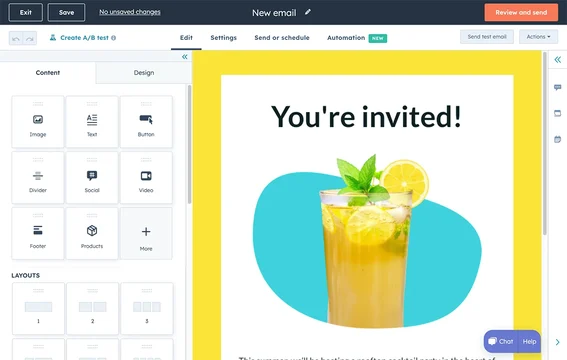
Setting up a basic lead-capture flow took about 20 minutes in testing, most of it spent building the automation manually since that’s as far as the Starter plan’s capabilities extend.
The free tier covers basic sending and forms, which is fine for testing the waters, but the features that actually justify choosing HubSpot for newsletter use specifically sit behind Marketing Hub Professional, priced at roughly $800–1,030/month depending on current promotions. That’s an enormous gap between “usable” and “actually competitive with dedicated newsletter tools.”
Dynamic content blocks that change based on lifecycle stage are buried under a non-intuitive menu path, it took two documentation searches to locate the correct configuration screen during testing, which isn’t the kind of friction you want in daily use.
What Are the Key Features of HubSpot?
- CRM integration with automatic syncing of every email interaction to contact records
- Lifecycle-stage automation, triggering sequences based on deal stage, not just email behavior
- Native lead scoring tied directly to CRM data
- Unified sales and marketing reporting across the full customer relationship
What Are the Pros of HubSpot?
- Genuinely powerful if your team already uses HubSpot’s CRM for sales
- Newsletter performance data flows directly into broader customer lifecycle reporting
- Free tier is a reasonable way to test basic functionality before committing
- Scales cleanly from simple campaigns into structured, cross-team marketing workflows
What Are the Cons of HubSpot?
- Pricing jumps dramatically once you need the automation, reporting, or CRM-driven features that justify choosing HubSpot in the first place
- Setup complexity is real, configuring properties, lists, workflows, and reporting takes meaningfully longer than dedicated newsletter tools
- Significant overkill and cost for a business that just wants to send a simple newsletter
- Navigation for specific advanced features (like lifecycle-based dynamic content) isn’t always intuitive
What Does HubSpot Pricing Look Like?
- Free: Up to 2,000 contacts, 2,000 emails/month, basic CRM and email tools
- Starter: From roughly $10/month for 1,000 contacts
- Professional: Roughly $890/month for 2,000 contacts, full marketing automation and reporting
- Enterprise: Roughly $3,600/month for 10,000 contacts
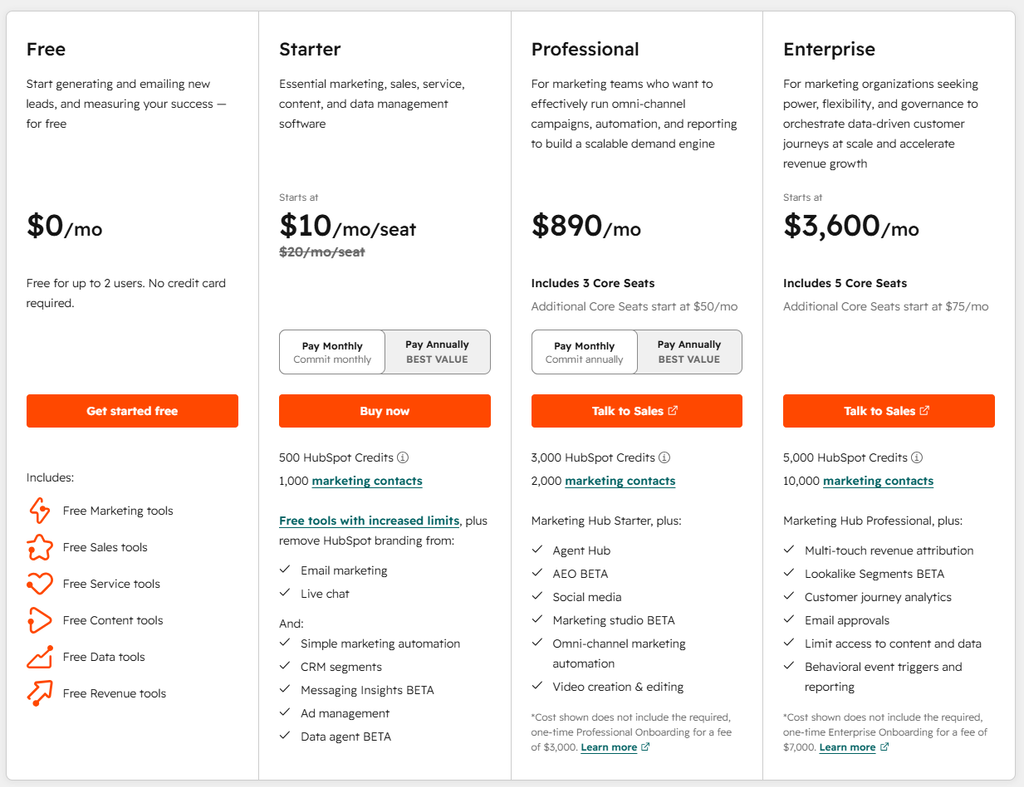
The Professional-tier jump is the number to sit with before choosing HubSpot for a newsletter specifically. At that price, most businesses would need substantial CRM and sales-alignment value to justify the cost purely for email.
Reviews & Ratings
- G2: 4.4 out of 5 stars (14,964 reviews)
- Capterra: 4.5 out of 5 stars (6,252 reviews)
Best for: B2B marketers and service businesses already using HubSpot’s CRM who want email tightly integrated with sales data.
Skip if: You want a simple, lightweight newsletter tool, or the Professional-tier pricing is out of reach.
Verdict: HubSpot makes sense as a newsletter platform only in the context of the broader CRM. Evaluated purely as newsletter software, it’s expensive and overbuilt for the job.
15. AWeber — Best for Legacy Reliability
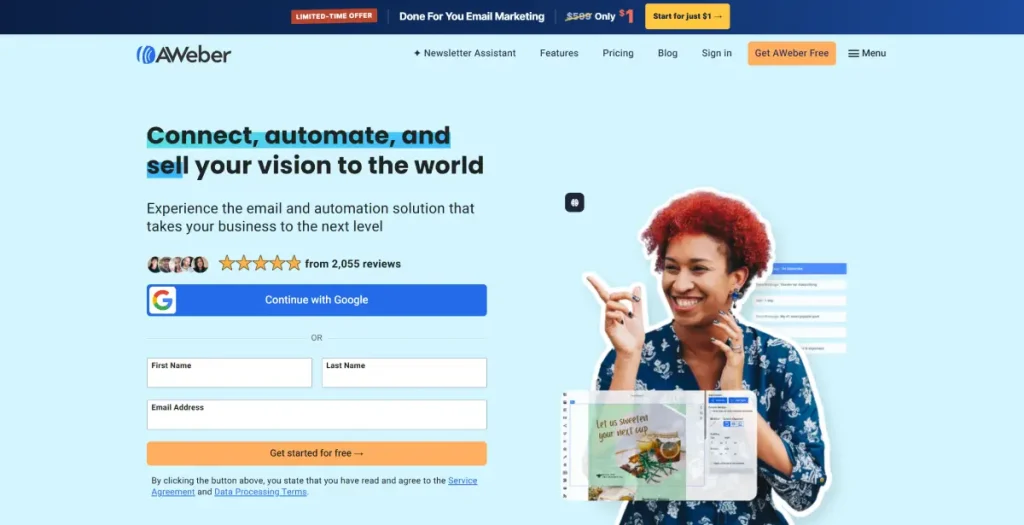
AWeber has been around long enough to have built a genuine reputation for deliverability and reliability, and that reputation is deserved, it’s one of the more established names in email marketing, with solid autoresponders, subscriber segmentation, and detailed analytics as its core strengths.
What it doesn’t have is much of a modern edge. The interface reads as dated next to newer competitors, and while the core functionality works reliably, it doesn’t push forward the way Beehiiv or Kit have with growth and monetization tooling, or the way ActiveCampaign has with automation depth.
Pricing scales in a way that surprises people: the Plus plan can range from roughly $30 to over $1,000/month depending entirely on subscriber count, so what looks affordable at a small list size can become a serious expense as you grow.
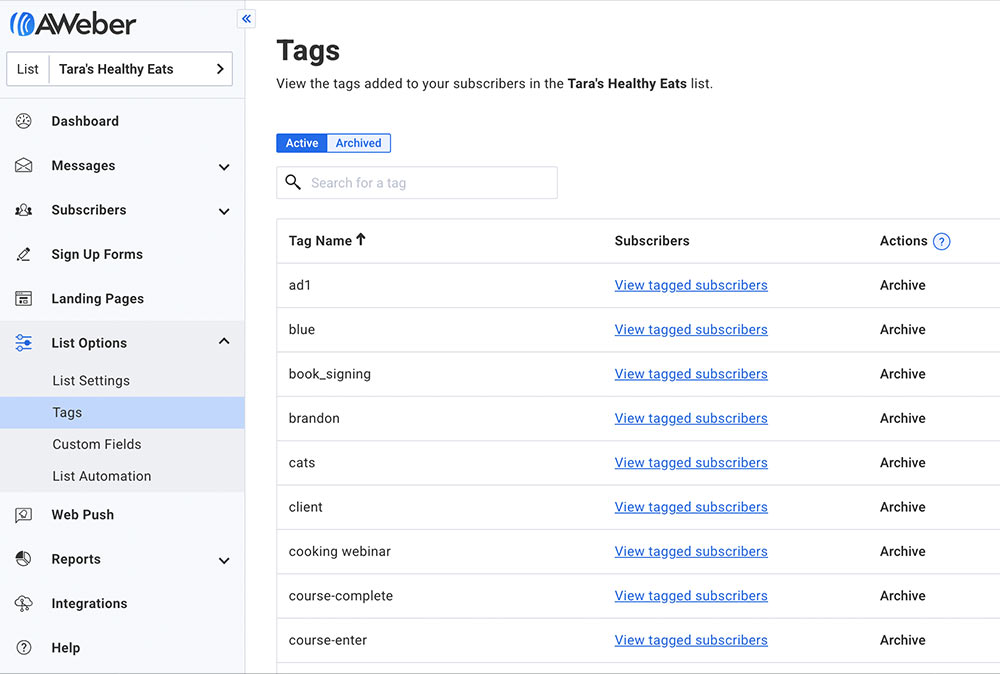
What Are the Key Features of AWeber?
- Easy-to-use drag-and-drop email builder with a large pre-built template library
- Autoresponders and automation workflows for standard sequence-based sending
- Ecommerce functionality for selling digital products via transactional emails
- Established deliverability reputation built over many years in the category
What Are the Pros of AWeber?
- Strong, long-established reputation for reliable email delivery
- Solid segmentation and automation for standard use cases
- Good customer support and a genuinely useful educational blog
- Free tier available for testing before committing
What Are the Cons of AWeber?
- Interface feels dated compared to nearly every other platform on this list
- Pricing scales aggressively at higher subscriber counts (up to $899/month at 100,000+ subscribers on Unlimited)
- No meaningful audience growth or discovery tooling
- Limited monetization options compared to creator-focused platforms
What Does AWeber Pricing Look Like?
- Lite: From $15/month at 500 subscribers, removes branding, includes automations
- Plus: From $30/month, higher sending volume, ranges up significantly with list size
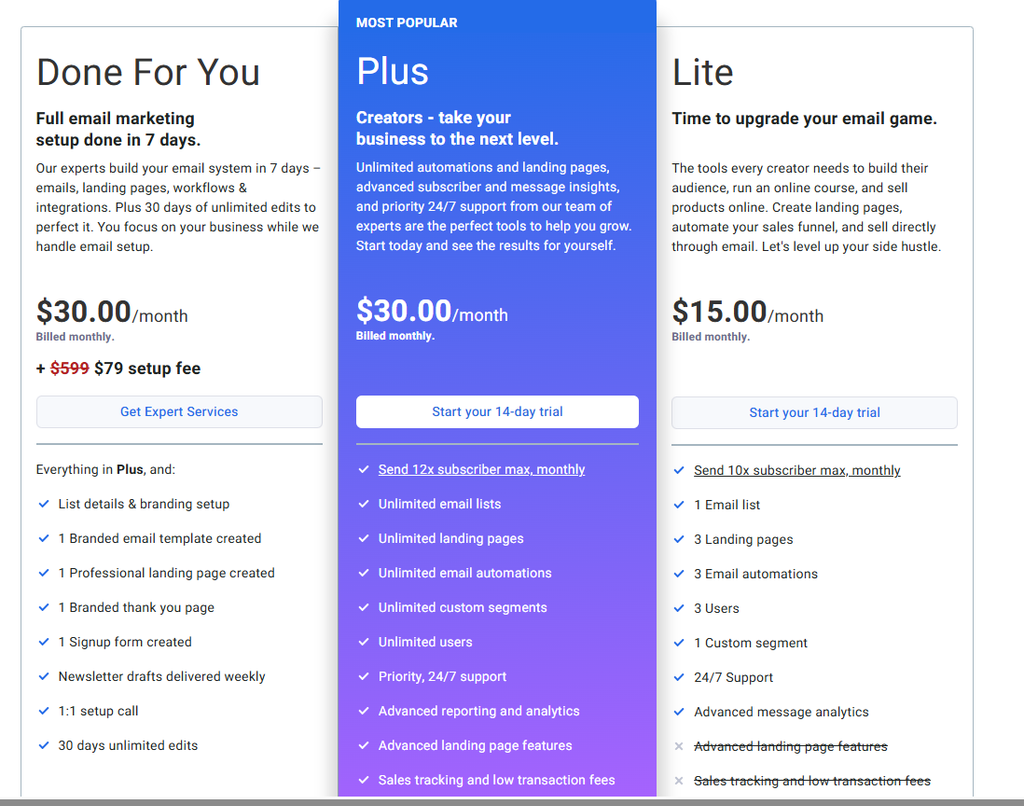
At 5,000 subscribers, AWeber’s Plus plan lands in a moderate range, worth comparing directly against MailerLite or Sender at the same size before committing.
Reviews & Ratings
- G2: 4.2 out of 5 stars (648 reviews)
- Capterra: 4.4 out of 5 stars (323 reviews)
Best for: Small to medium businesses that prioritize deliverability reputation and reliable support over cutting-edge growth or design features.
Skip if: You want modern growth tools, a contemporary interface, or creator-style monetization.
Verdict: AWeber does the fundamentals reliably. It’s just not the platform pushing this category forward anymore.
16. Constant Contact — Best for Events and Nonprofit Communications
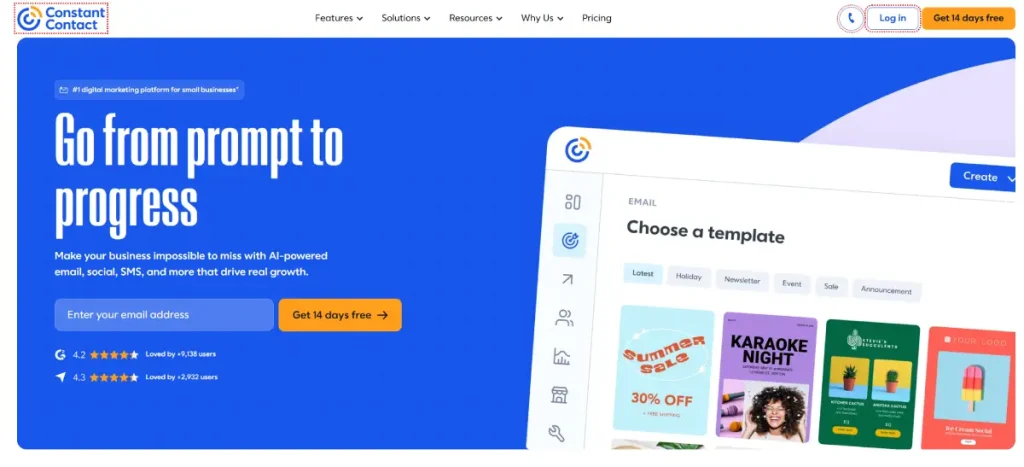
Constant Contact’s real strength is something most platforms on this list don’t even attempt: genuinely integrated event management. Setting up an event with registration, ticketing, and automated confirmation emails took roughly 30 minutes in testing, all inside one system, without connecting an external tool like Eventbrite.
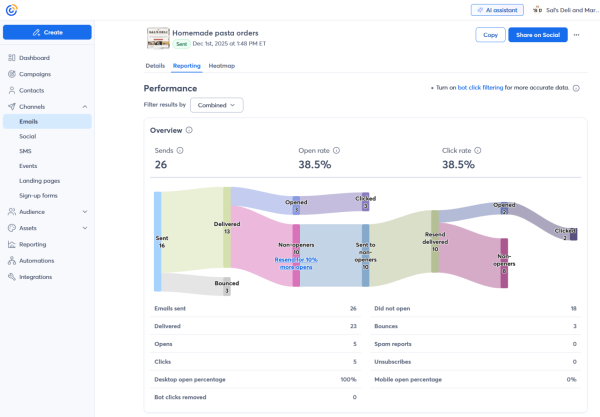
That focus makes complete sense for its core audience: nonprofits, event-based businesses, and local organizations that need consistent, straightforward communication more than complex funnels or behavioral automation. The “resend to non-openers” feature, a simple but genuinely useful re-engagement tactic, configures in three clicks inside the campaign editor.
The limitation shows up in list management. Building a segment across two separate lists required a manual merge rather than a simple filter, real overhead compared to platforms like Sender that handle this natively. Automation more broadly stays fairly basic, this isn’t the tool for modeling complex, multi-step customer journeys.
What Are the Key Features of Constant Contact?
- Built-in event management: registration, ticketing, and automated reminders in one system
- 600+ pre-designed templates tailored to nonprofits, retail, and small businesses
- Resend to non-openers for simple, effective re-engagement without building a separate segment
- Straightforward campaign editor with a low learning curve
What Are the Pros of Constant Contact?
- Genuinely integrated event tools that eliminate the need for a separate platform like Eventbrite
- Large, purpose-built template library for nonprofits and small businesses specifically
- Simple, low-friction campaign creation process
- Solid fit for consistent, straightforward communication needs
What Are the Cons of Constant Contact?
- Automation is fairly basic, triggers and multi-step workflows have real limits
- No permanent free plan, only a 30 or 60-day trial
- List management across multiple lists requires manual merging rather than simple cross-list filtering
- No meaningful CRM or sales-focused functionality
What Does Constant Contact Pricing Look Like?
- Free trial: 30 or 60 days only
- Lite: From $12/month for 500 contacts, 5,000 monthly emails
- Standard: From $35/month for 500 contacts, 6,000 monthly emails
- Premium: From $80/month for 500 contacts, 12,000 monthly emails
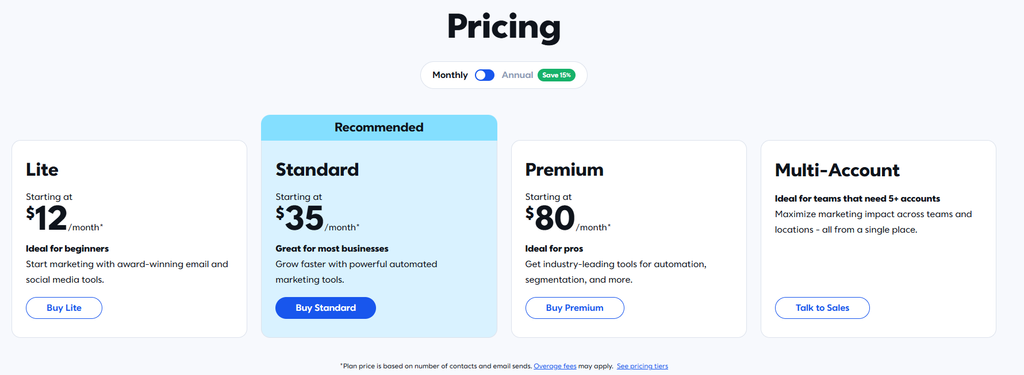
Pricing here scales with monthly email volume more than raw contact count on some tiers, worth clarifying directly with current pricing before assuming a simple per-subscriber model.
Reviews & Ratings
- G2: 4.1 out of 5 stars (7,447 reviews)
- Capterra: 4.3 out of 5 stars (2,945 reviews)
Best for: Nonprofits, event-based businesses, and organizations that need consistent communication without complex automation.
Skip if: You need advanced segmentation, ecommerce automation, or sophisticated customer journeys.
Verdict: For event-driven communication specifically, Constant Contact covers the essentials cleanly. Outside that use case, better options exist on this list at similar price points.
17. Campaign Monitor — Best for Agency Client Reporting
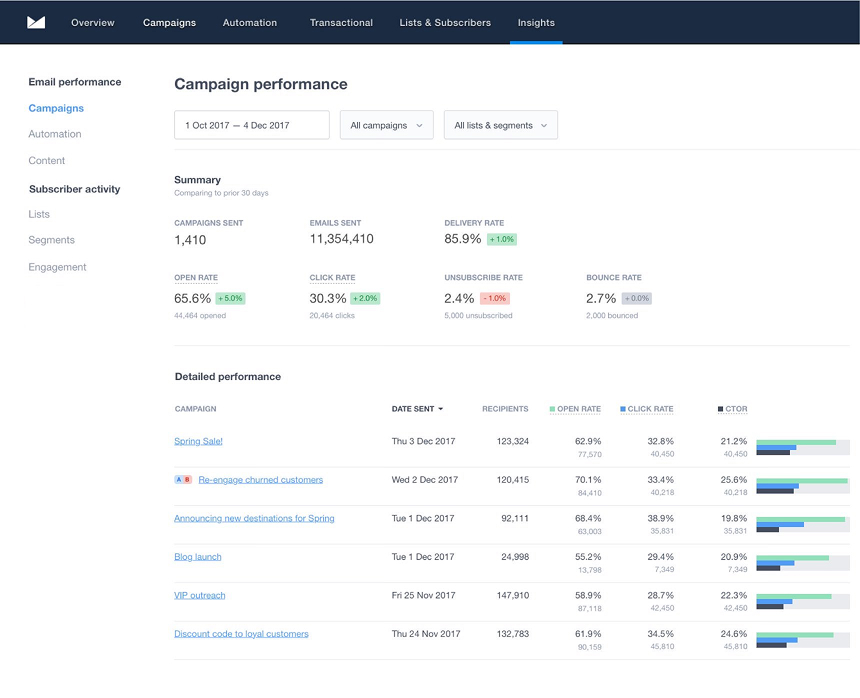
Campaign Monitor earns its place on this list for one specific reason: reporting that’s actually presentable to a client without reformatting. Pulling a campaign performance summary after a test send produced a layout that was genuinely presentation-ready immediately, a real time-saver for agencies that would otherwise clean up data before sharing it.
The templates are polished and mobile-responsive, and the visual journey designer for building multi-step sequences is clear and easy to follow for straightforward automation.
There’s a billing quirk worth flagging clearly: contacts appearing on multiple lists count separately toward your total, which can push you into a higher billing tier faster than expected if your segmentation strategy relies on overlapping lists. That’s the kind of quiet cost inflation worth auditing before your list structure grows.
CRM integration covers contact data syncing with tools like Salesforce, but stops at data sync, deal stages and task triggers aren’t part of the picture, so don’t expect HubSpot-level sales automation here.
What Are the Key Features of Campaign Monitor?
- Visual journey designer for clear, drag-and-drop multi-step sequences
- High-quality, mobile-responsive templates with strong brand flexibility
- Detailed reporting: open times, geolocation, and click heatmaps
- CRM data syncing with tools like Salesforce for unified contact records
What Are the Pros of Campaign Monitor?
- Client-ready, presentation-quality reporting without manual reformatting
- Professional, mobile-responsive templates well-suited for agency and brand-conscious use
- Clear, easy-to-follow visual journey builder for standard automation
- Detailed engagement reporting, including geolocation and click heatmaps
What Are the Cons of Campaign Monitor?
- Contacts on multiple lists count separately toward your billing total, a real and easy-to-miss cost inflator
- Automation depth is limited, no complex branching or behavior-based logic
- No built-in landing pages, CRM, or multichannel features, additional tools are often required
- No permanent free plan, only a 30-day trial
What Does Campaign Monitor Pricing Look Like?
- Lite: From $11/month for 500 subscribers, 2,500 emails/month
- Essentials: From $27/month for 500 subscribers, unlimited sends
- Premier: From $153/month for 500 subscribers, advanced link tracking
- Enterprise: Custom pricing
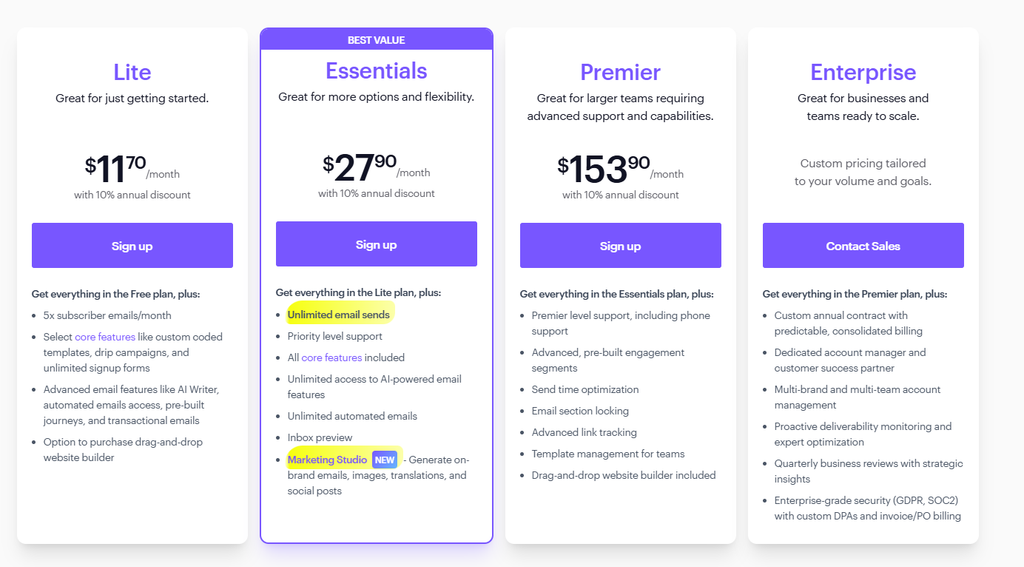
At 5,000 subscribers, Campaign Monitor runs around $74/month, and that figure can climb further if your list structure creates cross-list contact duplication, worth modeling before committing.
Reviews & Ratings
- G2: 4.1 out of 5 stars (731 reviews)
- Capterra: 4.5 out of 5 stars (506 reviews)
Best for: Agencies and mid-sized teams that need client-ready reporting and clean, professional templates.
Skip if: You need advanced automation, built-in CRM depth, or a large, unsegmented list where the multi-list billing quirk would hurt.
Verdict: Campaign Monitor is a genuinely strong reporting tool wearing a newsletter platform’s clothes. Great for agency use specifically, less compelling as a general-purpose pick.
Best Newsletter Platform for You: A Decision Framework
Rather than one universal “best” pick, match your situation to the platform built for it:
- Independent writer, just starting out: Substack (speed) or Buttondown (no revenue cut, minimalist)
- Building a newsletter media business: Beehiiv
- Creator selling digital products or courses: Kit
- Want a fully-owned publication with a real website: Ghost
- Tight budget, need real automation: MailerLite or Sender
- Running a Shopify or WooCommerce store: Omnisend
- Small business wanting familiar, widely-integrated tools: Mailchimp
- B2B team running complex behavioral automation: ActiveCampaign
- Coach or course creator needing webinars too: GetResponse
- Design-obsessed brand or lifestyle business: Flodesk
- Agency needing client-ready reporting: Campaign Monitor
- Already living inside HubSpot’s CRM: HubSpot
- Nonprofit or event-driven organization: Constant Contact
- Multichannel sending (email + SMS + WhatsApp) on a budget: Brevo
- Long-established business that values deliverability reputation: AWeber
- Developer or technical writer who wants Markdown and an API: Buttondown
Frequently Asked Questions
I get some version of these questions in almost every client call about newsletters. Here are the straight answers, no fluff.
Which newsletter platform is best for creators selling digital products?
Kit, thanks to its built-in commerce tools and behavior-triggered automation, though its 2025 price increase is worth factoring into your budget planning.
Can I move my newsletter to another platform without losing subscribers?
Generally yes, most platforms let you export your subscriber list via CSV or API. What doesn’t transfer automatically are your automations, segments, and suppression lists, you’ll need to rebuild those manually, and paid-subscriber migrations (especially off Substack) can take significantly longer than a simple export, sometimes months, based on real migration accounts we reviewed.
What affects newsletter deliverability?
Authentication protocols (SPF, DKIM, DMARC), sender reputation, list hygiene, and engagement rates all factor in. A platform advertising “99% deliverability” without defining the metric is telling you less than it sounds like, ask specifically about inbox placement, not just acceptance by the receiving server.
Do I own my subscriber list on these platforms?
On every platform reviewed here, yes, you can export your list. Ownership in practice varies more by how frictionless that export is and how dependent your growth has become on platform-specific network effects (like Substack’s Notes or Beehiiv’s Boosts), which don’t travel with you when you leave.
What’s the difference between newsletter software and email marketing software?
Newsletter software (Beehiiv, Substack, Ghost, Buttondown) treats your writing as the product. Email marketing software (Mailchimp, Brevo, ActiveCampaign, Omnisend, HubSpot) treats email as one channel supporting a broader business. Both can technically send a newsletter, but they’re optimized for different jobs.
Are newsletters still relevant in 2026?
Yes, if anything, more than a few years ago. As social platforms lean further into algorithmic distribution, owning a direct line to your audience through email has become one of the few durable, platform-independent channels available to creators and businesses alike.
Conclusion
Seventeen platforms, one honest takeaway: there's no single best newsletter platform, only the best one for what you're building.
Want a real newsletter business? Start with Beehiiv. Selling courses alongside your writing? Kit earns its price. Just want to publish today with zero setup? Substack still wins there.
The real mistake isn't picking a bad platform. It's picking one for the wrong reason, because it's popular or free, without checking if it actually fits where you're headed.
Price it out at your real subscriber count before you commit. The platform only decides how much friction stands between you and a newsletter people want to open.