
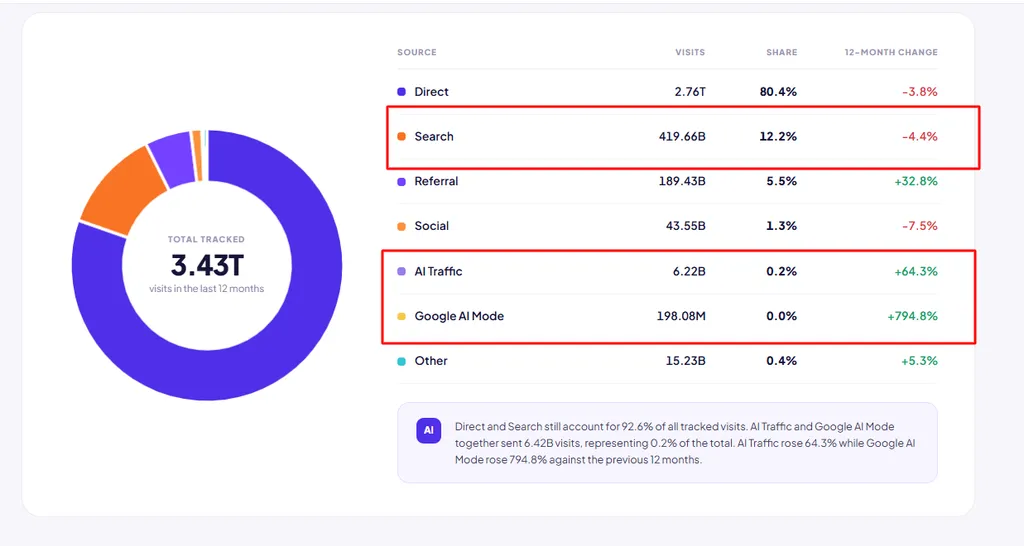
Only 0.2% of total web traffic came from AI chatbots and Google AI Mode last year.
We found this while tracking the most visited sites, and it surprised us too, given how much attention AI search gets. Search engines, on the other hand, sent 65 times more traffic than AI did.
Now, that doesn’t mean you should ignore AI search. It’s growing fast, and it’s worth building for. But if you’re sitting there wondering whether SaaS SEO is still worth the budget, the numbers aren’t even close. Your buyers are still finding, comparing, and choosing software through search.
So the real question isn’t whether SEO works anymore. It’s whether you’re going after the right searches. That’s what this guide will help you figure out. We’ll walk through how to build a program around the searches that actually end in signups, and how that same work gets you cited in AI answers too.
- TL;DR
- Search still brings your buyers. Search sent websites 65 times more traffic than AI platforms last year. Even AI tools get about 34 times more visits from search than from other AI platforms.
- AI mostly takes the “what is” searches. Comparison, alternatives, and pricing searches, the ones closest to a purchase, are holding up best.
- Build for both channels. AI visitors are rare but valuable.
- Match SEO to how you sell. Self-serve products push visitors to trials. Sales-led products push them to demos.
- Pick keywords by revenue, not volume. Score business potential first, then difficulty, then volume.
- Start at the bottom of the funnel. Comparison pages convert at 8% to 15%. Blog traffic converts at 0.5% to 1.5%.
- Structure beats volume. Group pages into clusters, link every cluster to a money page, and give each keyword group one URL.
- Fix the technical basics first, especially JavaScript rendering and indexed app URLs.
- Earn links with data. Original research and relevant links beat bulk guest posts.
- Budget for at least a year. Rankings usually move in 3 to 6 months, and break-even lands around month seven.
Is SaaS SEO Still Worth It in 2026?
Here’s the simplest way I can put it. SaaS SEO is search optimization built around a subscription software funnel. Its job is to help a SaaS company acquire customers through organic search by showing up for what SaaS buyers search at every stage, from the first “how do I fix this” search to the final “[your product] pricing” check.

The mechanics are the same as any other site. Google still crawls, indexes, and ranks pages based on relevance and authority. What changes is what you’re optimizing toward.
An ecommerce store wants a sale in one session. A local plumber wants a phone call. You want a trial or a demo that turns into recurring revenue months later. That gap between the click and the revenue is what makes SaaS SEO its own discipline, and it’s why traffic alone is never the goal. The real job is connecting search visibility with qualified pipeline.
Why SaaS SEO is still worth the investment
I know the question sitting underneath all this. With ChatGPT and AI Overviews everywhere, is SEO still worth your budget?
Start with where the traffic actually goes. Across the 10,171 most visited websites we track, Google alone took 1.19 trillion visits over the last 12 months. That’s 34.54% of everything tracked, and its share held steady even as AI took off.
Those searches still turn into website visits at a scale AI can’t match yet. Over the same 12 months, search sent websites 419.66 billion visits. AI chatbots and Google AI Mode sent 6.42 billion. That’s 65 to 1.
Even the AI companies run on search. When we looked at where 9,528 AI tools get their own traffic, search sent them 1.80 billion visits in June 2026 alone. Other AI platforms sent just 52 million. If the businesses building AI search still depend on Google to get found, your SaaS almost certainly does too.
That said, I’m not telling you to ignore AI. AI tools were the fastest-growing category we tracked over the last 12 months, up 34.5%, and ChatGPT alone added 22.25 billion visits. The visitors AI does send also tend to be unusually valuable. When Ahrefs checked its own signups, AI search visitors converted at about 23 times the rate of its regular organic visitors.
So the smart move isn’t picking one channel. It’s building both, which is why we fold generative engine optimization into the same program instead of treating it as a separate project.
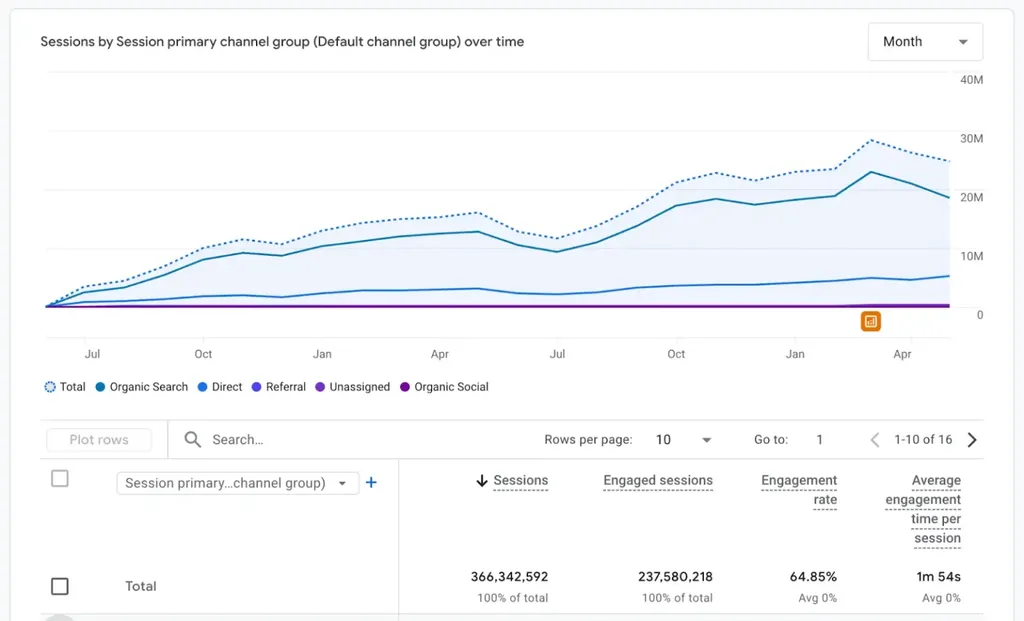
The good news is that most of the work overlaps. The comparison pages, third-party reviews, original data, and quality backlinks that earn you rankings are the same things AI tools pull from when they cite sources. One AI SaaS client of ours reached 18.5 million SEO visits and 40,000 LLM visits a month within a year with exactly that combined approach.
The four searches your buyers run
When I audit a SaaS site, the first thing I check is which of these four searches it actually covers. Together, they make up the SaaS buyer journey.
Problem searches. Your buyer knows something is broken, but they don’t know a product exists to fix it yet. They search “how to reduce customer churn.”
Solution searches. Now they know the category. They search “customer success software” or “churn prediction tool.”
Comparison searches. They’ve built a shortlist. They search “Gainsight vs Totango” or “ChurnZero alternatives.”
Validation searches. They’ve basically picked you and are looking for a reason not to buy. They search “[product] pricing,” “[product] reviews,” or “does [product] integrate with Salesforce.”
In search funnel terms, problem searches carry top-of-funnel search intent, solution searches carry middle-of-funnel search intent, and comparison and validation searches carry bottom-of-funnel search intent. That last group is where buyers are closest to handing over a credit card.
Here’s the problem, though. Most SaaS blogs cover the first stage heavily and the rest barely at all. That’s the most common structural issue I find in audits, and it’s become a much bigger issue since AI arrived.
Where AI is actually taking traffic
AI isn’t eating search evenly. It’s eating one specific kind of content.
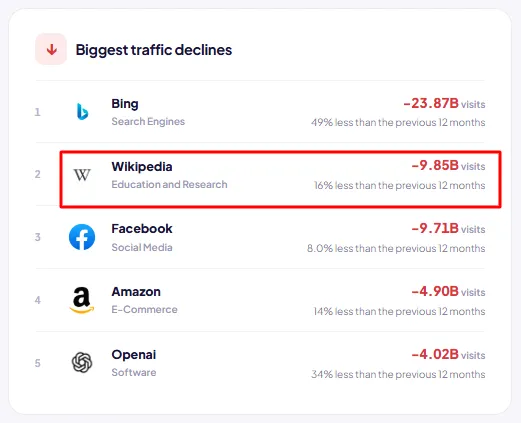
Look at Wikipedia. It lost 9.85 billion visits last year, a 15.7% drop, in the same dataset where search engines as a whole barely moved. Wikipedia is built on definitional, one-clean-answer content. That’s exactly what AI Overviews can summarize without anyone needing to click.
Problem searches look a lot like that. So if your organic program is 80% “what is [category]” explainers, you built the part of the funnel that’s eroding fastest.
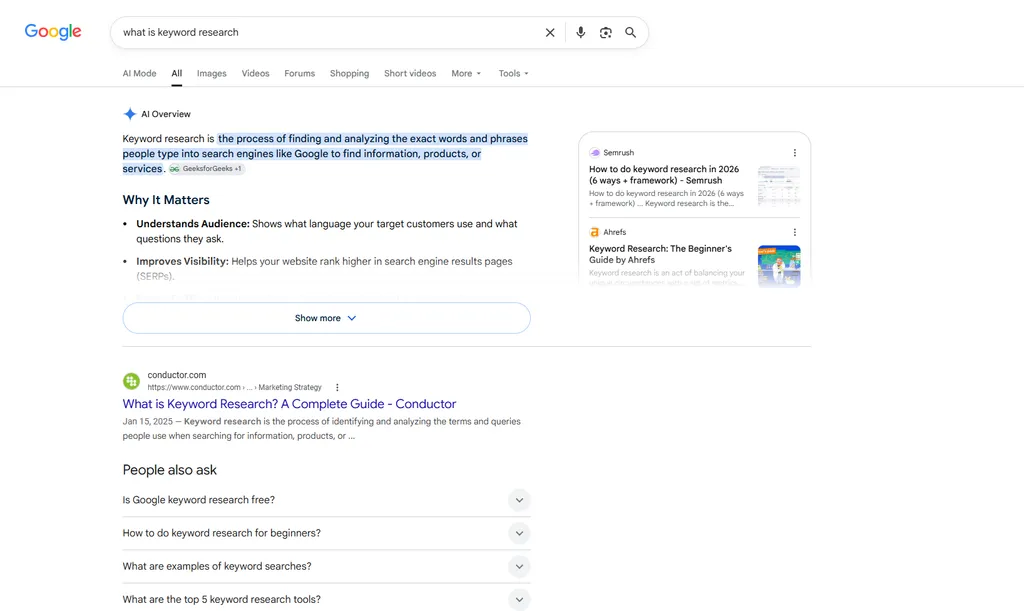
Comparison and validation searches are a different story. A buyer about to spend money wants to see the source, compare the details, and check the pricing themselves. That’s the traffic that was always worth the most, and it’s the traffic holding up best right now.
If your organic program is 80% top-of-funnel explainer content, you built the part of the funnel that is eroding.
SaaS SEO vs Traditional SEO
People ask me whether SaaS SEO is really different or just SEO with different words.
It is really different, and the difference between SaaS SEO and traditional SEO starts with the SaaS business model. Recurring revenue changes SEO economics, because one organically acquired customer keeps paying for months or years. Here is the specific breakdown.
Traditional SEO vs. SaaS SEO: Key Differences
| Dimension | Traditional SEO | SaaS SEO |
|---|---|---|
| Conversion event | Purchase, form fill, call | Free trial, demo, freemium signup |
| Time to revenue | Same session or same week | 14 to 90 days, sometimes longer |
| Success metric | Traffic, leads, revenue | Signups, activation, MRR contribution |
| Highest value pages | Product or service pages | Comparison, alternatives, integration pages |
| Competitive set | Local or category competitors | 10 to 30 global competitors plus review sites |
| Content lifespan | Evergreen with occasional refresh | Decays fast as features and pricing change |
| Link assets | PR, sponsorships, resource pages | Free tools, original data, integration partners |
| Scale mechanism | Manual page creation | Programmatic pages from the product database |
The three differences that actually change your plan
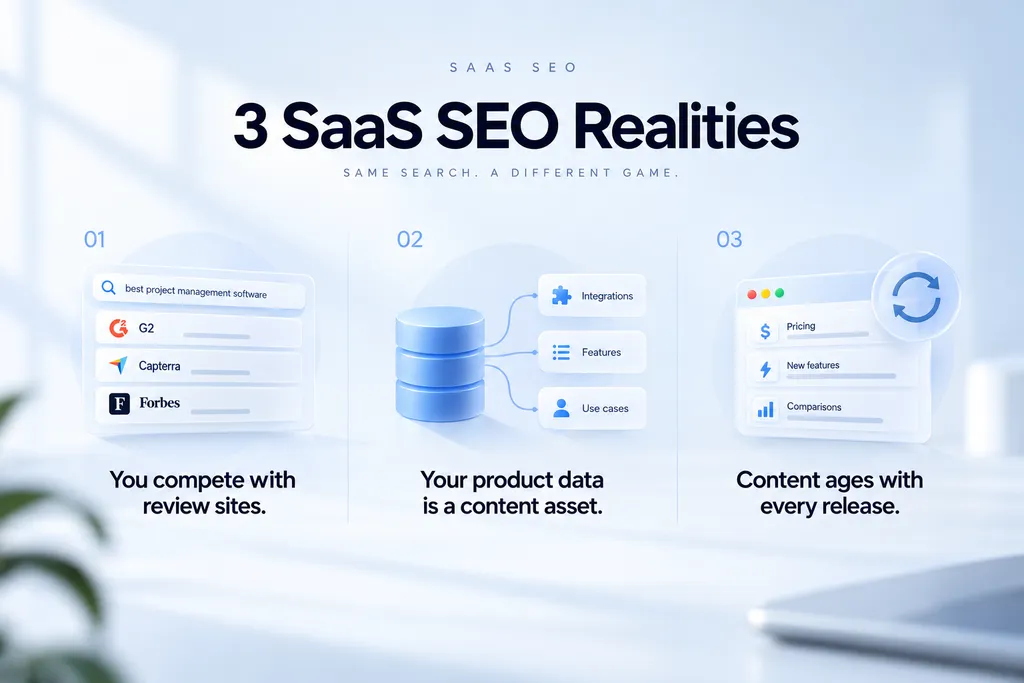
You are competing against review sites, not only competitors. Search “best project management software” and the first page is mostly G2, Capterra, and independent publishers. You cannot outrank all of them with a product page. You need a position on those sites and your own comparison content.
Your product database is a content asset. Every integration, feature, and use case your product supports is a search query someone types. Ecommerce sites have to build this. You already have it.
Your pages go stale on a release cycle. Pricing changes. Features ship. A comparison page written 18 months ago is now wrong, and wrong pages lose rankings and trust at the same time. Content maintenance is a permanent line item for SaaS, not a cleanup project.
How Your Growth Model Changes the Plan
The same keyword can need a different page depending on how you sell. This is the first thing I ask a new SaaS client, because it changes what counts as a conversion.
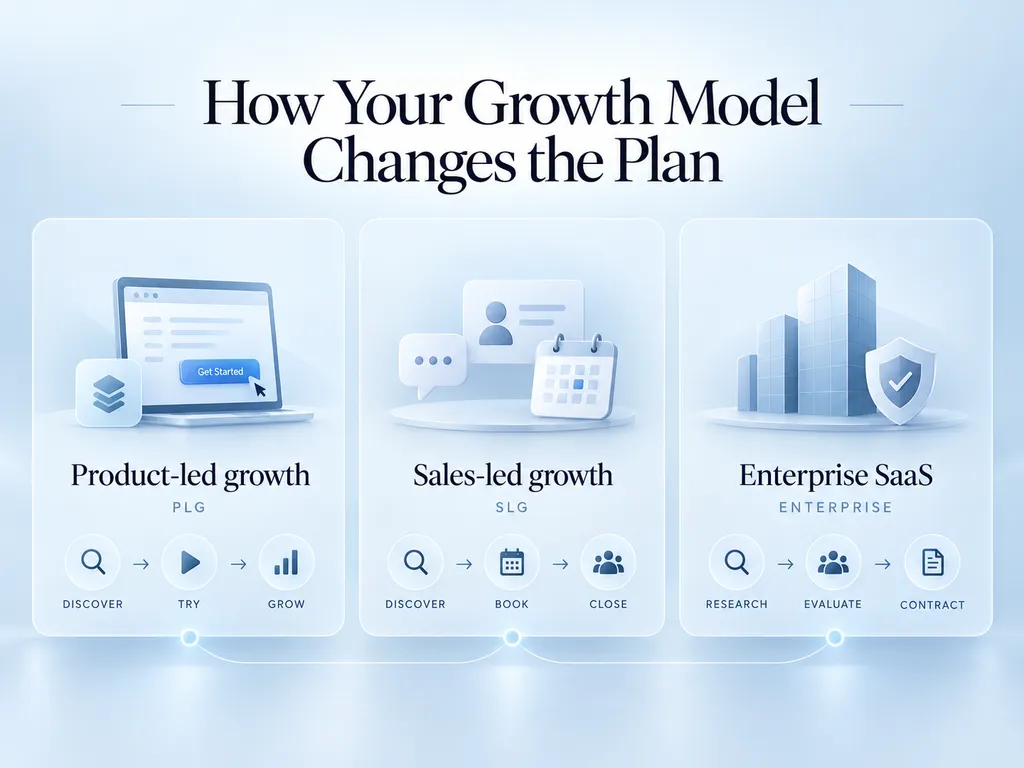
Product-led growth (PLG). Self-serve buyers sign up, try the product, and upgrade on their own. Organic pages should push to a free trial signup, or to a free plan if you run a freemium model. The numbers that matter are signups, activation, and free-to-paid conversion. Product-led growth favors self-serve conversion paths, which is why most self-serve SaaS companies lean on trial CTAs.
Sales-led growth (SLG). Buyers talk to sales before they buy. Pages should push to a demo request. The funnel runs from organic lead to marketing qualified lead (MQL), then to sales qualified lead (SQL), then into pipeline and closed revenue. Sales-led growth favors demo and pipeline conversion paths, so lead-to-demo conversion becomes a core number.
Enterprise SaaS. A buying committee decides, not one person. The champion who found you on Google still has to convince IT, security, finance, and a department head. Each of them searches for different things. Enterprise SaaS often targets buying committees that evaluate security, integrations, pricing, and business fit. That makes the enterprise buying cycle far longer than the self-serve buying cycle.
Enterprise buyers need pages most SaaS sites skip. Security and compliance pages (SOC 2, GDPR), SSO documentation, integration depth, implementation timelines, and case studies from companies of a similar size. These pages rarely get big search volume. They get read at the moment a deal can stall.
Your SaaS growth model influences your SEO conversion goals more than any keyword tool does. Many companies run both motions. In that case I set the CTA by who lands on each page. A comparison page might lead with “Start free” and offer “Talk to sales” for larger teams.
Why SEO Matters for SaaS Companies
I want to make the business case before the tactics, because the tactics only get funded if the case holds.
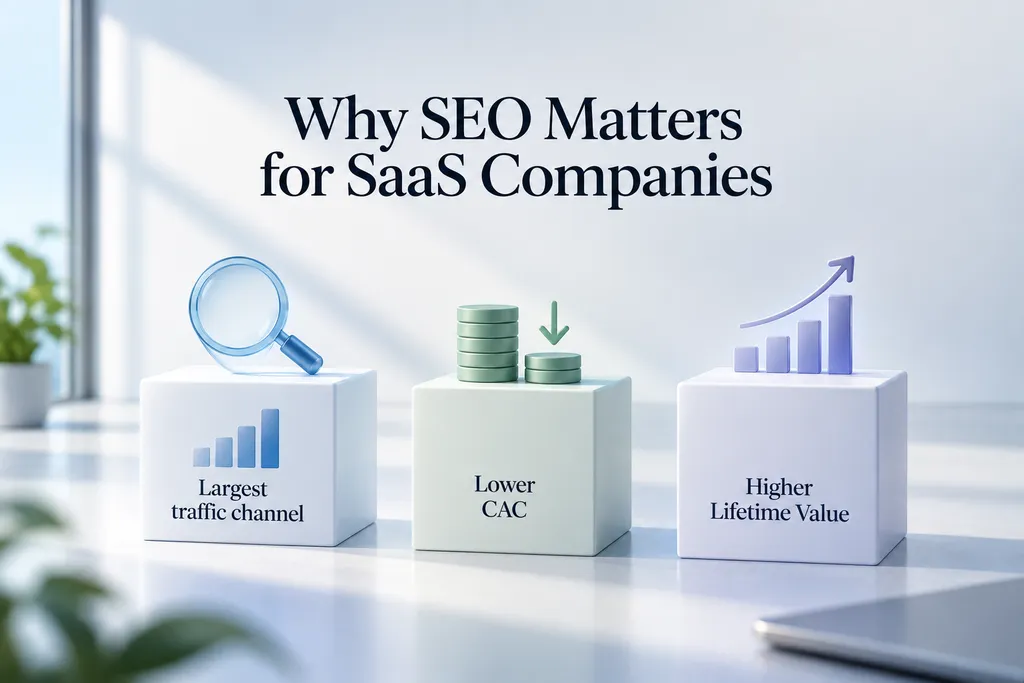
Organic is still the largest channel
Across most B2B SaaS companies, organic search accounts for more than half of site traffic. Paid search usually sits around 15%.
Organic leads also arrive further along, and the reason is intent. Someone searching “HubSpot alternatives” has already decided to buy something in the category. An outbound prospect has decided nothing.
The CAC argument
This is the one that lands with founders.
Customer acquisition cost (CAC) is how you evaluate SEO efficiency, and organic CAC for SaaS typically runs several times lower than paid CAC once the program is past its first year. Benchmarks put the gap at roughly 5x to 10x after 12 months.
The reason is structural. Paid CAC is a recurring cost per customer. Organic CAC is a fixed investment amortized across every customer the asset ever produces.
Here is a simple example. A comparison page costs $1,200 to produce and brings 15 trials a month. At a 20% trial-to-paid rate, that is 3 new customers a month. Over three years, the page produces about 108 customers at roughly $11 each, before upkeep.
A Google Ads click for the same query costs what it costs, every single time.
Why LTV sets your CAC ceiling
Recurring revenue is what makes this math work, because it increases the potential lifetime value of every organically acquired customer. Customer lifetime value (LTV) is the total revenue an average customer brings before they churn.
Customer lifetime value influences the customer acquisition cost you can accept, telling you how much you can afford to spend to win a customer. A common rule of thumb is to keep LTV at least three times higher than CAC.
Churn cuts straight into LTV. A product with high churn has less room to wait for SEO to pay back, so fixing retention can matter as much as the SEO plan itself.
What good looks like
A competitor benchmark gives you a sanity check rather than a target.
The Epic Slope study of 50 leading SaaS companies, using Ahrefs API data from February 2026, found median monthly organic traffic of around 881,000 visits once Google and Microsoft were excluded. Median Domain Rating across that cohort was 87.
Those numbers describe the top of the market, not a realistic goal for a Series A company. The useful finding from that study was different. Authority alone did not explain the traffic gaps. Some high-DR companies pulled far less traffic than their peers. The variable that separated companies was sustained keyword coverage.
For most SaaS teams the more useful figures are these. Top SaaS companies attribute somewhere between 40% and 70% of monthly recurring revenue (MRR) to organic search. The organic conversion rate to trial sits at roughly 2% to 5%. Blog traffic converts to trial at 0.5% to 1.5%. Comparison pages convert at 8% to 15%.
Look at that last pair again. A comparison page converts roughly ten times better than a blog post. That single ratio should reshape your content calendar.
The SaaS SEO Framework
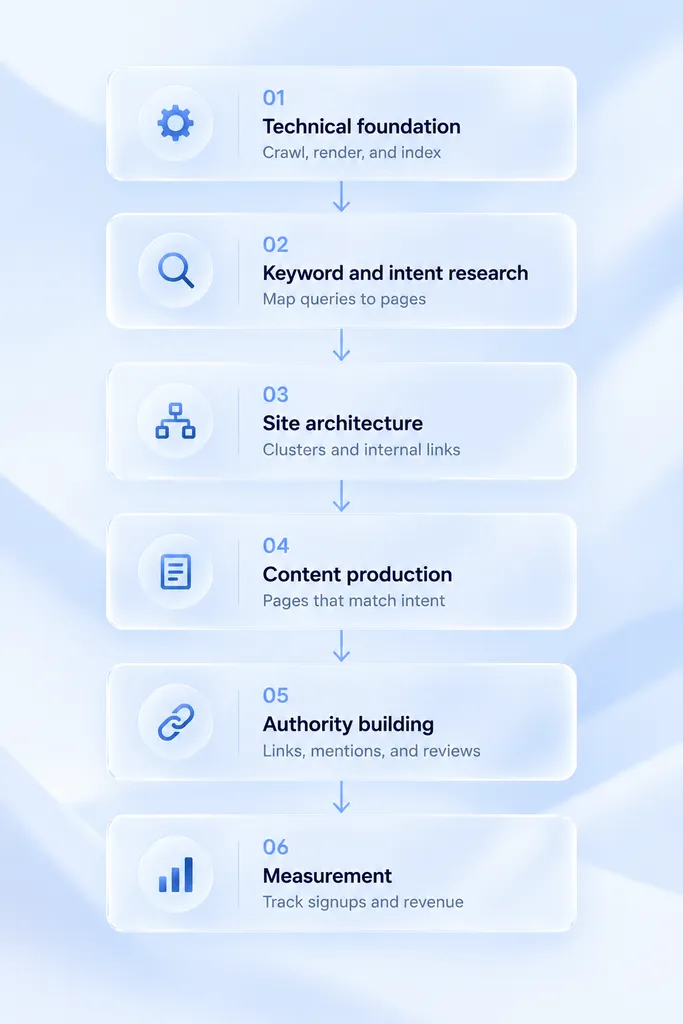
Everything below fits into six layers. I work through them in this order on every engagement, because each one makes the next one cheaper.
- Technical foundation. Make sure Google can crawl, render, and index what you publish. This is where crawlability and indexability get fixed.
- Keyword and intent research. Map queries to funnel stages and to pages.
- Site architecture. Build clusters so authority flows to the pages that convert.
- Content production. Publish the page types that match the intent you mapped.
- Authority building. Earn links and mentions that let those pages compete.
- Measurement and maintenance. Tie output to revenue, then keep it from decaying.
Teams get into trouble when they start at step four. Publishing into a weak architecture with no authority is the most common way to spend a year and get nothing.
This guide explains the strategy layers first and covers technical SEO later. The technical priorities only make sense once you know which pages matter most. The first 90 days section near the end shows how the layers fit into an SEO roadmap and implementation sequence.
A good SEO roadmap prioritizes by expected business impact. It coordinates content, technical SEO, and authority building as one plan instead of three separate projects.
SaaS Keyword Research
Keyword research for SaaS is a mapping exercise first and a volume exercise second. Good keyword research identifies search demand, then weighs business potential and conversion potential against SERP competition.
For every keyword, I want to know which funnel stage it represents and whether we can realistically rank for it. I also want to know what happens to the visitor after they land.
Start with your product, not with a seed tool
Most keyword research starts in Ahrefs with a seed term. I start with the product and the customer.
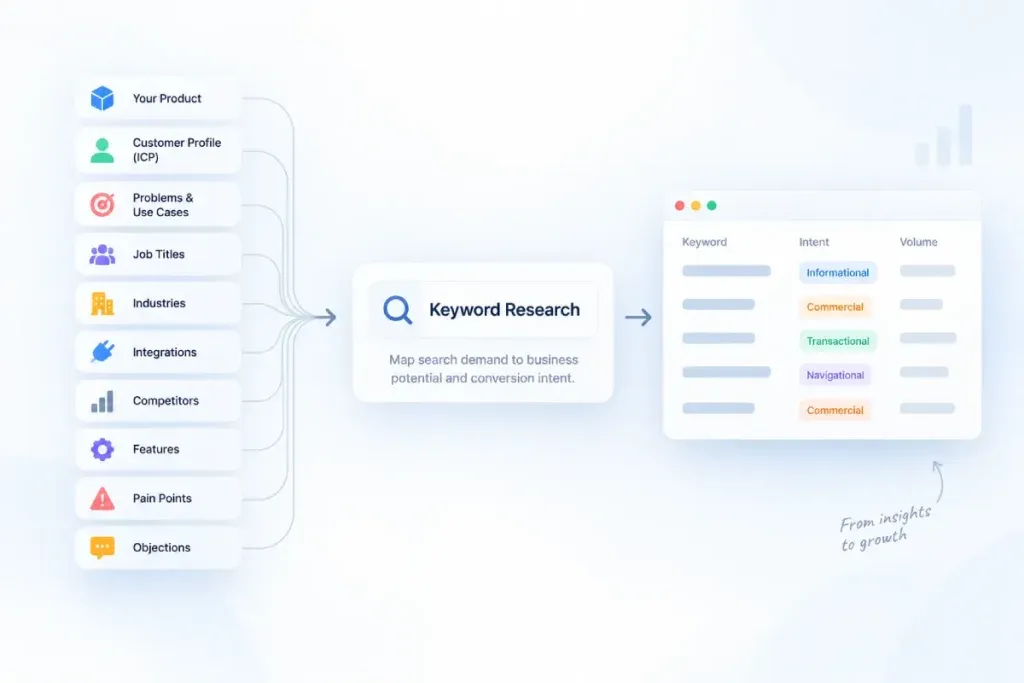
First, write down your ideal customer profile (ICP), your target customer: the company size, industry, and role most likely to buy and stay. Every keyword on your list should trace back to someone on that profile.
Then open a document and list these out.
- Every problem your product solves (the jobs to be done), in the words a customer would use
- Every job title that buys or uses it
- Every industry you serve
- Every integration you support
- Every competitor a buyer would shortlist against you
- Every feature that has its own name
- Every one of the buyer pain points your support tickets keep repeating
- Every objection and phrase your sales team hears on calls
That list is your keyword universe. The tools are for expanding and validating it, not for generating it.
I have watched teams skip this and end up with a content plan full of generic marketing topics, one of the most common keyword research mistakes I see. As a result, the traffic arrives and bounces.
The five SaaS keyword categories
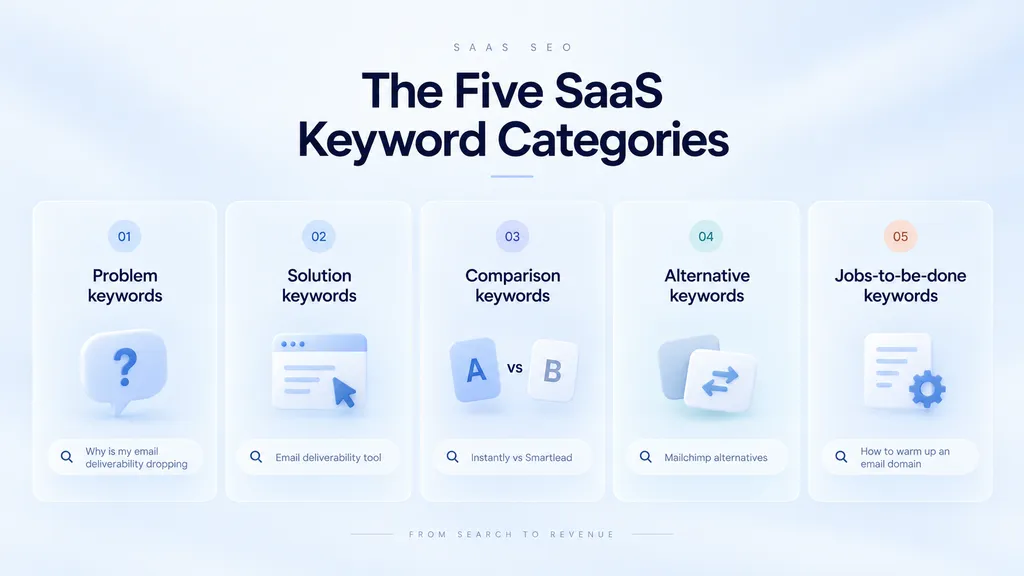
Once you have the raw list, sort every term into one of these buckets. This sorting step is where the strategy actually happens.
Category one: problem keywords. Search terms describing a pain, with no product category attached. “Why is my email deliverability dropping.” High volume, low intent, longest path to revenue.
Category two: solution keywords. Category-level terms. “Email deliverability tool,” “cold email software.” Medium volume, medium intent, usually competitive.
Category three: comparison keywords. Head-to-head terms. “Instantly vs Smartlead.” Low volume, very high intent, and often winnable because the SERP is thin.
Category four: alternative keywords. Displacement terms. “Mailchimp alternatives.” Low to medium volume, very high intent, and the buyer is actively unhappy with an incumbent.
Category five: jobs-to-be-done keywords. How-to terms your product performs. “How to warm up an email domain.” Medium intent, and they convert well when the product is the natural answer.
In funnel terms, categories three and four are your bottom-of-funnel keyword opportunities, category two holds most of the middle-of-funnel keyword opportunities, and category one holds the top-of-funnel keyword opportunities.
For a company under DR 50, I would weight the plan toward categories three, four, and five. Category two is where you will lose to incumbents for a while.
How to judge whether you can rank
Keyword difficulty scores are a starting point and nothing more, because ranking feasibility depends on the actual search engine results page. I look at the SERP itself.
Open the result page and check four things.
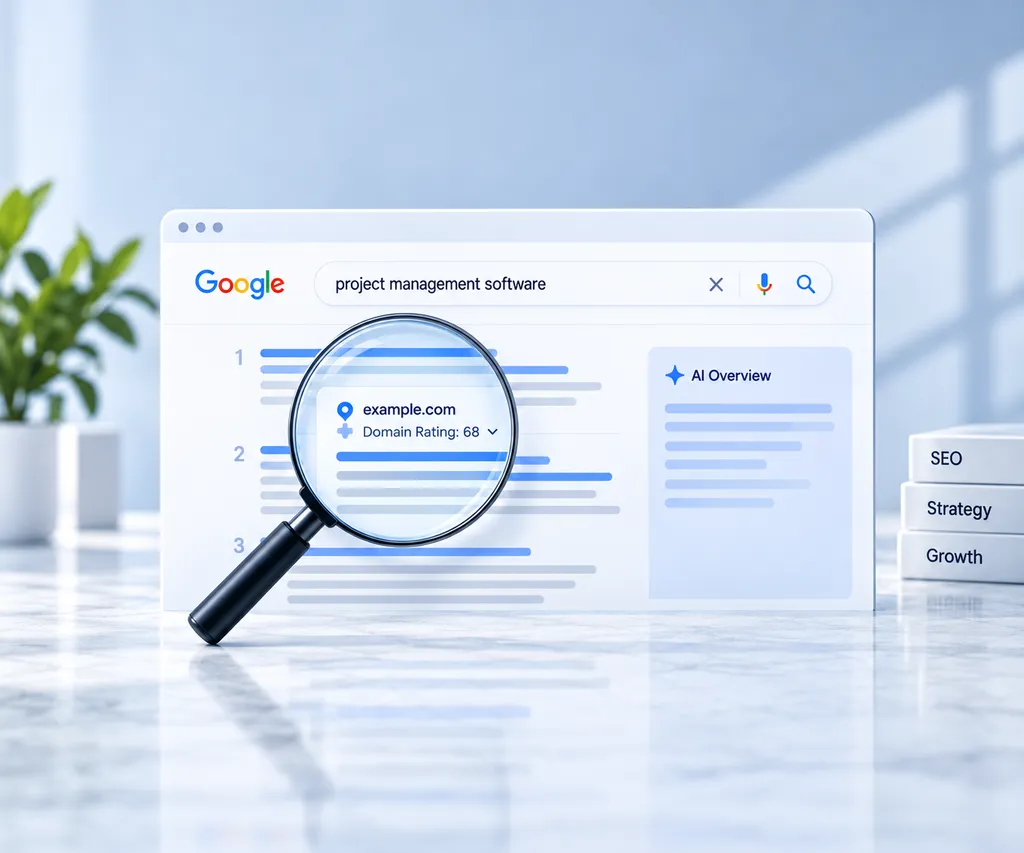
- What is the lowest DR site ranking on page one? If the weakest result is DR 75 and you are DR 30, that page is not available to you this year.
- How many results are review sites or listicles? If seven of ten are, you are not going to rank a product page there. You need a placement on those listicles instead.
- What page type is ranking? That is the SERP intent, and it should drive your page type selection. If Google is showing comparison pages and you are planning a blog post, you have misread the intent.
- Is there an AI Overview? If yes, expect the click-through to be low even at position one, and adjust your traffic model down.
I see the same pattern in client accounts constantly. Long-tail terms with low Keyword Difficulty drive most of the organic sessions. The head terms get the attention and deliver a minority of the traffic.
Run a keyword and content gap analysis
Competitor analysis identifies keyword gaps, content gaps, and backlink gaps, and it should inform how you prioritize. Your competitors have already tested which queries bring them signups. You can see a lot of that from the outside.
Pull three to five competitors that rank for your commercial terms into Ahrefs Content Gap or Semrush Keyword Gap. Filter for competitor keywords where they rank in the top 10 and you do not rank at all. That list is your keyword gap.
Then look at the pages behind those terms. You are often looking at a missing page type. If a competitor has 30 integration pages ranking and you have none, adding keywords to your existing pages will not close that gap.
The volume trap
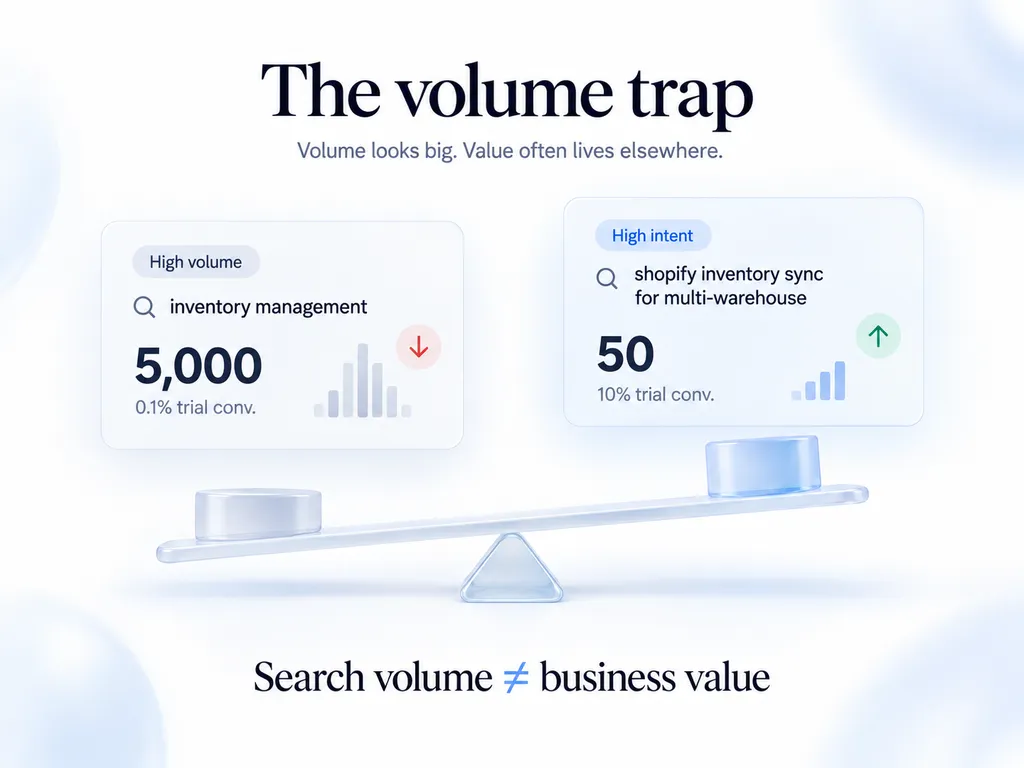
Search volume is the least reliable number in your spreadsheet, and teams treat it as the most reliable.
I discount it for a few reasons.
Volume is a modeled estimate, not a measurement, and different tools disagree by wide margins on the same term.
Volume does not account for how much of it is a competitor’s brand-name traffic that will never convert for you.
And a keyword with 50 searches a month at 10% trial conversion is worth more than one with 5,000 at 0.1%.
I would rather rank first for “shopify inventory sync for multi-warehouse” than fifteenth for “inventory management.”
How I score and prioritize keywords
Keyword prioritization should balance search volume with business value, so I give every keyword a business potential score from 0 to 3, a quick read on keyword relevance and keyword business value. Ahrefs popularized this method, and it works well for SaaS.
- 3: the product is the natural answer, and the page can pitch it directly
- 2: the product helps, but it is one part of the answer
- 1: the product can only be mentioned in passing
- 0: there is no honest way to connect the product
Then I sort by business potential first, ranking feasibility second, and search volume last. A score-3 keyword with 90 searches beats a score-1 keyword with 9,000 in almost every plan I build.
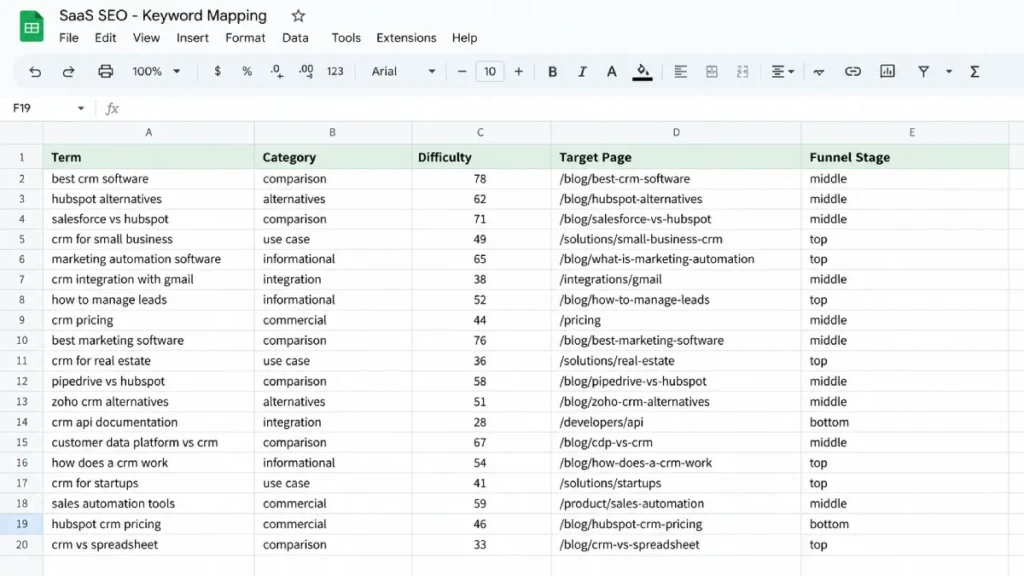
Search Intent Mapping
Once the keywords are sorted, each one needs a page type assigned to it, because search intent determines the right page type. This is where most content plans fall apart.
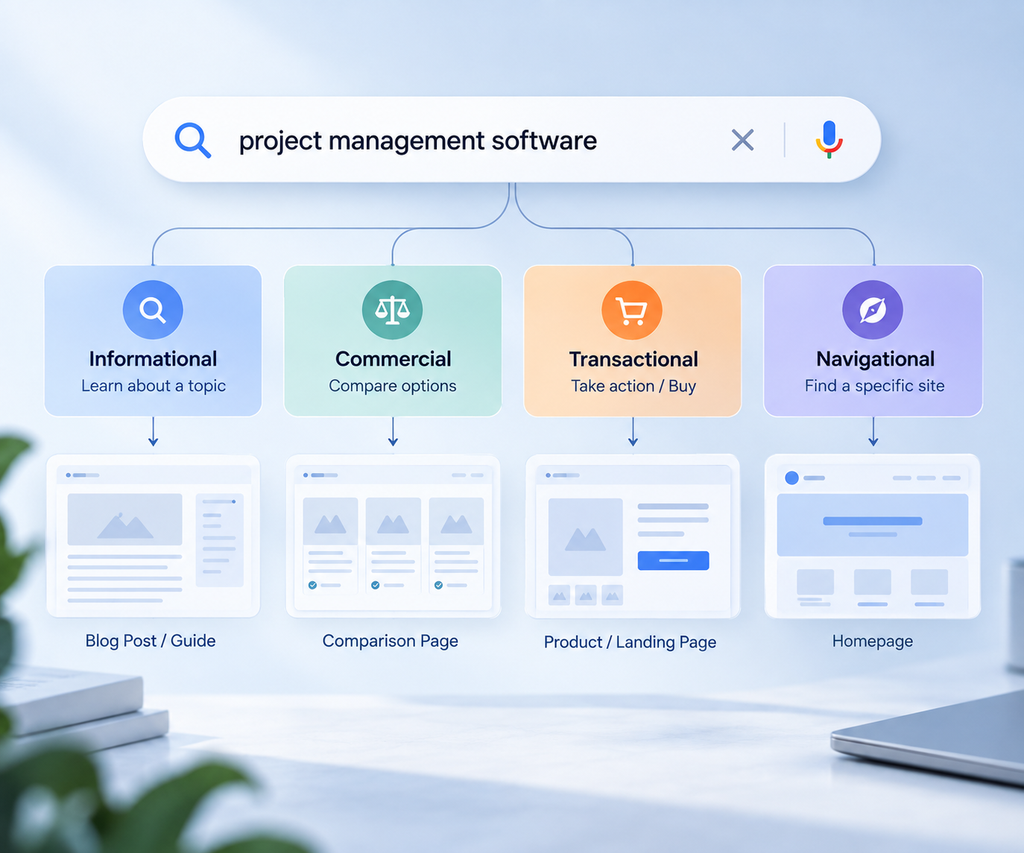
The intent-to-page-type table
SaaS SEO Keyword Categories & Strategy
| Keyword category | Search intent | Page type | Primary goal |
|---|---|---|---|
| Problem | Informational | Blog post or guide | Email capture, retarget |
| Solution | Commercial investigation | Category landing page or roundup | Move to comparison |
| Comparison | Commercial | Comparison page | Trial signup |
| Alternatives | Commercial | Alternatives page | Trial signup |
| Jobs to be done | Informational with product fit | Tutorial with product walkthrough | Trial signup |
| Feature | Navigational or commercial | Feature page | Trial signup |
| Integration | Navigational | Integration page | Trial signup |
| Brand | Navigational | Homepage, pricing, docs | Trial or expansion |
In short, bottom-of-funnel search intent maps to commercial landing pages, comparison pages, alternatives pages, category pages, and use case pages, while middle-of-funnel search intent maps to solution-focused content and top-of-funnel search intent maps to informational content.
The rule I apply is simple. Look at what already ranks and build that page type. Google has already told you what it considers the right answer format. Arguing with it costs six months.
One keyword group, one URL
Keyword clustering groups related search intents together. Keyword-to-page mapping then assigns each group to a specific URL, and every group gets exactly one target URL. I keep this in a single mapping sheet with the keyword group, intent, target page, and status.
This keyword-to-page mapping sheet reduces content cannibalization, also called keyword cannibalization, which happens when two or more of your pages compete for the same intent. Google splits signals between them, and often neither ranks well.
The common SaaS version is a blog post, a feature page, and a use-case page all targeting “[category] for [audience].” Pick the page type the SERP rewards, and point the others to it with internal links.
To spot existing cannibalization, open the Search Console Performance report, filter by a query, and check the Pages tab. If several URLs trade impressions for the same query, you have a page to consolidate.
Content funnel mapping
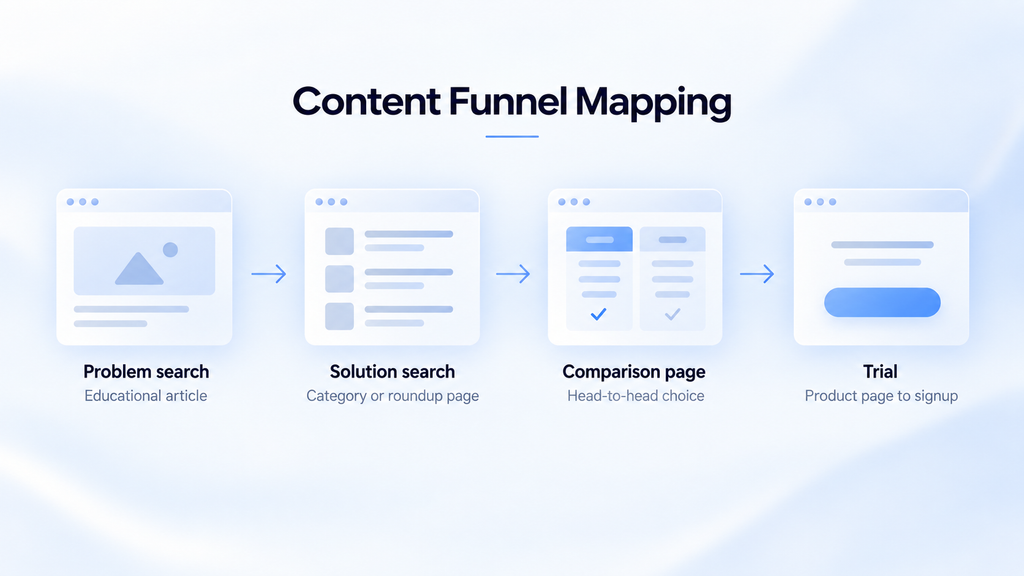
Here is the path I draw for clients, because it explains why you need every stage rather than just the cheap one.
Problem search leads to an educational article. That article links to a solution-level roundup or category page. The roundup links to a comparison page. The comparison page links to the trial.
Four pages, four intents, one buyer moving through them over weeks.
If you only build stage one, you are paying to educate people who then go search “best [category] software” and land on a competitor. I have audited accounts where that was measurably happening, and the fix was building the middle of the funnel rather than adding more top-of-funnel posts.
Where the money sits
If you have budget for 10 pages this quarter, here is how I would spend it.
- 3 comparison pages against your most-searched competitors
- 2 alternatives pages targeting the incumbents people leave
- 2 use-case pages for your strongest customer segments
- 2 jobs-to-be-done tutorials where your product is the natural answer
- 1 piece of original data for links
Zero pure top-of-funnel posts. Those posts still have value. They are just the wrong first investment when your budget is small and your domain is young.
Building SaaS Topic Clusters
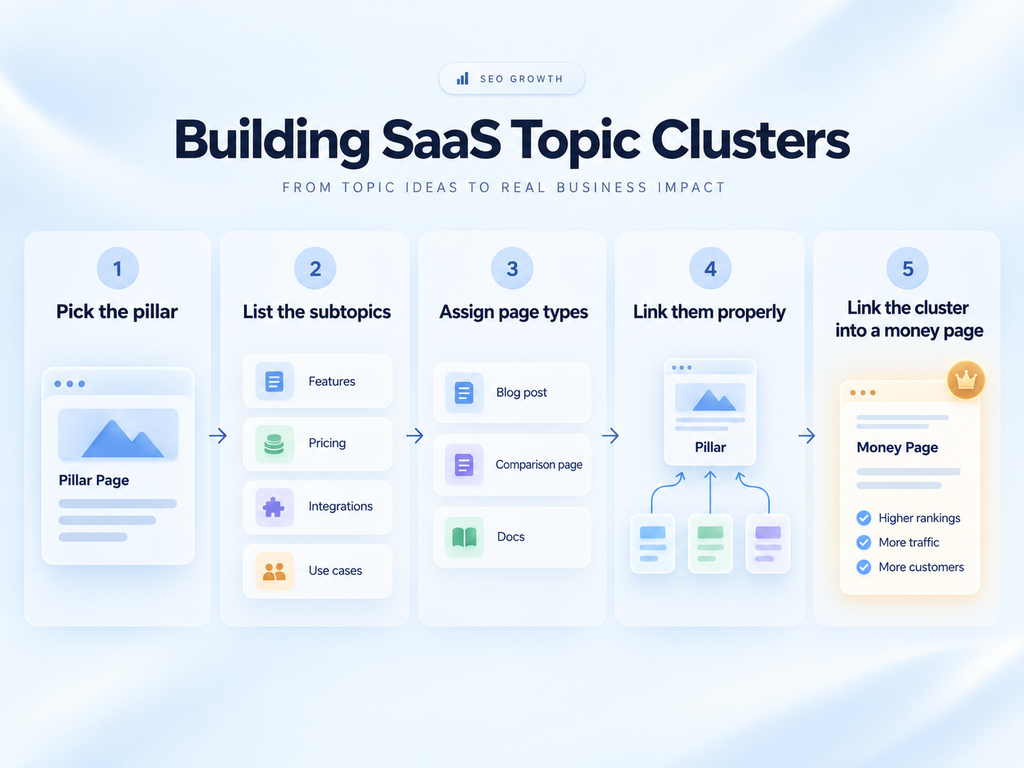
A topic cluster is a pillar page plus a set of supporting content, all linked together to give your content architecture its topic cluster structure.
The point is authority. Internal links pass it, and clusters concentrate it on the pages you want to rank.
When we restructure a client’s blog into clusters, rankings often move on pages we did not touch, purely from the new internal linking.
Over time, topic clusters contribute to topical authority. Google sees your site covering a subject in depth, so new pages inside that cluster tend to rank faster.
How I build one
Step one: pick the pillar. It should be a term you want to own at the category level. Broad enough to support 15 or more subtopics, specific enough to relate to your product.
Step two: list the subtopics. Every question a buyer asks about that pillar. Pull from People Also Ask, Reddit threads, your support tickets, and your sales call recordings. Sales calls are the most underused source here by a wide margin.
Step three: assign page types. Some subtopics are blog posts. Some are comparison pages. Some belong in your docs. Each page then gets an SEO content brief with the target intent, the topics to cover, and the money page it should link to.
Step four: link them properly. Every cluster page links up to the pillar. The pillar links down to every cluster page. Cluster pages link across to each other where it genuinely helps the reader.
This is your internal linking strategy in practice: internal linking connects related pages, distributes internal authority, helps search engines understand your site architecture, and helps users discover related commercial pages.
Use descriptive anchor text that matches the target page’s topic. “Compare Gainsight and Totango” tells Google and the reader far more than “click here.” Vary the wording across pages instead of repeating one exact-match phrase.
Step five: link the cluster into a money page. This is the step teams skip. The cluster should funnel into a comparison page, a product page, or a use-case page. A cluster that only links to itself builds rankings and no revenue. Good site architecture connects informational and commercial content on purpose.
A worked example
Say you sell an applicant tracking system.
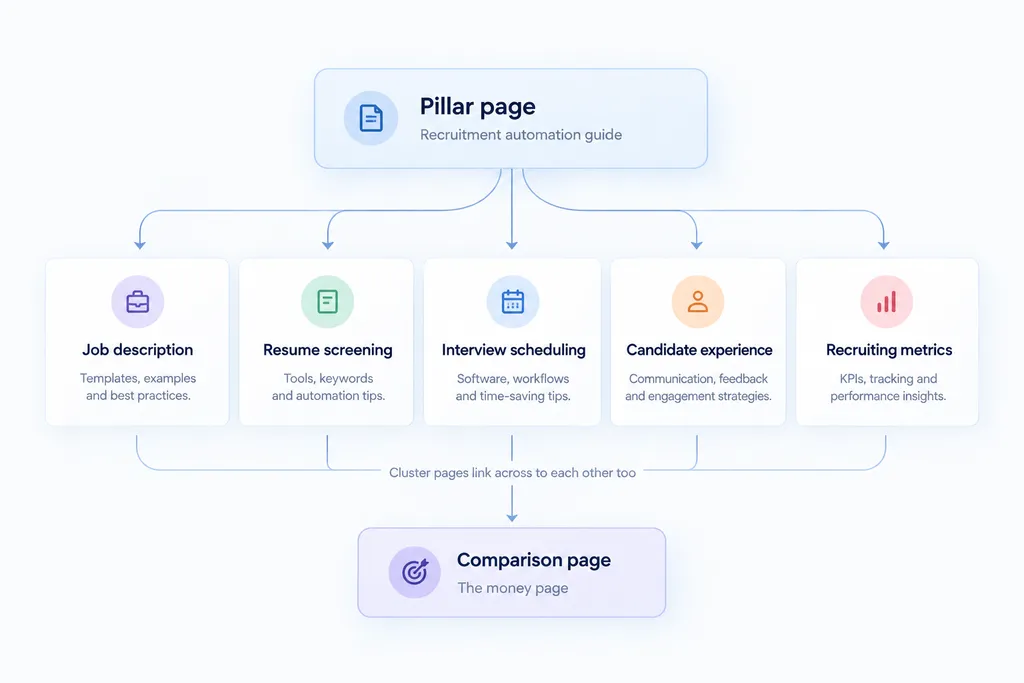
Pillar: a complete guide to recruitment automation.
Supporting cluster pages might include how to write a job description that filters applicants, resume screening automation methods, interview scheduling workflow templates, candidate experience benchmarks, and recruiting metrics that predict quality of hire.
Money pages the cluster links into: your ATS comparison pages, your integrations with the major HRIS platforms, and your use-case page for high-volume hiring.
That is one cluster. A mature SaaS content program runs five to fifteen of them.
The mistake I see most
Teams build clusters around keywords with volume rather than around buyer questions.
The result is a cluster that ranks and does not convert, because nobody searching those terms is close to buying anything. Before committing to a pillar, ask whether someone reading the whole cluster would end up wanting your product. If the honest answer is no, pick a different pillar.
SaaS Content Strategy: The Page Types That Actually Convert
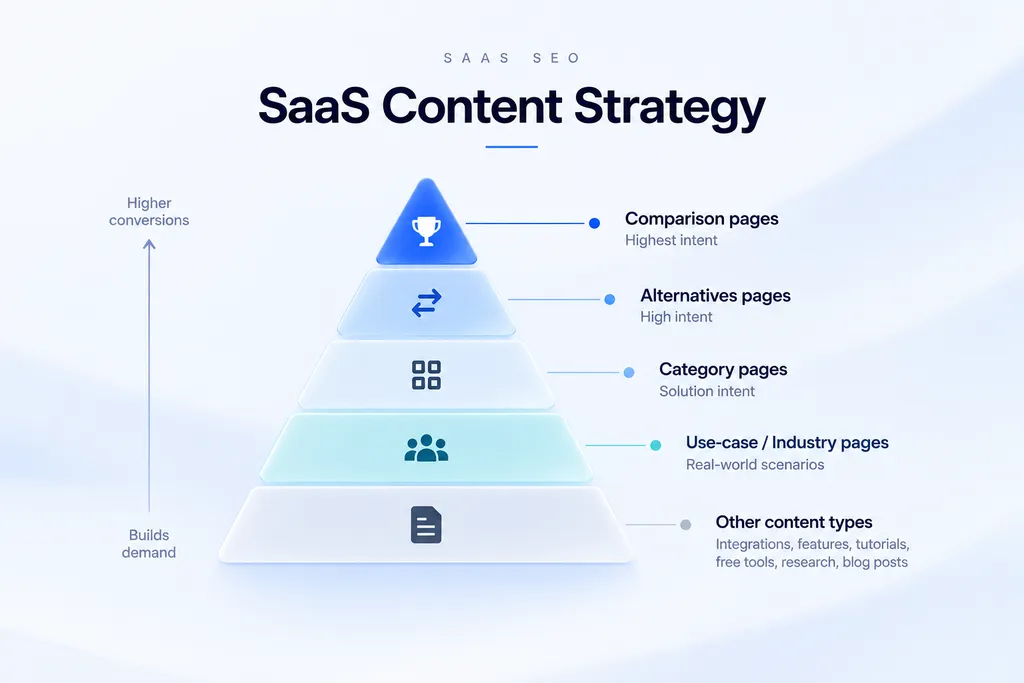
This is the longest section of the guide, because content is where most of the budget goes and most of the waste happens.
Content strategy organizes pages around customer demand, and I have grouped the page types below by how they perform, best first. Commercial landing pages lead my commercial page strategy, because they carry the buying intent.
Comparison pages
“[Your product] vs [competitor],” comparing your SaaS product head to head with competing products. These convert at 8% to 15% for most SaaS companies, which is the highest of any content type.
The buyer has a shortlist and is doing final diligence. They will find a comparison page whether you write it or not. If you do not write it, they read your competitor’s version, or an affiliate’s version.
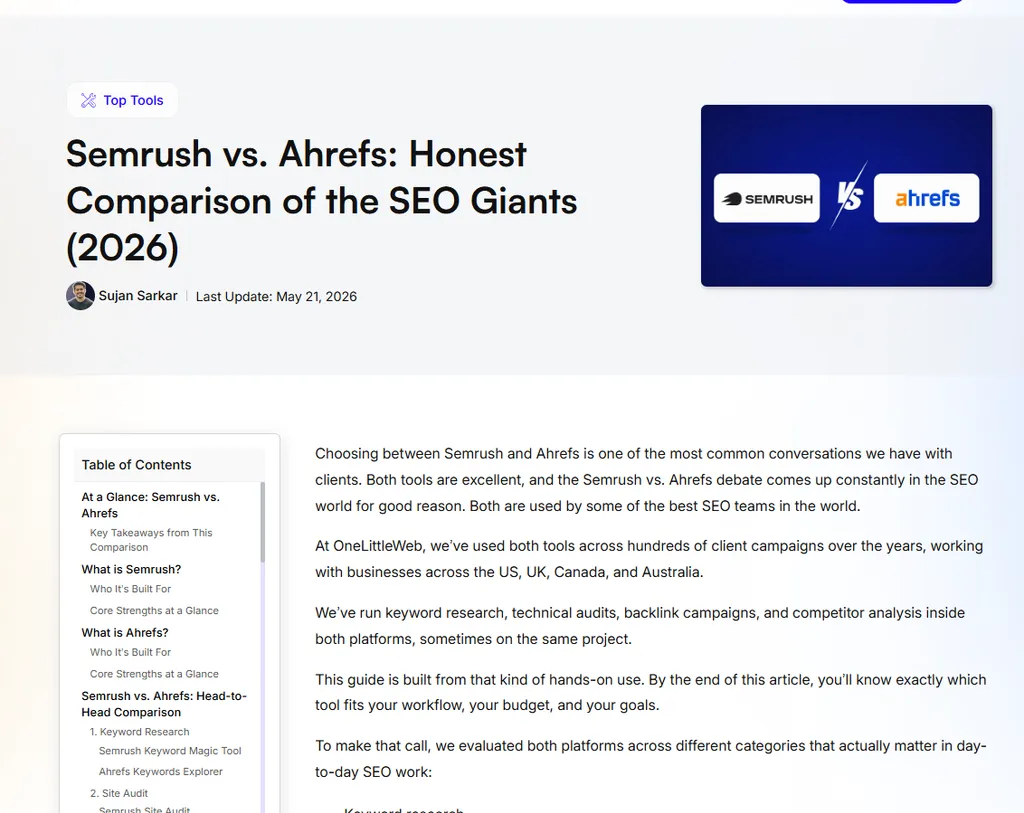
What makes a good one:
- Be genuinely honest about where the competitor wins. Buyers can smell a rigged comparison instantly, and one obviously false claim kills the whole page.
- Include real pricing at real tiers, not “contact us.” Pricing opacity is the number one complaint I see in SaaS buying discussions.
- Use a feature table, then explain what the table cannot show. Tables are for scanning. Prose is for context.
- Name who should pick the competitor. This is counterintuitive and it works. It builds enough trust that the rest of the page gets believed.
- Update it every quarter. Competitors ship features and change prices.
A caution. If you are the smaller brand, ranking for “[big competitor] vs [you]” is realistic. Ranking for “[big competitor] vs [other big competitor]” usually is not, and it brings traffic that has no reason to consider you.
Alternatives pages
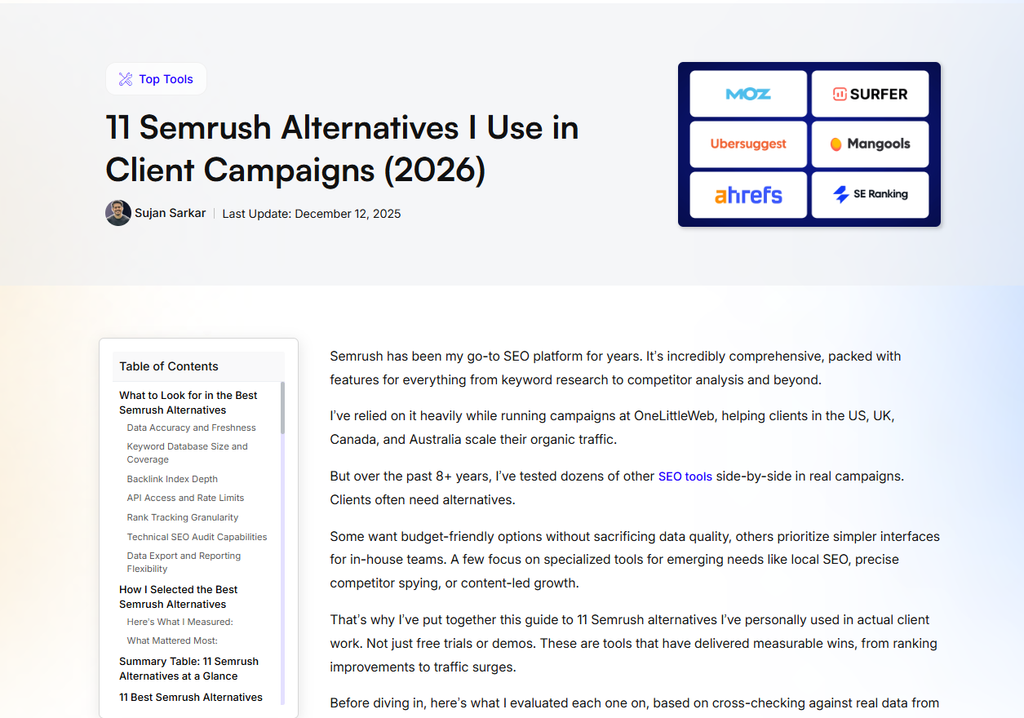
“[Competitor] alternatives.” Same intent as comparison, slightly earlier, and often higher volume. These pages target users evaluating replacements for competing products, people who are unhappy with their current tool. Your job is to name the reason they are unhappy and show you solved it.
Format that works for me: a short honest summary of why people leave the incumbent, then a ranked list of options with your product included and positioned for a specific use case rather than declared best overall.
Include competitors other than yourself. A list with one option on it does not read as a list, and Google knows what this page type should look like.
Category pages
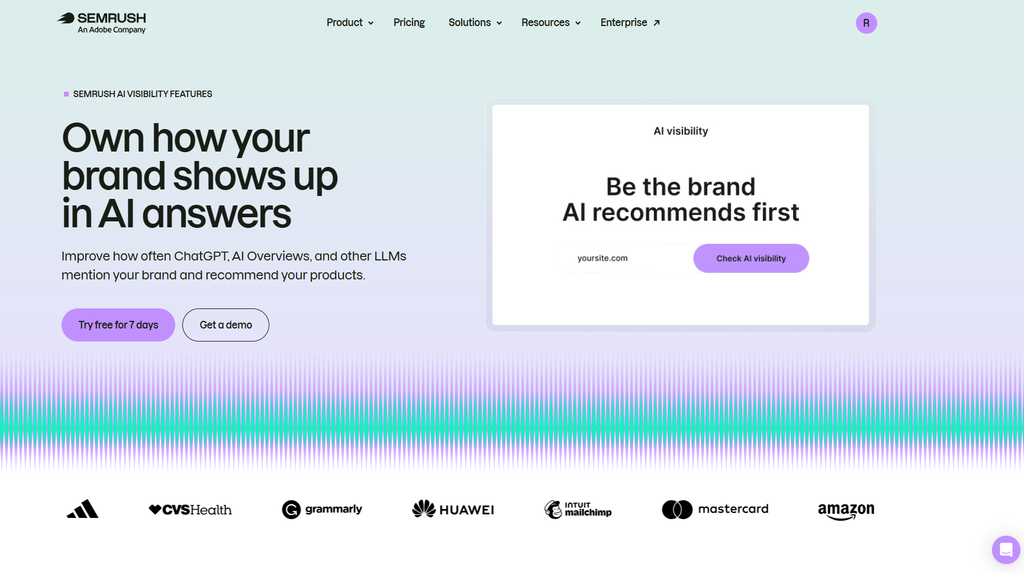
“[Product category] software.” Think “email marketing software” or “applicant tracking system.”
This is the solution keyword from category two: category pages that target buyers evaluating a software category. The buyer knows what kind of tool they need and wants to see what is out there.
The SERP for these terms is usually crowded with G2, Capterra, and publisher roundups. A product page rarely wins it early.
What works is a category landing page that explains the category and the buying criteria that matter, with your product positioned inside it. It becomes the parent page your comparison, alternatives, and use-case pages link up to.
Pair it with a push to get your product into the third-party roundups that already rank. I cover that in the AI search section.
Use-case and industry pages
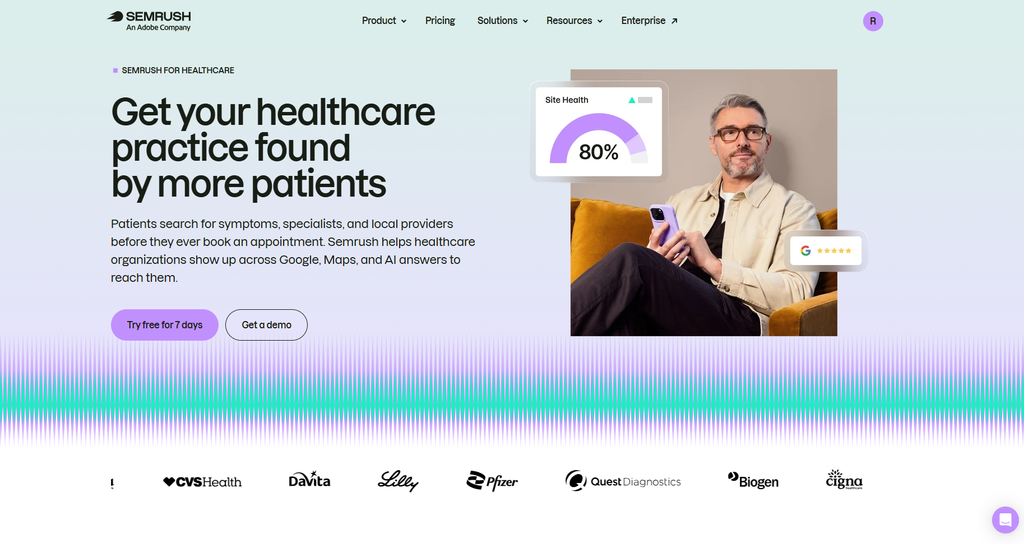
“[Product category] for [audience].” A CRM for real estate teams. Project management for creative agencies.
Use case pages connect a customer problem with your product’s capability. They work because they resolve the buyer’s real question, which is whether this tool fits a company like theirs.
Each page needs its own substance. Different pain points, different workflow, different proof. Swapping the industry name in a template is the fastest way to get a whole page group ignored by Google.
Integration pages
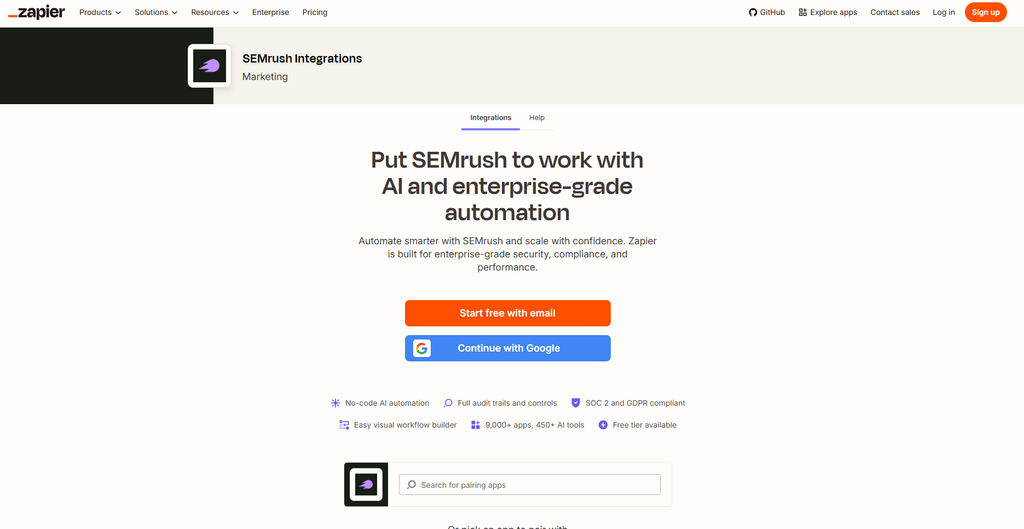
“[Your product] [other product] integration.” Low volume individually, enormous in aggregate, since these pages connect your SaaS product with the third-party platforms your buyers already use.
This is the page type that built Zapier. Zapier created landing pages for app combinations across thousands of integrations, and that program is widely credited as a large part of how it reached millions of monthly organic visits.
You probably do not have thousands of integrations. You might have 40, and 40 pages of genuine buyer intent is still worth building.
There is a link benefit too. Integration partners often link back from their own directory, which is one of the few link sources that scales without outreach.
Feature pages
“[Feature name]” or “[category] with [feature].” For example, “CRM with email tracking.”
These explain product capabilities and catch buyers who already know the capability they need. Search volume is usually small, and intent is high.
A good feature page shows the feature working. Use real screenshots or a short demo video, and explain the problem it solves in the buyer’s own words. Then link to the use cases where that feature matters most.
Skip thin pages for every toggle in your settings menu. Build feature pages for capabilities people actually search for, and fold the rest into a broader page.
Jobs-to-be-done tutorials
“How to [do the thing your product does].”
These sit between informational and commercial. Someone searching how to build a customer health score is close to wanting software that builds it for them.
The format that converts: solve the problem completely without the product first, then show the faster version with it. If the reader has to buy to get value from the article, the article fails and they leave.
Free tools and calculators
A free calculator, generator, or checker related to your category, the kind marketers call free SEO tools because they are built to win search traffic.
These earn links for years with no ongoing outreach, attract backlinks, and generate product-qualified traffic by bringing in people at the exact moment they have the problem.
They cost engineering time, which is why most teams never ship one. Budget the tool as a link asset rather than a content asset, and the free tool strategy becomes much easier to justify.
Original research
A survey, a benchmark study, or an analysis of your own anonymized product data, the kind of original research that provides unique evidence and creates linkable assets.
You have data nobody else has. If you run an email tool, you know actual open rates across thousands of accounts. That is a report journalists will cite.
It is one of the strongest link assets a SaaS company can build, and it feeds AI visibility too. I cover both in later sections.
Two rules. Anonymize and aggregate properly, and get the methodology reviewed before publishing. A study with a hole in it becomes a liability.
Blog posts targeting problem keywords
Last on the list, not off the list.
Top-of-funnel content still builds topical authority and brings people into the funnel. It is just the least efficient first investment, and it is the part of the funnel AI Overviews are absorbing fastest. SaaS companies focused on informational content have seen page visits decline noticeably as AI snippets became common.
Build this layer once the commercial layer exists.
Turning Search Visitors Into Signups and Demos
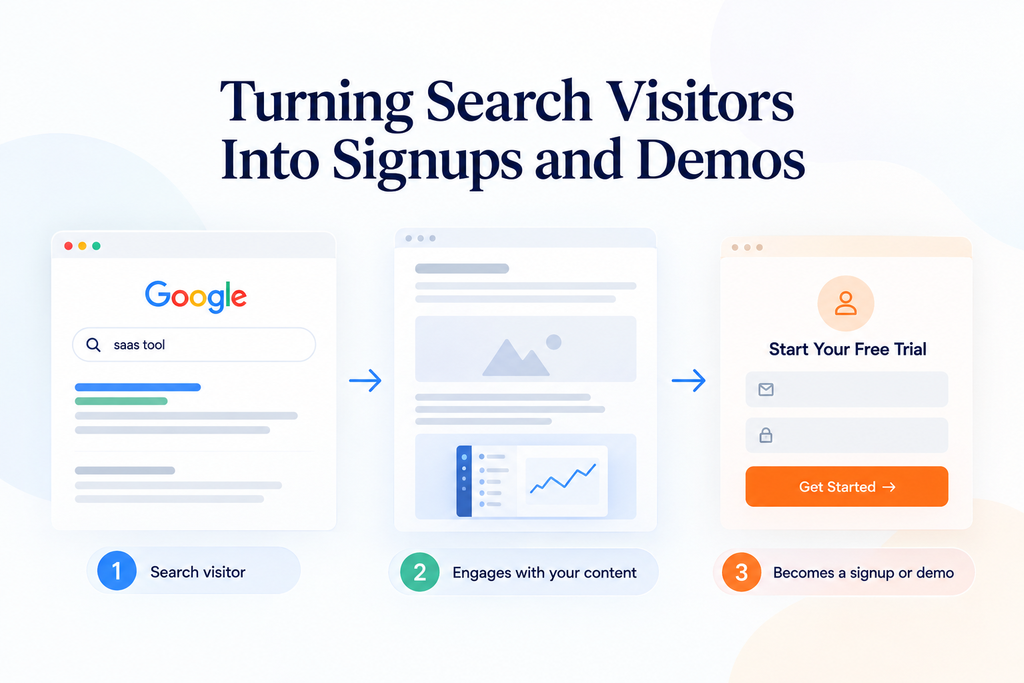
Ranking a page is half the job. The other half is the searcher-to-product transition: moving the reader to the next step.
I see strong SaaS content with no clear path to the product all the time. The reader learns something, closes the tab, and never comes back.
Match each call to action to the intent
A call to action (CTA) moves a search visitor toward conversion, and your calls to action should always match the intent of the page.
- Problem-stage posts: offer a template, checklist, or tool the reader can use right away. A demo request here is too early.
- Category pages: make a comparison or buyer’s guide the next click, with a softer trial CTA.
- Comparison and alternatives pages: place a direct trial or demo CTA above the fold and again after the pricing table.
- Tutorials: put the trial CTA right after the step where the product saves the most time.
For sales-led products, swap every trial CTA for a demo request. For hybrid products, show both and let the page’s audience decide which one leads.
Put the product inside the content
Product-led content demonstrates your SaaS product within problem-solving content. It creates a natural conversion path, because product relevance and problem-solution fit are visible on the page.
A tutorial on building a customer health score can show the manual spreadsheet method first. Then it shows the same score built in your product, with real screenshots.
Product screenshots provide first-hand product evidence, and product demonstrations show how the SaaS product solves a problem, proof that generic articles cannot copy.
Keep the product in the parts where it genuinely helps. A product mention in every paragraph reads like an ad, and readers stop trusting the rest of the page.
Plan the handoff to money pages
Every informational page should link to at least one relevant commercial page. This is your content conversion path. I plan these links in the same sheet as the keyword-to-page map, so the path from blog post to comparison page to signup is designed on purpose.
Then check it in GA4. Run a path exploration from your top blog posts and see where readers go next. If almost nobody reaches a commercial page, the handoff is broken.
Product-Led SEO
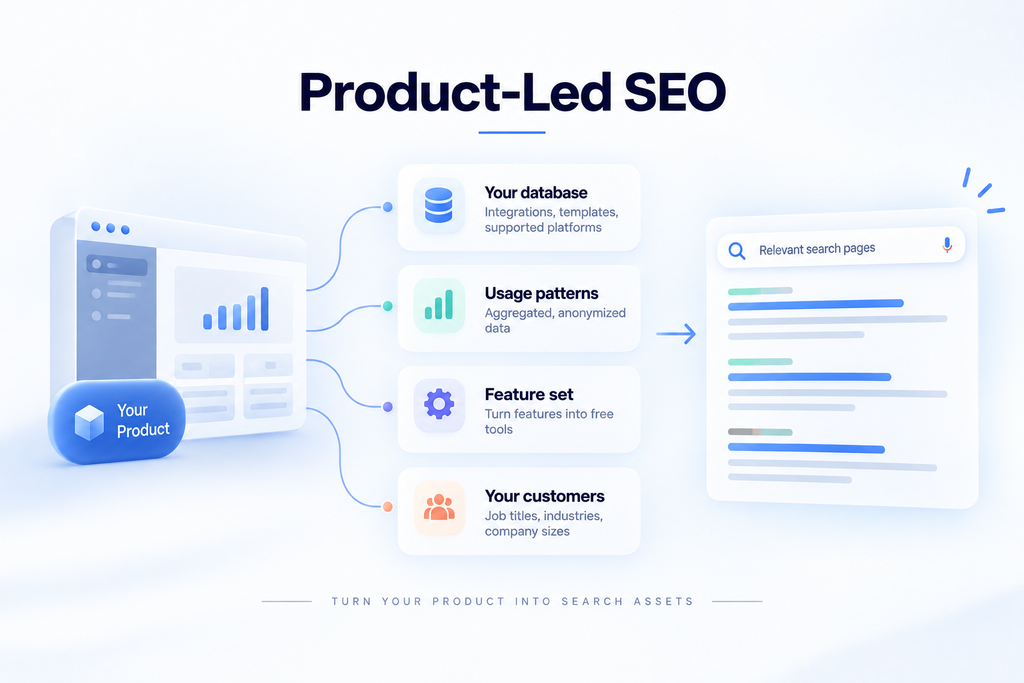
Product-led SEO means using the product itself to generate search assets, rather than writing about the product.
The distinction matters. Content marketing describes what the product does. Product-led SEO exposes what the product knows.
Where the assets come from
Your database. Integrations, templates, supported platforms, and object types are all structured data that can become indexed pages.
Your usage patterns. Aggregate anonymized behavior becomes benchmark content.
Your feature set. A free, limited version of one feature becomes a standalone tool page.
Your customers. Job titles, industries, and company sizes become audience-specific landing pages.
Companies like Zapier and HubSpot did not build these datasets from scratch. They exposed data the product was already generating.
Docs, templates, and glossaries
Product documentation. Help center and docs pages capture technical and product-specific search demand, like “[product] API rate limits” or “how to connect [product] to Salesforce.” These searchers are often evaluating you or already paying. Avoid a separate documentation subdomain where you can, check documentation indexability, treat documentation SEO as its own workstream, and link from docs to relevant feature and integration pages.
Templates. Templates can attract use-case search demand, like “OKR template” or “content calendar template,” and Notion and Canva both run large template galleries built around this kind of search. A good template strategy gives the reader value on the spot, and using it inside your product is the natural next step.
Glossary content. A glossary can win definition searches in your category. We run one ourselves, our own SEO glossary, for exactly this reason.
The next section covers how to build these page groups at scale.
Programmatic SEO for SaaS
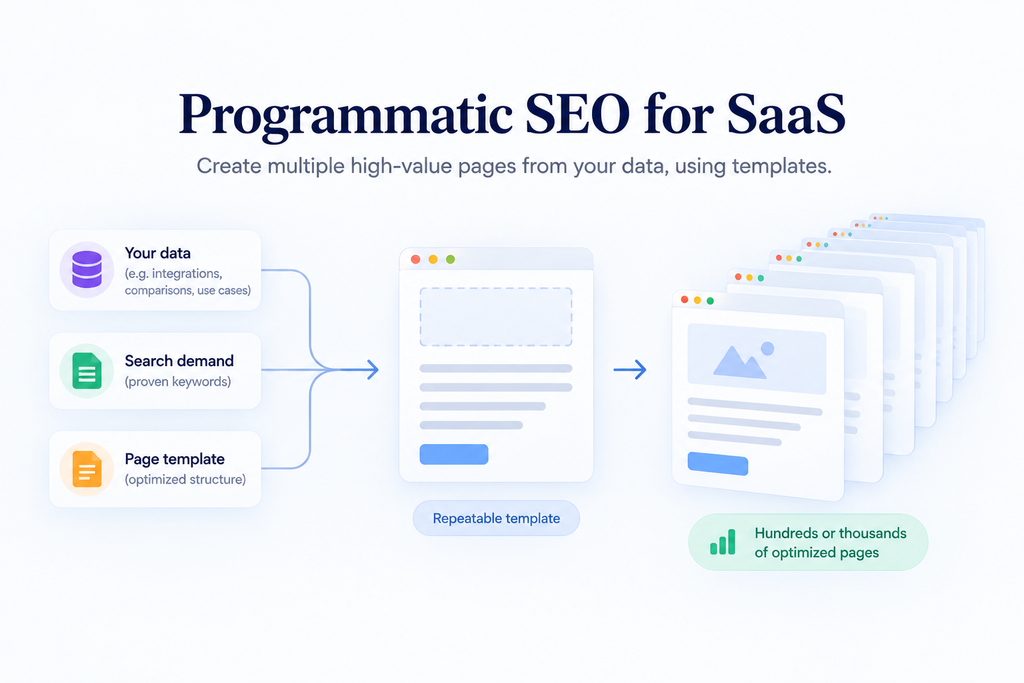
Programmatic SEO creates pages from repeatable data and templates, and it is the highest-leverage tactic available to SaaS companies, and the easiest one to get wrong.
Programmatic SEO suitability
You need these conditions in place.
A dataset with real depth per row. A clear repeating search pattern with demonstrable volume. And enough domain authority for Google to bother crawling the pages you generate.
If your domain is new and you publish 2,000 templated pages, most of them will not get indexed. Crawl budget is earned.
The four patterns worth building
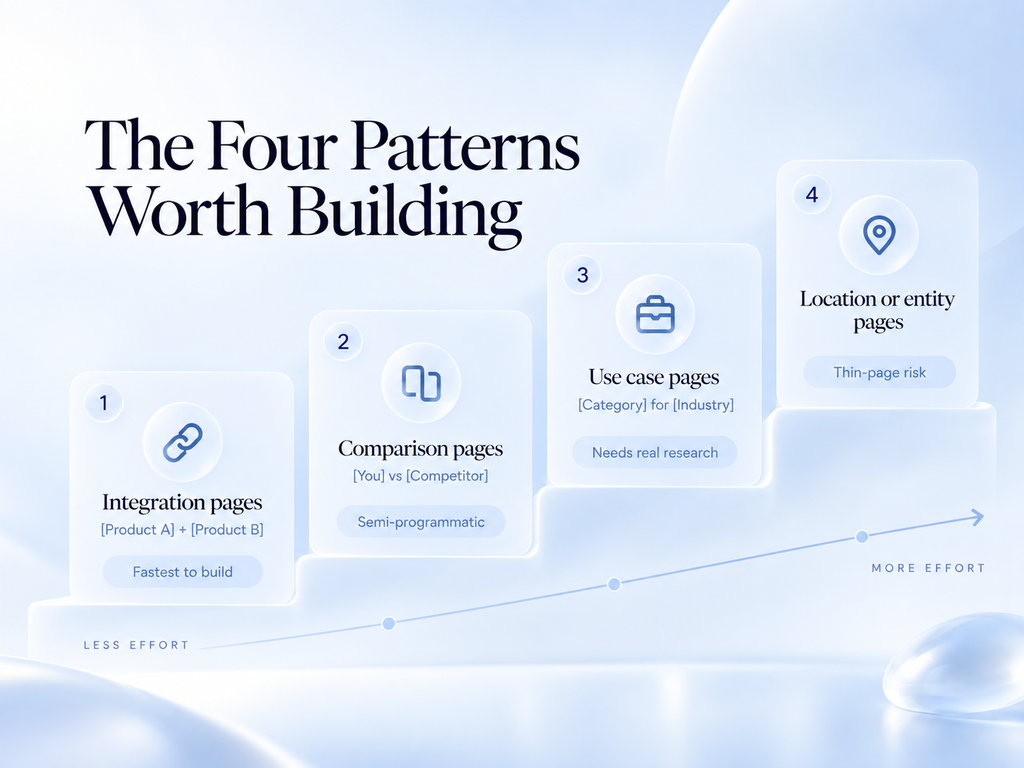
If you are starting from zero, build them in this order. Each one takes more effort than the one before it.
Integration pages. “[Product A] and [Product B] integration.” Fastest to build, data already structured.
Comparison pages. “[You] vs [Competitor].” Predictable volume. Keep these semi-programmatic at most, with a consistent template and genuinely written analysis per competitor.
Use case pages. “[Category] for [industry or role].” Needs real research per page, so treat the template as a structure rather than a content generator.
Location or entity pages. Only if your product genuinely varies by location. Most SaaS products do not, and this is where thin-page problems usually start.
Making pages non-thin at scale
Programmatic SEO requires unique page-level value, and without it, it can create thin content at scale.
The test I apply: if a human landed on this page with no other context, would it answer their question? If the page is a template with a few variables swapped, the answer is no.
Google tends to judge thin page groups as a whole. That is why one weak rollout can drag down an entire section of the site.
Every page needs at least one element that exists only on that page.
Real data pulled from your database for that specific combination. A screenshot of the actual integration. A short expert note written by a human. Customer examples from that industry. Pricing specific to that configuration.
If a page has no unique data yet, keep it out of the index with a noindex tag and leave it out of your XML sitemap until it does.
I usually push clients to launch 20 to 50 pages, wait 60 days, and check indexation and engagement before scaling. If half are not indexed, scaling makes the problem bigger rather than better.
The maintenance cost nobody budgets
Two thousand programmatic pages is two thousand pages that can go stale.
Your competitor changes their pricing and 40 of your comparison pages are now wrong. An integration gets deprecated and that page is misleading.
Build an automated audit that flags pages referencing outdated data before you build the pages themselves.
SaaS Technical SEO
Technical SEO rarely wins you rankings. It mostly stops you from losing them.
Technical SEO enables crawlability and indexability, and it supports rendering: crawlability lets search engines discover your pages, and indexability lets eligible pages enter the index.
You will not out-rank a competitor because your Core Web Vitals are better. You will fail to rank at all if Google cannot render your pages.
The issues I find most in SaaS audits
An SEO audit identifies technical and structural issues, and I rank each one by technical audit severity, because technical SEO prioritization should start with whatever blocks your revenue pages.
JavaScript rendering. This is the big one, and it sits at the core of JavaScript SEO. Many SaaS sites are built on frameworks that render content client-side. Google can render JavaScript, but rendering adds an extra step. Blocked resources or content that loads only after a click can keep text out of the index.
Several AI crawlers do not render JavaScript at all, which hurts AI visibility too. Use server-side rendering or static generation for anything you want indexed. Check with the URL Inspection tool in Search Console and look at the rendered HTML rather than the source.
Marketing site and app on the same domain. Your SaaS marketing website and your SaaS application need different rules. Your app at /app or /dashboard generates thousands of URLs behind a login, and robots.txt, which controls crawler access, should block them.
I have seen accounts where crawl budget was being spent almost entirely on application URLs. Keep in mind that robots.txt blocks crawling, not indexing. For URLs that should never appear in search, use robots directives such as noindex, or keep them behind the login.
Subdomain fragmentation. Blog on a subdomain, docs on another, help center on a third. On the subdomain versus subfolder question, Google has said both work. In our experience, though, SaaS sites that move the blog and docs into subfolders on the main domain consolidate authority more easily. Migrating is painful, so weigh it against how much content lives on each subdomain.
Duplicate content from parameters. Filters, sorts, and session IDs generating URL variations. A canonical tag signals the preferred URL version, and canonicalization plus parameter handling fixes most duplicate content.
Orphan pages. Pages with no internal links pointing at them. Extremely common on SaaS sites where landing pages get built for campaigns and never linked from navigation.
Broken links and redirect chains. Pricing pages get renamed, features get retired, and old URLs break. Crawl the site monthly, fix internal links that hit 404s, and collapse redirect chains into a single 301.
Weak indexation control. An XML sitemap helps search engines discover indexable URLs. Good XML sitemap coverage means listing only canonical, indexable pages. Check the Pages report in Search Console for “Crawled, currently not indexed” and “Duplicate without user-selected canonical.” Both usually point to thin or duplicated page groups.
Mobile and HTTPS gaps. Google uses the mobile version of your pages for indexing, so pricing tables and comparison grids must work on a phone. Mobile usability and mobile performance both count, and every page should load over HTTPS with no mixed-content warnings.
Slow pages caused by tag bloat. Marketing sites accumulate analytics scripts, chat widgets, and heatmap tools until the page takes six seconds to become interactive. Audit the tag manager twice a year. Page speed feeds into page experience, alongside Core Web Vitals.
Site architecture
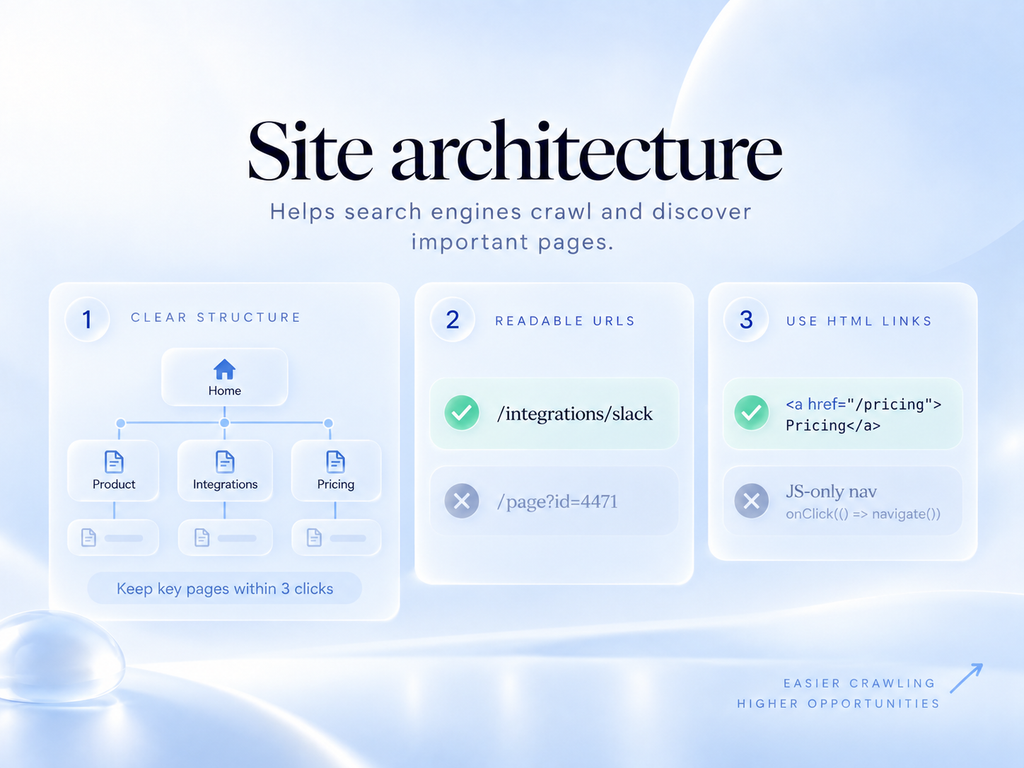
Good site architecture determines crawl paths and influences crawl depth, so keep important pages within three clicks of the homepage.
Keep your URL structure readable so the hierarchy is clear. /integrations/slack is better than /page?id=4471.
Use HTML links for navigation. JavaScript-driven navigation that does not produce real anchor tags is invisible for link discovery.
Schema markup
Schema markup, a form of structured data, describes page entities and content types. It helps machines understand what your pages contain, and that matters more now that machines are summarizing your pages.
The types worth implementing for SaaS: SoftwareApplication on product pages, FAQPage where you have genuine questions (Google now limits FAQ rich results to a small set of authoritative sites, so treat this markup as a clarity aid), Organization on the homepage with clear entity details, Article on blog content, and BreadcrumbList site-wide.
Do not mark up content that is not on the page. That is the fastest way to lose rich results, so check structured data eligibility in Google’s Rich Results Test before you count on one.
Core Web Vitals
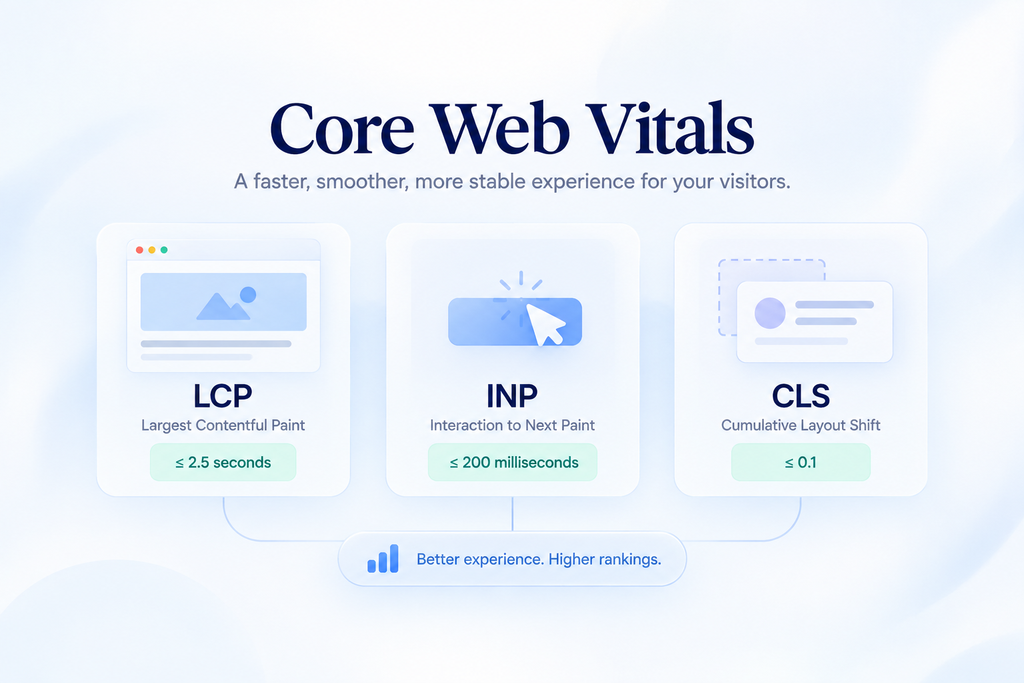
Worth fixing, not worth obsessing over.
Get Largest Contentful Paint under 2.5 seconds, Interaction to Next Paint under 200 milliseconds, and Cumulative Layout Shift under 0.1. Past that, put the engineering time into content or product.
International SEO
International SEO starts with international targeting, picking the markets worth the investment. If you sell in several markets, check localized search demand before translating anything. Search behavior and competitor sets differ by country, even between English-speaking markets.
Localization means more than translation. When you do localize, use a subfolder per market, such as /de/ or /fr/. Add hreflang tags so each version points to its alternates. Localize pricing, currency, examples, and screenshots, since a machine-translated copy of your US site rarely ranks well abroad.
Hreflang errors are common. Every language version must reference every other version, including itself.
On-Page SEO for SaaS Pages
On-page SEO is how you align page content with the search intent you mapped earlier, and it is the cheapest ranking lever you fully control.
Title tags
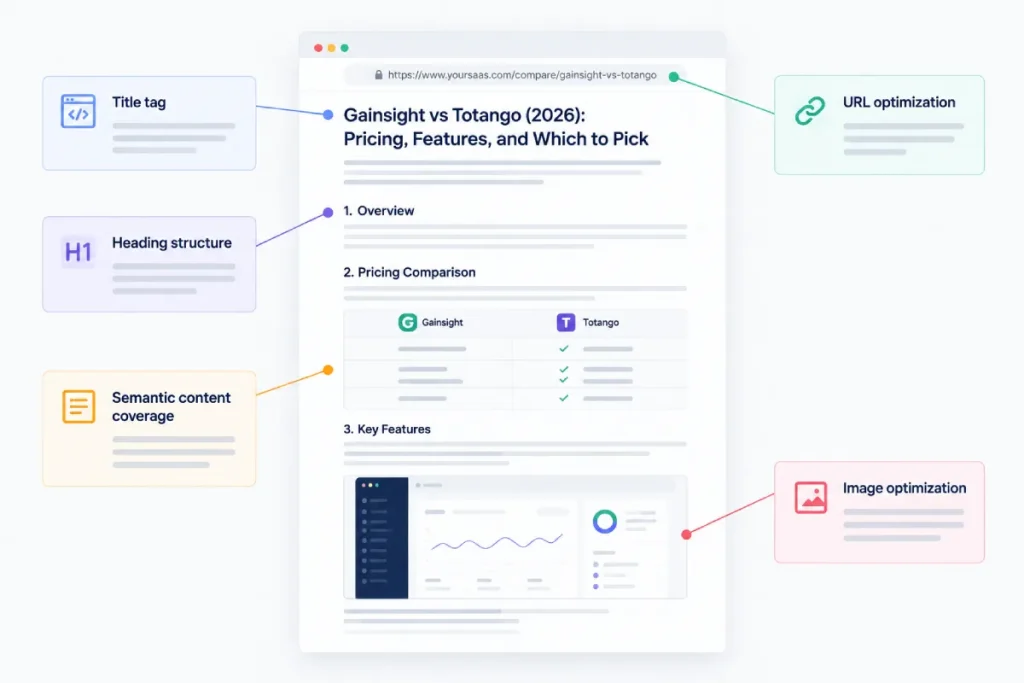
Your title tag communicates the page topic, so put the main term near the start and add the angle that earns the click. “Gainsight vs Totango (2026): Pricing, Features, and Which to Pick” does more work than “Gainsight vs Totango.”
Keep titles around 60 characters so the key words survive truncation. Change the year in a title only when the content is actually updated.
Heading structure
A clear heading structure organizes the content hierarchy. Use one H1 that states the page topic. Write H2s that match real buyer questions, like “How much does [product] cost?” or “Does [product] integrate with HubSpot?”
These headings help readers scan. They also make it easier for search engines and AI systems to pull a clean answer.
URL optimization
Keep URLs short and stable. /compare/gainsight-vs-totango beats /blog/2024/05/our-thoughts-on-gainsight.
Leave dates out of URLs for pages you plan to keep updating.
Semantic content coverage
Topical completeness and content depth matter more here than word count, so before publishing, look at what the top results cover that you do not. If every ranking comparison page covers onboarding time and support quality, your page needs those sections too.
Cover the related topics a buyer expects, like integrations, security, and pricing tiers. That does more for relevance than repeating the main keyword, because content usefulness is the real test.
Image optimization and screenshots
Use real product screenshots, compress them, and write alt text that describes what the image shows. “Totango health score dashboard with churn risk flags” is useful alt text. “Screenshot1” is not.
Screenshots add content originality too, working as first-hand evidence. Readers can tell when a page was written by someone who used the product.
SaaS Link Building
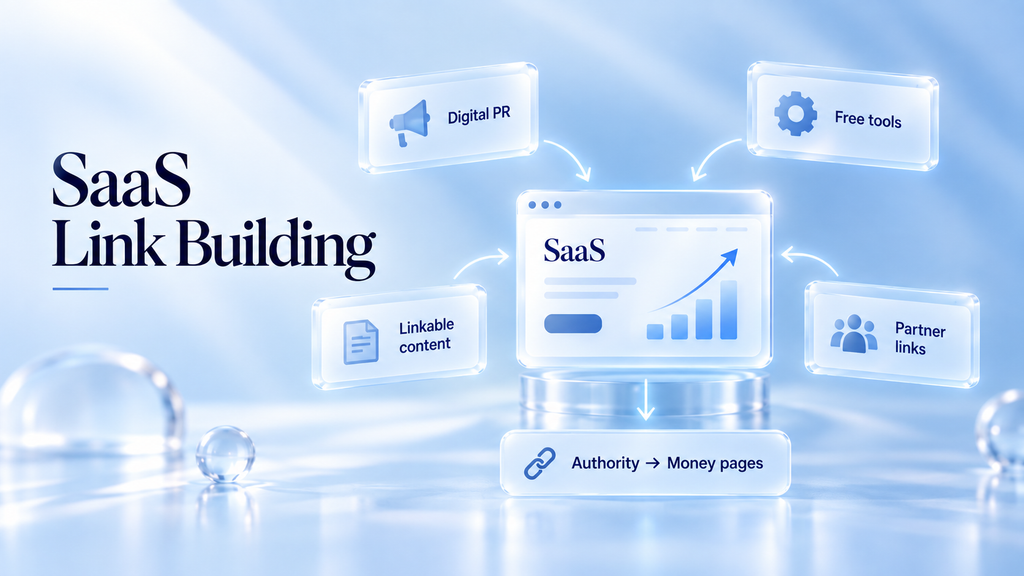
Link building is the constraint most SaaS teams hit around month six. The content is good, the pages are built, and they still sit on page two.
Authority is why, since backlinks can strengthen page and domain authority signals, and SaaS link building is how you acquire them. Benchmarks suggest a Domain Rating around 60 or above is roughly what it takes to compete for the more valuable SaaS keywords. Median referring domain counts for established SaaS sites run into the thousands.
Backlink acquisition is also where most budget gets wasted, so I want to be specific about what works. It is the service we are best known for at OneLittleWeb.
Point links at the right pages
The most common error I see is a good tactic aimed at the wrong URL.
Most SaaS teams build links to blog posts because blog posts are linkable. Meanwhile the comparison pages and product pages that actually drive revenue have almost no external links.
Blog posts should earn links and then pass authority internally to the money pages. If your internal linking is weak, that transfer never happens and the links effectively do nothing for revenue.
Start every link campaign by deciding which commercial page the authority is meant to reach.
Competitor backlink gap analysis
This is where I start on every new SaaS client.
Pull your three to five closest keyword competitors into Ahrefs or Semrush and run a backlink gap report. You get a list of every site linking to them and not to you.
Those sites have already demonstrated they will link to content in your category. The outreach is warm before you send anything.
Sort the output by relevance first and authority second, since link quality comes down to referring domain relevance more than referring domain authority. A DR 45 niche publication in your category is worth more than a DR 80 general news site that will never send a relevant reader.
Original research and digital PR
The strongest repeatable link asset for SaaS is data nobody else has, and digital PR is how you turn it into editorial backlinks and brand mentions.
You have anonymized product data. Aggregate it into a benchmark report and journalists will cite it, because journalists need numbers and there are not enough of them.
These linkable assets pull substantially more links than ordinary content, and the links keep arriving for years as people reference the figures.
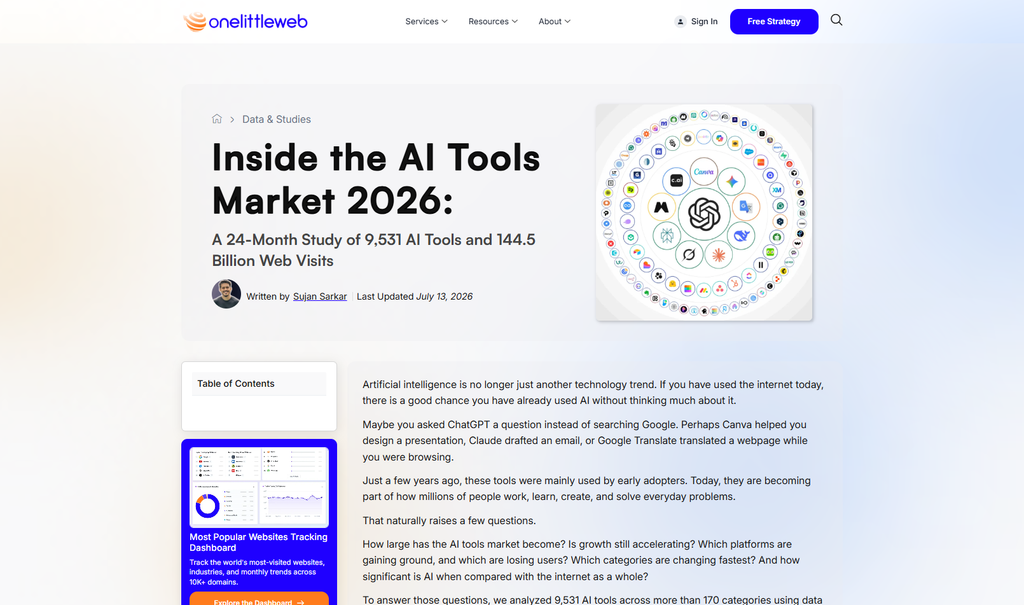
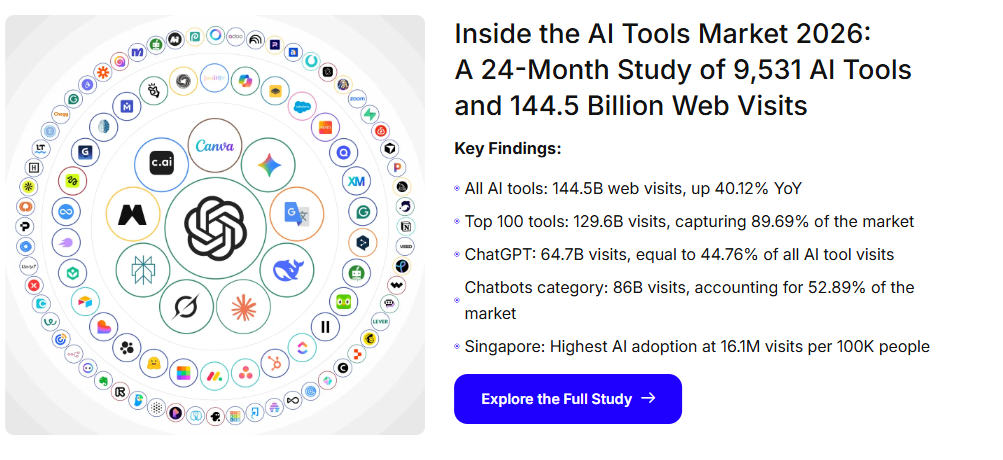
At OneLittleWeb we run data studies for clients and for our own brand, including research on AI tool traffic built from Semrush and Ahrefs data. In our experience, one strong study earns links from publications that guest posting never reaches.
Formats that work:
- An annual benchmark report from your own aggregated data
- A survey of your category, run properly with a disclosed sample size
- An analysis of a public dataset nobody has bothered to process
- Reactive commentary through journalist request platforms when your category is in the news
Free tools as link magnets
A free calculator or checker in your category earns links passively.
The maintenance is near zero once built. The link acquisition continues for as long as the tool is useful. This is the highest return per hour of any link tactic I know of, which is why I keep pushing clients to fund the engineering time.
Integration and partner links
If your product integrates with other software, most of those companies maintain a directory or marketplace listing.
Getting listed is usually a matter of asking. It is one of the few link sources that scales alongside the product roadmap rather than requiring a campaign.
Unlinked mention reclamation
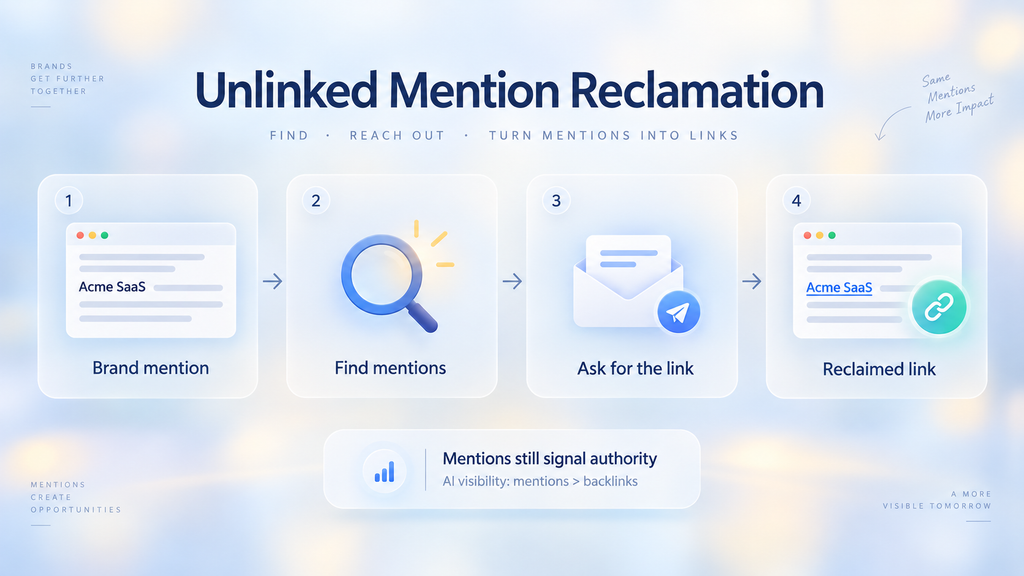
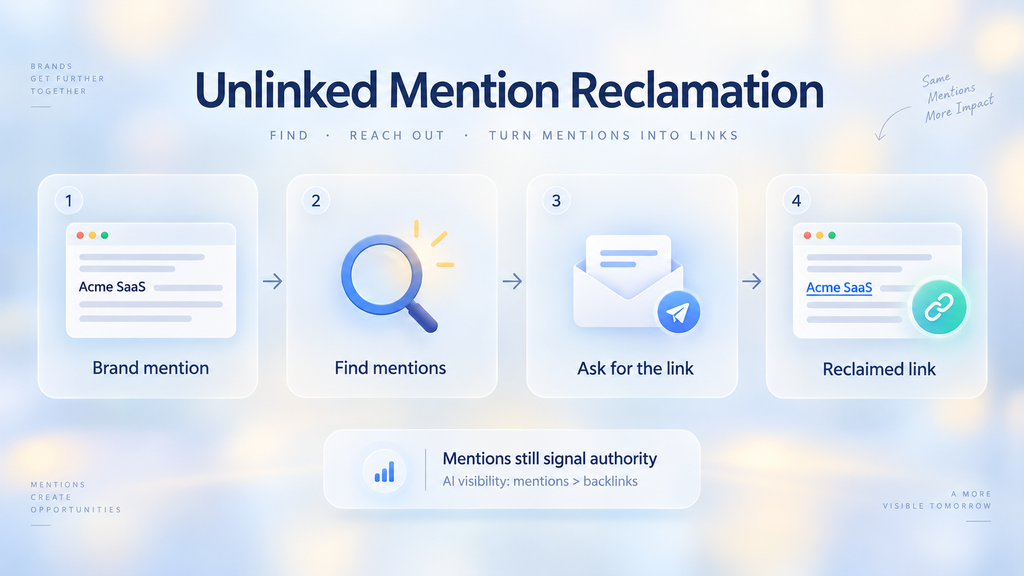
People write about your product without linking. Set up alerts, find the mentions, and ask for the link.
Worth noting that in 2026 the unlinked mention itself carries real value, because AI systems read brand mentions as authority signals independent of whether a hyperlink is attached. Ahrefs data from 2025 found a 0.664 correlation between brand mentions and AI visibility, compared with 0.218 for backlinks. That is roughly three times stronger.
So reclaim the links, and stop treating unlinked mentions as failures.
What I would avoid
Bulk guest posting on low-authority blogs that exist to sell links. Google discounts these, and the pattern is easy to detect.
Paid link marketplaces at the cheap end. Survey data from 2026 showed most buyers paying at least $300 per link, with a large share in the $500 to $1,000 range. Anything dramatically below market is below market for a reason.
Reciprocal link exchanges at scale. Fine occasionally, obvious in a pattern.
Realistic link acquisition velocity
For a growing SaaS company, 5 to 10 new referring domains a month from genuinely relevant sources is a healthy pace.
Spikes look unnatural. Consistency compounds.
AI Search and LLM Visibility
This section did not exist in the version of this guide I would have written two years ago. It is now one of the most important parts.
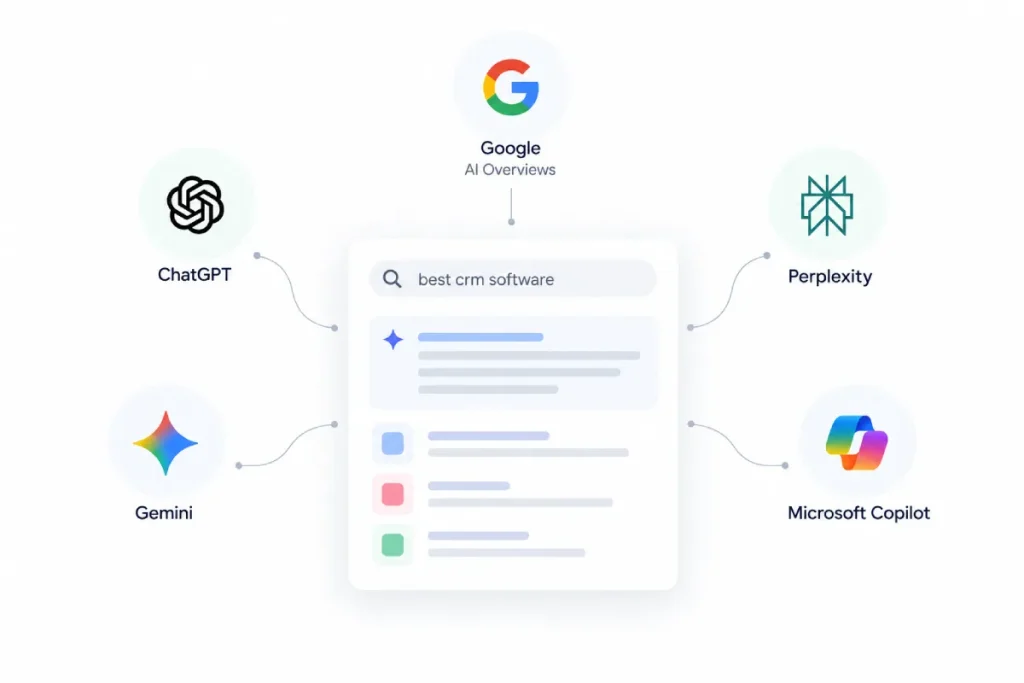
AI search creates new places where buyers discover software, extending your AI search visibility beyond traditional search visibility. The main surfaces are Google AI Overviews and AI Mode, ChatGPT, Perplexity, Gemini, and Microsoft Copilot. Each one pulls sources in its own way, so showing up in one does not guarantee showing up in another.
What changed
Google AI Overviews, which surface synthesized search answers, now appear on a large share of Google queries, with BrightEdge measuring around 48% as of February 2026.
The click impact is significant. Seer Interactive found organic click-through on affected informational queries falling from about 1.76% to 0.61%, a drop of roughly 65%. Ahrefs measured clicks to the number one organic result dropping by more than half when an AI Overview is present.
At the same time, AI referral traffic is growing fast from a small base, and it converts unusually well. Ahrefs reported that AI search visitors made up about 0.5% of its traffic but produced 12.1% of its signups.
The summary: fewer clicks on informational queries, more value per click from AI sources, and a new visibility surface where being cited is the outcome.
How LLMs pick what to cite
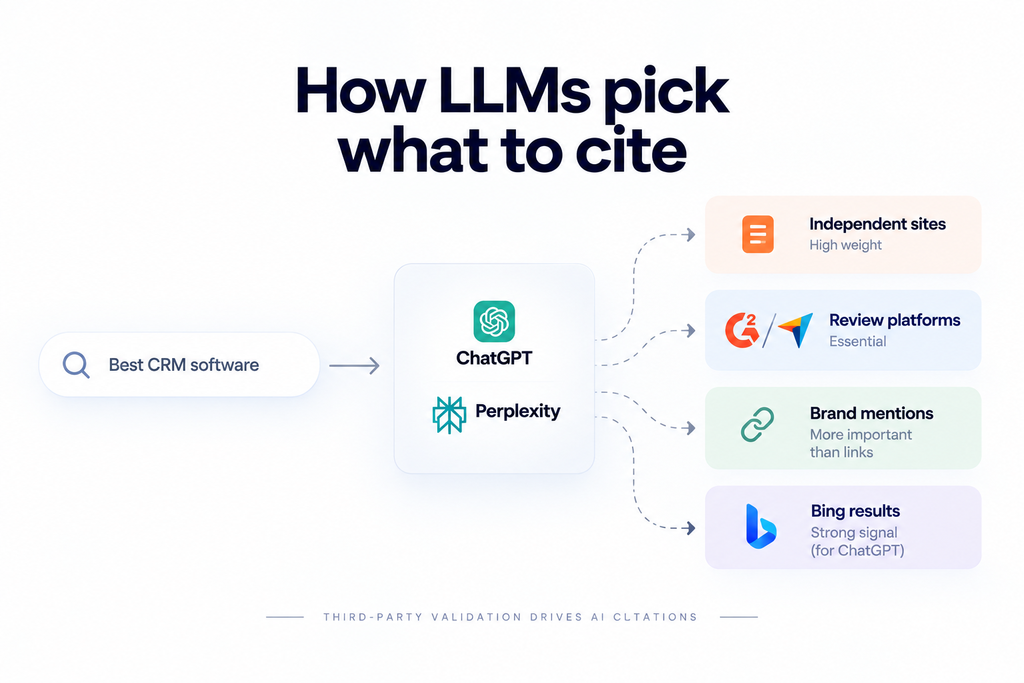
For commercial software queries, the pattern is fairly consistent across the research I have read and what we see in client monitoring.
ChatGPT and Perplexity can both surface software recommendations with cited sources, and both lean heavily on third-party sources. Independent listicles, comparison articles, and review platforms carry more weight than your own website for “best X” and “X alternatives” queries. The logic is the same reason a buyer asks a peer rather than a salesperson.
Review-site presence works as an entry requirement, since third-party reviews provide external product validation. G2 publishes SaaS product reviews and comparisons, and Capterra publishes software reviews and category listings.
Quoleady’s 2026 research found that essentially all tools cited by ChatGPT for alternatives queries had Capterra reviews, and 99% had G2 reviews. Notably, review volume and average rating showed almost no correlation with position in the answer. Being present mattered. Being highest-rated did not.
For this channel, mentions across the web matter more than links, since brand mentions reinforce entity recognition and brand authority supports both search and AI visibility.
For ChatGPT specifically, Bing matters. Seer Interactive found that 87% of SearchGPT citations matched Bing’s top results, compared with 56% for Google. That study covered around 500 citations, and a larger Ahrefs study found much lower overlap for the exact prompt. Even so, being indexed and ranking in Bing is a cheap lever most teams ignore.
Perplexity runs its own index, so check that PerplexityBot is not blocked in your robots.txt.
What I would actually do
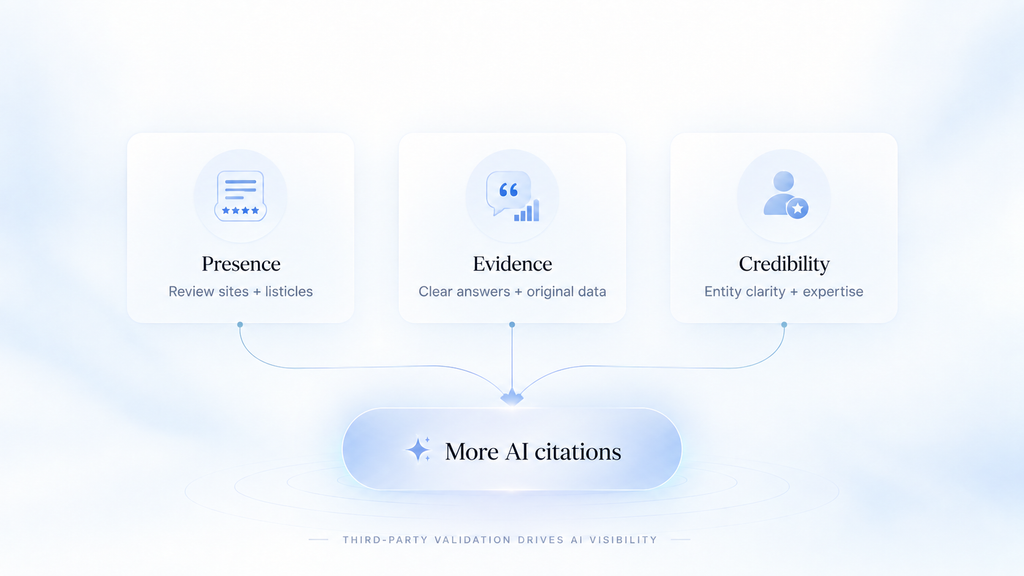
Claim and complete every review platform profile. G2, Capterra, TrustRadius, and Software Advice at minimum. Keep the product description, pricing, and feature list current. This is unglamorous, and it is the highest-impact item on the list.
Get into third-party listicles. The “best [category] software” articles that rank are the sources being cited. Getting included in them is a distinct workstream from your own content. It looks more like PR than SEO.
Structure your content so it can be quoted. This is answer extractability, the trait that makes content citation-worthy. Clear headings that match questions. Direct answers in the first two sentences under each heading, the same format that wins featured snippets.
Specific numbers with sources attached. A Princeton-led study on generative engine optimization found that adding statistics, citations, and quotations lifted visibility in AI answers by up to 40%.
Publish original data. Unique numbers get cited because there is no alternative source for them.
Make your entity clear. Entity clarity starts on your homepage, your Organization schema, and your About page, which should state plainly what the product is, who it serves, and what category it belongs to. LLMs need to classify you before they can recommend you.
Show who wrote it and why they know. Add author bios with real experience, bring in expert contribution from your product and customer teams, and include first-hand product evidence. All of this is what subject-matter expertise looks like on the page. Google groups these signals under E-E-A-T, and AI systems appear to reward source credibility too. Your case studies, which provide proof of business outcomes, belong linked from your commercial pages.
Monitor it. Track your AI citations: how often your brand appears for your key buying prompts. Several tools do this now. Without monitoring you are guessing.
What I would not do
Do not remove your content from AI crawlers unless you have a specific legal reason. Blocking removes you from the answer while your competitors stay in it.
Do not write “AI-optimized” content that is structurally different from good content. Clear structure, real data, and honest answers are what gets cited, and those were already the standard.
SaaS SEO Tools
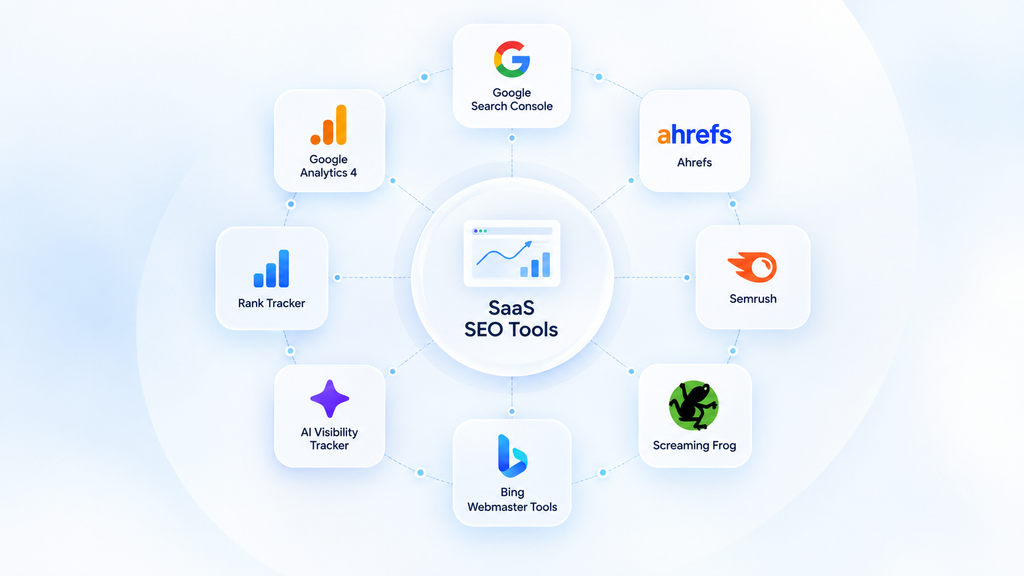
Keeping this short on purpose. Tools are the cheapest part of this and the part people over-research.
- Google Search Console. Free, and the only source of actual search impressions, clicks, queries, and positions rather than modeled estimates. Start here.
- Google Analytics 4. Free, and it measures website behavior and conversions so you can connect landing pages to signups.
- Ahrefs. Best for backlink data and competitor gap analysis. Our default at OneLittleWeb.
- Semrush. Broader toolset, stronger on keyword clustering and paid data. Reasonable alternative to Ahrefs.
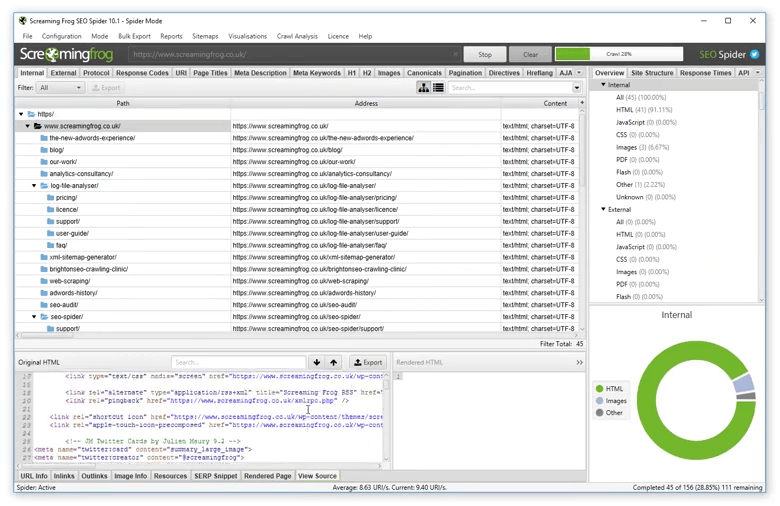
- Screaming Frog. Desktop crawler for technical audits. Free under 500 URLs.
- Ahrefs Webmaster Tools or Bing Webmaster Tools. Free supplements, and Bing matters more now because of the ChatGPT citation overlap.
- An AI visibility tracker. Profound, Peec, or similar. New category, worth one line item to see whether you appear in AI answers.
- A rank tracker. Any of them. Track a small set of commercial terms rather than hundreds of vanity keywords.
One paid all-in-one plus Search Console covers 90% of what a SaaS team needs. Spending more on tools rarely fixes a strategy problem.
Measuring SaaS SEO Success
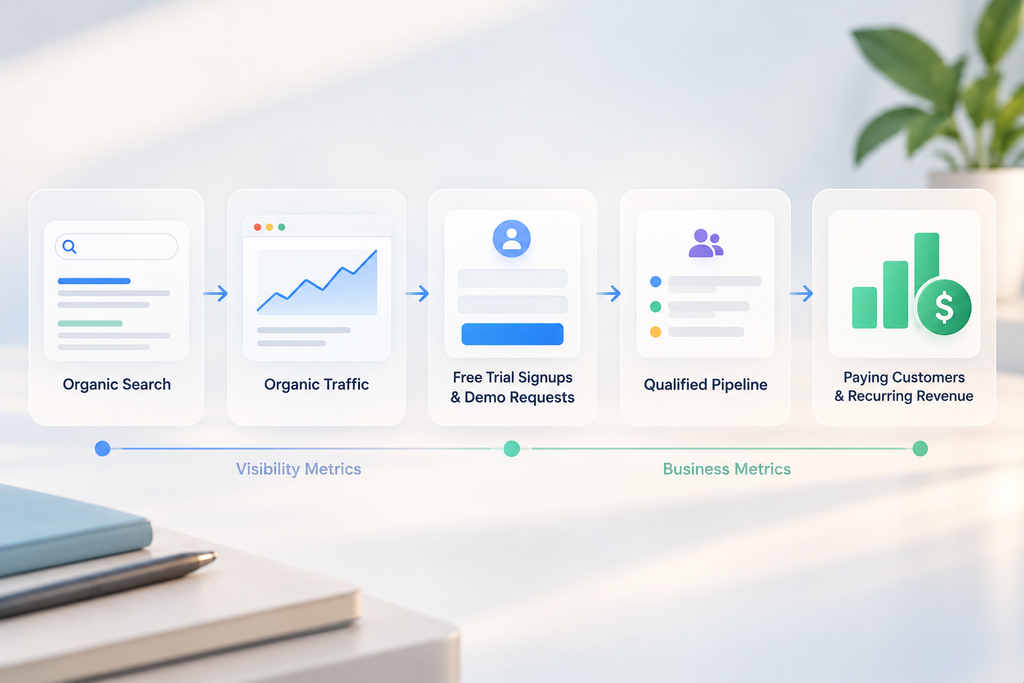
If you cannot connect organic to revenue, your SEO budget is permanently at risk. Here is the measurement framework I use to protect it.
The chain looks simple on paper. Organic search produces organic traffic. That traffic can generate free trial signups and demo requests.
A free trial signup can become a paying customer. A demo request can become a sales opportunity that adds to qualified pipeline and, later, recurring revenue. Your SEO KPIs should connect visibility metrics with business metrics all along that chain.
The SEO KPIs that matter, in order

Organic conversions. Trial signups or demo requests attributed to organic search. This is the headline number.
Signup-to-paid conversion by landing page. Organic traffic from different page types converts at wildly different rates downstream. Comparison page visitors convert to paid far better than blog visitors, so track free-to-paid conversion by page type.
Qualified pipeline from organic (sales-led). Demo requests, qualified leads (SQLs), and opportunity value where the first touch was organic.
Organic-sourced MRR. Recurring revenue from customers whose first touch was organic. Multiply by 12 for the annual recurring revenue (ARR) figure most boards track.
Non-branded clicks. Search Console clicks from queries that do not include your brand name, the cleanest sign of non-branded search growth and whether content reaches new buyers.
Organic CAC. Total SEO spend divided by customers acquired from organic, calculated over a trailing 12 months rather than monthly.
Share of voice on commercial keywords. Your visibility across the terms that indicate purchase intent.
AI citation share. How often you appear in AI answers for your buying prompts.
The metrics I would demote
Total organic traffic. It moves for reasons unrelated to business performance, and it is the number most likely to be quoted in a board deck and least likely to mean anything.
Keyword rankings in aggregate. Useful diagnostically, misleading as a headline.
Domain Rating. A third-party estimate that is useful for competitive comparison and worthless as a goal.
Bounce rate. Especially on informational content, where a satisfied reader leaving is a success.
The traffic-to-MRR calculation
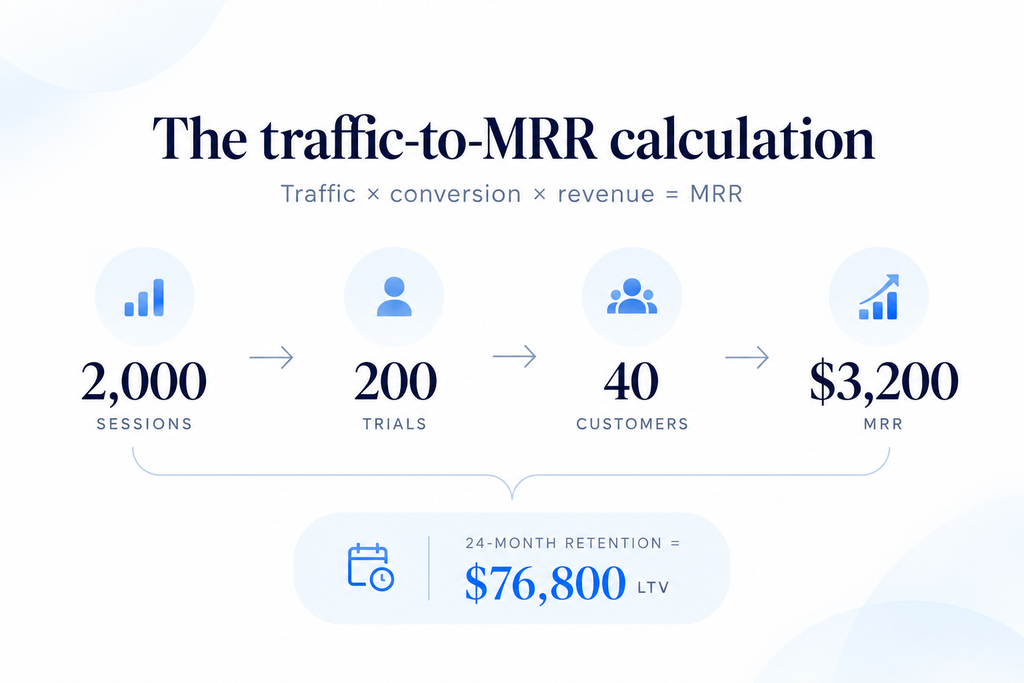
Here is the arithmetic I use to build a forecast clients can take to a board, a simple form of SEO forecasting that feeds directly into SEO ROI: what your SEO investment returns in attributable business results.
Take the monthly organic sessions you expect on a page group. Multiply by the trial conversion rate for that page type. Multiply by your trial-to-paid rate. Multiply by average revenue per account. That gives the monthly revenue from organic search for that page group.
Worked example with conservative numbers:
- A comparison page cluster brings 2,000 organic sessions a month
- Comparison pages convert to trial at 10%, giving 200 trials
- Trial to paid runs at 20%, giving 40 new customers
- Average revenue per account is $80 a month, giving $3,200 in new MRR
Then multiply by retention. If those customers stay an average of 24 months, the cohort is worth around $76,800 in lifetime revenue, recurring every month as the page keeps producing.
That $76,800 is the LTV side. Compare it with what the cluster cost to build and maintain, and you have a CAC and an LTV:CAC ratio a CFO can check.
For a sales-led product, swap the trial steps for the demo funnel. Here is the same cluster with illustrative numbers:
- 2,000 organic sessions a month
- 2% request a demo, giving 40 demo requests
- Half qualify as SQLs, giving 20
- 25% of SQLs close, giving 5 new customers
- At $1,000 a month per account, that is $5,000 in new MRR
Use your own lead-to-demo conversion and close rates from the CRM. The structure matters more than my placeholder numbers.
Run the same math on a blog cluster at 0.8% trial conversion and you will see immediately why I sequence content the way I do.
Attribution, honestly
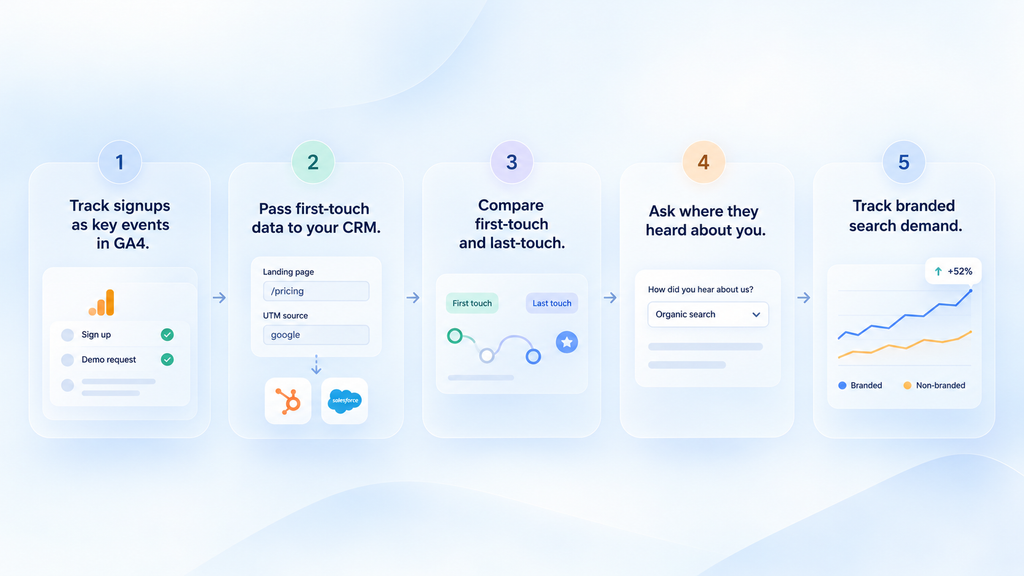
Revenue attribution, connecting organic search with customer revenue, is messy in SaaS, and anyone who tells you otherwise is selling something.
A buyer reads your blog post in March, sees you in a G2 list in April, hears about you on a podcast in May, and signs up through a branded search in June. Your attribution model determines how conversion credit gets assigned, and a last-touch model credits direct traffic while SEO gets nothing. That gap is the core funnel attribution problem.
Here is what I set up for clients.
Mark signups and demo requests as key events in GA4. Then build a landing page report so you can see which page types produce them.
Pass first-touch data into the CRM. Capture the landing page and UTM parameters in hidden form fields, so HubSpot or Salesforce records where each lead started. That is what lets you report SQLs and closed revenue by landing page.
Report first-touch and last-touch side by side. Also check GA4’s conversion paths for organic assisted conversions, where organic search touched the journey without getting final credit.
Add a self-reported attribution field at signup. Asking how someone heard about you is imperfect and still more accurate than your analytics for multi-touch journeys.
Track branded search demand as a proxy. Split branded versus non-branded traffic in Search Console with a regex filter on your brand name. When your unbranded content works, branded searches rise a few months later. That lag is one of the clearest signals that a content program is working before pipeline shows it.
Reporting cadence
I report leading indicators monthly. That covers impressions, non-branded clicks, ranking growth for commercial terms, and signups or demo requests.
I report business outcomes quarterly. That covers organic MRR, pipeline, CAC, and LTV:CAC. Monthly revenue numbers from SEO swing too much to judge a program on.
Content Decay and Maintenance
Every SaaS content program hits a point where maintaining what exists competes with publishing new work.
Ignoring maintenance is how programs plateau.
Why SaaS content decays faster
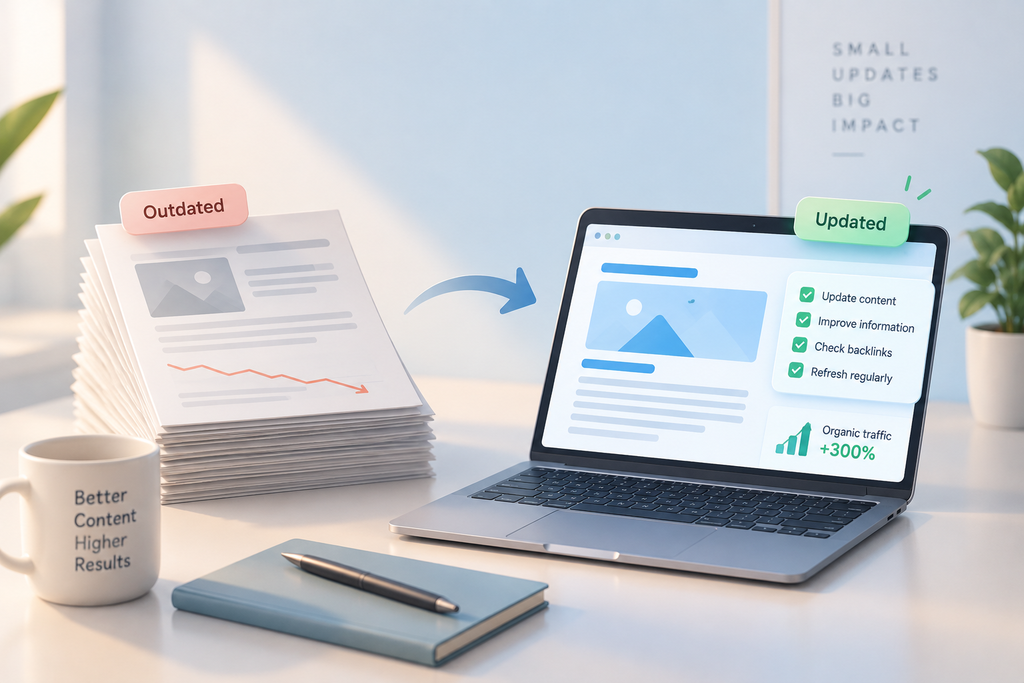
Pricing changes. Features ship. Competitors rebrand. Screenshots show an interface that no longer exists. A comparison page written 18 months ago is now inaccurate on several points, and inaccuracy costs rankings and trust together.
A maintenance system
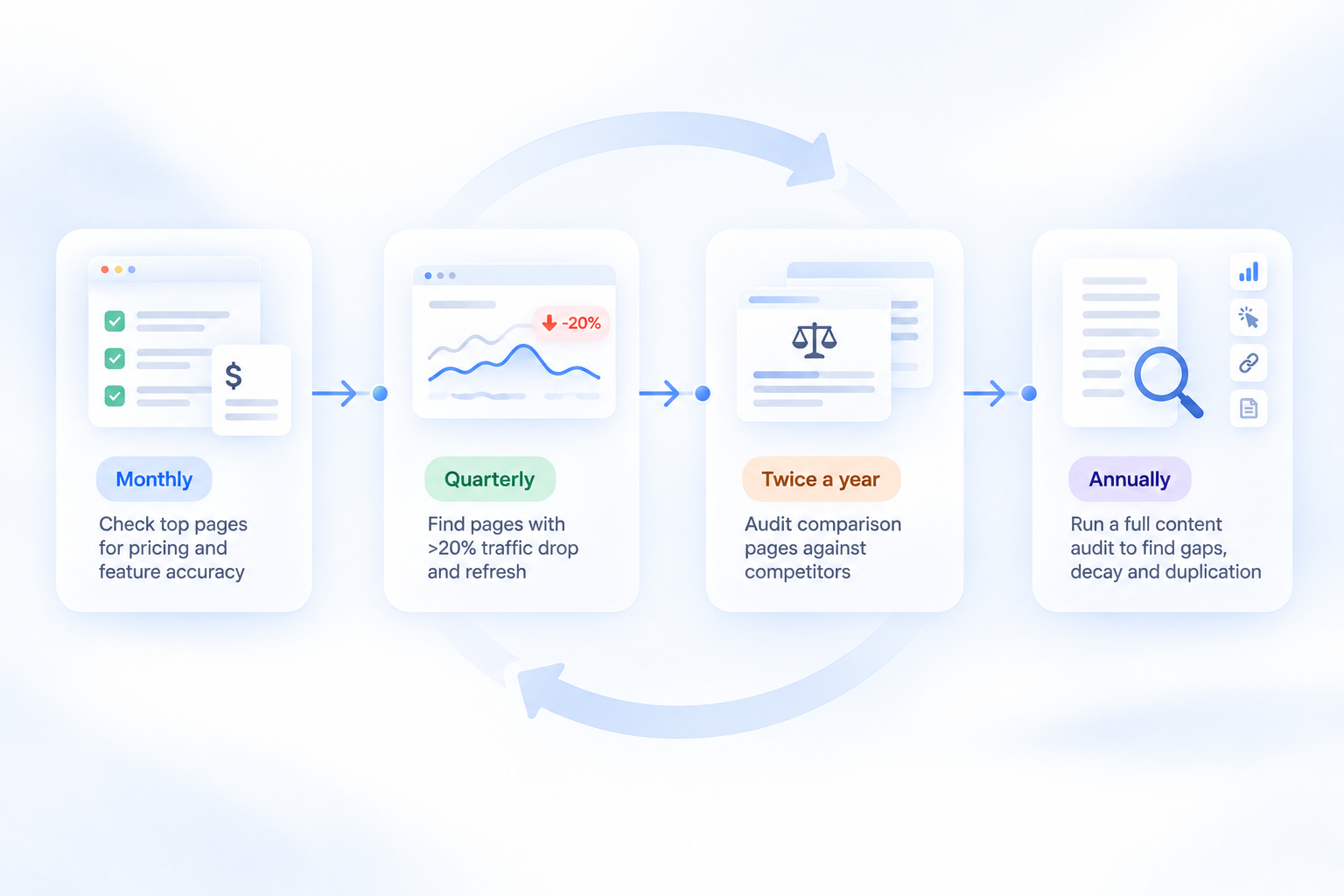
Content refresh frequency depends on how fast each page type changes.
Monthly: check the top 20 pages by signups for accuracy on pricing and features.
Quarterly: open the Search Console Performance report, compare the last three months with the same period last year, and sort pages by lost clicks. Refresh the pages that dropped more than 20% and still target valuable terms. That is what a content refresh is for.
Twice a year: audit every comparison and alternatives page against the competitor’s current pricing page. This is the highest-risk page group for going stale.
Annually: run a full content audit to catch content gaps, decay, duplication, and cannibalization. Export every URL with its clicks, conversions, and backlinks, then apply the content audit criteria below.
Content pruning and consolidation
Keep pages that bring traffic, links, or conversions and are still accurate.
Refresh pages that target a valuable term but have slipped.
Consolidate pages that compete for the same intent. Merge the stronger content into one URL and 301 redirect the other.
Noindex pages users need but searchers do not, such as thin tag archives or changelog entries.
Delete pages with no traffic, no links, and no purpose. If a deleted page has backlinks, redirect it to the closest relevant page.
Old posts that rank for nothing dilute your topical focus, so this step pays off even when it feels like going backward.
Refresh beats rewrite
When a page decays, the instinct is to rewrite it. Usually the better move is smaller.
Update the data. Add the sections the current top results cover and you do not. Update screenshots. Improve the internal links pointing at it. Change the publish date only if the update is substantial enough to deserve it.
I have seen refreshes recover most of a page’s lost traffic within six weeks.
Full rewrites often reset rankings and take longer to recover.
Common SaaS SEO Mistakes
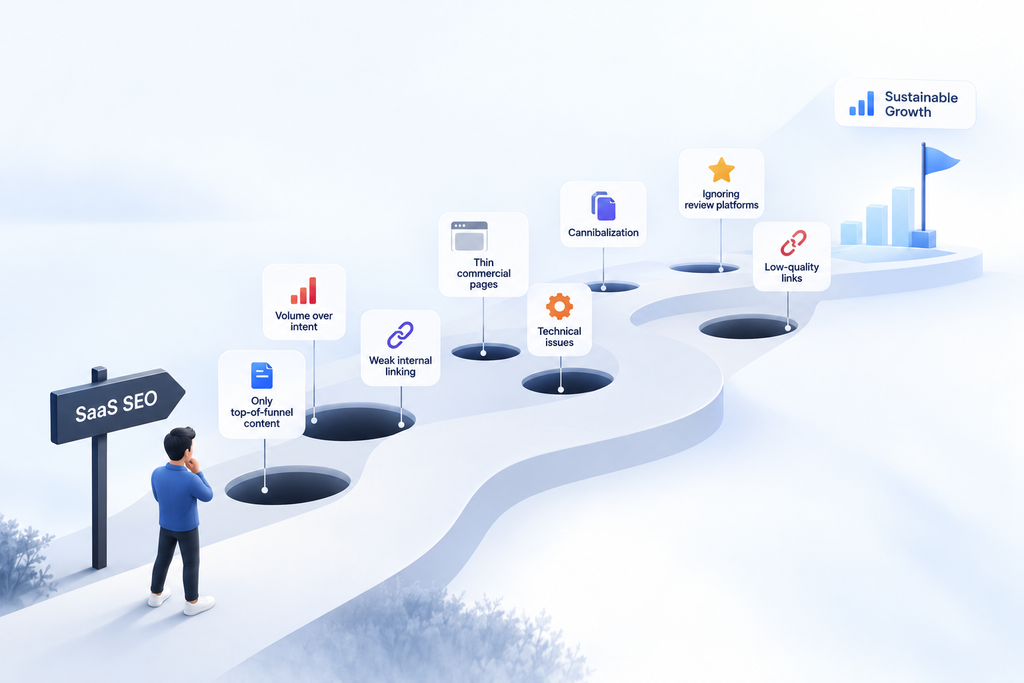
These are the SaaS SEO mistakes I see most often in audits, roughly in order of how much damage they do.
Building only top-of-funnel content. The most expensive mistake in the guide. It produces traffic without conversion, numbers that look fine and a pipeline that stays empty.
Prioritizing volume over business intent. A DR 30 site targeting “project management software” will spend a year losing. Long-tail commercial terms are available now.
Treating the blog as the whole program. Product pages, comparison pages, and integration pages carry the revenue. The blog supports them, and content without product relevance brings readers who never buy.
Weak internal linking. Links earned by blog content never reach the pages that convert. This one is cheap to fix and almost always broken.
Treating every SaaS company as self-serve. A sales-led product with trial CTAs everywhere loses the demo requests its sales team needs.
Letting pages cannibalize each other. Several URLs chasing the same intent usually means none of them ranks well.
Publishing without a technical foundation. Client-side rendered content that Google cannot see, wasted crawl budget on app URLs, and split authority across subdomains. These technical issues block growth before content gets a chance.
Thin commercial pages. A comparison or use-case page with one table and two paragraphs rarely beats a detailed competitor page.
Scaling programmatic pages before proving the template. Two thousand pages built on a template that produces thin output is worse than none.
Buying low-quality link building. Cheap packages from sites that exist to sell links waste budget and add risk.
Ignoring review platforms. For both traditional SERPs and AI answers, review sites occupy the positions your buyers see. Being absent from them is a strategic gap, not an oversight.
Reporting on traffic instead of signups. This is how SEO budgets get cut. Report on the number the CFO cares about from month one.
Abandoning the program at month five. Break-even lands around month seven on average. Stopping at month five means paying the entire cost and collecting none of the return.
Letting content go stale. Wrong pricing on a comparison page damages conversion and trust at the same time.
How Long SaaS SEO Takes and What It Costs
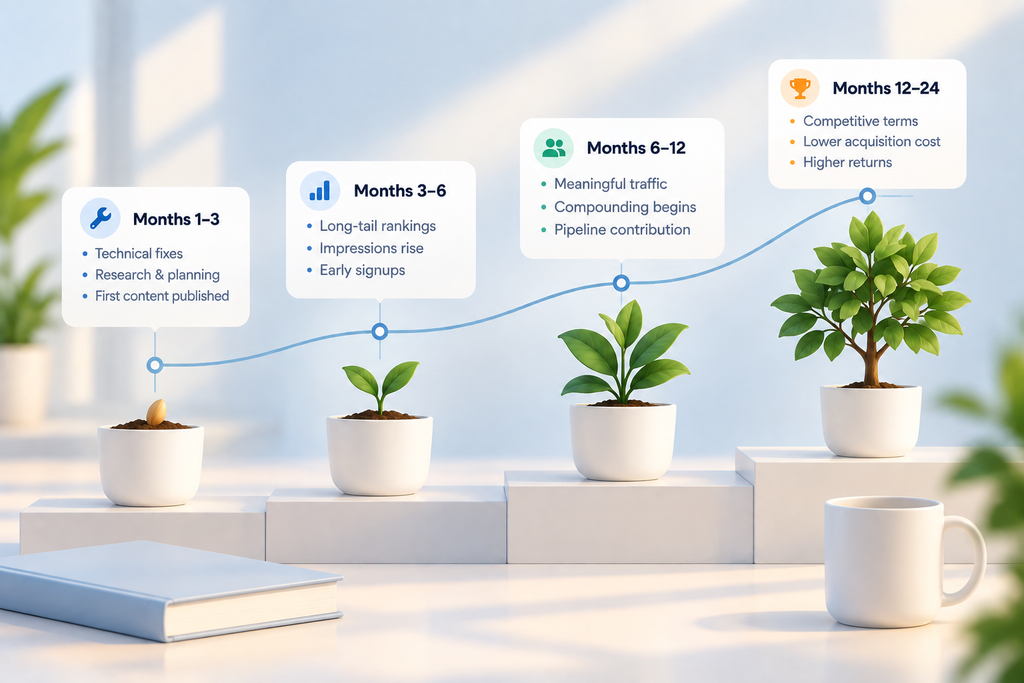
I get asked this on every sales call, so here is the honest version.
SEO timeline
Months 1 to 3. Technical fixes, research, architecture, first content published. Expect close to no traffic movement. This phase is investment with no visible return, and it is where most programs get doubted.
Months 3 to 6. Long-tail terms start ranking. Impressions rise in Search Console before clicks do. Early signups from commercial pages.
Months 6 to 12. Meaningful traffic growth. Compounding starts as internal links and authority accumulate. Pipeline contribution becomes visible.
Months 12 to 24. Competitive terms become reachable. The program’s cost per acquisition drops sharply as earlier assets keep producing.
Published benchmarks cluster in the same place. Early movement in months three to six, meaningful pipeline in months nine to twelve, break-even around month seven, peak returns in year two or three.
One useful exception. AI citations can sometimes arrive faster than rankings, especially through third-party listicles and review profiles that AI tools already cite. Treat that as upside, because the timing varies a lot.
The first 90 days: an implementation sequence
| Weeks | Focus | Output |
|---|---|---|
| 1 to 2 | SEO audit and tracking setup | Technical issues ranked by severity, GA4 key events, CRM source fields |
| 3 to 4 | Keyword research and gap analysis | Keyword-to-page map with business potential scores |
| 5 to 8 | Commercial pages and critical fixes | First comparison and alternatives pages, top technical fixes shipped |
| 9 to 12 | Clusters and authority | First cluster linked into money pages, review profiles completed, first link campaign |
What moves the timeline
Faster: an established domain with existing authority, a clean technical foundation, higher publishing velocity, and active distribution of each piece rather than publish-and-wait.
Slower: a brand new domain, a competitive category dominated by DR 80 incumbents, inconsistent publishing, and a site with unresolved technical problems.
SEO resource requirements and budget

Velocity is a function of budget, and the physics do not change with more money. The pace does.
A minimum viable program is roughly 2 to 4 quality pages a month plus technical work. Below that, you will not build enough momentum to see results, and the spend is largely wasted.
A serious program is 6 to 10 pages a month, an active link program producing 5 to 10 referring domains a month, and dedicated maintenance.
For a dollar reference, Ahrefs’ survey of 439 SEO providers put the average agency retainer at $3,209 a month, with 42.8% of providers charging between $501 and $2,000. A SaaS program in a competitive category that includes content, technical work, and link building usually lands above that average.
An in-house SEO lead costs a full salary before you add writers, tools, and link budget. Link placements are worth budgeting separately, using the pricing figures from the link building section.
In-House, Agency, or Both
There is no universal answer here. There is a reasonable way to decide.
Build in-house when SEO is your primary acquisition channel, you can hire someone senior, and you have the content production capacity to keep them busy. A strong in-house SEO with product access will outperform an agency on product-led work, because they can get engineering time.
Hire an agency when you need capability across several disciplines at once, you do not have the volume to justify full-time hires, or you need to move faster than hiring allows. Link building and digital PR in particular are hard to run in-house at small scale, because they depend on relationships that take years to build.
The hybrid that works best, in my experience, is an in-house owner who holds strategy and product context, outsourcing the execution to an agency for content production, link acquisition, and technical depth. The failure mode to avoid is handing an agency the strategy and the execution and then checking in quarterly.
SEO ownership: who does what
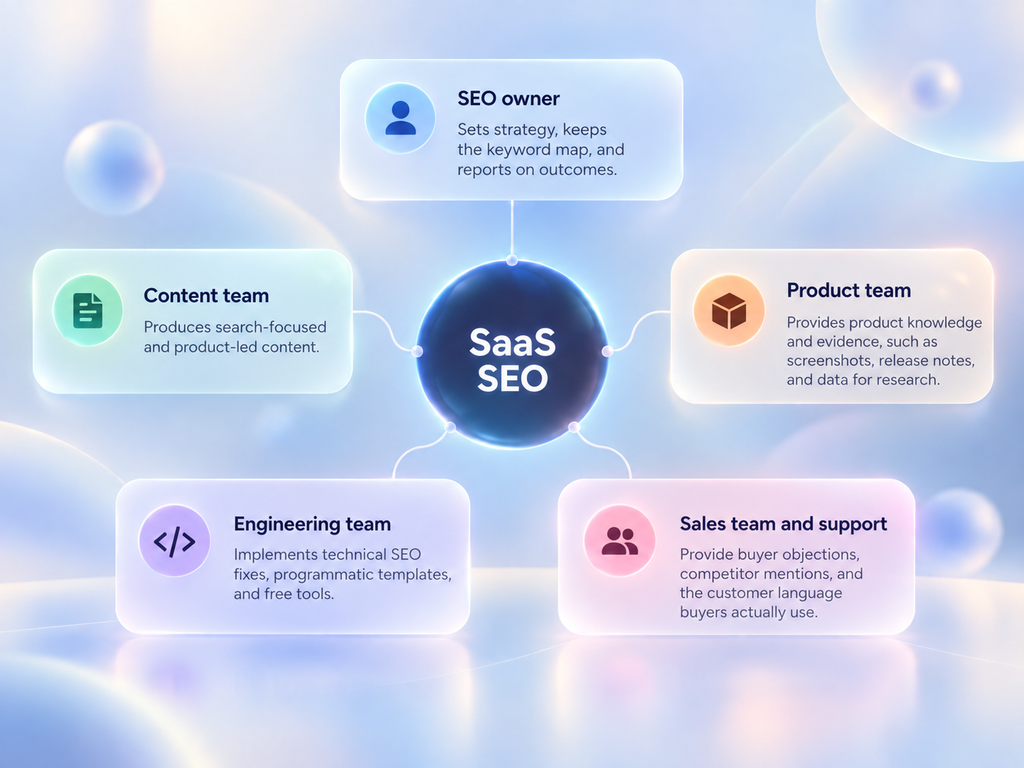
SaaS SEO breaks when it sits inside marketing alone, because it requires cross-functional collaboration.
- SEO owner: sets strategy, keeps the keyword map, and reports on outcomes.
- Content team: produces search-focused and product-led content.
- Product team: provides product knowledge and evidence, such as screenshots, release notes, and data for research.
- Engineering team: implements technical SEO fixes, programmatic templates, and free tools.
- Sales team and support: provide buyer objections, competitor mentions, and the customer language buyers actually use.
I push for a short monthly session with sales on every engagement. It produces better keyword ideas than any tool.
Whichever you choose, the questions you ask before signing matter more than the tactics anyone pitches. Ask what they would build first and why. Ask how they would measure success in month three, and be suspicious of any answer that leads with traffic.
SaaS SEO FAQs
SaaS SEO can raise plenty of questions, from how long it takes to see results to which pages and keywords should come first. These FAQs cover the practical questions SaaS teams commonly have when planning, building, and measuring an SEO strategy.
Is SEO worth it for early-stage SaaS startups?
Usually yes, with one condition. You need to be able to fund it for at least a year. If you have nine months of runway and need customers this quarter, paid search and outbound are the right channels and SEO is the wrong one. If you expect to be around in two years, starting now means the compounding is working for you rather than against you. That’s the trade-off we plan around in SEO for startups.
How many blog posts should a SaaS company publish?
Fewer than most people think, and of a different type. I would rather see 4 excellent commercial pages a month than 12 mediocre blog posts. Consistency matters more than raw volume, and page type matters more than either.
What is the difference between SaaS SEO and regular SEO?
The conversion event is a trial rather than a purchase, the revenue arrives over months rather than at checkout, the highest-value pages are comparison and integration pages rather than product pages, and your product database can be turned into thousands of indexable pages. The underlying mechanics of search are the same.
Do backlinks still matter for SaaS in 2026?
Yes, for competitive commercial terms. Benchmarks suggest a Domain Rating around 60 or above is what it takes to compete for the more valuable SaaS keywords. What has changed is that brand mentions now carry independent value for AI visibility, at a correlation roughly three times stronger than backlinks in Ahrefs data. Build links, and stop ignoring mentions that carry no link.
How do AI Overviews affect SaaS SEO?
They reduce clicks on informational queries significantly, with Seer Interactive measuring a click-through drop of roughly 65% on affected queries. Commercial and comparison queries are holding up better, because buyers want to see the source. The practical response is to shift investment toward commercial content and to work on being cited rather than only being ranked.
How do I get my SaaS cited by ChatGPT?
These moves matter most. Claim and maintain profiles on G2, Capterra, and TrustRadius, because research shows near-universal review platform presence among cited tools. Get included in the third-party listicles that rank for your category terms, since those are the sources being pulled from. And rank well in Bing, because Seer Interactive found most SearchGPT citations matched Bing’s top results.
Should my SaaS SEO target trials or demos?
It depends on how you sell. Self-serve products should push organic visitors to a free trial or freemium signup. Sales-led and enterprise products should push to a demo request and measure SQLs and pipeline. If you run both, set the primary CTA page by page based on who usually lands there.
Should I do programmatic SEO?
If you have a genuine dataset with depth per page, yes. If you would be swapping a variable into a template and calling it a page, no. Launch 20 to 50 pages first, wait 60 days, and check indexation and engagement before scaling. Thin page groups get devalued as groups.
What should I fix first if my SaaS SEO is not working?
Check these in order. Can Google actually render and index your pages, which is a rendering problem more often than people expect. Are you targeting commercial keywords or only informational ones. And do your comparison and product pages have any internal links pointing at them from the content that earns your authority. In most audits I run, at least one of those is the whole problem.
Putting It Together
If I had to compress this guide into a sequence, it would be this.
Fix what stops Google from seeing your site. Map your keywords to funnel stages and honest difficulty. Build the commercial pages first, because that is where the conversion rate is. Wrap them in clusters so authority reaches them. Earn links with data and tools rather than volume outreach. Claim your review profiles so you exist in AI answers. Then measure signups and MRR rather than sessions.
None of that is complicated. It is just slower than anyone wants, and it requires doing the unglamorous parts before the fun parts.
The companies that win organic in SaaS are rarely the ones with the best single article. They are the ones that kept a coherent system running for two years while competitors started over every six months.