About 8 years ago, I fell in love with SEO. Since then, businesses call me when they want more Google traffic and more sales from organic search.
I’ve worked with startups, big companies, and teams across the US, Europe, and Asia. I’ve built a track record that I’m proud of.
If you want, check out this case study that highlights how a client of mine’s SEO traffic grew 76% in one year (from 10.5M to 18.5M), and their LLM chatbot visits exploded 1900% (from 2K to 40K monthly).
Of course, achieving results like that depends heavily on having the right toolkit, especially SEO tools for agencies that manage clients across different industries and levels of complexity.
Having said that, I tested a bunch of SEO tools for this blog, ran countless reports, and used each one to drive real results for actual clients.
The outcome? A comprehensive guide to the 30 website SEO tools I believe are worth investing in 2026. Here, you’ll find honest insights from someone who uses these tools daily to drive real results for clients.
For every SEO tool you’ll see:
- What it does
- Who it’s perfect for
- How easy (or painful) it is
- How I use it
- What I love and what annoys me
- How much it costs right now
- Reviews on top platforms
I also grouped the tools by category, like keyword research, link building, competitor research, content optimization, rank tracking, site audits, local SEO, automation, and more. So you can jump straight to what you need.
Let’s find your next favorite SEO software!
What are SEO Tools?
An SEO tool, in simple words, is something that helps you understand how well your website is doing online. The best SEO tools show what keywords people are searching for, what content is performing well, what your competitors are doing, and what you need to fix.
Different online SEO tools do different things. Some focus on keyword research. Some help you analyze backlinks. Some tell you what keywords your competitors are ranking for.
Some help you write content that search engines can easily understand. And some check the technical side of your website.
I’ve used many SEO analysis tools over the years, and each one helped me in a different way. Before we dive into the list, I want you to understand what these tools really do so you can choose the ones that match your needs, your workflow, and your goals.
How Do I Consider the Best SEO Tools?
When I look at what I consider the best SEO software, I don’t just choose what everyone else is using. I pick tools based on what works in real life, with real websites, real challenges, and real growth.
Let me explain how I decide, in a simple way:
I Start With Easy and Free
When I began learning SEO, I didn’t jump into paid tools. I used the free SEO platform options from Google. Google Search Console, Google Keyword Planner, Google Trends, and even Google Autocomplete taught me more than anything else at that stage.
With just these free tools alone, I managed to rank pages quickly and understand what people were searching for. You don’t need paid tools on day one. Learn the basics first, and upgrade later.
I Choose Based on What Stage I’m In
Different tools help with different tasks. If I’m focused on improving content, tools like Surfer, Clearscope, or Claude help me write content that search engines can understand while still sounding natural and human.
I Need Competitive Insight
When I want to know who I’m competing against, what they rank for, or where their backlinks come from, I rely on SEO ranking software like Semrush or Ahrefs. They make research clearer and faster, so I can create stronger strategies.
I Look for Tools That Save Time
The more you grow, the more time matters. That’s why I like tools that automate tasks. AirOps is a good example. It handles repetitive work in the background and gives me hours of time back every week.
It Depends on Your Goal
There is no single “best” tool for everyone. It depends on what you’re doing:
- Learning the basics
- Creating content
- Researching keywords
- Auditing your site
- Automating workflows
So instead of following trends, I always ask myself: “What problem do I need to solve right now?”
And I pick the tool that solves that problem best.
Okay, enough introduction. Let’s move into the tools I recommend and why I use them.
The Best SEO Tools by Category
- All-in-One Tools: Semrush, Ahrefs, SE Ranking
- For Keyword Research: Mangools, AnswerThePublic, Google Keyword Planner
- For Backlink & Link Building: BuzzSumo, Muck Rack, BuzzStream
- For Competitor Analysis: SimilarWeb, SpyFu
- For Content Optimization: Surfer, Clearscope
- For Rank Tracking: Google Analytics 4, Microsoft Clarity, Google Search Console, Bing Webmaster Tools, Nightwatch
- For SEO Audit: Screaming Frog, SEOptimer, Detailed
- For WordPress: YoastSEO, Rank Math
- For Hot Topics: Google Trends, Exploding Topics
- For Local SEO: BrightLocal
- For AI Assistance: ChatGPT, Claude
- For Automation: AirOps
- For Site Building: Webflow
1. All-in-One Best SEO Tools
If you’re just starting out or want to keep things simple, all-in-one SEO tools are your best bet. These platforms combine keyword research, site audits, backlink analysis, and rank tracking into one dashboard so you don’t have to juggle multiple subscriptions.
Let me walk you through the top all-in-one tools I’ve tried:
1.1 Semrush
Semrush was founded in 2008 by Oleg Shchegolev and Dmitry Melnikov as a keyword research tool for PPC advertisers. It evolved into one of the most comprehensive SEO platforms on the market, going public in 2021 and serving millions of users worldwide.
It provides tools for keyword research, competitor analysis, rank tracking, content optimization, link building, and overall digital marketing performance tracking.
Now that we know its origins, let’s explore in detail what Semrush offers:
Category
- All-in-one tool for competitor analysis, including SEO, PPC, and AI search
- Leading online visibility management SaaS platform
- All-in-One SEO suites
- Rank tracker
Who is It for
- Marketing agencies, startups, local businesses, or large enterprises running advanced SEOs who require rich, ongoing competitive data.
- Enterprises or well-known brands that need advanced AI visibility tracking (Enterprise AIO).
- SMBs, lean teams, and growing brands tracking AI performance (AI SEO Toolkit).
Ease of Use
Intermediate to advanced
Best Use Cases
Here is how I usually use Semrush in real projects:
Competitor Analysis and Market Mapping
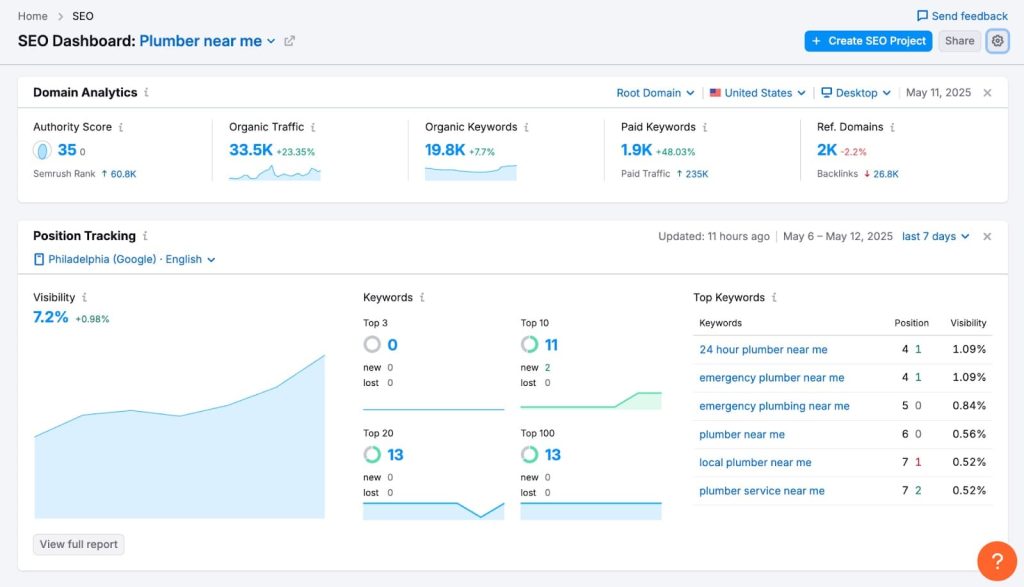
I almost always start with Domain Overview. I plug in a competitor and in seconds I can see how much organic traffic they get, which keywords are driving that traffic, and how many of those keywords sit in the top 3 versus positions 4 to 10.
It gives me a fast “map” of the market and shows me who is actually winning in search, not just who looks big from the outside.
AI Visibility Tracking for Brands
When I am working with bigger brands, I lean on Enterprise AIO. With that, I can see where the brand is mentioned inside tools like ChatGPT, Gemini, Perplexity, Claude, and Google AI Overviews.
I check whether those mentions are positive, neutral, or negative, and I track how our share of voice stacks up against competitors. It feels like an “AI era” version of brand tracking.
AI SEO Toolkit for Smaller Teams
For SMBs and lean teams, I use the AI SEO Toolkit. It helps me monitor how the brand shows up across AI platforms, spot high-intent queries people are asking in AI tools, and get practical suggestions based on AI query data and sentiment trends.
Finding Keyword Gaps and Content Ideas
When I want to find fresh opportunities, I pair Keyword Gap with Keyword Magic Tool. Keyword Gap shows me the keywords my competitors rank for that I do not, which is perfect for spotting missed topics.
Then Keyword Magic Tool gives me a huge list of related keywords, along with intent, volume, difficulty, and an AI-based KD score, so I can decide what to go after first.
Content Strategy
For content planning, I rely a lot on Organic Research. It shows me which pages bring in the most traffic for my competitors, how they structure their topics, and which themes seem to matter most in their strategy.
From there, I can decide what I should cover if I want to compete seriously, instead of guessing topic ideas.
Backlink and Site Health Work
On the technical and off-page side, I run a site audit and let Semrush crawl hundreds of issues, then I work through the priority list rather than fixing things at random.
I also audit backlinks, watch for toxic links, and study competitor anchors and referring domains. This helps me keep my own backlink profile clean and gives me ideas for the kinds of links I should be chasing.
Daily Rank Tracking
Once the campaigns are running, I set up position tracking once and let Semrush handle the boring part. It monitors daily rankings across different devices, SERP features, and AI Overviews. I just check in to see what moved, what dropped, and where I need to dig deeper.
[Image Source: Semrush]
Pros
From my own use, here is what I really like about Semrush:
- It helps you break down competitor strategies with precision. You can compare keywords, ads, landing pages, and rankings in one place.
- You can track ad creatives, placements, spend estimates, and competitor messaging across channels. It shows which ads perform well and why.
- It analyzes conversations and AI outputs line by line. You can monitor sentiment, context shifts, and accuracy across different models.
- You can build dashboards tailored to the exact metrics you care about. Authority trends, keyword movement, traffic potential, and competitive gaps show up instantly.
Cons
Now the honest part. Semrush is not perfect.
- The extensive range of features and insights can overwhelm beginners, making the learning curve steep. It requires time and effort to fully master the platform’s capabilities.
- The tool is considered expensive, particularly for small businesses or solo marketers. The pricing structure may limit accessibility, especially for those with tighter budgets or smaller operations.
- The user interface has often been seen as complex and clunky. Navigating through numerous options and settings can feel cumbersome, requiring familiarity before using it efficiently.
Pricing
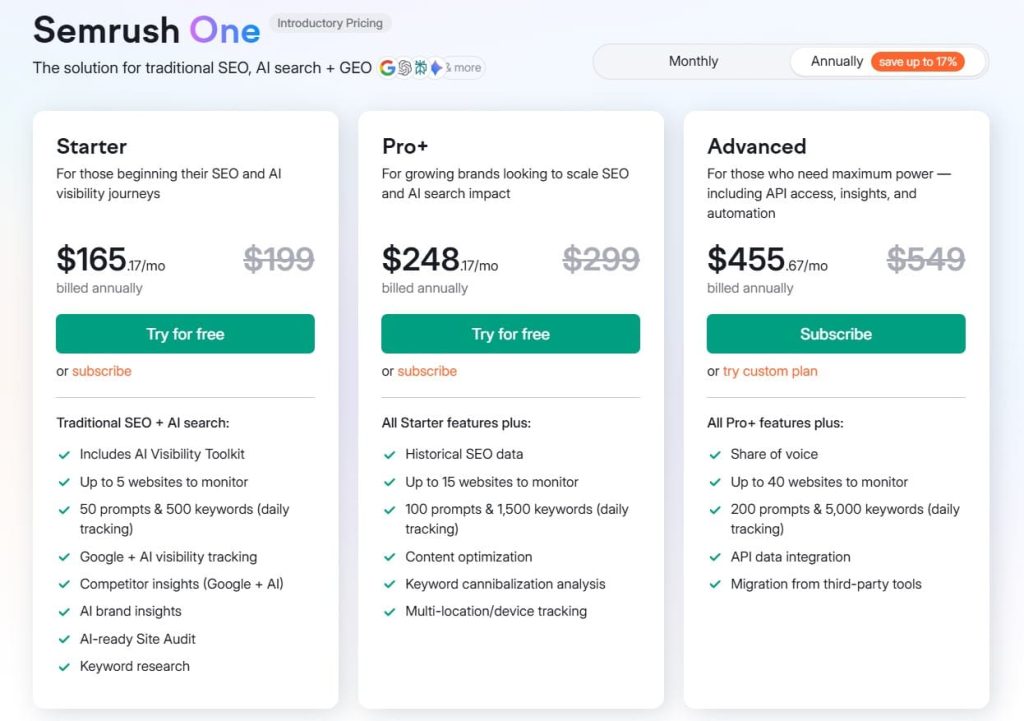
- 7-day free trial
- Starter: $165.17/month
- Pro+: $248.17/month
- Advanced: $455.67/month
Reviews
- G2: 4.5 out of 5 stars (3,026+ reviews)
- Capterra: 4.6 out of 5 stars from (2,299+ reviews)
1.2 Ahrefs

Ahrefs was founded in 2010 by Dmitry Gerasimenko in Singapore, originally as a backlink analysis tool before growing into a powerful all-in-one SEO suite.
It offers 20+ tools covering backlink analysis, keyword research, rank tracking, site audits, content exploration, and competitive intelligence.
They are powered by one of the world’s largest and fastest web crawlers (second only to Google), delivering some of the freshest and most accurate data in the industry.
Let’s unpack the full power of Ahrefs in detail:
Category
- All-in-one SEO platform
- AI marketing platform
- Competitor & backlink research
- Rank tracker
Who is It for
- Best for analyzing competitor sites and backlink profiles.
- Suitable for all SEO levels (beginner to expert) involved in content marketing.
- Users whose primary strategy focuses on backlinks and site health.
- Recommended for competitor research.
Ease of Use
Intermediate
Best Use Cases
Here is how I usually use Ahrefs in real client projects:
Deep Backlink Research and Link Opportunities
The first place I often go is Site Explorer. I plug in a competitor and get a full view of their link profile. I can see referring domains, anchor text, domain authority metrics, and how their backlinks have grown over time.
Then I use Link Intersect to find sites that link to my competitors but not to me. That list alone can be a gold mine of outreach targets and replicable link opportunities. I also keep an eye on toxic or lost links so I know what needs recovery or cleanup.
Keyword Discovery and Gap Analysis
When I want to grow traffic, I move into the keyword tools. Ahrefs has a huge keyword index with metrics like Traffic Potential, intent filters, and keyword difficulty.
I use Content Gap to compare my site to competitors and spot keywords and topics they rank for that I completely miss. Then I layer in keywords with strong Traffic Potential so I do not just chase volume, but queries that can actually bring real visits and revenue.
Technical and On-Page Health at Scale
For site health, I run a Site Audit. Ahrefs crawls the site, checks more than a hundred on page and technical issues, and rolls everything into a simple Health Score.
Instead of a scary list of errors, it explains problems like redirect chains or orphan pages in plain language and suggests how to fix them. I like that I can track this over time, so I see if the site is improving or slowly decaying.
Content Research and Broken Link Opportunities
For content and link-building ideas, I search across billions of pages. I look for high traffic topics where the competition is beatable, broken links in my niche that I can replace with my content, and unlinked mentions of my brand that I can turn into links.
This mix of topic research and link prospecting from the same platform saves a lot of time.
Rank Tracking and AI Era Brand Monitoring
Once a campaign is running, I add the main pages and keywords to Rank Tracker. Ahrefs updates rankings daily across countries and devices, and lets me dig into historical trends if something suddenly jumps or drops.
On top of that, I use features like Brand Radar to keep an eye on where the brand is mentioned in AI search engines and LLMs. That side of search is growing fast, so having early tracking there is helpful.

Pros
From using Ahrefs for years, here is what stands out in a good way:
- The backlink database is often treated as the gold standard in the industry. If I want a clear view of who links to whom, Ahrefs is usually my first stop. It also updates ranking and link data quickly, so I am not stuck waiting weeks to see changes.
- Site Audit makes technical SEO feel less scary. It checks a wide range of issues and explains them in human language with practical fixes, which is helpful if you are not a developer.
- For competitor work, tools like Content Gap and Link Intersect make it simple to turn competitor success into your own roadmap. I can see which keywords and links move the needle and make a plan to go after them.
- I also like that the team keeps shipping useful features, especially around tracking mentions and citations in AI search engines. It shows they are paying attention to where search is going, not just where it used to be.
Cons
I like Ahrefs a lot, but there are clear downsides:
- The price is high. This is one of the most common complaints I hear from freelancers and small businesses. If your SEO budget is tight, Ahrefs can feel like a big monthly commitment.
- The platform is very SEO focused. That is great if you only care about SEO, but if you want PPC, social media, and a wide marketing suite in one tool, it does not cover that in the same way that something like Semrush does.
- There is also a learning curve. Ahrefs shows a lot of data everywhere, which I love, but it can overwhelm new users. You need a bit of patience in the beginning to build your own simple workflows.
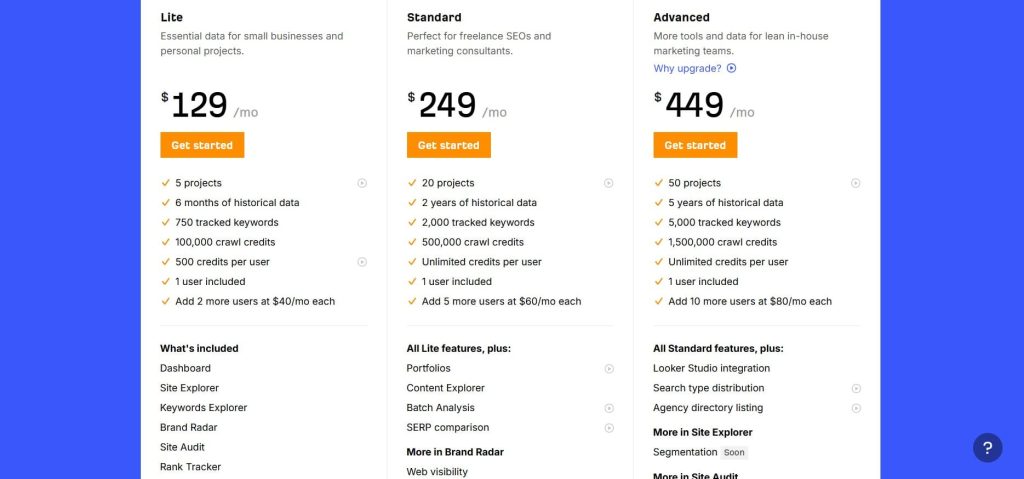
Pricing
- Lite: $129/month
- Standard: $249/month
- Advanced: $449/month
- Enterprise: $1,499/month
Reviews
- G2: 4.5 out of 5 stars (606+ reviews)
- Capterra: 4.7 out of 5 stars (577+ reviews)
1.3 SE Ranking
SE Ranking was founded in 2013 by Valery Kurilov and his team in Eastern Europe with a clear mission: deliver a true all-in-one SEO platform that combines professional-grade tools with affordable, flexible pricing.
Today, it offers many tools for keyword research, rank tracking, site audits, backlink monitoring, competitor analysis, on-page SEO checks, white-label reporting, and agency features.
This tool is especially popular among freelancers, small agencies, and in-house teams who want enterprise capabilities without the enterprise price tag.
Ready to see why thousands of agencies swear by it? Let’s explore SE Ranking in detail:
Category
- Comprehensive SEO toolkit
- Best for affordable rank tracking + audits
- All-in-one
Who is It for
- Best for agencies managing multiple clients.
- Small to medium-sized agencies and in-house teams.
- Businesses (especially small ones) are highly focused on local SEO optimization.
Ease of Use
Beginner to intermediate
Best Use Cases
Here is where SE Ranking shines for me in real work:
Local SEO and Map Pack Visibility
When I am working with a business that depends on local leads, SE Ranking becomes my hub. I use the local SEO dashboard to track how visible they are across directories, how consistent their NAP data is, and how they are doing across multiple locations.
Granular Rank Tracking By Location
One thing SE Ranking does really well is hyperlocal rank tracking. I can drop pins on a map or set up a full grid and then track how a keyword ranks in that very specific area. For clients who say, “We rank fine in the city, but not in this neighborhood,” this kind of tracking is exactly what I need.
Google Business Profile and Review Management
For local brands, I use SE Ranking to keep an eye on Google Business Profile. It shows calls, direction requests, and search appearances so I can see if the profile is actually driving action.
On top of that, the review management pulls in reviews from places like Google, Facebook, and Yelp, then uses AI to understand sentiment and common issues. Instead of reading every single review by hand, I get a quick feel for what is going wrong or right.
Agency Reporting and Client Dashboards
As an agency-style tool, SE Ranking helps with the boring but important part: reports. I like that I can auto-generate branded PDFs in multiple languages, share access with clients, and even embed audit widgets on a site to capture leads.
Day-to-Day SEO Maintenance
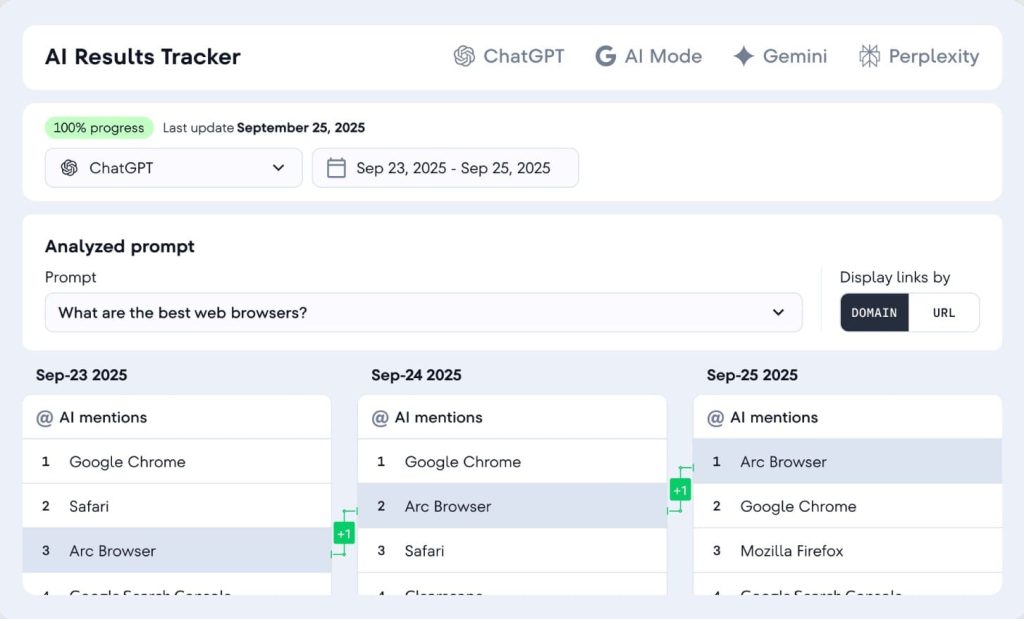
Outside of local, I still lean on SE Ranking to monitor daily rankings for a big list of keywords across Google, Bing, and Yahoo, both desktop and mobile.
I also use it to peek at competitors’ organic and paid keywords, ad history, and basic backlink data whenever I need a quick read on the market.
[Image Source: SERanking]
Pros
From my own use, here is what I like about SE Ranking:
- It feels built with agencies in mind. Managing multiple projects, sharing seats, and sending branded reports is smooth and does not need a lot of training. The interface is friendly, so I can give access to clients without worrying they will get lost in ten different menus.
- Local SEO features stand out. The way it tracks hyperlocal rankings, Google Business Profile metrics, directory presence, and reviews in one place makes it a strong option for local heavy clients. The review management with AI sentiment analysis is a nice extra touch.
- The core SEO tools are solid: rank tracking is accurate, site audits cover the main technical issues, and the research tools give a good view of competitors’ keywords, traffic, and ads. For many agencies, this is enough to run most day-to-day SEO work.
Cons
There are trade-offs, like:
- The biggest one is pricing for single-site users. If you only run one small website, SE Ranking can feel more expensive than it needs to be, especially when some of its best features are built for handling many projects.
- The backlink database, while decent, is not on the same level as the very largest link-focused platforms. For light to medium link work, it is fine, but if your entire strategy is backlinks, you will probably want to pair it with a more link-heavy tool.
- On lower-tier plans, data updates, especially for rank tracking, can sometimes feel a bit slow. It is not a deal breaker, but something to keep in mind if you want very fresh data every single day at scale.
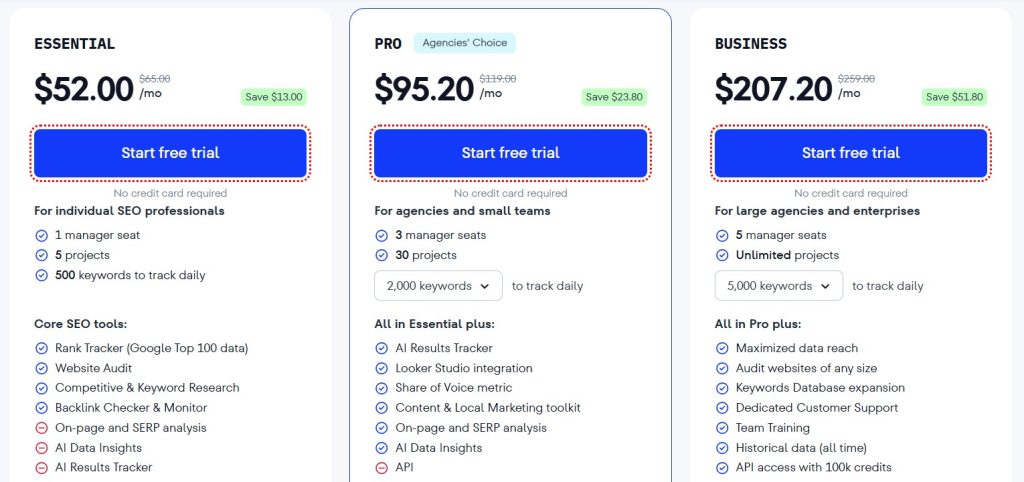
Pricing
- Free trial available
- Essential: $52.00/month
- Pro: $95.20/month
- Business: $207.20/month
Reviews
- G2: 4.7 out of 5 stars (2,330+ reviews)
- Capterra: 4.7 out of 5 stars (296+ reviews)
2. Best SEO Tools for Keyword Research
I’ve tried dozens of platforms, but these consistently give me accurate data, search volume insights, and competitive analysis without wasting my time. While Ahrefs and Semrush are the gold standard for keyword research, these alternatives hold their own. They help me uncover keywords that are not only easy to rank for but also bring traffic that actually converts.
The tools below are the ones I actually open when I’m researching keyword lists for myself or my clients:
2.1 Mangools
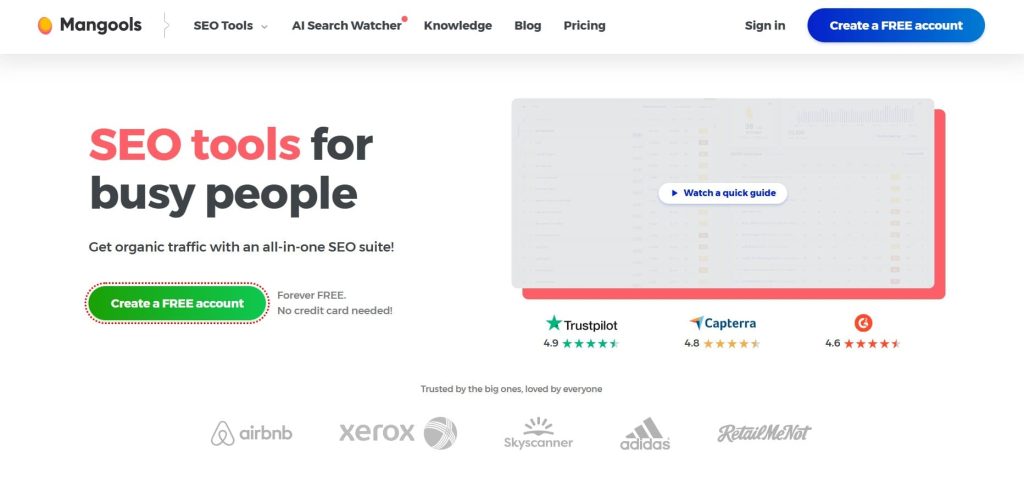
Mangools was founded in 2014 by Peter Hrbacik and his team in Slovakia as a beginner-friendly SEO toolkit. The platform helps marketers and website owners find keywords, analyze search rankings, and build backlink strategies without the complexity of enterprise-level tools.
They wanted to create tools that were powerful but not overwhelming, which is why their suite includes KWFinder, SERPChecker, and LinkMiner with super clean interfaces.
Now let’s look at the tool in detail and see what makes it stand out:
Category
- Budget-friendly SEO toolkit with basic functionality
- All-in-one
Who is It for
- Best for SEOs working on new projects with limited budgets.
- Beginner SEOs who may be overwhelmed by complex enterprise tools.
- Solo SEOs, bloggers, and small businesses that seek an affordable comprehensive tool.
Ease of Use
Beginner to intermediate
Best Use Cases
Here is where Mangools makes the most sense in my day-to-day workflow:
Finding Low Competition Keywords for New Sites
When I start a new project, KWFinder is one of my favorite tools. I use it to uncover low competition long tail keywords with realistic search volumes and difficulty scores. The interface makes it easy to filter for easy wins, which is exactly what new sites need.
Quick SERP Analysis without Getting Overwhelmed
With SERPChecker, I can see the top results for a keyword along with more than 45 metrics, feature impact, and rough CTR estimates.
I like using it to spot which pages I am really competing with and whether the SERP is full of strong authority sites or something I can still break into.
Simple Rank Tracking for Small Portfolios
SERPWatcher is my go-to when I want straightforward rank tracking without a lot of setup. I can monitor keywords across devices and locations, get alerts when things move, and share interactive reports with clients or collaborators who do not like complicated dashboards.
Basic Backlink Checks and Ideas
LinkMiner is not as deep as the largest backlink tools, but for budget projects, it is handy. It pulls data from Majestic, lets me filter links by strength or anchor, and even shows page previews.
I use it to get a feel for competitor link profiles and find simple link-building ideas like guest posts or resource mentions.
Fast Domain Checks with SiteProfiler
When I am researching a new niche or a list of prospects, SiteProfiler and the browser extension give me quick stats like authority, traffic estimates, and top content. It is not perfect, but it saves me time hopping between different tools just to see if a site is worth more attention.

[Image Source: Mangools]
Pros
From my own use, here is what I really like about Mangools:
- The biggest win is the balance between price and value. It is significantly more budget-friendly than the big SEO suites but still gives you proper tools for keyword research, SERP analysis, rank tracking, link checks, and basic site overviews.
- The interface is friendly and not scary for beginners. Metrics are explained clearly, and the overall design feels simple instead of overwhelming. For teaching new SEOs or helping a small business owner understand SEO, this matters a lot.
- I also like the extra SERP metrics like Citation Flow and Trust Flow in SERPChecker, and how tightly the tools are integrated. You can move from keyword to SERP to tracking to link research very smoothly.
Cons
Of course, there are limits, and you will feel them as you grow:
- Mangools can be slow when you first add a new website and start processing rankings. If you are used to instant data everywhere, the initial wait can be annoying.
- The data depth is smaller than what you get in the big, expensive platforms. For most small to mid projects, this is fine, but if you are doing heavy enterprise SEO, you will want more coverage and more advanced reporting.
- Lower tiers have daily search limits, which can be frustrating on research-heavy days. You have to pace yourself a bit more than with tools that give you huge quotas.
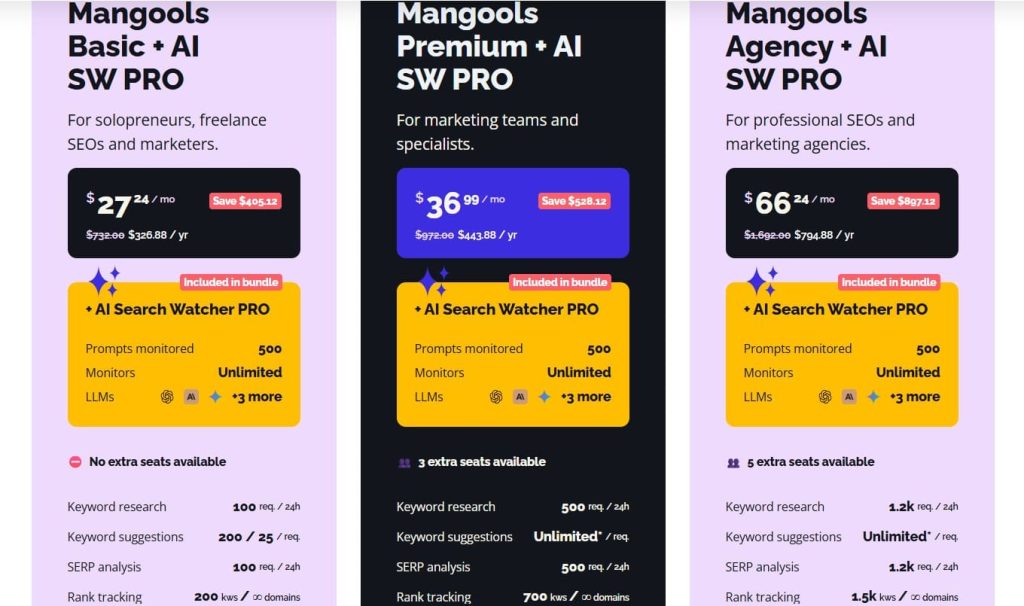
Pricing
- Free
- Basic: $27.24/month
- Premium: $36.99/month
- Agency: $66.24/month
- 48-hour money-back guarantee
Reviews
- G2: 4.7 out of 5 stars (95+ reviews)
- Capterra: 4.8 out of 5 stars (91+ reviews)
2.2 AnswerThePublic
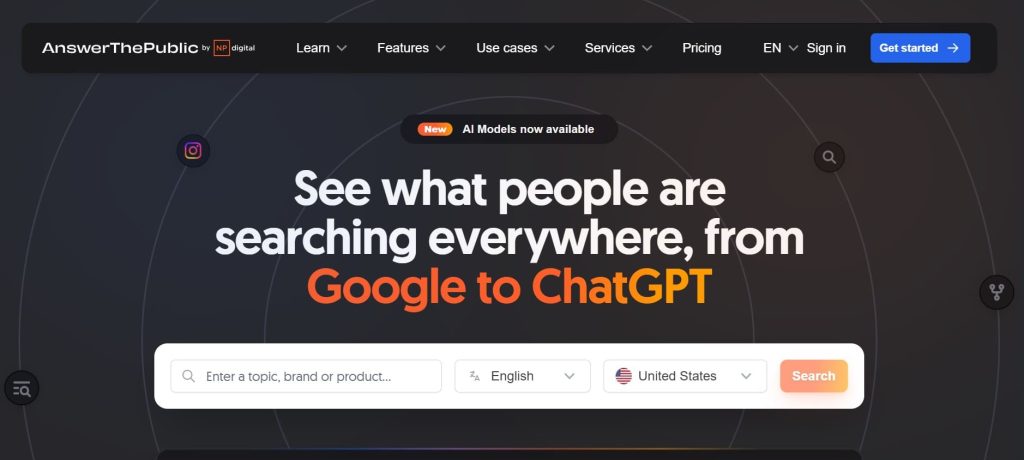
AnswerThePublic was created in 2014 by Neil Patel and later acquired by him in 2021 after it had already become popular among content creators.
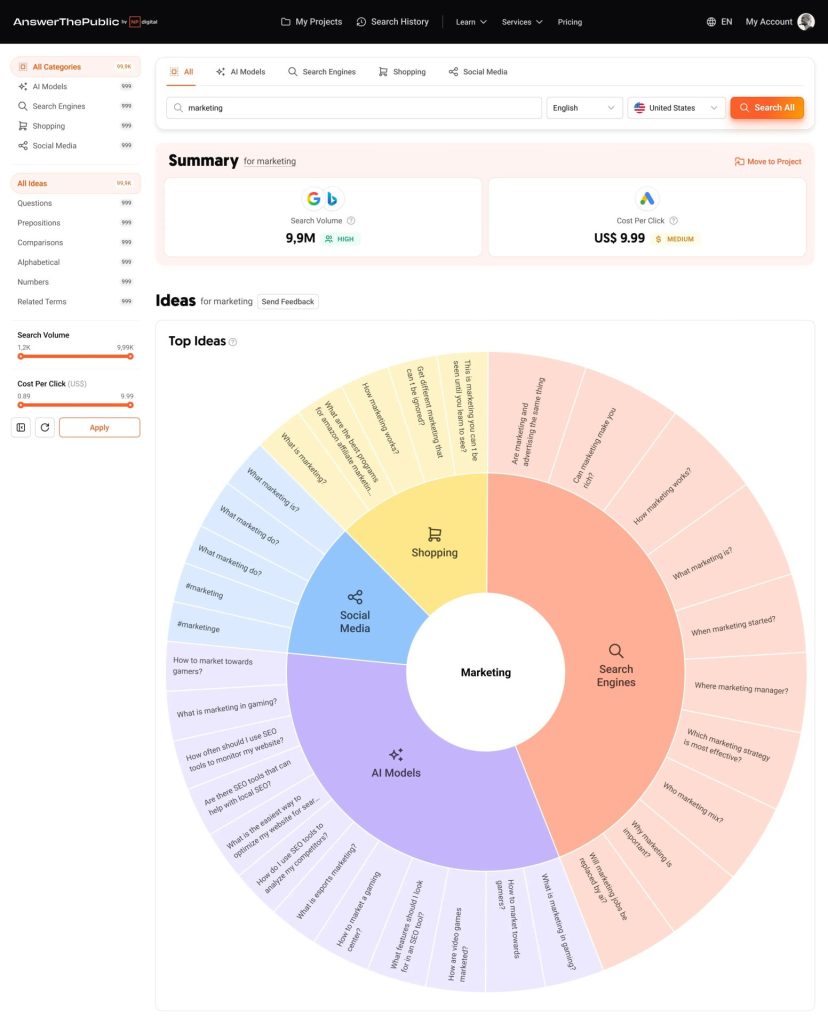
It visualizes search questions and autocomplete data in a unique wheel format that makes brainstorming content ideas actually fun. It turns raw search intent into instantly actionable content ideas for blogs, videos, and campaigns.
Let’s look at the tool in detail:
Category
- Keyword & topic research
- Best for finding long-tail queries/question-based keyword research
Who is It for
- Bloggers, SEOs, and marketers who are looking to tap into real-world questions and long-tail search behavior.
- Content teams focused on covering topics in depth by answering user questions.
- Budget-conscious researchers.
Ease of Use
Beginner
Best Use Cases
Here is where AnswerThePublic really shines in my workflow:
Turning Seed Keywords into Hundreds of Real Questions
When I have a broad topic like “gut health” or “project management,” I plug it into AnswerThePublic and get hundreds of real user questions like “what is gut health,” “how to improve gut health quickly,” and “which foods are bad for gut health.”
Planning Content Clusters around User Intent
Because the queries are grouped by how, why, what, where, and comparisons, it becomes easy to plan clusters. I can map out “How” articles, “Why” explainers, and “X vs Y” posts that match the way people naturally search.
Filling Content Calendars with Long Tail Topics
If a client says, “We need three months of content ideas,” I can get a full list of long tail topics from AnswerThePublic, export them as CSV, then prioritize them inside Ahrefs or Semrush with volume and difficulty metrics. That mix gives me both ideas and numbers.
Localized Topic Research by Country and Language
I also like using the country and language filters. “Gut health” in the US, UK, or India does not always have the same questions. AnswerThePublic lets me see those differences and tailor content to the country I care about.
Feeding AI Tools with Better Prompts
When I do use ChatGPT or Claude for drafting, I often start with a list from AnswerThePublic. I feed the questions in and tell the model to cover them clearly, instead of letting it guess what the audience cares about. The result feels much closer to real search demand.
[Image Source: AnswerThePublic]
Pros
Here is what I really like about AnswerThePublic:
- The way it visualizes questions is unique and very intuitive. That “question wheel” makes it easy to see the full landscape of how people think about a topic, which is great for brainstorming.
- It is very affordable, especially the individual plan with a lifetime option, which is rare in the SEO tool world. This makes it easy to recommend to bloggers and small teams.
- I also like that it pulls questions from more than just Google. It can surface what people are asking on other platforms like YouTube, Amazon, Bing, Instagram, and TikTok, which is useful if you are doing cross-channel content, not just blog posts.
Cons
But you should know these limits before you rely on it too heavily:
- AnswerThePublic is focused on keyword research and content ideation only. It will not help you with technical SEO, backlink analysis, or rank tracking, so you will still need other tools for those jobs.
- In the free version, search volume, CPC, and other detailed metrics are very limited or hidden. To make proper decisions, you often have to combine it with another SEO tool that has stronger data.
- If you need deep analytics, competitor comparison, or integrated reporting, this tool will not give you that. Think of it as an “idea generator,” not a full SEO platform.
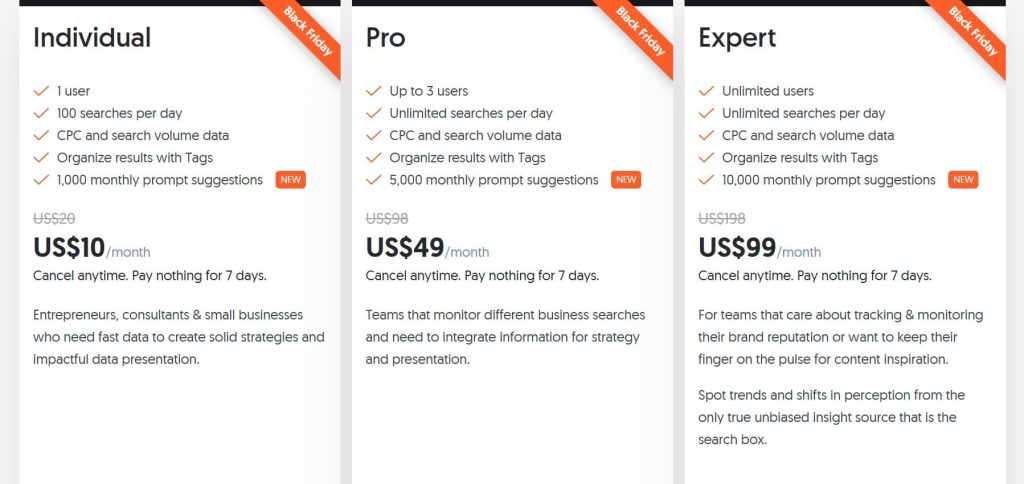
Pricing
- 7-day free trial
- Individual: $5/month
- Pro: $49/month
- Expert: $99/month
- Cancel anytime
Reviews
- G2: 4.5 out of 5 stars (37+ reviews)
- Capterra: 4.6 out of 5 stars (10+ reviews)
2.3 Google Keyword Planner
Google Keyword Planner launched in 2013 as part of Google Ads to help advertisers find keywords for their campaigns. It replaced the older Google Keyword Tool and became the go-to free option for keyword research since the data comes straight from Google.
It helps users discover keyword ideas, see search volume, analyze competition, and plan campaigns effectively. Now, let’s dive deeper into how the tool works:
Category
- Keyword & topic research
- Best for search volume & CPC estimates
Who is It for
- Anyone needing accurate search volume and CPC data (beginner to advanced).
- Users who have absolutely no budget for paid keyword tools.
Ease of Use
Intermediate
Best Use Cases
Here is where Google Keyword Planner earns a permanent place in my stack:
Finding Core Keyword Ideas with Real Volumes
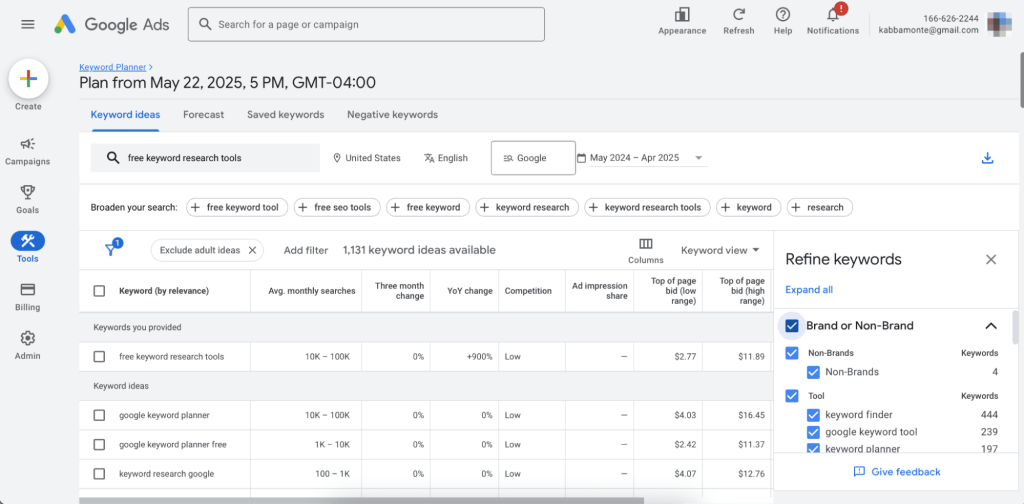
When I am starting with a seed idea or product, I plug those phrases into Keyword Planner and let it generate hundreds or thousands of related keywords. I get a feel for which topics have real demand and which ones are basically dead.
Estimating Commercial Intent with CPC Data
The CPC numbers are gold for understanding intent. If I see a term with a high suggested bid, that usually means advertisers are willing to pay for that traffic, and there is money behind it. I use that to decide which keywords are more likely to drive revenue, not just clicks.
Spotting Seasonality and Trends
I like looking at the 12-month trend graphs to see if a topic is stable, growing, or declining. For seasonal niches (travel, fitness, holidays, etc.), I can time content and campaigns around peaks instead of guessing.
Local and Language-Specific Research
When I work on local SEO or non-US markets, I use the location and language filters. That lets me see how people search in a specific country or city, and avoid relying on global averages that do not reflect reality on the ground.
Using Your Site (Or A Competitor’s) as a Seed
Instead of always starting with keywords, I sometimes paste in a site URL (often a competitor). Keyword Planner will suggest keywords it thinks are relevant to that site, which is an easy way to uncover gaps or angles I missed.
[Image Source: Zapier]
Pros
Here is what I really like about Google Keyword Planner:
- The data quality is strong. It is a Google product used by advertisers spending real money, so the search volume and CPC numbers are as close to “official” as we get. When other tools disagree, I usually lean on Keyword Planner as the tiebreaker.
- It is completely free, which makes it incredibly useful for people who are just getting started or working with tiny budgets. You do not have to pay thousands in ads to access it.
- The CPC and competition metrics help me understand commercial value, not just search demand. That is a big deal when you are trying to prioritize keywords for revenue, not vanity traffic.
Cons
There are some pain points:
- First, you need a Google Ads account, and Google does not always make it obvious how to get to Keyword Planner without spinning up a full campaign. For brand new users, this can be a bit of a maze.
- Second, it is not an SEO tool in the way Ahrefs or Semrush are. There is no dedicated keyword difficulty score, no SERP view, no backlink data, and no rank tracking. You will almost always pair it with other tools if you are serious about SEO.
- Lastly, some data is bucketed, or ranges are wide, especially if you are not actively spending much on ads. It is still useful, but you will not always get razor-sharp numbers out of the box.
Pricing
Free
Reviews
N/A
3. Best SEO Tools for Backlink & Link Building
I use these tools constantly to build authority for my sites and my clients. I open them almost every day. They help me spot new opportunities, track progress, and stay ahead of competitors. Telling you, these tools make the work smoother and less stressful.
While tools like Ahrefs and Semrush excel at competitor backlink analysis, these platforms are specifically built for outreach and link-building execution.
Let me tell you more about them here:
3.1 BuzzSumo
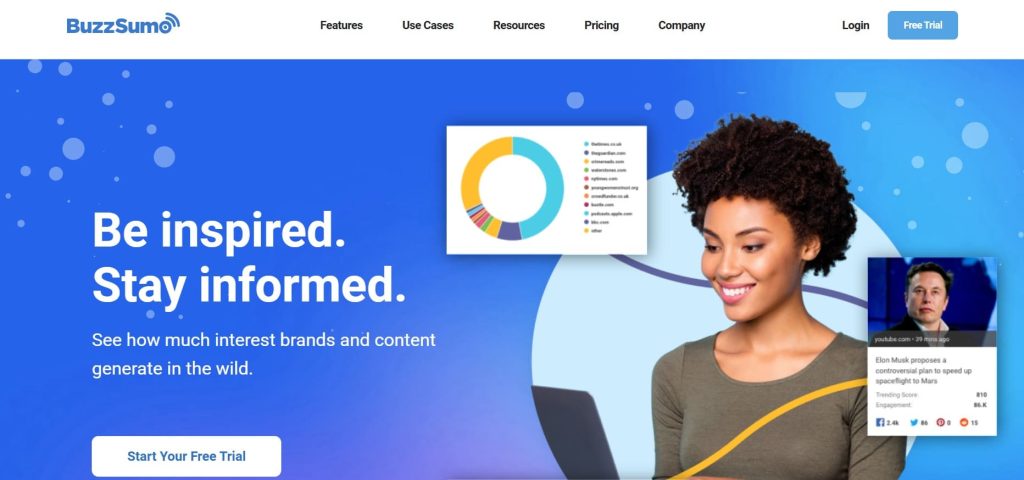
Launched in 2014 by James Blackwell and Henk van Ess in the UK, BuzzSumo quickly blew up because it shows you exactly what’s going viral, who’s sharing it, and which topics people love right now.
Super easy to use, finds killer headlines fast, and saves hours of guessing. It helps users track trending content, analyze engagement, identify top influencers, and generate ideas for viral posts.
To understand its features better, let’s explore the tool more closely:
Category
- Content discovery & monitoring platform
- Digital PR tool
Who is It for
Content marketers/SEOs building linkable assets; agencies scaling digital PR; brands needing earned media ROI; solopreneurs replacing HARO/Featured for journalist pitches.
Ease of Use
Intermediate
Best Use Cases
Here is where BuzzSumo fits into my workflow when I am planning content and links, not just keywords.
Viral Content Reverse Engineering
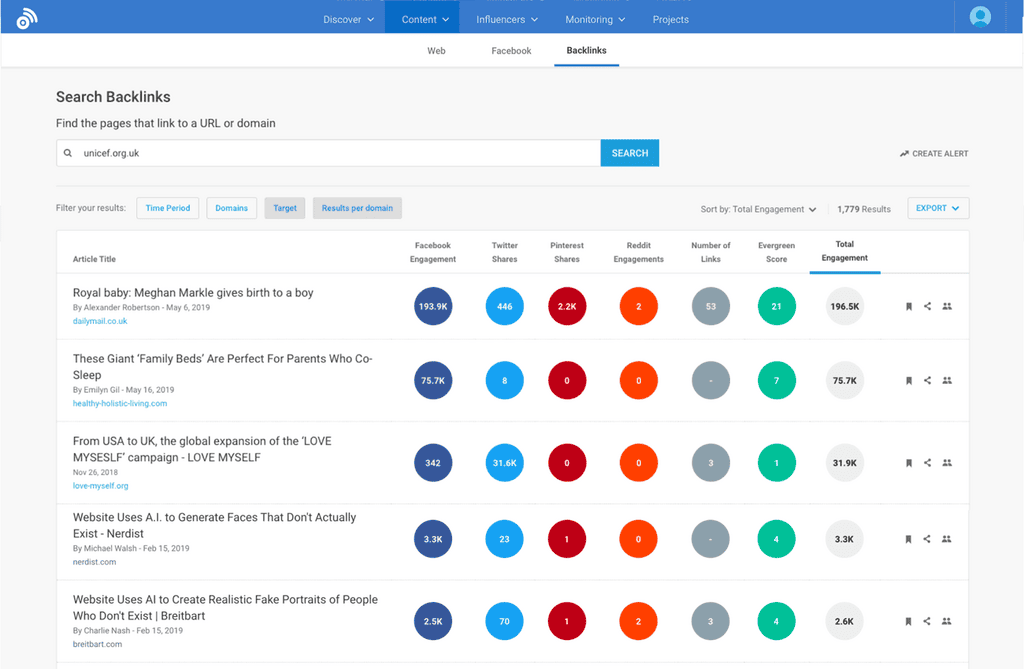
If I want to know what actually works in a niche, I search a topic in BuzzSumo and sort by total engagement and backlinks. I can see which articles got thousands of shares on Facebook, Twitter, Pinterest, and Reddit. Then I plan a better, fresher version instead of guessing.
Competitor Content Gap Spying
When I want to learn from competitors, I plug in their domain and see their top-performing pieces. I look at the format, angle, and length, and which sites link to them. That gives me a clear playbook to improve on for my own content and link building.
Journalist and Influencer Outreach for Links
For digital PR, I use the journalist database to find writers covering my topic, with details about their beat and social profiles. BuzzSumo also helps with AI-assisted pitch ideas based on what they have written before. This makes my outreach more relevant and usually boosts reply rates.
Backlink Prospecting from Sharers and Linkers
When a piece of content in my niche has done well, I look at who linked to it and who shared it. Those people are prime prospects for my own campaigns, because they have already shown interest in that topic. It is a faster way to build link prospect lists than starting from scratch.
Brand Monitoring and Crisis Alerts
I also use BuzzSumo to monitor brand mentions across the web, social, podcasts, and more. When something big happens, I want to see sentiment, where it is spreading, and whether there are unlinked mentions I can turn into links.
[Image Source: BuzzSumo]
Pros
These are the biggest reasons I use Google Trends regularly:
- The content database is huge. Being able to seethe top shared and linked content across billions of articles is a big advantage when you are planning linkable assets or big guides. It is like having a public leaderboard of what worked in your niche.
- The monitoring is deep. It covers web, social, podcasts, and more, and it tracks unlinked mentions, which is very helpful for snagging new backlinks and managing your brand reputation.
- I also like the journalist and influencer discovery. Having a curated list of people, combined with AI-powered pitch suggestions and social data, makes digital PR outreach far less random.
Cons
There are some clear downsides you should know before you commit:
- Pricing is annual only, with no true month-to-month option at the serious levels. That means you are often looking at a couple of thousand dollars or more per year, which is steep for solo users who only need it occasionally.
- There are limits on searches, alerts, and projects, even on higher plans. Very large agencies that want to monitor everything may hit those ceilings.
- Social share data is not as perfect as it used to be, because some networks have limited their APIs. BuzzSumo still gives good directional data, but you should not treat every share count as an exact number.
- And it does not do technical SEO. There is no site crawler, rank tracking, or keyword difficulty. You will still need something like Semrush or Ahrefs for that side of the work.
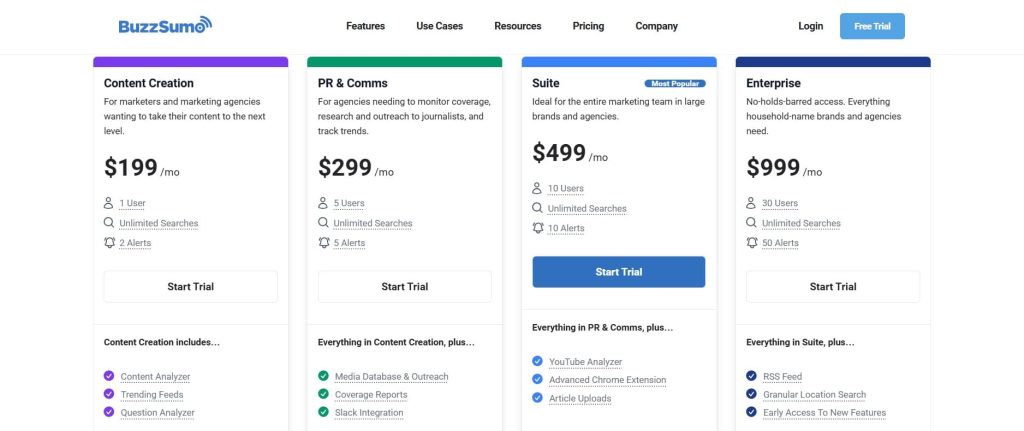
Pricing
- Trial available
- Content Creation: $199 /month
- PR & Comms: $299 /month
- Suite: $499 /month
- Enterprise: $999 /month
Reviews
- G2: 4.5 out of 5 stars (105+ reviews)
- Capterra: 4.5 out of 5 stars (146+ reviews)
3.2 Muck Rack
Muck Rack was founded in 2009 by Greg Galant and Lee Semel as a platform to connect journalists with PR professionals and sources. It started as a simple directory but evolved into a full PR and media database that thousands of companies now use.
Digital PR has become a huge part of modern SEO, and Muck Rack helps you find journalists who are actively writing about topics in your niche.
Let’s take a closer look at how the platform works:
Category
- Media database & journalist outreach platform
- PR management software
Who is It for
- PR pros/agencies scaling earned media.
- Brands building E-E-A-T via journalist features (e.g., nonprofits/gov to enterprises like Lattice).
Ease of Use
Intermediate
Best Use Cases
Here is where Muck Rack actually earns its keep in my workflow:
High Authority Backlink Acquisition via Journalist Pitches
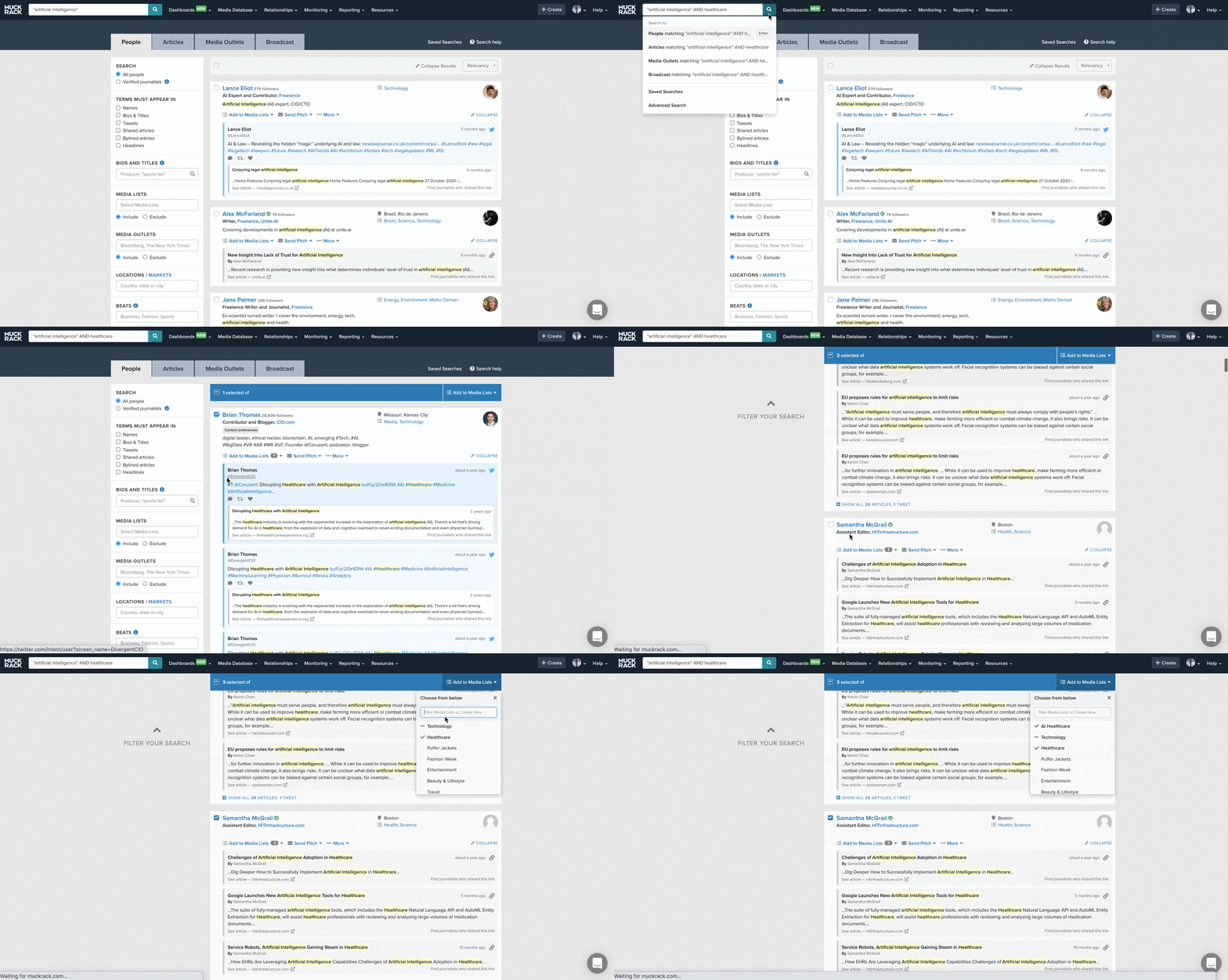
When I want big, high-quality links, I use Muck Rack’s journalist database. I search by beat, outlet, and recent articles to find the right people, then lean on the AI pitch assistant to shape personalized emails.
This is how you land quotes, features, and mentions on sites that can move your domain authority, not just your ego.
Digital PR and Earned Media Monitoring
For brands that already get press, I use Muck Rack to track where coverage lands and how it is performing. It monitors print, online, broadcast, podcasts, and social, and gives me sentiment and visibility scores.
That makes it much easier to show leadership what PR is doing for awareness, trust, and long-term E E A T.
Media List Building for SEO Friendly Outlets
I like combining Muck Rack with my SEO tools. I filter for outlets and journalists that write on topics where my clients want to rank, then cross-check those domains in Ahrefs or Semrush. That way, I build media lists that are strong both for PR and for SEO value.
Thought Leadership and Ongoing Columns
When a founder or expert wants to become a regular voice in their space, I use Muck Rack to find editors and journalists open to contributing articles, opinion pieces, or recurring columns.
Over time, this builds a steady stream of natural links and mentions without having to rely on constant cold pitches.
[Image Source: G2]
Pros
Here is what I like most about Muck Rack:
- The media database is very strong. Having access to hundreds of thousands of verified journalists with updated beats and recent articles is a huge advantage over manually scraping or using outdated lists.
- The integrated workflow is great for PR teams. From list building and pitching to monitoring and reporting, it keeps everything in one place so you can actually connect your outreach to the coverage and links that follow.
- I also like the coverage monitoring and sentiment analysis. It gives a more complete picture of brand visibility than just counting backlinks, which is important when you are reporting to comms and leadership, not only to SEO teams.
Cons
There are some important caveats:
- Pricing is custom and usually high. There are no public plans on the site, and real-world costs often start in the five-figure per year range. That puts it out of reach for most solo SEOs, bloggers, and very small agencies.
- Because it is built for PR, not pure SEO, you will not find technical SEO features, rank tracking, or keyword research inside Muck Rack. You still need your usual SEO stack alongside it.
- Like any media database, some contacts will be out of date or have changed beats. It is better than most, but you still need to pay attention and not treat every record as perfect.
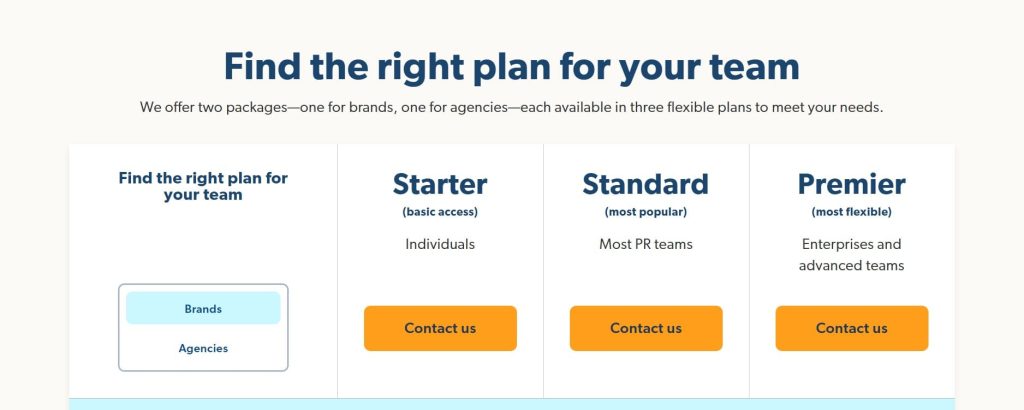
Pricing
Starter/Standard/Premier: Contact for pricing
Reviews
- G2: 4.6/5 (305+ reviews)
- Capterra: 4.3/5 (24+ reviews)
3.3 BuzzStream
BuzzStream was founded in 2008 by Paul May to help marketers manage their outreach campaigns more efficiently.
It started as a simple CRM for link builders but grew into a full outreach platform that handles prospecting, email tracking, and relationship management in one place.
Now, let’s explore how this tool works and what makes it so effective:
Category
- Scalable outreach and link-building management platform
- Link-building and outreach management
Who is It for
- Best for researching link-building opportunities and managing outreach campaigns.
- Users who need to automate and scale their backlink outreach efforts.
Ease of Use
Intermediate
Best Use Cases
Here is where BuzzStream really fits into my day-to-day outreach work:
Prospect Research and List Building
When I am starting a campaign, I use the BuzzMarker Chrome extension to pull prospects straight from Google results or existing lists. It grabs contact details, social profiles, and useful metrics like authority and traffic, which saves a lot of copy-and-paste work.
Scaling Outreach without Losing Personalization
I use BuzzStream to send customized outreach emails with templates, mail merge fields, and automated follow-ups. It lets me send at scale, but I can still tweak subject lines or intros for important prospects, so it doesn’t feel like a spam blast.
Managing Relationships Over Time
Every contact, email thread, note, and tag lives in one place. That means I can see when we last reached out, who replied, who asked us to follow up later, and which campaigns they were part of. It feels much more like a proper relationship pipeline than a pile of old emails.
Tracking Placements and Outreach ROI
I like that BuzzStream can scan for new backlinks and placements tied to my campaigns. I can see which templates and subject lines worked, which team member is performing best, and which campaigns actually led to links and mentions.
Running Digital PR and Guest Post Campaigns
For PR style outreach, I use BuzzStream to organize lists of journalists, bloggers, and podcast hosts. I keep everything segmented by niche and campaign, so pitching guest posts, quotes, or roundup contributions is much less messy.
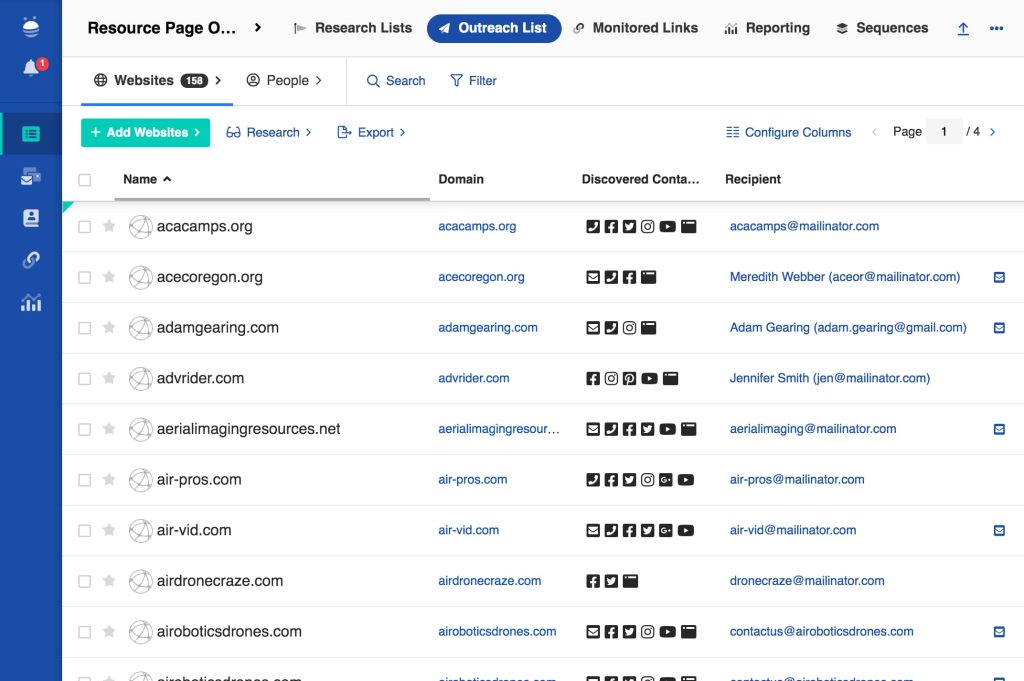
[Image Source: BuzzStream]
Pros
Here’s why I keep coming back to BuzzStream:
- It automates the boring parts of outreach: finding contacts, logging emails, and sending follow-ups. That frees up time to focus on the pitch and the content, not the admin.
- The centralized CRM style layout makes relationship management much easier. I can see the full history of a site, not just a random email in my inbox from six months ago.
- The performance tracking is very useful. Being able to see open rates, reply rates, and link outcomes by template or campaign lets me improve my outreach instead of guessing what worked.
Cons
There are a few downsides you should keep in mind:
- There is a real learning curve. If you only need to send a few simple outreach emails a month, BuzzStream is probably more of a tool than you need. It shines when you invest the time to set it up well.
- It is focused on outreach and link management, not on full SEO. You will still need separate tools for keyword research, rank tracking, and technical audits.
- For very tiny teams or solo bloggers who only do light outreach, even the Starter plan might feel like overkill compared to simpler tools or manual systems.
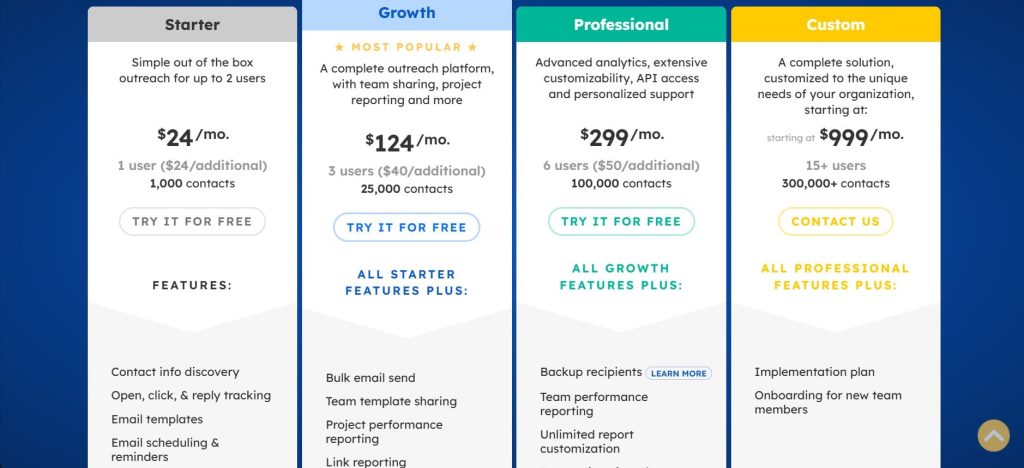
Pricing
- Starter: $24/month
- Growth: $124/month
- Professional: $299/month
- Custom: $999/month
Reviews
- G2: 4.2 out of 5 stars (165+ reviews)
- Capterra: 4.5 out of 5 stars (22+ reviews)
4. Best SEO Tools for Competitor Analysis
I use these tools whenever I want a clear picture of what my competitors are doing online. They show me the keywords they rank for, the pages bringing them traffic, and the backlinks pushing their authority. With this info, I can make smarter moves and slowly win the search results.
Here I’ll walk you through these tools so you can quietly outrank them over time:
4.1 SimilarWeb

SimilarWeb was founded in 2007 by Or Offer in Tel Aviv and has grown from a small Israeli startup into a public company used by marketers, investors, and product teams worldwide.
It focuses on digital market intelligence, website traffic data, and competitive analysis, and is now one of the most widely known alternatives to tools like Alexa for web analytics.
You’ll find out more below:
Category
- Competitor analysis
- Digital analytics tool
Who is It for
- Marketers and business owners who are analyzing the competitive landscape.
- Mid-market and enterprise users who are needing deep digital analytics.
Ease of Use
Intermediate
Best Use Cases
Here is where I usually lean on SimilarWeb in real projects:
Channel Breakdown for Competitor Strategy
When I want to know how a competitor really grows, I plug in their domain and look at the channel breakdown. I can see what percentage of traffic comes from organic, paid, direct, referrals, social, or email.
If I notice one competitor getting a big chunk from referrals or affiliates, that becomes an obvious area for us to explore.
High ROI Keyword Discovery (Organic and Paid)
I like using SimilarWeb to see which keywords are actually driving traffic for competitors, both from SEO and from paid search.
It helps me separate vanity terms from the phrases that really send users. This is useful when I want to align content and PPC instead of treating them like separate worlds.
Benchmarking Traffic and Engagement
If a client asks, “Are we behind or ahead of others in our space?” I use SimilarWeb to benchmark total visits, bounce rate, pages per visit, and visit duration. It’s not perfect, but it gives a directional sense of how we compare to peers.
Finding New Markets and Audience Segments
The market and audience insights help me see where a competitor is growing geographically and what other sites their audience visits. That often sparks ideas for new regions to target, new partnerships, or new content angles.

Pros
Let me tell you what I love most about SimilarWeb:
- It gives a holistic view of a site’s traffic, not just rankings or backlinks. Being able to see how much traffic is coming from SEO, paid search, referrals, email, and direct sources makes strategic planning much easier.
- The interface is pretty friendly for the amount of data you get. The charts and breakdowns make it easy to explain channel mix and trends to non-technical stakeholders in a simple way.
- It’s also very useful for spotting over-reliance. If a competitor is heavily dependent on one channel, that’s both a risk for them and an opportunity for you.
Cons
There are some downsides you should be aware of:
- First, price. SimilarWeb is not built for hobby blogs. It is priced for serious business use, and the more detailed data often sits behind higher tiers. That puts it out of reach for many small teams and solo SEOs.
- Second, the data is modeled and not truly realtime. It’s good enough to see trends and relative performance, but you should never treat the numbers as exact analytics. That’s true of any panel-based tool, not just SimilarWeb.
- Finally, some of the deeper features and granular breakdowns are reserved for more expensive subscriptions. The free and lower tiers can still be useful, but you will hit walls if you want very detailed data on many domains.

Pricing
- Competitive Intelligence: Best for researchers & analysts – $125/month
- Competitive Intel & SEO: Best for marketers & SEO managers – $335/month
- Competitive Intel, SEO & Ads: Best for performance marketers – $540/month
Reviews
- G2: 4.5 out of 5 stars (1,363+ reviews)
- Capterra: 4.6 out of 5 stars (246+ reviews)
4.2 SpyFu
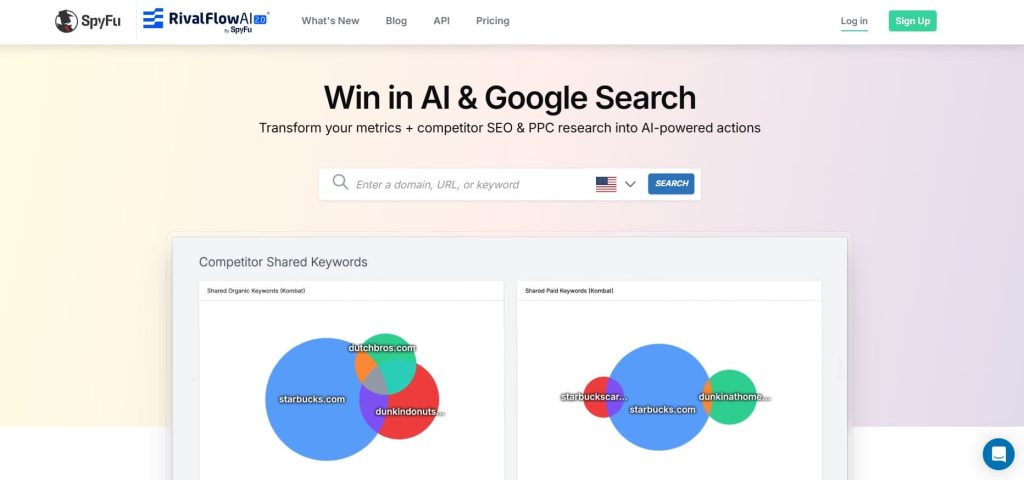
SpyFu kicked off back in April 2005, started by Mike Roberts in Scottsdale, Arizona. It began as this scrappy tool called GoogSpy to peek at competitors’ Google Ads, and it exploded into the go-to for spying on SEO and PPC secrets.
Fast forward to today, and SpyFu’s still crushing it as a powerhouse for competitive intel, powering over 11,000 customers with real historical data that feels like insider trading for keywords and ads.
Let me tell you more about it below:
Category
- Competitor spying for SEO and PPC
- Keyword and ad intelligence tool
Who is It for
- SEO pros and PPC managers who are hunting for easy wins against rivals.
- Small agencies and solo marketers who need big-data insights without the big price tag.
Ease of Use
Intermediate
Best Use Cases
Here’s where SpyFu pulls me out of jams on actual client projects:
Uncovering Rival Ad Spend and Copy
I punch in a competitor’s domain, and it spits out 15+ years of their Google Ads history — what keywords they bid on, exact ad text, and monthly spend estimates.
Last month, it showed a client how a rival was dropping $50k on “best running shoes” variations, so we stole the top ad formats and cut our testing time in half.
Finding Low-Hanging Keyword Fruit
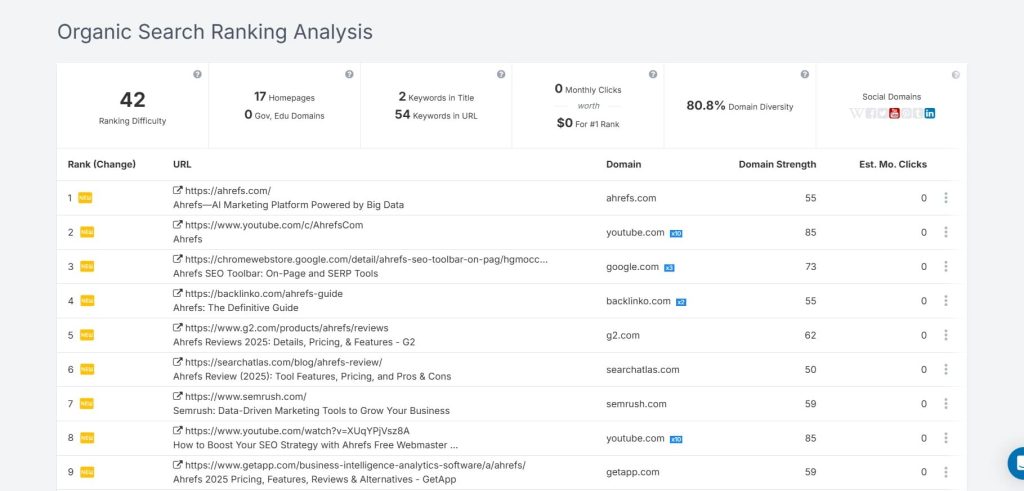
For organic SEO, I use it to spot keywords competitors rank for, but we don’t. It ranks them by volume, difficulty, and overlap, so I grab the sweet spot — high traffic, low competition. Helped one blog triple organic leads by targeting 20 forgotten phrases like “budget meal prep ideas.”
Backlink Recon without the Grind
It lists every backlink a site has, with anchors and domains. When auditing a client’s link profile, I cross-check rivals to find outreach targets they missed. Turned a weak e-comm site into a link-building machine by poaching 50+ guest post ops.
PPC Campaign Blueprints
Planning a new Google Ads push? SpyFu shows full ad histories, including seasonal tweaks and A/B tests rivals ran. I cloned a competitor’s holiday bundle ads for a retail client and saw CTR jump 40% right away.
Benchmarking and Gap Analysis
Quick domain vs. domain comparison on rankings, traffic estimates, and top pages. When a client asks why they’re losing share, I pull this up to highlight gaps, like “Your rival owns 80% of ‘eco-friendly toys’; here’s how to fight back.” Saves hours of manual digging.
Pros
Let me tell you what keeps me coming back to SpyFu every single year:
- The historical data is pure gold. You get 15+ years of real ad copies and keyword history. I can spot exactly when a competitor ramped up, spent, or paused a campaign and copy their winning moves.
- Unlimited searches on every plan. I look up 200 domains in a day and never get blocked or charged extra. For someone handling multiple clients, that freedom is priceless.
- Super simple to use for huge insights. I type a domain and instantly see their best ads, top organic keywords, and backlinks. I pull it up live in client meetings, and they freak out in a good way.
- Crazy affordable compared to the big guys. The basic plan is enough for most people, and even the Pro version costs less than one month of SEMrush. One solid keyword discovery pays for the whole year.
Cons
SpyFu has a few things that still annoy me sometimes:
- The numbers are estimates, not exact. Ad spend can be off 20 to 30% on smaller competitors. It’s great for direction, but I always double-check with real analytics when money is on the line.
- It’s strongest in the US and UK. If I work on European or Asian campaigns, the data gets thinner. I end up using local tools too, which is an extra step.
- No live rank tracking or full site audits. It’s amazing for spying on competitors, but for daily ranking checks or technical SEO fixes, I still need Ahrefs or something similar.
- The design feels a bit old-school in 2025. It works perfectly on the desktop, but scrolling giant keyword lists on my phone can be a pain. Function over flash, I guess.
Pricing
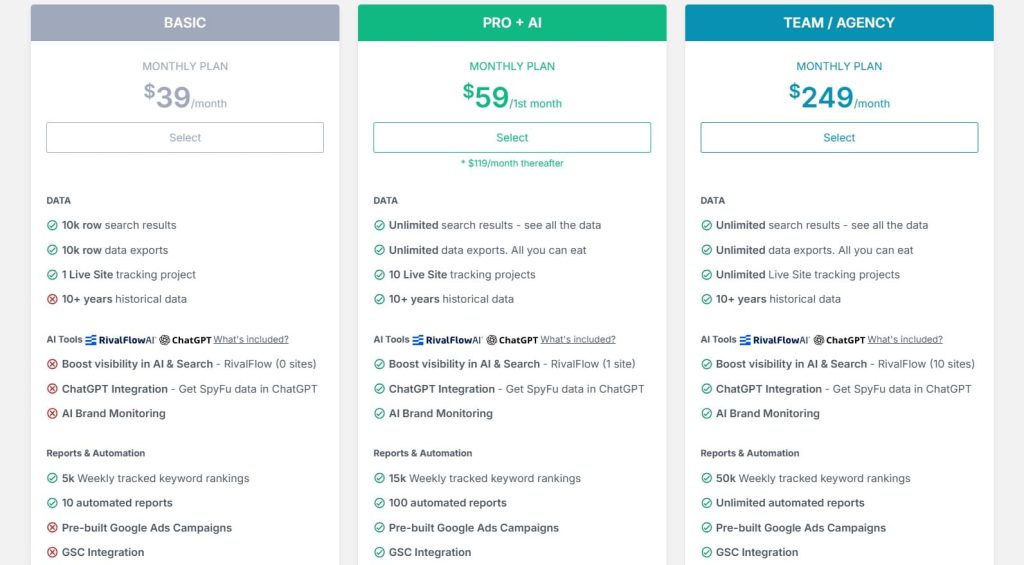
- Basic: $39/month
- Pro+AI: $59/1st month; $119/month thereafter
- Team/Agency: $249/month
Reviews
- G2: 4.6 out of 5 stars (516+ reviews)
- Capterra: 4.5 out of 5 stars (144+ reviews)
5. Best SEO Tools for Content Optimization
Writing great content is one thing, but optimizing it to actually rank is a whole different skill. I use these tools to make sure my content hits all the right SEO signals like keyword placement, readability, NLP terms, topical depth, and more.
Let me explain more:
5.1 Surfer
Surfer was founded in 2017 by Lucjan Suski, Michał Suski, and Sławek Czajkowski in Poland. It started as an agency-side project and grew into a full SEO content platform.
Today, it is known for its data-driven content editor, strong AI tools, and tight integrations with Google Docs and WordPress that help teams ship optimized content faster.
Here’s a closer look at how the tool works:
Category
- SEO content optimization platform
- Best for content optimization
- SEO audit
Who is It for
- Best for writing SEO-focused blogs and generating optimized content.
- Anyone whose goal is to create high-impact editorial content that ranks high in search engines
- Content marketers who need direction, clarity, and scalable content production.
- Users seeking high-level AI integration in their content workflow.
Ease of Use
Intermediate
Best Use Cases
Let me walk you through how I use Surfer for real projects:
Refreshing Old Content for Quick Wins
When I have posts sitting on page two or three, I drop them into Content Audit. Surfer shows missing terms, thin sections, and internal link gaps. I make the suggested updates and often see nice lifts without writing a whole new article.
Writing New SEO Focused Blog Posts
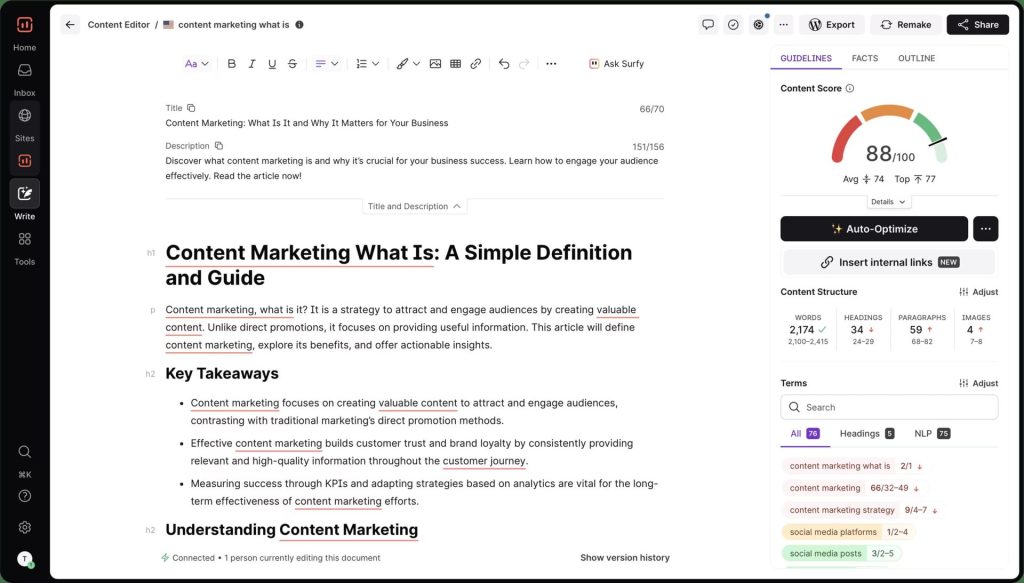
For new pieces, I open Content Editor, put in my main keyword, and let Surfer build a brief. I get a target content score, suggested word count, headings, and NLP terms to cover. It gives writers a clear checklist so the article is both useful and competitive.
Building Topic Clusters and Topical Maps
When I plan a new content hub, I like Surfer’s clustering and topical map features. They show related keywords and how they group together, so I can map pillar pages and supporting articles instead of firing random posts.
Scaling AI-Assisted Content Production
If a client needs a lot of pages, I use Surfer AI to generate first drafts, then edit by hand. It is not magic, but it speeds up the boring parts and keeps structure and entities aligned with the SERP.
On Page Comparison against Top Results
The SERP analysis helps me see what the top-ranking pages have in common. I check their structure, headings, entities, and rough word counts, then decide where I should go deeper or take a different angle.
[Image Source: SurferSEO]
Pros
Here’s what makes Surfer worth the money for me:
- It gives very clear, real-time guidance while you write. The content score and keyword checklist turn vague “optimize this” advice into specific edits a writer can follow.
- The topical map and clustering are great for planning. Instead of hunting for keywords one by one, I can build whole hubs around a topic and see what I am missing.
- The AI tools save time, especially for teams that need to produce a lot of similar content. They are not a full replacement for human editing, but they remove a lot of the heavy lifting from briefs and first drafts.
Cons
Like any tool, it has its weak spots:
- Surfer runs on credits. AI features like Surfer AI and some optimizations are billed per article or have monthly caps. If you write a lot, costs can creep up.
- The entry price can still feel high for very small teams or solo creators, especially if they are already paying for another SEO suite.
- It also does not replace a full technical SEO stack. There is no deep site crawler, log file analysis, or complex technical auditing. Surfer is content first. You still need other tools for the rest.
Pricing
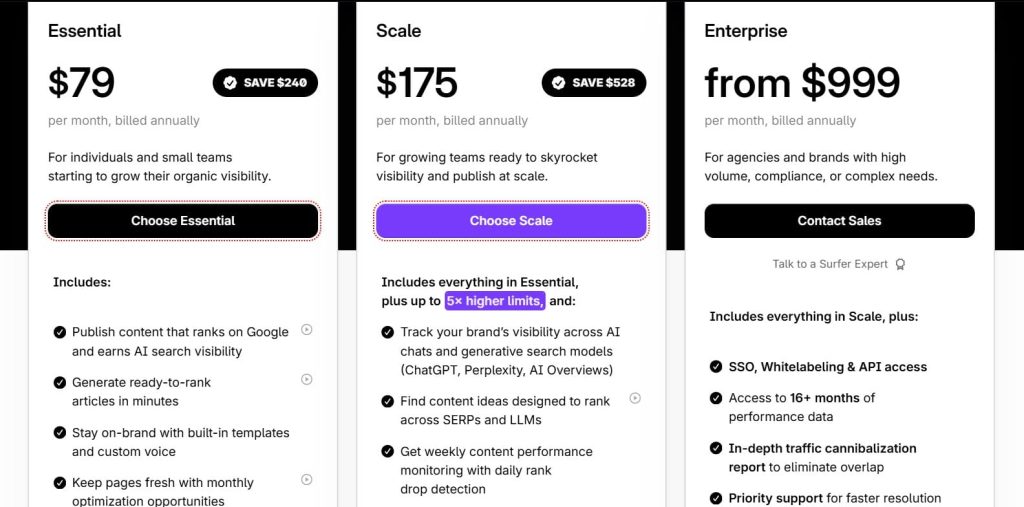
- Essential: $79/month
- Scale: $175/month
- Enterprise: from $999/month
Reviews
- G2: 4.8 out of 5 stars (538+ reviews)
- Capterra: 4.9 out of 5 stars (421+ reviews)
5.2 Clearscope
Clearscope was founded in 2016 by Bernard Huang and Kevin Su, born out of their own SEO agency’s need to deliver consistently high-ranking content at scale. It rapidly gained traction with enterprise giants like Adobe, HubSpot, and Shopify.
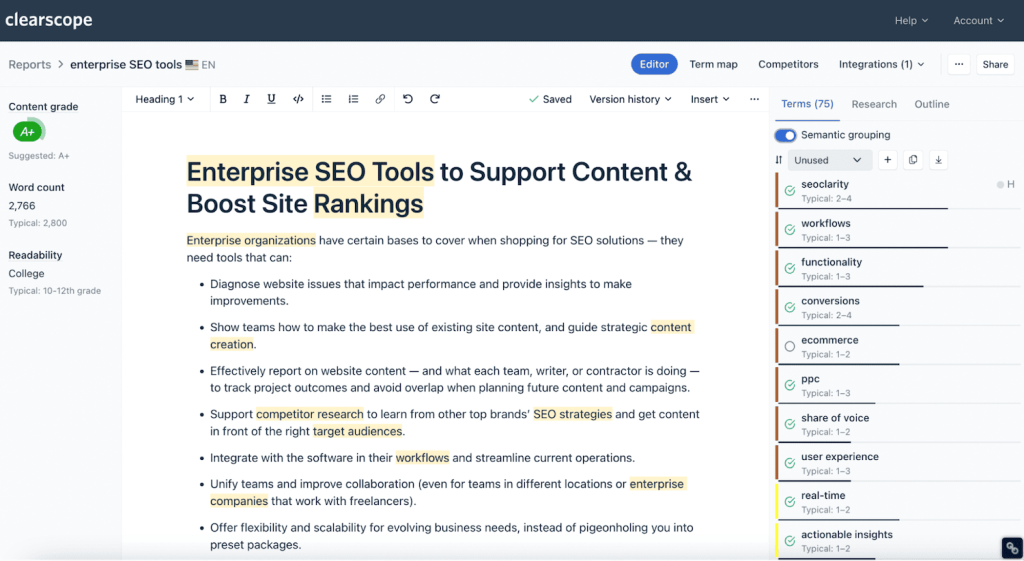
In short, Clearscope scans the top-ranking pages for your target keyword, extracts the most relevant terms, topics, and questions, then gives you a real-time content score and actionable outline.
Let me guide you through how it works:
Category
- AI-powered tool for improving content relevance and rankings
- Content optimization
- SEO audit
Who is It for
- Best for optimizing written content for search engines.
- Managing editors, content editors, and SEO personnel focused on creating high-quality, in-depth blog posts.
- Scaling content optimization efforts.
Ease of Use
Intermediate
Best Use Cases
Here is where I actually use Clearscope in real projects:
Improving Existing Content That Has Slipped
When I see pages losing traffic, I run a Clearscope report and use the content decay style insights. It flags underperforming posts by looking at traffic loss over time. Then I follow the suggestions to add missing terms, new sections, or a better structure.
Optimizing New Blog Posts for Tough Keywords
If I am targeting a competitive topic, I build the draft inside Clearscope. The report gives me a content grade, readability suggestions, and a big list of related terms. That keeps the article aligned with what top results already cover, while still letting me bring a unique angle.
Finding Better Keyword Variations and Angles
I also like using the keyword discovery side. It surfaces related phrases, variations, and “trending” terms whose volume is climbing. That helps me adjust the main keyword or add secondary sections that catch extra demand.
Scaling Editorial Workflows across a Team
For bigger teams, I hand writers a Clearscope report instead of a vague brief. Everyone knows which terms matter, roughly how deep to go, and what questions to answer. That alone can level up content quality across dozens or hundreds of posts.
[Image Source: Clearscope]
Pros
Let me tell you what stands out about Clearscope:
- It is very focused. Almost everything in the product is aimed at one question: “How do we make this page more relevant and useful so it ranks better?” That focus keeps the interface clean and avoids feature bloat.
- The content grade and term suggestions are strong. Because it uses language models and SERP analysis, the suggested terms tend to feel natural rather than spammy. It is easier to weave them into a good paragraph instead of stuffing keywords.
- I also rate the content decay view and “trending” keyword tag. Knowing which pages are actually slipping and which topics are heating up saves a lot of guesswork when planning updates and new posts.
Cons
Of course, there are a few downsides:
- Clearscope is not a full SEO suite. There is no built-in backlink analysis, technical crawl, or rank tracking, so you still need other tools for those jobs. This is a content specialist, not a do-everything platform.
- It is on the pricey side, especially if you are a solo creator or a very small team. Lower tiers also share the same limit on monthly content reports, which can feel confusing when you compare the price jump.
- If you follow every suggestion blindly, you can over-optimize. The content may start to feel robotic if you chase the grade instead of writing for humans first and then tuning. You still need editorial judgment.
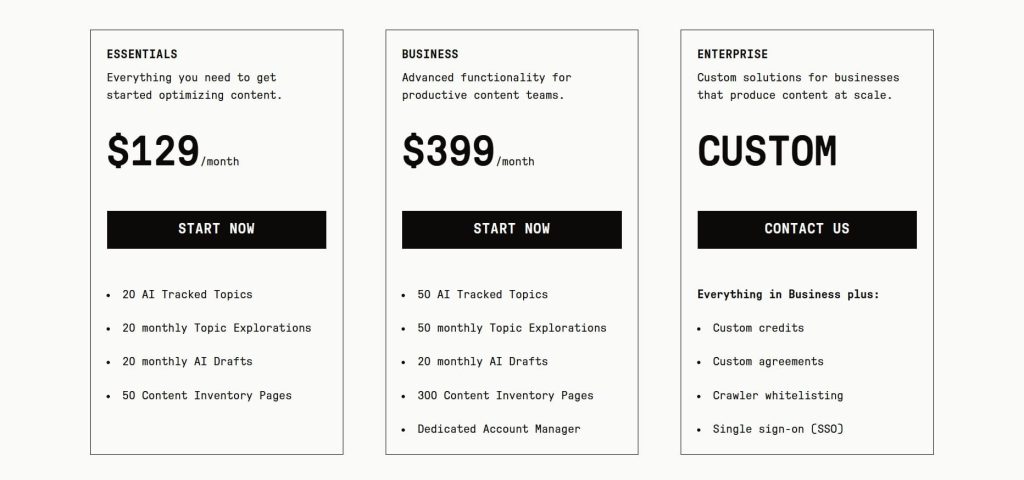
Pricing
- 7-day free trial
- Essentials: $129/month
- Business: $399/month
- Enterprise: Custom
- Cancel anytime without penalty or hassle
Reviews
- G2: 4.9 out of 5 stars (91+ reviews)
- Capterra: 4.9 out of 5 stars (60+ reviews)
6. Best SEO Tools for Rank Tracking
I’ve tested more rank trackers than I can count, mostly because rankings can shift overnight, and I hate guessing. These are the tools I trust when I need clear, daily data that actually helps me make smarter SEO decisions.
Enough intro. Let’s dive deeper:
6.1 Google Analytics 4

Google Analytics 4 officially launched in 2020 as the successor to Universal Analytics, built by Google to adapt to a world moving toward privacy, multi-device tracking, and AI-driven insights.
While the learning curve was rough, the predictive modeling, event-based tracking, and integrations with GSC, BigQuery, and Looker eventually made it a powerful tool for understanding organic performance and proving SEO impact.
Let me walk you through how it works:
Category
- First-party data tool
- Web analytics platform
Who is It for
- Essential for all site owners/SEOs/marketers.
- Agencies that provide client ROI.
- E-com brands tracking funnels from organic/AI sources.
Ease of Use
Advanced
Best Use Cases
Here are the practical ways I use GA4 day-to-day:
Understanding Traffic and How Users Behave
I connect GA4 with Google Search Console to see the complete picture. I can track everything from impressions to clicks to what people do on the site.
This helps me find pages that show up a lot but don’t get clicked. I also spot pages where people leave too quickly or where something feels off. When I fix these issues, traffic usually jumps.
Tracking Traffic from AI Tools
I set up custom filters in GA4 to track visitors from ChatGPT, Perplexity, Gemini, and other AI platforms. This shows me how much traffic these new sources send and what those visitors do on the site. As more people use AI for search, this data matters more and more.
Showing Real Results from SEO
I track leads, signups, and sales as conversion events in GA4. Then I check how much revenue comes from organic search. It lets me show clients which SEO pages actually make money. It’s one of my favorite ways to prove SEO is working.
Finding Issues by Combining Data
I export GA4 data into tools like Screaming Frog or Looker Studio. This helps me see engagement levels, revenue per page, how far people scroll, and loading speed issues.
When I match crawl data with GA4 insights, I find slow pages and URLs that aren’t performing well. Small fixes here often create big improvements.

[Image Source: Ryte]
Pros
Here’s what I genuinely appreciate after using GA4 for hundreds of projects:
- Since Google owns both GA4 and Search Console, the data accuracy is solid. I get reliable traffic sources, conversions, and cross-device journeys without guessing. I’ve found this especially helpful when proving ROI to clients who want hard numbers they can trust.
- The predictive metrics forecast which users will convert or churn. This isn’t just fluff — it helps me prioritize which pages or campaigns to optimize first. I’ve used these insights to focus my efforts on high-potential traffic segments, and it saved me tons of wasted time.
- Unlike Universal Analytics, GA4 doesn’t cap my custom events. I can track every micro-interaction that matters for SEO and conversions. This flexibility lets me build detailed funnels and diagnose exactly where users drop off or engage deeply with my content.
- The free BigQuery export gives me raw, unsampled data for datasets over 50 million rows. I use this to build automated dashboards that prove real revenue growth. If you know SQL or work with analysts, this feature alone makes GA4 worth the learning curve.
Cons
But let me be real about where GA4 frustrates my clients and me:
- The event model confused me when I first switched from Universal Analytics. There are no default reports, so I had to build everything in Explorations from scratch. Even with my experience, I struggled at first. I spent weeks getting comfortable with it, and I still find the UI clunky compared to the old version.
- The free tier applies sampling to large datasets, which skews my numbers. Google also hides data when user counts are too low to protect privacy. This means I see “(not set)” or missing data more often than I’d like, especially for smaller traffic segments.
- GA4 only keeps 14 months of data in the free version. Most keyword data shows as “(not set)” because of privacy changes. AI traffic often appears as “direct” unless I set up custom regex filters. I need Google Tag Manager or BigQuery to get accurate attribution.
- To track AI referrals, custom events, or complex funnels accurately, I need Google Tag Manager. For serious analysis, I need BigQuery and SQL skills. This adds complexity and makes GA4 feel like an unfinished product without these extra tools plugged in.
Pricing
- Free with limits
- Google Analytics 360: $50,000/year
Reviews
N/A
6.2 Microsoft Clarity
Launched in 2020 by Microsoft as a completely free behavioral analytics tool, Clarity started as a small internal project inside Bing but quickly became one of the most valuable gifts the SEO and UX world could ask for.
It shows you exactly how people interact with your site through heatmaps, session recordings, click patterns, rage-click alerts, scroll depth, and clear AI insights that uncover hidden friction points. And the best part is that it’s truly free with no limits or upgrades.
Anyway, here’s how it works in practice:
Category
- User experience (UX) analytics platform
- Session replay and heatmap software
- Digital behavior tracking tool
Who is It for
- Web developers and UX designers.
- Digital marketers and SEO specialists.
- Small business owners and content publishers.
- Product managers in e-commerce/apps.
- Agencies handling multi-site projects.
Ease of Use
Beginner
Best Use Cases
Here’s where Clarity helps me the most:
UX Debugging for Landing Pages
I replay sessions to see where people rage click on my CTAs. Dead-click heatmaps show which buttons don’t respond. These fixes often cut bounce rates in my SEO funnels by 20 to 30 percent.
Content Engagement Mapping
I check scroll depth and click patterns on my blogs. It helps me see what topics keep readers engaged. I use this to plan content and find real keyword gaps.
Mobile App Funnel Analysis
I use the SDK to track cross-device behavior. iOS and Android users act differently. This helps me spot gesture issues that hurt retention and app store visibility.
A/B Test Validation
I filter recordings by variant. I watch how people react to each design. Then I compare it with my GA numbers to guide my SEO and CRO tests.
E-commerce Cart Abandonment
I segment sessions by funnel steps. I look for small hesitation points, like confusing form fields. These on-page tweaks often lift conversions from organic traffic.
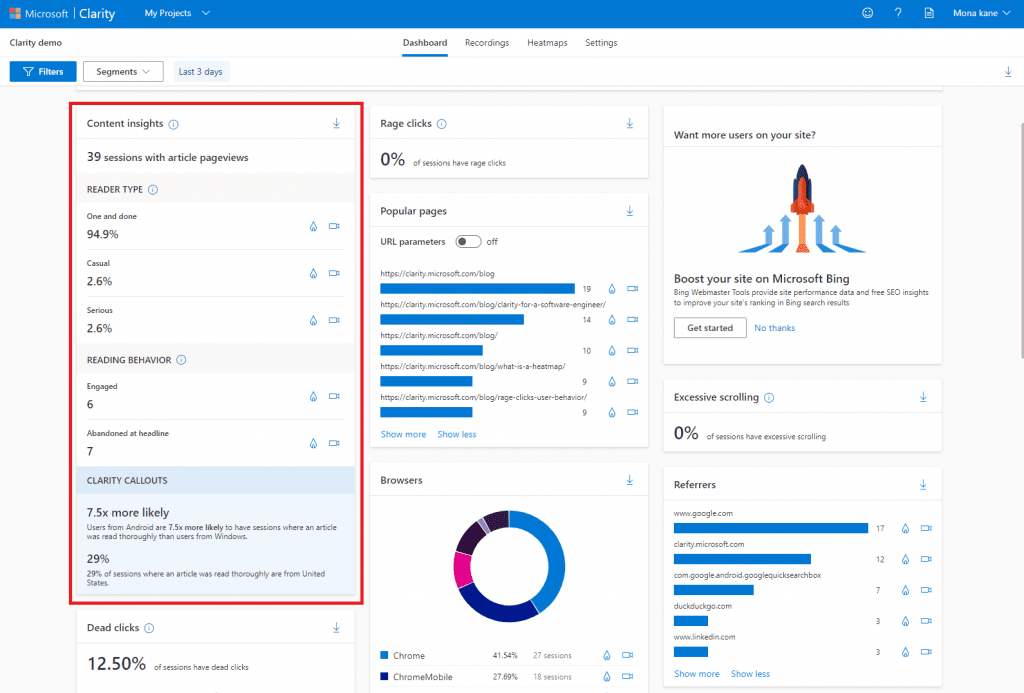
[Image Source: Microsoft Clarity]
Pros
Here’s why I keep relying on Microsoft Clarity:
- Clarity gives me unlimited data for free. I can track millions of sessions without hitting caps or throttling. Since it runs on Azure, the uptime is rock solid, and the storage scales automatically. I never worry about load, lag, or paying extra when traffic spikes.
- The heatmaps are incredibly advanced for a free tool. They use pixel-level data and ML clustering to show real behavior patterns. I get device-specific views for touch and mouse, and the overlays load almost instantly. It feels like enterprise tech without the enterprise bill.
- Privacy is handled out of the box. Clarity masks PII, follows GDPR and CCPA rules, and even respects Do Not Track. I save hours every month because I don’t need extra tools or legal reviews for basic session capture.
- The GA integration is seamless. I can segment replays by goal completions, UTMs, and events. It turns my analytics data into actual behavior insight, which is rare for a free platform.
Cons
But let me be honest about where Clarity makes my life harder:
- Campaign filtering is limited unless I sync UTMs and GA data. There’s no native support for ad platforms, so I have to set things up manually. This creates gaps in attribution, especially for organic referrals that come in untagged.
- There’s no built-in A/B testing. Clarity only shows behavior. If I want real experimentation, I need to use Optimizely or another tool. It breaks the workflow and adds extra steps to every test.
- Dynamic sites can cause replay issues. React and Vue pages sometimes show small desyncs or missing DOM states. It doesn’t ruin the session, but it affects accuracy for a chunk of traffic unless I add custom event hooks.
Pricing
Free
Reviews
- G2: 4.5 out of 5 stars (43+ reviews)
- Capterra: 4.8 out of 5 stars (55+ reviews)
6.3 Google Search Console

Google Search Console launched in 2015 as a rebrand of the older Google Webmaster Tools, which had been around since 2006.
What makes it essential is that it’s the only place you get first-party data straight from Google about your rankings, indexing status, and Core Web Vitals, and it’s completely free for anyone with a website.
Let me walk you through how it works:
Category
- Technical SEO & site health.
- Best for first-party data + indexing.
Who is It for
- Every single person aiming to grow a website through SEO (beginner to advanced).
- Users who need to monitor website performance and diagnose issues using Google’s own data.
Ease of Use
Beginner to intermediate
Best Use Cases
Here is where Google Search Console earns a permanent place in my SEO toolbox:
Tracking Core SEO Performance
I live in the Performance tab. I filter by date, page, query, country, or device and watch clicks, impressions, average CTR, and average position. This shows me which pages are driving traffic, which queries are rising, and where I am stuck on page two.
Fixing Indexing Issues Fast
Whenever a new page refuses to rank, I go straight to the Page Indexing report and URL Inspection. I check if the page is indexed, see crawl and coverage errors, and figure out if there is a no index tag, duplicates, or canonical problems.
Cleaning Up Links and Spam
I use the links section to see top linking sites, top pages, and anchor text. If I spot obvious spam or toxic patterns, I can decide whether to disavow them. On the positive side, I can also see which high-quality sites already link to me and try to build on those relationships.
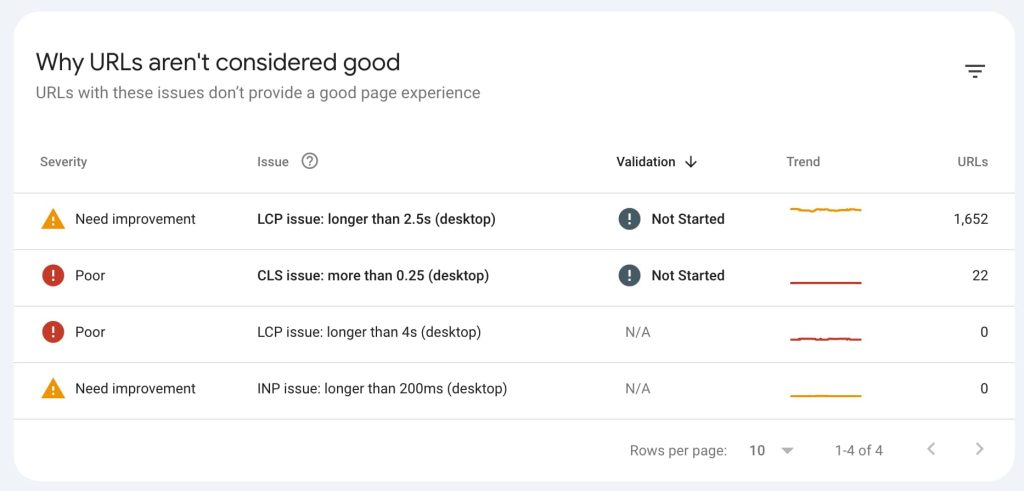
Improving Core Web Vitals and Page Experience
For technical performance, I watch the Core Web Vitals and page experience reports. They show which URLs are slow, unstable, or frustrating to use. Fixing those issues usually improves user experience and can help with rankings and even AI Overview eligibility over time.
Finding Easy Wins from High Impression Queries
One of my favorite moves is to filter for queries with high impressions but low CTR. That usually means I am already showing up but not getting the click. I use that list to improve titles, meta descriptions, and content so I can pick up “easy win” traffic without creating new pages.
Alerts for Serious Problems
I also treat GSC as an early warning system. If a site gets hacked, hit with malware, or flagged for spam or manual actions, I get messages there. Fixing those quickly can literally save rankings from collapsing.
[Image Source: Yoast]
Pros
Here is what I like most about Google Search Console:
- It is first-party data from Google, which makes it my main source of truth. Third-party tools are great, but GSC tells me what Google actually recorded: clicks, impressions, and indexing status.
- It is crucial for finding and fixing indexing issues, monitoring Core Web Vitals, and tracking search performance over time. It also sends direct alerts for hacks, malware, penalties, or spam, which saves many headaches.
- And the biggest plus: it is completely free. No matter your budget, you can use it, which is why I consider it non-negotiable for any site that cares about SEO.
Cons
There are a few things that can be frustrating:
- Data is delayed. You usually wait 24 to 48 hours for fresh numbers, so it is not perfect for real-time incident response.
- There is no competitor analysis as you get in paid tools. You only see your own site’s data, not how you stack up directly in the same interface.
- The terminology and UI can be confusing for beginners. Some reports are not named in a friendly way, and advanced filtering can feel limited if you are used to more flexible SEO platforms.
Pricing
Free
Reviews
- G2: 4.7 out of 5 stars (437+ reviews)
- Capterra: 4.8 out of 5 stars (211+ reviews)
6.4 Bing Webmaster Tools
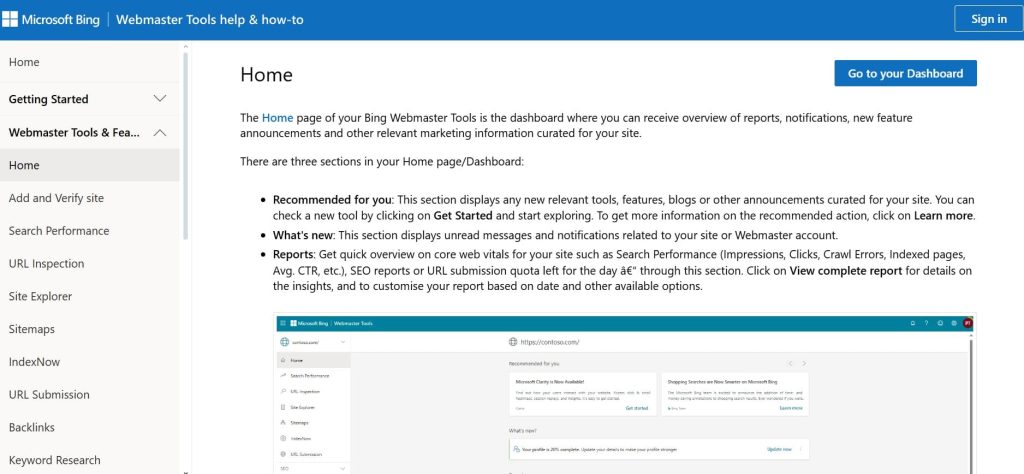
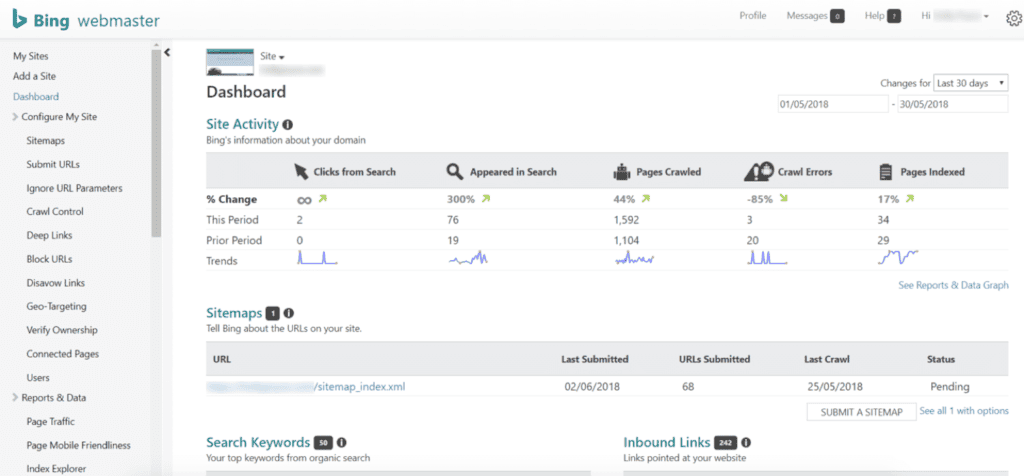
Microsoft launched this back in 2009, and honestly, it’s still one of the most underrated free tools out there. It shows you exactly how Bing sees your site – crawling, indexing, ranking, the whole deal.
The real gem? The SEO reports are often way more straightforward and actionable than what you get in Google Search Console.
Some of the recommendations are literally “do this exact thing” instead of the usual vague Google speak. Oh, and you can just import your GSC data in a couple of clicks, so you’re not starting from scratch.
Anyway, enough intro – let’s actually dive into what it can do for you:
Category
- Technical SEO
- Site submission tool
Who is It for
- Any website owner trying to grow visibility.
- Highly utilized by small businesses (76%) and mid-market companies (19%).
Ease of Use
Beginner to intermediate
Best Use Cases
Here is where Bing Webmaster Tools actually earns a place in my stack:
Technical SEO Checks for Free
When I want a second opinion on technical health, I like to look at Bing’s reports. Sometimes it flags crawl or indexing issues that Google does not show as clearly. For a free tool, the diagnostics can be surprisingly helpful.
Indexing and Site Submission to Bing
If I care at all about traffic from Bing (and I do, especially in some markets and older demographics), I use it to submit sitemaps and individual URLs. This helps pages get discovered and indexed faster in Bing’s search results.
Improving Visibility in ChatGPT
Because ChatGPT relies a lot on Bing’s search data, having a clean, properly indexed site in Bing is not just “nice to have.” It can improve how often your content is eligible to show up when someone asks a question in ChatGPT that touches your niche.
[Image Source: Kinsta]
Pros
Here is what I like about Bing Webmaster Tools:
- It is completely free and very easy to add on top of your existing setup, especially with the automatic import from Google Search Console. For the price of zero, getting a second view of your site’s technical health is hard to argue with.
- Sometimes it actually does a better job than Google Search Console at pointing out specific technical problems, which can help you fix issues you might have missed.
- And because Bing powers a lot of AI-based search experiences, including what shows up in ChatGPT responses, any improvement in Bing visibility can have a positive knock-on effect in those AI surfaces too.
- Users also often mention that the data is accurate and the basic workflows are simple enough once you get used to the layout.
Cons
There are trade-offs, of course.
- The biggest one is that Bing Webmaster Tools does not have the same depth of features as a full SEO suite. Data can feel limited, and you will not find advanced competitor analysis or huge keyword research tools here.
- The platform can feel a bit dated in places. Some users report layout and UI issues, integration quirks, and a general sense that it is not updated quite as often as it could be.
- Because Bing’s share of search is smaller than Google’s on many sites, the performance data can also be thin, which makes it less exciting to look at day to day.
Pricing
Free
Reviews
- G2: 4.3 out of 5 star rating (42+ reviews)
- Capterra: 4.4 out of 5 star rating (26+ reviews)
6.5 Nightwatch
Nightwatch launched in 2017, built by a small team that wanted a more accurate and transparent rank tracker than the big players. I started using it because it consistently reports cleaner, more precise ranking data than most tools I’ve tested.
This tool tracks keyword rankings with hyper-accurate daily data (down to the exact search result position on a local level), segments performance by device, location, or search engine, and visualizes everything in clean, customizable dashboards without the noise or proxy issues that plague many competitors.
Let’s find out more about it here:
Category
- Rank tracking & reporting
- Best for local rank tracking
Who is It for
- Local businesses, agencies running local SEO campaigns, and small businesses. needing precise local rank monitoring.
- Enterprises that need highly accurate global rank tracking data.
Ease of Use
Intermediate
Best Use Cases
Here is where I actually use Nightwatch:
Tracking Local Rankings With Zip Code–Level Precision
When I need accurate local rankings, Nightwatch lets me track keywords across more than 190,000 locations using precise zip-code targeting.
It also checks mobile and desktop variations. This helps me understand exactly where a business appears in Map Pack and organic results, making my local SEO decisions far more precise.
Monitoring Rankings across Google, Bing, and YouTube
Nightwatch supports multi-platform rank tracking, which is something many tools still ignore. I use it to watch YouTube keyword positions, monitor Bing placements, and compare visibility across platforms.
This helps me create better content strategies and track performance beyond Google alone, which matters more than ever.
Spotting Keyword Cannibalization and Intent Gaps Instantly
Nightwatch’s built-in cannibalization detector is useful for catching overlapping URLs before rankings drop.
I filter keywords by tags or intent and use these insights to consolidate content or rework pages. This saves hours and removes guesswork normally done with manual GSC digging.
Running Technical Audits and Monitoring Backlinks
I rely on Nightwatch’s crawler to detect speed issues, duplicate content, schema errors, and more than 100 technical problems. Combined with its backlink monitoring, it gives a full picture of site health. It’s great for agencies that want to check rankings and issues in the same place.
Creating Custom Reports and Automating Client Deliverables
Nightwatch makes reporting easy. I build drag-and-drop branded PDFs, schedule weekly updates, or pull data via API into Looker Studio.
This saves time every month because clients get clear, visual ranking updates without me rebuilding charts or exporting spreadsheets manually.
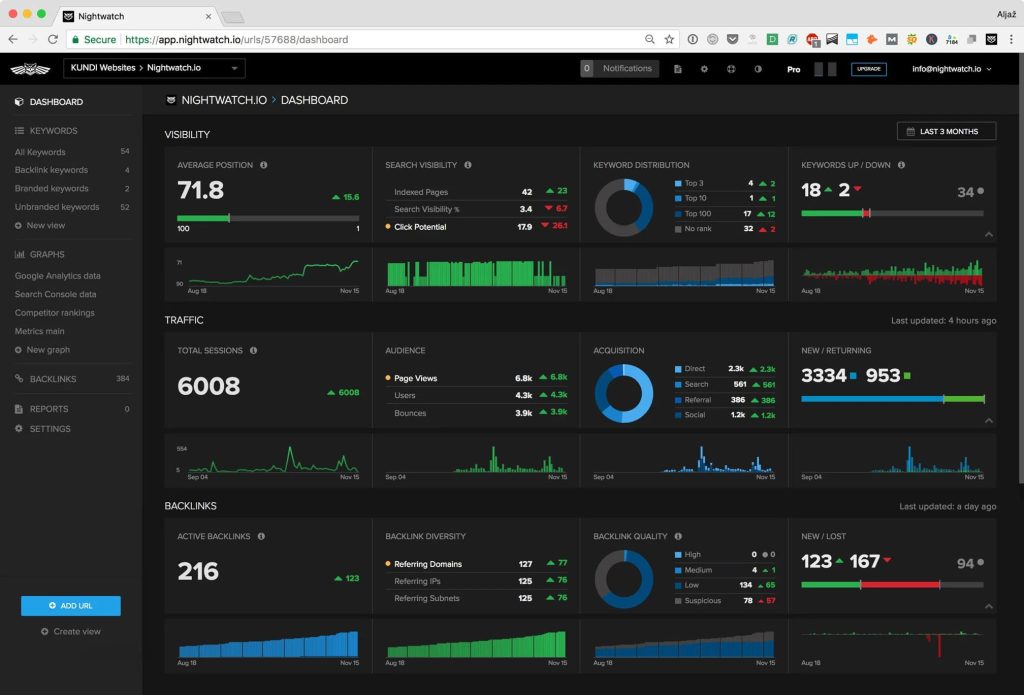
[Image Source: G2]
Pros
Here is what I genuinely like about Nightwatch:
- Nightwatch’s ranking accuracy is one of the best I’ve tested. It tracks positions across multiple engines and local variations with impressive precision, which gives me confidence when reporting results to clients who want hard numbers without the usual rank tracking noise.
- The multi-platform tracking, including YouTube and Bing, helps me see the bigger picture. This matters when clients are active on multiple channels or when search behavior shifts. It’s helpful for catching opportunities others overlook.
- The built-in cannibalization detection and filtering tools save time. I can quickly spot conflicting pages, keyword gaps, or declining URLs without digging through confusing Search Console exports or building Looker Studio blends.
- The Looker Studio integration and drag-and-drop PDF reporting system make client communication easier. I save hours each month because the reports are clean, customizable, and require almost no maintenance once set up.
Cons
Here are a few downsides worth considering:
- Pricing can scale quickly when tracking thousands of keywords. For large sites or enterprise projects, adding more keywords increases costs fast, which can make Nightwatch expensive compared to some all-in-one SEO suites.
- The platform has a learning curve for beginners. Some features require a bit of setup, and the advanced filtering can overwhelm new users who haven’t worked with rank trackers or technical SEO tools before.
- Nightwatch can feel slower on very large projects with many data points. Heavy keyword lists or broad multi-location setups sometimes take longer to load, especially if I’m filtering or sorting thousands of entries at once.
- While Nightwatch offers strong tracking and auditing, it doesn’t replace full technical crawlers or backlink databases. It focuses on rankings and basic health checks, so I still pair it with other tools for deeper technical or link-related work.
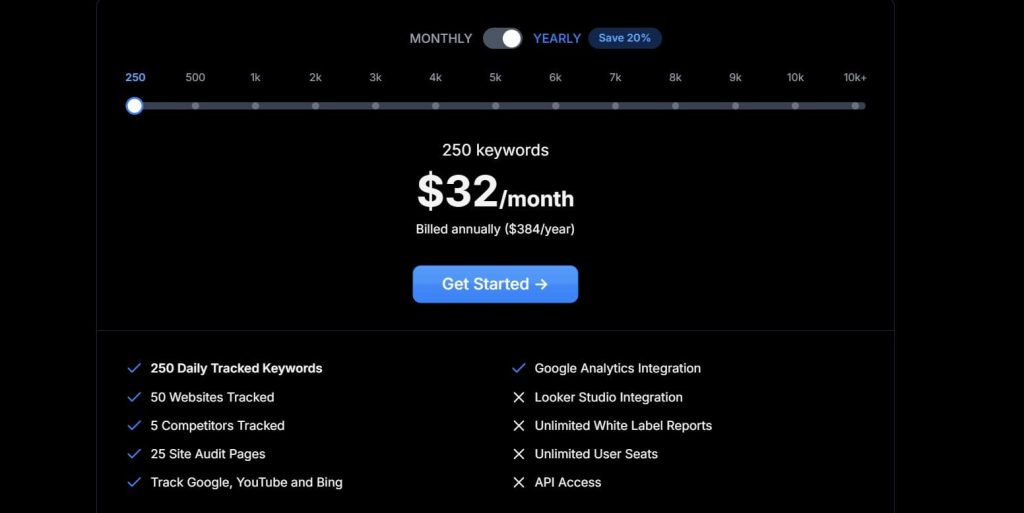
Pricing
- 14-day trial
- 250 keywords: $32/month
- Cancel subscription anytime
Reviews
- G2: 4.9 out of 5 stars (43+ reviews)
- Capterra: 4.8 out of 5 stars (39+ reviews)
7. Best SEO Tools for SEO Audit
An SEO audit tells you what’s broken on your site and what’s holding you back from ranking higher. Look, Semrush and Ahrefs are still the best all-around tools for comprehensive SEO audits.
But I’ve used dozens of other audit tools over the years, and these are the ones that actually find issues worth fixing.
Let’s get to know them below:
7.1 Screaming Frog
Screaming Frog was founded in 2010 by Dan Sharp and quickly became the go-to tool for deep technical SEO audits. It crawls your website like a search engine would, identifying broken links, redirect chains, duplicate content, and hundreds of other technical issues that could hurt your rankings.
I’ve used it on small blogs and massive enterprise sites, and it consistently gives more granular insight than almost any cloud crawler.
Let me break down how it actually works:
Category
- Fast, powerful, and user-friendly desktop crawler
- Technical SEO & site health
- SEO audit
Who is It for
- Best for SEO pros who need to crawl entire sites or specific URLs in bulk.
- Technical SEO specialists and experienced marketers who perform deep technical audits.
Ease of Use
Advanced
Best Use Cases
Here is where I actually use Screaming Frog in real audits and client projects:
Crawling Entire Sites for Hidden Technical Issues
When I run a full crawl, Screaming Frog uncovers issues like broken links, redirect loops, missing metadata, thin pages, and duplicate content.
It reveals problems most tools miss. I often discover buried content or gaps in internal linking that explain traffic loss or crawling inefficiency across large sites.
Auditing JavaScript Heavy Sites with Chromium Rendering
Switching to Chromium mode allows me to crawl SPAs like React, Angular, and Vue. This simulates how Googlebot sees the site. It helps me confirm whether dynamic content actually loads, whether links are visible, and whether important elements render correctly.
Mapping Redirects, Fixing Chains, and Finding Orphaned Pages
I upload lists of old and new URLs to map redirect rules, detect chains, and identify loops. It’s incredibly useful during migrations or redesigns.
The orphaned page reports show me which URLs have no internal links, helping me surface forgotten content that still has ranking or backlink value.
Scraping Custom Data with XPath, CSSPath, or Regex
Sometimes I need very specific data like SKUs, prices, author names, or review counts across hundreds of pages. Screaming Frog lets me scrape all of that. It’s fast, accurate, and saves hours when analyzing large eCommerce catalogs or content libraries.
Visualizing Site Structure and Crawl Depth
The force directed diagrams and crawl depth charts help me understand how well the content is connected. They reveal clusters, isolated pages, and sections buried too deep. These visuals are great for explaining problems to clients who don’t understand technical SEO.
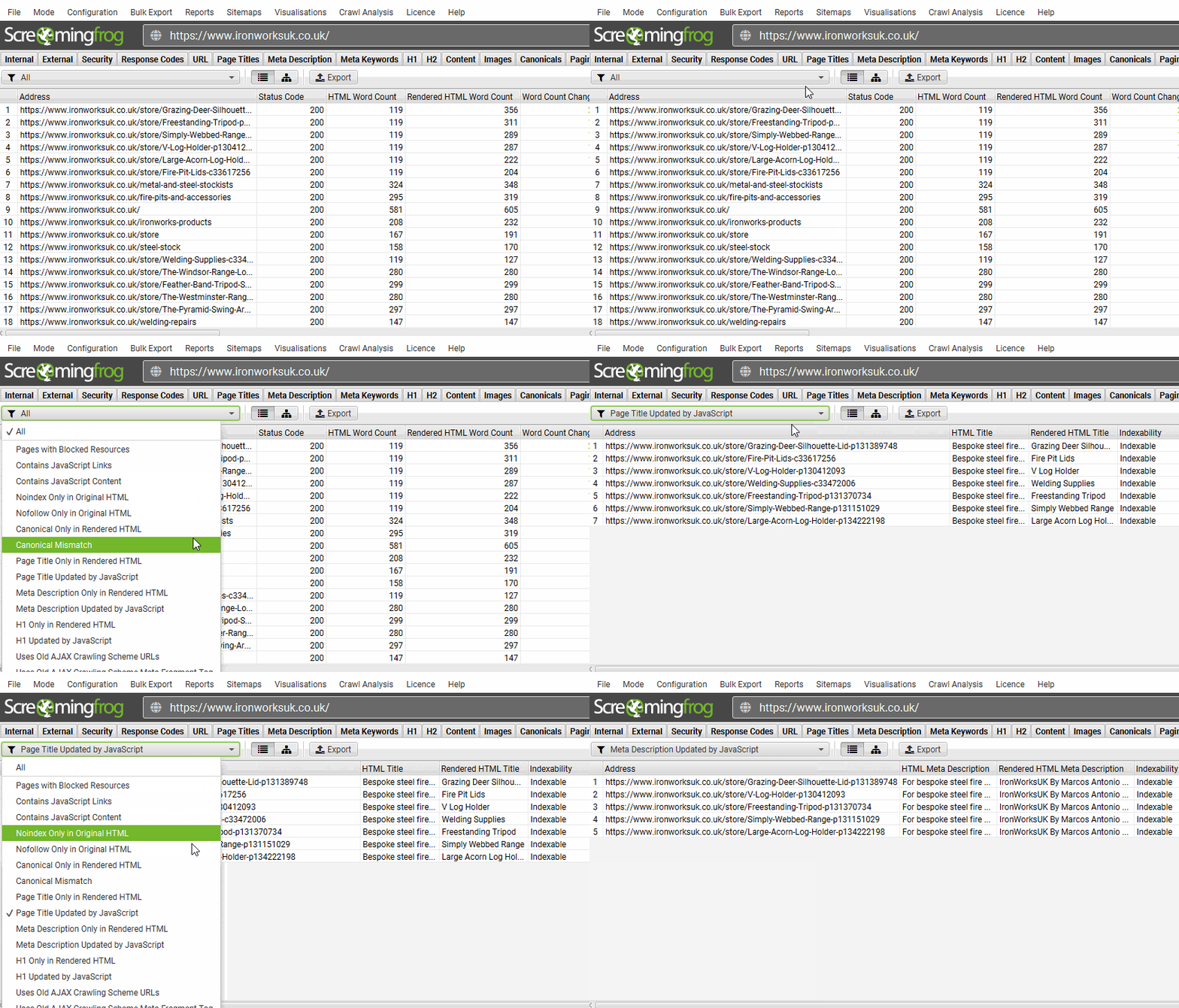
[Image Source: Screaming Frog]
Pros
Let me share what’s remarkable about Screaming Frog:
- Screaming Frog gives me incredibly detailed technical data that other crawlers miss. The level of control, customization, and filtering helps me diagnose complex problems on any size website without feeling limited or stuck inside a rigid cloud interface.
- The GA4 and GSC integrations let me combine performance data with crawl data, giving a deeper picture of what actually matters. Instead of guessing which issues affect traffic, I can tie technical problems directly to impressions, clicks, and user behavior.
- The ability to crawl JavaScript-heavy sites with Chromium mode is a major advantage. It lets me see what Googlebot sees, confirm whether key content renders, and detect hidden issues that normal crawlers would miss on modern frameworks like React or Vue.
- It’s surprisingly affordable for how powerful it is. Many enterprise crawlers cost hundreds or thousands per month, but Screaming Frog offers deep insights for a simple yearly fee that fits almost any professional’s budget.
- The custom scraping tools let me extract structured data, prices, SKUs, author names, or content elements across huge sets of pages. This saves time and makes Screaming Frog useful far beyond traditional technical SEO tasks.
Cons
To be fair, there are a couple of areas where it falls short:
- Screaming Frog has a steep learning curve if you’re not comfortable with technical SEO. The interface is dense, and understanding status codes, crawl settings, and filters takes practice if you’ve never done deep audits before.
- It’s a desktop app, which means it relies on your machine’s RAM and processing power. Large crawls can slow things down or crash if your computer isn’t strong enough to handle big sites with thousands of URLs.
- The tool can sometimes glitch or freeze during very large crawls, especially when heavy JavaScript rendering is enabled. This can force you to restart or break your crawl into smaller segments to avoid hitting memory limits.
- Because it’s not cloud-based, you can’t schedule crawls remotely or share crawl data in real time. Everything happens locally, which limits collaboration unless you export spreadsheets or share files manually.
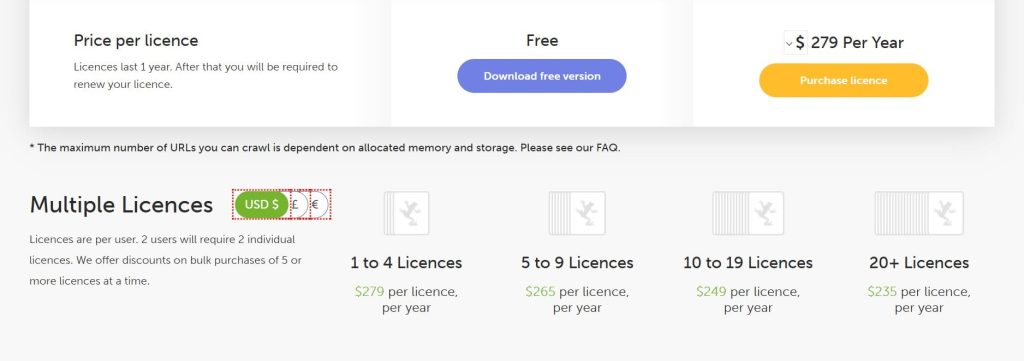
Pricing
- Free version available
- Paid: $279/year
Reviews
- G2: 4.7 out of 5 stars (184+ reviews)
- Capterra: 4.9 out of 5 stars (132+ reviews)
7.2 SEOptimer
SEOptimer launched in 2012, created by a small team focused on simplifying SEO diagnostics for everyday users and agencies.
It analyzes websites and generates instant SEO audit reports with letter grades, highlighting issues like slow page speed, missing meta tags, and mobile usability problems.
The tool gives clear grades, actionable fixes, and polished reports that clients actually understand, making it a strong fit for simple but effective audits.
Here’s what it brings to the table:
Category
SEO audit
Who is It for
- Users focused on simple, effective SEO diagnostics.
- Marketers who need actionable diagnostic recommendations for performance issues.
Ease of Use
Beginner
Best Use Cases
Here’s how I put SEOptimer to work in my actual projects:
Scanning Webpages for Quick SEO Diagnostics
When I need a fast snapshot of a page, I run an SEOptimer scan and get results in under thirty seconds. It checks technical issues, content quality, backlinks, performance, UX, and mobile usability. The clear grading system makes it easy to explain problems to clients.
Creating Branded SEO Reports for Clients
I often use SEOptimer when I need clean, professional-looking audit reports for clients. I customize the colors, add my logo, choose the sections, and export them in multiple languages.
The reports look polished, and they help clients understand issues without overwhelming them with overly technical data.
Using the Embedded SEO Audit Tool for Lead Generation
For agencies, the embedded SEO audit tool is extremely helpful. Visitors can run audits directly on my site, enter their email, and get a branded report instantly. This creates a reliable flow of qualified leads who already know their problems before I talk to them.
Crawling Entire Domains for Broad Issue Discovery
When I want a deeper look at a full site, I use the SEO Crawler. It scans hundreds of URLs and surfaces issues across all pages. This is great for franchise sites, multi-location businesses, or any domain with a lot of templates that may have repeated errors.
Finding Keywords and Tracking Daily Rankings
SEOptimer also includes keyword discovery and daily ranking tracking. It helps me identify low-competition keywords with solid potential and follow my progress on Google or Bing. It’s not as advanced as enterprise tools, but it’s enough for smaller campaigns and quick insights.
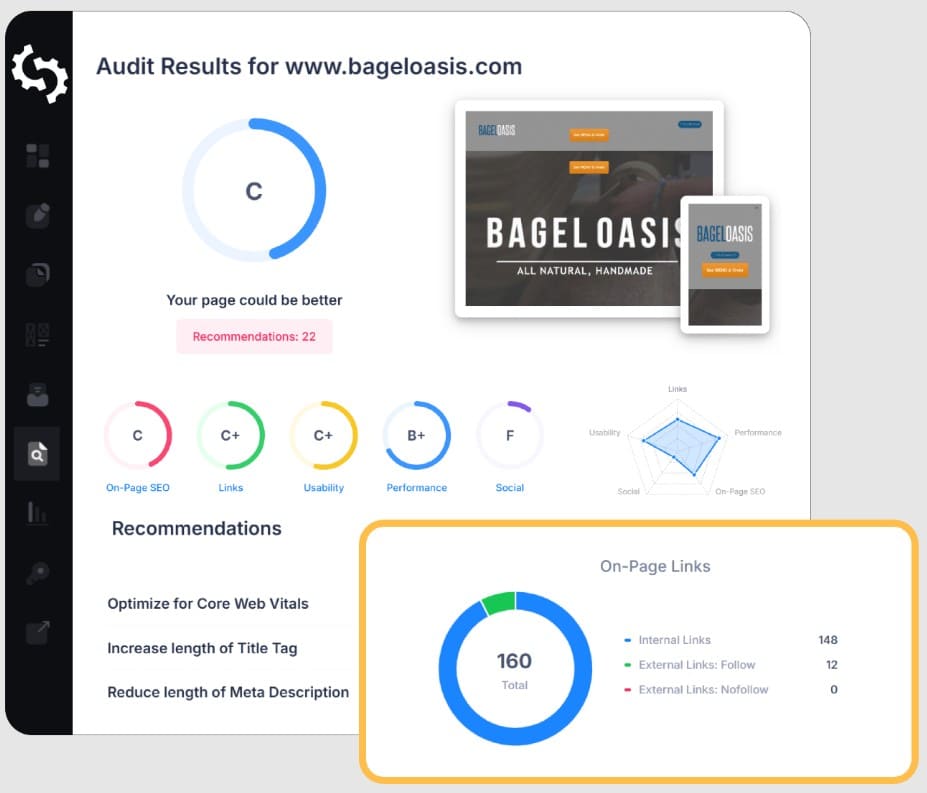
[Image Source: SEOptimer]
Pros
Allow me to highlight the distinguishing features of SEOptimer:
- SEOptimer delivers fast and simple SEO diagnostics that help me understand the health of a page within seconds.
The performance grades and clear breakdowns make it easy to share insights with clients who prefer straightforward explanations without deep technical detail.
- The tool provides highly actionable recommendations that directly address underlying issues like speed, metadata, UX, or coding problems.
This saves time because I don’t have to interpret vague suggestions or guess what needs fixing. Everything is stated clearly and simply.
- The extra native tools, like code minifiers, sitemap generators, and tag helpers, support quick fixes. They’re not meant for advanced technical work, but they help complete small tasks fast without leaving the platform or switching between apps.
- The branded reporting feature is excellent for agencies. I can produce polished, customizable reports in many languages that clients actually read.
It turns SEO findings into something visual and understandable, which improves communication and trust during client calls.
- The embedded audit widget is great for lead generation. It lets people run audits on my site, get automated reports, and share their email. This builds a steady stream of warm leads who already know their issues and are more likely to convert.
Cons
Naturally, there are certain disadvantages:
- SEOptimer’s built-in tools for fixing issues are limited compared to larger platforms. They work for basic tasks, but when dealing with complex sites or deeper problems, I still need separate, more specialized SEO or development tools to finish the job.
- Some of the supplementary tools feel basic. They get the job done, but they aren’t as powerful or flexible as tools found in larger SEO suites. This makes SEOptimer better for quick diagnostics rather than full technical or content optimization workflows.
- The keyword research and ranking tracker are helpful but not as detailed as enterprise alternatives. They provide solid surface-level insights but lack the depth required for large, competitive campaigns where granular data matters.
- While reporting is excellent, the platform can feel limited for advanced SEOs. It shines in simplicity, but power users may want deeper customization, advanced crawling logic, or cloud-level insights that SEOptimer isn’t designed to offer.
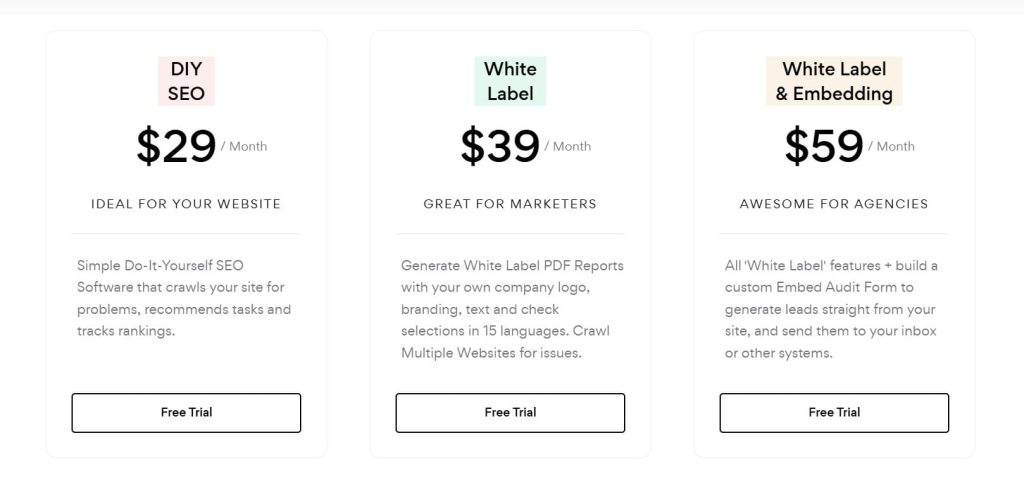
Pricing
- Free trial
- DIY SEO: $29/month
- White Label: $39/month
- White Label & Embedding: $59/month
Reviews
- G2: 4.6 out of 5 stars (312+ reviews)
- Capterra: 4.7 out of 5 stars (3+ reviews)
7.3 Detailed
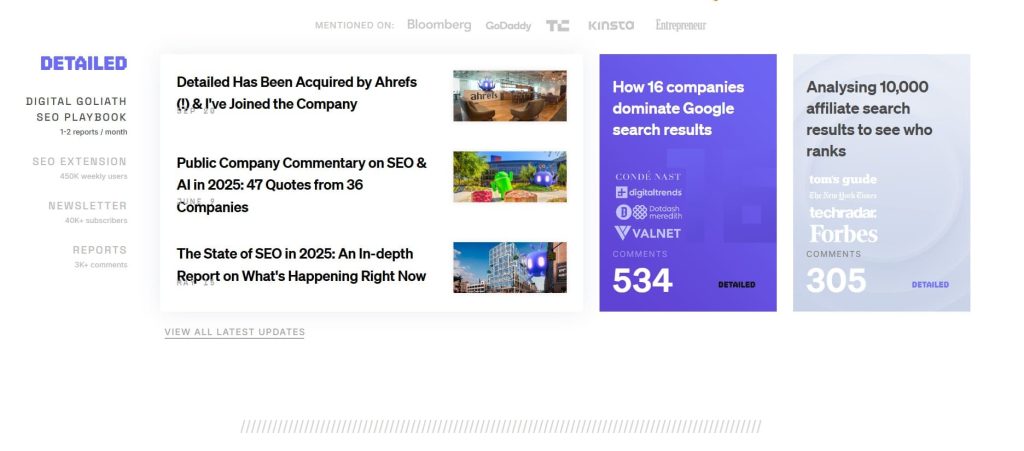
Detailed launched in 2018, built by Glen Allsopp (ViperChill), someone I’ve followed for years because he actually practices SEO, not just talks about it.
The extension became popular fast because it gives instant on-page insights without fluff. It’s lightweight, fast, accurate, and perfect for spotting problems or analyzing competitor pages in seconds.
Now, let me show you what it can do:
Category
- Lightweight and reliable SEO Chrome extension
- On-page SEO analysis
Who is It for
- Best for quick on-page SEO analysis.
- Users seeking instant page insights without opening new tabs or tools.
Ease of Use
Beginner
Best Use Cases
Here is how I actually use Detailed:
Reviewing On-Page Elements in Seconds
When I’m checking a page for SEO basics, I open Detailed and instantly see titles, descriptions, canonicals, headings, and more. It shows everything without loading extra screens or waiting for a scan. This is perfect when I’m editing content or doing a quick competitor check before writing.
Analyzing Competitor Content Structure Fast
If I’m researching a topic, I use Detailed to look at how competitors structure their articles. It shows heading hierarchy and content flow immediately.
This helps me spot missing subtopics, opportunities to go deeper, or patterns that top-ranking pages follow, all without switching between tools.
Checking Schema and Technical Attributes without Extra Tools
I love using Detailed when I need to confirm whether a page has proper schema or hreflang setup. It shows everything right inside the extension. It saves time because I don’t have to jump to structured data testers every single time I check a page.
Troubleshooting Pages During Audits
During audits, I open Detailed to quickly inspect elements that often cause ranking issues: duplicate tags, missing attributes, link structures, or weak headings.
Seeing all this at once helps me understand what’s wrong before diving deeper into more technical tools like Screaming Frog.
Switching User Agents for Quick Crawl Simulations
Sometimes I want to see how Googlebot views a page. Detailed lets me switch user agents instantly. This makes it easy to understand whether important text or links are hidden behind scripts or blocked elements, which helps diagnose rendering or indexing issues.
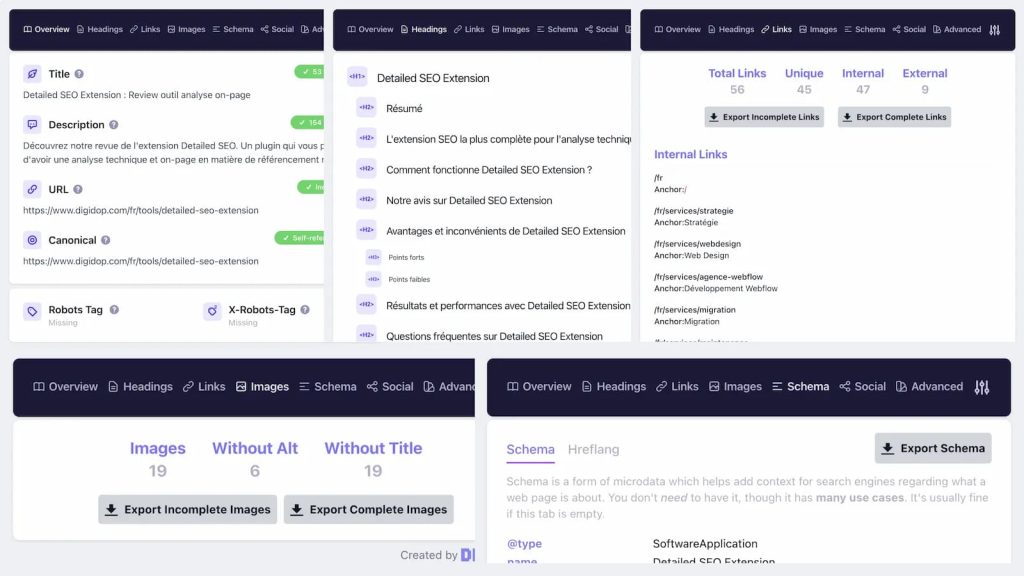
[Image Source: Digidop]
Pros
Let me share what’s remarkable about Detailed:
- Detailed gives instant access to key on-page elements without waiting for a crawl or loading a dashboard. This speed makes it perfect for quick checks, comparisons, and reviewing competitor pages while researching content angles or preparing optimizations.
- The heading structure view is incredibly useful for understanding how competitors organize their content. It helps identify missing subtopics, weak sections, and potential opportunities to create something more complete than what’s already ranking.
- Being able to check schema and hreflang attributes inside the extension saves time. I don’t need separate structured data tools for initial checks, which makes my workflow faster when analyzing international or technical SEO elements.
- The simplicity of the extension is the biggest advantage. It avoids unnecessary features and focuses on essentials, making it a perfect tool to keep open while writing, editing, or reviewing client pages across multiple projects.
Cons
Here are the parts that could slow you down or feel limiting:
- You need to export data to see alt tags, which adds an extra step when auditing image-heavy pages. It’s not a dealbreaker, but it interrupts the otherwise smooth experience of checking everything directly from the extension window.
- The tool is simple by design, but that also means it lacks the deeper data that full audit extensions offer. If you need large reports, historical comparisons, or deeper crawling, you’ll need other tools to complement what Detailed provides.
- Supplementary features are limited compared to full-suite tools. While the extension is great for quick checks, it won’t replace technical crawlers or comprehensive platforms, especially if you need detailed insights beyond the immediate page-level elements.
- If you’re analyzing massive sites or need aggregate data, the extension falls short. It’s built for speed and simplicity, not broad audits, so power users still rely on other tools for deeper technical analysis or multi-page comparisons.
Pricing
Free
Reviews
N/A
8. Best SEO WordPress Plugins
SEO plugins for WordPress do the heavy lifting on technical optimization. They manage your meta data, create XML sitemaps, and help search engines understand your content better. Think of them as your SEO assistant built right into WordPress.
Let me show you the WordPress SEO plugins I trust:
8.1 YoastSEO
YoastSEO started in 2010, created by Joost de Valk, and quickly became the go-to SEO plugin for WordPress users. I remember using it in my early days because it made on-page SEO feel simple.
Over time, it added stronger technical features, clearer recommendations, and a smoother editing experience. Even today, it is one of the most reliable tools for basic SEO on WordPress.
Let me explain more here:
Category
WordPress plugin for simplified SEO management
Who is It for
- Best WordPress plugin for seamless on-page optimization.
- WordPress site owners and beginners who need fundamental on-page and technical SEO assistance.
Ease of Use
Beginner
Best Use Cases
Here is where YoastSEO actually helps me in real, day-to-day WordPress work:
Fixing On-Page SEO While Writing
When I’m writing a blog post inside WordPress, I drop in my focus keyphrase, and Yoast gives me instant SEO and readability scores.
The traffic light colors show what to improve. I tweak titles, descriptions, headings, and keyword placement until the signals turn green.
Improving Readability for Clearer Content
I use the readability tab often. It highlights long sentences, passive voice, and complex structure. Even when I’m writing fast, this helps me clean things up and keep the reading level smooth.
Handling Technical SEO without Extra Tools
Yoast takes care of XML sitemaps, canonicals, schema markup, breadcrumbs, and robot rules. I don’t set anything manually. It’s great for avoiding duplicate content and making sure search engines read the site correctly.
Boosting CTR with Better Snippets
When I’m trying to get more clicks, I use Yoast’s snippet editor. It helps me write better titles and descriptions with the right length. This alone can bump up CTR by a noticeable amount.
Maintaining Site Health with Link Suggestions and Redirects
On larger sites, I like the internal link suggestions and the automatic redirect manager in Premium. When a URL changes or breaks, Yoast catches it and keeps the site clean.
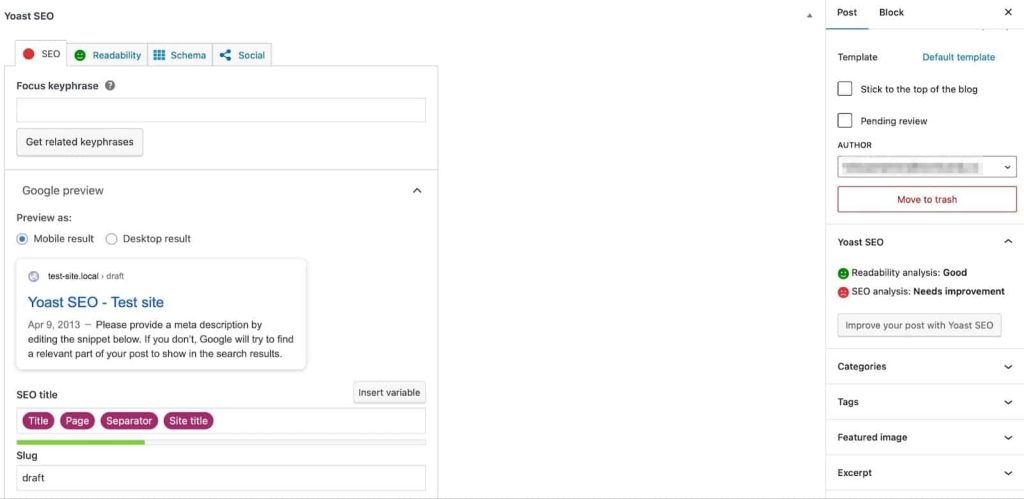
[Image Source: Kinsta]
Pros
Here is what I genuinely like about using YoastSEO on real WordPress projects:
- It gives clear and practical suggestions right inside the WordPress editor as I write. I don’t need extra tabs or tools. The guidance feels simple enough for beginners but is still useful for experienced SEOs.
- It takes care of technical SEO tasks like XML sitemaps, canonicals, and schema markup without me writing a single line of code. This saves a lot of time and prevents easy mistakes that can hurt rankings.
- The snippet preview lets me see exactly how my title and description will appear on both mobile and desktop search results. This helps me craft better snippets that attract clicks and improve overall visibility.
- It removes a lot of guesswork for people who are new to SEO. The traffic light system, simple explanations, and clear action steps make optimization less confusing and more approachable for everyday site owners.
- Even for experienced writers, the readability feedback helps catch issues I might miss. It highlights long sentences, heavy paragraphs, and weak flow, so the final content feels smoother and easier to read.
Cons
Here are the parts that can get in the way or slow me down:
- Some suggestions are too rigid and push you toward a formula that doesn’t always match natural writing. If you follow every rule, the content can start to feel forced instead of conversational.
- Since it’s a plugin, it needs regular updates to stay secure and compatible. If you don’t update your site often, this can create issues or small conflicts with themes and other plugins.
- The scoring system can make people obsess over turning every bullet green, even when the content is already good. This leads to writing for the tool instead of writing for the reader or the search intent.
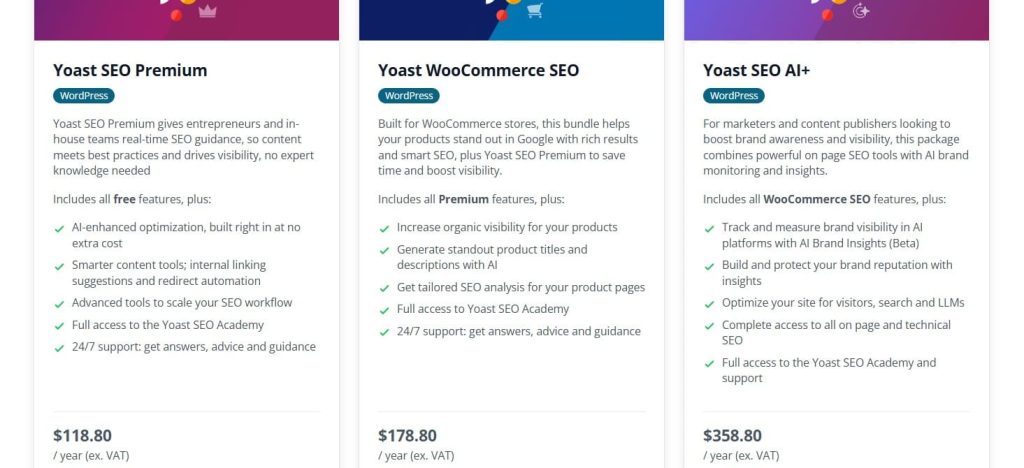
Pricing
- Premium: $118.80/year
- WooCommerce: $178.80/year
- AI+: $358.80/year
Reviews
Capterra: 4.6 out of 5 stars (128+ reviews)
8.2 Rank Math

Rank Math was launched in 2018 (originally as Rank Math SEO), created by MyThemeShop founder Bhanu Ahluwalia and his team. It basically arrived like a rocket with free core features that were previously locked behind Yoast’s paywall.
Today, it’s one of the most powerful (and still mostly free) SEO plugins for WordPress, trusted by over 3 million sites. It does everything Yoast does, usually faster, with more options, and without forcing you to pay for basics.
Let me break it down:
Category
WordPress plugin for SEO management
Who is It for
- Anyone who wants pro-level SEO features without paying a dime (the free version is insane).
- Agencies, power users, and developers who love deep customization and automation.
Ease of Use
Beginner to intermediate
Best Use Cases
Here’s where Rank Math actually shines in my daily WordPress workflow:
One-Click Setup & Import
When I migrate a site from Yoast or All in One SEO, Rank Math imports everything in seconds and even cleans up the mess the old plugin left behind. No duplicate meta tags, no leftover redirects — just clean.
400+ Built-in Schema Types (Free!)
I mark up reviews, recipes, FAQs, how-tos, courses, podcasts — whatever — without touching code or buying expensive add-ons. The schema generator is so good that I rarely use external tools anymore.
Content AI (Built-in AI Writing Assistant)
Inside the editor, it suggests titles, meta descriptions, and even full paragraphs based on your focus keyword and top-ranking competitors. The free version gives you credits every month; the Pro version is basically unlimited. Huge time-saver.
Instant Indexing with Google & Bing
One click sends new/updated URLs straight to Google and Bing via their Indexing APIs. I publish → index in minutes instead of days. Game-changer for news sites or anything time-sensitive.
Advanced Analytics + 404 Monitor + Redirect Manager
Tracks ranking keywords, clicks, impressions, and CTR right inside WordPress. The 404 monitor auto-suggests redirects, and the redirect module is faster and more reliable than any standalone redirect plugin I’ve used.
Role Manager & White-Label Mode
Perfect for agencies to hide Rank Math branding, limit what clients can touch, and make it look like your own in-house tool.
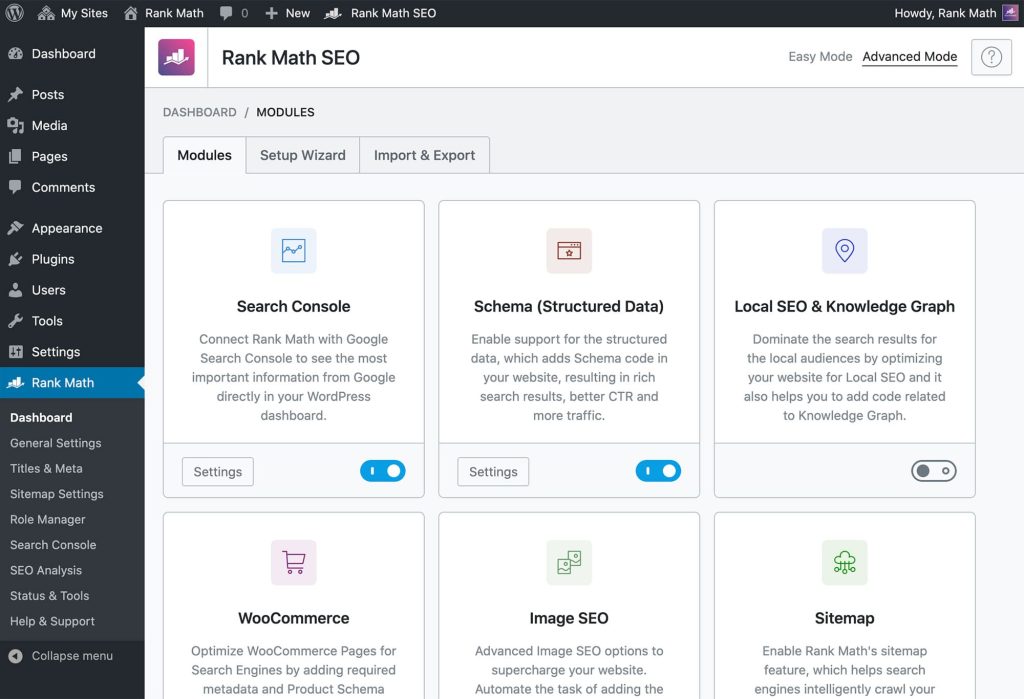
[Image Source: Rank Math]
Pros
Here’s what I genuinely love after using it on dozens of sites:
- Almost everything useful is free. I get rich schema, smart redirects, local SEO blocks, automatic image SEO, internal link manager, all the stuff Yoast locks behind a $119 paywall, and I pay nothing.
- Lightning fast and lightweight. My pages load quicker because Rank Math doesn’t stuff my site with junk code as some other big plugins do. Speed matters, and this one respects it.
- Content AI actually writes for me. It reads the top Google results and spits out solid title ideas, meta descriptions, and even heading suggestions. Beats just getting a red or green light.
- The modular system is genius. I switch off every feature I don’t use, and the plugin shrinks to exactly what I need. Zero bloat, zero slowdown, total control in two clicks.
Cons
Nothing’s perfect. So, here are some imperfections:
- So many options at once can scare total beginners. The settings screen looks busy the first time, but the setup wizard literally holds your hand, and it’s smooth after five minutes.
- Free Content AI credits run out fast if you blog every day. I burn through them in a week sometimes. Pro plan fixes it forever for cheap, but still a small annoyance.

Pricing
- Pro: $4.08/month
- Business: $16.58/month
- Agency: $41.58/month
Reviews
- G2: 4.8 out of 5 stars (111+ reviews)
- Capterra: 4.5 out of 5 stars (52+ reviews)
9. Best SEO Tools for Hot Topics
I turn to these tools whenever I want fresh ideas that people are talking about right now. They help me spot trending topics, new questions, and rising searches before everyone else notices them. I use them to create fast content wins for myself and my clients.
Let me break them down for you:
9.1 Google Trends
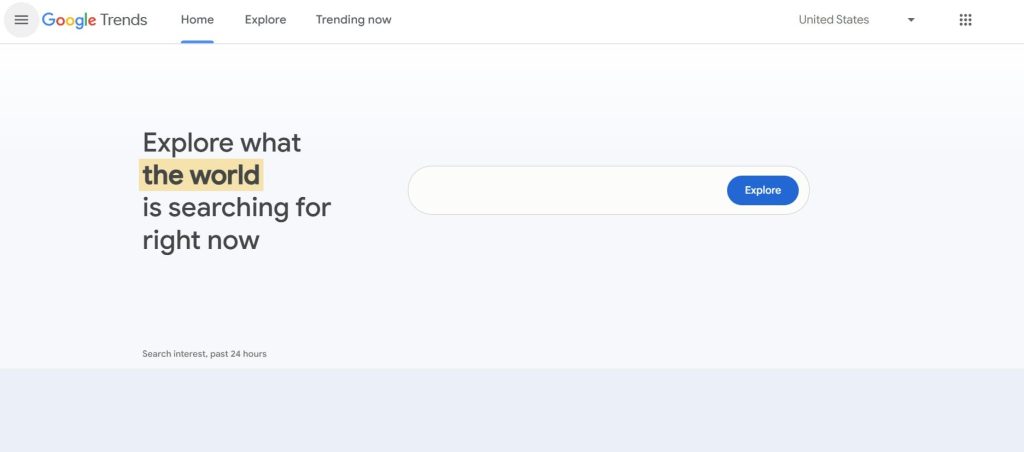
Google Trends was launched in 2006 by the Google team and has been every marketer’s secret weapon ever since. It tracks search interest over time, letting you see what’s trending, compare keyword popularity, and identify seasonal patterns across different regions.
Super simple, shows rising topics in real time, compares keywords, and spots trends before they explode. Honestly, check it daily, and you’ll always stay one step ahead!
Let me demonstrate how this thing worked for me:
Category
- Keyword & topic research
- Best for trend spotting + prioritization
Who is It for
- Content creators and SEO professionals who need to make decisions on which topics to prioritize.
- Marketers who need to track keyword performance over time or identify seasonal trends.
Ease of Use
Beginner to intermediate
Best Use Cases
Here is how I usually use Google Trends when I want timing and momentum on my side:
Spotting Breakout Terms before Everyone Else
I use Google Trends to catch breakout terms like “AI girlfriend” or “perplexity ai” months before they show up in most SEO tools. If I see a line shooting up with a “breakout” label, that goes straight into my ideas list for new content or landing pages.
Planning Seasonal Content with Better Timing
For things like “black friday deals,” “Christmas gifts,” or “Halloween costumes,” I look at the historical graph to see exactly when interest peaks each year.
That tells me when to publish or refresh content so I am live 2 – 4 weeks before the spike, instead of hitting publish when everyone else does.
Comparing Demand by Region
If I am working on local SEO, I compare terms across cities, states, or countries. For example, I might compare the “tattoo shops” interest in Texas versus Florida. That helps me decide which locations to prioritize for new pages, Google Business Profile pushes, or local campaigns.
Building Topic Clusters from Related Queries
I love the “related queries” list. I grab the top related terms and use them as subtopics, FAQ questions, or supporting articles. It is an easy way to build small topic clusters that reflect how people naturally move around a subject.
Cross-Checking Trend Tools and Social Hype
If I see a trend on TikTok, X, or tools like Exploding Topics, I always run it through Google Trends as a sanity check.
If the trend graph shows a clear rise and “breakout” style growth, I know it is worth more serious attention. If the line is flat, I might treat it as a fad and not overinvest.
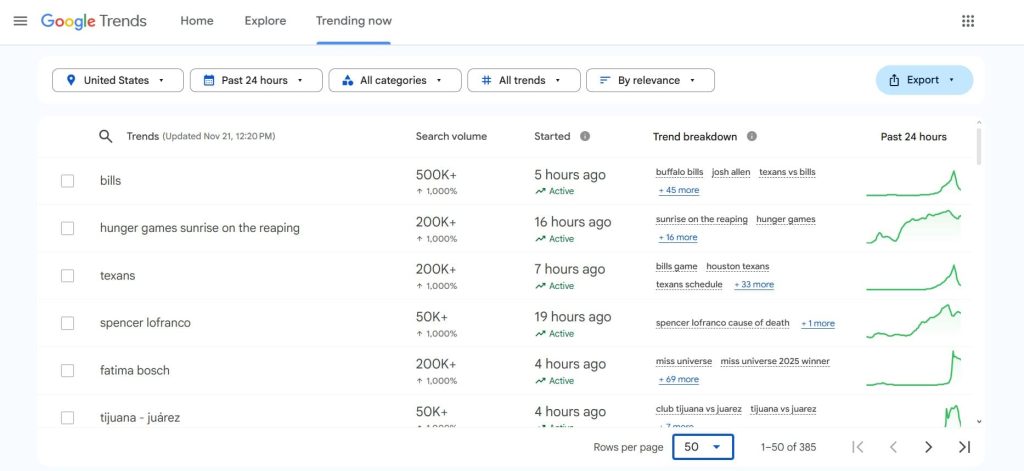
Pros
This is what makes Google Trends so valuable to me:
- It gives real-time and historical insight into popularity, not just static monthly numbers. That is incredibly helpful for spotting new topics, avoiding dying ones, and timing seasonal content correctly.
- The visual graphs are very easy to understand, even for non-SEOs. I can show a graph to a founder or stakeholder, and they instantly get why a topic is worth chasing or why another one is fading.
- It is also perfect for comparing relative interest between topics and regions. That helps with prioritization when you have a long list of ideas but limited resources.
Cons
There are a few limits you need to keep in mind:
- Google Trends does not give exact search volumes. Everything is relative. So you still need other tools (or Keyword Planner) if you want to know whether a topic gets 1,000 or 100,000 searches per month.
- It is based on historical search behavior, not deep predictive modeling. You can infer where a trend is going, but it is not going to give you the same “future forecast” style output as dedicated trend prediction tools.
- Used alone, it can also tempt you to chase only “spiky” topics and ignore solid, evergreen keywords. You need to balance both.
Pricing
Free
Reviews
N/A
9.2 Exploding Topics
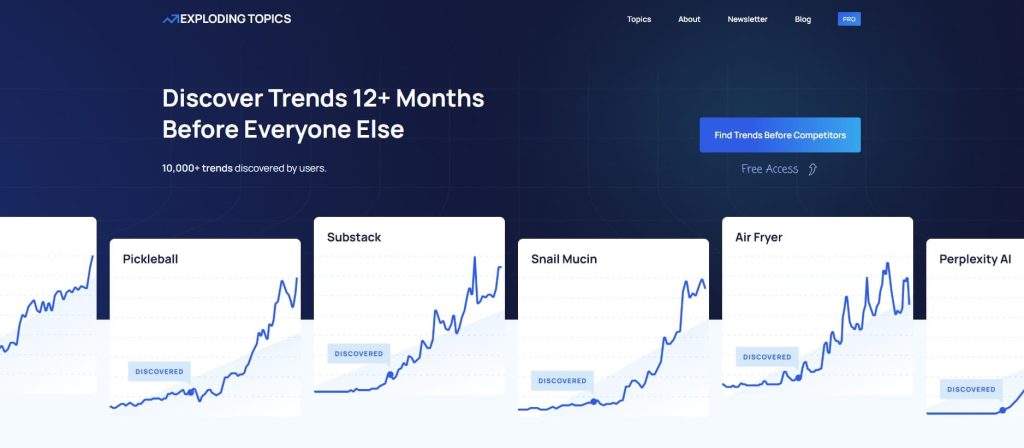
Exploding Topics was founded in 2017 by Brian Dean (yes, the Backlinko guy) and Josh Howarth to help marketers spot trends before they blow up.
They were tired of finding opportunities too late, so they built a tool that surfaces rapidly growing topics and keywords across the web.
What makes it valuable is how it catches trends in the early stages, giving you a real head start on content that can rank fast and capture traffic.
Let’s see how this plays out in action:
Category
- Identifies rising trends before they peak
- Trend discovery and market research tool
- Keyword & topic research
Who is It for
- Best for identifying emerging trends early.
- Growing companies needing to spot market trends quickly to gain authority before saturation.
- Content creators who are looking to find high-potential topics.
Ease of Use
Intermediate
Best Use Cases
Let me show you how I actually use Exploding Topics when I’m working on real projects:
Finding Emerging Topics 6–12 Months Early
When I want to know what people will care about in six to twelve months, I browse the trend lists and apply filters. I look for topics with strong, steady growth rather than wild spikes. Those become my early bets for content, products, or landing pages.
Planning Pillar Pages around Metatrends
Exploding Topics groups related trends into categories and metatrends. I use those groups as the basis for pillar pages and supporting content clusters. Instead of guessing how topics fit together, I let the trend data show me which ideas live in the same “universe.”
Refreshing Old Content with Rising Keywords
When I see a trend that matches an older article, I update that piece to include the new term and angle. This is an easy way to breathe new life into existing content and ride the wave of a rising topic without starting from scratch.
Idea Hunting for Thought Leadership and Listicles
If I am writing thought leadership, “future of X” pieces, or list posts like “fast growing startups in Y space,” I pull ideas from the database. It is a quick way to make sure I am talking about things that are actually growing, not just buzzwords I like.
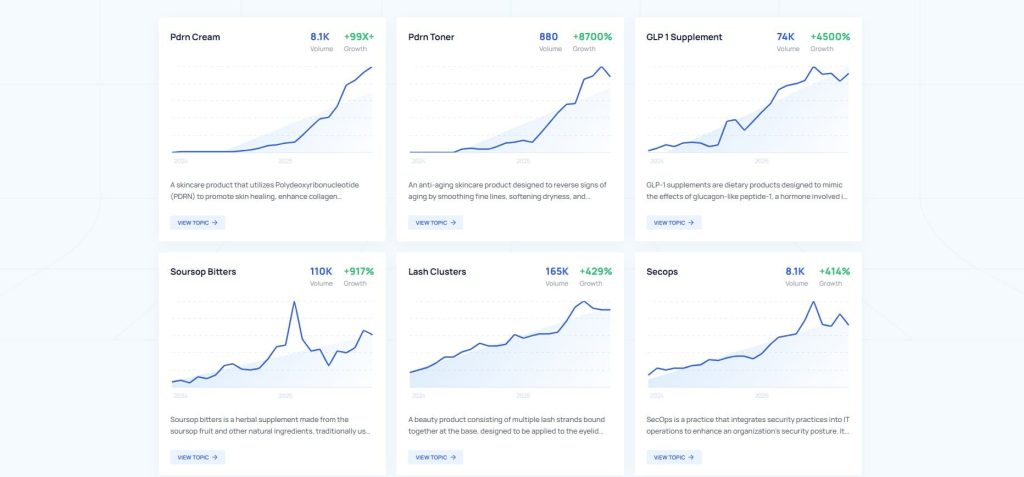
Pros
Here is what I like most about Exploding Topics:
- It focuses on future demand, which most standard keyword tools are not great at. Being six to twelve months early on a topic can make a huge difference in rankings and brand authority.
- It does more than just look at search data. It also watches social media buzz and investment trends, which gives a broader view of whether something is a short fad or a real market shift.
- The long-term forecast view is helpful when I am deciding whether to commit serious resources. If the curve looks like a one-time spike, I treat it as a quick hit. If it shows steady growth over the years, I treat it as a pillar opportunity.
Cons
There are some clear limits you should know about:
- Exploding Topics is not a full keyword research suite. It will not replace tools like Ahrefs, Semrush, or Google Keyword Planner when you need detailed search volume, difficulty scores, and SERP analysis. You almost always pair it with other software.
- Some of the more advanced features, especially around trend prediction and deeper data, are locked behind higher-priced annual plans. That can feel steep if you are a solo creator or a very small team.
- If you only work on stable, evergreen niches and never chase new trends, you will not get as much value out of it. This tool shines when you care about being early.
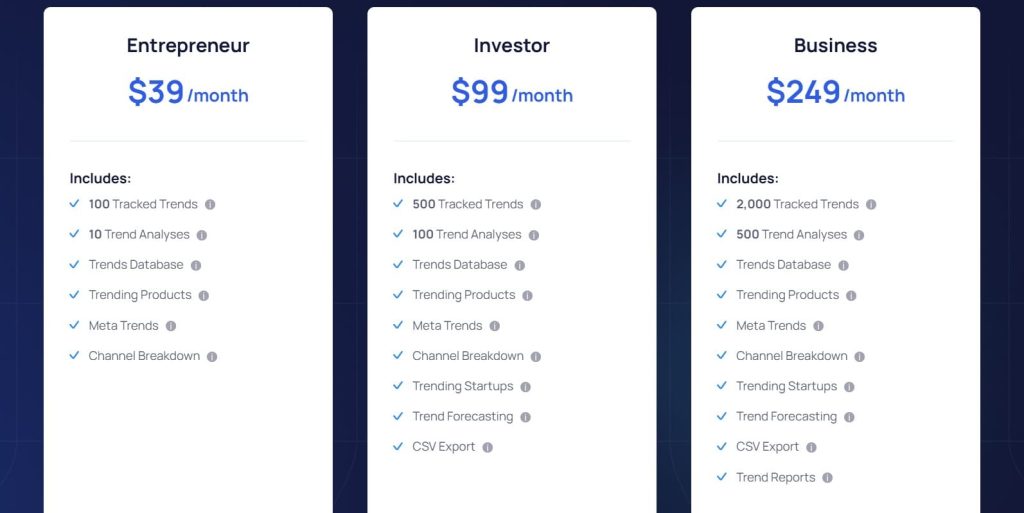
Pricing
- 7-day free trial
- Entrepreneur: $39/month
- Investor: $99/month
- Business: $249/month
Reviews
N/A
10. Best SEO Tool for Local SEO
I use this tool whenever I want to boost a client’s visibility in their local area. Local SEO works differently, so you need something that shows real map results, local intent, and nearby competitors.
I’ll show you exactly what I mean:
10.1 BrightLocal
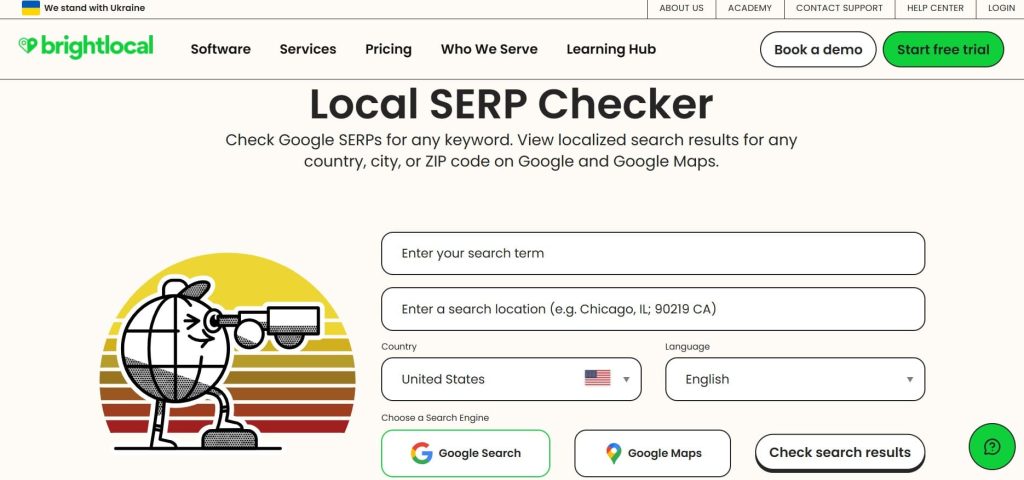
I first came across BrightLocal years ago when local SEO felt like a puzzle. It was founded in 2009 by Myles Anderson.
Since then, it has grown into a trusted name for local tracking, citations, and reviews. It has helped thousands of SEOs, agencies, and brands understand map rankings with clearer data and less stress.
Here’s a look at how it functions:
Category
- Local rank tracking & citation management
- Reputation platform
Who is It for
- Agencies/multi-location brands
- Local businesses/franchises
Ease of Use
Beginner
Best Use Cases
These are the moments where BrightLocal quietly does the heavy lifting for you:
Local Rank Tracking with Grid Heatmaps
BrightLocal checks your rankings every day across Google, Bing, and Apple Maps. The grid view shows how you rank across nearby zip codes in a clear 3×3 to 9×9 layout.
This helps you see where your proximity drops and where you can push harder. Multi-location brands use it to track hundreds of sites with consistent accuracy.
Citation Building and NAP Consistency
The tool scans hundreds of directories and highlights every mismatch in your business info. You can approve fixes or order new citations at a low cost. This improves trust signals and helps rankings lift over time. Agencies love it because they can scale without monthly commitments.
Reputation Management and Review Generation
BrightLocal collects reviews from Google, Facebook, and Yelp in one place. You can respond fast and set up SMS, email, or QR requests to get more reviews.
Strong ratings help push higher map positions. Sentiment data also helps you understand how customers view your brand.
Full Local Audits and White Label Reports
The audit checks over three hundred factors, including on-site SEO, links, citations, and GBP settings. You can export branded PDFs or dashboards. Agencies often use these as lead tools and proof of progress. It shows gaps in a way clients actually understand.
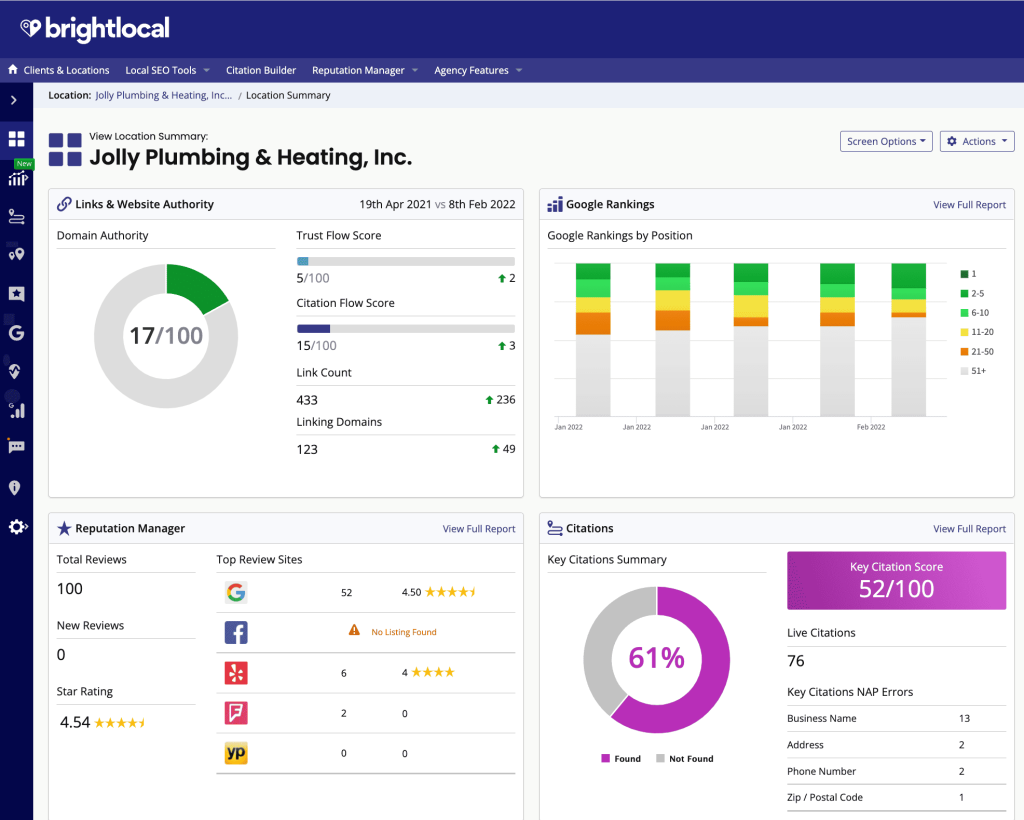
[Image Source: Capterra]
Pros
These are the parts that make me keep BrightLocal in my toolbox:
- It does the main local SEO jobs without a heavy price. Rank tracking, citations, and reviews all live in one place. It is simple to use and dependable. For agencies and solo SEOs, the value feels strong.
- Their support answers fast, and they know what they are doing. The data feels more accurate than many bigger SEO tools. Their training materials help new team members learn fast. You can tell the people behind it understand real client work.
Cons
No tool is perfect. These are the parts that sometimes slow me down:
- The design feels old. Some reports load slowly. I click more than I want to. When I manage many locations, this becomes noticeable. It works, but it does not feel modern.
- Citations and review tools need extra credits. If I run many locations, it can cross one hundred dollars a month. It is still affordable, but you need to plan for it. The add-ons can surprise you at first.
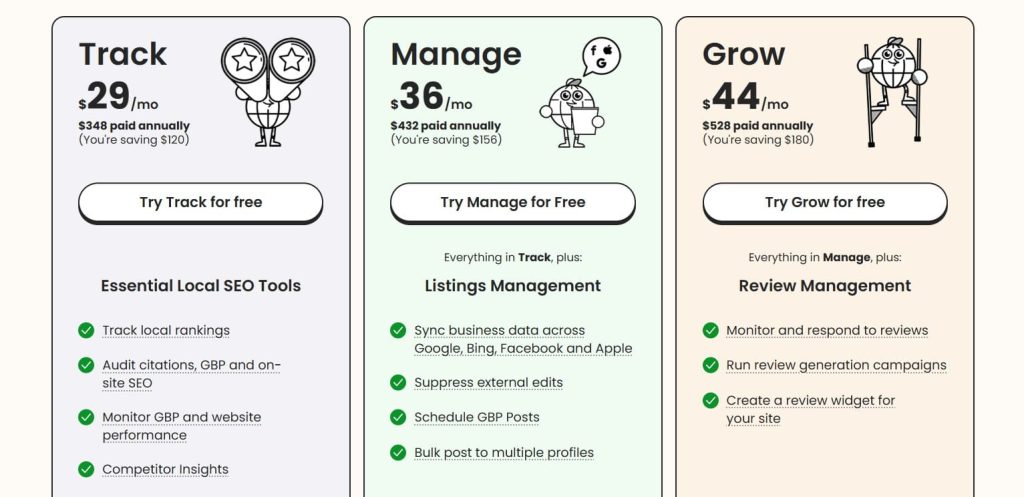
Pricing
- 14-day free access
- Track: $29/month
- Manage: $36/month
- Grow: $44/month
Reviews
- G2: 4.6/5 (227+ reviews)
- Capterra: 4.8/5 (278+ reviews)
11. Best SEO Tools for AI Assistance
I’m pretty much using these AI tools daily at this point. They’ve genuinely made my work easier. Writing goes faster, planning gets smarter, and I can clarify my ideas without spinning my wheels.
Let me tell you more about them:
11.1 ChatGPT

I started using ChatGPT soon after OpenAI launched it in late 2022, and it genuinely transformed the way I work almost overnight.
Built by the OpenAI team, it’s an AI chatbot that can understand and generate human-like text on pretty much any topic — answering questions, drafting emails, brainstorming ideas, writing code, and a lot more.
I’ve leaned on it constantly for SEO strategies, content creation, trip planning, and untangling problems that used to eat up hours of my day.
With that quick overview out of the way, here’s a deeper look at what the tool can actually do:
Category
- AI assistant
- Brainstorming SEO strategies
- Content optimization
Who is It for
- Best for brainstorming SEO ideas and refining strategies.
- SEO professionals for troubleshooting complex technical or strategic problems.
- Content teams that need rapid ideation and drafting assistance.
Ease of Use
Beginner
Best Use Cases
Check out how ChatGPT becomes the quiet partner who fills the gaps in your thinking:
Brainstorming SEO Strategies
I use ChatGPT when I need fresh ideas fast. It turns vague thoughts into clear next steps. I can talk through any SEO plan, and it helps me map everything out. When I feel mentally blocked, it clears the fog.
Content Optimization and AI Assistants
I rely on it to rewrite drafts, simplify topics, or shape full outlines. It improves tone, fixes structure, and keeps my writing smooth. Content teams can move much faster with it. It feels like having a calm editor who never gets tired.
Keyword Research Guidance
I drop huge keyword lists into ChatGPT, and it sorts them with clear logic. It highlights patterns, clusters, and targets worth focusing on. It helps me understand intent and opportunity quickly. It makes early research feel less overwhelming.
Technical Troubleshooting for SEO
When something breaks, I often ask ChatGPT first. It explains issues in simple steps and helps me narrow down the cause. It is not perfect, but it saves time before diving into deeper audits. It gives me a sense of direction before things get messy.
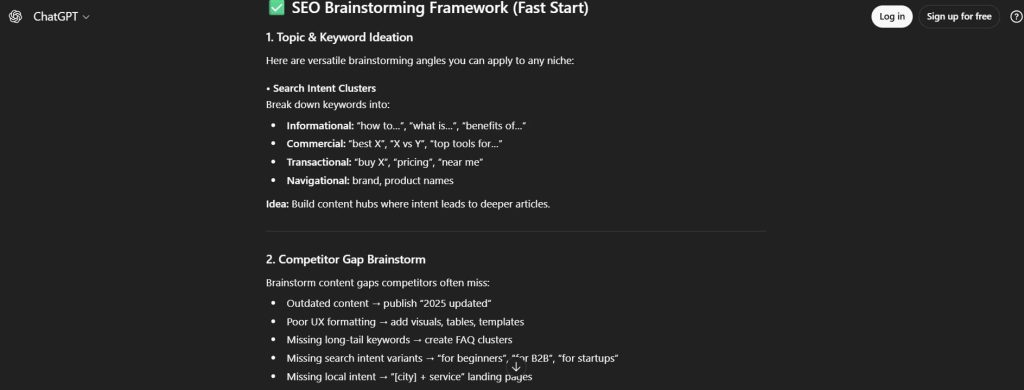
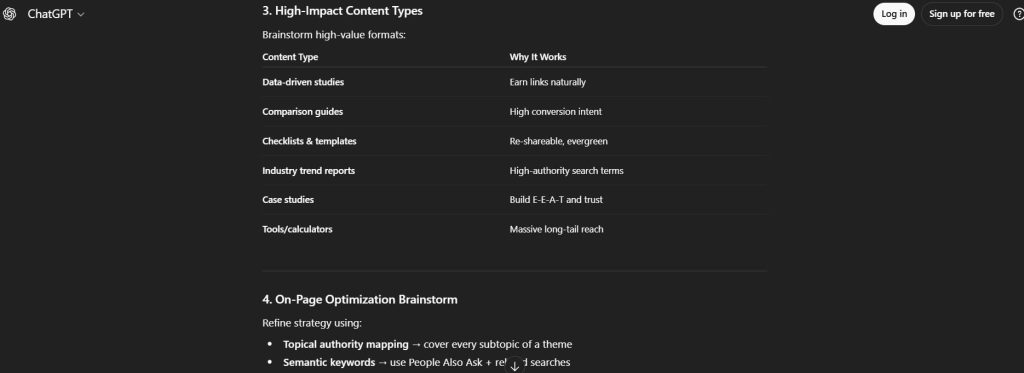
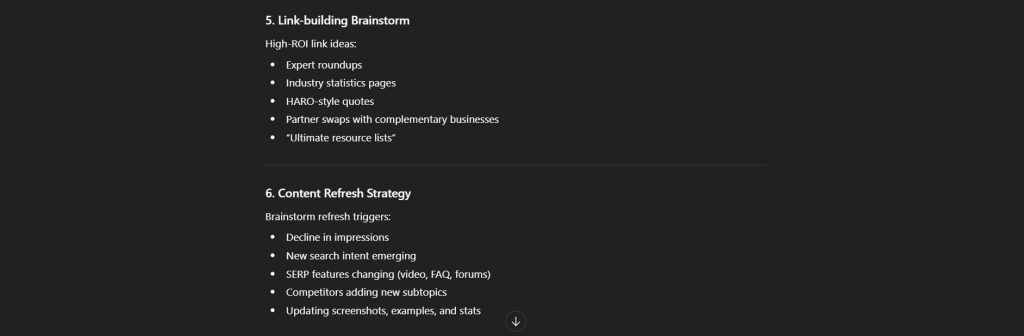
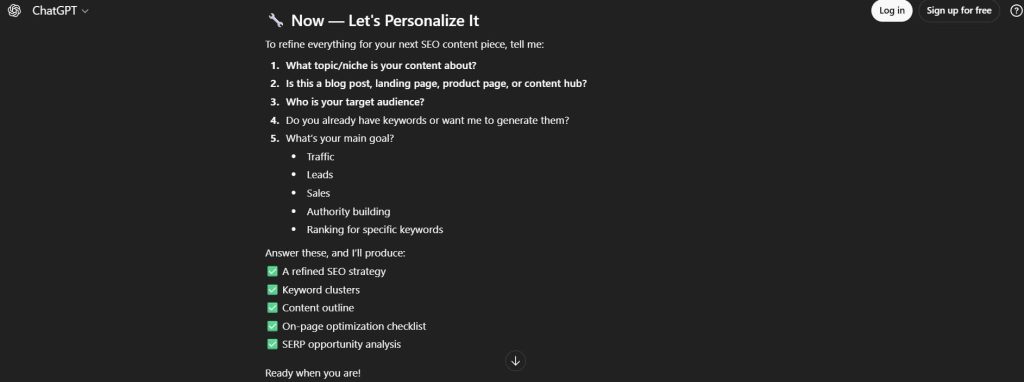
Pros
These are the parts I love and rely on every day:
- ChatGPT helps me brainstorm, rewrite, plan, and think faster. I can use it for simple tasks or deep strategy work. It removes mental friction and keeps projects moving when deadlines get tight. It feels like having a second brain on standby.
- I can dump random notes, voice ideas, or half-finished plans. It sorts everything and turns it into something clear. This saves me from overthinking and helps me move quickly. It clears chaos in seconds.
- The price is low compared to the time it saves. It makes content creation, SEO planning, and problem-solving much faster. It is one of the highest ROI tools I’ve used. It pays for itself with a single day of work saved.
Cons
Even my favorite tools have rough edges.
- If I ask simple questions, the responses can feel light. I need to ask better, more specific prompts to get deeper answers. It is still great, but not magic.
- ChatGPT cannot replace rank tracking or backlink audits. I still need other tools for those. It helps with thinking and planning, not with deep data.
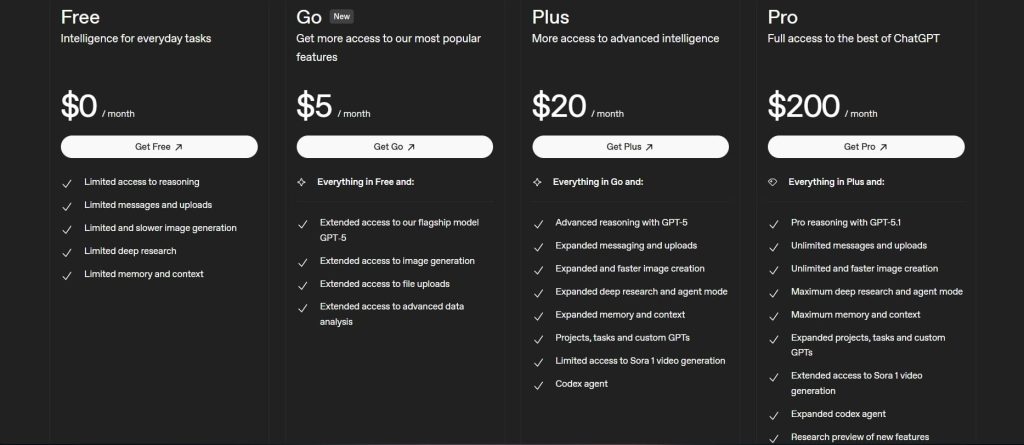
Pricing
- Personal:
– Go: $5/month
– Plus: $20/month
– Pro: $200/month
Reviews
- G2: 4.7 out of 5 stars (1,075+ reviews)
- Capterra: 4.5 out of 5 stars (272+ reviews)
11.2 Claude
Claude was developed by Anthropic and launched in 2023 as a competitor to other AI models like GPT. It handles everything from content writing and research to coding and analysis, generating human-like text that’s built to be helpful, accurate, and safe.
I’ve been using it constantly for refining long-form content and editing. It keeps context over long conversations and delivers clean, grammatically tight text without the usual AI quirks.
Here’s why it’s become my go-to writing partner:
Category
- AI assistant
- Content proofreading & optimization
Who is It for
- Best for content proofreading and editing workflows.
- Content creators and marketers who need to improve writing quality, grammar, and sentence structure coherently.
Ease of Use
Beginner
Best Use Cases
These are the ways Claude adds value to my SEO workflow:
Content Proofreading and Editing Workflows
When I need to refine long articles or blogs, Claude’s editing capabilities make it a breeze. It’s fast and accurate, transforming rough drafts into polished pieces. It’s like having a professional editor working alongside me without the extra cost.
Semantic Keyword Clustering and Intent Analysis
I upload massive keyword lists from Semrush or Ahrefs, and Claude organizes them into meaningful clusters. It analyzes the intent, helping me identify low-competition, high-volume keywords faster. It’s perfect for creating effective topical maps.
Competitive Analysis and SERP Brief Generation
Claude pulls data from competitors’ top-ranking pages and uncovers gaps. It generates detailed, intent-driven briefs that hit on all the right angles. Using it has helped me target featured snippets and climb SERPs quickly.
On-Page SEO Optimization and Content Rewriting
When I need to tweak content for E-E-A-T or readability, Claude flags technical issues and rewrites sections to improve performance. It’s like having an SEO expert reviewing every article I publish. I’ve seen readability scores increase by 20-30% after using it.
Workflow Automation for Content Production
Claude speeds up content production by suggesting links, generating new content, and optimizing existing articles. It replaces expensive tools like Ahrefs or Surfer for a fraction of the cost. It’s saved me countless hours on content creation.
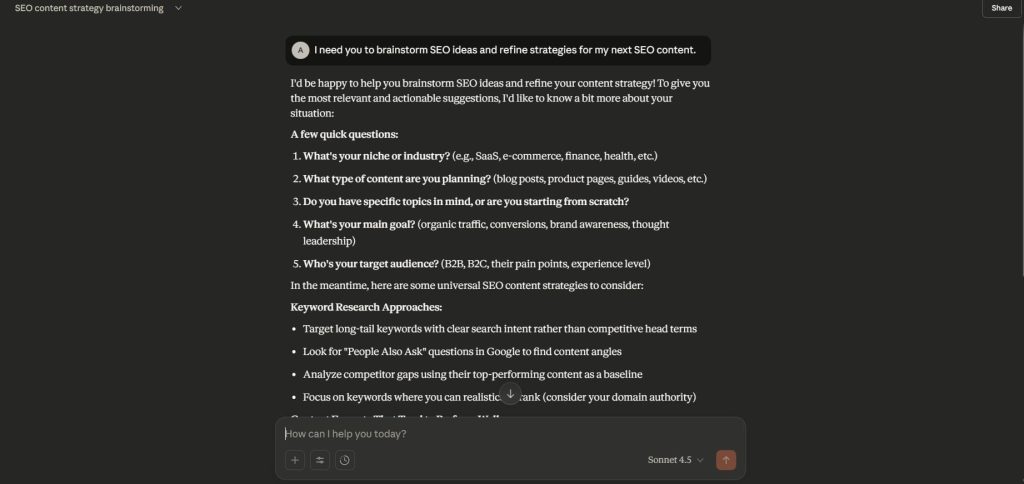
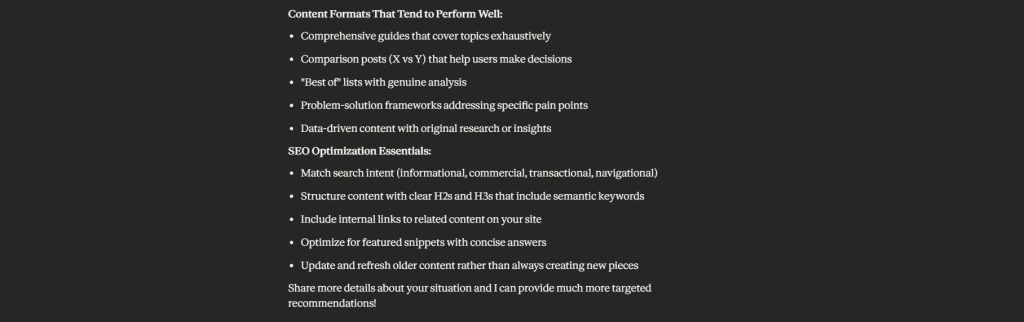
Pros
Here’s what I love most about Claude:
- Claude is one of the best for improving content clarity and structure. I trust it to refine my writing, making sure it’s polished without requiring hours of manual work.
- For long, complex SEO discussions or content refinement, Claude remembers key details, helping me maintain the focus I need. It doesn’t lose track of the bigger picture.
- Claude helps me save a lot on editing and content creation tools. For the price, it offers massive value, especially for anyone looking to streamline content workflows.
Cons
Here are a few areas where Claude could improve:
- Despite the power it offers, Claude has strict limits on conversation length, even on the paid plan. It can feel restrictive for long-term projects. It’s a bit of a hurdle when working on massive, ongoing tasks.
- While Claude is a great writing assistant, it doesn’t provide core SEO tools like backlink analysis or rank tracking. I still rely on other platforms for those. It’s best used alongside SEO-specific tools for full functionality.
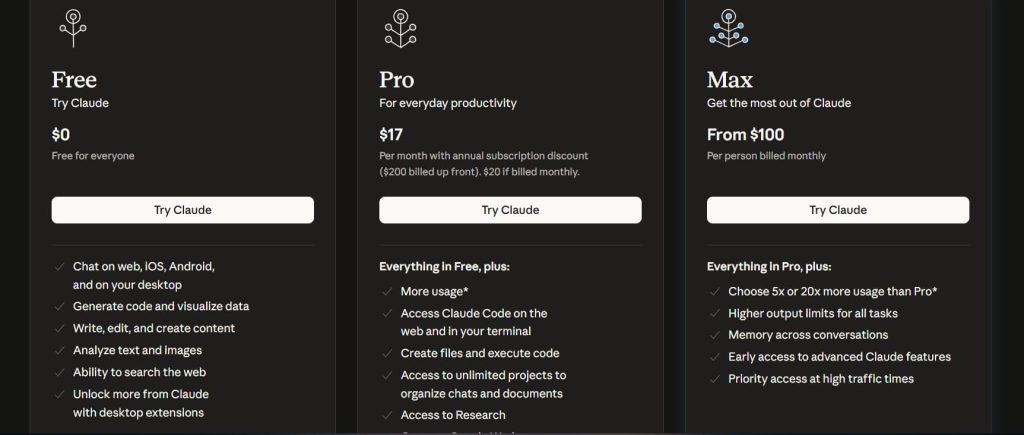
Pricing
- Free
- Pro: $17/month
- Max: $100/month
Reviews
- G2: 4.4 out of 5 stars (66+ reviews)
- Capterra: 4.6 out of 5 stars (24+ reviews)
12. Best SEO Tool for Automation
I use this automation tool whenever I want to save time and cut out the boring tasks. It handles the repetitive work for me, so I can stay focused on strategy and creativity. It has saved me hundreds of hours and a lot of stress.
Here is the tool I actually use to automate the boring stuff so I can focus on strategy:
12.1 AirOps
I came across AirOps while exploring tools to scale SEO workflows. It basically automates your content creation by using AI to pump out SEO articles and publish them straight to your CMS. It integrates powerful AI writing capabilities with platforms like Webflow and Shopify.
Let me show you what it can actually do for your content pipeline:
Category
- SEO workflow automation tool
- Content optimization
- AI assistant
Who is It for
Advanced SEO professionals, agencies, and enterprise teams that are scaling content production and automating complex workflows.
Ease of Use
Advanced
Best Use Cases
Here’s where I’ve seen AirOps truly excel in real projects:
Content Automation and Scaling
AirOps shines when it comes to scaling content production. You can use its AI writer to generate SEO-optimized blogs and articles, and the tool automatically pushes content to your CMS. It’s a huge time-saver for agencies and enterprise teams producing high volumes of content.
SEO Workflow Automation
By integrating with tools like Semrush, AirOps helps automate workflows like updating old pages and optimizing for new SEO insights. I’ve used it to refresh content and make updates in bulk, saving hours of manual work.
CMS Integration for Direct Publishing
When you’re working with platforms like Webflow or Shopify, AirOps lets you create and publish pages directly from the tool. This seamless integration cuts out unnecessary steps and accelerates the publishing process, especially for larger projects.
Long-Tail Page Generation
One feature I love is the ability to create thousands of long-tail pages from a product catalog. The tool automatically optimizes metas, alt text, and more. This is perfect for e-commerce sites that need a ton of pages without a ton of effort.
Brand Consistency and Review Checkpoints
I’ve used AirOps to set up brand kits that enforce voice consistency across content. With automated review checkpoints, it ensures content stays on-brand and is optimized before hitting publish.
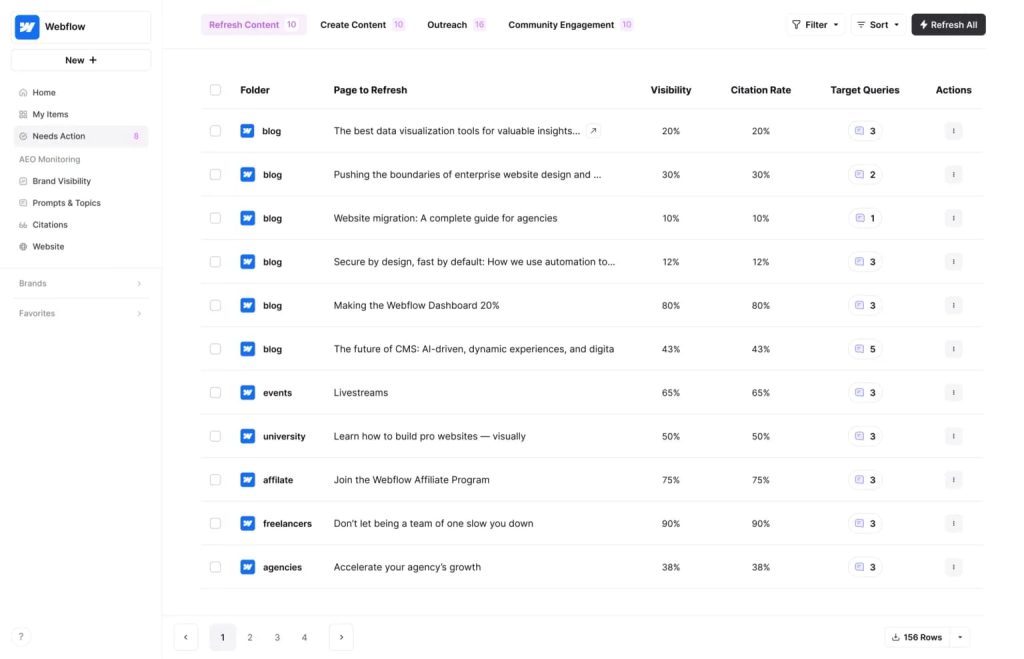
[Image Source: GetMint]
Pros
Here’s why I love AirOps:
- AirOps handles large-scale content creation with ease. It automates the writing process and pushes content directly to your CMS, saving massive amounts of time.
- Direct publishing from AirOps to Webflow or Shopify is a game-changer. It cuts out unnecessary steps and speeds up the entire content production cycle.
- With access to multiple AI models, AirOps gives me the flexibility to choose the best one for any task, whether it’s content generation or optimization.
Cons
Like any tool, AirOps has a few limitations:
- The complexity of setting up workflows and automating tasks requires a solid understanding of SEO and automation. It’s not the easiest tool for beginners to dive into.
- AirOps uses a credit-based pricing model, which can make it harder to predict costs, especially for enterprises. The pricing structure is customized based on needs.
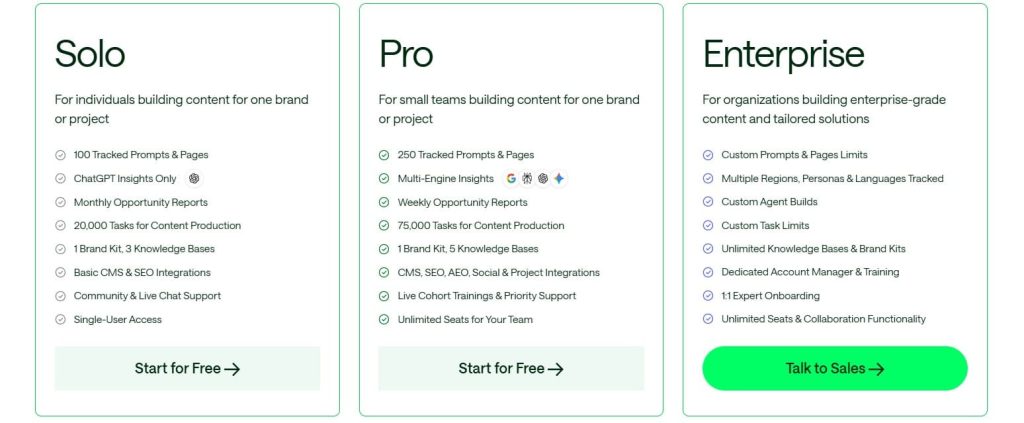
Pricing
- 14-day free trial
- Solo/Pro/Enterprise: Custom pricing
Reviews
G2: 4.8 out of 5 stars (41+ reviews)
13. Best SEO Tool for Site Building
I use this tool whenever I’m building a site and want to get the SEO right from the start. It helps me set things up clean, fast, and in a way that search engines love. It keeps the whole process simple and stress free for me.
Here’s the tool I trust for that:
13.1 Webflow
I first started using Webflow when I needed a more powerful CMS and site-building tool for client projects. Founded in 2013 by Vlad Magdalin and his team, Webflow revolutionized the way I build sites.
It’s a simple drag-and-drop tool that creates real, responsive sites with custom designs, animations, and a built-in CMS.
Here’s why it quickly became my favorite:
Category
- No-code website builder
- Enterprise CMS with native hosting
Who is It for
- Agencies/designers building high-performance sites.
- Marketing teams that are tired of WP vulnerabilities.
- Enterprises (IDEO, Upwork) needing 100% uptime + GEO-ready hosting.
- Intermediate users scaling programmatic SEO.
Ease of Use
Intermediate
Best Use Cases
Here’s where I’ve seen Webflow truly stand out in my real projects:
Lightning-Fast, SEO-Optimized Sites without Plugins
Webflow automatically generates clean HTML, XML sitemaps, robots.txt, and schema markup without any plugins.
It’s perfect for launching enterprise sites without the bloat of plugins like Yoast or RankMath. It’s the speed and efficiency I’ve always needed.
Programmatic SEO & Dynamic Content at Scale
Webflow allows for dynamic content creation through its CMS collections and logic. I’ve used it to auto-generate thousands of pages, making it a game-changer for e-commerce and large-scale SEO projects.
Enterprise Migrations & Core Web Vitals Dominance
Webflow’s edge caching and CDN ensure 99.99% uptime and fast page loads, even for large sites. I’ve migrated clients from WordPress and seen 40-70% faster page speeds and better Core Web Vitals.
Designer-Controlled On-Page SEO
Webflow gives designers control over on-page SEO, from meta tags to structured data, directly through the visual editor. It’s great for agencies, like mine, that want full creative control and quick changes.

Pros
Here’s why I rely on Webflow and what I love about it:
- Webflow’s built-in SEO features mean I don’t need additional plugins, making it faster and more efficient for high-performance sites.
- The visual editor is intuitive and gives me the flexibility to design sites without writing tons of code. I can quickly make changes and see the results in real time.
- With Webflow, I can manage everything from meta tags to structured data through the visual editor, making SEO tasks smoother and faster for designers and developers.
Cons
Like any tool, Webflow has a few limitations.
- Migrating from Webflow to another platform can be tricky, especially if you have a large site with a complex CMS setup. The lock-in can make migration time-consuming and costly.
- While Webflow’s visual editor is great for beginners, more advanced features like custom logic and programmatic SEO can be challenging for non-developers.
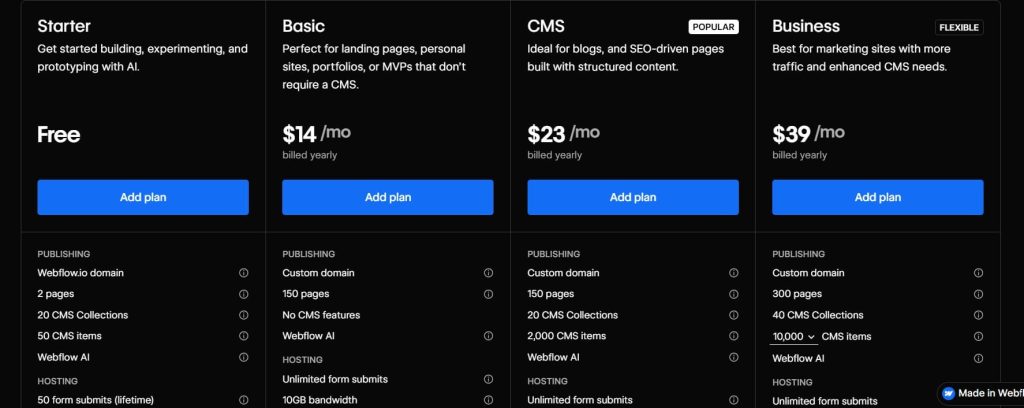
Pricing
- Free
- Basic: $14/month
- CMS: $23/month
- Business: $39/month
Reviews
- G2: 4.4/5 (947+ reviews)
- Capterra: 4.5/5 (263+ reviews)
Conclusion
I’ve tested hundreds of search engine optimization tools over the years. These 30 are the ones I’ve actually used. They’ve helped me grow my own site, scale client projects, and honestly just make my work easier.
Whether you’re just starting out or you’ve been doing SEO for years, these SEO analytics tools will genuinely move the needle.
My advice? Pick a few that match where you’re at right now. Test them out. See what clicks with your workflow. It’s your turn to put them to work!