
A plumbing answering service can cost as little as $29 a month. Another one bills only when a call turns into a booked job.
The gap comes from the billing unit. Three services sell plans with a set monthly price. One bills for agent talk time, and one bills per booked appointment. The last one asks for a quote.
Six of the 19 services we screened made the ranked list. Each one documents how emergencies reach your on-call plumber and how bookings reach your job software.
A burst pipe and a drain-clog booking need different handling, so the ranking weighs both. It also weighs price, setup and security.
We score each service out of 100 from what its own vendor pages state. The top two sit 1.4 points apart, so compare their reviews side by side.
Our top picks
Plumbing answering service options to shortlist first are byVoice, OnCrew and Ainora. byVoice suits owners who want low published prices and a clear gas and sewage handoff. OnCrew suits owners who want fast setup and a low entry price. Ainora suits shops that want strong call handling with on-call alerts by phone, text or app.
- byVoice is best for low published prices with a clear emergency handoff. Its entry plan costs $29 a month for 150 minutes.
- OnCrew is best for fast setup and a low entry price. Its Starter plan costs $49 a month for 250 minutes.
- Ainora is best for strong core call handling. Core capabilities scored 14 of 15.
- Allcity is best for live agents tied to named field-service software. Its Flex plan costs $39 a month.
Prices are entry-plan, in US dollars, checked November 23, 2026. Scores are out of 100, and two more services sit below with their own reviews. How we scored them.
Quick comparison table
| Provider | Best for | Entry price and billing | Type | Key capability | Main trade-off | Our rating |
|---|---|---|---|---|---|---|
| 1. byVoice | Low published prices with a clear emergency handoff | Starter $29/month for 150 minutes | AI with human handover | Pricing and value 6 of 6 | Integrations and workflows 10 of 15 | 80.3 / 100 |
| 2. OnCrew | Fast setup and a low entry price | Starter $49/month for 250 minutes | AI | Setup and support 10 of 10 | Industry and audience fit 17 of 25 | 78.9 / 100 |
| 3. Ainora | Strong core call handling | No price published; quote request | AI | Core capabilities 14 of 15 | Pricing and value 0 of 6 | 63.2 / 100 |
| 4. Allcity | Live agents tied to named field-service software | Flex $39/month, no minimum minutes | Live agents | Core capabilities 12 of 15 | Industry and audience fit 11 of 25 | 61.8 / 100 |
| 5. Unicom | Talk-time billing with no contract | No rates published; billed on agent talk time | Live agents | Core capabilities 11 of 15 | Security and transparency 2 of 5 | 60.5 / 100 |
| 6. Plumbline | Paying only for booked jobs | No plans; billed per booked appointment | Live agents | Integrations and workflows 9 of 15 | Pricing and value 0 of 6 | 40.8 / 100 |
Table note: Prices were checked on November 23, 2026, and exclude taxes. Ratings are out of 100 and do not compare with scores in other guides. Gaps under 1.3 points are ties, and gaps of 1.3 to 3.9 points are small.
What is a plumbing answering service?
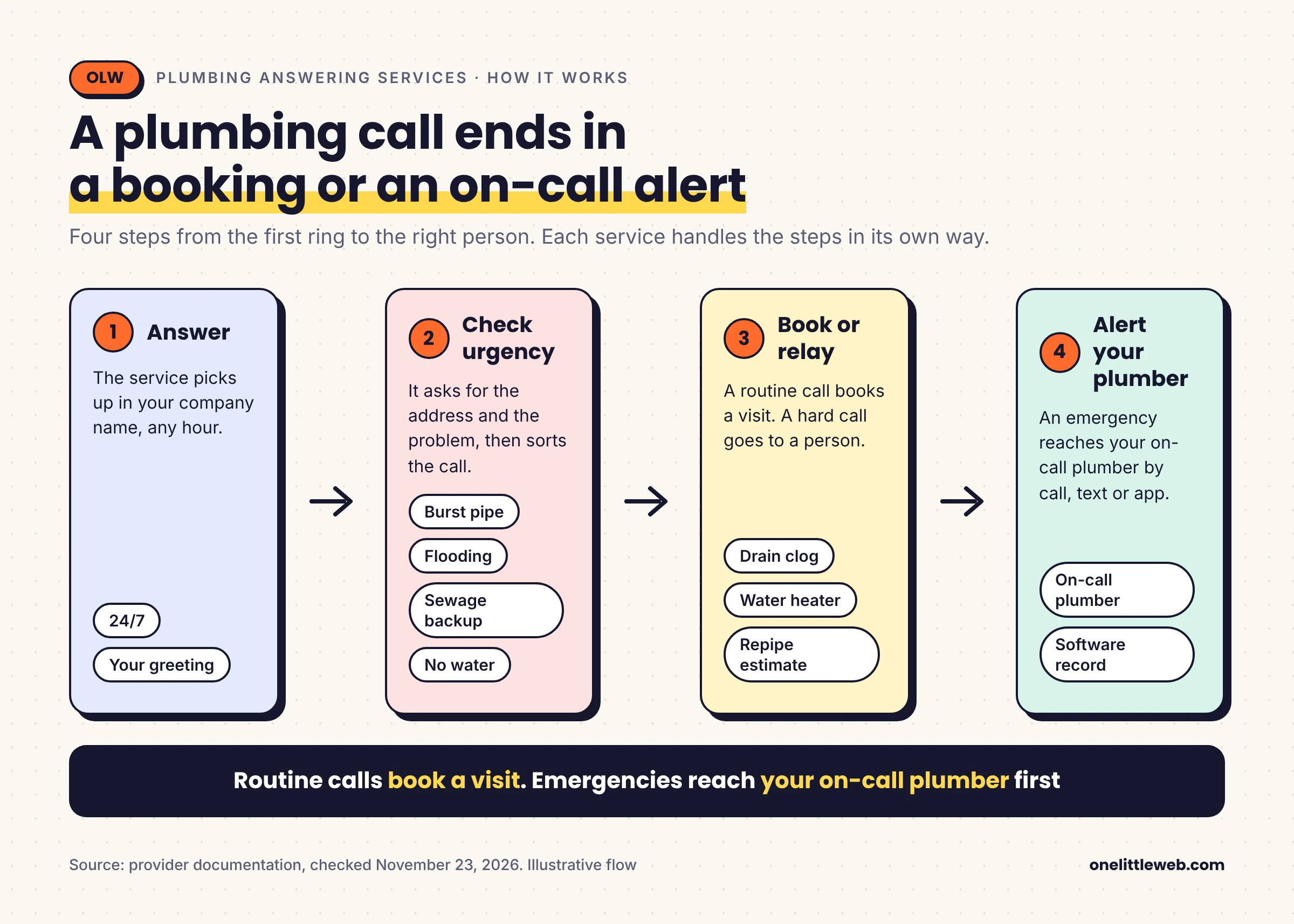
A plumbing answering service answers your company’s calls and sends each one where your rules say. A drain-clog call may become a booked visit. A burst pipe becomes an alert to your on-call plumber.
Services come in three kinds. An AI service answers with a voice agent. A hybrid starts with AI and hands hard calls to a person. A live service uses human agents only.
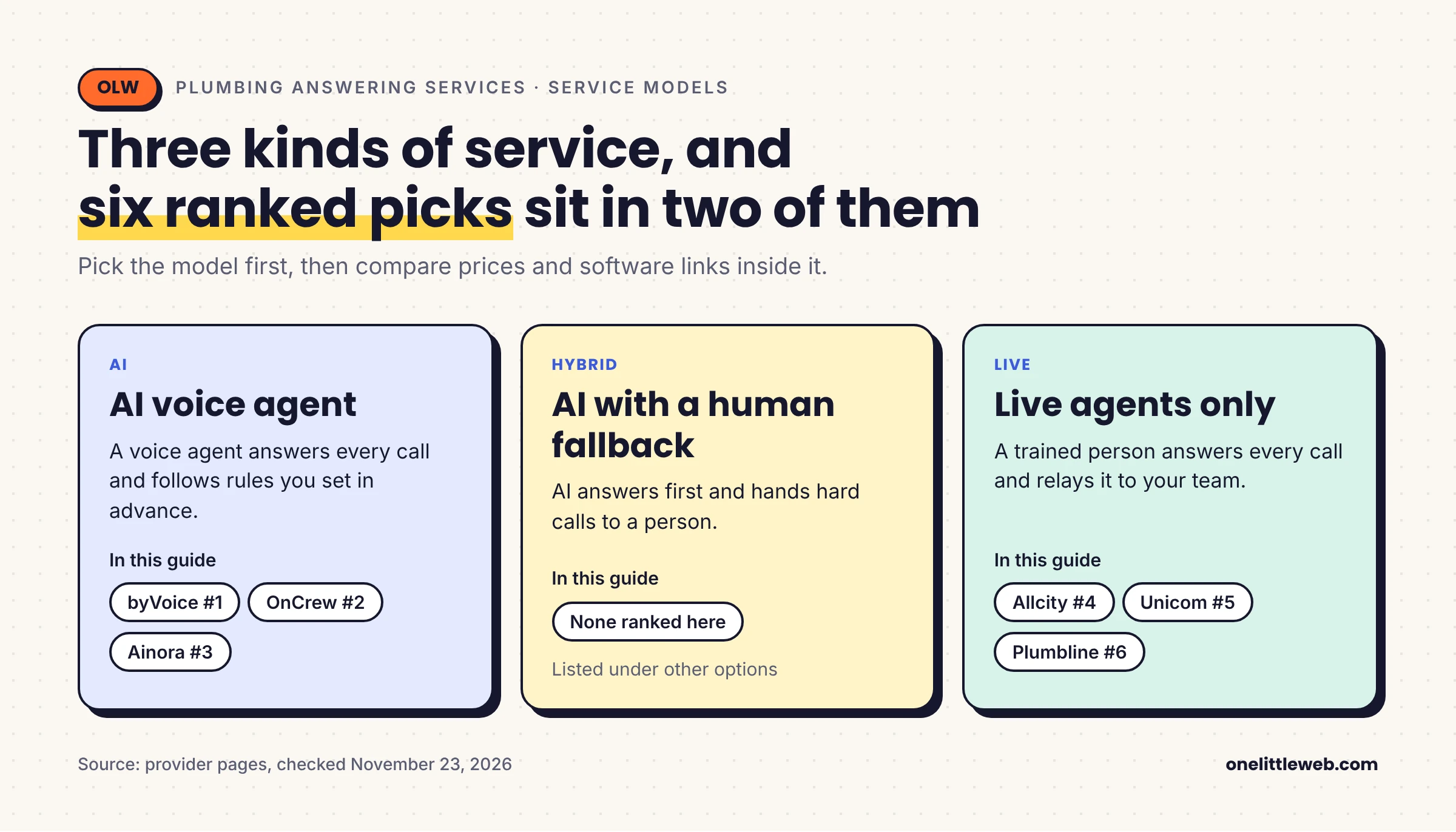
The table compares the three models and shows where each ranked service sits.
| Model | Best for | Watch for | Price shown | In this guide |
|---|---|---|---|---|
| AI voice agent | Companies that want every call picked up and will set the rules in advance | What the agent does when a caller goes off script | Published plans, from $29 a month | byVoice (1), OnCrew (2), Ainora (3) |
| AI with a human fallback | Owners who want a fast answer and a person for hard calls | Who takes the handoff, and when it happens | None ranked here | Listed under other options |
| Live agents only | Owners who want a trained person on every call | How agents learn your emergency rules and your software | Plans from $39 a month, or billed on talk time or booked jobs | Allcity (4), Unicom (5), Plumbline (6) |
Table note: Groups follow each provider’s own description. Numbers in brackets are each service’s rank in this guide. Services in the same group still differ in price, software links and what each page states.
If you want a person on every call, start with live agents. If you want an instant answer and a published price, start with AI. If you want both, start with a hybrid and ask who takes the handoff.
The five-call test shows how each one behaves on a real call.
Plumbing calls come in many types. A caller may report a clogged drain, ask about a water heater or want a repipe estimate. Some calls cannot wait, such as a burst pipe, flooding, a sewage backup or no water to the house.
Is a plumbing answering service worth it?
Yes, if calls go unanswered while your plumbers are under a sink. A service covers the hours and the busy spells that one hire cannot. The U.S. Bureau of Labor Statistics reports median receptionist pay of $38,010 a year in 2025.
That is about $18.27 an hour for one front-desk hire, before benefits. A plumbing service adds two jobs a general service may skip. It flags emergencies, and it books service calls. Ask each vendor how it handles a rush of calls after a storm.
How we picked
We screened 19 services and ranked six. The entry gate looked for two things: emergency triage or on-call escalation, and a link to field-service software.
Six services documented both. Ten returned an unclear gate result on the pages we read, and three are sold inside a platform. The other options table shows which check each unclear service missed.
Platform-tied tools from Jobber, Housecall Pro and Hatch are listed as alternatives and not ranked. Phone systems are excluded.
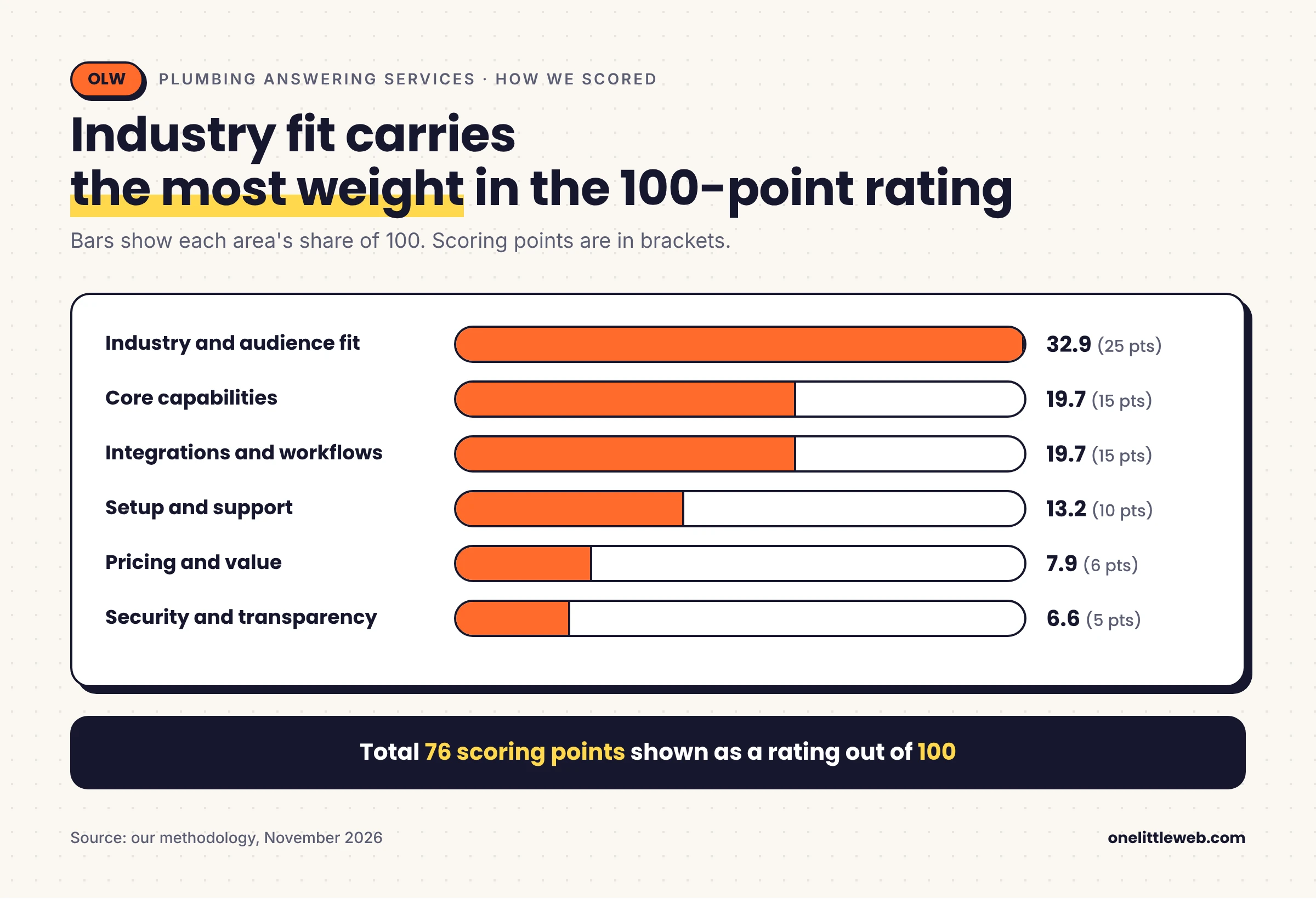
The rating is out of 100 and has six areas. Industry and audience fit carries the most weight, at 32.9 points. The full methodology explains the areas and the order.
The 6 best plumbing answering services for US plumbing companies
The six reviews run in rank order. Each review shows what scored well, what to check and who it suits. The top two sit 1.4 points apart, and the second pair sits 1.4 points apart too.
1. byVoice: best for low published prices with a clear emergency handoff
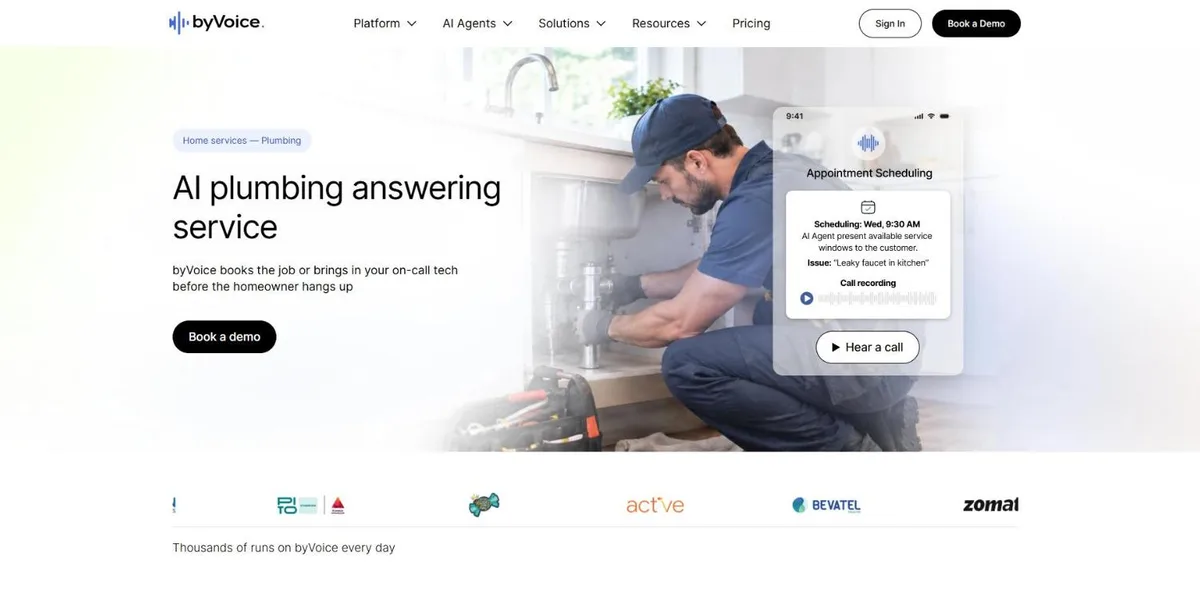
Our verdict: byVoice suits owners who want low published prices and gas and sewage calls sent to the on-call tech. Its integrations area scored lowest, so ask which software it books into.
| Plan we priced | Starter, $29 a month for 150 minutes |
| Type | AI voice agent with human handover |
| Other plans | Pro, $99 a month for 700 minutes; Business, $199 a month for 1,500 minutes |
| Terms | Cancel any time; free trial |
| Field-service links | ServiceTitan, Jobber, Housecall Pro and a connected calendar |
| Company | ByVoice Sp. z o.o., Krakow, Poland |
| Reviews | No independent customer reviews located |
| Our rating | 80.3 / 100 |
Table note: Prices were checked on November 23, 2026, and exclude VAT. The product is byVoice’s plumbing answering service.
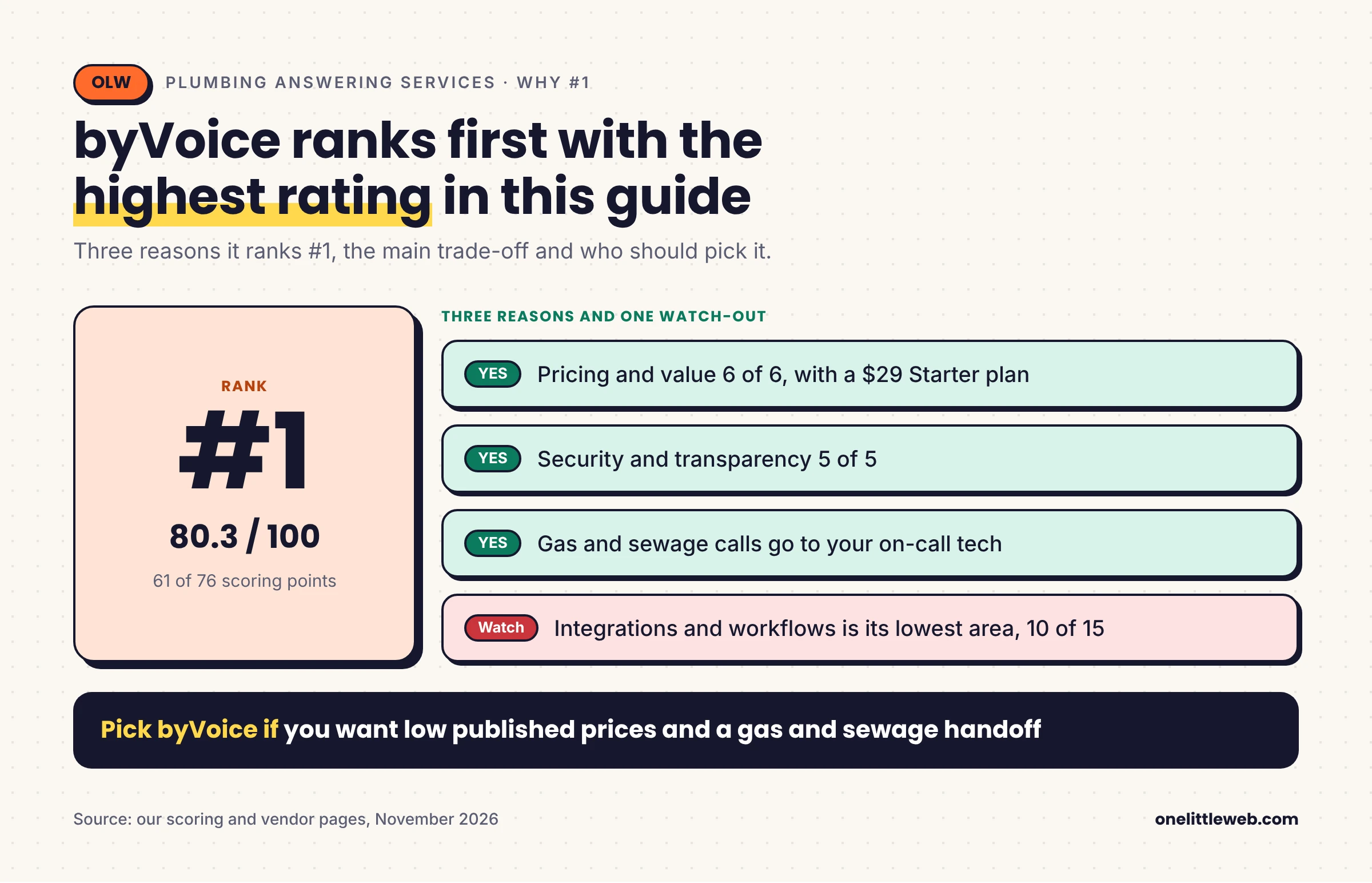
What stands out:
- Security and transparency. It scored the full 5 of 5 in this area.
- Pricing and value. It scored 6 of 6, level with OnCrew as the highest in this guide.
- Gas and sewage escalation. The vendor’s plumbing page says gas and sewage calls go to your on-call tech. It never quotes a repair or names a fault.
- Booking rules. The page says only approved job types, ZIP codes and appointment windows reach the calendar. A callback ticket comes before any visit is promised.
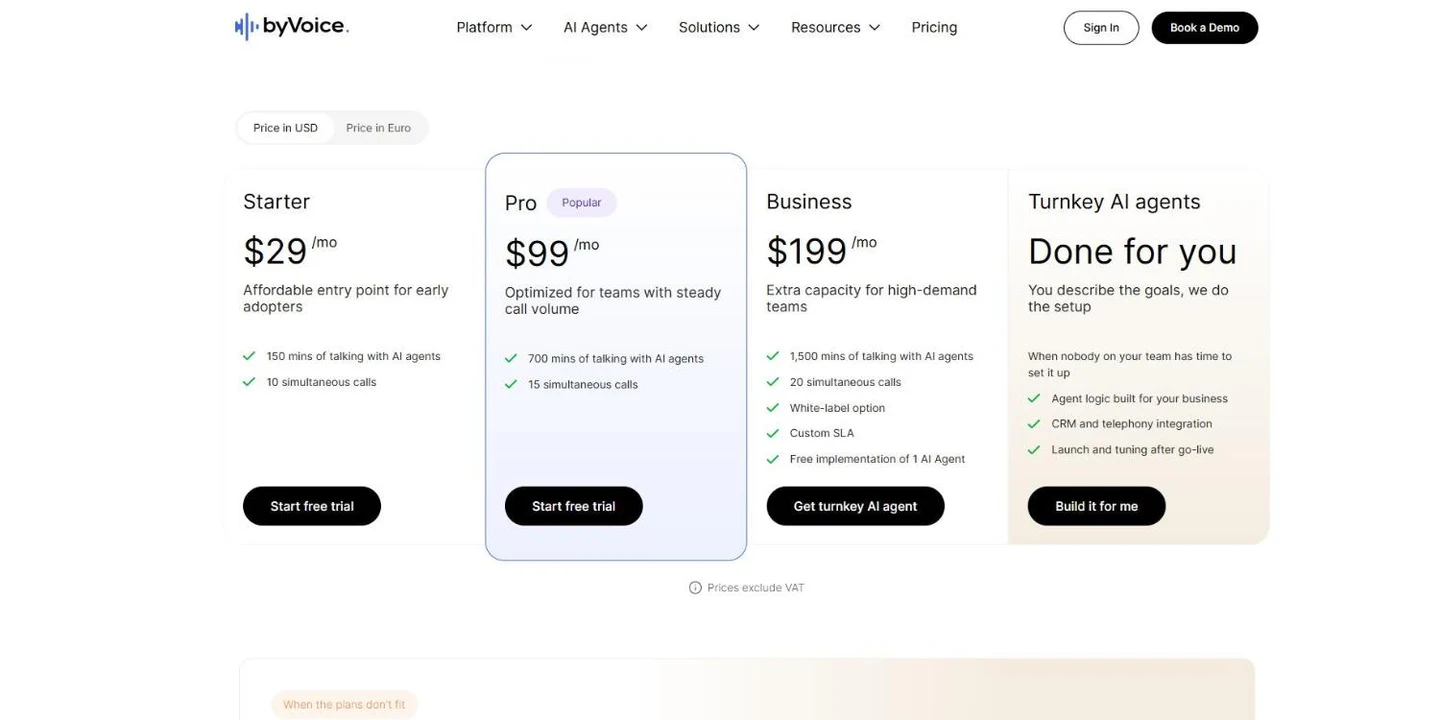
Pricing. The Starter plan costs $29 a month and includes 150 minutes and up to 10 calls at once. Pro costs $99 for 700 minutes and 15 calls. Business costs $199 for 1,500 minutes and 20 calls.
Plans cancel any time, and there is a free trial. Here is our arithmetic. Starter works out to about $0.19 per included minute, Pro to about $0.14 and Business to about $0.13.
What customers say. We located no independent customer reviews, so we show no rating.
Watch out for:
- Integrations. Its lowest area is integrations and workflows, at 10 of 15.
- Company base. ByVoice is a Polish company. Ask about support hours for US callers and where call recordings are kept.
- Prices and overage. Prices exclude VAT, and the page shows no rate for minutes over the plan. Ask for both in writing.
Why byVoice ranks #1. byVoice rates 80.3 / 100 on 61 confirmed points. It sits 1.4 points ahead of OnCrew, a small gap.
Choose byVoice if you want a low published price and gas and sewage calls handed to your on-call tech.
Skip byVoice if you need a vendor based in the United States.
Skip it too if you want a person on every call, because byVoice answers with AI first.
2. OnCrew: best for fast setup and a low entry price
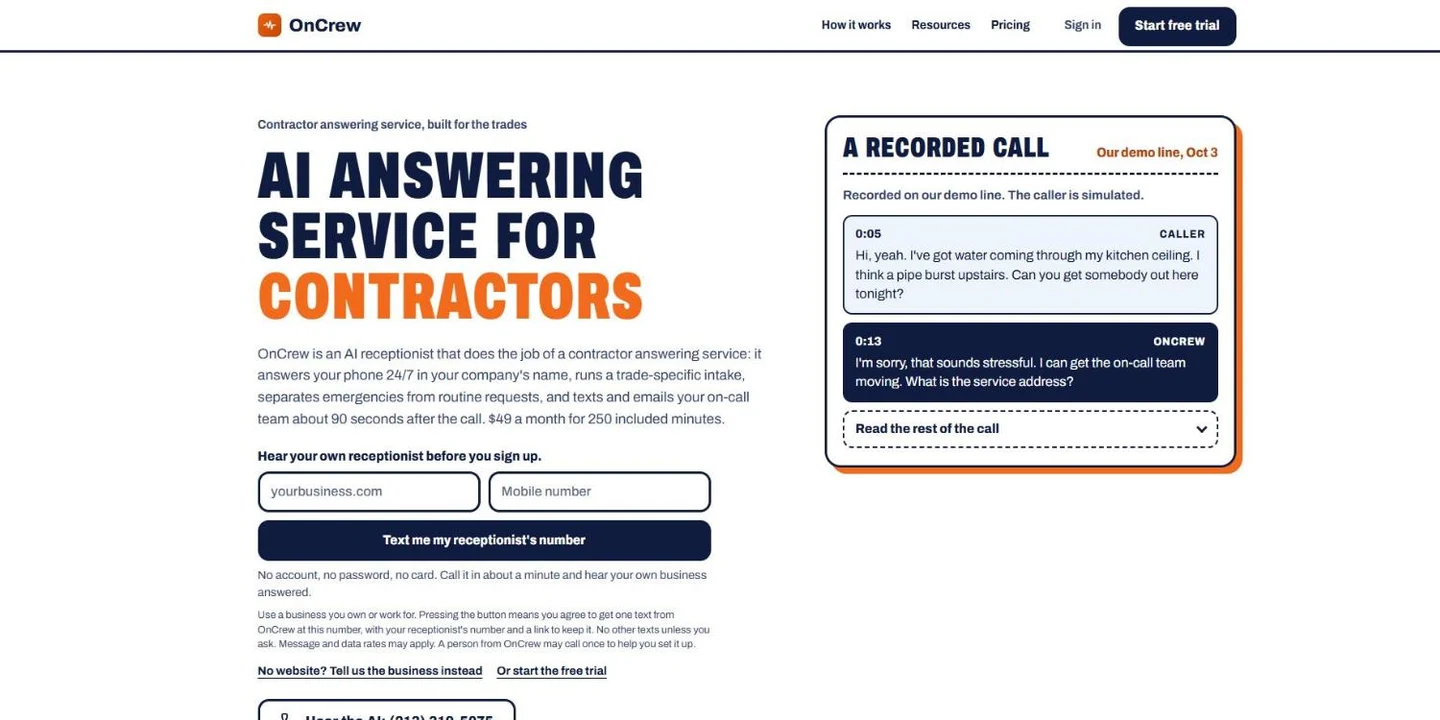
Our verdict: OnCrew suits owners in any trade who want quick setup and a low entry price. It texts urgent calls to your on-call team and does not dispatch, so plan who sends the plumber.
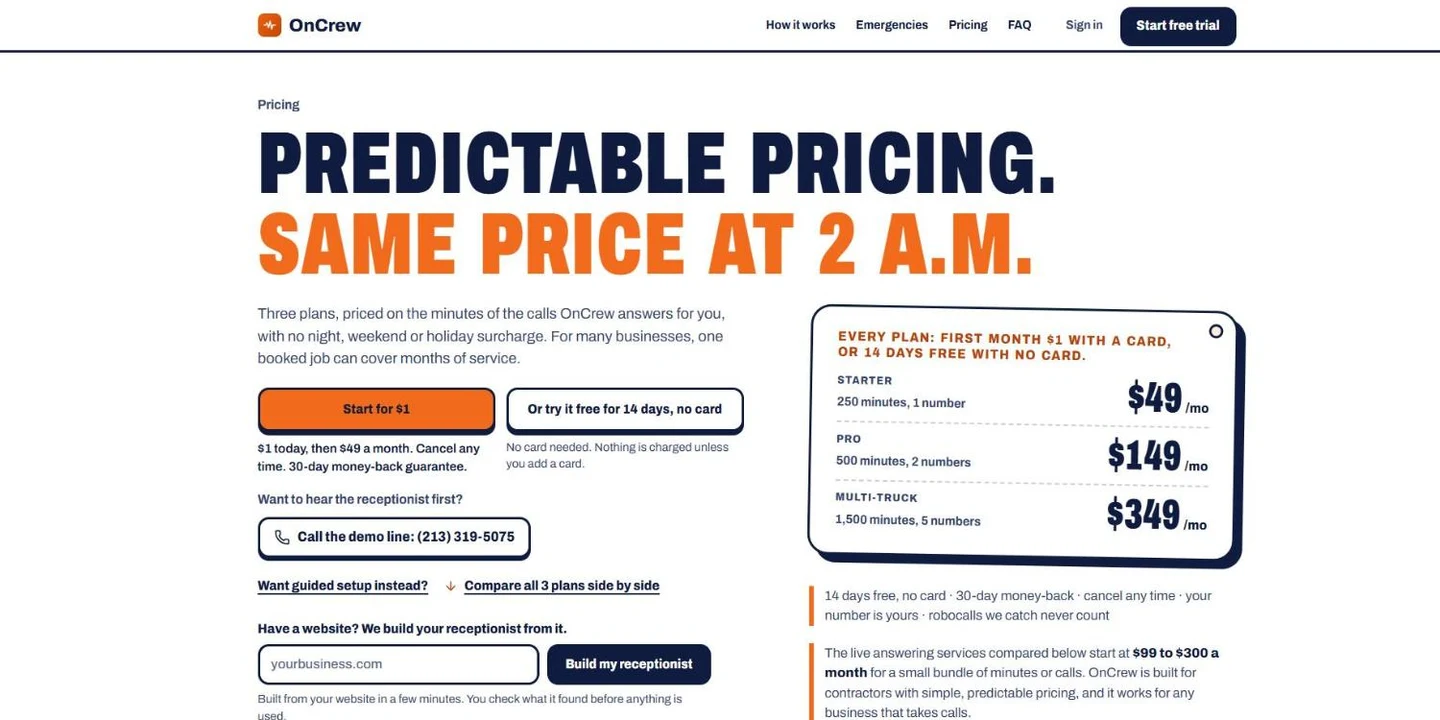
| Plan we priced | Starter, $49 a month for 250 minutes |
| Type | AI answering service for all trades |
| Other plans | Pro, $149 a month for 500 minutes; Business, $349 a month for 1,500 minutes |
| Terms | 14-day trial; 30-day money-back; cancel any time; no after-hours surcharge |
| Field-service links | Housecall Pro directly (needs its Max plan); Jobber and ServiceTitan by webhook; Google Calendar |
| Reviews | No independent customer reviews located |
| Our rating | 78.9 / 100 |
Table note: Prices were checked on November 23, 2026. The product is OnCrew’s AI answering service for contractors.
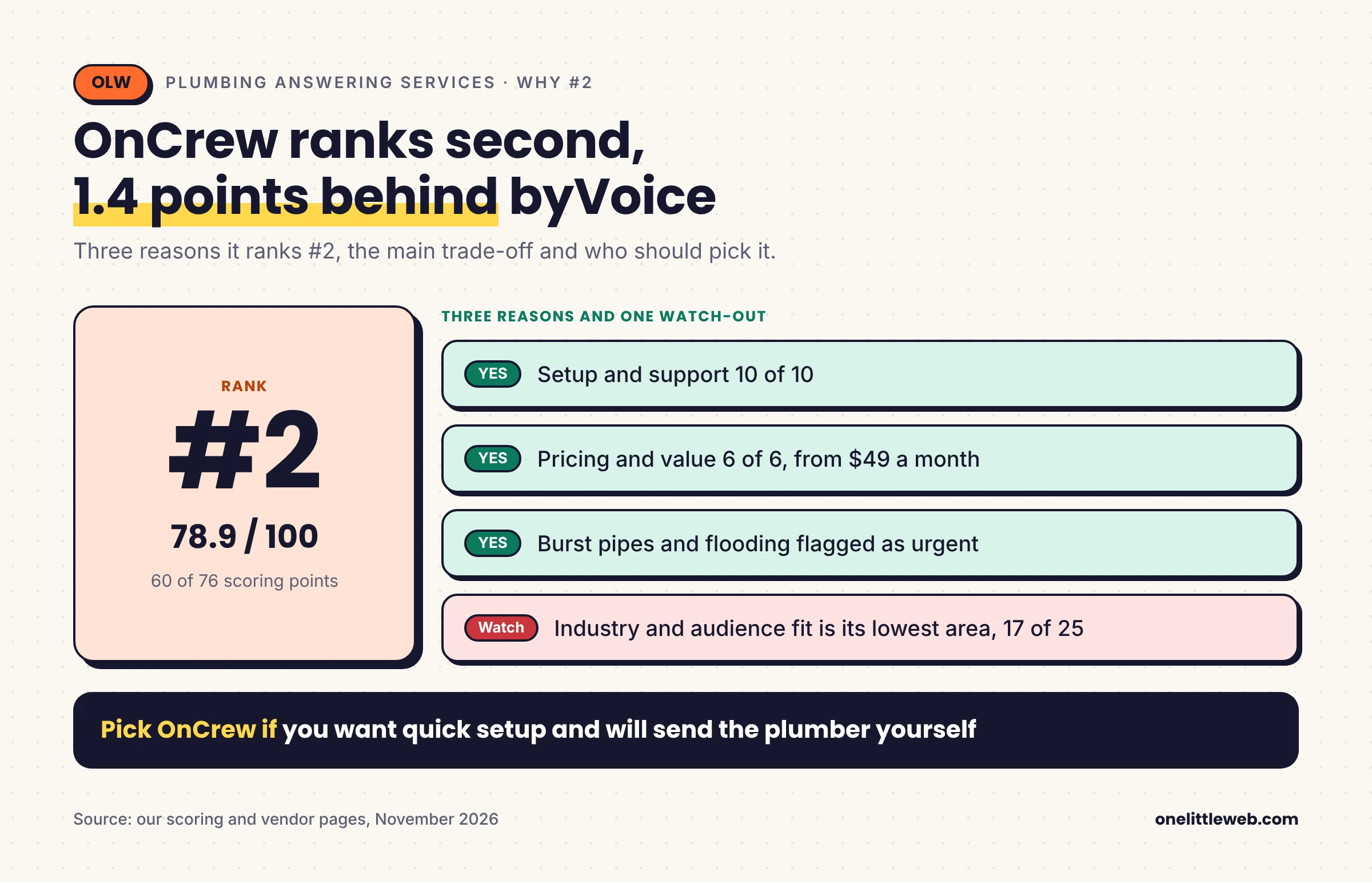
What stands out:
- Setup and support. It scored the full 10 of 10 in this area.
- Pricing and value. It scored 6 of 6, level with byVoice as the highest in this guide.
- Emergency flagging. The vendor page lists a burst pipe, active flooding, a sewage backup and no water to the home as urgent.
- Fast team alerts. The page says it texts and emails your on-call team about 90 seconds after the call.
Pricing. The Starter plan costs $49 a month and includes 250 minutes. Pro costs $149 for 500 minutes, and Business costs $349 for 1,500.
Extra minutes cost $0.49 on Starter, $0.39 on Pro and $0.29 on Business. The vendor lists no after-hours surcharge, a 14-day trial and a 30-day money-back guarantee.
What customers say. We located no independent customer reviews, so we show no rating.
Watch out for:
- Industry fit. Its lowest area is industry and audience fit, at 17 of 25. It serves many trades.
- No schedule booking. The vendor says the AI does not dispatch, commit an ETA or book into Jobber or ServiceTitan schedules.
- Terms to ask about. Ask for its agreements and security documents before you sign.
Why OnCrew ranks #2. OnCrew rates 78.9 / 100 on 60 confirmed points. It is 1.4 points behind byVoice, a small gap, and 15.7 ahead of Ainora, a clear gap.
Choose OnCrew if you want quick setup and a low entry price, and you will send the plumber yourself.
Skip OnCrew if you need bookings written into your ServiceTitan or Jobber schedule.
Skip it too if you want the AI to promise an arrival time.
3. Ainora: best for strong core call handling
Our verdict: Ainora suits shops that want strong core call handling and on-call alerts by phone, text or app. It publishes no price, so ask for a quote before you commit.
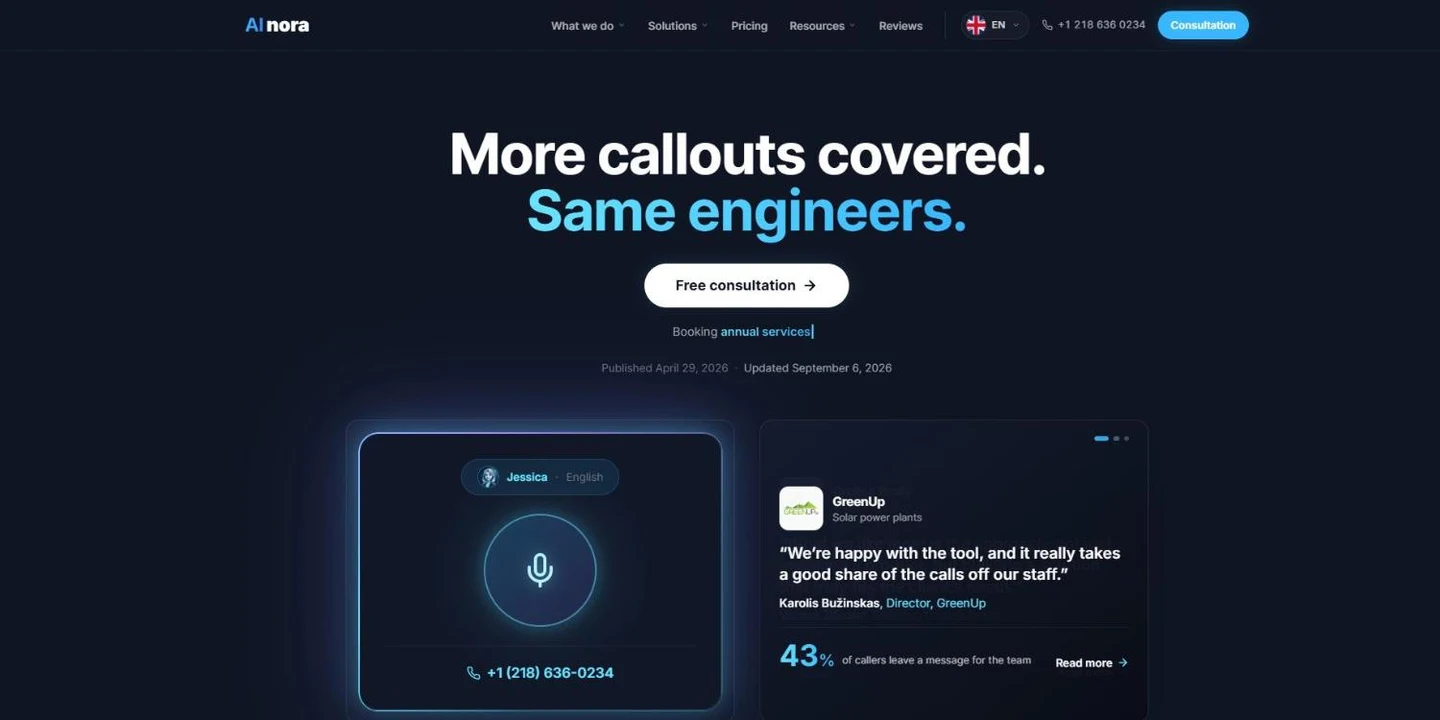
| Plan we priced | No price published; quote request |
| Type | AI receptionist for HVAC and plumbing |
| On-call alerts | Phone, SMS or app notification |
| Field-service links | Housecall Pro, ServiceTitan, Jobber, FieldEdge and Workiz |
| Company | Based in Lithuania |
| Reviews | No independent customer reviews located |
| Our rating | 63.2 / 100 |
Table note: Prices were checked on November 23, 2026. The product is Ainora’s AI receptionist, shown on its HVAC and plumbing page.
What stands out:
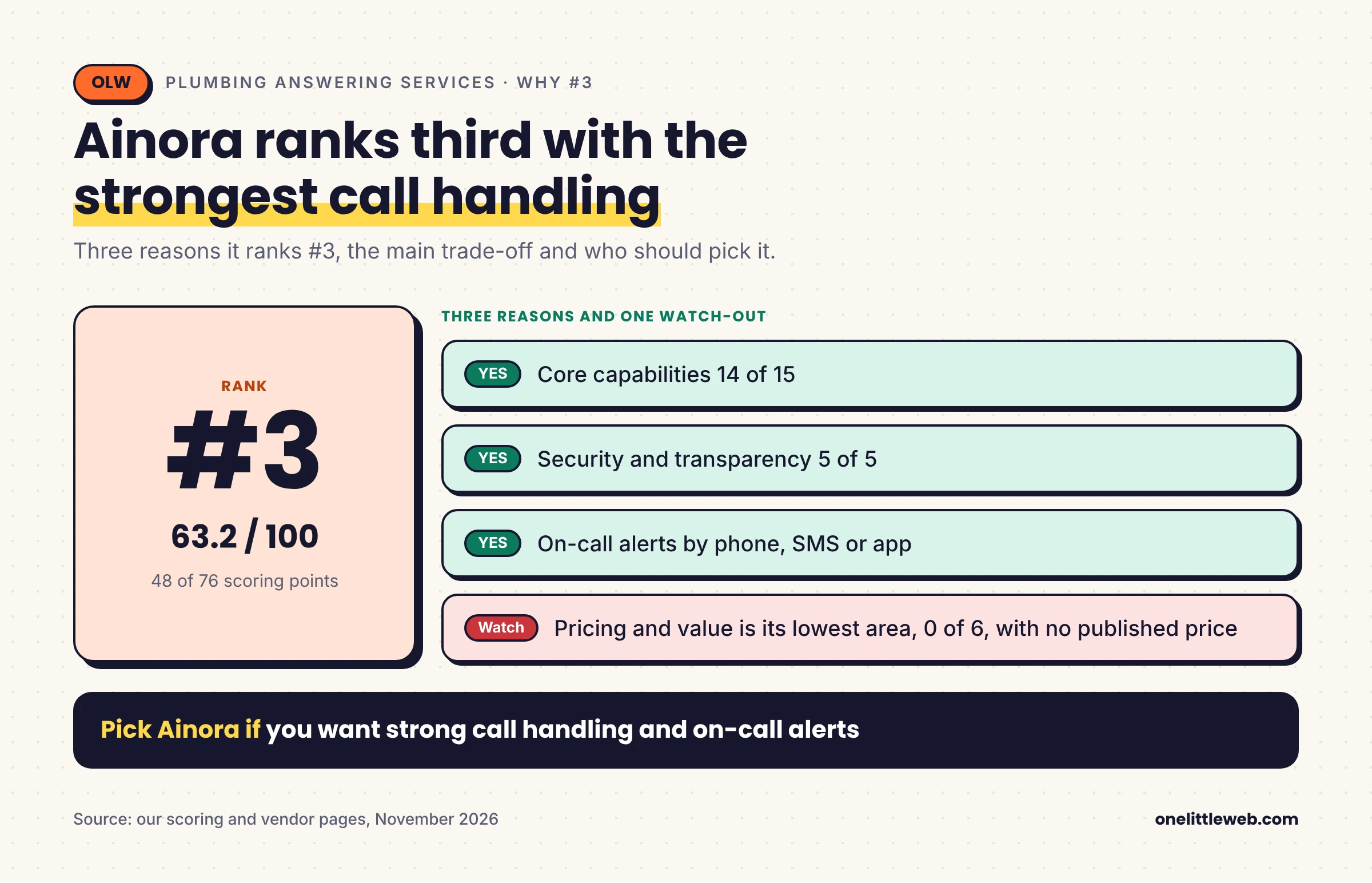
- Security and transparency. It scored the full 5 of 5 in this area.
- Core capabilities. It scored 14 of 15, one of its two strongest areas.
- On-call routing. The vendor page says urgent calls route to the on-call technician by phone, SMS or app notification.
- Software links. The page names Housecall Pro, ServiceTitan, Jobber, FieldEdge and Workiz.
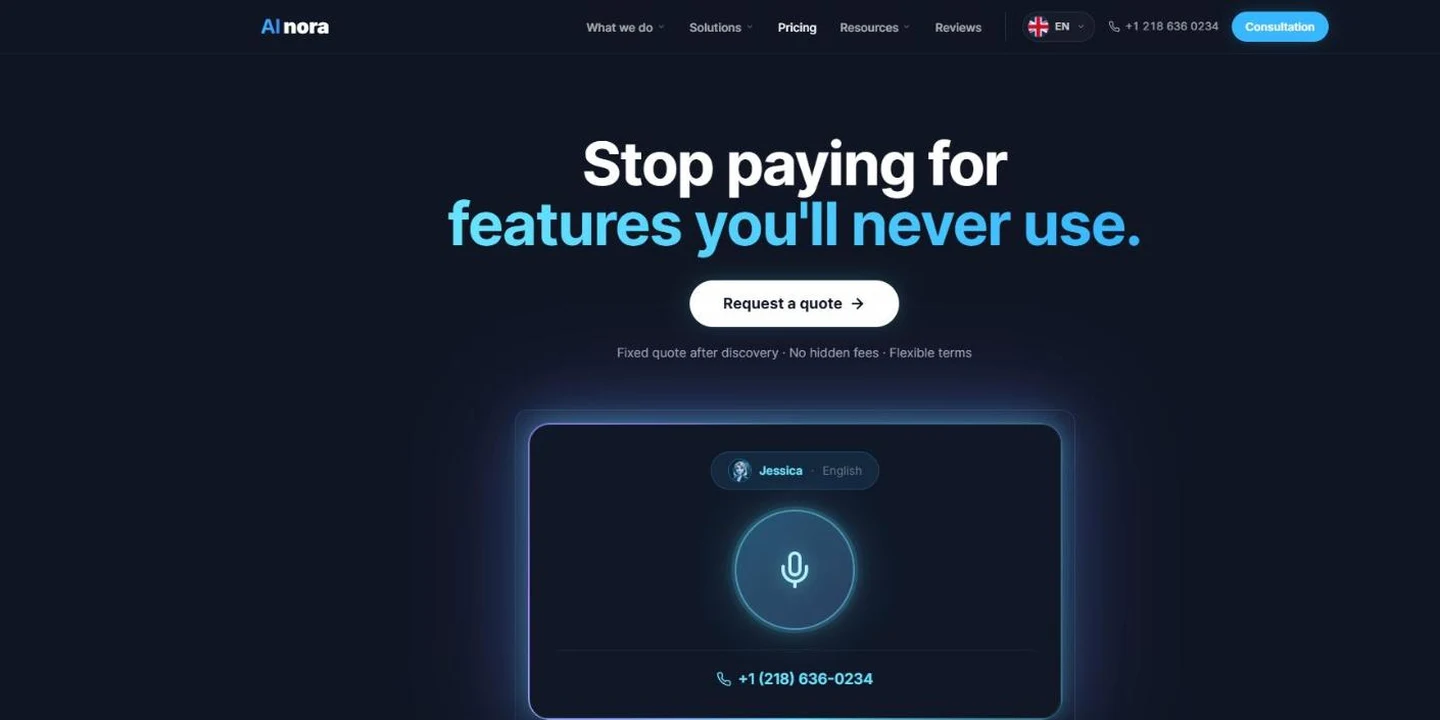
Pricing. Ainora publishes no price. Its pricing page is a quote request. Ask what a plan costs for your minutes and what bills on top.
What customers say. We located no independent customer reviews, so we show no rating.
Watch out for:
- Pricing and value. It scored 0 of 6, its lowest area.
- Terms to ask about. The pages state no usage or fee detail, contract terms or operating limits. Ask for each in writing.
- Shared page. Its plumbing content sits on a combined HVAC and plumbing page. Ask for a demo that includes a plumbing call.
Why Ainora ranks #3. Ainora rates 63.2 / 100 on 48 confirmed points. It is 15.7 points behind OnCrew, a clear gap, and 1.4 ahead of Allcity, a small gap.
Choose Ainora if you want strong call handling and on-call alerts by phone, text or app.
Skip Ainora if you need a published price.
Skip it too if you need a vendor based in the United States.
4. Allcity: best for live agents tied to named field-service software
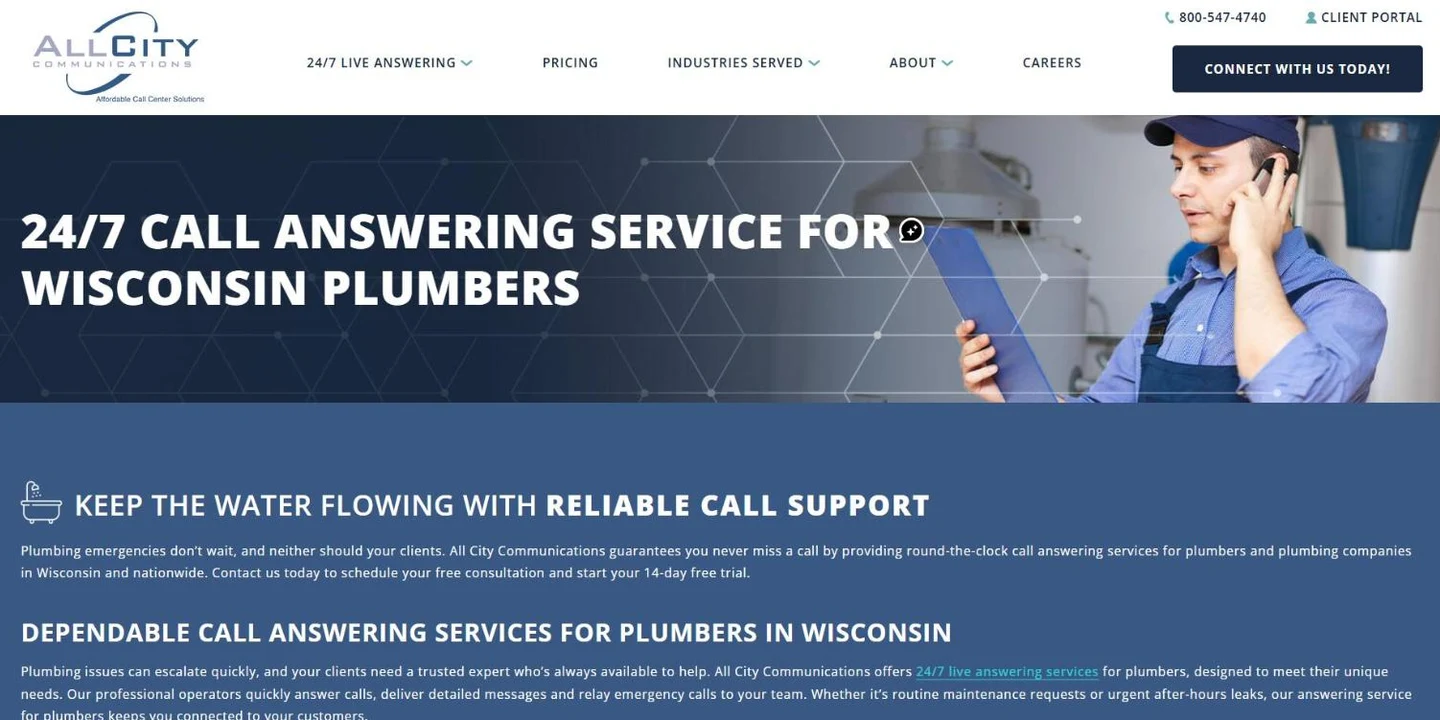
Our verdict: Allcity suits companies that want live agents to relay emergencies and book into ServiceTitan, Jobber or Housecall Pro. Plans start at $39 a month, and extra minutes cost $1.19 to $1.39.
| Plan we priced | Flex, $39 a month with no minimum minutes |
| Type | Live answering service with US-based agents |
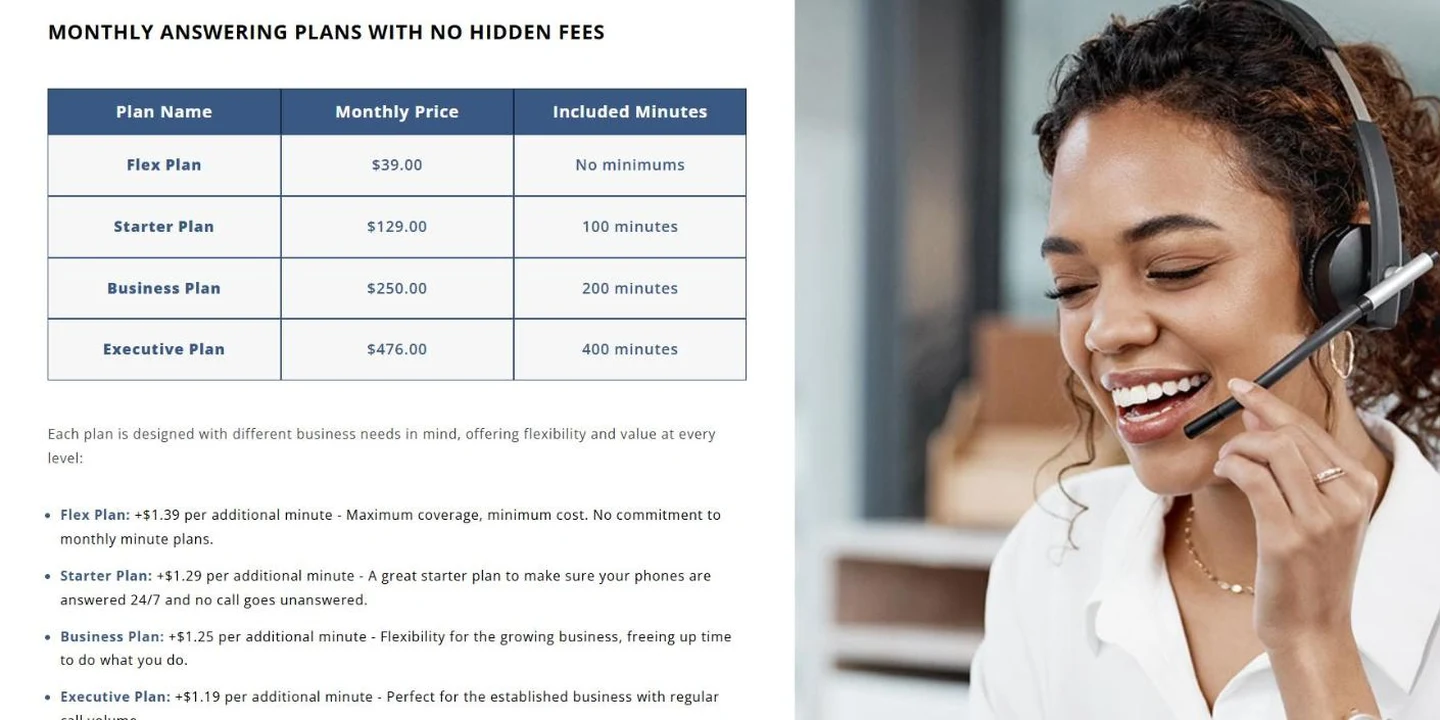
| Other plans | Starter, $129 a month for 100 minutes; Business, $250 for 200 minutes; Executive, $476 for 400 minutes |
| Extra minutes | $1.39 on Flex, $1.29 on Starter, $1.25 on Business and $1.19 on Executive |
| Terms | 14-day free trial with no setup fees or obligations |
| Hours | 24/7 live answering |
| Field-service links | ServiceTitan, Jobber and Housecall Pro |
| Offices | Milwaukee and Green Bay, Wisconsin |
| Reviews | No independent customer reviews located |
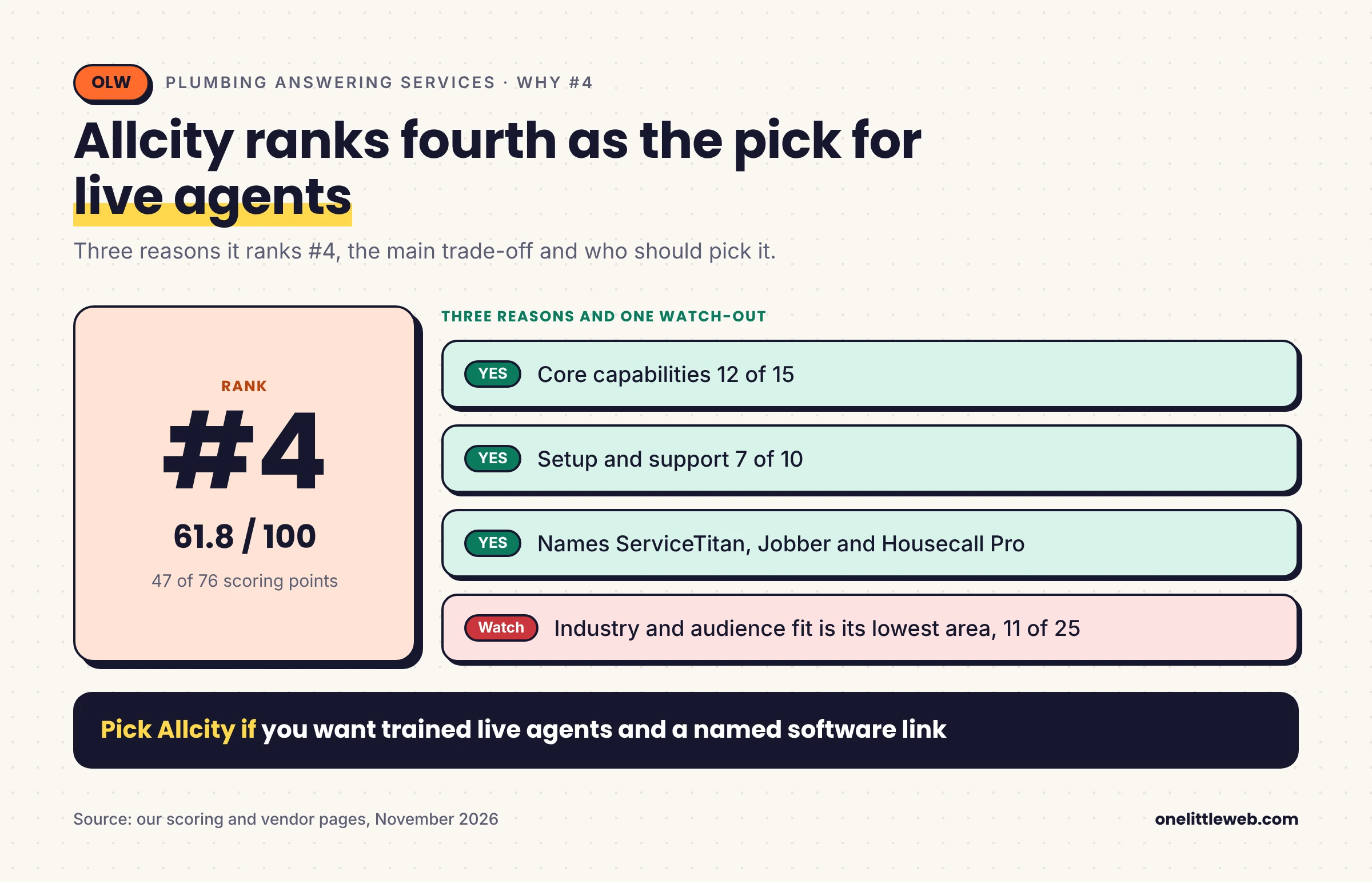
| Our rating | 61.8 / 100 |
Table note: Prices were checked on November 23, 2026. The product is All City Communications’ answering service for plumbers. Its plans cover the whole service, so they are not specific to plumbing.
What stands out:
- Core capabilities. It scored 12 of 15 in this area.
- Setup and support. It scored 7 of 10.
- Emergency relay. The plumbing page says burst pipes, sewage backups and water heater failures are relayed to your team.
- Software links. The page says it supports ServiceTitan, Jobber and Housecall Pro to book appointments into your system.
Pricing. Allcity’s pricing page lists four monthly plans. Flex costs $39 a month with no minimum minutes. Starter costs $129 for 100 minutes, Business $250 for 200 and Executive $476 for 400.
Extra minutes cost $1.39 on Flex, $1.29 on Starter, $1.25 on Business and $1.19 on Executive. Every plan includes 24/7 live answering, message delivery and the account portal. The page does not say what counts as a minute, so ask.
What customers say. We located no independent customer reviews, so we show no rating.
Watch out for:
- Industry fit. Its lowest area is industry and audience fit, at 11 of 25.
- Wisconsin focus. The plumbing page is written for Wisconsin plumbers, though the vendor says it serves companies nationwide. Ask about your state.
- Terms to ask about. Ask what counts as a minute, plus its recording and consent rules, agreements and security documents.
Why Allcity ranks #4. Allcity rates 61.8 / 100 on 47 confirmed points. It is 1.4 points behind Ainora and 1.3 ahead of Unicom, both small gaps.
Choose Allcity if you want trained live agents and a named link to ServiceTitan, Jobber or Housecall Pro.
Skip Allcity if you want an AI to answer.
Skip it too if you want a vendor that writes for plumbers outside Wisconsin.
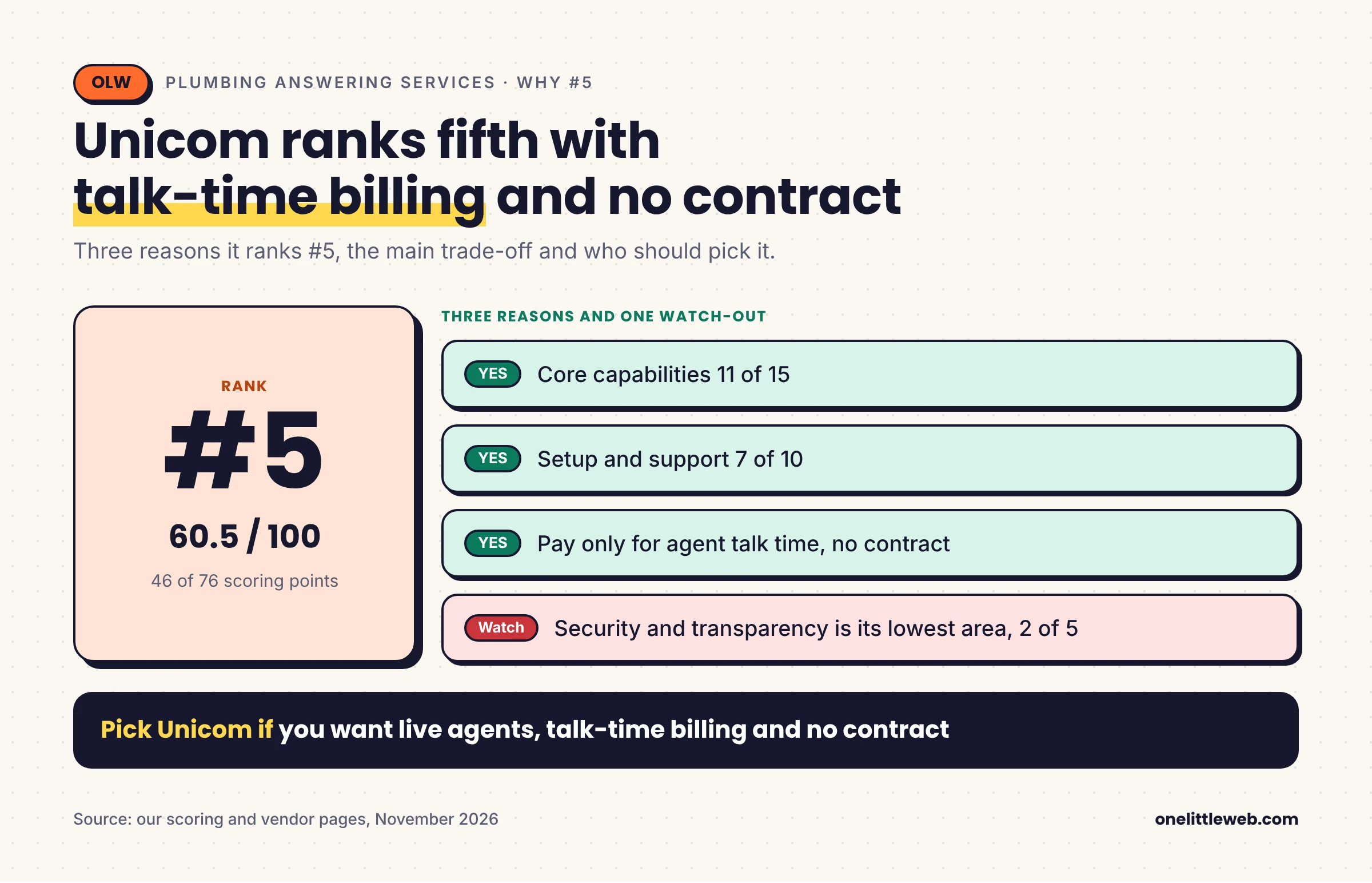
5. Unicom: best for talk-time billing with no contract
Our verdict: Unicom suits plumbing companies that want live agents billed by talk time with no contract. It publishes no rates, and its security area scored lowest, so ask for terms in writing.
| Plan we priced | No rates published; the page names Professional Starter and Custom Solutions tiers |
| Type | Live answering service with emergency dispatch |
| Billing | Only for actual agent talk time |
| Contract | None; the vendor says it does not bind clients with contracts |
| Field-service links | ServiceTitan, Housecall Pro, Jobber, Service Fusion, FieldEdge and mHelpDesk |
| Company | Alsip, Illinois |
| Reviews | Trustpilot lists no reviews |
| Our rating | 60.5 / 100 |
Table note: Prices were checked on November 23, 2026. The product is Unicom’s plumbing answering service.
What stands out:
- Core capabilities. It scored 11 of 15 in this area.
- Setup and support. It scored 7 of 10.
- Emergency dispatch. The plumbing page says emergency calls contact your on-call techs.
- Software links. The page names six field-service tools, from ServiceTitan to mHelpDesk.
Pricing. Unicom publishes no rates. The plumbing page says you pay only for actual agent talk time and names two tiers. The vendor says it has no contracts.
Ask for the talk-time rate and any minimum in writing.
What customers say. We located no independent customer reviews, so we show no rating. Trustpilot lists none for unicomcorp.com.
Watch out for:
- Security and transparency. It scored 2 of 5, its lowest area.
- Terms to ask about. The pages state no workflow automation, data retention rules, recording and consent terms or security documents. Ask for each in writing.
- Talk-time billing. A busy month raises the bill. Ask for a sample invoice and a cap.
Why Unicom ranks #5. Unicom rates 60.5 / 100 on 46 confirmed points. It is 1.3 points behind Allcity, a small gap, and 19.7 ahead of Plumbline, a clear gap.
Choose Unicom if you want live agents, talk-time billing and no contract.
Skip Unicom if you need a published rate.
Skip it too if you need security terms confirmed before you share customer data.
6. Plumbline: best for paying only for booked jobs
Our verdict: Plumbline suits plumbing owners who want to pay only when a call books a job. It scored lowest in this guide, so confirm its terms before you commit.
| Plan we priced | No plans; billed when a call results in a booked appointment |
| Type | Live answering service for plumbers |
| Hours | 24/7 live answering |
| Field-service links | ServiceTitan, Housecall Pro, Dispatch, FieldEdge, Jobber and mHelpDesk |
| Agents | US-based, per the vendor |
| Reviews | No independent customer reviews located |
| Our rating | 40.8 / 100 |
Table note: Prices were checked on November 23, 2026. The product is Plumbline’s plumbing answering service.
What stands out:
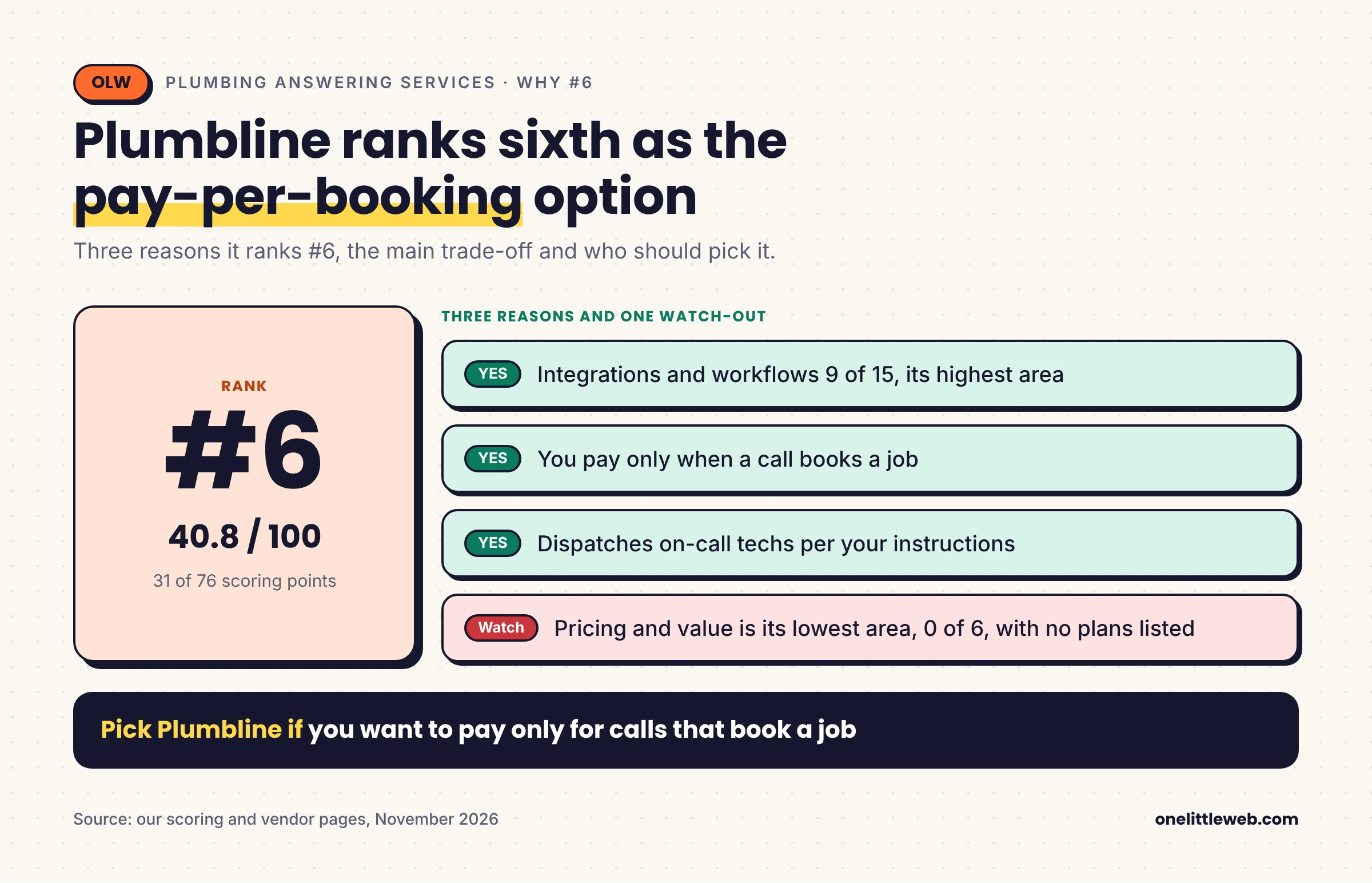
- Integrations and workflows. It scored 9 of 15, its highest area.
- Core capabilities. It scored 8 of 15.
- On-call dispatch. The plumbing page says it dispatches on-call techs per your instructions.
- Booked-job billing. The page says you pay only when a call results in a booked appointment.
Pricing. Plumbline lists no plans. The vendor says you pay only when a call results in a booked appointment. Ask for the rate per booking and how it counts a booked call.
What customers say. We located no independent customer reviews, so we show no rating. The home page shows a Facebook rating badge with no review count.
Watch out for:
- Pricing and value. It scored 0 of 6, its lowest area.
- Terms to ask about. The pages state no intake detail, usage and fee terms, contract flexibility, onboarding steps or administration controls. Ask for each in writing.
- Booking definition. Billing depends on what counts as a booked call. Ask for it in writing.
Why Plumbline ranks #6. Plumbline rates 40.8 / 100 on 31 confirmed points, the lowest in this guide. It is 19.7 points behind Unicom, a clear gap.
Choose Plumbline if you want to pay only for calls that book a job.
Skip Plumbline if you need published terms before you sign.
Skip it too if you want an AI to answer.
What plumbing answering service plans cost
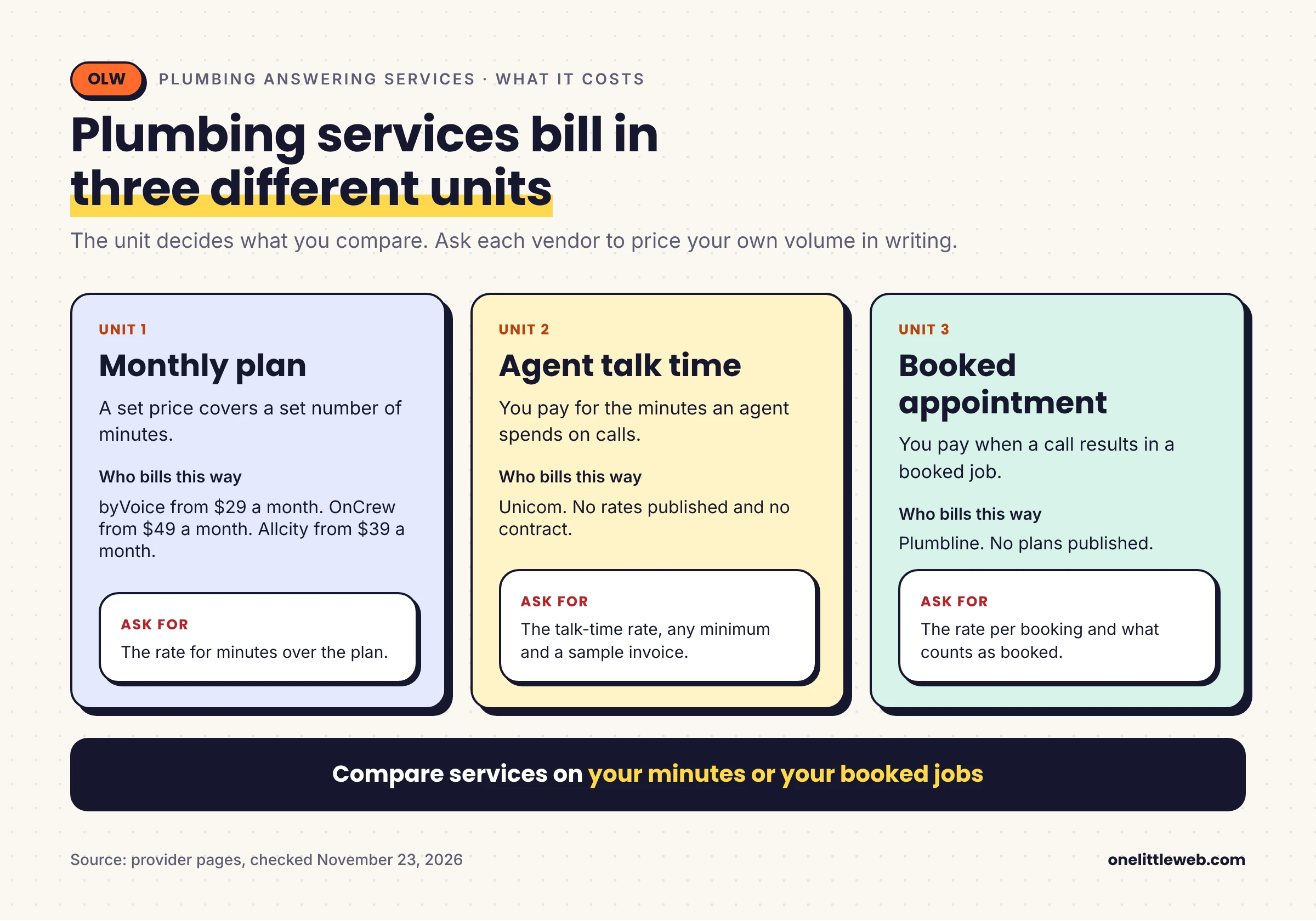
A plumbing answering service bills in one of three units. A plan covers a set number of minutes. Talk-time billing charges for the minutes an agent spends on calls. Booking-based billing charges when a call books a job.
byVoice, OnCrew and Allcity publish plan prices. The table shows how each service bills and what to ask.
| Provider | How it bills | Entry price | Ask for |
|---|---|---|---|
| byVoice | Monthly plan with included minutes | $29 a month | The rate for minutes over the plan |
| OnCrew | Monthly plan; no after-hours surcharge | $49 a month | Whether your minutes fit the plan |
| Ainora | Quote | Not published | A quote for your minutes and what bills on top |
| Allcity | Monthly plan with included minutes, or Flex with no minimum | $39 a month | What counts as a minute and which plan fits your volume |
| Unicom | Agent talk time; no contract | Not published | The talk-time rate, any minimum and a sample invoice |
| Plumbline | Per booked appointment | Not published | The rate per booking and what counts as booked |
Table note: Prices were checked on November 23, 2026, and exclude taxes. Entry price is the lowest published monthly plan. Services that bill on talk time or bookings have no plan price to compare.
What it costs at your volume
Count your minutes first. Multiply calls per month by minutes per call. As an illustration, 100 calls at 3 minutes each is 300 minutes. This is an example and not an industry average.
Three services publish plan prices. The first table compares their lowest plans and shows each vendor’s extra-minute rate.
| Provider | Lowest plan | Monthly price | Included minutes | Per included minute | Extra minutes |
|---|---|---|---|---|---|
| byVoice | Starter | $29 | 150 | $0.19 | Not shown |
| OnCrew | Starter | $49 | 250 | $0.20 | $0.49 |
| Allcity | Flex | $39 | No minimum | Not applicable | $1.39 |
| Allcity | Starter | $129 | 100 | $1.29 | $1.29 |
Table note: Per included minute is our arithmetic: monthly price divided by the plan’s included minutes. Prices were checked on November 23, 2026. byVoice prices exclude VAT.
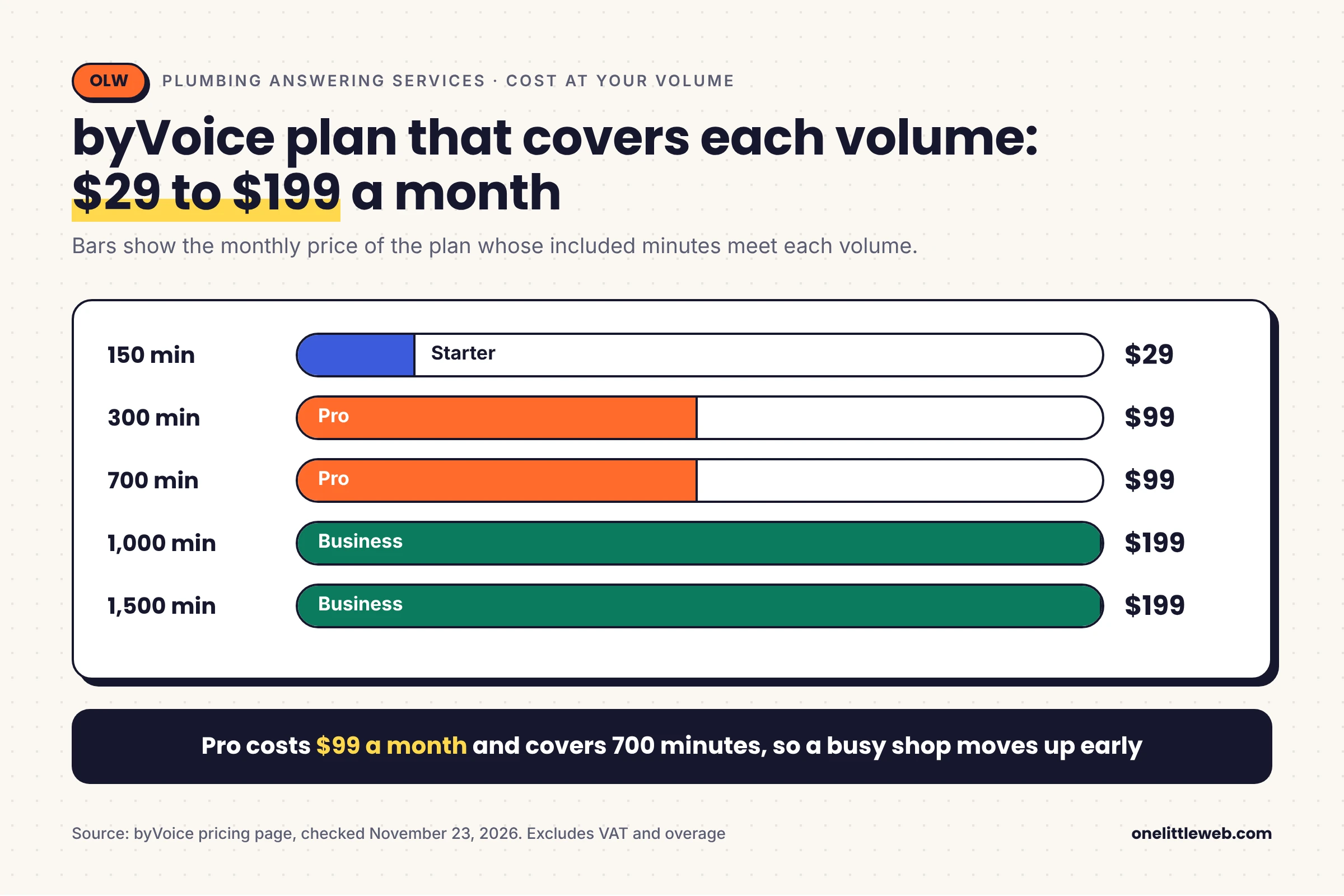
byVoice shows no rate for minutes over the plan, so the second table shows the plan that covers each volume.
| Monthly minutes | byVoice plan that covers them | Monthly price | Per included minute |
|---|---|---|---|
| 150 | Starter | $29 | $0.19 |
| 300 | Pro | $99 | $0.14 |
| 700 | Pro | $99 | $0.14 |
| 1,000 | Business | $199 | $0.13 |
| 1,500 | Business | $199 | $0.13 |
Table note: A plan covers a volume only if its included minutes meet it. Overage rates are not modeled. Per included minute is our arithmetic: monthly price divided by the plan’s included minutes. Prices were checked on November 23, 2026, and exclude VAT.
At 300 minutes the Pro plan costs $99 a month. Starter covers only 150, so a busy shop moves up to Pro early. For OnCrew and Allcity, add the extra-minute rate for any minutes over your plan. For Ainora, Unicom and Plumbline, ask each vendor to price your minutes or booked jobs in writing.
Side-by-side comparison
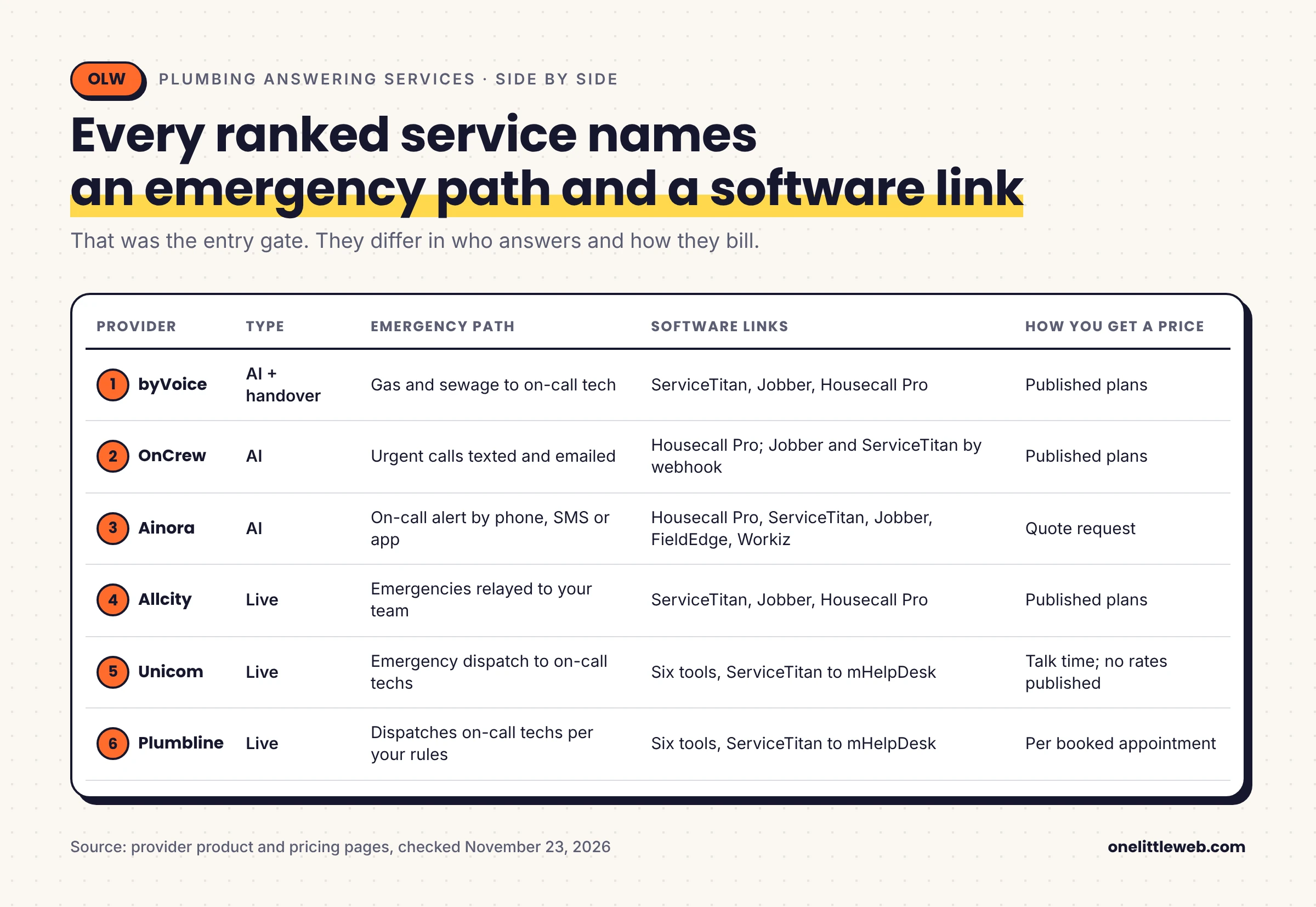
This table shows each service’s type, its emergency path, the field-service links it names and how you get a price. “Not stated” means the pages we read say nothing either way. It does not mean the feature is missing.
| Provider | Type | Emergency path | Field-service links | How you get a price |
|---|---|---|---|---|
| byVoice | AI with human handover | Gas and sewage go to your on-call tech | ServiceTitan, Jobber, Housecall Pro | Published plans |
| OnCrew | AI | Urgent calls texted and emailed to your on-call team | Housecall Pro directly; Jobber and ServiceTitan by webhook | Published plans |
| Ainora | AI | On-call technician by phone, SMS or app alert | Housecall Pro, ServiceTitan, Jobber, FieldEdge, Workiz | Quote request |
| Allcity | Live agents | Emergencies relayed to your team | ServiceTitan, Jobber, Housecall Pro | Published plans |
| Unicom | Live agents | Emergency dispatch contacts on-call techs | ServiceTitan, Housecall Pro, Jobber, Service Fusion, FieldEdge, mHelpDesk | Billed on talk time; no rates published |
| Plumbline | Live agents | Dispatches on-call techs per your instructions | ServiceTitan, Housecall Pro, Dispatch, FieldEdge, Jobber, mHelpDesk | Billed per booked appointment |
Table note: This table is based on vendor pages, checked on November 23, 2026. Every service here documented an emergency path and a field-service link, which was the entry gate.
Which one fits your business?
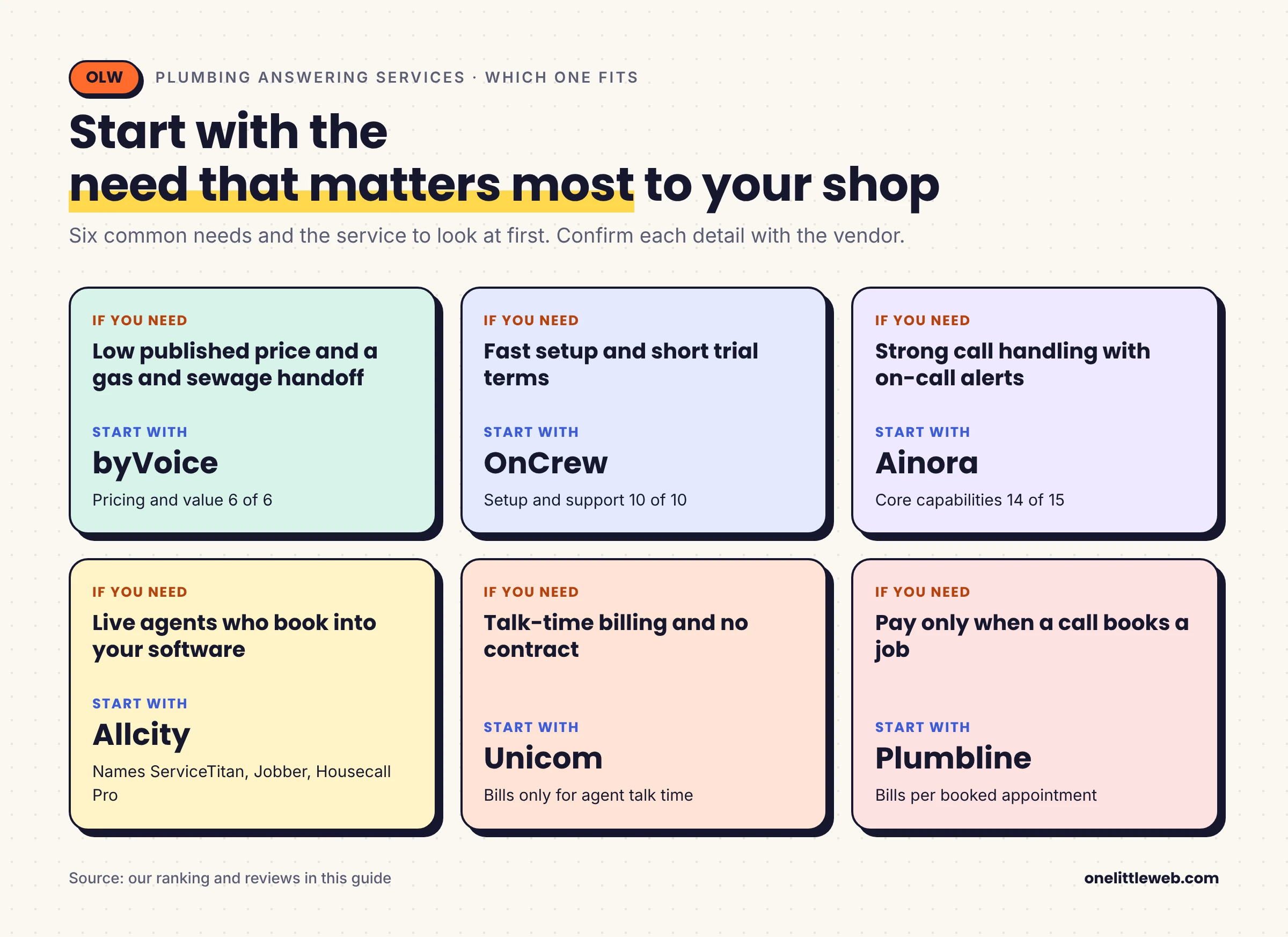
Start with the need that matters most to you. The table points to where to look first. It is a place to start, and each detail needs a check with the vendor.
| If you need | Start by looking at | Why |
|---|---|---|
| A low published price and a gas and sewage handoff | byVoice | Pricing and value 6 of 6, with 150 minutes in its entry plan |
| Fast setup and short trial terms | OnCrew | Setup and support 10 of 10, with a 14-day trial and a 30-day money-back guarantee |
| Strong call handling with alerts by phone, text or app | Ainora | Core capabilities 14 of 15, with on-call alerts by phone, SMS or app |
| Live agents who book into ServiceTitan, Jobber or Housecall Pro | Allcity | A named link to all three, with plans from $39 a month |
| Talk-time billing and no contract | Unicom | Bills only for agent talk time, with no contract |
| Paying only when a call books a job | Plumbline | Bills when a call results in a booked appointment |
How to choose in six steps
- Decide who answers. Pick between AI, live agents or a hybrid. Our guide to AI receptionists for small business explains the AI side.
- Write your emergency rules. List what counts as urgent, such as a burst pipe, flooding or a sewage backup. Name who takes the call.
- List the calls you get. Include drain clogs, water heater jobs, repipe estimates, reschedules and property-manager calls.
- Name your software. Say whether you work in ServiceTitan, Jobber, Housecall Pro or FieldEdge, and ask whether bookings write back.
- Check the billing unit. Compare two finalists on a price based on your minutes or jobs. Our answering service cost guide lists monthly prices for 27 providers.
- Run the five-call test. Do it inside the trial or demo.
Run a five-call test
We placed no test calls. Run these five checks yourself before you sign.
| Call | What to do | What to look for |
|---|---|---|
| 1. Burst pipe | Report water flooding a basement | Does it ask for the address and alert your on-call plumber at once, without trying to diagnose? |
| 2. No hot water | Report a water heater that stopped | Does it ask the right questions and book the next open slot? |
| 3. Drain clog | Ask to book a visit | Does it book into your schedule, or pass the details on clearly? |
| 4. Existing job | Ask for your plumber’s arrival time, then move the visit | Does it find the record, or say plainly what it cannot do? |
| 5. Property manager | Call as a landlord with a tenant’s leak | Does it spot a commercial or property-manager call and follow your rules? |
Decision checklist
Other options we looked at but didn’t rank
More products came up in our research. We did not rank them, so they carry no rating. Each one had to pass the same entry gate as the ranked six. None of them failed a check outright.
The gate has two checks. One is an emergency path for plumbing calls. The other is a named link to field-service software or a calendar. The table shows which check the pages we read did not confirm.
| Group | Products | What kept them unranked |
|---|---|---|
| Platform-tied AI inside field-service software | Jobber AI Receptionist, Housecall Pro AI team, Hatch Voice AI | They are sold with a platform, so they are alternatives and not ranked picks. Jobber’s AI Receptionist is included in Plus and costs $29 a month as an add-on for Core, Connect and Grow. Housecall Pro’s pricing pages differ on whether the AI team is in every plan. |
| Emergency path not confirmed for plumbing | Dexcomm, Sameday AI, Avoca, ServiceTitan AI Virtual Agent, Workiz AI Genius | Dexcomm names ServiceTitan, Housecall Pro and AccuLynx but describes no emergency process. Sameday AI’s plumbing page would not load for us, and its HVAC page documents on-call transfer. Avoca’s plumbing page has no emergency text. ServiceTitan documents emergency routing for HVAC only. Workiz sells Genius Answering as an add-on. It transfers calls live to your team but describes no emergency path. |
| Software link not confirmed | AnswerPro, Podium Voice AI | AnswerPro’s contractor page says urgent calls go to on-call staff, but it names no field-service software. Podium promises urgent same-day dispatch and leaves its dispatch software unnamed. |
| Neither check confirmed | Signpost, ServiceAgent, CallRail Voice Assist | Signpost says it routes calls by urgency, and it names software only in a blog post. ServiceAgent describes no emergency path and links only a Jobber CRM page. CallRail’s Voice Assist starts at $95 a month, and its pricing page names neither check. |
Table note: Each check was read from the vendor’s own pages. Sameday AI lists Launch from $449 a month for 500 minutes and Scale from $789 for 1,000.
Work in HVAC? Our HVAC answering services guide covers that trade on its own.
Want a general answering service? Our best answering services guide compares live, virtual and AI options.
Run a wider contracting business? Our construction answering services guide covers job-site calls across trades.
Frequently asked questions
What does a plumbing answering service do?
It answers your company’s calls and sends each one where your rules say. That can mean booking a visit, taking details for an estimate or alerting your on-call plumber to an emergency. It works while your plumbers are on a job.
How does an answering service handle a burst pipe call?
It should collect the address and alert your on-call plumber at once. It should follow your rules and avoid diagnosing the problem.
byVoice sends gas and sewage calls to your on-call tech, and OnCrew flags burst pipes and flooding as urgent. Ask each vendor to show you the escalation path.
Will an answering service work with ServiceTitan, Jobber or Housecall Pro?
It depends on the service. byVoice names ServiceTitan, Jobber and Housecall Pro, and Allcity names the same three. Unicom and Plumbline each name six tools, and Ainora names five.
OnCrew links to Housecall Pro directly and reaches Jobber and ServiceTitan by webhook. Ask any vendor whether it writes bookings back into your schedule.
Can an answering service book jobs into my field-service schedule?
Some say they can. Allcity says it books appointments into your system. OnCrew says it does not book into Jobber or ServiceTitan schedules and sends a record by webhook. Ask each vendor to book a test job during a demo.
Should a plumbing company choose AI, live agents or a hybrid?
It depends on your emergency process and your software. Choose live agents for a trained person on every call, AI for an instant answer or a hybrid for both. Test the model you pick against your on-call rules.
How do plumbing answering services charge?
They use three billing units. A plan covers a set number of minutes. Talk-time billing charges for agent minutes, and booking-based billing charges per booked job. The cost section shows how each ranked service bills.
Can an answering service tell a homeowner from a property manager?
Recognizing residential and commercial callers was a workflow we looked for. Ask each vendor how it spots a property-manager call and which rules it applies. Test it in the five-call test.
Can an answering service take a water heater or repipe estimate request?
Estimate intake was one of the workflows we looked for. Ask each vendor what details it collects and where it sends them. Confirm whether it gives a quote or only takes the request.
Can an answering service answer by text or web chat?
Round-the-clock chat and text were capabilities we looked for. Ask each vendor whether it covers them, which channels it supports and how it hands a chat to your team.
Why is byVoice ranked ahead of OnCrew?
byVoice rates 80.3 and OnCrew 78.9, a 1.4-point gap. That gap is small, so read both reviews. byVoice leads on points, and both scored 6 of 6 on pricing and value.
Methodology
This guide ranks answering services for US plumbing companies. It is research-based. We read published vendor sources and placed no test calls.
What this guide covers
We split the candidates into groups. Scores from this guide do not compare with scores from other guides.
- Ranked services. Six are scored and ranked here.
- Platform-tied products. Jobber, Housecall Pro and Hatch are listed as alternatives and not ranked.
- Other options. Services with an unclear gate result are listed under Other options.
Phone systems are excluded.
Which services we considered
The entry gate looked for emergency triage or on-call escalation, and for field-service integration. Eligible types were human answering services, AI plus human services, industry-specific AI and standalone AI receptionists. US availability was not an entry gate, so confirm coverage for your area.
We screened 19 candidates. Six documented both gate items. Ten returned an unclear gate result on the pages we read, and three are sold inside a platform.
What we checked
The six areas hold 76 base scoring points in total. We show the total as a rating out of 100. The second column shows each area’s scoring points, and the third shows its share of the 100.
| Area | Scoring points | Share of 100 | What we looked at |
|---|---|---|---|
| Industry and audience fit | 25 | 32.9 | Plumbing workflows such as burst-pipe and flooding escalation, no-water triage, drain and leak booking, water-heater and repipe estimates, on-call handoff, existing-job changes and residential versus property-manager calls |
| Core capabilities | 15 | 19.7 | How the service answers, routes and hands off calls |
| Integrations and workflows | 15 | 19.7 | Named field-service links with booking write-back, and call-source tracking |
| Setup and support | 10 | 13.2 | Setup effort and support access |
| Pricing and value | 6 | 7.9 | Published prices, usage and fee transparency, contract flexibility |
| Security and transparency | 5 | 6.6 | Retention and deletion, recording and consent, access controls, security documents |
| Total | 76 | 100 | The sum of the six areas |
Customer reviews are a seventh area. They add points only where a service has a usable review pool.
How the score works
Each check is marked as verified or not verified. Only verified evidence earns points. A check we could not verify counts as zero, which reflects missing evidence and not a failure.
A service that publishes less on its own pages scores lower, because it has fewer checks we can confirm. Plumbline has the fewest confirmed checks of the six, and it scores lowest.
Why we scored out of 76 first
Our full scoring rubric has 100 points. Cost for an illustrative scenario holds 9, and customer reviews hold 15. We could not score cost for any of the six services, because no scenario cost could be verified.
We found no exact-product review pool for any of them either. So 76 points were open to every service, and we scored on those. Scoring out of 100 would have made every service look short on points that none could earn.
Why the rating is out of 100
We show the rating out of 100 because readers compare scores more easily on that scale. Divide a provider’s confirmed points by 76, multiply by 100 and round to one decimal. For example, 57 points becomes 75.0.
The rescale is proportional. It adds no points, changes no area weight and reorders no service. The tie and small-gap limits scale the same way: 1 point becomes 1.3, and 3 points becomes 3.9.
Area scores in the reviews stay as scoring points, such as 14 of 15. Each one then traces to the checks behind it. Only the overall rating is rescaled.
| Rank | Provider | Confirmed points | Rating out of 100 |
|---|---|---|---|
| 1 | byVoice | 61 | 80.3 |
| 2 | OnCrew | 60 | 78.9 |
| 3 | Ainora | 48 | 63.2 |
| 4 | Allcity | 47 | 61.8 |
| 5 | Unicom | 46 | 60.5 |
| 6 | Plumbline | 31 | 40.8 |
Table note: Rating is confirmed points divided by 76, times 100, rounded to one decimal. Gaps in the guide use the rounded ratings.
How we handle reviews
We use one review pool for each service. The order is G2, then Capterra, then Trustpilot only where G2 and Capterra have no reviews. We do not mix pools or average them. We did not read individual reviews.
We located no exact-product review pool for any of the six services. Review pages for platforms such as ServiceTitan and Jobber cover the whole platform. They do not cover the AI product, so we did not use them.
Review points favor services that have reviews, so they say little about call quality.
How we handle pricing
We recorded published plan prices and rates as each vendor’s page states them. Taxes are excluded. Where a vendor publishes no price, we say how to get one.
The per-minute figures and the volume table in the cost section are our arithmetic from published prices. Cost for a scenario also carries points in the full rubric. None could be verified, so it is unscored.
How we rank
We rank by confirmed points, highest first. Gaps under 1.3 points are ties, and gaps of 1.3 to 3.9 points are small. No pair in this guide sits inside the tie range, so the order follows the points.
What we did not do
We did not place test calls. We did not read individual customer reviews. We did not measure voice quality, accuracy or uptime. Compliance claims are what each vendor states, and we did not verify them.
Where to double-check before you buy
Facts come from each vendor’s official pages. Exact wording is worth a quick look on the live page before you commit.
- Three of the six services publish no plan price. Each review says how to get one.
- US availability was not an entry gate, so check that the service covers your area.
- Pages change. Prices were checked on November 23, 2026.
Independence and disclosure
No provider paid for placement in this guide. Rankings come from the scored evidence only.
The bottom line
byVoice ranks first at 80.3 / 100, and OnCrew follows at 78.9. The two sit 1.4 points apart, so treat them as close and test both. Both publish prices, and both scored the full 6 of 6 on pricing and value.
Ainora, Allcity and Unicom form a middle group within 2.7 points of each other. Plumbline ranks last because its pages leave the most terms open.
Pick by your field-service software and your emergency rules. Then run the five-call test with two finalists.
Once your calls are covered, the next job is getting more homeowners to ring. See our local SEO services, or compare plumbing website design agencies.
Sources
Prices and plans were read from the vendor pages linked in this guide on or before November 23, 2026.
Each source is linked where the article uses it, so we do not repeat the links here. Vendor pages sit in the verdicts, quick table and Other options. The BLS page sits in the worth-it section.