Every week, another AI SEO tool launches. The promise is always the same. “10x your rankings.” “Automate your entire SEO strategy.”
Most deliver suggestions you could find with a quick Google search. I’ve run SEO campaigns at OneLittleWeb since 2018. Over the past three years, I’ve tested more than 40 AI-powered SEO tools on real client accounts. Some genuinely changed how we work. Others? Pure budget drain.
This guide covers the exact AI SEO tools we use at OLW. Not every tool on the market. Just the ones that move the needle for our clients and our own projects.
Here’s what I evaluated:
- Accuracy: Does it provide reliable data or hallucinate recommendations?
- Pricing: Is it worth the investment for small teams and agencies?
- Integrations: Does it play well with GSC, GA4, and WordPress?
- Ease of use: Can your team actually use it without a PhD?
- Reliability: Does it break during crucial campaign periods?
Let’s dive in.
Summary Table: 17 Best AI SEO Tools
What are the best AI SEO tools? In short, here are the best AI SEO tools in a summary table with our short notes attached to it:
| Tool Name | Best For | Free Access | Our Notes |
| ChatFeatured | Marketing teams and agencies that need AI SEO execution, not just tracking | Free Trial | AI SEO platform that doesn’t stop at monitoring. Tracks where you show up in ChatGPT, Perplexity, Google AI, and more – then creates, publishes, and measures the work that improves visibility and AI-search traffic. |
| Semrush One | Agencies, in-house teams, content creators | Free Trial | Most comprehensive AI SEO platform. We use it daily at OLW for keyword research and AI visibility tracking. |
| RabbitSEO | Small businesses, Wix and Shopify site owners who need AI visibility on a budget | Free Plan | Bundles an AI visibility checker with an approve-before-publish fixer. Not built for large agency portfolios, but a strong fit for small sites. |
| Surfer SEO | Content teams, SEO writers, agencies publishing at scale | Paid Only | Best for on-page optimization and tracking AI mentions. Content Editor saves hours per article. |
| SE Ranking | Small to mid-sized agencies, SEO teams | Free Trial | Solid all-arounder with AI toolkit. White label reports work well for client deliverables. |
| Ahrefs | SEO professionals, link builders, competitive researchers | Free Plan | Industry-leading backlink database. No free trial but free Webmaster Tools available for your own site. |
| Search Atlas | SEO professionals, agencies looking for Ahrefs alternative | Free Trial | New but powerful. Interface feels familiar if you’ve used Ahrefs. More affordable than competitors. |
| Indexly | New sites, ecommerce stores, budget-conscious site owners | Free Trial | Solves the “Discovered – Not Indexed” problem faster than manual GSC submissions. Great ROI. |
| Rankability | SEO content writers, content managers | Paid Only | Built by Nathan Gotch. Content Monitor is excellent for tracking relevance decay over time. |
| Keywordly | SEO strategists, content teams on a budget | Free Trial | Extremely affordable. Reddit keyword feature is unique and useful for community-driven marketing. |
| Koala AI | Solo bloggers, content creators, small sites | Free Trial | Best value for AI content generation. We’ve used it to create ranking articles at OLW. |
| SEOpital | Agencies, in-house teams scaling content | Free Trial | Good for bulk content production. Direct WordPress publishing saves time. |
| Frase | Content writers, small marketing teams | Free Trial | Excellent for content research and brief generation. Interface is intuitive. |
| ChatGPT | Everyone in SEO | Free Plan | Not SEO-specific but incredibly versatile. We use it daily for meta descriptions, outlines, and FAQs. |
| Perplexity Pro | Researchers, strategists, content teams | Free Plan | Better than ChatGPT for research tasks. Always cites sources, which matters for fact-checking. |
| Smartlead | Link builders, agencies doing high-volume outreach | Free Trial | Best for scaling cold email outreach for link building. Unlimited inboxes solve the biggest bottleneck. |
| BuzzStream | Link building CRM, digital PR teams | Free Trial | Industry-standard link building CRM. Dated interface but solid functionality for managing relationships at scale. |
P.S. This post includes a few affiliate links. If you sign up through them, we earn a small commission at no extra cost to you – this never influences our recommendations.
What are AI SEO Tools?
AI SEO tools use artificial intelligence and machine learning to automate SEO tasks that traditionally took hours or days to complete manually. Instead of spending 10 hours manually analyzing competitor keywords or checking hundreds of pages for technical issues, AI SEO software handles it in minutes.
This frees your team to focus on strategy and execution rather than repetitive analysis. These tools help with keyword research, content optimization, rank tracking, technical audits, and – increasingly – monitoring brand visibility across AI platforms like ChatGPT and Perplexity.
Why Do You Need One?
SEO complexity is accelerating. Google’s algorithm updates happen constantly, AI Overviews are changing search behavior, and competitors publish faster than ever.
AI SEO tools help you keep pace without burning out your team. That said, not all tools deliver equal value. Some provide genuinely useful insights. Others repackage basic data and slap “AI-powered” on the label.
The difference comes down to accuracy, speed, and whether the tool actually helps you rank better – or just creates more busywork. And you want speed and accuracy both.
So, now you know, you why you need an AI SEO tool. And for accuracy, you need the best one in the market.
What is the best AI SEO tool in the market?
The best overall AI SEO tool in 2026 is Semrush One. It covers keyword research, site audits, competitor analysis, and AI visibility tracking across ChatGPT, Perplexity, and Google AI Mode in one platform. For content optimization specifically, Surfer SEO is the strongest option.
For teams on a tight budget, Frase gives you content briefs and optimization at a fraction of the cost.
What to Look for in the Best AI SEO Tool
Not every AI SEO tool deserves a spot in your marketing stack. Here’s what I prioritize when testing new platforms for our clients at OLW:
Accuracy
Cross-check any tool’s data against Google Search Console before trusting it. I test new platforms for at least 3 months across multiple client accounts. If keyword volumes are consistently off by more than 15-20%, or the tool suggests optimizations that contradict GSC data, I move on.
AI Capabilities
Look beyond basic automation. The best tools use AI to:
– Analyze search intent across top-ranking pages
– Predict ranking difficulty for *your specific domain* (not generic scores)
– Track visibility in AI-powered search results like ChatGPT and Perplexity
– Suggest content improvements based on competitor analysis
Workflow Compatibility
A great tool fits into your existing process without forcing you to rebuild everything. Can you export data easily? Does it integrate with Google Docs or WordPress? Will your team actually use it, or will it sit unused after the first week?
Integrations
Check if it connects with Google Search Console, GA4, and your CMS. Tools that play well with your existing setup save hours of manual data transfers. Bonus points if it syncs with project management tools like Asana or Notion.
Pricing
Be honest about your budget and team size. Some tools charge per user seat, others by the number of projects or keywords tracked. Monthly plans offer flexibility, but annual subscriptions usually save 20 to 30 percent. Always test the free trial before committing.
Data Quality
The best tools would pull reliable data sources and update frequently. Real-time rank tracking matters more than monthly snapshots. If the tool shows stale data or can’t explain where numbers come from, move on.
Scalability
Will this tool grow with your business? If you manage 3 sites now but plan to scale to 20, check the pricing tiers and feature limits. Some platforms become prohibitively expensive as you add more domains or users.
How I Selected the Best AI SEO Tools
I didn’t just sign up for free trials and write reviews. Every tool on this list was tested on live client campaigns with real deadlines and specific KPIs. Here’s what I measured during testing:
Performance Under Pressure
I tested each tool during actual projects – keyword research for competitive niches, content optimization with tight turnarounds, technical audits for enterprise sites. Tools that crashed, provided irrelevant suggestions, or required constant troubleshooting were eliminated immediately.
Data Verification (3+ Months Minimum)
I cross-checked every tool against Google Search Console and GA4 data across multiple client accounts. If keyword volumes, ranking positions, or traffic estimates differed by more than 15-20% consistently, the tool failed my accuracy test.
Real AI vs. Marketing Fluff
I evaluated whether AI features actually saved time or just added complexity. Can it understand search intent? Does it provide personalized difficulty scores for your domain? Can it track ChatGPT visibility? Generic automation didn’t make the cut.
Integration with Existing Workflows
I tracked how easily each tool connected with Google Search Console, WordPress, Google Docs, and project management platforms. Anything requiring multiple exports, manual data transfers, or complicated API setups lost points.
Pricing vs. Value for Small Teams and Agencies
I compared what you’re actually paying for against competitor options. Some expensive tools justify their cost with exclusive features and reliable data. Others charge premium prices for basic keyword lists you can get elsewhere for half the price.
What matters most in real use isn’t the number of features. It’s whether the tool helps you rank faster, saves your team hours of manual work, and provides data you can actually trust. These 15 tools pass that test.
17 Best AI SEO Tools in 2026 (Free + Paid)
After testing over 40 AI SEO platforms across hundreds of client campaigns, these 15 tools consistently deliver results. Here’s what made the cut:
- ChatFeatured — Best for AI SEO execution (track → improve → prove ROI)
- Semrush One — Best for comprehensive SEO analysis
- RabbitSEO – Best Affordable AI Visibility Tool for Small Business Websites
- Surfer SEO — Best for content optimization
- SE Ranking — Best for white label reporting
- Ahrefs — Best for backlink research and competitive intelligence
- Search Atlas — Best Ahrefs/Semrush affordable alternative
- Indexly — Best for faster page indexing
- Rankability — Best for content quality monitoring
- Keywordly — Best for keyword clustering
- Koala AI — Best for AI content generation
- SEOpital — Best for scaling content production
- Frase — Best for content brief creation
- ChatGPT Plus — Best versatile AI assistant
- Perplexity Pro — Best for research with citations
- Smartlead — Best for AI-powered link building outreach
- BuzzStream — Best for link building relationship management
Each tool on this list solves a specific problem. Some excel at keyword research, others at content optimization, and a few specialize in tracking your brand’s visibility across AI platforms like ChatGPT and Perplexity.
Let’s break down what each one does well, where it falls short, and who should actually use it.
1. ChatFeatured – Best for AI SEO Execution
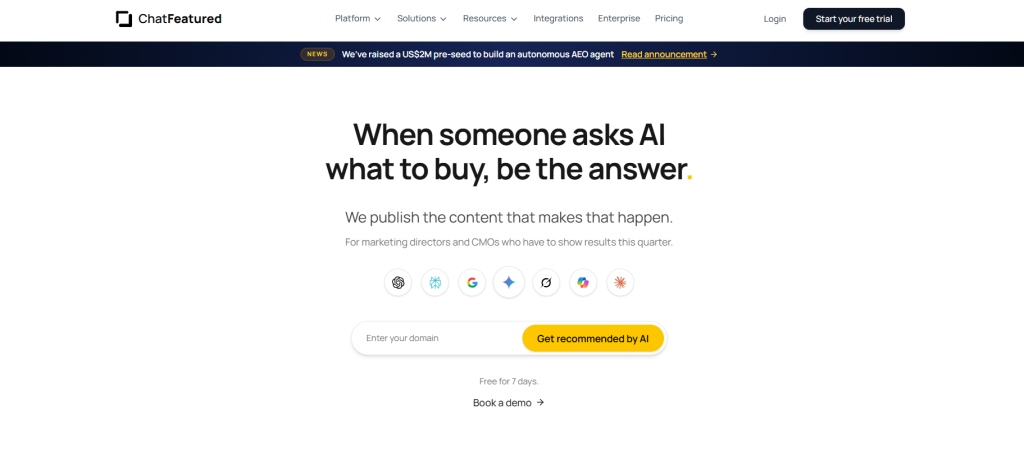
Best For: ChatFeatured is ideal for marketing teams, CMOs, and agencies that don’t just want to see how they show up in AI search – they want a platform that actually improves it. If your goal is more visibility in ChatGPT, Perplexity, Google AI, Gemini, and similar engines, plus measurable traffic and ROI from AI search, this is built for that.
How I Use It: I use ChatFeatured when a client asks, “Are we showing up in AI answers?” and then “What do we do about it, and how do we know it’s working?” Classic SEO suites can show partial AI visibility. ChatFeatured is where I go when the job is execution: find the gaps, create the content, publish it, get it discovered, and track whether AI-search visibility and traffic actually move.
Quick Overview
ChatFeatured is an AI SEO platform built for the full loop: track how AI engines talk about your brand, do the work that improves those mentions and citations, and measure the ROI.
Most tools on this list either optimize content for Google rankings or add AI-visibility tracking as a secondary feature. ChatFeatured treats AI search as the product. It monitors mentions, citations, sentiment, and competitor gaps across major AI platforms, then connects that insight to action through an AI analyst agent, content strategy and generation, site audits, publishing, and crawler/index workflows.
In the industry, this layer is often called AEO (Answer Engine Optimization), but in practice it’s AI SEO with an execution engine attached.
What makes it stand out is that the platform doesn’t stop at a dashboard. It reverse-engineers what LLMs already cite in your category, maps where competitors are winning, writes content structured to earn those citations, publishes it, submits for discovery, and tracks whether visibility and AI-search performance lift. You’re not left staring at a “you’re not mentioned” score with no next step.
It’s best suited for in-house teams that need AI-search results this quarter, agencies packaging AI SEO as a client service, and brands that already use Semrush or Ahrefs for classic SEO but still need a system that executes on AI visibility – not just reports it.
Compared to Semrush One’s AI Visibility Toolkit, Surfer’s AI Tracker, or Ahrefs Brand Radar, ChatFeatured goes further in getting work done: content strategy, article generation, CMS publishing, AI-oriented site audits, and crawler analytics are core, not add-ons. It doesn’t replace Semrush or Ahrefs for keyword research and backlinks. It fills the AI SEO execution layer that those tools only partially cover.
Try ChatFeatured Free for 7 Days →
ChatFeatured Key Features
- AI Search Visibility Tracking: Monitor brand mentions, citations, sentiment, and competitor share of voice across ChatGPT, Perplexity, Google AI, Gemini, Grok, Copilot, Claude, and more, with daily prompt tracking across regions.
- AI Analyst Agent: Ask plain-English questions (“Why aren’t we showing up for best CRM software?”) and get gap analysis, missing sources, and prioritized next steps, without hiring a dedicated AI SEO analyst.
- Content Strategy & Generation: Works backwards from what AI engines already cite, builds a prioritized content plan, and generates research-backed articles designed to improve AI visibility, not just Google keyword coverage.
- Publishing: Push content directly to your CMS platforms with integrations or use ChatFeatured’s AI-oriented CMS, with structured data, AI-crawler-friendly serving, and index submissions so new work gets found faster.
- Site Audits: Audit Technical, Content, and AI-search readiness, turn issues into prioritized tasks, and track progress as scores improve.
- ROI Tracking: Measure how visibility and AI search performance change over time, so you can connect AI SEO work to real outcomes, not vanity metrics.
- Crawler Analytics: See how AI bots crawl your site, which pages they engage with most, and how to fix technical issues to get more pages cited.
- MCP access: You can connect ChatFeatured to Claude/ChatGPT/agents via MCP to keep execution in your existing workflows.
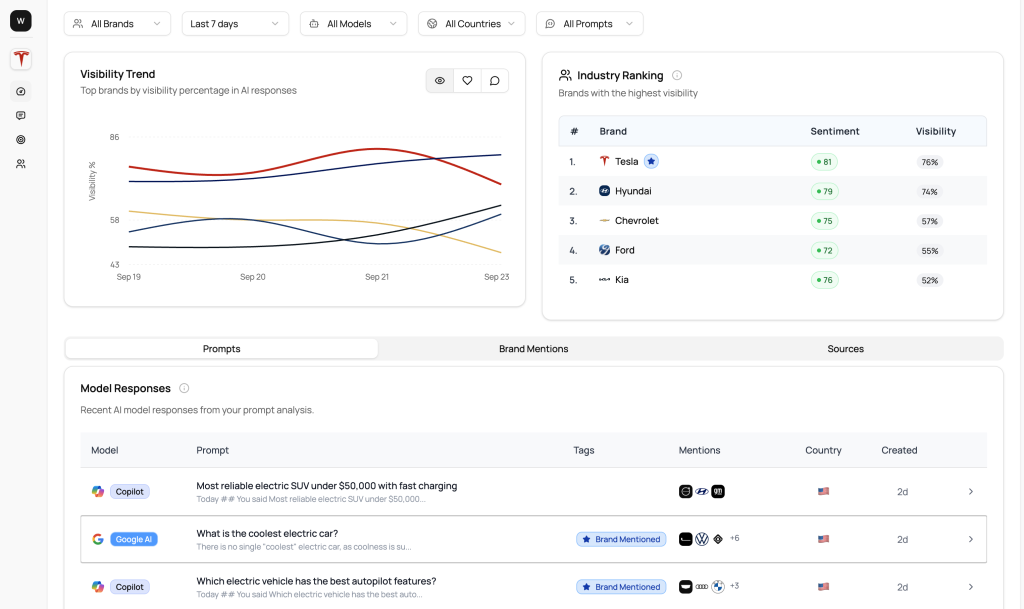
ChatFeatured Pros
- Execution-first AI SEO. Visibility tracking is the starting point, not the product. The platform creates, publishes, and follows through so teams can improve AI-search presence instead of just reporting it.
- Closes the insight-to-action gap. Many AI visibility tools leave you with a dashboard and no clear next move. ChatFeatured turns gaps into content, tasks, and published pages.
- Multi-engine coverage in one place. Useful when ChatGPT, Perplexity, and Google AI behave differently and a single-engine snapshot is misleading.
- Built to show ROI. Daily tracking, competitor benchmarks, citation trends, and crawler analytics help you prove whether AI SEO work is driving more visibility and AI-search traffic, not just activity.
- Works alongside Semrush/Ahrefs. Keep classic SEO tools for keywords and backlinks; use ChatFeatured for the AI-search execution layer.
- Agency-friendly. Clear positioning for agencies selling AI SEO as a growth service, with multi-brand/enterprise options and hands-on Slack support.
ChatFeatured Cons
- Not a full traditional SEO replacement. You still need Semrush, Ahrefs, or similar for deep keyword research, backlink databases, and classic rank tracking.
- Premium vs monitoring-only tools. At $499/month for Business, it’s priced for teams serious about improving AI-search performance, not casual mention checking.
- Fewer public reviews than incumbents. Semrush and Surfer have thousands of G2/Capterra reviews; ChatFeatured is earlier in public review scale, so demos and customer results matter more in evaluation.
- Generated content still needs human editing. Drafts need brand voice, proof points, and original insight before publishing, same as every AI writer on this list.
- Best value when you use the full loop. If you only want a lightweight mention tracker, cheaper monitoring tools may be enough.
ChatFeatured Pricing
- 7-day free trial
- Business: $499/month
- Enterprise: Custom
Notable User Sentiment
“When we started with ChatFeatured, we had almost no presence in AI search. Now we’re consistently showing up ahead of competitors. Their agent basically acts as our dedicated AI SEO specialist – identifying gaps, executing fixes, and tracking results so we don’t have to.” — Head of Marketing at B2B SaaS company
One-liner positioning note
ChatFeatured is the AI SEO execution platform on this list: it tracks where you show up in AI search, does the work to improve visibility and AI-search traffic, and measures the ROI – rather than stopping at monitoring.
Try ChatFeatured Free for 7 Days →
2. Semrush One– Best for Comprehensive SEO Analysis
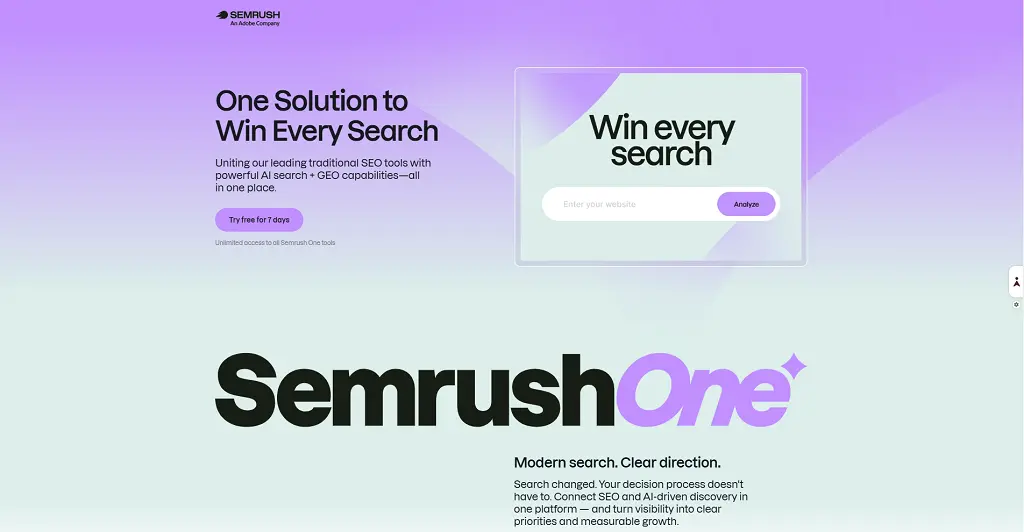
Best For: Semrush One is ideal for agencies, in-house marketing teams, and content creators who need an all-in-one SEO platform with advanced AI visibility tracking across ChatGPT, Perplexity, and Google AI Mode.
How I Use It: I use Semrush One daily at OneLittleWeb for keyword research, competitor analysis, site audits, and tracking how our clients’ brands appear in AI-generated search results.
Quick Overview
Semrush One is the newest iteration of Semrush, combining its traditional SEO toolkit with advanced AI features designed to help you monitor and improve your brand’s visibility in AI search platforms.
The platform has been around since 2008, but Semrush One launched in 2025 as a direct response to the rise of AI-powered search. It’s now owned by Adobe, which means we’ll likely see even more AI integrations and marketing features rolling out soon.
What makes Semrush One stand out is the AI Visibility Toolkit. It tracks over 100 million prompts across ChatGPT, Google AI Mode, Perplexity, and AI Overviews in six regions: US, UK, Canada, Australia, India, and Spain. No other SEO tool offers this level of AI search monitoring at this scale.
I’ve used Semrush for over five years across client campaigns, and the AI features have genuinely changed how we approach content strategy. Instead of just optimizing for Google’s top 10, we’re now tracking whether our clients get cited when someone asks ChatGPT about their industry.
It’s best suited for agencies managing multiple clients, in-house teams at SaaS or ecommerce companies, and serious content creators who want to stay ahead of the AI search curve. If you’re a solo blogger just starting out, it might be overkill.
Compared to alternatives like Ahrefs or SE Ranking, Semrush One offers better AI visibility tracking and more content marketing features. Ahrefs still has a larger backlink database, but Semrush wins for all-around SEO + AI monitoring.
Try Semrush One 7 Days Free Trial →
Semrush One Key Features
- AI Visibility Toolkit: Track your brand mentions and citations across ChatGPT, Perplexity, Google AI Mode, and AI Overviews. Monitor 50 prompts and 500 keywords daily across 5 domains. See exactly which prompts trigger your brand and how you compare to competitors.
- Semrush Copilot: AI-powered assistant that monitors your website and sends personalized recommendations about technical issues, keyword opportunities, competitor changes, lost backlinks, and traffic drops. It notices problems before you do and suggests fixes.
- Personal Keyword Difficulty: Unlike generic keyword difficulty scores, this AI-powered metric shows how hard it will be for your specific domain to rank in the top 10 for a target keyword. Much more accurate than one-size-fits-all difficulty ratings.
- Keyword Strategy Builder: Uses AI to research and recommend topic clusters based on relevance and traffic potential. I used this to build out a pillar page strategy for a SaaS client, and it suggested 40+ related keywords we hadn’t considered.
- Position Tracking with AI Overviews: Track your rankings in traditional organic results plus monitor visibility in AI Overviews. You can see daily ranking changes and get alerts when your positions shift significantly.
- Site Audit with AI Search Issues: Crawls your site and identifies technical problems that could hurt your visibility in AI-powered search tools like SearchGPT and Perplexity. For example, it flagged that our site was missing an llms.txt file.
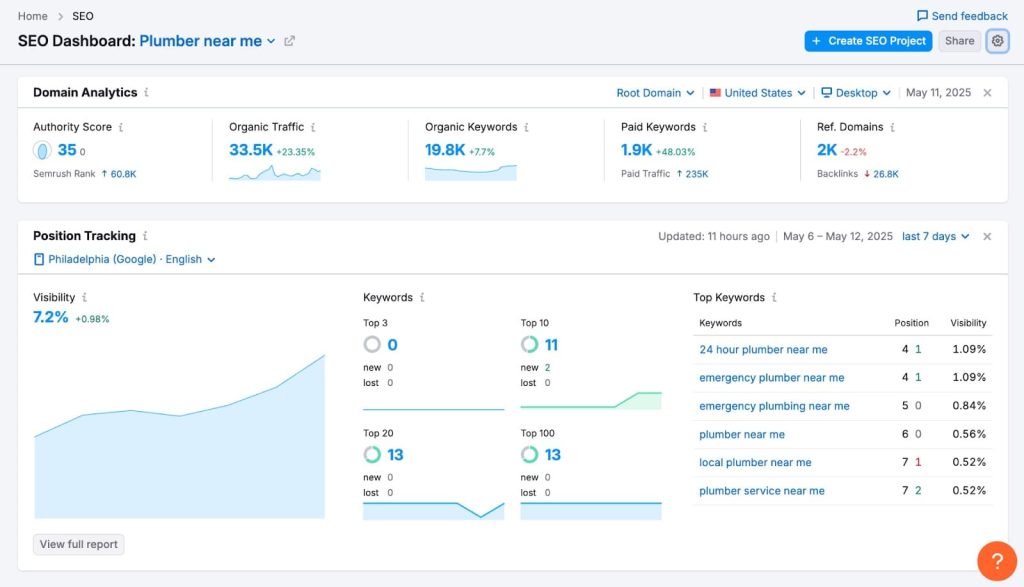
Semrush One Pros
- AI visibility tracking is unmatched. I tested this against manual searches in ChatGPT and Perplexity, and Semrush One accurately showed when our clients were mentioned and for which prompts. This data is impossible to gather manually at scale.
- Semrush Copilot saves hours of manual monitoring. Instead of checking GSC, Analytics, and ranking tools separately, Copilot sends a daily summary of what changed and what needs attention. It caught a technical issue for one client that would have taken us days to spot manually.
- Personal Keyword Difficulty is more reliable than generic scores. We stopped wasting time on “low difficulty” keywords that were actually impossible for new domains to rank for. The personalized score accounts for your domain’s actual authority.
- Data accuracy matches Google Search Console closely. I cross-checked Semrush data against GSC for six months across multiple client accounts. The variance was typically under 10%, which is solid for any third-party tool.
- Position tracking updates daily with no delays. Some tools have a 2-3 day lag on ranking data. Semrush updates every morning, which matters when you’re monitoring the impact of fresh content or algorithm updates.
- Keyword research tools are robust and easy to use. The Keyword Magic Tool pulls thousands of related keywords with accurate search volume, intent classification, and SERP feature data. It’s faster and more intuitive than Ahrefs’ Keywords Explorer.
Semrush One Cons
- The interface can feel overwhelming at first. With 55+ features across seven toolkits, new users often don’t know where to start. It took our team about two weeks to get comfortable navigating everything efficiently.
- Backlink data isn’t as comprehensive as Ahrefs. If link building is your primary focus, Ahrefs has a larger and more frequently updated link index. Semrush’s backlink checker works fine for basic monitoring, but not deep competitive analysis.
- Some AI features are still being refined. The AI Visibility Toolkit is powerful but occasionally shows duplicate prompts or misses obvious brand mentions. It’s improving with updates, but it’s not perfect yet.
- No content optimization suggestions in real-time. Unlike Surfer SEO or Clearscope, Semrush doesn’t analyze top-ranking content and suggest specific improvements as you write. You’ll need a separate tool for that.
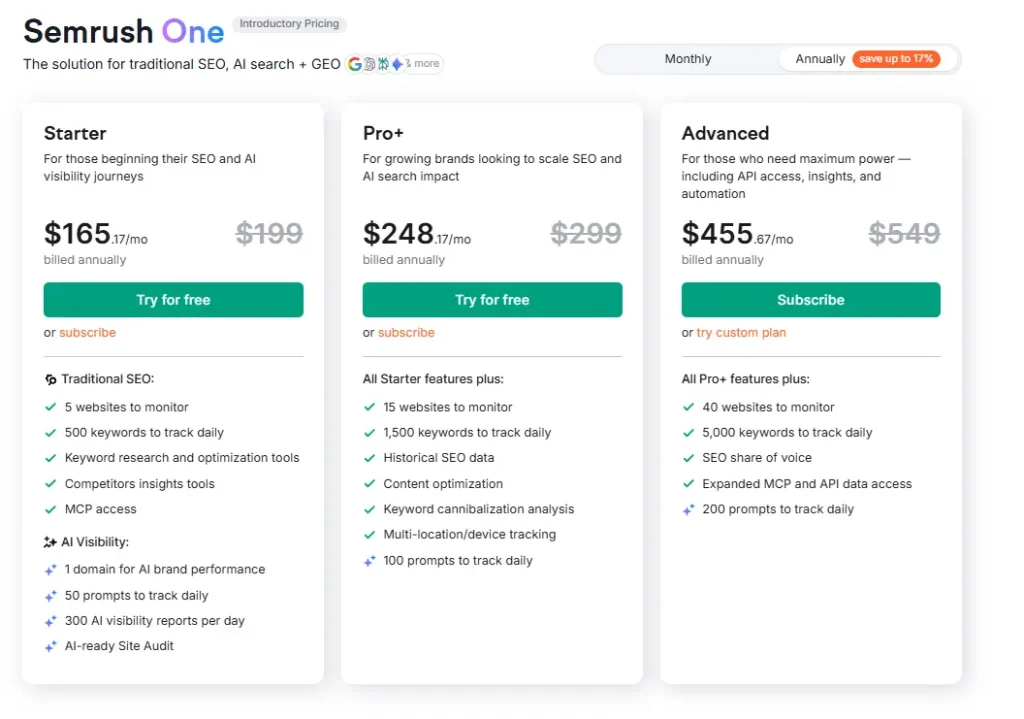
Semrush One Pricing
- 7-day free trial
- Starter: $165.17/month
- Pro+: $248.17/month
- Advanced: $455.67/month
Semrush One Reviews
- G2: 4.5 out of 5 stars (3,026+ reviews)
- Capterra: 4.6 out of 5 stars from (2,317+ reviews)
Notable User Sentiment: “Semrush One changed how we approach content strategy for clients. Being able to show them exactly where they’re mentioned in ChatGPT responses has been a huge selling point for our agency.” — Marketing agency owner managing 15+ clients
Try Semrush One Free for 7 Days →
3. RabbitSEO – Best Affordable AI Visibility Tool for Small Business Websites
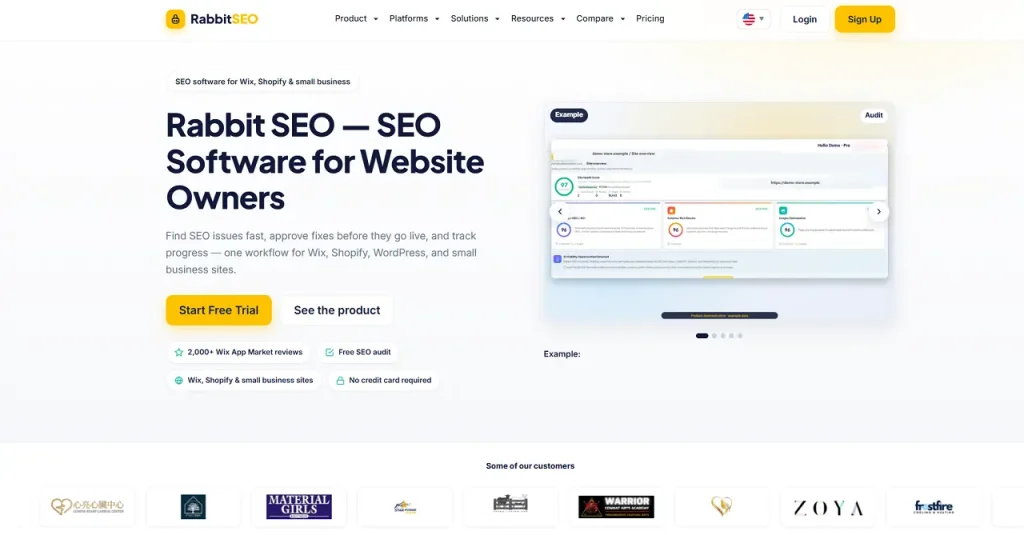
Best For: RabbitSEO is ideal for small business owners, and Wix or Shopify site owners who want to monitor and improve their AI search visibility without an enterprise SEO budget or a dedicated SEO team.
How I Use It: We point smaller clients toward RabbitSEO when they want an affordable way to check whether they’re showing up in ChatGPT, Gemini, and Perplexity results, then act on the fixes themselves between our check-ins.
Quick Overview
RabbitSEO is SEO automation software built for Wix, Shopify, WordPress, and small business site owners, rather than enterprise teams running deep competitive intelligence.
It has more than 2,000 reviews in the Wix App Market as of July 2026, making it one of the more established SEO apps on that marketplace.
What sets RabbitSEO apart from the pure content-generation and keyword-clustering tools on this list is that it bundles AI visibility monitoring into a broader audit-to-fix workflow.
Its AI Visibility Checker and dedicated AEO (answer engine optimization) tool track how a site appears in ChatGPT, Gemini, and Perplexity results.
Its Automatic SEO Fixer then recommends on-page improvements, including meta titles, schema markup, and image alt text, with every change held for approval before it goes live.
Rank tracking covers Google keyword positions by country and device, and the Competitor Research and Backlinks tools surface competitor keywords and link opportunities.
RabbitSEO doesn’t guarantee AI placement, which is honest positioning given how early-stage AI visibility measurement still is across the industry.
For WordPress, RabbitSEO can audit publicly accessible sites and surface recommendations, but direct publishing depends on the connection available for that site.
That puts it behind its native Wix and Shopify integrations, making RabbitSEO a better fit for those platforms today while its WordPress support is still catching up.
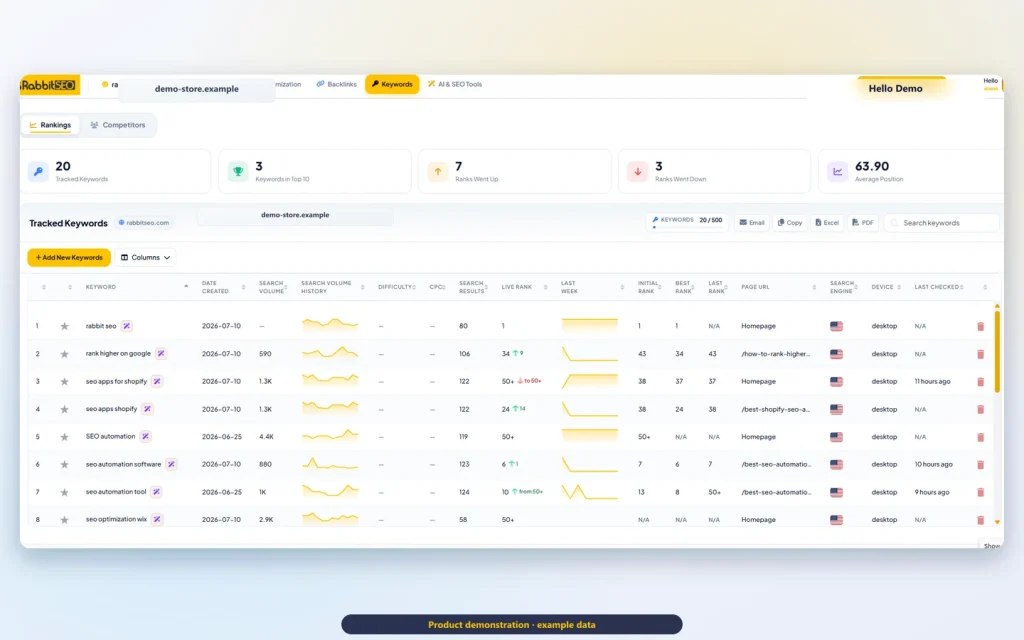
RabbitSEO Key Features
- AI Visibility Checker (AEO tool) tracking mentions across ChatGPT, Gemini, and Perplexity
- Site-wide SEO audit with prioritized issue lists
- Automatic SEO fixer for meta titles, descriptions, schema, and alt text — held for approval before publishing
- Keyword rank tracker by country and device
- Competitor research for keyword and content gaps
- Backlink monitoring and link-building credits
- White-label PDF reporting for agencies managing multiple small client sites
RabbitSEO Pros
- Bundles AI visibility with actual fixes, not just monitoring. Most budget tools stop at telling you whether you’re mentioned. RabbitSEO pairs that data with an approve-before-publish fixer, so small teams get from insight to action instead of a dashboard with no next step.
- Built for non-technical owners. Plain-language audits work for small business owners and Wix/Shopify merchants without an in-house SEO or content team.
- Strong Wix and Shopify integration. With 2,000+ Wix App Market reviews, it’s a well-established option for these platforms, applying fixes directly to storefront pages.
- Affordable entry point. It starts free and scales to $100/month for a single site, well under the AI visibility add-on pricing charged by Semrush One or Ahrefs Brand Radar.
RabbitSEO Cons
- RabbitSEO can support up to 1,000 websites on a single account with custom PDF reporting, but that scale isn’t reflected in published pricing, so larger agencies will need to reach out directly rather than self-serve.
- Audits and fixes work across WordPress, Wix, Shopify, and other platforms, but one-click publishing straight into the site’s blog is only available on Wix and WordPress today.
- Free and Pro plans cap daily tracked keywords at 5 and 20, though the research tools themselves aren’t limited to that count.
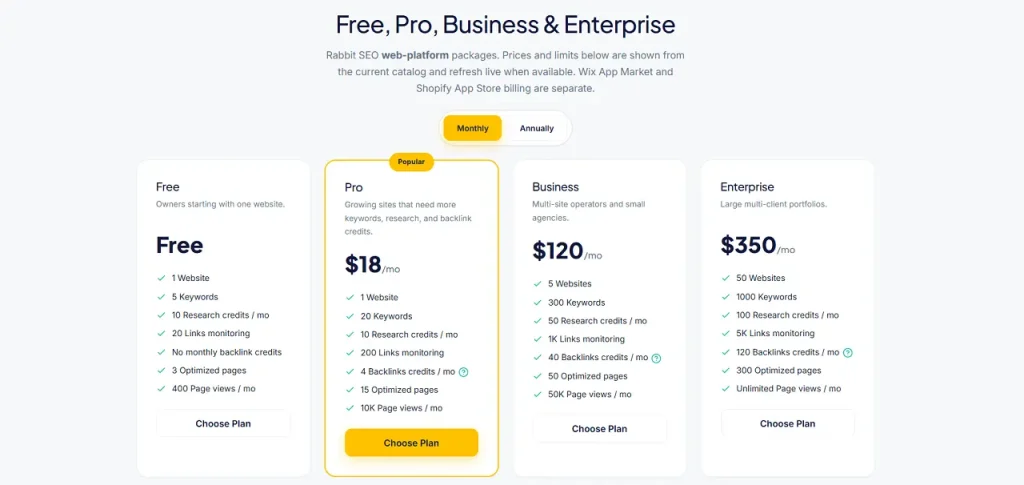
RabbitSEO Pricing
- Free plan (1 website, 5 keywords)
- Pro: $18/month
- Business: $120/month
- Enterprise: $350/month
RabbitSEO Reviews
- Capterra: 4.9/5 (19+ reviews)
- Trustpilot: 4.4/5 (56+ reviews)
- G2: 4.8/5 (8 reviews)
- Wix: 4.9/5 (2202 reviews)
Notable User Sentiment: “The dashboard is clean and makes SEO approachable, even without a technical background.” — Small business owner on Wix
3. Surfer SEO – Best for Content Optimization
Best For: Surfer SEO is ideal for content teams, SEO writers, and agencies that publish content regularly and want to optimize for both traditional Google rankings and AI search results like ChatGPT and Perplexity.
How I Use It: I use Surfer SEO for on-page content optimization and tracking how our articles perform in AI-generated search results. The Content Editor saves me about 2 hours per article compared to manual SERP analysis.
Quick Overview
Surfer SEO launched in 2017 as an on-page optimization tool, and it’s evolved into a comprehensive content creation and monitoring platform.
What started as a tool for analyzing keyword density and content structure now includes AI-powered writing, real-time optimization, and AI search tracking.
What makes Surfer stand out is how it combines content creation with optimization in one workflow. You can generate a draft with Surfer AI, optimize it in the Content Editor, and then monitor its performance in both Google and AI platforms through AI Tracker and Content Monitor.
I’ve used Surfer across dozens of client projects at OneLittleWeb, and it consistently helps content rank faster than unoptimized pieces. We published an article for a SaaS client using Surfer’s suggestions, and it hit page one within three weeks for a moderately competitive keyword.
It’s best suited for agencies publishing 10+ articles per month, in-house content teams at SaaS companies, and freelance SEO writers who want to deliver optimized content without spending hours on manual research.
Compared to alternatives like Clearscope or Frase, Surfer offers better AI search tracking and more robust optimization features. Clearscope has a cleaner interface, but Surfer provides more actionable data for actually improving rankings.
Surfer SEO Key Features
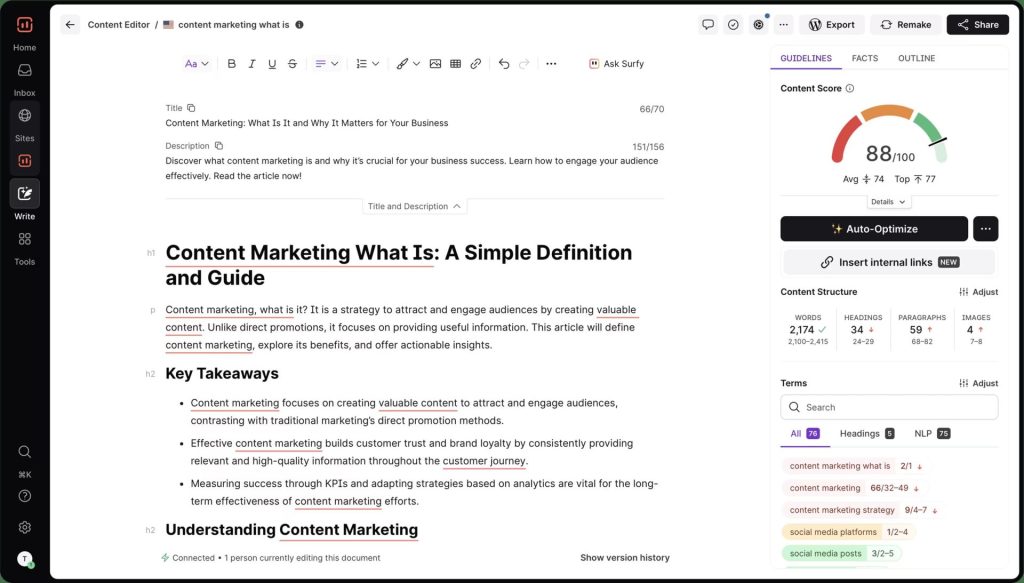
- Content Editor: A real-time optimization tool that analyzes top-ranking pages and suggests related keywords, optimal word count, heading structure, and internal linking opportunities. Shows a content score that increases as you add suggested terms and improve structure.
- Surfer AI: Generates long-form content (2,000+ words) optimized for your target keyword. You provide a detailed outline or let it create one automatically, and it produces a complete draft in 15-30 minutes. Works in 15+ languages, including English, Spanish, French, German, and Japanese.
- Content Audit: Connects to Google Search Console and analyzes all your published pages daily. Identifies underperforming content, suggests improvements, and shows which pages need updates to maintain rankings. Can auto-optimize content with one click.
- AI Tracker: Monitors your brand visibility across Google AI Overviews, ChatGPT, and Perplexity. Tracks specific prompts you choose and shows weekly reports on whether your content gets cited.
- Topical Map: Shows coverage gaps in your content clusters. Identifies topics your competitors cover that you’re missing and suggests new articles to fill those gaps. Helps build comprehensive topical authority.
- Coverage Booster: Suggests facts and information based on what top-ranking pages include that your content doesn’t. Helps ensure you’re not missing important details that could hurt your rankings.
Surfer SEO Pros
- Content optimization is faster than manual SERP analysis. What used to take me 45 minutes of reviewing the top 10 results and building keyword lists now takes 5 minutes in the Content Editor. The time savings add up quickly across multiple articles.
- The content score is a reliable ranking indicator. I tested this by publishing articles at different score levels. Articles scoring 75+ consistently ranked in the top 20 within 30 days, while articles below 60 took 60+ days or didn’t rank at all.
- Content Audit spots declining rankings before they crash. It flagged three client articles that were slowly losing positions due to outdated information. We updated them based on Surfer’s suggestions, and all three recovered to page one within two weeks.
- AI Tracker provides data you can’t get elsewhere. We can now show clients exactly which ChatGPT prompts them to mention their brand and how often they appear compared to competitors. This has become a huge selling point for our agency.
- Surfer AI generates surprisingly usable drafts. I was skeptical at first, but the AI-generated content requires less editing than other tools I’ve tested. It’s not perfect, but it’s 70-80% ready to publish after adding personal insights and examples.
- The Auto-Optimize feature saves editing time. For content audits, it automatically adds missing keywords and improves structure. I always review the changes before publishing, but it handles 80% of the optimization work instantly.
Surfer SEO Cons
- The interface can feel cluttered with too many features. When you open a project, you’re hit with multiple tabs, scores, and suggestions. New users often feel overwhelmed trying to figure out which recommendations actually matter.
- AI-generated content still needs significant human editing. Despite being better than most AI writers, Surfer AI produces generic content that lacks personality and unique insights. You’ll need to add case studies, personal experience, and original perspectives.
- No built-in plagiarism checker. Unlike some competitors, Surfer doesn’t check if AI-generated content is too similar to existing articles. You’ll need a separate tool like Copyscape for this.
- The keyword research tool is basic. If you need comprehensive keyword analysis with search volume trends and competitor gap analysis, you’ll still need Semrush or Ahrefs. Surfer’s keyword research works for basic expansion only.
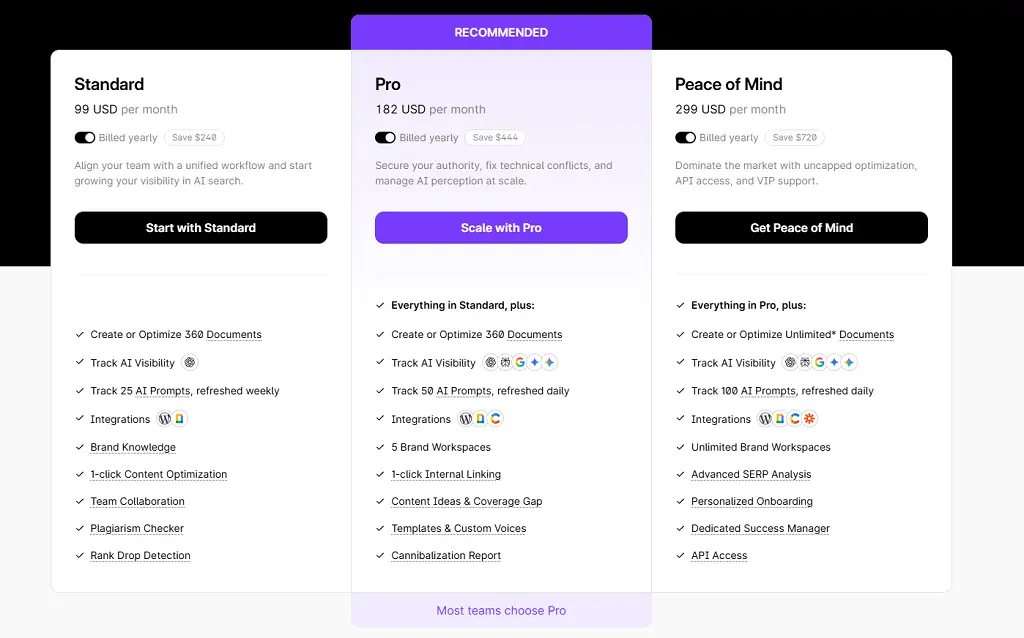
Surfer SEO Pricing
- Standard: $99/month
- Pro: $182/month
- Peace of Mind: from $299/month
Surfer SEO Reviews
- G2: 4.8 out of 5 stars (538+ reviews)
- Capterra: 4.9 out of 5 stars (421+ reviews)
Notable User Sentiment: “Surfer cut our content production time in half while improving our rankings. The Content Editor is now mandatory for every article our writers submit.” — Content manager at B2B SaaS company
4. SE Ranking– Best for White Label Reporting
Best For: SE Ranking is ideal for small to mid-sized agencies that need accurate rank tracking, white label reporting, and comprehensive site audits without enterprise-level pricing.
How I Use It: I use SE Ranking for client rank tracking and automated weekly reports. It’s become our go-to for agencies that need reliable data without the complexity of Semrush.
Quick Overview
SE Ranking has been in the SEO and digital marketing tool market since 2013. What sets it apart from competitors like Ahrefs and Semrush is its straightforward white label capabilities and predictable pricing structure with no confusing credit systems or surprise overages.
The platform delivers accurate keyword tracking across 100+ search engines, detailed site audits, and backlink monitoring.
What makes SE Ranking stand out is how quickly you can onboard new clients. Most tools take 30-45 minutes to configure properly. With SE Ranking, I can have a new client account set up with branded reports in under 15 minutes.
It’s best suited for agencies managing 5-20 clients who want professional reports without paying Semrush enterprise prices. If you’re a solo consultant or small team just starting with white label tools, this is where I’d begin.
Compared to alternatives like Serpstat or Mangools, SE Ranking offers better white label customization and more reliable rank tracking data. It sits in the sweet spot between beginner-friendly tools and enterprise platforms.
SE Ranking Key Features
- White Label Reports: Fully customizable PDF and HTML reports with your agency branding, logo, and custom domain. You can schedule automated delivery to clients weekly or monthly without manual generation.
- Rank Tracker: Monitor keyword positions across Google, Bing, Yahoo, and YouTube. Track local rankings down to zip code level and compare desktop versus mobile performance with daily updates.
- Site Audit: Crawls up to 20,000 pages per project to identify technical issues like broken links, duplicate content, missing meta tags, page speed problems, and mobile usability errors.
- Backlink Checker: Analyze your backlink profile and competitors’ link-building strategies. Track new and lost backlinks with email alerts and identify toxic links that could hurt rankings.
- Keyword Research Tool: Discover keyword opportunities with search volume, competition level, and CPC data. Group keywords by topic and track their performance over time across multiple projects.
- AI Rankings Report: Monitor your brand’s visibility in AI-generated search results, including ChatGPT and Perplexity. Track which prompts trigger your brand mentions and compare against competitors.
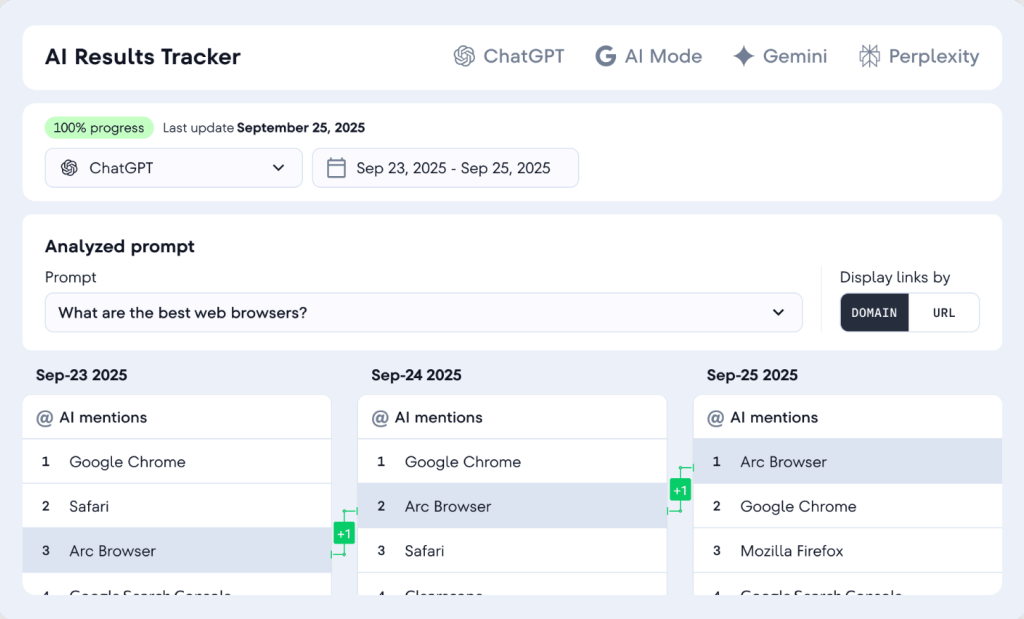
[Image Source: SERanking]
SE Ranking Pros
- Accurate rank tracking data that differs from GSC by 10-15%. I’ve cross-checked SE Ranking against Google Search Console data for 6+ months across multiple clients, and the variance is minimal compared to other tools.
- Fast client onboarding with pre-built templates. You can duplicate report templates across clients, which saves hours when you’re managing 10+ accounts. The setup that used to take an hour now takes 10 minutes.
- Custom domain for white label reports. You can host reports on your own subdomain, like reports.youragency.com, which looks far more professional than generic links and builds client trust in your brand.
- Scheduled automated reports work reliably. I set up weekly rank reports for clients, and they’ve delivered consistently for over a year without manual intervention or failed sends. Clients receive updates without us lifting a finger.
- Includes PPC competitor research tools. You can see which keywords competitors are bidding on in Google Ads, which helps when pitching integrated SEO/PPC strategies to clients or identifying high-intent keywords.
- AI Rankings Report tracks LLM visibility. The recent addition of AI search tracking shows whether your brand appears in ChatGPT and Perplexity responses. This feature alone justifies the subscription for forward-thinking agencies.
SE Ranking Cons
- The interface feels dated compared to Ahrefs or Semrush. While functional, the UI hasn’t been updated significantly in years. It gets the job done, but doesn’t feel modern or particularly intuitive for new users.
- The backlink database is smaller than Ahrefs. If backlink analysis is your primary focus, Ahrefs has a more comprehensive link index. SE Ranking works for basic link monitoring but not deep competitive analysis.
- Limited API access on lower-tier plans. If you want to build custom integrations or pull data programmatically, you’ll need the Business plan or higher. The Essential plan doesn’t include API access at all.
- No content optimization suggestions. Unlike Surfer or Clearscope, SE Ranking doesn’t analyze top-ranking content and suggest improvements for your drafts. You’ll need a separate tool for on-page content optimization.
- Keyword research depth is moderate. It covers the basics well, but power users doing extensive keyword gap analysis will find Ahrefs or Semrush more robust with better filtering and clustering options.
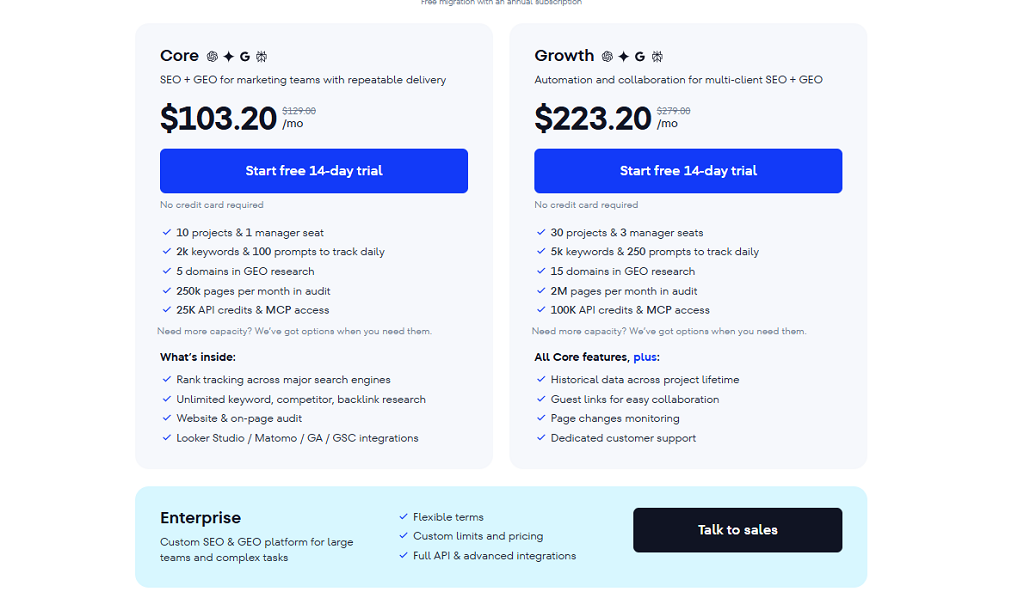
SE Ranking Pricing
- Free trial available
- Core: 103.20/month
- Growth: $223.20/month
SE Ranking Reviews
- G2: 4.7 out of 5 stars (2,330+ reviews)
- Capterra: 4.7 out of 5 stars (296+ reviews)
Notable User Sentiment: “SE Ranking does everything we need for client reporting without the complexity or cost of Semrush. The white label features actually work as advertised.” — Agency owner managing 12 clients
5. Ahrefs – Best for Backlink Research and Competitive Intelligence
Best For: Ahrefs is ideal for SEO professionals, link builders, and competitive researchers who need the deepest backlink data available. It works best for agencies doing serious competitor analysis, in-house SEO teams at established companies, and anyone running ongoing link building campaigns where data accuracy and freshness directly affect results.
How I Use It: I use Ahrefs primarily for competitive backlink research and Content Explorer when planning new content angles. Site Explorer is the first tool I open when onboarding a new client. It tells me more about their competitive position in 10 minutes than most audits reveal in an hour.
Quick Overview
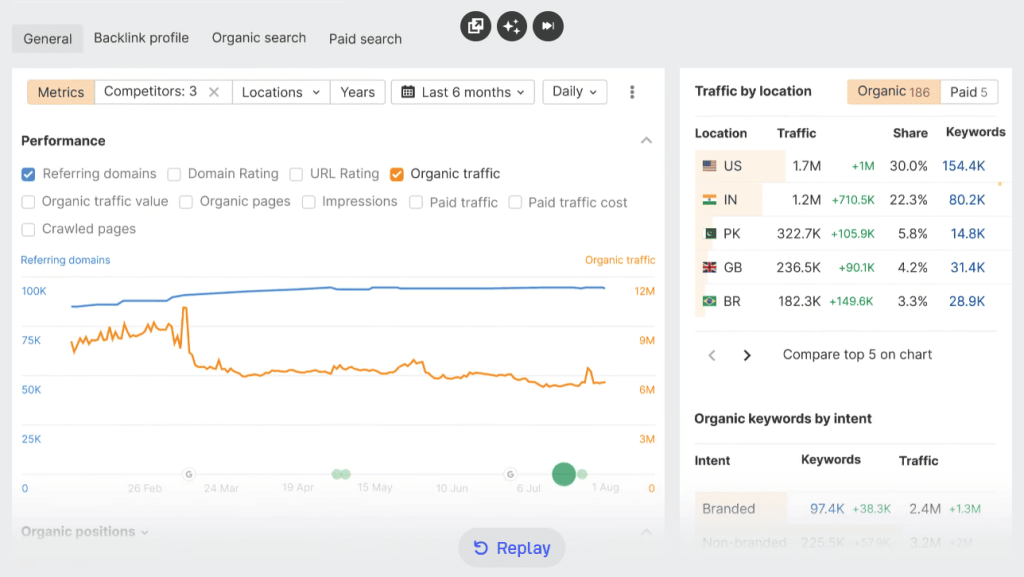
Ahrefs built its reputation on one thing: the largest and most frequently updated backlink index in the industry. That foundation still holds in 2026. Everything else the platform does sits on top of that data advantage.
What started as a backlink analysis tool has grown into a full-stack SEO platform covering keyword research, content discovery, technical audits, rank tracking, and now AI visibility through Brand Radar. The depth in each area reflects 15 years of continuous development rather than a platform built wide from day one.
The data quality is what earns loyalty across a decade of use. I’ve cross-checked Ahrefs backlink data against every major competitor. The index is consistently larger, more accurate, and more current. The 15 to 30 minute backlink refresh rate is genuinely unmatched at any price point.
One thing most reviews don’t mention: Ahrefs never runs discounts. They say it openly on their pricing page. That either signals confidence in what the product delivers or warns you that no better deal is coming. In practice it means the price you see is the price you pay. Budget accordingly.
The free Webmaster Tools deserve more attention than they get. Verified site owners access genuine backlink and organic keyword data for their own domain at no cost. For teams evaluating the platform before committing, this is the most honest preview available.
Ahrefs Key Features
Site Explorer: The centrepiece of the platform. Enter any domain or URL and get a full breakdown of organic traffic estimates, ranking keywords, backlink profile, referring domains, and top-performing pages. The data depth here is where Ahrefs consistently outperforms every alternative I’ve tested. For competitive research during client onboarding, nothing returns a more complete picture faster.
Keywords Explorer: Keyword research built on a database of billions of keywords across 200+ countries. Returns accurate search volume, keyword difficulty, traffic potential, and full SERP analysis including featured snippet and AI Overview presence. The traffic potential metric, showing estimated traffic if you ranked number one, is more useful for prioritisation than raw search volume alone.
Content Explorer: Search any topic and surface the highest-performing content across the entire web ranked by traffic, backlinks, and social engagement. I use this for finding link prospects, identifying content gaps, and researching what angles competitors haven’t covered. It’s a unique capability that no other tool at any price replicates well.
Site Audit: Crawls your site for technical issues including broken links, redirect chains, duplicate content, missing metadata, slow pages, and crawlability problems. Clean visual reports make findings easy to present to clients without translation. Integrates with Google Search Console for combined performance and technical data.
Rank Tracker: Monitors keyword positions across desktop and mobile with daily updates. Includes share of voice metrics and visibility scores that track overall SERP presence rather than individual keyword positions in isolation. Useful for client reporting where movement across a keyword set matters more than any single ranking.
Brand Radar: Ahrefs’ AI visibility tracking feature. Monitors brand mentions across 271 million organic prompts and tracks custom prompts across ChatGPT, Perplexity, Google AI Overviews, and other platforms. The data is genuinely useful. The pricing is not. At $199 per month per AI index or $699 for the six-platform bundle on top of your base subscription, it’s positioned for enterprise budgets rather than agency ones.
Ahrefs Webmaster Tools: Free access to Site Explorer and Site Audit for your own verified domains. No time limit. No credit card. The backlink and organic keyword data is the same quality as the paid product. For teams that only need to monitor their own site without competitor research, this is a genuinely useful free tier that most competitors don’t match.
Ahrefs Pros
The backlink database is in a category of its own. I’ve run the same domain through Ahrefs and every major alternative. Ahrefs consistently returns more referring domains, more accurate link status, and fresher data. For competitive link analysis, the difference is large enough to change decisions.
Content Explorer changes how I approach content strategy. Searching a topic and seeing the highest-traffic, most-linked pieces on that subject instantly tells me what’s working and where the gaps are. I’ve used it to find angles competitors haven’t covered and to identify link prospects who link to similar content. No other tool does this as well.
Keyword data is accurate across long-tail queries. Most keyword tools overestimate volume on competitive head terms and miss long-tail opportunities entirely. Ahrefs returns reliable data across both ends of the spectrum. The traffic potential metric specifically has changed how I prioritise keyword targets for clients.
Free Webmaster Tools delivers real value. For site owners who only need to monitor their own domain, the free tier is genuinely useful and not crippled. I recommend it to clients who aren’t ready for a full paid subscription but want reliable backlink and organic data for their own site.
The interface rewards experience. Ahrefs is not the easiest tool on this list to learn. But once you build efficient workflows, the depth of data accessible in a few clicks is faster than any simpler alternative. The learning investment pays back quickly for teams doing serious competitive research.
Ahrefs Cons
No free trial. Ahrefs removed its seven-day trial in 2022 and has not reinstated it. You commit financially before verifying whether the data quality justifies the cost for your specific use case. For most experienced SEOs the reputation does that work. For first-time evaluators it’s a harder ask.
Brand Radar pricing is difficult to justify for most agencies. At $199 per month per AI index on top of a base subscription starting at $129, AI visibility tracking through Ahrefs costs significantly more than dedicated alternatives on this list. The data is good. The price creates a real barrier for teams that need AI search visibility without an enterprise budget.
The price increase in 2024 changed the value calculation. The Lite plan jumped from $99 to $129 per month. That 30 percent increase pushed budget-conscious teams toward alternatives that have since improved. At $99, Lite was an easy default. At $129, the comparison to other platforms is worth running before committing.
Keyword research depth trails at lower tiers. The Lite plan caps reports at 2,500 rows. For agencies doing comprehensive keyword gap analysis across competitive niches, that ceiling creates friction. Standard at $249 removes most of these limits but doubles the cost.
No monthly billing discount. Ahrefs never runs promotions and the annual plan is the only way to save. If your budget requires month-to-month flexibility, you’re paying full price with no path to a lower rate.
Ahrefs Pricing
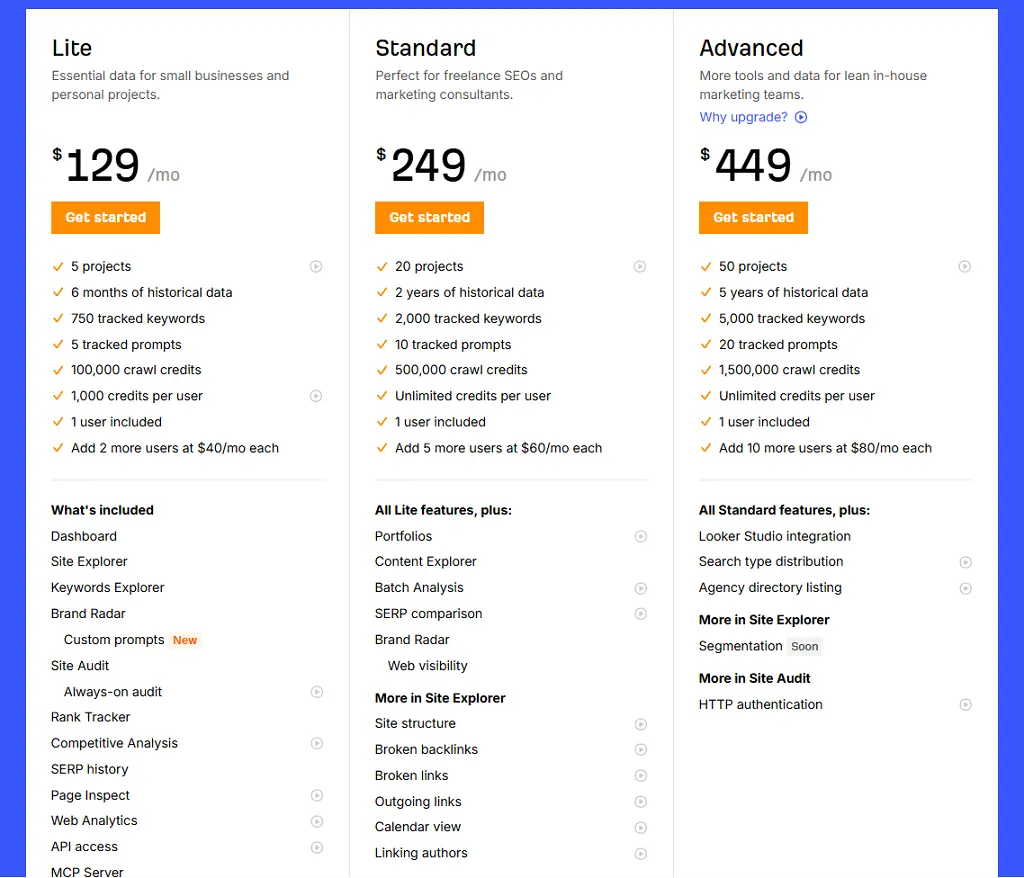
Brand Radar add-on: $50/month per platform, $100/month for 2 platforms and for high volume, you will have to spend $250/month.
Annual billing saves 17 percent. No contracts. Cancel any time.
6. Search Atlas– Best Ahrefs/Semrush Affordable Alternative
Best For: Search Atlas is ideal for SEO professionals, agencies, and in-house teams looking for comprehensive SEO data and automation without paying Ahrefs or Semrush enterprise prices.
How I Use It: I use Search Atlas for competitor research, backlink analysis, and keyword discovery when clients have limited budgets but still need reliable SEO data.
Quick Overview
Search Atlas launched in 2024 as a direct competitor to Ahrefs and Semrush, offering similar features at a significantly lower price point.
It’s one of the newest all-in-one SEO platforms on the market, but it’s already gaining traction among budget-conscious agencies and SEO professionals.
What makes Search Atlas stand out is OTTO SEO, an AI assistant that monitors your website automatically and provides recommendations without manual intervention.
You add a tracking pixel to your site, and OTTO continuously analyzes technical issues, content opportunities, and ranking changes.
I’ve been testing Search Atlas for about six months across three client accounts at OneLittleWeb. The data accuracy is solid, usually within 10-15% of Google Search Console numbers, which is comparable to more expensive tools.
It’s best suited for agencies managing 5-15 clients who want professional SEO data without the hefty price tag, solo SEO consultants building their toolkit on a budget, and in-house teams at startups or small businesses.
Compared to Ahrefs and Semrush, Search Atlas offers 70-80% of the features at about half the cost. The interface feels familiar if you’ve used Ahrefs before, which shortens the learning curve significantly.
Search Atlas Key Features
- OTTO SEO: AI-powered assistant that automatically monitors your website for technical issues, content gaps, and ranking opportunities. Provides a centralized dashboard with prioritized recommendations and tracks implementation progress.
- Site Explorer: Analyze any domain’s organic traffic, top-performing pages, ranking keywords, and backlink profile. Shows historical data and traffic trends similar to Ahrefs’ Site Explorer, but with a cleaner interface.
- Keyword Research: Discover keyword opportunities with accurate search volume, keyword difficulty, and SERP feature data. Includes keyword clustering and the ability to track keyword groups across multiple projects.
- Backlink Checker: Monitor your backlink profile and analyze competitor link-building strategies. Track new and lost backlinks with email alerts and identify link-building opportunities by analyzing competitor domains.
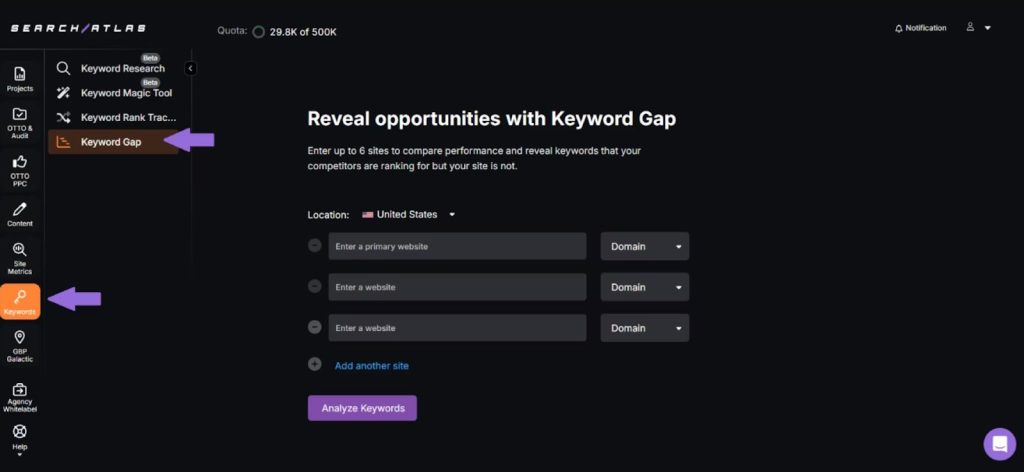
- Content Planner: AI-assisted content calendar that suggests topics based on keyword research and competitor gap analysis. Helps you plan months of content based on search demand and topical relevance.
- Rank Tracker: Monitor keyword positions across Google, Bing, and Yahoo with daily updates. Track local rankings by location and compare desktop versus mobile performance for all tracked keywords.
[Image Source: Search Atlas]
Search Atlas Pros
- OTTO SEO saves time on site audits and monitoring. Instead of running manual audits weekly, OTTO automatically flags issues and prioritizes them by impact. It caught a crawl error on one client site that we would have missed for weeks.
- The interface is intuitive if you’ve used Ahrefs. Our team was productive within the first day because the layout and navigation mirror Ahrefs closely. There’s a minimal learning curve for experienced SEO professionals.
- Keyword clustering is built in and works well. You don’t need a separate tool like Keywordly to group related keywords. Search Atlas automatically identifies clusters and helps you plan content around topic groups.
- Backlink data is comprehensive for most use cases. While the database isn’t as large as Ahrefs, it covers 90% of what we need for client link audits and competitor analysis. Only deep backlink research feels limited.
Search Atlas Cons
- It’s still a relatively new platform with occasional bugs. I’ve encountered a few interface glitches and reports that didn’t load properly. Nothing critical, but it reminds you this isn’t a mature product like Ahrefs or Semrush.
- The backlink database is smaller than Ahrefs. If you’re doing extensive link-building research or need to analyze backlink profiles for large enterprise sites, Ahrefs has more comprehensive data. Search Atlas works fine for small to mid-sized sites.
- Historical data is limited compared to competitors. Ahrefs and Semrush show years of historical ranking and traffic data. Search Atlas has less historical depth, which matters if you’re analyzing long-term trends.
- Limited third-party integrations currently. Unlike Semrush, which integrates with dozens of marketing tools, Search Atlas has basic integrations only. If your workflow relies on connecting multiple platforms, this could be limiting.
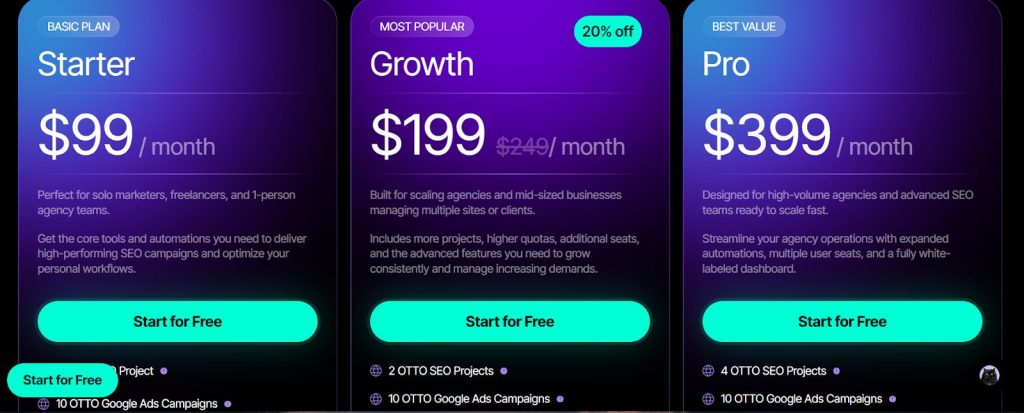
Search Atlas Pricing
- 7-day free trial
- Starter: $99/month
- Growth: $199/month
- Pro: $399/month
Search Atlas Reviews
- G2: 4.7 out of 5 stars (99+ reviews)
- Capterra: 4.8 out of 5 stars (67+ reviews)
Notable User Sentiment: “Search Atlas gives us 80% of what we got from Ahrefs at half the price. For a small agency managing a dozen clients, it’s the perfect fit.” — SEO agency owner managing 12 client accounts
7. Indexly– Best for Faster Page Indexing
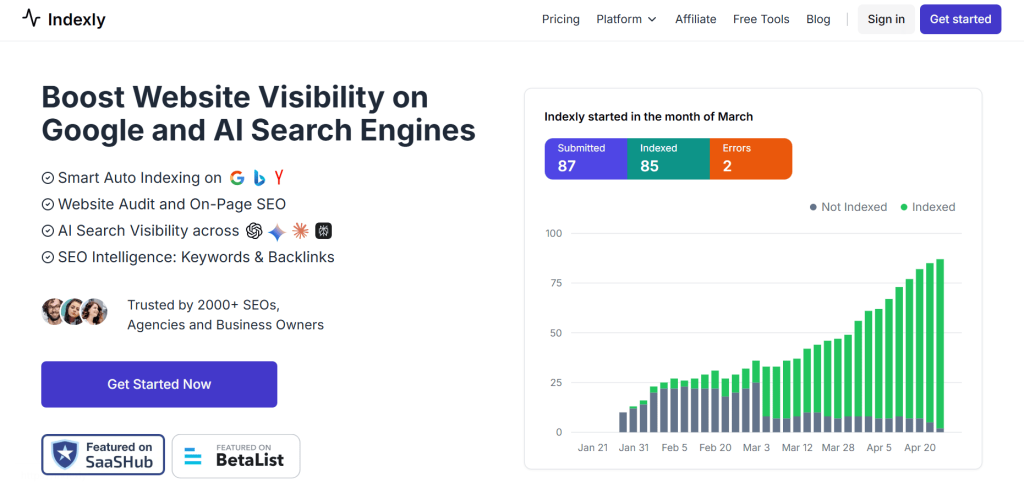
Best For: Indexly is ideal for new websites struggling to get indexed, ecommerce stores with hundreds of product pages, and website owners tired of waiting weeks for Google to discover their content.
How I Use It: I use Indexly to get new client pages indexed within hours instead of days or weeks. It’s especially useful for time-sensitive content like product launches or seasonal campaigns.
Quick Overview
Indexly launched in 2022 specifically to solve one frustrating problem: the “Discovered – Currently not indexed” status in Google Search Console. This issue affects millions of website owners who publish content that Google finds but chooses not to index.
What makes Indexly stand out is its simplicity and focus. It does one thing exceptionally well: it gets your pages indexed faster. Instead of waiting for Google’s crawlers to eventually prioritize your pages, Indexly submits them through Google’s Indexing API for priority processing.
I’ve used Indexly on my own website and several client sites at OneLittleWeb. On average, pages get indexed within 6-12 hours instead of the typical 3-7 days. For a new e-commerce client with 200 product pages, we got 85% indexed within 24 hours using Indexly.
It’s best suited for new websites that struggle with initial indexing, e-commerce stores launching new products regularly, content sites publishing time-sensitive articles, and anyone who’s frustrated by slow Google indexing.
Compared to manual Google Search Console submissions (which are limited and slow) or expensive indexing services, Indexly offers the best balance of automation, speed, and affordability.
Indexly Key Features
- Instant Indexing: Submit individual pages or bulk submit hundreds of URLs for immediate indexing through Google’s Indexing API. Bypasses the normal crawl queue and prioritizes your pages for faster discovery.
- Auto-Indexing: Automatically monitors all your pages and submits new or updated content for indexing without manual intervention. Connects to your sitemap and watches for changes continuously.
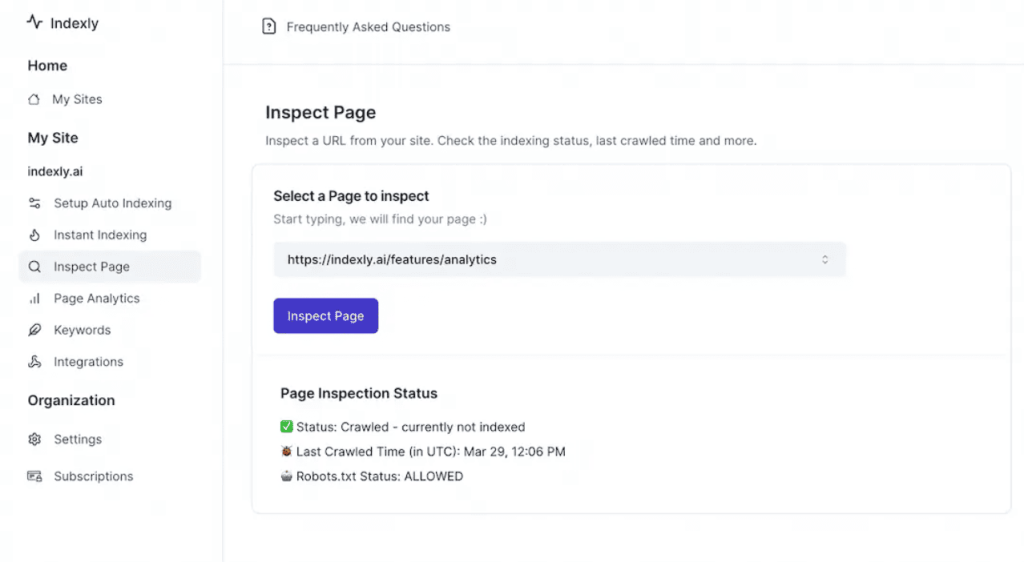
- Page Inspect: Shows the current indexing status of every page on your site in one centralized dashboard. Identifies pages stuck in “Discovered – Not Indexed” status and lets you take action immediately.
- Bulk Index: Upload a CSV file with hundreds or thousands of URLs and submit them all for indexing in one batch. Essential for e-commerce sites or content migrations where manual submission would take hours.
- LLM Indexing Toolset: Tracks whether your pages are discoverable by AI platforms like ChatGPT and Perplexity. Shows which pages AI models can access and alerts you if important content isn’t being crawled by LLM bots.
- Indexing Reports: Provides detailed reports showing submission history, indexing success rates, and pages that failed to index with reasons why. Helps you identify patterns and fix underlying issues.
Indexly Pros
- Pages get indexed dramatically faster than normal. I tested this by publishing 10 blog posts and tracking indexing time. Five were submitted through Indexly and indexed within 8 hours. The other five without Indexly took 4-6 days to index.
- Auto-indexing removes manual work completely. Once connected to your sitemap, Indexly watches for new content automatically and submits it without you doing anything. This saved us hours per month on a client’s e-commerce site.
- The interface is dead simple to use. Unlike complex SEO platforms, Indexly has one clear purpose with straightforward controls. Our clients can use it themselves without training or support tickets.
- LLM indexability tracking is unique and valuable. We discovered that several important client pages weren’t accessible to ChatGPT because of robots.txt issues. Without Indexly, we wouldn’t have caught this for months.
- Bulk indexing saves massive time for large sites. We used this during a site migration for an e-commerce client with 500+ product pages. Instead of weeks of gradual indexing, 80% were indexed within 3 days.
Indexly Cons
- It only solves indexing problems, nothing else. If your pages aren’t indexing because of content quality issues or technical problems, Indexly won’t fix that. It accelerates indexing for pages that should already be indexable.
- Rank tracking features are basic compared to dedicated tools. Indexly recently added rank tracking, but it’s not as robust as Semrush or SE Ranking. The data updates are slower, and the interface is less polished.
- You’ll need other tools for comprehensive SEO. Indexly doesn’t do keyword research, site audits, backlink analysis, or content optimization. It’s a specialized tool that solves one specific problem well.
- Some pages still won’t index despite submission. If Google determines your content is low-quality or duplicate, Indexly can’t force indexing. It prioritizes submission but doesn’t override Google’s quality filters.
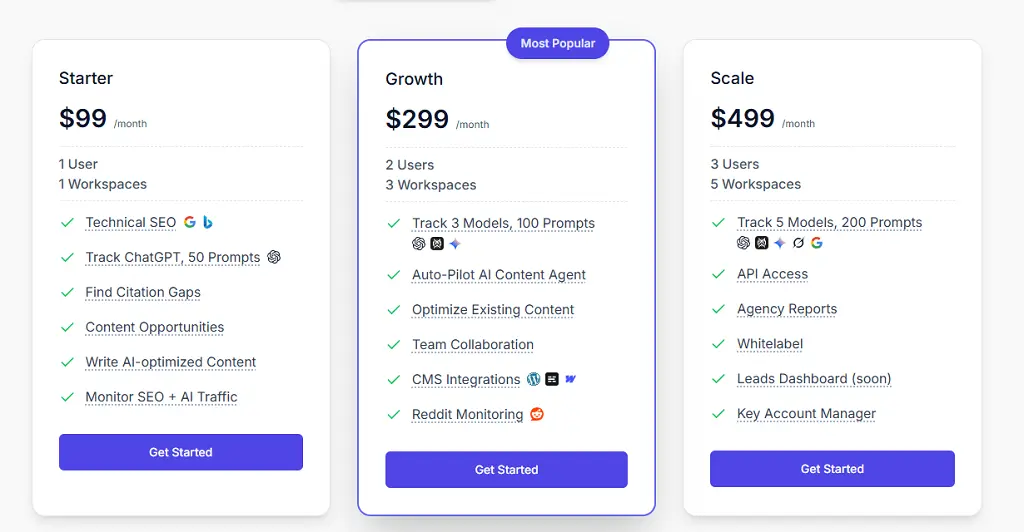
Indexly Pricing
- Starter: $99/month
- Growth: $299/month
- Scale: $49/month
Notable User Sentiment: “We launched 50 new product pages and they were all indexed within 24 hours using Indexly. Before this tool, it would take 2-3 weeks and we’d lose early sales.” — E-commerce site owner
8. Rankability– Best for Content Quality Monitoring
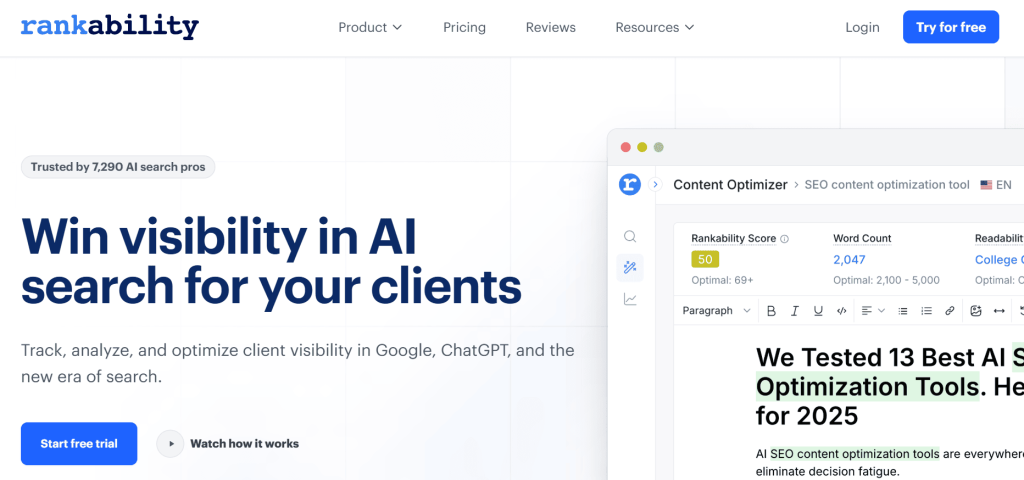
Best For: Rankability is ideal for SEO content writers, content managers, and SEO teams focused on creating and maintaining high-quality content that ranks in both Google and AI search results.
How I Use It: I use Rankability’s Content Optimizer to improve underperforming articles and Content Monitor to track whether our content stays relevant as search results and AI platforms evolve.
Quick Overview
Rankability launched in 2023, built by SEO experts Nathan Gotch and Simon Smith, who have been in the SEO industry for over a decade. The tool was created specifically to solve the problem of content becoming irrelevant over time as search results change.
What makes Rankability stand out is Content Monitor, which tracks your content’s relevance daily against top-ranking competitors. Instead of waiting for rankings to drop before updating content, you get early warnings when your articles start losing competitive edge.
I’ve tested Rankability on my own website and several client projects at OneLittleWeb. One article that scored 49/100 in the Content Optimizer jumped to page one within 30 days after implementing the suggested improvements. The tool’s recommendations are specific and actionable.
It’s best suited for content-focused SEO teams publishing 10+ articles monthly, agencies managing content for multiple clients, and website owners who want to maintain rankings long-term instead of constantly creating new content.
Compared to alternatives like Surfer SEO or Clearscope, Rankability focuses more on ongoing content monitoring than one-time optimization. Surfer is better for initial optimization, but Rankability excels at keeping content competitive over months and years.
Rankability Key Features
- Content Optimizer: Real-time optimization tool that scores your content against top-ranking competitors. Provides a “rankability score” from 0-100 and suggests specific keywords, topics, and structural improvements to reach the target score.
- Content Monitor: Tracks the ongoing relevance of your published content by analyzing how top-ranking results change over time. Alerts you when your content starts falling behind competitors so you can update before rankings drop.
- Keyword Finder: Research keywords, questions, and topics relevant to your audience across Google, ChatGPT, and other platforms. Identifies keyword opportunities based on search volume, competition, and relevance to your existing content.
- Briefs and Outlines Generator: Creates custom content briefs and outlines based on your target keyword and specific instructions. Analyzes top-ranking content and suggests structure, word count, and key topics to cover.
- AI Analyzer (Coming Soon): Will track and measure your brand’s visibility across LLMs and AI Overviews. The feature is in development, but will show which prompts trigger your content and how you compare to competitors.
- Content Templates: Save and reuse optimization templates across multiple articles. Useful for maintaining consistent content standards across writers or when optimizing content in a specific format repeatedly.
Rankability Pros
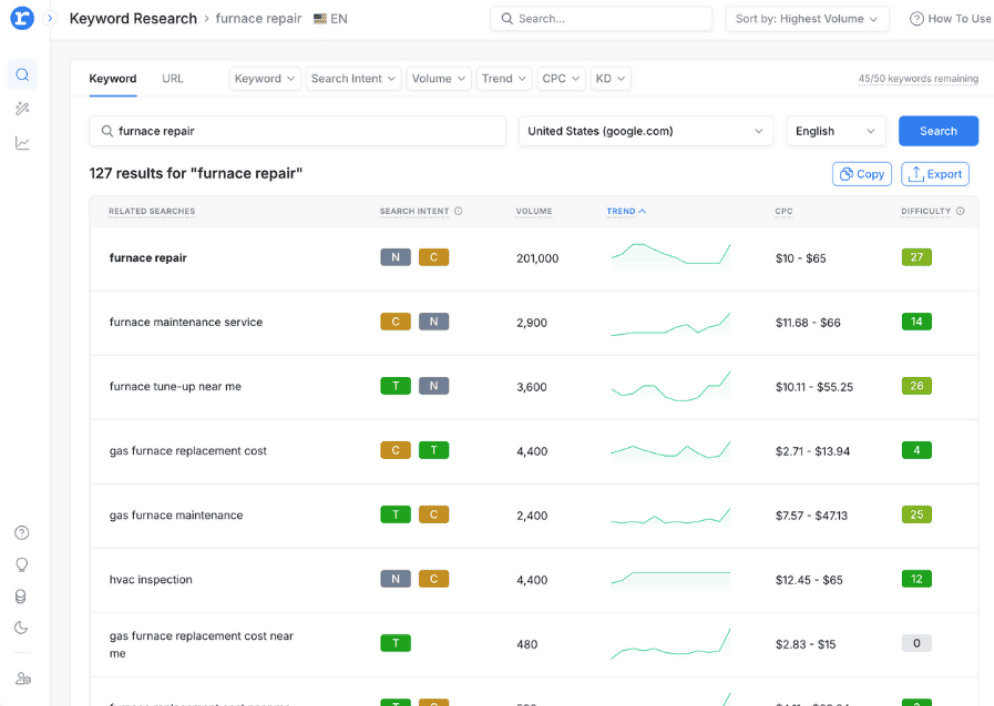
- Content Monitor catches relevance decay before rankings drop. I tracked 20 client articles with Content Monitor, and it flagged 5 that were losing relevance. We updated them before they lost rankings, which saved months of recovery time.
- The rankability score is accurate for predicting ranking potential. Articles scoring 65+ consistently ranked in the top 20 within 30-45 days. Articles below 55 rarely made it past page 3, which helped us prioritize optimization efforts.
- Keyword suggestions are specific and actionable. Unlike generic keyword tools that dump hundreds of suggestions, Rankability shows exactly which keywords top-ranking pages use that yours don’t. This makes optimization straightforward.
- Content optimization is faster than manual SERP analysis. What used to take 30-40 minutes of competitor research now takes 5 minutes in the Content Optimizer. The tool does the heavy lifting of identifying gaps.
Rankability Cons
- Generated outlines don’t always match search intent perfectly. I tested the Briefs Generator on 15 keywords, and 4-5 outlines focused on the wrong angle or suggested word counts that were too short for competitive keywords.
- Meta title suggestions could be more compelling. The tool generates functional titles, but they often lack the creativity or hook needed to improve click-through rates. You’ll still need to craft these manually.
- Keyword research isn’t as comprehensive as Semrush. The Keyword Finder covers basics well, but if you need deep keyword gap analysis or extensive search volume data across thousands of keywords, dedicated tools are better.
Rankability Pricing
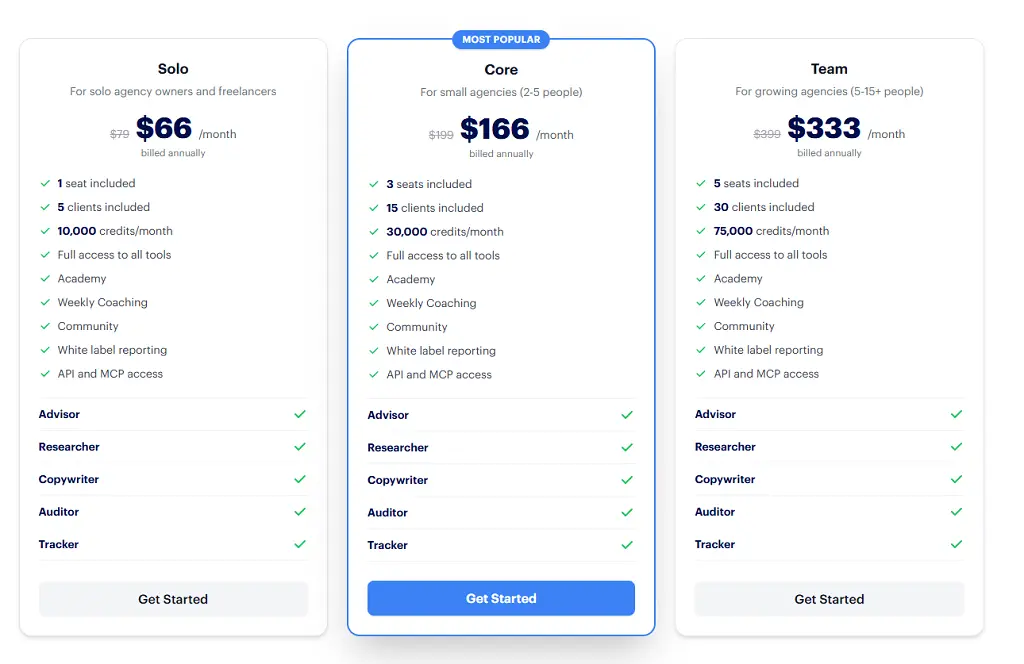
- SEO Specialist: $124/month
- SEO Expert: $208/month
- SEO Master: $374/month
Rankability Reviews
- G2: 5 out of 5 stars (11+ reviews)
- Capterra: 5 out of 5 stars (3+ reviews)
Notable User Sentiment: “Content Monitor saved us from a traffic disaster. It flagged 8 articles that were becoming irrelevant, and we updated them before they tanked. Rankings actually improved after updates.” — Content manager at SaaS company
9. Keywordly– Best for Keyword Clustering
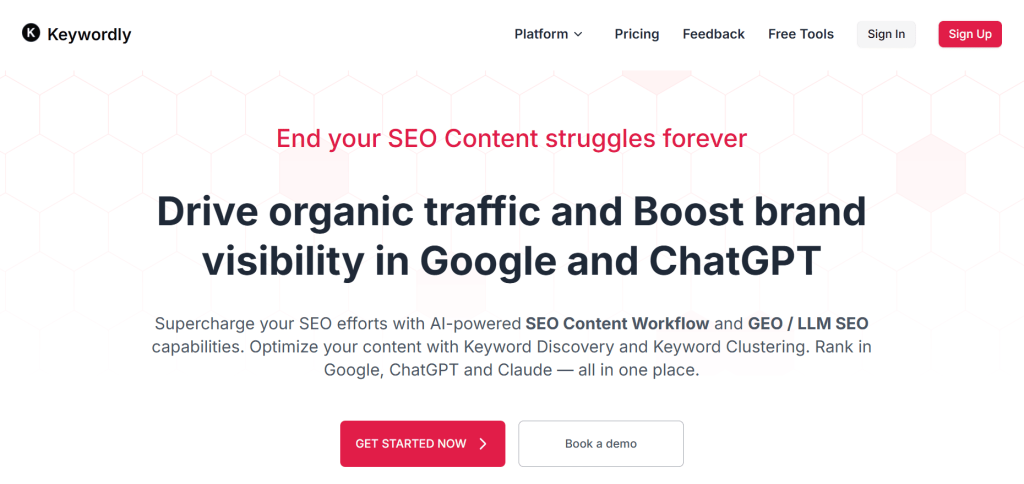
Best For: Keywordly is ideal for SEO strategists, content teams on a budget, and marketers who need keyword clustering, Reddit research, and LLM visibility tracking without expensive enterprise tools.
How I Use It: I use Keywordly for grouping hundreds of keywords into content clusters and researching conversations on Reddit to find content ideas that competitors miss.
Quick Overview
Keywordly is a relatively new SEO content workflow tool that launched in 2023. It focuses on making keyword research, clustering, and content planning more efficient for small teams and solo marketers who can’t afford Semrush or Ahrefs.
What makes Keywordly stand out is its Reddit and Quora keyword research feature. Most tools only pull data from Google, but Keywordly shows actual conversations where people ask questions about your topic. This helps you create content that answers real problems instead of just chasing search volume.
I’ve used Keywordly for several client projects at OneLittleWeb where we needed to build comprehensive topic clusters without spending hours manually grouping keywords. The clustering algorithm groups semantically related keywords accurately about 80% of the time.
It’s best suited for content strategists building pillar pages and topic clusters, small marketing teams with limited budgets, and SEO consultants who need to deliver keyword research quickly for clients.
Compared to dedicated clustering tools like Keyword Insights or expensive platforms like Semrush, Keywordly offers 70% of the functionality at 10% of the cost. It’s not as robust, but the value per dollar is exceptional.
Keywordly Key Features
- Keyword Clustering: Automatically groups hundreds or thousands of keywords into semantic clusters based on search intent and SERP overlap. Helps you identify which keywords should be targeted on the same page versus separate pages.
- Reddit & Quora Research: Find relevant discussions, subreddits, and questions related to your topic. Shows what real people are asking and struggling with, which helps create content that actually resonates with audiences.
- GEO/LLM Visibility Tracking: Monitors your brand’s visibility across language models like ChatGPT and Perplexity. Shows which keywords trigger mentions of your site and provides optimization suggestions to improve LLM visibility.
- Keyword Gap Analysis: Compares your keyword coverage against competitors and identifies gaps where they rank but you don’t. Helps prioritize which topics to create content around based on competitor success.
- Amazon & YouTube Keyword Research: Discovers product keywords and video topic ideas beyond traditional Google search. Useful for e-commerce sites and content creators diversifying beyond blog posts.
- Content Workflow Automation: Streamlines the process from keyword research to content creation with AI-powered outline generation and optimization suggestions. Integrates keyword clusters directly into content briefs.

Keywordly Pros
- Keyword clustering is fast and surprisingly accurate. I uploaded 500 keywords for a client project, and Keywordly grouped them into 42 clusters in under 2 minutes. Manual clustering would have taken hours, and the results matched what I would have done.
- Reddit keyword research uncovers hidden opportunities. We found a subreddit with 50,000+ members discussing a niche topic our client serves. We created content around their questions and got backlinks from Reddit discussions naturally.
- Pricing is extremely affordable for small teams. At $14/month, it’s one of the cheapest SEO tools that provides real value. Even the lifetime deal at $299 is a steal compared to the annual costs of other platforms.
- GEO/LLM visibility tracking works for basic monitoring. While not as comprehensive as Semrush One or Surfer, Keywordly shows whether your brand appears in ChatGPT responses, which is valuable data you can’t get from most budget tools.
- The interface is simple and doesn’t overwhelm users. Unlike complex platforms with dozens of features, Keywordly focuses on doing a few things well. New team members can start using it productively within 30 minutes.
- Customer support is responsive despite low pricing. I submitted a feature request and got a response within 24 hours. The team is actively developing based on user feedback, which is rare for budget tools.
Keywordly Cons
- Search volume data comes from third-party sources. It’s not pulling directly from Google like Semrush or Ahrefs, so accuracy varies. I’ve seen volume estimates off by 20-30% compared to Google Keyword Planner.
- Clustering algorithms occasionally group unrelated keywords. About 15-20% of the time, keywords end up in the wrong cluster and need manual adjustment. It’s still faster than manual clustering, but you can’t trust the results blindly.
- Limited historical data and trend analysis. If you need to see how keyword volume has changed over months or years, Keywordly doesn’t provide that depth. You’ll need Google Trends or a more comprehensive tool.
- No rank tracking or SERP monitoring features. Keywordly focuses purely on research and planning. Once content is published, you’ll need separate tools to track rankings and performance over time.
- Reddit research is limited to English content. If you’re targeting non-English markets, the Reddit and Quora features won’t help much. The tool is clearly built for English-speaking audiences primarily.
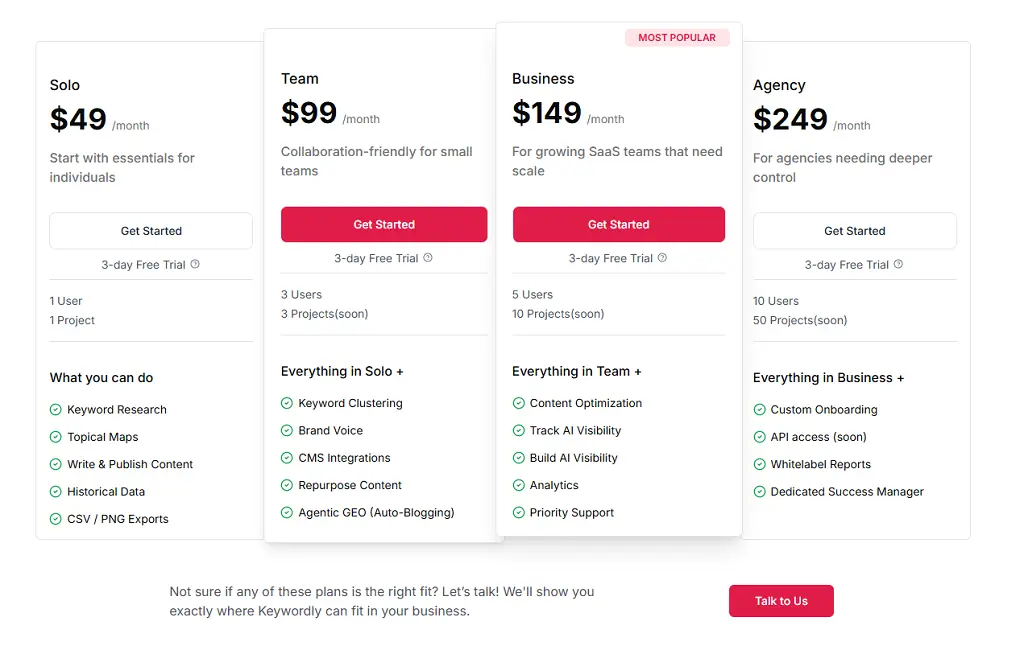
Keywordly Pricing
- Solo: $14/month
- Team: $39/month
- Business: $79/month
10. Koala AI– Best for AI Content Generation
Best For: Koala AI is ideal for solo bloggers, content creators, and small website owners who want affordable AI content generation with customization options and SEO optimization built in.
How I Use It: I use Koala AI to create first drafts for my website and speed up content production when I need to publish multiple articles quickly without sacrificing SEO optimization.
Quick Overview
Koala AI launched in 2023 as an AI content generation tool specifically designed for SEO writers and bloggers. Unlike general AI writing tools, Koala focuses on creating content that’s optimized for search engines with proper keyword usage and structure.
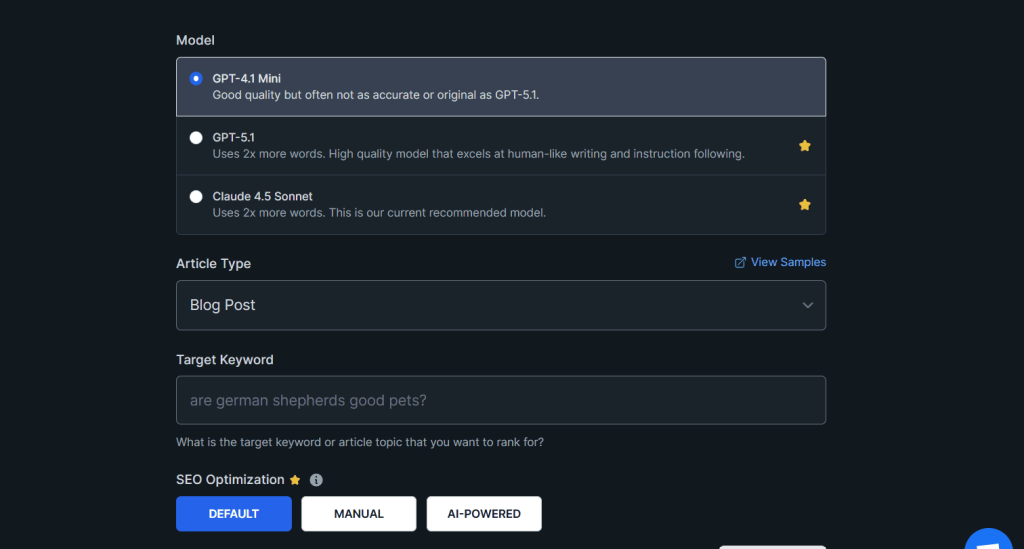
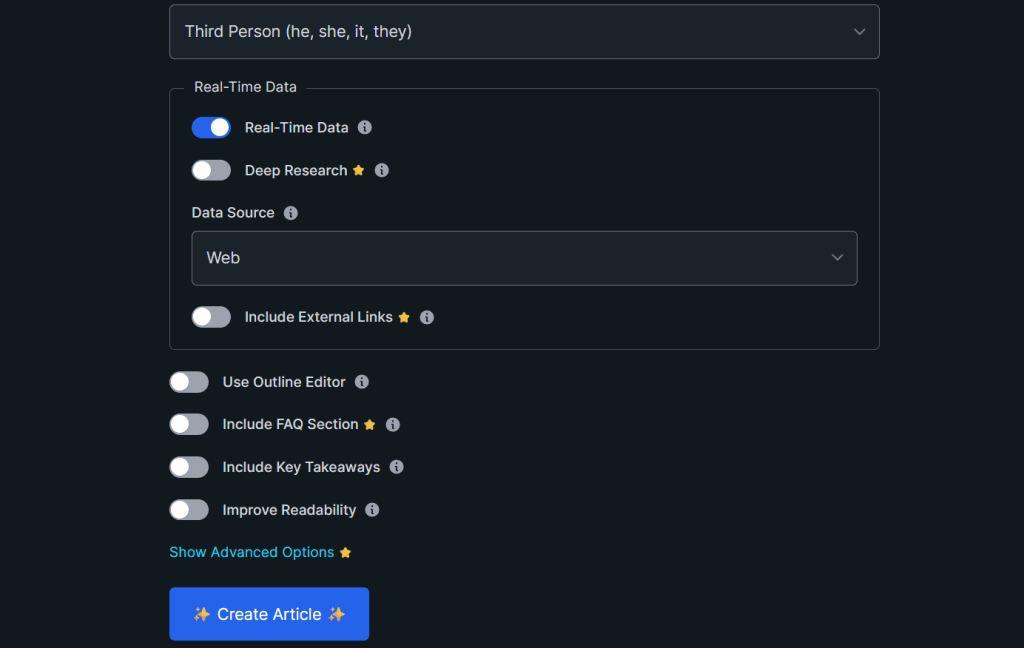
What makes Koala stand out is the level of customization before content generation. You can specify tone of voice, target word count, exact keywords to include, target country for SEO data, and even customize the outline before generating the article.
I’ve used Koala AI to create several articles for my own website, including my Koala AI review, which now ranks in the top 10 for its target keywords. The AI-generated content required editing and adding personal insights, but it provided a solid foundation in 70-80% less time than writing from scratch.
It’s best suited for bloggers publishing 5-10 articles monthly on a tight budget, affiliate marketers scaling content production, and small website owners who need SEO-optimized content without hiring writers.
Koala AI Key Features
- SEO-Optimized Content Generation: Creates long-form articles (1,000-3,500+ words) optimized for your target keyword. Automatically includes related keywords, proper heading structure, and meta descriptions.
- Custom Tone of Voice: Choose from multiple tone options, including professional, conversational, casual, authoritative, or friendly. You can also upload your own writing samples to train the AI on your specific style.
- Outline Customization: Review and edit the AI-generated outline before producing the full article. Add, remove, or reorganize sections to ensure the content matches your vision and search intent.
- Multi-Language Support: Generate content in 100+ languages with localized SEO optimization. Useful for websites targeting multiple geographic markets without hiring translators.
- Target Country Selection: Pull keyword data and optimize content for specific countries. If you’re targeting UK audiences versus US audiences, the content adjusts terminology and search volume accordingly.
- Word Count Control: Specify exact word count ranges from 500 to 5,000+ words. The AI generates content to match your requirements rather than producing arbitrary-length articles.
Koala AI Pros
- Content generation is fast and requires less editing than competitors. I tested Koala against Jasper and Copy.ai for the same keyword. Koala’s output needed 40% less editing to reach publishable quality with better keyword integration.
- You can generate 5,000 words for free every month. This is enough for 2-3 articles, which lets you test the tool thoroughly before paying. Most AI writing tools offer tiny trials or none at all.
- Customization options before generation save time. Being able to adjust the outline, tone, and structure upfront means fewer revisions after content is generated. This alone saves 20-30 minutes per article.
- SEO optimization is built in, not an afterthought. The content includes target keywords naturally, uses proper heading hierarchy, and suggests meta descriptions. You’re not starting from generic AI content that needs complete restructuring.
- Articles rank when combined with personal insights. My Koala-generated review ranks on page one because I added my own experience, screenshots, and original observations. The AI provides structure; you add value.
Koala AI Cons
- Content still needs significant human editing for quality. While better than most AI writers, Koala produces generic content that lacks personality, unique examples, and expert insights. Plan to spend 30-45 minutes editing per article.
- No built-in plagiarism or AI detection checking. You’ll need separate tools like Copyscape or Originality.ai to ensure content isn’t too similar to existing articles or easily detected as AI-written.
- Limited integration with other SEO tools. Unlike Surfer SEO, which integrates with WordPress and Google Docs, Koala is a standalone tool. You’ll manually copy content to your CMS or writing platform.
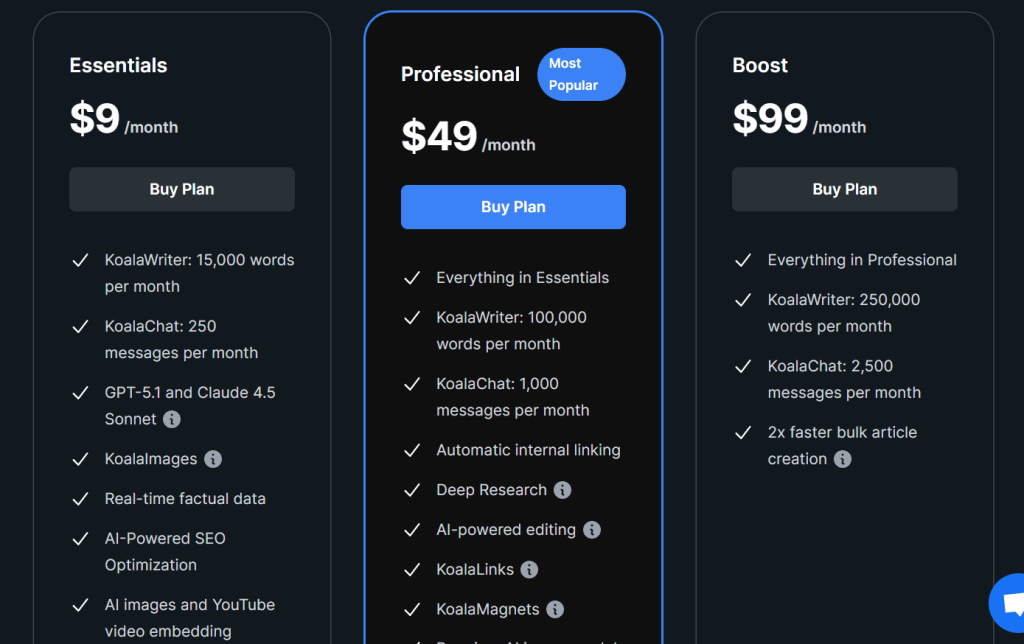
Koala AI Pricing
- Essentials: $9/month
- Professional: $49/month
- Boost: $99/month
Koala AI Reviews
Capterra: 4.5 out of 5 stars (69+ reviews)
Notable User Sentiment: “Koala cut my content production time in half. The first drafts aren’t perfect, but they’re 70% there. I add my expertise and examples, and articles rank within weeks.” — Solo blogger in personal finance niche
11. SEOpital– Best for Scaling Content Production
Best For: SEOpital is ideal for agencies and in-house teams that need to scale content production quickly with AI-powered generation, optimization, and direct WordPress publishing.
How I Use It: I use SEOpital when clients need to publish 20+ articles per month and don’t have the budget for a full writing team. The WordPress integration saves hours of manual publishing work.
Quick Overview
SEOpital launched in 2023 as an AI-powered SEO content platform designed specifically for agencies and teams producing high volumes of content. The tool focuses on speed and workflow efficiency rather than deep optimization features.
What makes SEOpital stand out is the seamless WordPress integration. You can generate content, optimize it, and publish directly to your WordPress site without exporting, copying, or manual formatting. For teams managing multiple client sites, this saves significant time.
I’ve used SEOpital for a few client projects at OneLittleWeb, where volume was more important than deep customization. The tool works well for informational content, blog posts, and FAQs, though it requires more editing for complex technical topics.
It’s best suited for agencies producing 50+ articles monthly across multiple clients, in-house content teams at fast-growing startups, and affiliate marketers scaling content production on tight budgets.
Compared to alternatives like Koala AI or Jasper, SEOpital is more focused on workflow automation and bulk production than individual article quality. It’s about speed and scale rather than perfection.
SEOpital Key Features
- AI Content Generation: Creates long-form SEO-optimized articles based on your keyword, content type, and detailed requirements. You specify the outline, conclusion format, FAQ inclusion, and language before generation.
- WordPress Auto-Publishing: Generates content and publishes it directly to your WordPress site automatically. Includes featured images, meta descriptions, and proper formatting without manual intervention.
- Keyword Project Management: Create keyword projects to organize and track content production across topics or clients. Helps manage multiple content calendars and ensures consistent publishing schedules.
- Content Optimization: Analyzes generated content and suggests improvements for keyword density, readability, heading structure, and SEO best practices. Basic compared to Surfer, but useful for quick optimization.
- ChatGPT & Perplexity Tracking: Monitors your website’s mentions across AI search engines, including ChatGPT and Perplexity. Shows which prompts trigger your content and tracks changes in AI visibility over time.
- Bulk Content Creation: Generate multiple articles simultaneously from a list of keywords. Useful for creating large content batches for new websites or filling content gaps quickly.
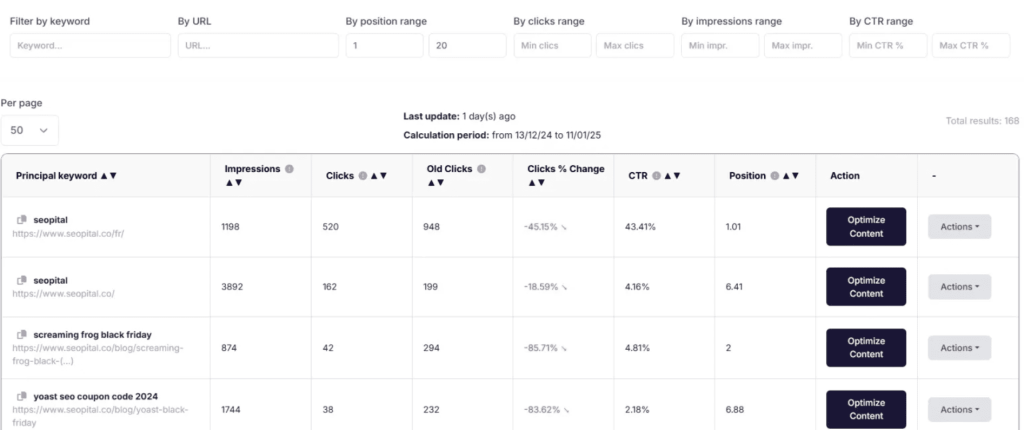
SEOpital Pros
- WordPress integration eliminates manual publishing work. We set up bulk content generation for a client site and published 30 articles in one afternoon without touching the WordPress editor. This saved at least 10 hours of work.
- Bulk generation is fast for informational content. I tested creating 15 “what is” definition articles, and SEOpital generated all of them in under 20 minutes with consistent quality. Perfect for foundational content.
- Keyword project organization helps manage multiple clients. We track 5 different client content calendars in SEOpital, and the project structure makes it easy to see what’s published, what’s in draft, and what’s scheduled.
- AI tracking for ChatGPT and Perplexity is included. Most tools charge extra for LLM visibility monitoring, but SEOpital includes it in the base plan. It’s not as detailed as Semrush, but it covers the basics.
SEOpital Cons
- Generated content is noticeably generic and formulaic. Every article follows the same structure and tone regardless of settings. The content reads like AI-written content without much personality or a unique perspective.
- Editing requirements are higher than Koala or Jasper. I estimate spending 45-60 minutes editing each SEOpital article to make it publishable quality. That’s about 50% more editing time than other AI content tools.
- No advanced customization options before generation. Unlike Koala, where you can adjust tone, outline, and style extensively, SEOpital offers basic inputs only. The output is fairly rigid and predictable.
- The tool is still relatively new with limited features. Compared to mature platforms like Semrush or Surfer, SEOpital lacks depth in keyword research, technical audits, and comprehensive SEO analysis.

SEOpital Pricing
- Basic: $49/month
- Standard: $97/month
- Expert: $149/month
- Elite: $249/month
SEOpital Reviews
Capterra: 4.7 out of 5 stars (60+ reviews)
Notable User Sentiment: “SEOpital is perfect for creating foundational content quickly. We use it for basic blog posts and FAQs, but anything requiring expertise or a unique perspective still needs human writers.” — Content manager at marketing agency
12. Frase– Best for Content Brief Creation
Best For: Frase is ideal for content writers, small marketing teams, and SEO consultants who need fast content briefs, SERP analysis, and AI-assisted writing without expensive subscriptions.
How I Use It: I use Frase to create detailed content briefs for freelance writers in under 10 minutes. The SERP research and question analysis save hours of manual competitor review.
Quick Overview
Frase launched in 2016, making it one of the earlier AI-powered SEO content tools on the market. The platform has evolved from a simple content research tool into a comprehensive brief generator, content optimizer, and AI writer.
What makes Frase stand out is the Answer Engine, which aggregates questions people ask about your topic from Google, Reddit, Quora, and other platforms. This helps you create content that answers real user questions instead of just targeting keywords.
I’ve used Frase across multiple client projects at OneLittleWeb, primarily for creating content briefs for our writing team. The tool analyzes the top 20 Google results and extracts the most important topics, headings, and questions to cover.
It’s best suited for content teams that need to produce briefs quickly for multiple writers, SEO consultants creating content strategies for clients, and solo writers who want research done automatically before writing.
Compared to alternatives like Surfer SEO or Clearscope, Frase is more affordable and focused on the research and brief creation phase rather than real-time optimization during writing.
Frase Key Features
- Content Brief Generator: Analyzes top-ranking pages for your target keyword and creates a comprehensive brief including topics to cover, questions to answer, suggested headings, and competitive analysis.
- Answer Engine: Aggregates questions from Google People Also Ask, Reddit, Quora, and other sources. Shows what people actually want to know about your topic so you can address their concerns directly.
- SERP Research: Provides a detailed analysis of the top 20 Google results including word count, domain authority, headings used, and topics covered. Helps you understand what’s already ranking and how to differentiate.
- AI Content Writer: Generates content based on your brief with AI assistance. You can write paragraph by paragraph with AI suggestions or generate full sections at once based on highlighted topics.
- Content Optimization: Scores your content as you write and suggests related topics and keywords to include. The optimization is less detailed than Surfer but covers the fundamentals effectively.
- Team Collaboration: Assign briefs to writers, track content status, and provide feedback within the platform. Useful for agencies managing multiple writers and ensuring consistent quality.
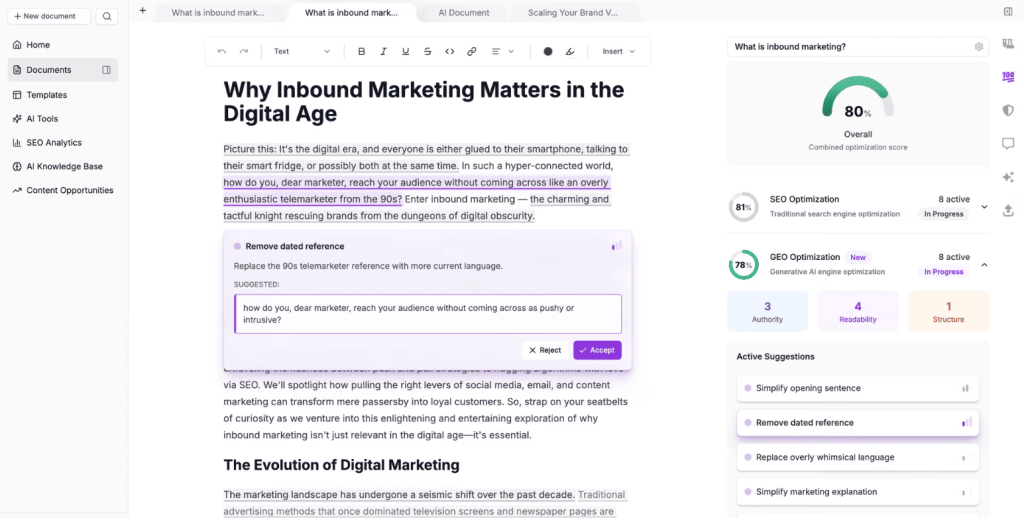
Frase Pros
- Content briefs are generated in 5-10 minutes. What used to take 30-45 minutes of manual SERP analysis now happens automatically. I can create 5-6 detailed briefs in the time it used to take for one.
- The Answer Engine uncovers questions competitors miss. We found 12 unique questions about a client’s topic that weren’t addressed by any top-ranking page. We created content around those gaps and ranked quickly.
- SERP analysis is comprehensive and easy to scan. The interface shows word counts, headings, and topics from competitors in a clean layout. You can quickly identify patterns and opportunities without clicking through 20 websites.
- Team collaboration features work smoothly. We assign briefs to freelance writers through Frase, and they can see research, suggested topics, and optimization targets all in one place. This eliminates back-and-forth emails.
Frase Cons
- Limited keyword research capabilities. Frase focuses on analyzing a single keyword at a time. If you need comprehensive keyword discovery or clustering, you’ll need a dedicated tool like Semrush or Keywordly.
- No rank tracking or performance monitoring. Once content is published, Frase doesn’t track how it performs. You’ll need Google Search Console or a rank tracking tool to monitor results over time.
- The tool doesn’t connect to WordPress or CMS platforms. You’ll manually copy content from Frase to your publishing platform. For teams publishing 20+ articles monthly, this adds tedious extra steps.
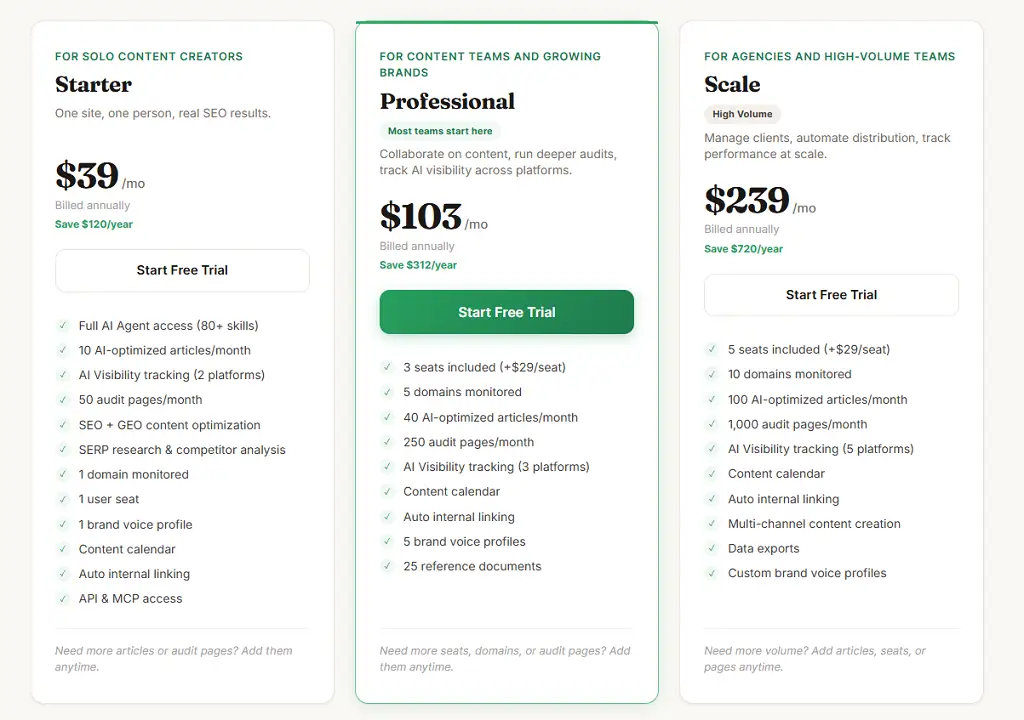
Frase Pricing
- Solo: $38/month
- Professional: $98/month
- Scale: $195/month
- Advanced: $297/month
Frase Reviews
- G2: 4.8 out of 5 stars (299+ reviews)
- Capterra: 4.8 out of 5 stars (335+ reviews)
Notable User Sentiment: “Frase transformed how we create content briefs. Our writers now have everything they need in one document instead of us sending them 10 different competitor links to review.” — Content director at B2B SaaS company
13. ChatGPT Plus– Best Versatile AI Assistant
Best For: ChatGPT Plus is ideal for everyone in SEO who wants a versatile AI assistant for content creation, research, data analysis, and problem-solving across various marketing tasks.
How I Use It: I use ChatGPT Plus daily at OneLittleWeb for writing meta descriptions, creating content outlines, analyzing keyword data, generating FAQ answers, and brainstorming content angles.
Quick Overview
ChatGPT Plus launched in February 2023 as the premium version of OpenAI’s ChatGPT, offering faster response times, priority access during peak hours, and access to GPT-4 and newer models. While not specifically an SEO tool, it’s become essential for marketing professionals.
What makes ChatGPT Plus stand out is its versatility. Instead of being limited to one function like keyword research or content optimization, you can use it for hundreds of SEO and marketing tasks from writing code to analyzing spreadsheets to generating content.
I’ve used ChatGPT Plus for over two years across client projects at OneLittleWeb. It’s saved me countless hours on tasks like writing title tag variations, creating schema markup, generating content outlines, and even debugging technical SEO issues.
It’s best suited for anyone working in digital marketing, SEO specialists who need help with various tasks throughout the day, content creators looking for research and writing assistance, and agencies wanting to increase team productivity.
Compared to specialized SEO tools, ChatGPT Plus is a generalist that does many things well rather than one thing perfectly. It won’t replace Semrush for keyword research, but it’s invaluable for dozens of smaller tasks.
ChatGPT Plus Key Features
- GPT-4 and GPT-4o Access: Use the most advanced language models for complex reasoning, analysis, and content generation. GPT-4 produces higher-quality output than the free version’s GPT-3.5.
- Custom GPTs: Create or use pre-built specialized versions of ChatGPT trained for specific tasks like SEO analysis, content writing, or data processing. Save your favorite GPTs for repeated use.
- Web Browsing: ChatGPT can search the web and access current information beyond its training data. Useful for researching recent trends, checking facts, or analyzing competitor content.
- Data Analysis: Upload spreadsheets, CSV files, or documents for analysis. ChatGPT can identify trends, create visualizations, and provide insights from your keyword research or traffic data.
- Image Generation with DALL-E: Create custom images for blog posts, social media, or website content. While not professional-grade, it’s useful for quick visual content when you don’t have a designer.
- Voice Conversations: Talk to ChatGPT using voice input and receive spoken responses. Useful for brainstorming content ideas hands-free or getting quick answers while multitasking.
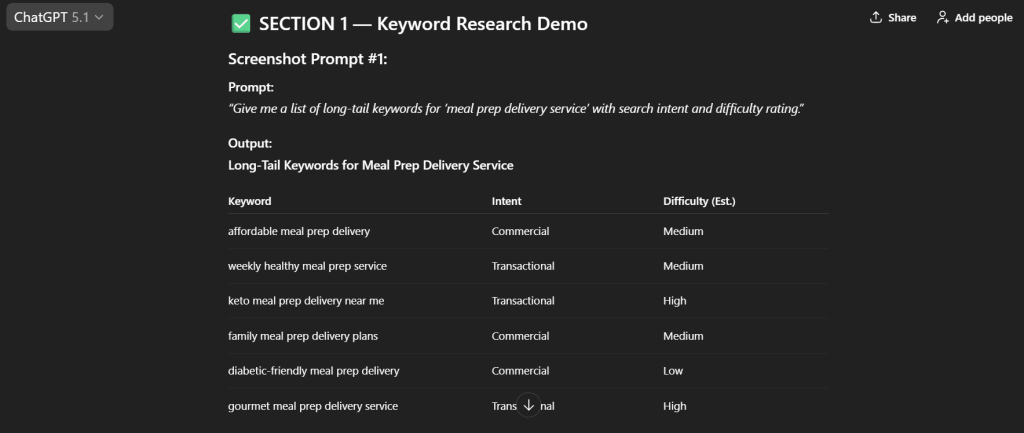
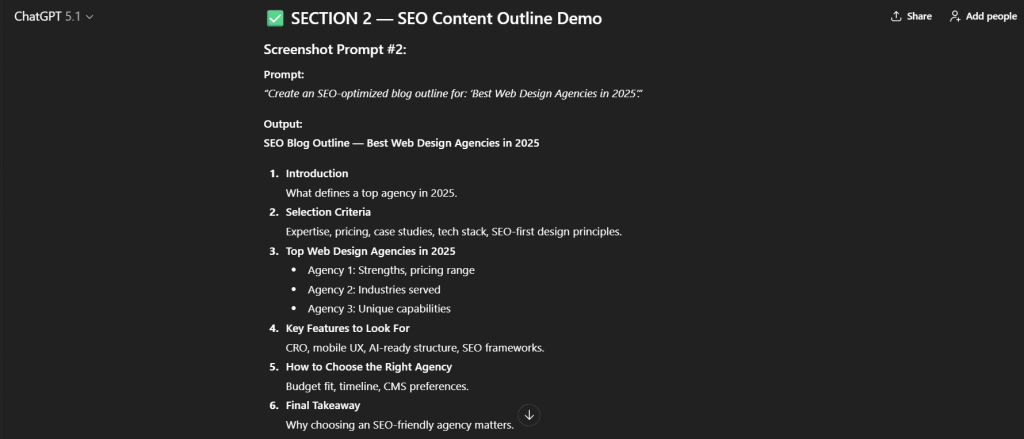
ChatGPT Plus Pros
- Saves hours on repetitive SEO tasks daily. I generate 10-15 meta descriptions in 2 minutes instead of 20 minutes. I create FAQ schema markup in 30 seconds instead of 10 minutes. These small efficiencies add up to hours saved weekly.
- Custom GPTs eliminate repetitive prompting. I built a custom GPT for creating content outlines with our agency’s specific structure. Now writers get consistent briefs without me rewriting the same instructions every time.
- Web browsing enables real-time research and fact-checking. When writing about recent algorithm updates or current trends, ChatGPT can search the web and cite sources, which eliminates manual research time.
- Data analysis features handle keyword research spreadsheets. I upload CSV exports from Semrush with 1,000+ keywords, and ChatGPT identifies patterns, groups keywords by intent, and suggests content priorities in minutes.
- The quality of writing and reasoning is noticeably better than free tools. GPT-5 produces more nuanced, accurate, and human-sounding content than GPT-4. The difference is significant for professional use.
- Cost is minimal compared to the value delivered. At $20/month, it’s cheaper than any specialized SEO tool, yet I use it 20-30 times per day across various tasks. The ROI is exceptional.
ChatGPT Plus Cons
- Not a replacement for dedicated SEO tools. ChatGPT can’t provide keyword difficulty scores, track rankings, audit technical issues, or monitor backlinks. You’ll still need tools like Semrush or Ahrefs for comprehensive SEO work.
- Fact-checking is essential for everything it generates. I’ve caught incorrect statistics, outdated information, and completely fabricated sources in responses. Never publish ChatGPT output without verifying facts independently.
- Consistency varies between responses for the same prompt. Ask the same question twice, and you might get different angles, tone, or depth. This makes it harder to standardize output quality across team members.
- The context window has limits for large documents. While improved in recent versions, ChatGPT can still struggle with analyzing very long documents or maintaining context across extended conversations.
- No native integration with SEO tools or CMS platforms. You’ll manually copy content from ChatGPT to Google Docs, WordPress, or other platforms. There’s no API access for Plus users to automate workflows.
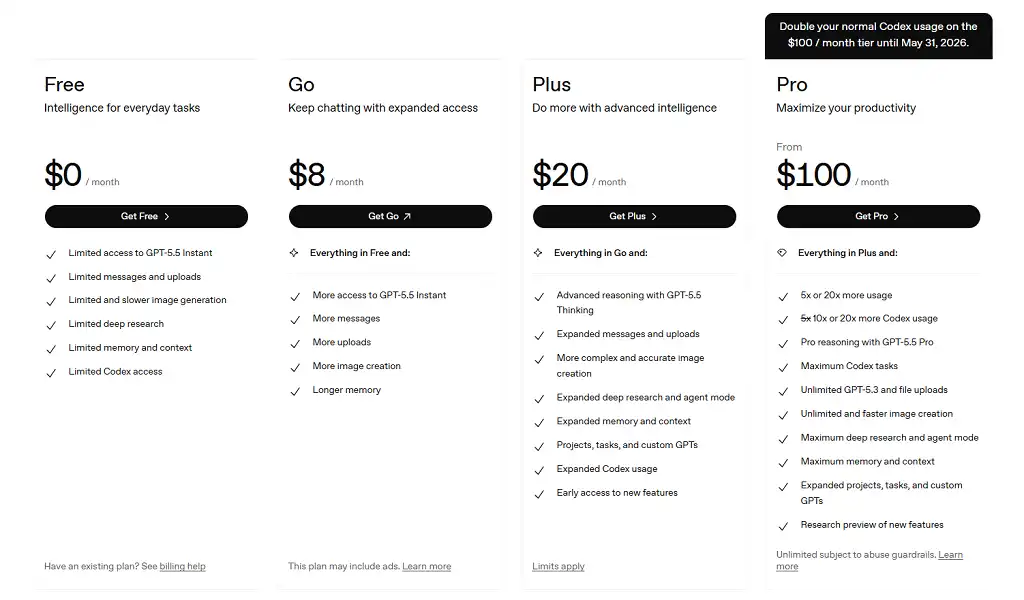
ChatGPT Plus Pricing
- Free
- Go: $8/month
- Plus: $20/month
- Pro: $100/month
ChatGPT Plus Reviews
- G2: 4.7 out of 5 stars (1,097+ reviews)
- Capterra: 4.5 out of 5 stars (285+ reviews)
Notable User Sentiment: “ChatGPT Plus is my most-used tool every single day. It’s not perfect, but it makes me 3-4x more productive across writing, research, and analysis tasks.” — SEO consultant managing multiple client accounts
14. Perplexity Pro– Best for Research with Citations
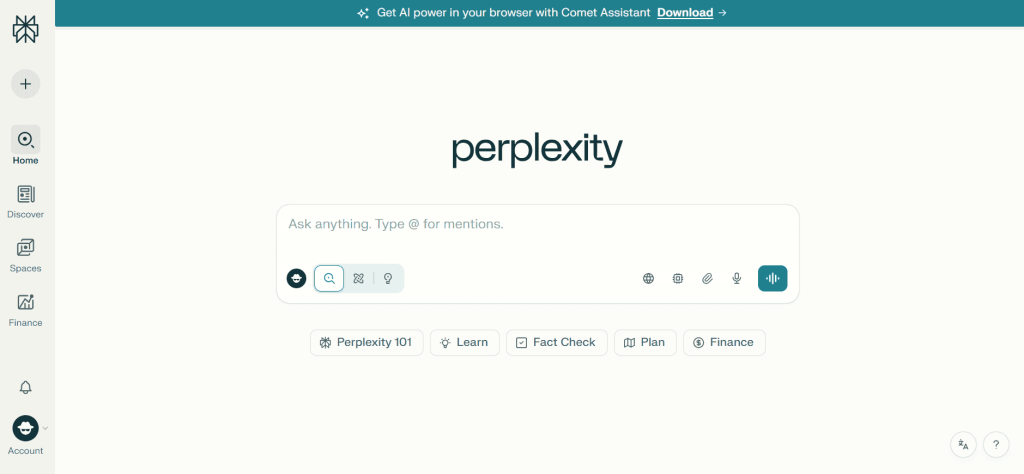
Best For: Perplexity Pro is ideal for researchers, content strategists, and SEO professionals who need accurate, real-time web research with cited sources for fact-checking and content creation.
How I Use It: I use Perplexity Pro for competitive research, industry trend analysis, and fact-checking when creating expert content that requires verified sources and current data.
Quick Overview
Perplexity Pro launched in 2023 as an AI-powered research tool that combines conversational AI with real-time web search and automatic source citations. Unlike ChatGPT which can hallucinate information, Perplexity always cites sources for its responses.
What makes Perplexity Pro stand out is the quality of research and citations. Every claim in the response includes footnotes with direct links to sources, making it easy to verify information and cite sources in your content.
I’ve used Perplexity Pro for research-heavy client projects at OneLittleWeb, where accuracy matters more than speed. The tool is particularly valuable when writing about complex topics, recent industry changes, or anything requiring cited sources.
It’s best suited for content strategists researching competitive landscapes, SEO professionals analyzing industry trends and algorithm updates, journalists and writers needing verified sources, and anyone creating expert content that requires factual accuracy.
Compared to ChatGPT, Perplexity is more focused on research accuracy than content generation. ChatGPT is better for writing, while Perplexity excels at finding and synthesizing information from current web sources.
Perplexity Pro Key Features
- Real-Time Web Search: Searches the current web for every query, ensuring responses include the most recent information available. No knowledge cutoff means you get data from today, not months or years ago.
- Automatic Source Citations: Every response includes numbered citations with direct links to sources. You can click through to verify information and use those sources in your own content with proper attribution.
- Advanced AI Models: Access to GPT-4, Claude, and other premium AI models for higher-quality reasoning and analysis. You can switch models based on the task for optimal results.
- Follow-Up Questions: Engage in multi-turn conversations where Perplexity maintains context and builds on previous responses. Useful for deep research where you’re exploring a topic from multiple angles.
- Image Search and Analysis: Search for images related to your topic and analyze them within conversations. Helpful for visual research or understanding diagrams and infographics from sources.
- Collections: Save and organize research sessions into collections for different projects or clients. Return to previous research threads without starting from scratch.
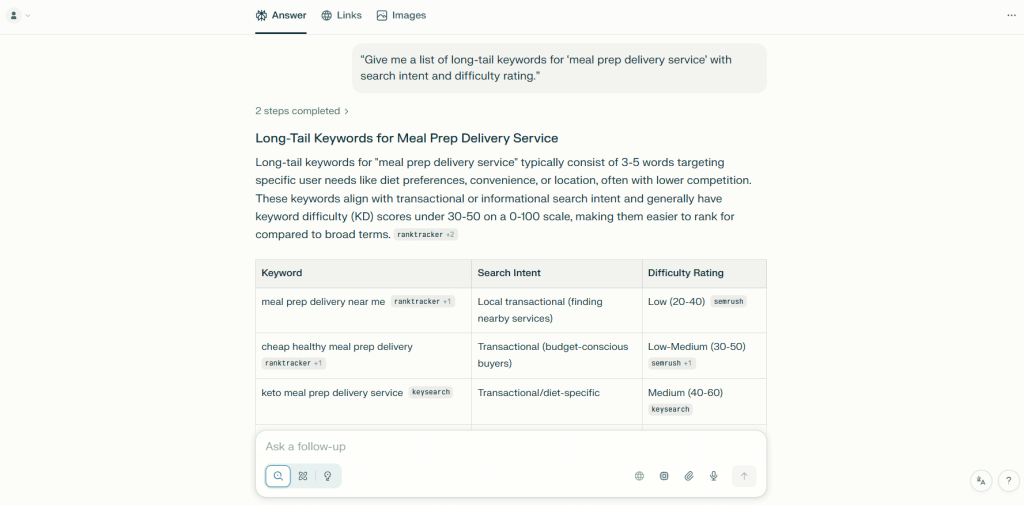
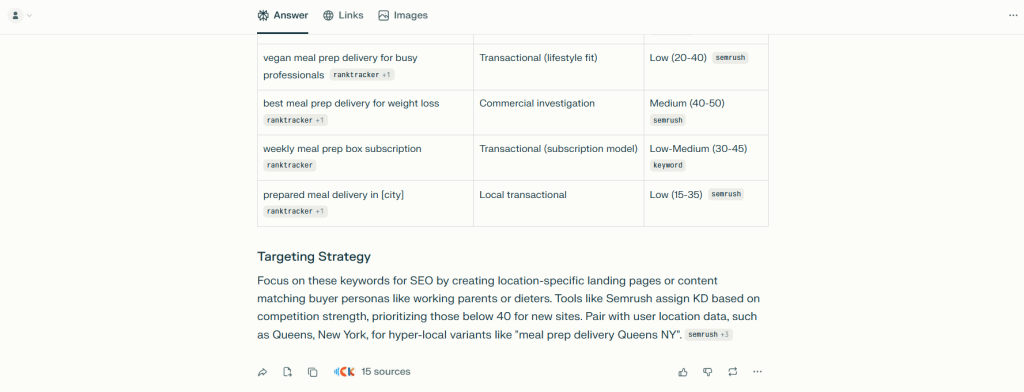
Perplexity Pro Pros
- Source citations eliminate hours of fact-checking work. Instead of manually verifying every claim in AI-generated content, Perplexity provides sources automatically. I can click through, confirm accuracy, and use those same sources in final content.
- Research quality is consistently better than ChatGPT. For complex topics requiring nuance, Perplexity synthesizes information from multiple current sources rather than relying on outdated training data. The responses are more accurate and comprehensive.
- Real-time data access is crucial for SEO content. When writing about recent algorithm updates or current industry trends, Perplexity pulls information from articles published days or hours ago rather than months-old training data.
- Multiple AI model options optimize for different tasks. I use GPT-4 for complex reasoning, Claude for long-form analysis, and other models for speed. Having choices means you’re not locked into one AI’s strengths and weaknesses.
- Collections keep client research organized. I maintain separate collections for each client’s industry research, competitor analysis, and content planning. This makes it easy to reference previous research without searching through chat history.
- The interface is clean and focused on research. Unlike ChatGPT, which tries to do everything, Perplexity focuses on research and information retrieval. The simplicity makes it faster and more efficient for its core purpose.
Perplexity Pro Cons
- Not designed for content generation like ChatGPT. While Perplexity can write, it’s optimized for research and synthesis rather than creative content creation. For actual article writing, ChatGPT or dedicated tools work better.
- The free version has severe usage limits. You get very few Pro searches per day on the free plan. For professional use, you essentially need the Pro subscription, which makes the free version more of a teaser.
- No integration with SEO tools or CMS platforms. You’ll manually copy research from Perplexity to your content docs or briefs. There’s no API access for automating workflows or connecting with other marketing tools.
- Source quality varies and requires manual evaluation. While Perplexity cites sources, it sometimes pulls from low-authority sites or forums. You still need to evaluate whether the source is trustworthy before using the information.
- Complex queries sometimes return surface-level responses. For very niche or technical topics, Perplexity occasionally provides basic overviews rather than deep analysis. ChatGPT with carefully crafted prompts can go deeper in these cases.
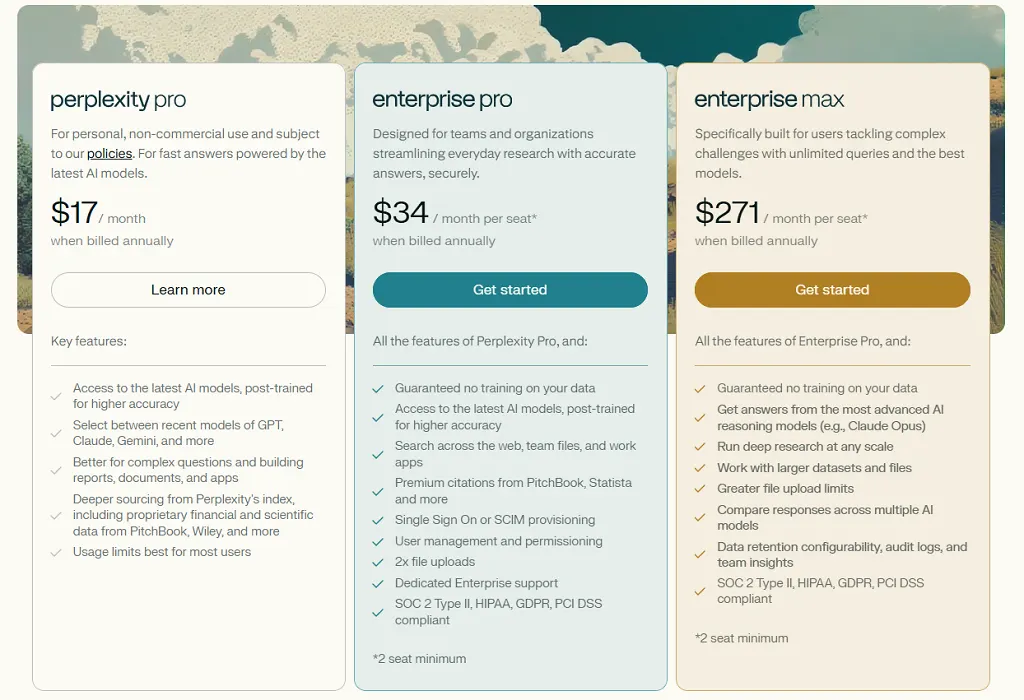
Perplexity Pro Pricing
- Free
- Perplexity Pro: $17/month
- Enterprise Pro: $34/month
- Enterprise Max: $271/month
Perplexity Pro Reviews
- G2: 4.6 out of 5 stars (77+ reviews)
- Capterra: 4.6 out of 5 stars (25+ reviews)
Notable User Sentiment: “Perplexity replaced hours of manual research with cited sources I can trust. When I’m writing expert content, it’s my first stop before ChatGPT.” — Content strategist at healthcare marketing agency
15. Smartlead– Best for AI-Powered Link Building Outreach
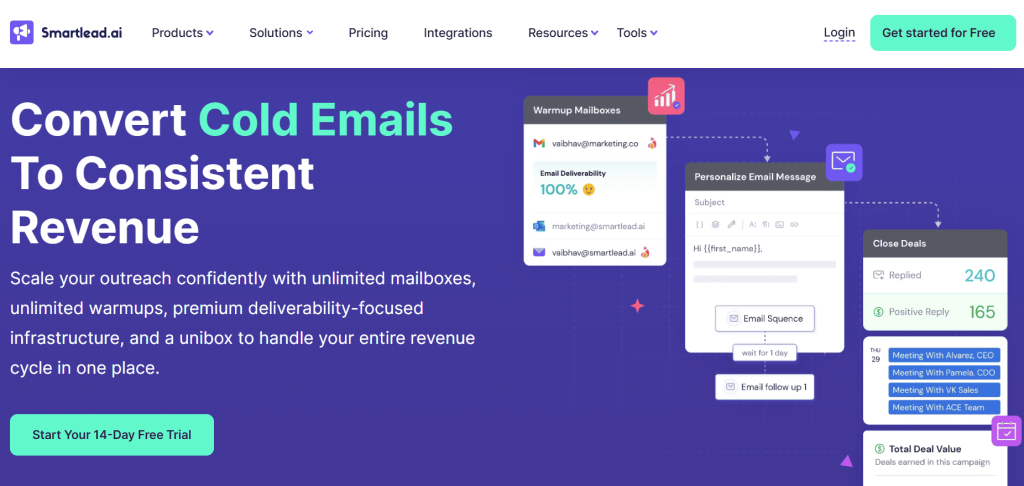
Best For: Smartlead is ideal for SEO agencies, link builders, and digital PR teams that need to scale cold email outreach for link building, guest posting, and digital PR campaigns at high volume.
How I Use It: I use Smartlead for cold email outreach when building links for client sites. The unlimited email accounts and AI-powered warmup help us send 1,000+ outreach emails monthly without deliverability issues.
Quick Overview
Smartlead launched as a cold email outreach platform designed specifically for high-volume senders who need reliable inbox placement.
While it’s not a traditional SEO tool like Semrush or Ahrefs, it’s become essential for link builders and digital PR professionals who rely on email outreach to secure backlinks.
What makes Smartlead stand out is the unlimited email accounts feature combined with AI-powered email warmup. Most cold email tools limit how many email addresses you can connect, which restricts your sending capacity.
Smartlead removes that bottleneck entirely, letting you rotate through unlimited inboxes to maintain high deliverability.
I’ve used Smartlead for link building campaigns at OneLittleWeb for over 2 years. We’ve secured 1000+ high-quality backlinks through cold outreach to publishers, bloggers, and editors. The tool’s AI categorization helps us identify interested prospects quickly so we can follow up strategically.
It’s best suited for SEO agencies doing outbound link building at scale, digital PR teams pitching stories to journalists and bloggers, link builders managing multiple client campaigns simultaneously, and teams that need to send from 2000 to 40,000+ outreach emails per month.
Compared to alternatives like Instantly or Lemlist, Smartlead offers better deliverability features and unlimited email accounts without per-inbox pricing. It’s more expensive upfront, but the scalability justifies the cost for agencies.
Smartlead Key Features
- Unlimited Email Accounts: Connect as many email addresses as you need without additional fees. Rotate between accounts automatically to distribute sending volume and maintain strong sender reputation across all domains.
- AI-Powered Email Warmup: Automatically warms up new email accounts by mimicking human conversation patterns. Sends and receives emails gradually, moves messages out of spam folders, and adjusts daily volume based on deliverability signals.
- Unified Master Inbox: Consolidates replies from all connected email accounts into one centralized inbox. Tag and categorize responses using AI, assign conversations to team members, and never lose track of a conversation across multiple campaigns.
- Spintax and Personalization: Create email variations using spintax (spinning syntax) to avoid sending identical messages. Insert dynamic variables like {{first_name}}, {{company}}, and custom fields to personalize outreach at scale.
- Dynamic IP Rotation: Assigns unique IP addresses to each campaign to protect sender reputation. If one campaign triggers spam filters, other campaigns remain unaffected because they’re on separate IPs.
- AI Email Categorization: Automatically sorts incoming replies into categories like Interested, Not Interested, Out of Office, and Bounced. Helps link builders prioritize follow-ups and respond to hot leads first.
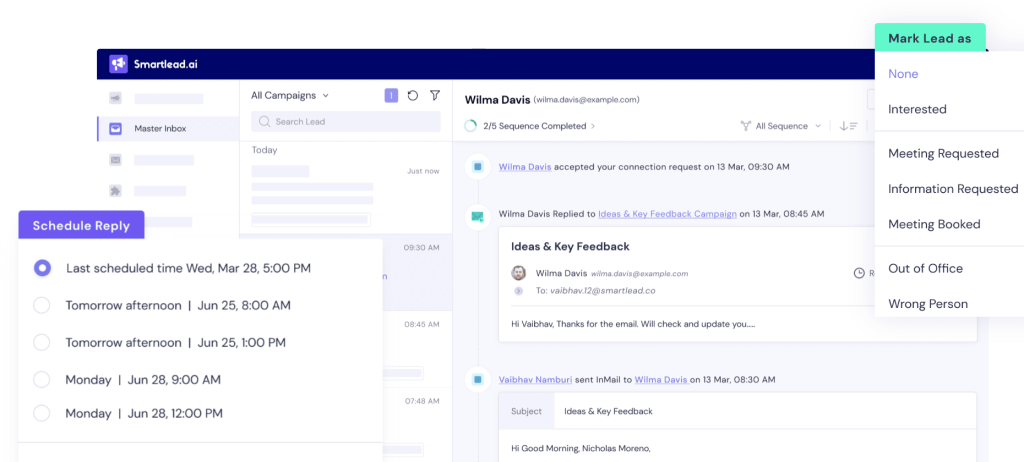
[Image Source: Smartlead]
Smartlead Pros
- Unlimited email accounts solve the biggest bottleneck in cold outreach. Most tools charge per inbox, which gets expensive fast. With Smartlead, we connected 15 email accounts across different domains and rotated them automatically. This tripled our sending capacity without increasing costs.
- Email warmup works exceptionally well for new domains. We set up 5 new domains for a client’s link building campaign. After 3 weeks of warmup, all accounts maintained 95%+ inbox placement rates when we started sending cold emails.
- AI categorization saves hours of manual inbox management. Instead of reading every reply individually, Smartlead sorts them automatically. We focus on the “Interested” category first and get back to prospects within hours instead of days.
- Dynamic IP rotation protects your sender reputation. We had one campaign where 20% of recipients marked emails as spam (bad targeting on our part). Because it ran on a dedicated IP, none of our other campaigns were affected.
- Spintax prevents spam filter detection. We created 10+ variations of our core outreach template. Email providers couldn’t flag us for sending identical messages at scale, which kept our deliverability high.
Smartlead Cons
- The interface feels outdated and cluttered. Navigating between campaigns, inboxes, and settings requires too many clicks. New team members consistently struggled during onboarding compared to cleaner tools like Instantly.
- Email finding capabilities are weak. Smartlead’s built-in email finder rarely returns valid addresses. We still need Hunter.io or Apollo.io for prospect research, which adds another monthly subscription.
- Deliverability isn’t foolproof despite features. We still see 10-15% of emails land in spam even after proper warmup. Email deliverability depends on content, targeting, and sender reputation — Smartlead helps but can’t guarantee inbox placement.
- Limited email assistance on lower plans. The Basic plan ($39/month) doesn’t include email setup help. If you’re not technical, you’ll struggle with SPF, DKIM, and DMARC configuration required for good deliverability.
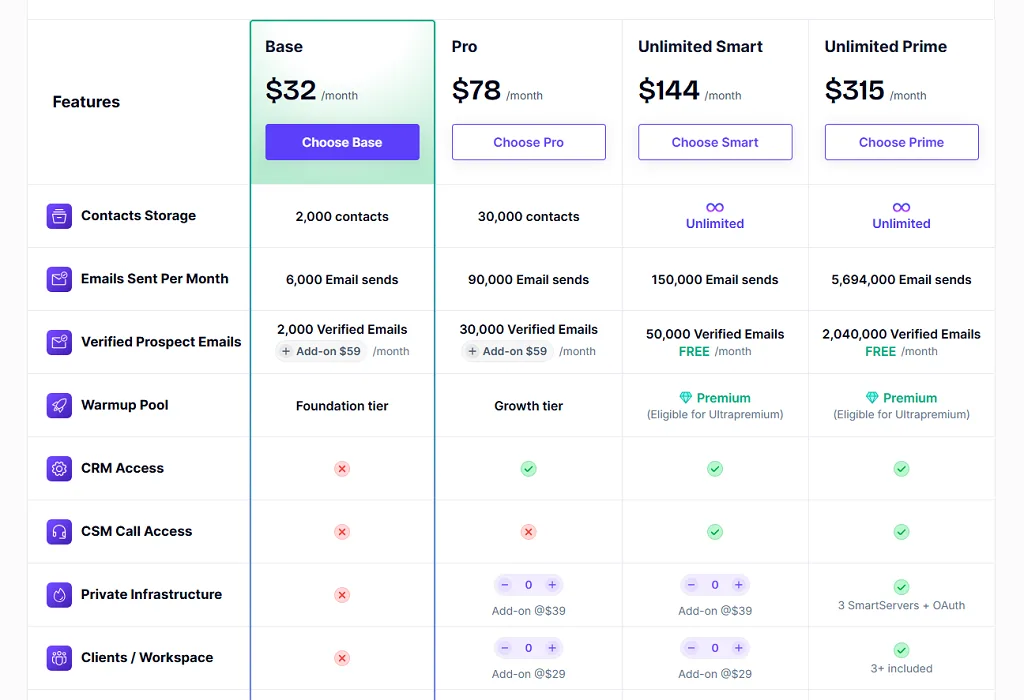
Smartlead Pricing
- Basic: $39/month
- Pro: $94/month
- Custom: $174/month onwards
Smartlead Reviews
- G2: 4.6 out of 5 stars (281+ reviews)
- Capterra: 4.3 out of 5 stars (7+ reviews)
Notable User Sentiment: “Smartlead’s unlimited email accounts changed how we do link building outreach. We went from sending 300 emails per month to 2,000+ without deliverability drops. Worth every penny for agencies.” — SEO agency owner managing link building for 8 clients
16. BuzzStream– Best for Link Building Relationship Management
Best For: BuzzStream is ideal for link builders, digital PR professionals, and SEO agencies that need to manage outreach relationships, track link placements, and coordinate team collaboration across multiple campaigns.
How I Use It: I use BuzzStream to organize link building prospects, track email conversations, and monitor which backlinks are live. The Chrome extension saves me hours by auto-filling contact information while I research prospects.
Quick Overview
BuzzStream launched in 2010 as one of the first CRMs built specifically for link builders and digital PR professionals. Unlike general cold email tools, BuzzStream focuses on relationship management, link tracking, and campaign organization rather than just sending emails.
What makes BuzzStream stand out is how it combines prospecting, outreach, and link monitoring in one platform.
You can research prospects, send personalized emails, track conversations, and see which links are live — all without juggling multiple spreadsheets or switching between tools.
I’ve used BuzzStream across dozens of link building campaigns at OneLittleWeb over the past 4 years. It’s particularly valuable for managing relationships with the same publishers across multiple client campaigns.
It’s best suited for SEO agencies managing link building for multiple clients simultaneously, in-house link builders at SaaS companies or ecommerce brands, digital PR teams pitching stories to journalists and bloggers, and anyone tired of tracking link prospects in spreadsheets.
Compared to alternatives like Pitchbox or Responsa, BuzzStream offers better relationship tracking and team collaboration features. It’s less focused on automation than newer tools, but the trade-off is better control and personalization.
BuzzStream Key Features
- Prospect Research & Discovery: Chrome extension (BuzzMarker) that extracts contact information directly from websites as you browse. Automatically pulls email addresses, social profiles, domain authority metrics, and recent content from any site you visit.
- Relationship CRM: Stores complete conversation history with every contact including emails sent, replies received, links secured, and notes from team members. Search and filter contacts by campaign, placement status, domain authority, or last contact date.
- Email Outreach Management: Send personalized email sequences directly from BuzzStream. Schedule follow-ups automatically, create templates with dynamic variables, and track open rates, reply rates, and link placement success.
- Link Monitoring: Tracks which backlinks are live and monitors their status over time. Get alerts when links go down, are changed to nofollow, or are removed entirely so you can follow up with publishers.
- Team Collaboration: Multiple team members can work on the same campaigns without stepping on each other’s toes. Assign prospects to specific team members, leave internal notes, and see who contacted which prospects when.
- Reporting & Analytics: Generate reports showing outreach performance including emails sent, response rates, links secured, and team activity. Track campaign ROI and identify which outreach strategies work best.
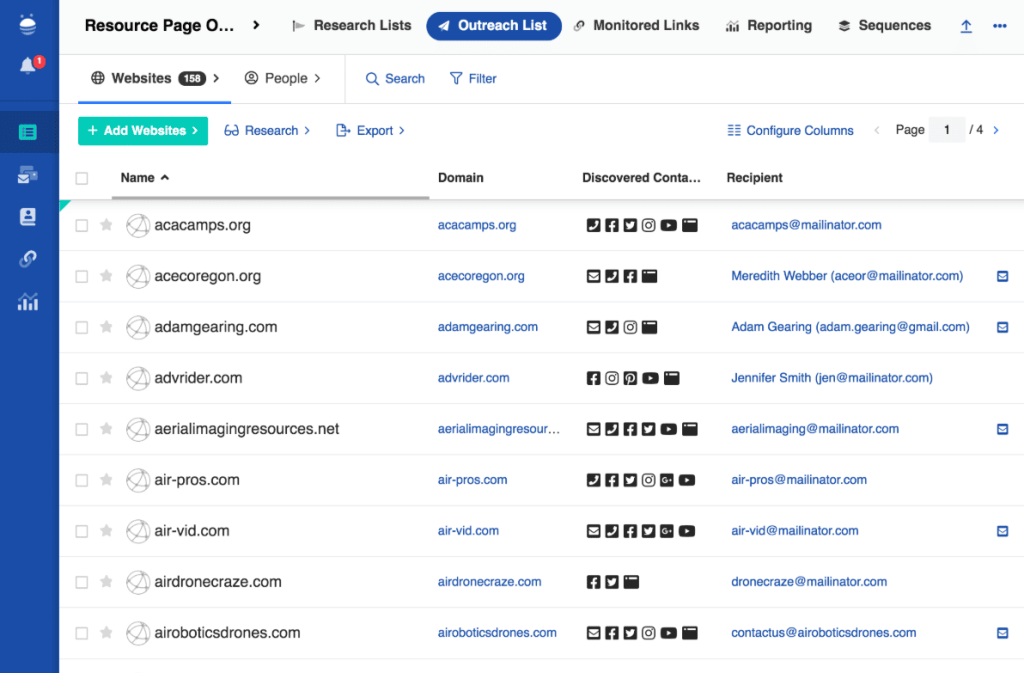
BuzzStream Pros
- The Chrome extension dramatically speeds up prospect research. Instead of manually copying email addresses and metrics into spreadsheets, BuzzMarker captures everything in one click. What used to take 15 minutes per prospect now takes 30 seconds.
- Relationship tracking prevents embarrassing duplicate outreach. We once had 3 team members reach out to the same publisher within a week (before BuzzStream). Now the CRM shows complete contact history, so we know exactly when and how we’ve contacted someone.
- Link monitoring catches problems before clients notice. A high-authority backlink we secured for a client was removed 6 months later. BuzzStream alerted us immediately, and we reached out to the publisher who reinstated the link within 48 hours.
- Team collaboration features actually work well. Our 4-person link building team can see who’s working on which prospects in real-time. Internal notes help us share context about difficult placements or responsive editors.
- Email templates with variables save hours of repetitive writing. We created 15 outreach templates for different link building tactics. Dynamic variables insert prospect names, website URLs, and custom details automatically while keeping emails personal.
- Integration with Moz metrics helps prioritize prospects. Domain Authority and Page Authority display automatically for every prospect. We focused outreach on high-DA sites first, which improved our average link quality significantly.
BuzzStream Cons
- The interface hasn’t been updated significantly in years. While functional, the design feels dated compared to modern tools like Responsa or Pitchbox. It gets the job done but isn’t particularly intuitive for new users.
- Email finding capabilities are hit-or-miss. BuzzStream’s built-in email finder works for obvious contacts (info@domain.com) but struggles with personal addresses. We still use Hunter.io for 60-70% of prospects.
- Can’t add the same contact to multiple projects easily. If you work with the same publisher across multiple client campaigns, you have to create duplicate contact records. This creates confusion about conversation history.
- No native AI features for email writing or optimization. Unlike newer competitors, BuzzStream doesn’t offer AI-powered email generation or subject line optimization. You’re writing and testing emails manually.
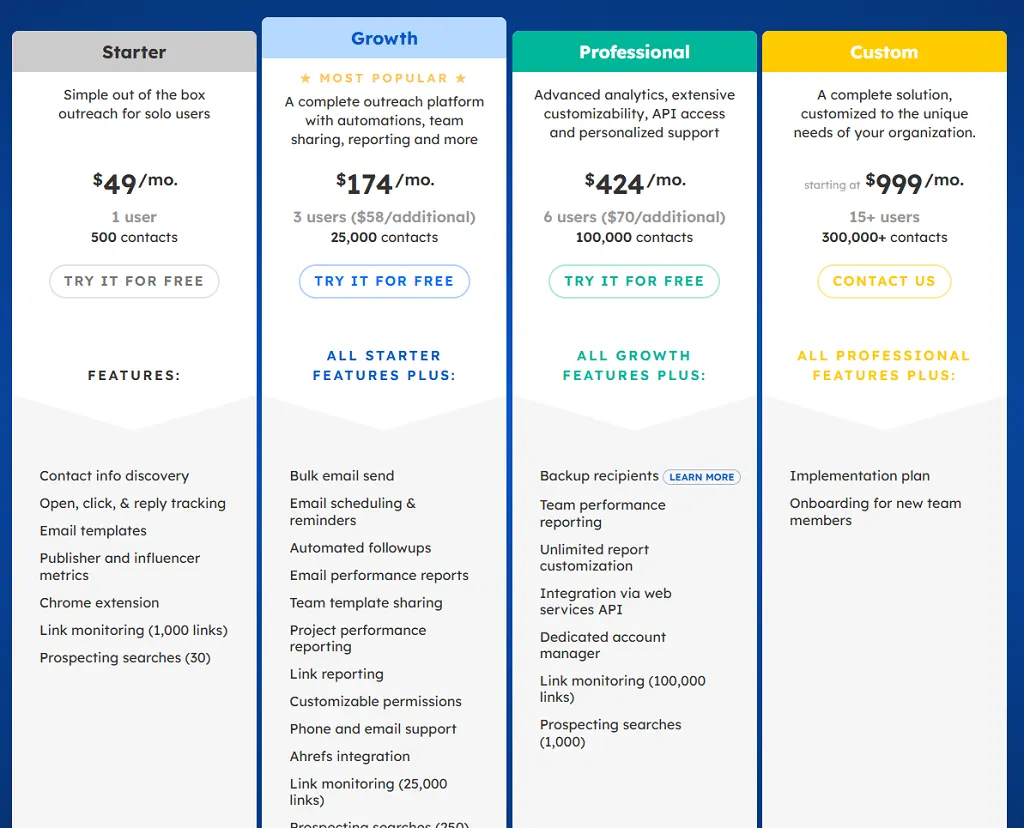
BuzzStream Pricing
- Starter: $49/month
- Growth: $174/month
- Professional: $424/month
- Custom: $999/month
BuzzStream Reviews
- G2: 4.2 out of 5 stars (165+ reviews)
- Capterra: 4.5 out of 5 stars (22+ reviews)
Notable User Sentiment: “I’ve used BuzzStream for 3+ years and it’s still the best link building CRM available. The relationship tracking alone saves our agency from awkward duplicate outreach. Yes, the interface is dated, but the functionality is solid.” — Digital PR manager at content marketing agency
So, What’s the Best AI SEO Tool for You?
If you need one platform that covers everything, start with Semrush. If content optimization is your bottleneck, Surfer fixes that faster than anything else on this list. If your pages aren’t getting indexed, Indexly solves it in hours, not weeks.
The mistake most people make is buying tools before identifying the problem. A full stack doesn’t make you a better SEO. The right tool for the right problem does.
Start with one. Use it until you feel the gap it can’t fill. Then add the next one.
That’s how a real stack gets built.